
Best Arctic Usb Fan Picks For 2026

A warm desk can turn an ordinary afternoon into a slow, sticky grind. The best arctic usb fan should create focused airflow without swallowing valuable workspace, rattling beside a microphone, or forcing constant speed adjustments. Compact ARCTIC models are designed around personal cooling rather than whole-room circulation, so placement matters just as much as raw fan speed. Set one near the edge of a desk, aim it toward the upper body, and a relatively small airflow zone can feel far more useful than air scattered across the room.
Stepless speed control makes a noticeable difference during long work sessions. A fixed low, medium, and high setup can leave the airflow feeling either too weak or annoyingly sharp, while a rotary control allows smaller adjustments as the room warms up. ARCTIC's foldable Summair, for example, supports variable speed control and adjustable tilt, giving the airflow a better chance of reaching the right spot. Still, maximum speed won't always be the smartest setting because stronger airflow usually brings more audible fan noise.
Desk space creates another common headache. A broad base may stay planted during operation, but it can crowd a narrow shelf or compete with a keyboard, notebook, and coffee mug. A foldable USB fan offers a cleaner compromise because it can be packed flatter after use and angled without stacking it on books. Yet a compact body doesn't automatically mean pocket-sized portability, so dimensions and weight deserve a quick look before the fan gets tossed into a daily bag.
Power design can quietly decide whether a fan feels convenient or fussy. A wired USB-A model suits a permanent workstation, power bank, or wall adapter, although the cable can add clutter and limits where the fan can sit. A rechargeable model removes that tether and keeps air moving during commutes or short power interruptions, but battery life drops as speed rises. Well, that's the tradeoff: cordless freedom is handy, while direct USB power avoids waiting for another device to recharge.
Noise deserves realistic expectations, especially beside video calls, bedtime reading, or concentrated work. Small fans often need higher rotational speeds to push more air, and that can produce a sharper sound than a larger fan running slowly. Lower settings usually feel gentler and blend into normal room noise, while full power is better saved for brief cooling bursts. A stable base also matters because desk vibration can make an otherwise modest motor sound louder than it really is.
Several ARCTIC formats fit different routines. A foldable table fan favors adjustable desk cooling, a lighter mobile design trims bulk, and a battery-powered model supports movement away from an outlet. The strongest pick isn't simply the model with the highest speed figure. The better fit balances airflow range, control, portability, connection type, and noise against the place where the fan will actually spend most of its time.

- LFR Score9.4
LFR Score is a ranking system developed by lightfansreviews.com. LFR Score has no relationship or impact from any manufacturers or sales agent websites. Learn more
- BrandARCTIC

- LFR Score9.2
LFR Score is a ranking system developed by lightfansreviews.com. LFR Score has no relationship or impact from any manufacturers or sales agent websites. Learn more
- BrandGaiatop

- LFR Score9.2
LFR Score is a ranking system developed by lightfansreviews.com. LFR Score has no relationship or impact from any manufacturers or sales agent websites. Learn more
- BrandTriPole

- LFR Score9.0
LFR Score is a ranking system developed by lightfansreviews.com. LFR Score has no relationship or impact from any manufacturers or sales agent websites. Learn more
- BrandARCTIC

- LFR Score9.0
LFR Score is a ranking system developed by lightfansreviews.com. LFR Score has no relationship or impact from any manufacturers or sales agent websites. Learn more
- BrandKoonie

- LFR Score9.0
LFR Score is a ranking system developed by lightfansreviews.com. LFR Score has no relationship or impact from any manufacturers or sales agent websites. Learn more
- BrandGaiatop
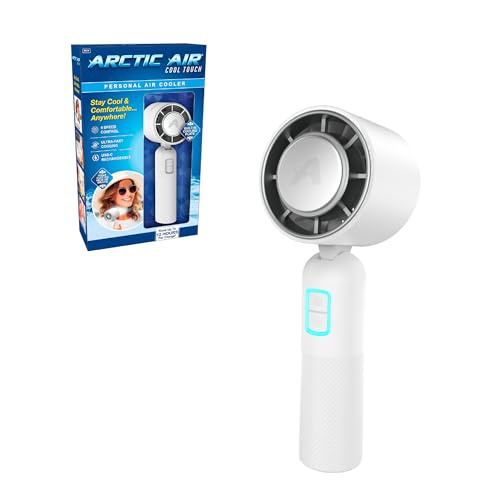
- LFR Score8.6
LFR Score is a ranking system developed by lightfansreviews.com. LFR Score has no relationship or impact from any manufacturers or sales agent websites. Learn more
- BrandArctic Air

- LFR Score8.0
LFR Score is a ranking system developed by lightfansreviews.com. LFR Score has no relationship or impact from any manufacturers or sales agent websites. Learn more
- BrandVornado

- LFR Score7.8
LFR Score is a ranking system developed by lightfansreviews.com. LFR Score has no relationship or impact from any manufacturers or sales agent websites. Learn more
- BrandArctic Air

- LFR Score6.8
LFR Score is a ranking system developed by lightfansreviews.com. LFR Score has no relationship or impact from any manufacturers or sales agent websites. Learn more
- BrandArctic Air
Last update on 2026-07-08 / Affiliate links / Images, Product Titles, and Product Highlights from Amazon Product Advertising API
ARCTIC Summair 2Go Rechargeable Handheld Fan
A stuffy commute, a warm desk, or a crowded outdoor event can make a small temperature problem feel much bigger than it is. Carrying a full-size fan isn't realistic, and many pocket models trade useful airflow for a body that's easier to pack. The best arctic usb fan should bridge that gap without becoming another awkward gadget to charge, hold, and store. The ARCTIC Summair 2Go takes a practical route with a rechargeable battery, adjustable airflow, a fold-out stand, and a shape designed for both handheld and desktop use.
ARCTIC Summair 2Go
The Summair 2Go is built for moments when still air becomes distracting but a larger cooling appliance would be overkill. Its compact handheld design keeps it suitable for bags, desks, bedside tables, and travel setups where every inch counts. Unlike a tiny novelty fan that barely moves air beyond the grille, this model is designed to provide a gentle breeze at the low end and noticeably stronger airflow at full power. That range gives it more flexibility than a simple one-speed fan, especially across changing indoor and outdoor conditions.
The physical design looks straightforward, yet several small details make everyday use less irritating. A subtly textured surface helps the handle feel secure without relying on deep grooves or bulky rubber padding. The ergonomic shape also matters during longer handheld sessions because a poorly balanced fan can tire the wrist surprisingly quickly. Held during a train ride or while waiting outdoors, the Summair 2Go is shaped to remain comfortable rather than feeling like a motor attached to a stick.
Its black finish keeps the appearance understated, which suits workspaces and travel gear without drawing unnecessary attention. More importantly, the fold-out rubberized base changes the fan from a handheld device into a small desk fan in seconds. The rubber contact points are intended to improve grip while reducing the chance of scratches or scuff marks on tables. That sounds minor until a lightweight fan starts creeping across a smooth nightstand or vibrating against a hard desk during a call.
Variable Airflow Without Awkward Presets
Fixed speed buttons often create an annoying choice between barely noticeable air and a blast that's too sharp at close range. The Summair 2Go uses infinitely variable speed control, allowing the airflow to be adjusted more precisely instead of forcing three or four preset levels. A low setting can provide soft circulation near the face, while a higher setting can cut through warmer, stagnant air. That flexibility is particularly useful because the comfortable setting at arm's length may feel completely different once the fan is placed on a desk.
ARCTIC describes the lower range as producing an almost noiseless, gentle breeze, which fits quiet spaces better than a fan that jumps immediately into an audible whine. At maximum output, the emphasis shifts toward stronger personal airflow rather than silent operation. That's a sensible tradeoff, since a compact fan has to spin harder when more cooling power is requested. The adjustable control lets the sound and airflow be balanced around the setting instead of treating maximum speed as the default.
Placement still plays a big role in how effective the airflow feels. Sitting a few feet away, even a powerful handheld fan won't replace a room fan or lower the actual room temperature. Positioned nearby, however, its focused breeze can help with warm keyboards, humid work areas, makeup routines, or outdoor waiting periods. A slightly offset angle may also feel more comfortable than aiming the fan directly at the eyes for an hour.
Battery Life That Fits Different Routines
The built-in power system centers on a 5000 mAh rechargeable battery in the standardized 26650 format. ARCTIC states a runtime range of 4 to 77 hours, with the wide difference reflecting how heavily speed affects power consumption. Maximum airflow naturally drains the battery faster, while a low setting stretches the charge across much longer periods. That makes the runtime figure more meaningful than a single headline number that ignores how the fan is actually used.
A long low-speed runtime can be handy during overnight use, extended desk sessions, camping downtime, or days spent moving between places without an outlet nearby. Full power is better treated as a shorter burst for immediate relief rather than the setting to leave running all day. The replaceable battery format also gives the device a practical advantage over sealed products that become disposable once battery performance declines. Replacement still requires choosing a compatible cell and handling it correctly, but the option adds useful long-term flexibility.
Charging through USB-C makes the fan easier to fit into a modern charging setup, while the included USB-A cable supports common wall adapters, laptops, and power banks. The supplied connection is convenient, though anyone relying exclusively on USB-C chargers may prefer to use a compatible USB-C cable already on hand. Charging speed and runtime expectations should remain realistic because a 5000 mAh battery isn't instant to refill. Still, the familiar connection is far less troublesome than carrying a proprietary charger that serves no other device.
Handheld Comfort Meets Desktop Stability
Portable fans often lean too hard toward one mode. Some feel fine in the hand but fall over on a table, while others have stable bases that make them clumsy to carry. The Summair 2Go's folding stand aims for the middle ground, providing a stable resting position without permanently widening the body. Folded away, the base keeps the fan easier to transport; opened, it creates a more secure platform for hands-free airflow.
The rubberized support is especially useful on polished desks, countertops, bedside furniture, and other smooth surfaces. It helps limit sliding and reduces hard plastic contact, two details that can prevent both noise and surface marks. Still, surface stability depends on how the fan is positioned and whether the table itself is level. A narrow ledge, soft mattress, or heavily vibrating surface won't provide the same support as a flat, solid desk.
Hands-free operation broadens the fan's usefulness beyond personal cooling during travel. It can sit near a laptop while working, provide light air movement during skincare, or reduce that muggy feeling around a bedside table. For a separate household airflow reference, ceiling-fan connectivity and voice-control considerations are discussed in Alexa-enabled ceiling fans. The two product types serve very different spaces, but the contrast helps clarify why a small rechargeable fan is better suited to close-range, movable airflow than whole-room circulation.
Strengths That Matter in Daily Use
The biggest strength is the combination of variable airflow and portable power. Many compact fans provide one benefit or the other, yet the Summair 2Go pairs a rechargeable battery with fine speed adjustment. That allows it to shift from a quiet desk breeze to a stronger handheld stream without swapping devices. It won't cool an entire room, but it isn't supposed to, and its close-range focus keeps expectations grounded.
The standardized battery design is another thoughtful choice. Sealed batteries can turn an otherwise functional product into electronic waste once their capacity fades, while a replaceable 26650 cell offers a possible path to longer service life. The secure grip and textured body also support frequent carrying rather than treating portability as a marketing label. Taken together, those decisions suggest a product built around repeated use rather than occasional novelty.
The stand deserves credit because it solves a common irritation without adding a separate accessory. A fan that can rest securely on a desk becomes useful during calls, meals, reading, and computer work, not just while being held. The rubberized base also helps protect furniture and reduce slipping, which is more valuable than flashy lighting or decorative extras. ARCTIC has focused on practical contact points, power, and control instead of filling the body with features that don't improve airflow.
Limitations Worth Knowing Beforehand
The compact design brings unavoidable limits. Even at maximum speed, the Summair 2Go remains a personal cooling fan, not a substitute for air conditioning, a pedestal fan, or strong room ventilation. Its airflow will feel most effective at close range, and performance drops as distance increases. Anyone expecting it to cool several people across a large room will likely be disappointed.
Battery runtime also needs to be read as a range rather than a guarantee at every setting. The stated upper figure applies to restrained operation, while continuous maximum power sits at the much shorter end. That isn't a flaw so much as the normal cost of higher motor output, but it affects how the fan should be packed for long outings. A power bank or charging opportunity may still be necessary when strong airflow is used for hours.
Noise sen hãy kiểm tra lại bạn đã tạo hyperlink chưa. Lưu ý yêu cầu: Create hyperlink as below rules. In addition, always add relevant CTA hyperlink or relevant hook before hyperlink to increase interaction. Structrue CTA or hooks ANCHOR_TEXT. Only 1 hyperlink in the response. I will provided you url part. "Here is list link:" Anchor text selected a 2–6 word phrase (or longer only if it reads more naturally) that still clearly represents the path topic. Rewrite full response with hyperlinksitivity is personal, too. The lower setting is intended to stay very quiet, but maximum airflow from a small fan will be more noticeable, especially in a silent bedroom or beside a sensitive microphone. The infinitely variable control helps manage that compromise, although it can't erase the basic relationship between fan speed and sound. For most situations, the sweet spot will probably sit below full power, where airflow remains useful without making the motor the loudest object on the desk.
How It Fits the Best Arctic USB Fan Search
The ARCTIC Summair 2Go fits the best arctic usb fan category by covering several practical needs in one compact body. It offers rechargeable operation, USB-C charging, a replaceable battery, variable speed, and a stand that supports hands-free use. None of those features is unusual by itself, but the combination addresses the everyday annoyances that make small fans frustrating. Cable dependence, weak presets, slippery bases, and uncomfortable handles are all handled with a clear design response.
Its strongest use case involves direct airflow within a small personal zone. A desk, train seat, bedside setup, campsite, or warm waiting area gives the fan the short distance it needs to feel effective. The 4-to-77-hour runtime range also makes sense for mixed routines, provided the speed setting is matched to the expected time away from a charger. Low airflow favors endurance, while maximum airflow favors immediate relief.
The decision comes down to realistic priorities. A larger fan will move more air, a simpler wired model may cost less, and a sealed pocket fan may be lighter. The Summair 2Go answers with balanced portability, adjustable output, and replaceable power, which is a more thoughtful package for repeated mobile use. It makes the most sense where close-range comfort matters more than cooling an entire space.
Gaiatop USB Desk Fan With 3-Speed Cooling
A hot laptop, stale bedroom air, and a crowded desk can turn a simple work session into an exercise in patience. Large fans move more air, sure, but they also eat up space and can overpower a quiet room with unnecessary noise. The best arctic usb fan search often leads toward compact cooling tools like the Gaiatop USB Desk Fan because it combines a small frame with three defined speeds, a tilting head, and direct USB power. It isn't built to chill an entire room, but for close-range relief at a desk, bedside table, dorm setup, or travel stop, its focused approach makes practical sense.
Gaiatop 5.5-Inch USB Desk Fan
The Gaiatop fan keeps the design simple: a 5.5-inch body, a broad base, and a fan head that tilts through a 90-degree range. That compact footprint is helpful on desks already crowded with monitors, keyboards, notebooks, chargers, and the inevitable coffee cup. At roughly 5.5 by 5.9 by 2.2 inches, it can sit close enough to create noticeable personal airflow without blocking much of the work area. Its small size also makes storage less of a headache once cooler weather rolls around.
Portability is one of its more believable strengths rather than an empty label. The stated weight is about 6.5 ounces, so placing it in a backpack or carry-on shouldn't add much bulk. The slim depth also helps it slide beside a laptop sleeve, though the fixed fan shape means it won't pack as flat as a folding model. Tossed in loosely, the grille and cable could still catch on other items, so a little care during packing wouldn't hurt.
The black finish gives the fan a plain, low-key appearance that doesn't fight with office equipment or bedroom furniture. There are no decorative lights or oversized controls competing for attention. That restraint suits a product meant to stay within arm's reach for hours. More importantly, the straightforward body leaves room for the features that matter here: adjustable airflow, directional tilt, and stable placement.
Three Speeds With Clear Airflow Differences
The three-speed control offers a more predictable experience than a single-speed fan. According to the supplied specifications, the first setting runs at 1,500 rpm and produces airflow rated at 3.1 meters per second. That softer level fits close placement, such as beside a keyboard or near a bed, where a forceful stream could feel drying or distracting. It also makes sense during longer sessions when steady circulation matters more than an immediate blast.
The second level raises the listed speed to 2,000 rpm with airflow rated at 4.0 meters per second. This middle setting will likely be the practical everyday choice because it offers more movement without automatically pushing the fan to its loudest operating point. Warm afternoon work, light exercise recovery, or a stuffy dorm room can call for that extra push. It gives the fan breathing room, so to speak, between barely there and full throttle.
The third setting reaches the stated maximum of 2,500 rpm and 4.8 meters per second. That strongest airflow mode is better suited to short-range cooling during hotter conditions or moments when the air around a desk feels completely still. Full speed will naturally make the motor and moving air more noticeable, even with a design intended to control noise. No compact fan gets to bend physics, and stronger output usually comes with a little more sound.
Preset speeds have one obvious limitation compared with infinitely variable control. Three levels are easy to understand, but they don't allow tiny adjustments between settings. Someone who wants airflow just above low but below medium won't have that option. Still, simple speed selection can be preferable when quick, repeatable control matters more than fine tuning.
Quiet Operation for Work and Rest
Noise can make or break a desktop fan. A model that cools well but buzzes beside a microphone, rattles against a desk, or produces a sharp motor whine quickly becomes more irritating than the heat itself. The supplied description says the Gaiatop uses an upgraded motor intended to deliver stronger wind with less noise. That claim is best understood as a design goal rather than a promise of silence at every speed.
Lower speed should be the friendliest setting for reading, focused work, and nighttime use. The softer airflow requires less motor output, which generally means less mechanical and wind noise. Placed a reasonable distance away, the fan can provide circulation without constantly demanding attention. The key is restraint: close placement at low speed often feels more comfortable than pushing maximum power from farther away.
High speed changes the equation. Moving air at the listed 4.8 meters per second will create some audible airflow, especially in a silent bedroom or library corner. The fan may still sound controlled, but expecting near silence at full output would be unrealistic. A solid surface and proper positioning can also reduce extra resonance that makes a small motor seem louder than it really is.
The four rubber pads under the base help with that problem. By limiting direct vibration against a hard table, the rubberized contact points can reduce buzzing and prevent the fan from creeping across smooth surfaces. That matters during video calls or quiet study periods, where a faint desk rattle can become surprisingly obvious. Small details, yes, but this is exactly where inexpensive personal fans often cut corners.
USB Power Keeps the Setup Straightforward
This fan relies on a wired USB connection rather than a rechargeable internal battery. It can draw power from a PC, laptop, power bank, compatible wall adapter, car charger, or another USB-enabled source. That USB-powered design removes the need to monitor battery percentage or wait for the fan itself to recharge. Plug it in, select a speed, and the airflow continues as long as the power source remains available.
The included 4.9-foot cord gives more placement freedom than the short leads found on many mini fans. A laptop can sit on one side of a desk while the fan rests closer to a chair, or a wall adapter can power it from behind a nightstand. Cable routing still deserves attention because a longer wire can become clutter around notebooks and charging accessories. A small clip or cable tie would keep the setup tidier without changing how the fan operates.
Wired operation also creates the product's most obvious tradeoff. The Gaiatop can travel easily, but it can't run independently unless a power bank comes along. That makes it less convenient for walking, outdoor queues, or places where holding both a fan and a power source would feel awkward. Its best fit is stationary personal cooling, even though the lightweight body is easy to carry from one location to another.
Power use should remain modest compared with a full-size room fan, although the provided details don't specify wattage. It would be misleading to attach a made-up savings figure to that benefit. The practical point is simpler: a small USB motor draws power from devices many people already keep nearby. That makes it easy to add focused airflow without setting up another large appliance.
Tilting Range and Desk Stability
The fan head can tilt through 90 degrees, which helps direct air toward the face, hands, upper body, or a slightly elevated chair position. A fixed-angle fan can be frustrating because its airflow often hits the desk surface instead of the person sitting behind it. The Gaiatop's adjustable tilt makes placement more forgiving, especially on shelves, low tables, and shared work surfaces. A few degrees of movement can make a bigger difference than another speed level when the fan sits close by.
The wide base supports the fan without adding a separate clamp or tripod. Four rubber pads are designed to reduce vibration and slipping, even while the fan runs at its highest speed. That stable base should work best on hard, level surfaces such as desks, counters, and nightstands. Soft bedding, uneven ledges, or cluttered shelves won't provide the same stability, no matter how grippy the pads are.
Cleaning is another practical consideration because small desk fans gather dust quickly. The supplied description calls the design easy to clean, though it doesn't explain whether the front grille can be removed. Without that detail, it's safer to expect routine surface cleaning rather than assume full disassembly. A soft brush or carefully used cloth can help keep visible dust from building up around the grille and reducing airflow.
Room-scale air movement works differently from the close-range breeze provided here. For a neutral reference on larger outdoor airflow setups, design considerations such as blade span and mounting space are covered under big outdoor ceiling fans. The distinction matters because the Gaiatop is meant to cool one nearby spot, while a ceiling fan is built to circulate air across a much wider area.
Practical Strengths in Everyday Use
The biggest strength is how little effort the fan requires. There is no charging schedule, pairing process, app, or complicated control panel. The three-speed button provides quick adjustments, and the USB cable works with several common power sources. That simplicity suits a desk accessory that may be turned on and off repeatedly throughout the day.
Its size is another meaningful advantage. A 5.5-inch fan can fit beside a monitor, under a shelf, or near a bedside charger without dominating the surface. The lightweight frame also makes it easy to move between a home office, dorm room, library table, or hotel desk. Compact doesn't mean invisible, but the small footprint is much easier to accommodate than a full desktop circulator.
The combination of rubber feet and directional tilt adds usefulness beyond the basic motor specifications. Strong airflow isn't very helpful if the fan slides backward or points below the seating position. Here, stable positioning and adjustable direction support the three-speed system instead of leaving it to do all the work. The result is a more balanced setup for close, hands-free cooling.
The supplied airflow figures also give each speed a clearer identity. Rather than vague labels alone, the specifications list 3.1, 4.0, and 4.8 meters per second alongside 1,500, 2,000, and 2,500 rpm. Those numbers don't guarantee identical results in every room, but they show a deliberate progression between settings. That makes the airflow range easier to understand before the fan is placed on a desk.
Weaknesses and Realistic Expectations
The lack of an internal battery limits true grab-and-go use. A power bank can solve that issue, but it adds another device and another cable to manage. Someone wanting airflow while walking or standing in line may prefer a rechargeable handheld model. The Gaiatop's wired dependence is less troublesome at a desk, where a laptop or adapter is usually already nearby.
Three preset speeds won't satisfy anyone who prefers precise adjustment. Low, medium, and high cover the usual situations, yet the jump between levels may feel larger at close range. The 90-degree tilt can soften that problem by changing the direction rather than the motor speed. Even so, limited speed granularity remains a real difference compared with fans using a rotary dial.
Personal cooling is the right expectation. The fan may provide strong airflow within its immediate zone, but it won't lower the temperature of a large bedroom or circulate air across an open office. Positioning it several feet away will weaken the effect, especially at the lower settings. The compact 5.5-inch frame favors convenience and focus over broad coverage.
Maximum speed may also be louder than the softer settings, regardless of the upgraded motor. The supplied description emphasizes quiet performance, but it doesn't provide a measured sound level. That means buyers sensitive to noise should avoid assuming the fan is inaudible. Its more realistic appeal lies in having multiple noise and airflow levels so the setting can be matched to the situation.
How It Fits the Best Arctic USB Fan Search
The Gaiatop isn't an ARCTIC-branded model, so the match with the best arctic usb fan keyword comes from shared use rather than manufacturer identity. It serves the same basic need: compact, USB-powered airflow for personal spaces. Its strengths lean toward simple desk operation, low weight, and clearly separated speed levels. Anyone searching by cooling format rather than brand may still see it as a relevant alternative.
A rechargeable ARCTIC fan would make more sense where cordless movement is the priority. The Gaiatop answers with uninterrupted wired operation and a longer 4.9-foot cable, which suits fixed workstations and bedside setups. That wired-versus-battery difference is the main decision point, not a minor specification. One favors freedom from outlets, while the other avoids battery management.
The fan makes the strongest case on a compact desk, in a dorm, beside a bed, or inside a travel workspace with USB power available. Its three airflow levels, 90-degree tilt, rubber feet, and light body address the everyday annoyances that often make mini fans feel disposable. The main limitation is coverage, since the airflow is intended for one nearby position rather than a whole room. Used within that boundary, the design stays practical, uncomplicated, and easy to reposition throughout the day.
TriPole 4.5-Inch USB Desk Fan
Desk heat rarely arrives alone. It usually shows up with a warm laptop, tangled charging cables, stale air, and barely enough room left for a coffee mug. A compact model like the TriPole 4.5-Inch USB Desk Fan offers a practical alternative for anyone researching the best arctic usb fan format but willing to consider a similar USB-powered design from another brand. Its appeal rests on three-speed airflow, a full 360-degree tilting head, a long power cord, and a base made to stay put while the blades are spinning.
TriPole USB Desk Fan
The TriPole keeps its footprint modest with a fan diameter of roughly 4.5 inches. That size leaves more room beside a keyboard, lamp, alarm clock, or stack of notebooks than a traditional table fan would. It can also fit into a travel bag without hogging the main compartment, although the rigid frame won't fold flat. Small dimensions are the point here, not broad room coverage.
Its design favors stationary personal cooling rather than handheld use. The wide lower section gives the fan a steady platform, while four silicone pads help reduce sliding and vibration. Those anti-slip pads are especially useful on smooth desks where a lightweight fan might otherwise creep backward at higher speed. Less movement can also prevent the base from producing an irritating buzz against hard furniture.
A control button on the rear cycles through the three available speed modes. The setup is refreshingly uncomplicated, though rear placement means reaching behind the fan whenever the airflow needs adjustment. There is no remote, display, or continuously variable dial, and that's fine for a product built around simple plug-in operation. The controls won't impress a gadget collector, but they shouldn't require a manual either.
Three Speeds for Close-Range Cooling
Three speed settings provide enough range for common desktop situations. A lower setting makes sense when the fan sits within a foot or two of the face, where aggressive airflow can dry the eyes or scatter loose papers. The middle mode adds more circulation for a warm afternoon without forcing the motor to run at maximum output. High speed is available for those muggy stretches when a soft breeze just won't cut it.
Preset control has an obvious strength: each press produces a predictable step in airflow. There is no fiddling with a tiny dial while trying to recreate yesterday's comfortable setting. That direct approach works well during work sessions, gaming, studying, or bedside use. Press, adjust, get back to whatever was already demanding attention.
The same system carries a limitation, though. Three levels don't provide the fine control found on a stepless fan, so the comfortable point may occasionally sit somewhere between two modes. Changing the distance or tilt angle can soften that gap, especially in a small personal cooling zone. Moving the fan a few inches farther away may be more effective than repeatedly switching between medium and high.
Strong breeze claims should also be kept in perspective. A 4.5-inch fan can create noticeable direct airflow, but it isn't meant to circulate air across a large bedroom or replace air conditioning. The best results will come from close placement and accurate aiming. Set across the room, even the highest mode will lose much of its practical impact.
Full-Rotation Airflow Aiming
The fan head can rotate 360 degrees vertically, giving it far more aiming freedom than a fixed-angle mini fan. Air can be directed toward the face, hands, upper body, or slightly upward from a low shelf. This flexibility helps when the only available spot sits below chair height or beside a tall monitor. Instead of stacking the fan on books, the head can simply be tilted into position.
Full rotation also makes indirect airflow easier. Constant wind pointed straight at the eyes can become uncomfortable during long work periods, even at a modest speed. Angling the fan slightly above or beside the face creates a gentler circulation pattern while still breaking up stagnant air. That offset airflow can feel less intrusive during reading, video calls, or late-night computer use.
The rotating frame doesn't automatically guarantee stability at every angle. Pointing the head sharply backward may shift the balance, particularly if the power cable is pulling against the body. The wide base should help, but a flat surface and a little slack in the cord remain important. Clever adjustment works best when the fan isn't fighting cable tension from the other side of the desk.
USB Power and the 4.9-Foot Cable
The TriPole runs through a 5V USB-A connection rather than an internal rechargeable battery. It can receive power from a compatible USB wall charger, laptop, desktop computer, power bank, or similar source. That arrangement removes charging downtime because the fan continues running as long as it remains connected. It also avoids the gradual battery-capacity decline associated with sealed rechargeable models.
A 4.9-foot cable gives the fan useful placement flexibility. The extra length helps bridge the gap between a nightstand and wall charger, or between the far side of a desk and a computer tower underneath it. Still, a longer lead can become another loose cable snaking around notebooks and peripherals. A small cable tie can keep the extended cord from turning the workspace into spaghetti junction.
Wired power creates a clear tradeoff for travel. The fan itself is compact, yet it cannot operate away from a power source unless a power bank comes along. That makes it easy to carry between hotels, dorms, offices, and vehicles, but less useful while walking or standing in a line. Its portability is better understood as easy relocation, not completely cordless freedom.
Traveling internationally should be fairly straightforward because the fan relies on standard 5V USB power rather than a country-specific wall plug. The charger still needs to match the local outlet, of course, and it must provide adequate output. This separation is handy because the same travel adapter or USB charger may already serve a phone and other small devices. One fewer proprietary brick in the bag is always welcome.
Power Requirements Deserve Attention
The supplied information states that the fan requires 0.8 amps while operating. It also notes that the third speed may not work correctly if the connected USB source cannot provide sufficient current. A 5V/1A-capable charger is recommended for troubleshooting that issue. This detail matters because older laptop ports, low-output hubs, or underpowered adapters may run the lower modes while struggling with maximum speed.
A fan that stops or weakens on high may not be defective. The power source could simply be the bottleneck, particularly when several devices share one unpowered USB hub. Connecting the fan directly to a suitable charger can help separate a power problem from a motor problem. That current requirement is easy to overlook, yet it may decide whether all three modes behave as intended.
Power-bank use follows the same logic. Most modern units can provide more than enough current through a standard USB-A port, but specifications vary. A bank entering automatic sleep mode under light loads could also interrupt operation, depending on its design. The fan's simple wired setup is convenient, although the supporting power source still needs to play nicely with it.
Stable Placement and Reduced Vibration
The broad base is one of the TriPole's more practical design choices. A compact fan with a narrow foot can wobble, tilt, or slowly slide once the motor reaches its highest setting. Four silicone bottom pads are intended to add grip while isolating some vibration from the desk. That combination should help the fan feel less fussy during everyday use.
Vibration control affects noise as much as stability. Even a reasonably quiet motor can sound rough if its base resonates against a hollow desk or thin shelf. Soft contact points interrupt some of that direct transfer, which may make the overall sound less distracting. They won't silence the rushing air at high speed, but they can reduce the extra chatter caused by hard plastic tapping on furniture.
Surface choice still matters. A flat wooden desk, countertop, or nightstand gives the base proper support, while a mattress or uneven pile of books does not. The fan may stand on a soft surface, but the pads can't grip material that shifts underneath them. For dependable hands-free cooling, firm and level wins every time.
Large fans solve a different airflow problem and need more room around their intake and outlet. A related desk-cooling perspective appears in Lasko desktop tower fans, where taller housings and broader circulation patterns change the balance between footprint and reach. The TriPole remains the smaller, more direct option, built around one nearby seating position rather than a wider section of the room.
Cleaning Without Wrestling the Grille
Dust buildup is unavoidable on any fan because the moving blades continuously pull airborne particles toward the grille. The TriPole addresses that annoyance with a detachable front cover. Easier access can make routine cleaning less of a chore, particularly around the blade edges where dust often forms a stubborn gray layer. Cleaner blades also prevent old debris from being blown back toward the desk.
Regular care doesn't need to become a weekend project. The fan should be unplugged before the cover is removed, and the blades can be wiped carefully with a soft, dry or lightly damp cloth. Moisture shouldn't reach the motor or USB connection. Reattaching the cover securely matters just as much, since the grille is a safety barrier rather than decoration.
A removable mask gives this model a practical maintenance advantage over sealed mini fans. Sealed grilles often force cleaning through narrow openings with a brush or compressed air, leaving some buildup behind. Direct access is simpler, provided the cover mechanism is handled gently. Small plastic clips can wear if they are twisted or forced out of alignment.
Noise Expectations in Quiet Rooms
The product is described as quiet, but no measured sound level is supplied. That means silence shouldn't be assumed, especially on the third speed. A spinning blade creates airflow noise even if the motor itself is well controlled. The fair expectation is lower distraction at modest speeds, not a fan that becomes acoustically invisible.
Desk placement influences perceived noise more than many product pages admit. A fan positioned beside a microphone will sound louder during calls than the same unit sitting several feet away. Hollow furniture can amplify vibration, while a solid table tends to keep the tone more controlled. The silicone pads help, but distance and surface remain part of the equation.
Low speed should suit reading, basic office work, or sleeping better than the stronger modes. Medium may strike the useful middle ground for daytime cooling, while high provides more immediate relief at the cost of extra audible airflow. That speed-versus-noise tradeoff is normal for compact fans. The three modes simply let the balance change with the room.
Strengths That Solve Everyday Irritations
The TriPole's strongest feature set centers on space efficiency and airflow direction. The 4.5-inch body doesn't demand much surface area, while the rotating head prevents that small footprint from limiting where the breeze can go. This pairing is useful on cramped desks and narrow bedside tables. A tiny fan that points the wrong way isn't helpful, so the full tilt range earns its keep.
The 4.9-foot USB cable solves another ordinary frustration. Short cords often force a fan to sit beside the computer instead of near the chair, which wastes much of the airflow. Extra length opens more placement options without requiring an extension cable. It isn't glamorous, but usable cord reach can matter more than a decorative light or digital display.
The detachable cover adds long-term practicality. Dusty blades reduce the clean appearance of the fan and can make the airflow feel less pleasant. Easier cleaning encourages maintenance before buildup becomes stubborn. Paired with the stable base, the TriPole focuses on the small chores and annoyances that decide whether a desk fan stays in daily use.
Weaknesses That May Change the Decision
The absence of an internal battery is the clearest weakness. USB power is widely available, but the fan remains tethered while operating. A rechargeable model is easier for outdoor lines, handheld use, or places where a power bank would be awkward. The TriPole makes more sense when a desk, nightstand, or other fixed surface is already part of the setup.
The compact blade size also limits coverage. Direct airflow can feel brisk at close range, yet it won't provide the broader circulation of a larger table fan. Two people sitting apart won't receive equal cooling from one small unit. The personal airflow zone should be treated as a feature boundary, not a defect hidden in the fine print.
Rear-mounted controls may prove inconvenient if the fan sits against a wall or behind other equipment. Each speed change requires reaching around the housing, which isn't difficult but isn't as convenient as a front button. Three fixed speeds also leave no room for gradual adjustment. These are modest compromises, though they matter more during frequent use than they do in a product photo.
The current requirement deserves one final mention because an underpowered source can create a misleading first impression. If high speed fails through an old USB port, the fan may appear weaker than intended. Using a suitable 5V/1A power source is part of getting the complete three-speed operation described by the manufacturer. That small technical detail is worth remembering before blaming the motor.
Fit Within the Best Arctic USB Fan Search
TriPole isn't an ARCTIC-branded fan, so it shouldn't be presented as one. Its relevance to the best arctic usb fan search comes from the shared category of compact USB-powered personal cooling. The TriPole takes a wired, no-battery approach and emphasizes adjustable direction, straightforward speed control, and a small desktop footprint. An ARCTIC model may offer a different motor design or power setup, depending on the specific product being considered.
The main difference appears in the daily routine. TriPole suits a fixed workstation where USB power is always within reach, while a rechargeable handheld fan fits movement away from desks and outlets. The longer cord partly offsets that limitation by widening the usable area around the power source. Still, it doesn't turn a wired model into a cordless one.
This fan is best understood as a focused tool for warm desks, small nightstands, temporary travel workstations, and other close-range setups. Its 360-degree rotation, three modes, stable padded base, and removable cover address real annoyances without piling on complicated extras. The limitations are equally plain: narrow coverage, wired operation, fixed speed steps, and dependence on a suitable USB power supply. Within those boundaries, the TriPole offers a sensible way to move air exactly where a small personal breeze is needed.
ARCTIC Summair Foldable USB Table Fan
A crowded desk has a way of turning mild heat into a daily nuisance. There’s barely room for a notebook, the laptop is already throwing off warmth, and a bulky fan would only create another obstacle. The ARCTIC Summair approaches the best arctic usb fan category with a foldable frame, a 1.2-meter USB-A cable, and stepless control from 600 to 2800 rpm. It’s a focused personal fan rather than a room cooler, but its flexible angle and compact design make that limitation easier to work around.
ARCTIC Summair USB Table Fan
The Summair is built around a simple idea: useful airflow shouldn’t require much desk space. Its foldable body allows the fan to sit upright during use and close down into a tidier shape for storage or transport. That design makes sense on narrow workstations, bedside tables, dorm desks, and temporary travel setups. Closed up, it’s less awkward to pack than a rigid fan with a permanently extended stand.
A magnetic lock helps keep the folded housing from opening unintentionally while it’s being carried. That small touch addresses a real irritation because folding products can otherwise catch on cables, clothing, or items inside a bag. The magnetic closure doesn’t change the airflow, of course, but it makes the portable design feel more deliberate. Little details like this often decide whether a device gets carried regularly or left in a drawer.
The white finish gives the fan a clean, understated appearance that blends easily with modern desks and light-colored furniture. More importantly, the housing avoids unnecessary extras that would add weight or complicate operation. There’s no app, display, or decorative lighting to manage. The emphasis stays on airflow adjustment, portability, and straightforward USB power.
Stepless Speed Control Feels More Natural
Three-button fans can leave the comfortable setting stuck somewhere between low and medium. The Summair avoids that frustration with a rotary speed control that adjusts the fan continuously from 600 to 2800 rpm. A gentle turn can create a soft breeze for quiet work, while a larger adjustment increases airflow during hotter stretches. That finer control is especially useful at close range, where even a small speed change can alter comfort noticeably.
The lower end of the range suits situations where constant air movement matters more than force. Reading, working beside a microphone, or running the fan near a bed usually calls for restraint rather than maximum output. At 600 rpm, the airflow should feel gentler and less intrusive than the fan’s upper range. The exact comfort point will still depend on distance, room temperature, and how directly the fan is aimed.
The upper limit of 2800 rpm gives the Summair enough range to respond when low airflow no longer cuts it. Higher speed will naturally create more audible wind and motor noise, so full power won’t be the right setting for every room. That’s the beauty of the dial: maximum output is available without becoming the default. A balanced middle setting will often make more sense for long desk sessions.
Stepless adjustment also helps manage drying around the eyes and face. Direct airflow can become uncomfortable after an hour, even when it initially feels refreshing. Lowering the speed slightly or shifting the fan off-center can soften that effect without turning it off completely. The fine speed range gives more room for those small comfort corrections.
Ninety-Degree Tilt Improves Placement
A compact fan isn’t much help if it points below the chair or straight into a keyboard. The Summair can tilt vertically through up to 90 degrees, allowing the airflow to be directed toward the face, upper body, hands, or an elevated seating position. That flexibility reduces the need to prop the fan on books or rearrange the entire desk. One quick angle adjustment can make a modest breeze feel far more effective.
Indirect airflow is another useful option. Instead of aiming the fan squarely at the face, the head can be tilted slightly above or to the side to move stagnant air around the immediate workspace. This offset cooling approach may feel better during long work periods because the breeze is present without becoming harsh. It also reduces the chance of papers fluttering or lightweight items shifting across the desk.
The tilt range helps with lower surfaces as well. A fan placed on a short nightstand or shelf can still direct air upward toward a bed or chair. The hinge should be positioned carefully, though, because extreme angles and cable tension can affect how securely the fan sits. A little slack in the USB cord helps the adjustable stand do its job without being pulled out of position.
USB Power Keeps Operation Flexible
The Summair uses a 1.2-meter USB-A cable for power. It can connect to a compatible desktop computer, laptop, wall charger, or power bank, giving it more placement options than a fan tied to a fixed wall plug. The cable length is long enough for many desk and bedside arrangements without requiring the fan to sit directly beside the power source. That extra reach matters more than it sounds once monitors, shelves, and furniture start getting in the way.
Direct USB power means there’s no internal battery to recharge or monitor. The fan can continue running as long as its power source remains connected, which suits extended office sessions and overnight use. This wired operation also avoids battery aging, but it gives up cordless freedom in return. Moving the fan outdoors or across a room may require a power bank or another nearby USB source.
A power bank can make the Summair more portable, although the cable remains part of the setup. That arrangement works well on a patio table, during travel, or in a temporary workspace where a wall outlet isn’t convenient. It’s less suitable for walking around because both the fan and power source need somewhere stable to sit. The Summair is portable in the sense that it relocates easily, not in the sense that it behaves like a handheld battery fan.
The USB-A connector remains widely supported, though some newer chargers and laptops rely mainly on USB-C ports. An adapter or compatible charging hub may be needed in those setups. That isn’t unusual, but it’s worth checking before packing the fan for a trip. The connection type is simple and familiar, yet it won’t plug directly into every modern device.
Rubberized Support Protects the Desk
Lightweight fans sometimes slide backward, buzz against hard furniture, or leave small marks after repeated movement. The Summair uses a rubberized stand to improve grip and reduce direct contact between hard plastic and delicate surfaces. That makes it better suited to polished desks, bedside furniture, and countertops where scratches would be especially annoying. The softer contact area can also dampen some vibration before it travels into the table.
Stable placement matters most as the fan approaches its higher speed range. A wide, secure stance helps keep the airflow pointed in the intended direction instead of letting the housing slowly shift. The rubber surface won’t compensate for an uneven ledge or soft mattress, though. A firm, level platform remains the best foundation for hands-free airflow.
Vibration control can improve perceived noise as well. Even a smooth motor may sound rough if its stand resonates against a hollow desk or thin shelf. By separating the housing from the furniture, the rubberized base may reduce that secondary buzzing. It won’t eliminate the normal sound of air moving at 2800 rpm, but it can prevent the table from joining the performance.
Folding Design Makes Storage Less Awkward
Seasonal products often become storage headaches once the weather cools. The Summair’s folding structure reduces its profile, making it easier to place in a drawer, cabinet, suitcase, or equipment bag. The compact closed form also protects the adjustable stand from sticking out where it could be bumped. This design is particularly handy in rooms where a fan can’t stay on display all year.
The magnetic lock adds confidence during transport by helping the folded sections remain together. Without that restraint, the fan could open inside a bag and press against other items. Still, the grille and housing should be packed with reasonable care because foldability doesn’t make them crush-proof. A protected section of a suitcase is smarter than burying the fan beneath heavy shoes and chargers.
The Summair can also serve as a stroller fan when it has a stable surface and a suitable power source, though it doesn’t use a built-in clip. That distinction matters because it must be positioned securely rather than attached directly like a clamp model. The folding stand supports versatile placement, but it shouldn’t be mistaken for a mounting system. Movement, bumps, and dangling cables require extra attention around any mobile setup.
Practical Strengths in Daily Use
The strongest part of the Summair is the way its features support one another. The tilt would be less helpful without a stable stand, and the broad rpm range would feel limited without stepless control. Together, precise speed adjustment and flexible aiming allow the fan to adapt to different distances and room conditions. That balance is more useful than simply chasing the highest possible speed figure.
The 1.2-meter cord solves another ordinary problem by letting the fan sit where the airflow is useful rather than where the USB port happens to be. A short cable can force a desk fan into a corner behind a monitor, wasting much of its direct breeze. The longer lead gives the Summair a better chance of reaching the front of a desk or the edge of a nightstand. Cable clutter remains a tradeoff, but usable cord length beats an overly tidy cable that can’t reach.
ARCTIC also brings more than 20 years of fan-industry experience to the design, according to the supplied product information. That history doesn’t guarantee that every preference will be met, but it helps explain the focus on speed control, stability, and airflow direction. The fan feels designed around familiar cooling problems rather than novelty features. Its practical engineering choices are the main selling point.
Desktop cooling comes in several shapes, and taller housings handle space differently from folding frames. A neutral reference for another compact style appears in retro table fans, where visual design and traditional housings play a larger role. The Summair stays more restrained, prioritizing packability and precise personal airflow over a decorative presence.
Limitations That Shape the Experience
The lack of a built-in battery is the clearest weakness. USB flexibility helps, but the fan must remain connected to a computer, charger, or power bank. That’s perfectly manageable on a desk and less convenient during movement. A rechargeable handheld fan would suit walking, commuting, or waiting in line more naturally.
Room coverage is limited by the compact design. The Summair can create a noticeable personal breeze, especially at close range, but it won’t circulate air across a large bedroom or cool several people spread around a space. Its focused airflow zone is both the purpose and the boundary of the product. Placing it farther away will reduce the effect, even at higher rpm.
Noise expectations should remain realistic at maximum speed. The ability to run at 2800 rpm provides stronger airflow, but faster blades produce more audible air movement. Quiet work may call for a lower dial position, while hotter conditions may justify extra sound. The speed-versus-noise tradeoff can be managed well here, but it can’t be removed entirely.
Fit Within the Best Arctic USB Fan Category
The Summair is a direct match for the best arctic usb fan search because it combines ARCTIC branding with USB operation and a desk-friendly format. Its defining features are stepless 600-to-2800-rpm adjustment, a 90-degree tilt range, a foldable magnetic design, and a rubberized stand. Each feature addresses a different annoyance: rigid presets, poor aiming, awkward storage, or unstable placement. The result is a cohesive tool rather than a loose collection of specifications.
Its strongest setting is a compact workstation, bedside table, hotel desk, or temporary cooling station with USB power nearby. A power bank adds flexibility without changing the fan’s fundamentally wired character. The main difference from battery models is continuous operation without charging downtime, balanced against dependence on an external power source. That distinction should guide the decision more than color or cosmetic details.
Realistic expectations bring out the Summair’s better qualities. It won’t lower room temperature, replace a full-size circulator, or provide cordless handheld cooling. It can direct a carefully adjusted breeze exactly where a warm desk or stuffy bedside area needs it, then fold down neatly after use. For close-range cooling, the combination of control, angle flexibility, and stable support gives this small fan a clear and practical role.
Koonie USB-C Folding Desk Fan
Warm air around a keyboard can wreck concentration faster than expected, especially when a large floor fan would swallow valuable space or disturb everyone nearby. That everyday nuisance is where a small personal model begins to earn its keep, and the Koonie enters the best arctic usb fan discussion as a compact alternative with three speeds, a folding frame, and 220-degree tilt. It’s designed for targeted airflow at a desk, bedside table, or other close-range position rather than broad circulation across an entire room. That narrower purpose keeps expectations sensible and gives the fan a clearer job.
Koonie Folding USB Desk Fan
The Koonie combines a small desk-friendly body with a folding structure that should be easier to store than a rigid table fan. Folding matters in cramped rooms because a fan often competes with chargers, notebooks, lamps, and computer accessories for the same patch of surface. Once closed, the compact frame should take up less awkward space in a drawer or travel bag. It won’t disappear entirely, but it avoids the permanently extended shape that makes many desk fans cumbersome.
Its black finish keeps the appearance low-key around monitors, speakers, and other office equipment. There are no supplied details describing decorative lights, displays, or elaborate controls, so the design is best judged by its practical features. The main priorities are adjustable airflow, directional control, and USB-C power. That restrained approach suits a device that may sit within view for hours without needing to become the center of attention.
The product name describes it as both a desktop fan and a personal fan, which accurately frames the scale of use. It should be positioned near the person who needs cooling rather than placed across the room and expected to handle everyone. A small fan succeeds through proximity, not brute force. The close-range cooling zone is therefore a defining characteristic rather than a hidden weakness.
Three Speeds Keep Control Simple
Three adjustable speed levels give the Koonie enough range to handle different moments without making operation complicated. A lower setting can provide light circulation during reading, routine office work, or nighttime use. Medium speed should suit warmer stretches when the air feels stale but maximum output would be excessive. High speed is there for quicker relief when a softer breeze isn’t pulling its weight.
Preset controls have a practical strength: they’re predictable. Once a comfortable level is identified, returning to it takes a simple adjustment rather than careful dial positioning. That can be useful during a busy workday when nobody wants to fuss with a fan every fifteen minutes. Straightforward controls may sound ordinary, but ordinary can be quite pleasant when the room is already hot and patience is running thin.
The three-speed limitation is equally clear. Anyone who prefers tiny adjustments between airflow levels won’t get the flexibility of a stepless rotary controller. One setting may feel slightly too soft while the next feels a bit too direct at close range. Changing the fan’s distance or tilt can help bridge that gap without requiring a different motor speed.
Strong wind is mentioned in the product name, though no measured airflow figure is supplied in the provided details. That means the fairest interpretation is that the upper setting is intended to create a more forceful personal breeze, not cool a large room. The fan’s small body still places natural limits on reach and coverage. Focused airflow is the realistic benefit, especially around a desk chair, bed, or compact workstation.
A 220-Degree Tilt Changes the Experience
The 220-degree tilting range is one of the Koonie’s more distinctive practical features. It gives the fan head plenty of room to aim upward, forward, or toward another nearby position without shifting the entire base. That flexibility helps on low shelves, crowded desks, and bedside tables where the ideal airflow path may not line up with the available surface. Wide-angle adjustment can make a small fan feel more useful than its dimensions suggest.
Direct airflow isn’t always the most comfortable approach. A breeze aimed squarely at the eyes can become drying during a long screen session, even when the room still feels warm. Tilting the fan slightly above the face or off to one side can move air around the immediate area without producing a constant blast. That indirect cooling setup may work better for extended reading, gaming, or office tasks.
The tilt mechanism also broadens where the fan can sit. A low nightstand can still send air toward a mattress, while a raised shelf can angle the breeze downward toward a chair. That reduces the temptation to balance the fan on books or other unstable objects. A secure surface remains essential, though, because a flexible hinge can’t correct for a shaky base or an uneven ledge.
Frequent adjustment may require a little care over time. The supplied information doesn’t describe the hinge materials or resistance, so durability claims would be guesswork. The sensible approach is to reposition the head smoothly rather than forcing it past its stated range. The 220-degree movement offers plenty of freedom without needing rough handling.
USB-C Power Fits Modern Workspaces
The Koonie uses USB-C power, which suits many current desks and travel setups. A compatible charger, computer port, power bank, or other suitable source may provide power, depending on the cable and output requirements. The supplied details don’t state that the fan contains an internal battery, so it should be treated as a powered device rather than assumed to be rechargeable. That distinction matters for anyone expecting completely cordless operation.
Wired power has an underrated advantage: there’s no battery percentage to watch. The fan can continue operating while connected to a suitable source, making it useful for long work sessions or bedside use. Battery wear also isn’t part of the fan itself if no internal cell is present. The tradeoff is obvious, however, because the fan must remain connected during operation.
A power bank can make a USB-C fan easier to use away from a wall outlet, although the cable still remains part of the setup. That arrangement can fit a patio table, hotel desk, temporary workstation, or parked vehicle better than active handheld use. Carrying the fan is one thing; walking around with both a fan and power source is another kettle of fish. Its portability is best understood as easy relocation between surfaces.
The supplied details don’t state cable length, included accessories, or required electrical output. Those omissions should prevent assumptions about how far the fan can sit from a charger or whether every USB-C source will behave identically. A suitable power connection is still part of the overall experience. The fan’s convenience depends not only on the connector shape but also on having a sensible cable arrangement nearby.
Quiet Operation Needs Realistic Expectations
The product name describes the fan as ultra quiet, which suggests an emphasis on reducing disturbance during work or rest. No measured sound level is provided, so that phrase shouldn’t be turned into a specific numerical claim. A small motor may sound restrained at lower speeds while becoming more noticeable as airflow rises. Quiet personal cooling is the intended direction, not a guarantee of complete silence.
Low speed should be the natural starting point in a bedroom, library-like workspace, or near a microphone. Moving less air generally reduces both motor effort and the sound created by the breeze itself. Placing the fan slightly farther away can also soften perceived noise while preserving circulation. The relationship between distance, speed, and comfort deserves more attention than dramatic noise labels.
High speed will likely produce more audible airflow. That’s simply the bargain compact fans make when they push harder through a small grille. A controlled sound may still be acceptable, but expecting maximum output to vanish acoustically would be unrealistic. The speed-versus-noise balance should be adjusted around the room rather than treated as fixed.
Surface placement can influence sound as well. A hard, hollow desk may amplify vibration, while a sturdy table usually keeps the tone more contained. The supplied description doesn’t specify rubber pads or vibration-damping materials, so none should be assumed. A stable, level surface remains the safest way to limit avoidable rattling around the fan.
Folding Design Helps With Tight Spaces
Folding construction gives the Koonie a practical advantage in rooms where every square inch has already been claimed. A rigid fan can become annoying during cooler months because its stand and grille still occupy the same amount of shelf space. The Koonie’s collapsible shape should make seasonal storage less awkward. It may also fit more naturally beside other small electronics in a bag or cabinet.
Travel benefits from the same design, though protection still matters. Folding reduces bulk but doesn’t make the fan immune to pressure from shoes, books, or heavy chargers. The grille and hinge should be packed where they won’t be crushed or twisted. Portability is useful, but a travel bag can be a rough neighborhood for anything with moving parts.
The foldable body may also allow the fan to sit at different viewing or airflow angles, depending on how the stand is arranged. The supplied information doesn’t describe every supported position, so it’s better not to invent configurations. What is clear is that folding and wide tilt work toward the same goal: adapting the fan to limited space. That pairing is more meaningful than either feature by itself.
Everyday Strengths Without Extra Fuss
The Koonie’s strongest quality is the way several modest features fit together. Three speeds handle basic airflow changes, while the 220-degree tilt corrects direction without forcing the base to move. USB-C power keeps the connection familiar in many modern setups, and the folding body supports storage. The combined flexibility makes the fan more practical than a fixed-angle model with only one operating level.
Desk use seems especially natural. The fan can sit near a laptop, point toward the upper body, and move enough local air to reduce that closed-in feeling around a warm workstation. It doesn’t need to occupy the floor or push air past several pieces of furniture. The small personal footprint is useful precisely because it stays close to the problem.
Bedside operation is another sensible fit, provided a USB-C power source is available nearby. A lower speed and indirect angle may create gentle circulation without directing constant air at the face. Folding the fan afterward can free the nightstand for other items. That routine sounds simple because it is, and simplicity is often the whole reason to choose a small desk fan.
Some rooms call for a very different balance of airflow and visual design. A neutral reference to decorative overhead fixtures appears in Tiffany ceiling fan lights, where lighting, permanent installation, and room-wide circulation matter more than portability. The Koonie occupies the opposite end of that spectrum, serving one nearby position with a movable, plug-in format.
Limitations That Should Stay in View
The most important weakness is limited coverage. A small personal fan can make one chair or bedside position feel more comfortable, but it won’t circulate air evenly throughout a large bedroom or shared office. Distance weakens the breeze, and walls or furniture can interrupt the narrow airflow path. Anyone needing room-wide movement should look toward a larger format.
Wired operation may also be inconvenient in spaces without a nearby power source. A power bank can help, but it adds another object and another connection to manage. The supplied details don’t confirm an internal battery, so cordless use shouldn’t be expected. The USB-C dependence is manageable at a desk and less graceful while moving around.
Three fixed speeds create another compromise. They cover the basic low, medium, and high pattern, yet they can’t offer the precision of a continuous dial. The wide tilt partly compensates by letting the breeze be softened through angle and distance. Still, limited speed granularity may matter to people who are especially sensitive to direct air.
The sparse product description leaves several details unknown, including exact dimensions, weight, cable length, current requirements, and cleaning access. Filling those gaps with invented claims would make the review less reliable, not more useful. The soundest judgment must stay anchored to what was actually provided. That means evaluating the fan around its stated three speeds, 220-degree tilt, folding design, quiet focus, and USB-C power.
Fit Within the Best Arctic USB Fan Search
The Koonie is not presented as an ARCTIC-branded fan, so the best arctic usb fan connection comes from product type rather than manufacturer. It offers a similar close-range cooling role through a compact USB-powered design. The main differences are likely to depend on individual ARCTIC models, especially their speed controls, stand designs, and power arrangements. Brand identity shouldn’t be blurred simply because the products serve a similar purpose.
Koonie’s clearest appeal lies in the combination of wide tilt and folding portability. A rigid fan may offer comparable airflow yet become harder to aim or store. This model appears better suited to desks that change configuration, nightstands with little spare room, and travel setups assembled for only a few days. Its design favors adaptability over broad circulation.
The fan makes the most sense where a nearby USB-C source and a stable surface are already available. It should be viewed as a focused cooling tool for one person, not a substitute for a tower fan, ceiling fan, or air conditioner. Within that role, three selectable speeds give basic control and the 220-degree hinge helps place the breeze where it feels useful. The experience will depend heavily on distance and angle, which is exactly why the adjustable frame matters.
Realistic expectations keep the Koonie from being judged against products several times its size. It won’t cool the room itself, provide infinite speed adjustment, or guarantee silent operation at maximum output. It can offer a movable stream of air without claiming much permanent space. For a compact desk or bedside setup, that focused, foldable design is the point rather than a compromise to apologize for.


Best Quiet Ceiling Fan For Bedroom 2026 Ultimate Comfort Picks

Best Ceiling Fan For Master Bedroom 2026 With Ultimate Comfort

Best White Ceiling Fan With Light For Bedroom 2026 Top Picks

Best Quorum Medallion Ceiling Fan 2026 With Style & Breeze

Best Outdoor Fan For Pergola 2026 Comfort Boost

Best Ceiling Fan For Great Room 2026 With Ultimate Comfort

Best Outdoor DC Ceiling Fans 2026 For Breezy Comfort

Best ceiling exhaust bath fan with light and heater 2026





