
Best Bladeless Desk Fan 2026: Cool Air, Less Clutter

A stuffy workspace can drain concentration faster than a crowded inbox, yet a bulky fan often creates a fresh set of annoyances. The best bladeless desk fan should move enough air to ease that sticky, overheated feeling without rattling, hogging space, or blowing papers across the room. A slim air outlet also feels less intrusive beside a monitor, lamp, keyboard, and charging dock. Still, the bladeless label doesn't guarantee silence, so motor tone and airflow settings deserve more attention than the futuristic shape.
Quiet airflow matters most during video calls, focused writing, late-night reading, or shared-office work. A low setting should produce a gentle stream that cools the face and upper body without creating a constant mechanical whine. Higher settings will naturally sound louder, but the noise should remain smooth rather than clicking, buzzing, or changing pitch every few seconds. That difference sounds small on paper, yet it becomes hard to ignore after several hours at a desk.
Desk space is another sticking point. A narrow tower-style body usually fits more comfortably between office gear than a wide circular fan, though tall models may wobble if the base is too light. A stable footprint matters around coffee cups, tablets, cables, and curious pets because one careless bump shouldn't send the fan sliding toward the edge. Oscillation helps spread air across a wider area, but a fixed airflow mode can feel better when cooling needs to stay centered on one chair.
Controls should be simple enough to adjust without breaking concentration. Physical buttons are quick and dependable, while a remote can save some fumbling when the fan sits behind a monitor or across a large desk. Timer settings are handy during naps, bedtime use, or short work sessions because the fan won't keep running long after the room cools down. Some models add ambient lights or digital displays, though bright indicators can become irritating in a dark bedroom unless they dim or switch off.
Cleaning is where the bladeless format earns real points. Traditional desk fans collect dust across blades and tight grille openings, turning a quick wipe into a fiddly chore. A smooth exterior is easier to maintain, but the air intake still needs regular attention because clogged vents can weaken airflow and raise operating noise. Wiping the housing and gently clearing the intake every few weeks usually takes less effort than taking apart a standard fan cage.
Airflow expectations need to stay realistic. Most compact bladeless models are designed for personal cooling, not for lowering the temperature of an entire room. They work best at close range, especially within a few feet of a chair, bedside table, vanity, or kitchen counter. A stronger unit may push air farther, but increased power often brings more noise and a larger housing, so there's always a tradeoff hiding behind the spec sheet.
Extra features can be useful, but they shouldn't distract from the basics. An air-purifying filter may help capture some airborne particles, yet replacement costs and filter availability add ongoing maintenance. USB power improves portability, though some USB models lack the strength of plug-in designs. The smartest pick balances steady air movement, manageable sound, secure construction, and easy cleaning rather than piling on flashy functions that rarely get used.

- LFR Score8.8
LFR Score is a ranking system developed by lightfansreviews.com. LFR Score has no relationship or impact from any manufacturers or sales agent websites. Learn more
- BrandLevoit

- LFR Score8.6
LFR Score is a ranking system developed by lightfansreviews.com. LFR Score has no relationship or impact from any manufacturers or sales agent websites. Learn more
- BrandHUENLYEL

- LFR Score8.4
LFR Score is a ranking system developed by lightfansreviews.com. LFR Score has no relationship or impact from any manufacturers or sales agent websites. Learn more
- Brandlet'me

- LFR Score8.4
LFR Score is a ranking system developed by lightfansreviews.com. LFR Score has no relationship or impact from any manufacturers or sales agent websites. Learn more
- Brandlet'me
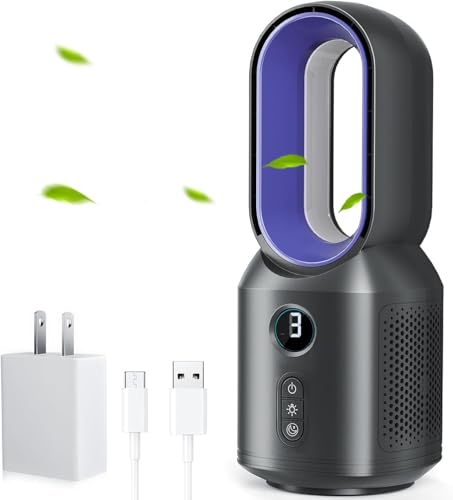
- LFR Score8.4
LFR Score is a ranking system developed by lightfansreviews.com. LFR Score has no relationship or impact from any manufacturers or sales agent websites. Learn more
- Brandlet'me

- LFR Score8.2
LFR Score is a ranking system developed by lightfansreviews.com. LFR Score has no relationship or impact from any manufacturers or sales agent websites. Learn more
- BrandKONSIDEN

- LFR Score8.2
LFR Score is a ranking system developed by lightfansreviews.com. LFR Score has no relationship or impact from any manufacturers or sales agent websites. Learn more
- BrandKONSIDEN

- LFR Score8.2
LFR Score is a ranking system developed by lightfansreviews.com. LFR Score has no relationship or impact from any manufacturers or sales agent websites. Learn more
- BrandMisby

- LFR Score8.0
LFR Score is a ranking system developed by lightfansreviews.com. LFR Score has no relationship or impact from any manufacturers or sales agent websites. Learn more
- Brandlet'me
Last update on 2026-07-08 / Affiliate links / Images, Product Titles, and Product Highlights from Amazon Product Advertising API
Best Bladeless Desk Fan For Quiet Daily Cooling
A small desk can turn into a heat trap once a monitor, lamp, charger, and coffee mug start competing for elbow room. Noise adds another layer of frustration, especially when a fan sounds louder than the work happening around it. The best bladeless desk fan should ease that discomfort without becoming a bulky distraction, and the LEVOIT model takes a practical route with a compact tower shape, focused airflow, and adjustable oscillation. Its mix of 20 to 43 dB operation, six effective speed choices, and a low-power DC motor makes it far more thoughtful than a basic fan with three buttons and one fixed direction.
LEVOIT Quiet Mini Tower Fan
The shortened name fits the product well because this fan is built around quiet personal cooling rather than whole-room circulation. LEVOIT lists airflow up to 23 feet per second, which suggests a concentrated breeze meant to reach a nearby chair, bed, or workstation. That matters because compact fans often feel lively from six inches away and nearly useless once they’re placed behind a monitor. The focused output here is better suited to daily close-range comfort than broad climate control.
The tower body also solves a familiar desk problem: width. A round fan cage can swallow a surprising amount of surface area, while this slim bladeless design uses vertical space instead. The clean white housing looks restrained rather than overly futuristic, so it won’t fight with office gear, bedroom furniture, or a minimalist shelf. Better yet, the soft carrying handle makes room-to-room movement less awkward than grabbing a fan by its grille or control panel.
There’s a sensible balance between simplicity and adjustment. Five standard speeds handle gradual changes in comfort, while the added Turbo speed gives the fan a stronger burst when the room feels especially stuffy. That extra level is useful after a hot commute, during cooking, or when afternoon sun warms one side of a room. Still, Turbo won’t be the quietest setting, so it’s best treated as a quick-cooling option rather than the default for sleep.
Noise Control That Respects Quiet Rooms
Low noise is one of the product’s strongest claims, and the stated range of 20 to 43 dB gives useful context across the speed settings. The lower end suits sleep, reading, and close desk work, while the upper end reflects the stronger airflow levels. A smooth motor tone matters more than a single decibel figure, though, because rattles and uneven humming can feel intrusive even at modest volume. The upgraded DC motor is intended to keep that sound profile controlled across the range.
The optional sound-off function deserves attention because control beeps can be surprisingly irritating at night. Adjusting a fan at 2 a.m. shouldn’t wake the person beside you or announce every button press across the room. The display-off setting handles another common annoyance by removing unnecessary light from a dark bedroom. Those details don’t move more air, but they improve the experience in ways that become obvious after repeated use.
Quiet operation also helps during video calls and focused tasks. A fan sitting near a laptop microphone can create a steady wash of background sound, particularly when airflow hits the mic directly. The multi-speed setup lets you reduce output without shutting the fan off completely, which keeps some air moving while protecting call clarity. In practice, that kind of fine speed control is more useful than one aggressive high setting and two weak ones.
There is still a realistic tradeoff. Stronger airflow creates more audible movement, and no compact fan remains whisper-soft at maximum output. The useful part is having enough steps between barely there and full blast, so the fan doesn’t force an all-or-nothing decision. That flexibility supports both sleep-friendly cooling and faster daytime relief without pretending one mode can do everything.
Oscillation That Matches The Space
Fixed oscillation can be clumsy in a small room because the fan may spend half its sweep cooling empty space. LEVOIT addresses that with 30-, 60-, and 90-degree oscillation, allowing the airflow pattern to match the setup. A narrow 30-degree sweep works well beside a monitor or on a nightstand, while 60 degrees can cover a shared desk. The full 90-degree setting makes more sense in a bedroom, home office, or compact living area where the breeze needs to travel farther across the room.
This angle control also reduces the need to keep repositioning the entire unit. A fan pointed too narrowly can leave shoulders cool while the rest of the body still feels warm, yet an overly broad sweep may feel inconsistent. Choosing the oscillation range keeps the breeze closer to where it’s needed. That makes the airflow feel intentional rather than random, especially in tight layouts with furniture or equipment blocking one side.
The bladeless tower format adds another practical benefit around papers, cables, and small objects. Open-blade fans often create a sharp, choppy stream that sends receipts and sticky notes skating across the desk. This design aims for a more focused flow through its VortexAir system, which should feel steadier at close range. Even so, lightweight papers may still move on higher speeds, so placement matters if the desk is covered with loose notes.
Remote control improves the oscillation feature because angle and speed changes can be made without leaning across the workspace. That’s handy when the fan sits on a dresser, shelf, or the far corner of a large desk. The remote and 12-hour timer also work well together for bedtime routines, letting the fan run through the warmest part of the night without staying on indefinitely. It’s a convenience feature, not a gimmick, provided the remote has a consistent place to live.
Low-Power Cooling For Long Sessions
The stated maximum power use of 7.5 watts is modest for a fan offering this many speed and oscillation choices. That low draw suits extended workdays, overnight use, or rooms where the fan runs for hours at a time. It also makes the unit easier to justify as a personal cooling tool instead of turning on a larger appliance for one occupied corner. The fan won’t lower room temperature, but it can make warm conditions feel more manageable through direct air movement.
The DC motor plays a central role in that efficiency. Compared with simpler fan motors, a DC setup can provide more precise speed changes while keeping power demand restrained. Here, that translates into six airflow levels without requiring a large housing or heavy electrical draw. The benefit is less about dramatic savings and more about having a fan that feels reasonable to run throughout the day.
Portability broadens where that efficiency becomes useful. The carrying handle allows quick movement from a home office to a kitchen counter, then to a bedside table after dark. A lightweight fan is easy to relocate, but stability still matters once it’s set down, particularly during 90-degree oscillation. The narrow tower form should be placed on a flat surface with enough clearance around the air intake to maintain consistent airflow.
Daily Use Strengths And Real Limits
The strongest feature set centers on practical control rather than decoration. Quiet low-speed operation, multiple oscillation angles, a timer, remote access, and a display-off mode all address common daily irritations. The fan is especially well suited to situations where a loud motor, bright screen, or broad uncontrolled sweep would be distracting. Each feature supports a specific routine instead of simply adding another button to the panel.
Cleaning should also be simpler than maintaining a traditional bladed desk fan. The exterior lacks an exposed grille packed with narrow slots and visible blades, so routine wiping takes less effort. Dust can still collect around the intake and outlet, and those areas shouldn’t be ignored because buildup may restrict performance. The smooth outer housing reduces the fiddly part of maintenance, but it doesn’t make the fan maintenance-free.
The biggest limitation is scale. This is a portable desk and bedroom fan, not a replacement for a large pedestal fan, ceiling fan, or air conditioner. Its 23-foot-per-second airflow is best appreciated at personal range, where the focused breeze can reach a chair or bed without needing to cool every corner. Expecting whole-room temperature reduction would set the product up for a job it wasn’t designed to handle.
Price may also matter because bladeless styling, remote operation, and a DC motor usually place a fan above the cheapest basic models. The value rests in reduced noise, easier cleaning, better control, and a smaller footprint rather than raw airflow alone. Someone who only needs occasional airflow in a garage may not use those refinements. For a desk, nightstand, or quiet room, though, the LEVOIT Quiet Mini Tower Fan offers a more polished and adaptable experience than a simple fixed-head fan.
HUENLYEL Bladeless Desk Fan With Mist
Dry air, exposed fan blades, and a crowded desktop can turn a simple cooling setup into more trouble than it’s worth. The HUENLYEL model approaches those everyday hassles with an enclosed air outlet, USB power, adjustable airflow, and a built-in mist function. As a candidate for the best bladeless desk fan, it stands out less for brute-force circulation and more for combining personal airflow, added moisture, and safer operation in one compact unit. The catch is worth stating early: there’s no internal battery, so a USB power source must remain connected during use.
HUENLYEL Mist Desk Fan
The enclosed design is the first feature most people will notice, and it serves a practical purpose beyond looking tidy. With no exposed spinning blades, fingers, loose hair, and curious paws aren’t placed beside a fast-moving propeller. That makes the fan easier to position on a low table, bedside cabinet, shared workstation, or shelf where accidental contact is more likely. The smooth outer shape should also be less fiddly to wipe than a conventional grille packed with narrow gaps.
Safety claims still deserve a levelheaded reading. A bladeless exterior removes the obvious contact point, but the fan remains an electrical appliance with an air intake, USB cable, and mist system. Keeping the intake clear and placing the unit on a stable, dry surface remains sensible, especially near drinks or active pets. The real safety advantage is reduced access to moving parts, not permission to ignore ordinary appliance care.
The product description presents it as a desk, office, bedroom, and home fan, which fits its feature set. Its compact format is better suited to a close personal zone than a large living room or open-plan workspace. Sitting near the fan should provide a more useful breeze than placing it across the room and expecting broad circulation. That distinction matters because personal cooling and whole-room cooling are very different jobs.
Adjustable Airflow Without A Bulky Fan Cage
HUENLYEL lists six wind speeds, although one provided description also mentions three speeds, creating a specification inconsistency worth noticing. Without adding assumptions, the safest reading is that the product listing promotes multiple adjustable levels, while the exact control arrangement should be confirmed from the included instructions. Either way, variable airflow is more useful than a single fixed breeze because temperature and noise preferences shift throughout the day. A low setting may suit reading or sleep, while stronger airflow makes more sense after exercise or during a warm afternoon.
The narrow bladeless outlet should produce a smoother stream than the chopped sensation associated with exposed fan blades. That kind of airflow can feel pleasant at close range because it avoids the obvious pulsing created by some small propeller fans. Still, compact USB-powered models generally work best nearby, and this one shouldn’t be treated as a substitute for a pedestal fan or air conditioner. Its desktop-friendly footprint is the benefit, while limited room-scale reach is the tradeoff.
Placement will have a noticeable effect on comfort. Set too close, stronger airflow may dry the eyes or disturb lightweight papers; set too far away, the breeze may lose its impact. A spot beside the monitor or slightly off-center from the bed usually makes more sense than aiming it directly at the face for hours. Small adjustments can make the airflow feel gentler and more consistent without lowering the speed.
The enclosed body also keeps the workspace visually calmer. Standard desk fans tend to look busy, with visible blades, protective cages, and protruding adjustment knobs. This model’s cleaner form can sit among speakers, chargers, lamps, and office supplies without adding another large circular object. That doesn’t improve cooling power, of course, but space efficiency matters on a desk where every few inches count.
Mist Function For Dry Personal Spaces
The built-in mist humidifier separates this model from a basic bladeless fan. It’s designed to add a gentle amount of moisture to dry air, which may feel more comfortable in air-conditioned rooms or during seasons when indoor air becomes noticeably parched. The mist can complement the breeze rather than simply pushing the same dry air toward the skin. That pairing is especially appealing during long desk sessions when lips, hands, or nasal passages begin to feel dry.
Expectations need to stay realistic, though. A compact mist feature is better viewed as localized moisture support than a replacement for a full-room humidifier with a large tank and measured humidity controls. It may improve comfort close to the unit, but it isn’t described as monitoring or regulating an entire room’s humidity level. Anyone dealing with severe dryness will likely need more capacity and more precise control.
Water maintenance is the part that can’t be brushed aside. The reservoir should be refreshed regularly, and any area that holds standing water needs routine cleaning to prevent stale odors or residue. Using the fan without caring for the mist system would undercut one of its main benefits. The maintenance tradeoff is simple: extra moisture can feel pleasant, but it adds a cleaning task that an ordinary fan doesn’t have.
The claim of comfortable hydration without condensation sounds reassuring, yet placement still matters around electronics. Mist output shouldn’t be aimed directly at a laptop keyboard, monitor vent, paperwork, or untreated wood surface. A little distance allows the moisture to disperse before it settles on nearby objects. Used thoughtfully, the feature adds comfort; used carelessly, water near electronics can become an avoidable headache.
USB Power Brings Flexibility With One Clear Limit
This fan is USB powered and contains no battery, a point repeated throughout the supplied product information. It can connect to a laptop, power bank, wall adapter, or compatible car charger, giving it more placement options than a model tied to one fixed wall plug. That flexibility is handy at a desk, in a dorm room, beside a bed, or during a parked-car break. Still, “portable” here means easy to move, not cordless operation.
The absence of a battery has a few upsides. There’s no battery pack to recharge, no runtime countdown, and no long-term capacity loss from repeated charging cycles. Plug it into a suitable USB source and it can continue running as long as power remains available. The drawback is equally plain: the cable must stay attached, so cord routing becomes part of the setup.
A power bank can make the fan feel nearly cordless, but that accessory isn’t described as included. A laptop connection may also be convenient at work, though it occupies a USB port and draws power from the computer. A wall adapter is often the cleanest choice for overnight use, provided the cable reaches the intended location safely. These small details shape whether plug-and-play operation feels convenient or cluttered.
The cable arrangement also affects stability. A tight or poorly routed cord can tug on a lightweight desk appliance, especially if the power source sits below the table. Leaving a little slack helps the fan stay planted and prevents the connector from carrying unnecessary strain. Simple, yes, but stable cable management can make daily use noticeably less annoying.
Timer And Ambient Lighting In Daily Use
The built-in one-to-six-hour timer is a sensible addition for naps, bedtime, focused work blocks, or short periods of personal cooling. Automatic shutoff means the fan doesn’t need to run until morning after the room becomes comfortable. It can also prevent needless operation after leaving a desk or falling asleep. The timer offers practical control without requiring a separate smart plug.
Timer increments provide more flexibility than a single preset shutoff period. One hour may cover a quick nap, while several hours can handle the warmest stretch of the night. The function also pairs naturally with the mist feature because neither airflow nor added moisture needs to continue indefinitely. That combination supports controlled nighttime operation rather than leaving every setting active without an endpoint.
The five-color ambient glow takes the product in a more decorative direction. Auto-rotating RGB lighting can soften the mood around a gaming desk, bedside setup, or dim reading corner. Full dimming is important because bright LEDs can quickly become irritating once the room goes dark. People who prefer a plain appliance may rarely use the colors, but the lighting doesn’t have to dominate the experience if it can be reduced appropriately.
Lighting is also the feature most likely to divide opinion. Some will enjoy the soft color rotation, while others may see it as unnecessary next to a practical cooling device. The fan’s value shouldn’t rest on RGB effects alone, especially if airflow and mist performance matter more. Here, the ambient light is best treated as an optional extra rather than the reason to choose the unit.
Practical Strengths And Worthwhile Cautions
The strongest case for this fan lies in how many small frustrations it addresses at once. It removes exposed blades, offers adjustable airflow, adds localized mist, includes a timer, and runs from common USB power sources. Those features make sense in compact spaces where a large floor fan would feel excessive. The blend of safer airflow and desk-level comfort is more compelling than any single decorative detail.
Its limitations are just as specific. There’s no built-in battery, the mist reservoir requires cleaning, and the supplied speed description contains conflicting references to three and six levels. Room-filling circulation also isn’t a realistic expectation from a compact desktop unit. None of those points automatically makes it a poor choice, but they should shape how the product is used.
The HUENLYEL model makes the most sense where the fan will remain within personal range and near a dependable USB source. It’s less suitable for a wide room, an outdoor area without power, or any setup that demands cordless operation. The mist function adds comfort in dry conditions, though households with consistently humid air may have little reason to use it. That kind of best-fit distinction matters more than broad claims that the fan suits every situation.
Among products competing for the best bladeless desk fan label, this one leans toward multifunctional convenience rather than maximum airflow. Its enclosed design, timer, mood lighting, and moisture feature create a compact comfort station for close-range use. Buyers willing to manage the water tank and attached cable may appreciate that flexibility. Those wanting simple, powerful air movement with no upkeep beyond dusting may be happier with a conventional fan that skips the extra features.
LET'ME Bladeless Desk Fan With Night Light
Bedside cooling often comes with an annoying bargain: accept the noise, surrender precious table space, or wake up to a dead battery halfway through the night. This compact LET'ME model sidesteps much of that hassle with steady plug-in power, a slim 13-by-5-inch body, and a smooth airflow design that avoids exposed spinning blades. In the crowded field for the best bladeless desk fan, its real appeal lies in combining five fan speeds, a separate warm night light, oscillation, and timed shutoff without turning the nightstand into a control center. It isn't built for cooling an entire house, but it looks thoughtfully equipped for close-range comfort where quiet and consistency matter most.
LET'ME Quiet Bladeless Fan
The enclosed design gives this fan a calmer, less mechanical presence than a conventional desktop model. There are no exposed fast-spinning blades, which removes the obvious pinch point around small fingers, loose hair, and curious pets. That makes placement on a low table, desk corner, or bedside surface feel less nerve-racking. The smooth structure should also collect less visible grime than a traditional grille, though the air openings will still need occasional attention.
Safety language can get carried away, so a practical distinction helps. The bladeless exterior lowers the chance of direct contact with moving parts, but the fan still has a power cord, electrical components, and air passages that shouldn't be blocked. A stable, dry surface remains essential, especially near drinks, humidifiers, or cluttered charging stations. The strongest safety benefit is simpler access around the fan, not freedom from ordinary household precautions.
The 13-by-5-inch dimensions also make sense for cramped surfaces. A wide round fan can crowd a keyboard, lamp, alarm clock, or stack of books, while this slender tower shape relies more on height than width. That footprint is especially useful in small offices and bedrooms where every inch seems to have a job already. Even so, taller compact fans should sit on a level surface so oscillation doesn't introduce unnecessary wobble.
Cleaning sounds refreshingly straightforward. The supplied instructions call for wiping the housing with a soft cloth, which avoids the tedious process of removing a cage and cleaning individual blades. Dust can still gather near the intake and outlet, and ignoring those areas may eventually weaken airflow. Regular light cleaning should preserve the smooth air path without turning maintenance into a Saturday project.
Five Speeds With A Softer Airflow Style
Five speed settings give this fan enough range to handle changing conditions without forcing a jump from barely moving air to full blast. Speeds one and two are positioned for sleep and gentle cooling, while speed five is intended for warmer work sessions or quicker relief. That progression supports personalized airflow instead of a one-setting-fits-all approach. A low breeze can stay in the background, then a stronger level can take over once afternoon heat starts leaning on the room.
The airflow is described as smooth and continuous rather than harsh or choppy. That distinction matters during long desk sessions because a sharp stream aimed at the face can dry the eyes and become irritating. Softer circulation tends to feel less aggressive, particularly from a fan sitting only a few feet away. The gentler breeze profile also suits reading, sleeping, and conversations where constant buffeting would get old fast.
Close-range performance is the sensible expectation here. A 13-inch desk fan can improve comfort around a chair, nightstand, or compact workspace, but it won't lower the actual room temperature like air conditioning. The best placement is near enough for the breeze to reach comfortably without pointing directly at the eyes for hours. Treating it as a personal cooling fan sets a much fairer benchmark than expecting floor-fan circulation from a narrow desktop body.
Five levels also help balance air movement against sound. Lower settings naturally make more sense during sleep or calls, while the top setting trades some quietness for stronger cooling. That tradeoff isn't a flaw; it's basic fan physics. The useful part is having several steps in between, so noise and airflow can be adjusted instead of accepted as a fixed package.
Quiet Operation For Work And Sleep
The stated operating level of 30 dB places quietness near the center of this model's pitch. That level is intended to support sleep, concentration, and conversation without a distracting mechanical presence. A steady fan sound may even function as light white noise in a bedroom, softening small background sounds from hallways or nearby rooms. Still, the published figure should be read as a product specification rather than a promise that every speed sounds identical.
Motor tone matters just as much as volume. A low hum can fade into the background, while clicking, rattling, or an uneven pitch quickly becomes maddening at night. The enclosed format and smooth-airflow concept suggest a more controlled sound character than a tiny exposed-blade fan spinning at high speed. The quiet design is most valuable during long, uninterrupted use, where even minor noises have plenty of time to become noticeable.
Desk work presents another useful test. Fans positioned beside microphones can create constant background wash, especially if the airflow crosses directly in front of the laptop. Lowering the speed and angling the unit slightly away should help preserve comfort without overwhelming calls. That kind of low-speed flexibility is more practical than shutting the fan off every time a meeting begins.
Night use benefits from predictable operation rather than maximum power. A soft breeze on the lower settings can reduce stuffiness without waking a light sleeper each time the fan changes behavior. Since this model uses plug-in power, airflow shouldn't gradually weaken as a battery drains. The result is steady overnight performance, provided the cord and adapter are placed safely and the timer is set appropriately.
Oscillation And Timer Controls That Earn Their Keep
The product name lists 72-degree oscillation, while the supplied description refers to a 70-degree left-and-right sweep. That small discrepancy is worth noting rather than quietly choosing one number. In practical terms, both descriptions point to a moderate oscillation range designed to spread air beyond a single fixed spot. It should cover a nearby chair, shared desk, or portion of a bedroom more evenly than a stationary stream.
Oscillation helps prevent one side of the body from receiving constant direct airflow. A moving breeze can feel more natural, especially during reading or sleep, and it may also keep papers from fluttering continuously in one direction. The tradeoff is less concentrated cooling at any single moment. A fixed position is better for immediate relief, while side-to-side circulation suits broader comfort over time.
The nine-hour timer adds more day-to-day value than it might seem at first glance. It can cover a work block, an afternoon nap, or most of a night's sleep without requiring manual shutoff. That keeps the fan from running long after the room cools or the desk is abandoned. Timed operation also makes the plug-in design feel more controlled, since unlimited power doesn't have to mean unlimited runtime.
A timer is especially useful for anyone who falls asleep with airflow but dislikes waking up chilly. Setting several hours allows the fan to handle the warmest part of the night, then stop before morning temperatures dip. The phrase “set it and forget it” fits the function, though the better point is automatic energy control without another smart plug or phone app. Simple controls often age better than complicated ones because there’s less to configure and fewer reasons to reach for a manual.
A Night Light That Works On Its Own
The integrated warm-glow night light gives this fan a second job without forcing both functions to run together. A separate control allows the light to stay on while the fan is off, which is far more useful than decorative LEDs tied to airflow. Three brightness levels offer enough flexibility for a dim sleep-friendly glow, a moderate bedside light, or brighter ambient illumination. That independent operation makes the feature feel considered rather than tacked on.
A warm light is generally less jarring in a dark bedroom than a bright cool-white display. It can help with late-night routines, feeding, checking a clock, or moving around without turning on an overhead fixture. The lowest setting should be the most valuable for sleep because even a pleasant light can become intrusive if it shines too brightly. The adjustable brightness keeps the feature from becoming an all-or-nothing distraction.
The lamp won't replace a focused reading light, and it shouldn't be judged as one. Its role is softer, closer to orientation and atmosphere than task lighting. That limitation is reasonable for a compact fan whose primary job remains moving air. The added glow works best as a bedside convenience, not as the sole light source for detailed work.
Lighting preferences are personal, of course. Some desks benefit from a little ambient warmth, while others already have enough LEDs competing for attention. Since the night light can operate separately, it can also remain unused without affecting cooling. That independence preserves the fan's practical value even for someone who has no interest in mood lighting.
Plug-In Power Brings Consistency And A Cord
This model is wired and includes an adapter, so there's no battery to charge, monitor, or replace. The clearest advantage is consistent airflow across long sessions because fan speed won't fade as stored power runs low. That suits overnight use, full workdays, and fixed desk setups where an outlet is already nearby. Plug it in, choose the settings, and the fan can keep running without a charging break.
The downside arrives with the cord. A wired fan has to stay within reach of an outlet, and careless routing can clutter the desk or create a tugging hazard. Leaving enough slack prevents the adapter cable from pulling against the base during oscillation. Good cord management isn't glamorous, but it keeps a compact setup from feeling more tangled than the fan it replaced.
Portability also has a narrower meaning here. The 13-inch body is easy to move from a home office to a bedroom, but each location needs accessible power. It isn't designed for cordless use on a patio, during travel away from outlets, or inside a parked vehicle unless a suitable power arrangement is available. The fan is easy to relocate, not independently powered.
Skipping a battery may actually suit people tired of rechargeable devices losing capacity over time. There’s no midday slowdown, no forgotten charge cycle, and no uncertainty about remaining runtime. On the other hand, anyone who prizes true cordless flexibility will see the plug as a firm limitation. That power tradeoff is straightforward and should be weighed before the night light, timer, or five speeds sway the decision.
Where The Strengths And Limits Land
The strongest argument for the LET'ME fan is how neatly its features fit everyday close-range use. It combines bladeless safety, five speeds, moderate oscillation, a long timer, and independent lighting in a body narrow enough for a crowded surface. None of those features feels wildly ambitious, and that's part of the charm. The fan aims to make a desk or bedside setup easier to live with rather than pretending to replace larger cooling equipment.
Its weak points are equally clear. The unit is plug-in only, the stated oscillation angle varies slightly between 70 and 72 degrees, and the compact frame limits how broadly it can circulate air. Stronger speed settings may also be more audible than the quoted quiet figure suggests for low operation. Those realistic limitations don't erase the benefits, but they keep expectations grounded.
The night light will carry more weight in a bedroom than in a bright office, while the timer earns its keep in either place. Quiet lower speeds suit calls and sleep, and the top speed should be reserved for moments when stronger personal airflow matters more than near-silence. That range gives the product a clear best-fit role around one occupied area rather than a whole open room.
As a contender for the best bladeless desk fan, the LET'ME model favors steady convenience over portability and oversized airflow. It makes sense where an outlet is close, table space is limited, and exposed blades feel like needless clutter or risk. The separate lamp control and nine-hour timer add genuine usefulness, while the five speeds keep comfort from being locked into one setting. Anyone needing battery freedom or room-wide circulation will need a different type of fan, but for a desk or nightstand, this design covers the practical bases without piling on unnecessary complexity.
LET'ME Bladeless Desk Fan With Three-Color Night Light
A warm desk can become irritating long before the room feels truly hot. Papers shift, batteries fade, and a noisy fan keeps announcing itself during calls, reading, or sleep. The LET'ME model enters the best bladeless desk fan conversation with a compact 13-by-5-inch frame, five airflow speeds, plug-in power, a nine-hour timer, and a night light that works independently from the fan. Its purpose is straightforward: deliver steady personal cooling without exposed blades, constant recharging, or a wide fan cage taking over the table.
LET'ME Bladeless Fan With Night Light
The enclosed airflow design solves one of the most obvious drawbacks of a traditional desk fan. There are no exposed fast-spinning blades within easy reach, so loose hair, small fingers, and curious paws are less likely to meet a moving part. That matters on a bedside table, low shelf, homework desk, or crowded office surface where accidental contact is easy. The smoother exterior also looks less mechanical than a circular grille packed with blades and support bars.
Bladeless doesn't mean careless, though. The fan still has an intake, electrical parts, a cord, and a powered adapter, so it needs a stable, dry position with breathing room around the vents. The supplied instructions specifically call for the original adapter, which is sensible for stable power delivery and predictable operation. Keeping the cable away from walkways and table edges also prevents a small convenience from turning into a snagging hazard.
The compact body is one of the quieter strengths here. At roughly 13 inches tall and 5 inches wide, it uses vertical space instead of spreading across the desk like a conventional fan. That space-saving footprint leaves more room for a monitor base, lamp, phone stand, books, or a cup that already seems to be living dangerously close to the keyboard. A narrow appliance is simply easier to place in a room where every surface has already been claimed.
Maintenance sounds manageable rather than fiddly. The housing can be wiped with a soft cloth, avoiding the usual routine of unclipping a cage and cleaning dust from each blade. Air openings still need attention because buildup can restrict airflow and make a small fan sound rougher over time. The easy-clean exterior reduces the chore, but it doesn't erase it.
Five Speeds Keep The Breeze From Feeling One-Note
Five adjustable settings give this fan enough range to handle both barely-there airflow and stronger desk-level cooling. Speeds one and two are described for sleep, where a softer stream is less likely to feel intrusive. Speed five is aimed at warmer work sessions when a mild breeze just won't cut it. That spread creates more useful control than the familiar low-medium-high setup found on many compact fans.
The airflow is described as smooth and continuous rather than sharp or choppy. That distinction matters at close range because harsh air aimed directly at the face can dry the eyes, irritate the skin, or send loose notes skittering across the desk. A softer stream should feel easier to live with during long stretches of typing, reading, or resting. The gentle airflow character is arguably more important than raw power for a fan positioned only a few feet away.
Placement will still shape the experience. Sitting directly in front of the outlet on the highest speed may feel stronger than necessary, while moving the fan too far away can weaken the personal cooling effect. A slightly offset position often makes more sense because it lets the breeze cross the upper body instead of hammering one spot. Small changes in angle can make close-range cooling feel calmer without dropping the speed.
This isn't a substitute for a large floor fan or air conditioner, and that's not a knock against it. The 13-inch frame is built for a desk, nightstand, or compact room zone, not for pushing air through an open living area. Its practical job is to make the occupied corner feel less stuffy. Judged that way, personal comfort matters more than whole-room circulation.
Quiet Operation Fits Work, Reading, And Sleep
The supplied specification lists operation at 30 dB, framing quietness as a central part of the design. That makes sense for a fan meant to sit beside a bed, microphone, book, or laptop rather than across a noisy workshop. Lower speeds should be the natural fit for nighttime use, while the stronger settings will likely create more audible airflow. No fan can move more air without producing some sound, so the real benefit is having enough speed steps to choose the right balance.
A steady hum can be easier to tolerate than irregular clicks, pulses, or rattles. The described smooth airflow may also create a light white-noise effect, which can soften hallway sounds or minor household activity. That doesn't guarantee silence, but consistent background sound is usually less distracting than a motor that keeps changing pitch. During sleep, predictability often matters more than chasing an unrealistic claim of total quiet.
Work calls present another practical scenario. A fan placed beside a laptop microphone can create a wash of sound if the outlet points across the mic. Lowering the speed and shifting the fan slightly to one side can preserve airflow while reducing interference. The adjustable speed range makes that easier than switching the unit off every time a conversation starts.
The fan also avoids the slow decline associated with a draining battery. Since it runs from wired power, the airflow shouldn't gradually weaken in the middle of a work session or overnight. That steady plug-in performance suits long use, although it ties the fan to an outlet and leaves one more cable to manage. Consistency wins here, while true cordless freedom sits on the other side of the tradeoff.
Oscillation Spreads Air Without Sweeping Too Far
The product name mentions 72-degree oscillation, while the detailed description specifies a 70-degree left-and-right sweep. The difference is small, but it deserves acknowledgment rather than pretending the figures match exactly. Both descriptions point to a moderate oscillation range meant for a nearby shared area. That coverage can move air across two seats, a section of a bedroom, or the width of a desk without sending the breeze toward every empty corner.
A controlled sweep can feel more natural than a fixed stream. Instead of cooling one shoulder continuously, the fan shifts the airflow across a broader area and gives the skin a brief break between passes. That movement is especially useful during sleep or long reading sessions. The side-to-side circulation also reduces the need to keep nudging the entire fan into a new position.
Fixed airflow still has its place. A stationary setting delivers more consistent cooling to one spot, which can feel better after walking in from the heat or sitting beneath strong afternoon sun. Oscillation trades some immediate intensity for wider coverage. The choice between them comes down to focused relief versus shared comfort, not one mode being automatically better.
The narrow base should remain on a flat surface during oscillation. A trailing cable, uneven stack of books, or clutter pressed against the housing could interfere with smooth movement. Leaving a little space around the unit protects both airflow and stability. That simple setup supports cleaner oscillation and keeps the fan from feeling cramped among other desk gear.
The Nine-Hour Timer Handles Long Routines
A nine-hour timer fits overnight use better than short two- or four-hour limits. It can cover most of a sleeping period, a full work block, or a long study session without requiring manual shutoff. That matters with a plug-in fan because unlimited power can otherwise encourage unnecessary runtime. Automatic shutoff adds control without introducing an app, account, or smart-home dependency.
The timer also helps with changing temperatures. A room may feel muggy at bedtime but cooler before sunrise, so running the fan all night can lead to waking up chilly. Setting a shorter duration lets the airflow cover the warmest stretch, then stop on its own. This scheduled cooling is a small feature that can make the fan noticeably easier to live with.
Daytime routines benefit too. A timed session can match a meeting block, reading period, nap, or afternoon work sprint. Once the time ends, the fan shuts down instead of humming away in an empty room. The energy-saving timer is less dramatic than decorative lighting, yet it will probably earn more regular use.
Timer controls should remain simple, and the product description suggests a straightforward set-and-forget approach. The fan also requires a three-second press on the power button to prevent accidental startup. That delay may feel unusual during the first few uses, but it serves a clear purpose around children, pets, and crowded surfaces. The press-and-hold start favors deliberate operation over instant activation.
Three Light Colors Add More Than Decoration
The built-in light offers three brightness levels and three color choices: warm white, cool, and amber. That gives the fan a second role beside the bed or on a small desk where another lamp would add clutter. Warm white and amber suit calmer evening routines, while the cooler tone may feel more useful during reading or early work. The range is modest, but each setting has a practical use instead of chasing a rainbow of novelty colors.
Independent controls make the light more worthwhile. It can operate while the fan is off, so the appliance works as a standalone bedside glow rather than forcing airflow whenever illumination is needed. That separate light function helps during late-night feeding, checking a phone, moving around the room, or settling down with a book. A feature tied permanently to the fan motor would be far less flexible.
Brightness control also prevents the lamp from becoming a new sleep problem. A dim amber glow can provide orientation without flooding the room, while a brighter setting offers more visibility for short tasks. The light still isn't meant to replace a focused reading lamp with directional output. Its strength is soft ambient illumination, not detailed task lighting.
Some desks already have enough LEDs, so the lighting won't matter equally in every setup. Fortunately, the fan's cooling functions don't depend on it. The separate controls allow the lamp to stay dark without sacrificing airflow, oscillation, or the timer. That independence keeps the night-light feature useful without making it compulsory.
Plug-In Power Solves One Problem And Creates Another
The LET'ME fan is wired and supplied with an adapter, which means there's no battery to charge or monitor. Airflow should remain stable during long sessions rather than softening as stored power runs down. That fade-free operation is useful beside a bed or at a permanent workstation where an outlet is already within reach. It also removes the long-term concern of a rechargeable battery gradually holding less power.
The tradeoff is plain: this fan isn't cordless. Moving it from one room to another is easy enough, but every destination needs a suitable outlet and space for the adapter. A cord crossing the desk can also interfere with drawers, chargers, or other equipment. Thoughtful cable routing keeps that limitation from becoming daily friction.
The original adapter recommendation shouldn't be ignored. Matching power hardware helps maintain steady operation and avoids the uncertainty of random third-party adapters with different output characteristics. The three-second startup press adds another layer of deliberate use. Together, those details show that stable wired power is central to the design rather than an afterthought.
People who regularly move cooling outdoors, between vehicles, or into rooms without convenient outlets will feel the lack of a battery. Those who dislike recharging devices may see the same limitation as a relief. The decision turns on mobility versus consistency. This model clearly chooses consistency.
Practical Strengths And Honest Limitations
The strongest combination here is easy to identify. The fan offers enclosed airflow, five speeds, moderate oscillation, and timed shutoff in a narrow body that won't dominate a crowded surface. The independent three-color lamp adds real bedside usefulness, and wired power keeps the breeze from fading after several hours. Each feature addresses a familiar inconvenience rather than existing solely to fill a specification list.
The limitations are equally concrete. It needs an outlet, doesn't include cordless operation, and won't circulate air like a large pedestal fan. The supplied information also alternates between 70 and 72 degrees for oscillation, so the exact figure isn't perfectly consistent. These specification and scale limits matter, particularly for anyone expecting broad room coverage or travel-friendly operation.
The 30 dB claim should also be treated as a stated specification, not a guarantee that every speed sounds the same. Higher settings move more air and will naturally create more airflow noise. Lower levels are the better match for sleep, conversations, and microphone-heavy work. That realistic sound tradeoff is normal, and the five-speed control gives room to manage it.
Among products competing for the best bladeless desk fan label, this LET'ME model leans toward steady bedside and desktop convenience. It suits a fixed setup where safety around exposed blades, low-speed comfort, soft lighting, and long timed operation carry more weight than battery portability. The compact dimensions make placement easier, while the separate lamp control keeps the extra feature from getting in the way. Its appeal rests on solving several small daily annoyances at once, provided a nearby outlet and personal-range airflow match the intended setup.
LET'ME 13-Inch Bladeless Desk Fan
A crowded nightstand has no patience for a wide fan cage, another charging dock, or a motor that rattles through the quietest part of the evening. This LET'ME model takes a simpler route with a narrow 13-inch body, stable plug-in power, and an enclosed airflow design that keeps exposed blades out of reach. Its combination of three fan speeds, adjustable bedside lighting, and a compact footprint gives it a credible place among best bladeless desk fan options for close-range cooling. The feature list isn't overloaded, and that restraint may be exactly what makes the fan easier to use every day.
LET'ME 13-Inch Bladeless Fan
The most obvious difference is the lack of visible spinning blades. Air moves through the enclosed structure, reducing direct contact with fast-moving parts around small fingers, loose hair, and curious paws. That bladeless safety design makes the fan easier to place on a low desk, bedside cabinet, dorm shelf, or shared table where people regularly reach across the surface. It also gives the unit a cleaner appearance than the familiar combination of propeller, grille, and adjustment knobs.
Safety still depends on sensible placement, of course. The fan has an air intake, electrical components, a USB cable, and an adapter, so it belongs on a stable and dry surface with enough room around the vents. Cords should stay clear of walkways, drawer tracks, and table edges where a quick tug could pull the unit over. The enclosed airflow system removes one common concern, but it doesn't replace ordinary care around powered appliances.
The slim body earns its keep on surfaces where space disappears quickly. At 13 inches tall, the unit uses vertical room instead of spreading across the desk like a round fan with a broad cage. A monitor base, notebook, phone stand, lamp, and coffee cup can already make a small workspace feel like rush-hour traffic. The space-saving profile leaves more usable room without forcing the fan onto the floor or across the room.
Cleaning should be less of a production than it is with a traditional desk fan. There are no exposed blades to wipe one by one and no deep front cage collecting fuzzy layers of dust. The air openings will still need routine attention because buildup can restrict airflow over time. A soft cloth and regular light cleaning should help preserve the smooth air path without requiring disassembly.
Three Speeds Keep Cooling Simple
Three airflow settings cover the familiar basics: low, medium, and high. The low level is intended for reading, resting, or keeping a mild breeze nearby without making the room feel drafty. Medium offers a middle ground for routine desk work, while high provides stronger personal cooling during warmer stretches. This three-speed control isn't as finely graduated as a five- or six-speed model, but it avoids turning a basic adjustment into a guessing game.
The supplied description emphasizes smooth airflow rather than the harsh, chopped sensation produced by some small propeller fans. That distinction matters because desk fans sit close, often near the face, hands, or upper body for hours at a time. A sharp stream can dry the eyes, disturb papers, and become tiring even when it initially feels refreshing. The gentler airflow character is better suited to steady personal comfort than a narrow blast aimed at one spot.
Placement will determine how useful each speed feels. Set a foot away on high, and the breeze may become more direct than needed; place it across a large room, and a compact fan may struggle to make much difference. A slightly off-center position beside a monitor or near the corner of a nightstand lets the airflow cross the body rather than hitting the face continuously. That setup makes close-range cooling feel more natural without asking the small motor to perform like a floor fan.
The three-speed arrangement also creates a clear tradeoff. Simpler controls are easy to understand, yet there are fewer steps between a soft breeze and the strongest setting. Someone who likes tiny adjustments may prefer a model with more levels, while a person tired of tapping through endless modes may appreciate the direct approach. Here, ease of use takes priority over highly detailed customization.
Quiet Airflow For Desks And Nightstands
The fan is presented as a quiet desktop model, although the supplied information doesn't include a specific decibel figure. That means quietness should be understood as a design goal rather than tied to an unverified number. Lower speed will naturally be the most suitable for sleep, reading, and calls, while high speed will create more audible airflow. The important practical benefit is adjustable sound and cooling, not a promise of total silence.
Steady sound tends to fade into the background more easily than clicking, rattling, or an uneven motor pitch. A smooth breeze may also act as light ambient noise, softening small household sounds without becoming the main event. That quality matters during long work sessions because even a faint mechanical irritation can wear thin after several hours. The quiet desk-friendly design makes the most sense in rooms where concentration or rest matters more than maximum circulation.
Video calls introduce another wrinkle. Airflow directed across a laptop microphone can create background noise even if the motor itself remains restrained. Angling the fan away from the microphone and using the low or medium setting should help keep the room comfortable without muddying conversation. The compact placement flexibility makes those adjustments easier than shifting a large fan each time a meeting starts.
Nighttime use benefits from consistency as much as low noise. Rechargeable fans can gradually weaken as their batteries drain, sometimes leaving the room stuffy before morning. This LET'ME fan stays connected to power, so airflow shouldn't fade halfway through a reading session or nap. That stable plug-in performance is reassuring, though it comes with the obvious cost of keeping a cable attached.
Night Light Adds Useful Bedside Function
The built-in LED light offers three brightness levels, giving the fan a second role on a bedside table or dorm shelf. A dim setting can provide enough glow to move around without switching on a harsh ceiling fixture. Medium brightness may suit winding down, while the strongest level offers more visibility for short nighttime tasks. The adjustable range is more practical than a single bright light that can't be softened.
Soft illumination can be handy beside a bed, but it shouldn't be mistaken for focused task lighting. Reading small print for a long stretch will usually call for a directional lamp with better coverage. The fan's light is better suited to checking the clock, reaching for water, navigating a dark room, or creating a calmer atmosphere. Its real value is ambient bedside lighting, not replacing every lamp in the room.
A combined fan and light can also ease surface clutter. One appliance handles personal airflow and low-level illumination, leaving more room for a phone, book, alarm clock, or glasses. That matters on narrow nightstands where adding even one more device can make the surface feel cramped. The dual-purpose design solves a practical space problem without introducing an elaborate control system.
Lighting preferences differ, naturally. Some desks already have monitor glow, keyboard lights, and charging indicators competing for attention, so another illuminated device may not add much. A bedroom or dorm corner, on the other hand, may benefit from a small adjustable light built into something already occupying the surface. The three-level brightness control gives the feature enough flexibility to be useful rather than merely decorative.
Plug-In Power Trades Mobility For Stability
This fan requires the included USB cable and adapter for operation. There is no rechargeable battery to monitor, and the airflow doesn't depend on remembering to charge the unit before a warm afternoon. Plug-in power supports steady long-session operation, making the fan well suited to a permanent desk, nightstand, or office setup. It also avoids the gradual battery wear that can shorten cordless runtime after repeated charging cycles.
The limitation is plain: the fan won't run away from a power source. Moving it between rooms is easy enough because the body is compact, but every destination needs an accessible outlet. A patio table, outdoor campsite, or temporary workspace without nearby power would expose that restriction quickly. The fan is portable in size, not cordless in operation.
The supplied adapter and cable should remain the default power setup. Using the matched accessories removes uncertainty about connector fit and power delivery, supporting more predictable performance. Cable routing still deserves attention because a tight cord can tug on a lightweight appliance or crowd an already messy desk. A little slack and a clear path create safer, tidier operation without much effort.
Stable power also suits long nights and full workdays. There's no midday slowdown, battery warning, or need to stop cooling while the fan recharges. On the flip side, anyone who regularly shifts between rooms may get tired of unplugging and carrying the adapter. The central power tradeoff is reliability versus freedom, and this model clearly favors reliability.
Strengths, Limits, And Realistic Use
The LET'ME fan's strongest qualities fit together neatly. Its bladeless exterior reduces access to moving parts, the 13-inch body saves surface space, and three speeds cover basic personal cooling needs. Adjustable lighting adds bedside usefulness without requiring another device on the table. None of these features is unusually complicated, which may help the fan blend into daily routines instead of demanding constant adjustment.
There are limits worth keeping front and center. Three speeds offer less fine control than models with five or more settings, and the plug-in design prevents true cordless use. The supplied information also doesn't provide a timer, oscillation function, remote, or measured noise level, so those features shouldn't be assumed. This straightforward feature set works best for someone who values simplicity over a long list of modes.
Room-scale cooling is another unrealistic expectation. A compact 13-inch table fan is built to improve comfort around one desk, chair, bed, or small personal zone. It won't lower room temperature, and it isn't likely to move air as broadly as a pedestal or tower fan standing several feet tall. The personal cooling focus is a strength in tight spaces, but a limitation in open rooms.
Among choices for the best bladeless desk fan, this LET'ME model takes a no-fuss path. It favors a slim footprint, stable wired power, safer enclosed airflow, and gentle lighting over remote controls or complicated scheduling. That balance suits fixed indoor setups where outlets are nearby and surface space is scarce. Anyone needing oscillation, battery operation, or highly detailed speed control will need a different design, while a simple desk or nightstand setup can make good use of what this fan actually provides.


Best Quiet Ceiling Fan For Bedroom 2026 Ultimate Comfort Picks

Best Ceiling Fan For Master Bedroom 2026 With Ultimate Comfort

Best White Ceiling Fan With Light For Bedroom 2026 Top Picks

Best Quorum Medallion Ceiling Fan 2026 With Style & Breeze

Best Outdoor Fan For Pergola 2026 Comfort Boost

Best Ceiling Fan For Great Room 2026 With Ultimate Comfort

Best Outdoor DC Ceiling Fans 2026 For Breezy Comfort

Best ceiling exhaust bath fan with light and heater 2026





