
Best Clip Desk Fan 2026: Cool Air Without Clutter

A cramped workspace can feel even smaller once a bulky fan starts hogging the last clear patch of desk. A best clip desk fan solves that headache by attaching to a shelf, monitor stand, bed frame, or desk edge instead of competing with notebooks, mugs, and charging cables. The compact setup keeps cooling close without turning the room into a maze of appliances. Still, a tiny footprint doesn't automatically mean a comfortable breeze, so airflow reach and adjustment matter more than flashy styling.
A dependable clamp mechanism should grip firmly without digging deep marks into furniture. Rubber padding helps protect painted shelves and smooth desktop edges, while a wider clamp opening fits thicker surfaces that narrow clips simply can't handle. But here's the catch: an oversized clamp may feel awkward on a slim laptop stand or delicate headboard. Measuring the mounting surface before buying saves the aggravation of receiving a fan that won't open far enough or keeps sliding out of place.
Airflow control makes the difference between a gentle stream of air and papers flying across the room. Several speed settings let the fan stay soft during calls, reading, or late-night use, then push harder during a warm afternoon. A flexible neck or rotating fan head also helps direct air toward the face and shoulders instead of wasting it on a wall. Oddly enough, this basic adjustment is often more useful than a long list of electronic extras because desks, beds, and shelves rarely sit at the same angle.
Quiet operation deserves close attention, especially when the fan sits less than two feet away. Small motors can produce a sharp whine that becomes irritating during focused work, video meetings, or sleep, even if the measured volume seems modest. Larger blades moving at a lower speed often create a softer sound than tiny blades spinning at full tilt. That said, maximum speed will usually be noticeable, so realistic expectations beat promises of completely silent cooling.
Power options shape how easily the fan fits into a daily routine. A USB-powered fan works well beside a computer, power bank, or wall adapter, though cable length can limit placement. Rechargeable models cut the cord and move easily between a desk, kitchen counter, stroller handle, or patio chair, but battery life drops quickly at higher speeds. Some designs run while charging, which is handy during long work sessions, while others need downtime before they can be used again.
Cleaning shouldn't require a toolbox and half an afternoon. Dust collects fast on the grille and blade edges, reducing airflow and sometimes adding a faint rattling sound. A removable front cover makes routine upkeep far less annoying, though many compact models use fixed grilles that demand careful brushing or compressed air. Also, exposed gaps should remain narrow enough to keep fingers and loose hair away from moving blades, particularly when the fan is mounted near a pillow or crowded workstation.
The most practical clip-on desk fan balances grip strength, airflow, noise, and placement flexibility rather than chasing the highest speed number. A strong blast feels useful for a few minutes, but steady airflow at a comfortable angle usually wins during long hours. Compact fans also cool people rather than entire rooms, so they won't replace an air conditioner during severe heat. Used within that limit, though, they can take the edge off a stuffy corner without stealing precious surface space.
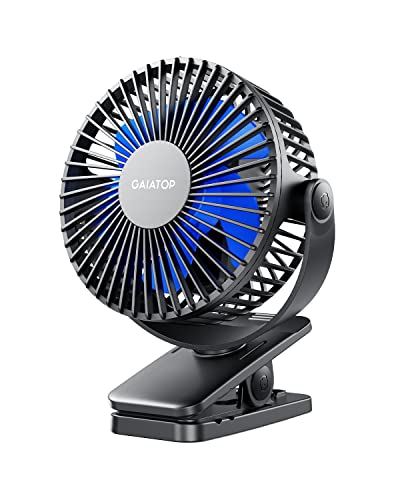
- LFR Score9.2
LFR Score is a ranking system developed by lightfansreviews.com. LFR Score has no relationship or impact from any manufacturers or sales agent websites. Learn more
- BrandGaiatop

- LFR Score9.2
LFR Score is a ranking system developed by lightfansreviews.com. LFR Score has no relationship or impact from any manufacturers or sales agent websites. Learn more
- BrandGenesis

- LFR Score9.2
LFR Score is a ranking system developed by lightfansreviews.com. LFR Score has no relationship or impact from any manufacturers or sales agent websites. Learn more
- BrandGaiatop
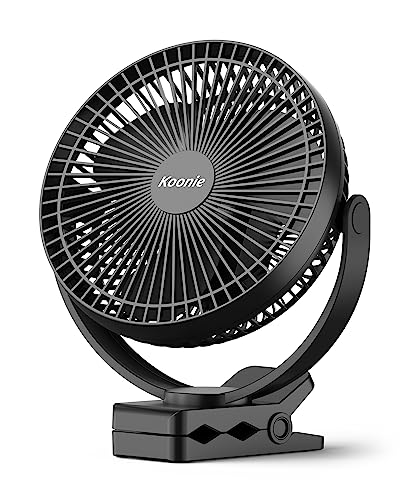
- LFR Score9.0
LFR Score is a ranking system developed by lightfansreviews.com. LFR Score has no relationship or impact from any manufacturers or sales agent websites. Learn more
- BrandKoonie

- LFR Score9.0
LFR Score is a ranking system developed by lightfansreviews.com. LFR Score has no relationship or impact from any manufacturers or sales agent websites. Learn more
- BrandVornado
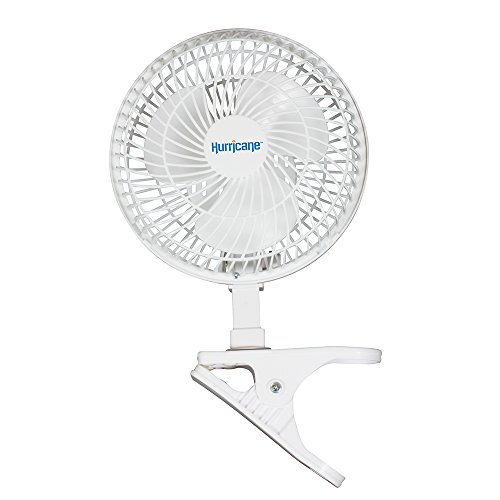
- LFR Score8.8
LFR Score is a ranking system developed by lightfansreviews.com. LFR Score has no relationship or impact from any manufacturers or sales agent websites. Learn more
- BrandHurricane
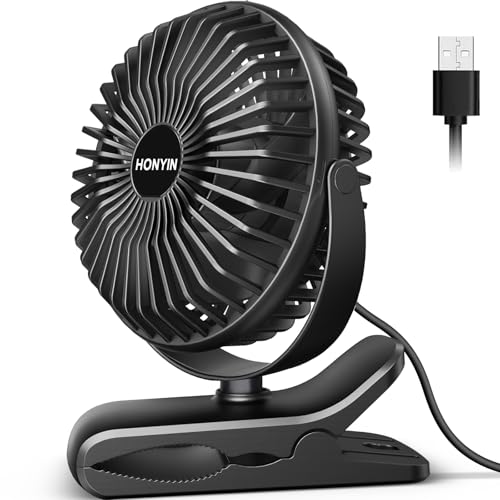
- LFR Score8.8
LFR Score is a ranking system developed by lightfansreviews.com. LFR Score has no relationship or impact from any manufacturers or sales agent websites. Learn more
- BrandHONYIN

- LFR Score8.8
LFR Score is a ranking system developed by lightfansreviews.com. LFR Score has no relationship or impact from any manufacturers or sales agent websites. Learn more
- BrandGlovion

- LFR Score8.6
LFR Score is a ranking system developed by lightfansreviews.com. LFR Score has no relationship or impact from any manufacturers or sales agent websites. Learn more
- BrandBESKAR

- LFR Score8.4
LFR Score is a ranking system developed by lightfansreviews.com. LFR Score has no relationship or impact from any manufacturers or sales agent websites. Learn more
- BrandComfort Zone
- LFR Score8.4
LFR Score is a ranking system developed by lightfansreviews.com. LFR Score has no relationship or impact from any manufacturers or sales agent websites. Learn more
- BrandVornado

- LFR Score8.4
LFR Score is a ranking system developed by lightfansreviews.com. LFR Score has no relationship or impact from any manufacturers or sales agent websites. Learn more
- BrandComfort Zone
Last update on 2026-07-08 / Affiliate links / Images, Product Titles, and Product Highlights from Amazon Product Advertising API
Best Clip Desk Fan for Flexible Personal Cooling
A crowded desk doesn't leave much room for a bulky fan, and a stroller handle or tent pole leaves even less. The best clip desk fan needs to cool a small personal area without slipping, rattling, or forcing constant repositioning. Gaiatop's compact design tackles those everyday annoyances with a rechargeable battery, a padded clamp, and a fan head that rotates in nearly any direction.
Gaiatop Portable Clip Fan
The Gaiatop Portable Clip Fan combines a 2000 mAh rechargeable battery with USB power, so it isn't tied to a wall outlet all day. Battery life varies by speed, with stated runtimes of about 2.5 hours on high, 4.5 hours on medium, and 9 hours on low. That spread makes sense for short bursts of stronger airflow or longer stretches of lighter cooling.
The ability to use the fan while it's charging adds real convenience. A desk setup can keep it connected through USB, while the battery takes over during a commute, camping trip, or afternoon outside. This dual-power setup keeps the fan useful even when outlets are scarce or awkwardly placed.
Three speed settings make the airflow easier to match to the moment. Low speed suits close-range cooling during work or sleep, while the stronger settings help when heat builds up in a parked car, tent, or stuffy corner. The adjustable airflow feels more practical than a single-speed design because personal comfort changes throughout the day.
Airflow That Stays Focused
A small fan has to work harder to feel effective, especially when it sits several inches away. Gaiatop uses a brushless motor designed to push noticeable air without relying on an oversized housing. The compact blade and cover design also aim to move air efficiently while keeping the sound from becoming harsh.
Quiet performance matters more with a clip fan because it often sits close to the face. A low hum can fade into the background, but a sharp motor whine quickly becomes distracting during calls, reading, or sleep. The upgraded aerodynamic blade cover helps support lower operating noise, though the highest speed will naturally be more noticeable than the lowest.
The fan works best as a personal cooling tool rather than a room circulator. Mounted near a monitor, bed rail, stroller canopy, or camp chair, it directs airflow where it makes the biggest difference. That focused approach gives the best clip desk fan format its biggest advantage: less wasted air and no need to cool an entire space.
Air direction is easy to fine-tune because the head rotates 360 degrees horizontally and 360 degrees vertically. That range lets the fan point upward, downward, sideways, or somewhere in between without moving the clamp. The dual-axis rotation is especially useful on uneven mounting points where a fixed fan would blow past the intended spot.
Clamp Strength and Surface Protection
The clamp opens wide enough to attach to surfaces up to one inch thick. That capacity covers many desk edges, shelves, stroller bars, bed frames, and narrow camping fixtures. A firm clip matters because a weak grip can sag or shift each time the fan head is adjusted.
A sponge pad lines the inside of the clamp to reduce scratches and pressure marks. Painted desks, finished wood, and plastic stroller frames can show damage from bare hard plastic, so this small detail has practical value. The padded contact area also adds friction, helping the fan stay in place on smoother surfaces.
The clamp is designed to open without excessive effort, which makes frequent repositioning less annoying. Still, the one-inch thickness limit is worth checking before purchase. Thick headboards, deep shelving, or heavily rounded rails may not fit securely, so the mounting limit is a real tradeoff rather than a minor footnote.
Once attached, the fan saves more usable surface space than a traditional desk model. Pens, notebooks, chargers, and coffee cups can stay where they are while the fan sits above or beside them. For a small workstation, that space-saving mount can feel more valuable than raw airflow power.
Compact Size for Travel and Daily Use
The fan measures roughly 5.11 by 1.54 by 6.77 inches and weighs about 0.71 pounds. Those dimensions make it easy to pack in a tote, backpack, stroller basket, or camping bin without taking over the bag. The lightweight body also puts less strain on narrow rails and small desk edges.
Portability doesn't mean the fan disappears into a pocket, but it remains compact enough for regular movement between rooms. It can sit near a laptop during the workday, move to a kitchen shelf in the afternoon, and clip beside a bed at night. That easy relocation suits routines where cooling is needed in several small areas rather than one permanent spot.
Camping and travel highlight the battery's strengths and limits at the same time. Nine hours on low can cover a large portion of a warm evening, but 2.5 hours on high may require careful power management. A portable power bank helps extend use, and the USB charging support makes that pairing straightforward.
The black-and-blue color scheme looks casual and functional rather than decorative. It won't blend invisibly into every office, nursery, or bedroom, though its small size keeps it from dominating the space. The compact profile matters more here than the finish because the fan is designed around convenience, not furniture-style appearance.
Safety Details Around Small Children
The grille gaps measure about 5.5 millimeters, helping keep small fingers away from the moving blades. That narrower spacing brings extra reassurance when the fan is clipped near a stroller or child-accessible surface. The protective grille doesn't remove the need for supervision, but it addresses a common concern with compact fans.
Quiet airflow is also helpful in a stroller or sleeping area. A loud fan can trade heat discomfort for another kind of irritation, especially at close range. The combination of low-noise operation and focused airflow makes the fan easier to use during naps, walks, or calm indoor routines.
Placement still deserves thought. Loose fabric, hair, straps, and cords should remain clear of the intake and blade cover, even with the narrow grille openings. Safe positioning and a secure clamp matter just as much as the finger-safe gap design.
Everyday Strengths and Real Tradeoffs
The strongest part of this design is its balance of portability and control. A rechargeable battery, three speeds, padded clip, and broad rotation range cover the most common frustrations associated with compact fans. Those practical features give it more flexibility than a basic USB-only desk model.
Battery runtime is useful but not unlimited. High-speed use drains the battery much faster, so anyone expecting all-day maximum airflow will need a nearby charger or power bank. The runtime tradeoff is typical for a fan this size, yet it still matters during long outdoor trips.
The one-inch clamp opening may also restrict where the fan can be mounted. Standard desks and stroller bars should be easier fits, while thicker furniture or irregular surfaces may require another placement. The clamp size limit is worth measuring beforehand because a strong clip can't help if it doesn't open wide enough.
For close-range cooling, though, the Gaiatop model covers the basics without crowding the space. It offers stronger positioning freedom than a fixed-base fan and more mobility than a cord-only option. That mix makes it a credible best clip desk fan candidate for desks, travel, strollers, camping setups, and other tight spots where airflow needs to stay close.
Genesis 6-Inch Convertible Clip Desk Fan
Desk space disappears fast once a monitor, lamp, notebook, and charging gear settle in for the day. A bulky cooling device only adds to the squeeze, so the best clip desk fan needs to earn its place without becoming another obstacle. The Genesis 6-Inch Convertible Clip Desk Fan tackles that problem with a sturdy clamp, a separate tabletop base, two quiet speeds, and an adjustable head that directs air where it actually helps.
Genesis Convertible Clip Fan
The Genesis fan takes a refreshingly straightforward approach. Rather than packing in a long list of electronic extras, it focuses on two-speed airflow, flexible placement, and easy mechanical adjustment. That stripped-down design suits a desk, dorm room, bedside table, or shared office where dependable personal cooling matters more than screens, remotes, or complicated controls.
Its six-inch fan head gives the unit enough surface area to move a useful stream of air without taking over the room. The airflow is meant for close-range comfort, not whole-room circulation, which is an important distinction. Positioned a few feet away, the focused cooling can take the edge off a warm workspace while leaving papers, cords, and small desk items relatively undisturbed.
The black finish keeps the appearance neutral and easy to place alongside typical office equipment. Nothing about the design tries too hard to look decorative, and that honestly fits the product's purpose. This is a practical personal fan built around placement and airflow rather than visual flair.
Two Quiet Speeds Keep Things Simple
Two speed settings may sound basic, but they cover the main needs of a compact fan surprisingly well. The lower setting creates a gentler breeze for reading, sleeping, or working through a video call, while the higher setting provides more noticeable cooling when the room starts feeling stuffy. The simple speed control also means there isn't much of a learning curve or a cluster of buttons to hunt for.
Noise can become far more irritating than heat when a fan sits close to the face. Genesis describes both speeds as quiet, which matters in a dorm, bedroom, shared workspace, or home office where background sound carries easily. The low-noise operation helps preserve concentration and conversation, although the stronger setting will naturally be more audible than the softer one.
The two-speed setup does come with a tradeoff. There isn't a middle setting for those moments when low feels too mild and high feels a bit much. Still, the limited controls keep operation quick and predictable, and many people would rather flip one switch than cycle through a long series of nearly identical airflow levels.
Close placement makes the quieter setting more effective. Clipped to the edge of a desk or placed beside a laptop, the fan doesn't need to blast air across an entire room. That proximity allows the gentle airflow to feel useful without creating a constant rush of noise beside the ears.
Clip-On and Tabletop Modes Add Real Flexibility
The standout feature is the ability to switch between a clip-on fan and a tabletop fan. A strong clamp handles narrow desk edges, shelves, bed frames, and similar mounting points, while the alternate base creates a more traditional setup on a flat surface. This convertible design gives the fan a wider range of uses than a model locked into one mounting style.
Changing the base is handled with a butterfly screw on the fan head. Loosen the screw, remove the current support, attach the other base, and tighten it again. The process isn't instant like snapping a clip over a surface, but the manual conversion system is easy to understand and doesn't depend on fragile tabs or hidden release buttons.
Tabletop mode makes sense in places where clipping isn't practical. A smooth counter, thick desktop, or rounded piece of furniture may not offer a secure gripping point, so the flat base keeps the fan useful. Clip mode, on the other hand, clears space and places the airflow source higher or closer to the desired position.
The removable base system also prevents the fan from being trapped by a single layout. A dorm desk may benefit from the clamp during study sessions, while a bedside table may work better with the stand later that night. That placement freedom is especially useful in small rooms where furniture arrangements change and every inch of surface space counts.
Sturdy Clamp Helps Airflow Stay Put
A clip fan lives or dies by its grip. If the clamp creeps downward, twists under the fan's weight, or pops loose after an adjustment, the whole setup becomes more trouble than it's worth. The Genesis model uses a strong, sturdy clamp intended to keep the fan fixed while the head is pointed toward a specific spot.
Firm pressure helps maintain both stability and airflow direction. Once attached, the fan shouldn't need constant correction each time the speed changes or someone brushes against the desk. That secure mounting matters around computers, books, drinks, and other items that don't pair well with a falling appliance.
The clamp still needs a suitable edge. Very thick furniture, sharply curved surfaces, or delicate finishes may not provide the right fit, and the supplied details don't specify an exact maximum opening width. Measuring the intended mounting point remains a sensible precaution because even a sturdy grip can't compensate for an edge that is too large or oddly shaped.
Placement affects vibration as well. A solid shelf or desk edge will generally hold the fan more steadily than a thin panel that flexes under pressure. Choosing a rigid attachment point lets the clamp stability do its job and keeps minor movement from turning into distracting rattles.
Adjustable Head Directs Cooling More Precisely
The adjustable head lets the fan aim airflow instead of forcing the furniture to accommodate a fixed angle. Tilt it toward a chair, raise it toward the upper body, or shift it slightly when moving between work areas. This directional control makes a modest fan feel more effective because the air isn't wasted on an empty wall or the underside of a desk.
Shared spaces benefit from that movement too. The head can be repositioned when another person sits nearby, though the fan remains better suited to personal cooling than broad coverage. Its adjustable airflow can accommodate changing positions, but it won't replace the sweeping reach of a larger oscillating room fan.
Manual adjustment also keeps the mechanism uncomplicated. There is no motorized oscillation mentioned in the supplied details, so the head stays where it is placed rather than moving automatically. That fixed-angle operation works well for steady desk use, though anyone expecting air to sweep across a wide room should keep that limitation in mind.
Everyday Use Without Unnecessary Fuss
The Genesis fan fits routines that favor simplicity. Plug it in, choose one of the two speeds, set the angle, and let it run. The easy operation avoids battery charging, app pairing, timer menus, and other features that can make a small appliance feel needlessly complicated.
Its convertible structure also reduces the need to own separate desk and clip fans. One base handles flat surfaces, while the clamp handles raised or crowded setups. That two-in-one utility is particularly handy in a dorm or compact home office where storage space is already spoken for.
There are clear limits, and they shouldn't be brushed aside. The fan offers only two speeds, no rechargeable battery is listed, and no automatic oscillation is described. Those practical tradeoffs make it less suited to cordless travel or broad room circulation, but they also keep the design focused on steady, close-range cooling.
Used at a desk, bedside table, shelf, or dorm station, the Genesis fan addresses a very specific annoyance: warm, stagnant air in a small personal zone. Its quiet speeds, adjustable head, firm clamp, and tabletop conversion give it enough flexibility to adapt without crowding the area. For the best clip desk fan search, that combination makes more sense than chasing complicated extras that may never leave the instruction manual.
Gaiatop Purple Rechargeable Clip Fan
A warm desk corner can wear down concentration long before the room itself feels unbearably hot. Small workspaces make that worse because every lamp, notebook, and charging cable competes for the same few inches. The best clip desk fan needs to create useful personal airflow without taking over the surface, and the Gaiatop Purple Rechargeable Clip Fan approaches that job with a compact body, cordless operation, and a clamp that can move from one setup to another.
Gaiatop Purple Clip Fan
This model is built around a 2000 mAh rechargeable battery that supports portable cooling away from a wall outlet. The supplied runtime figures range from about 3.5 hours to 10 hours, depending on the selected speed. That spread gives the fan enough flexibility for a short high-speed burst, a longer work session, or several hours beside a stroller or camp chair.
USB operation keeps the fan useful after the battery starts running low. Since it can operate while charging, the unit doesn't have to sit idle during a long afternoon at a desk. The use-while-charging design also makes it easier to treat the fan as a stationary office accessory during the week and a portable cooling tool on weekends.
Three speeds provide a clearer step between soft background airflow and stronger close-range cooling. Low speed stretches battery life and suits quieter moments, while the higher settings are better matched to heat that builds inside a tent, parked vehicle, or stuffy room. The three-speed control isn't complicated, and that's part of its appeal: one compact fan can shift roles without turning a simple task into button hunting.
Compact Airflow With Less Motor Fuss
A tiny fan can sound surprisingly sharp when its motor and blades are poorly balanced. Gaiatop uses a brushless motor, along with an upgraded blade and grille design shaped around aerodynamic principles, to support stronger airflow without creating unnecessary racket. That matters because a clip fan often sits much closer to the ears than a floor or pedestal fan.
The quiet claim needs practical framing. No fan moving useful air is completely silent, and the highest setting will naturally make more sound than the lowest. Still, the low-noise design is better suited to calls, reading, naps, and concentrated work than a small motor with a piercing whine.
Airflow from a fan this size is personal rather than room-wide. Positioned within a few feet, it can cool the face, neck, hands, or upper body without stirring every paper on the desk. The focused breeze is the point here, especially in spaces where running a larger fan would feel wasteful or physically awkward.
The strongest speed will use the battery faster, so continuous maximum output comes with a clear compromise. Ten hours applies to the lower end of the speed range, while about 3.5 hours is the stated figure for more demanding operation. That battery tradeoff isn't a flaw unique to this fan, but it deserves attention before a long beach day or overnight camping trip.
Rotation That Fixes Awkward Mounting Angles
Clip fans rarely attach at the exact height and angle needed. A desk edge may sit too low, a stroller bar may lean forward, and a tent support may face sideways. The Gaiatop fan answers that problem with 360-degree horizontal rotation and 360-degree vertical rotation, allowing the airflow to be aimed without repeatedly moving the clamp.
That range helps the fan adapt to temporary setups. It can point across a keyboard during work, tilt upward from a shelf, or angle toward a seat from a nearby rail. The dual-axis adjustment also reduces the temptation to mount the clip loosely just to force the head into a usable position.
Manual rotation keeps the mechanism simple, though it isn't the same as automatic oscillation. The head stays where it is placed rather than sweeping air across a wide area. That fixed directional airflow works well for one cooling zone, but it won't distribute air around an entire room or among several people sitting far apart.
Frequent repositioning should be done with a little care. A small fan invites quick one-handed adjustments, yet twisting the head roughly while the clamp sits on a narrow edge could disturb the mounting point. The broad angle control is useful because it minimizes how often the whole unit needs to be unclipped and attached again.
Padded Clamp for Crowded Surfaces
The clamp opens to fit objects up to one inch thick. That range covers many desk edges, stroller frames, car-seat fixtures, shelves, and camping supports, though thicker furniture may fall outside its reach. The one-inch mounting limit is worth measuring beforehand because clamp strength doesn't matter if the jaws can't fit around the surface.
An easy-to-open mechanism makes daily repositioning less of a chore. Strong clamps sometimes require an awkward two-handed squeeze, but this design aims to balance grip pressure with manageable operation. Once attached to a suitable edge, the durable clip helps the fan stay aimed rather than slowly drooping or sliding out of place.
A sponge pad lines the inside of the clamp where it contacts furniture or equipment. That padding can reduce scratches on painted desks, finished shelving, and smooth plastic surfaces while adding a little extra friction. The surface protection is a small detail, yet it matters when the fan is moved repeatedly between workstations and travel gear.
Rounded rails and unusually narrow edges can still be tricky. A padded jaw grips best when enough of its surface sits flat against the mounting point. The secure clamp design performs most predictably on firm, stable structures rather than thin panels that flex or highly curved bars that leave little contact area.
Small Enough to Travel Without Becoming Fragile
The fan measures about 5.11 by 1.54 by 6.77 inches and weighs roughly 0.71 pounds. Those figures place it firmly in the portable category without shrinking the fan head into a token novelty. The compact dimensions make it easier to slip into a backpack, stroller basket, tote, or camping bin while leaving room for the rest of the day's gear.
Its light weight also reduces strain on the clamp. Heavy fan heads can pull downward on narrow rails, especially after the angle changes, but this body keeps the mounting load modest. The 0.71-pound build supports portability while remaining substantial enough to house the battery, motor, and protective grille.
Purple gives the fan more personality than the usual black or white appliance finish. Color won't improve airflow, of course, but it can make a small accessory easier to spot in a packed bag or among dark office equipment. The distinctive finish may also suit spaces where a purely industrial-looking fan would feel out of place.
Travel convenience still depends on charging access. The battery removes the need for constant wall power, but several hours at higher speed can drain it before the day is over. Pairing the USB rechargeable fan with a power bank makes longer outdoor use more practical without changing how the unit operates.
Grille Spacing Adds a Practical Safety Layer
The front grille uses gaps measuring about 5.5 millimeters. That narrow spacing is designed to help keep small fingers away from the moving blades, which matters when the fan is attached near a stroller, play area, or low shelf. The finger-protective grille adds reassurance without blocking the airflow the fan is meant to provide.
Safety still depends on thoughtful placement. Hair, loose fabric, stroller straps, and charging cords should remain clear of both the intake and the front cover. The small grille gaps reduce one obvious risk, but they don't turn the fan into something that can be mounted carelessly around moving fabric or curious hands.
Quiet operation supports use around naps and calm indoor routines. A steady breeze can make a warm stroller or bedside area more comfortable, while a harsh mechanical buzz may create a different kind of frustration. The combination of lower operating noise and focused airflow is more useful here than raw fan speed alone.
The grille will collect dust over time, particularly during outdoor use or near an open window. Regular surface cleaning helps preserve airflow and keeps debris from building up around the blade cover. The compact safety housing does make detailed cleaning less spacious, so upkeep may require a small brush or careful wiping rather than a quick swipe across an open blade.
Where Its Strengths Meet Real Limits
The Gaiatop fan handles several small-space frustrations at once. It frees the desk surface, travels without constant outlet access, and rotates far enough to accommodate mounting points that aren't perfectly positioned. Those practical strengths make it useful across desks, tables, strollers, car seats, camping setups, and other close-range situations.
Its battery flexibility is one of the clearest advantages. Running for up to 10 hours on the lower setting can cover much of a workday or evening, while USB operation fills the gap during longer stationary use. The dual-power arrangement gives the fan more staying power than a battery-only design that becomes useless the moment its charge is gone.
Several limitations remain easy to spot. The clamp won't fit objects thicker than one inch, maximum speed shortens runtime to about 3.5 hours, and manual rotation doesn't provide oscillation. These realistic constraints matter most for thick furniture, all-day outdoor heat, or situations where air needs to reach multiple areas automatically.
As a best clip desk fan candidate, this model makes its case through placement flexibility rather than oversized power. The combination of a padded clamp, three speeds, rechargeable operation, narrow grille spacing, and full horizontal and vertical rotation addresses the everyday annoyances that make lesser clip fans end up unused. It won't cool a whole room, but placed close and aimed carefully, the Gaiatop Purple Clip Fan offers a tidy way to keep personal airflow right where it's needed.
Koonie 10000mAh Best Clip Desk Fan
Heat builds quickly around a treadmill, crowded desk, tent, or bedside area, yet a nearby outlet isn’t always part of the deal. That’s where the best clip desk fan earns its keep, especially when cords get in the way or a tiny battery gives up before the afternoon is over. The Koonie 10000mAh Best Clip Desk Fan leans heavily into long cordless use, a wide clamp, an eight-inch fan head, and adjustable airflow that can be aimed without rebuilding the whole setup.
Koonie 10000mAh Clip Fan
The headline feature is the 10000mAh rechargeable battery, which is much larger than the capacity found in many miniature clip fans. Koonie states that the fan can run for up to 24 hours on a full charge, depending on the selected setting. That longer ceiling gives it a clear edge in places where stopping to recharge halfway through the day would be a pain in the neck.
Cordless operation also makes placement less restrictive. The fan can move from a desk to a golf cart, treadmill, tent, or nightstand without dragging an extension cord behind it. This battery-powered flexibility is particularly useful when the closest outlet sits across the room or simply doesn’t exist.
The larger battery adds convenience, but it also brings an obvious tradeoff. A 10000mAh pack takes more time to recharge than a small personal fan battery, and the supplied full-charge time is up to six hours with supported fast charging. The long runtime makes that wait easier to accept, though charging ahead of a trip or long workout is still the sensible move.
Eight-Inch Airflow for More Than a Tiny Breeze
An eight-inch fan head gives this model more airflow potential than pocket-sized clip fans. The three blades are designed to spin quickly and create a stronger stream of air across a personal area. That larger blade diameter can make a noticeable difference beside exercise equipment, in a warm office corner, or inside a tent where stagnant air gets old fast.
Strong airflow is useful only if the sound remains manageable. Koonie describes the fan as quiet even at higher speeds, pairing the larger blades with technology intended to reduce operating noise. The quiet performance matters during work, sleep, or a child’s nap because a harsh mechanical whine can be more distracting than the heat itself.
No compact fan should be treated like a full-room cooling system, though. The eight-inch head can move more air than a tiny travel fan, but it still works best within a close personal zone. The focused airflow is most effective when the fan is mounted a few feet away and directed toward the face, upper body, or workout position.
Higher speeds will naturally use more battery power and create more audible airflow than the lower settings. The stated maximum runtime won’t apply equally across every mode. That speed-versus-runtime balance is worth remembering during outdoor use, where pushing maximum airflow all day may shorten the cordless window considerably.
Four Settings Add Better Control
The control layout includes three regular speed settings plus one energy-saving mode. That fourth option gives the fan more range than a basic low-and-high design. The four-setting system makes it easier to choose between stronger cooling and longer battery life instead of settling for a single compromise.
Energy-saving mode makes sense during mild heat or overnight use. A softer stream can keep air moving without draining the battery as quickly, which is helpful when charging access is limited. The power-saving setting also suits close placement because a fan sitting near the face doesn’t always need to run at full force.
The middle speeds are likely to be the everyday sweet spot. They offer more air than the lowest setting without demanding the same energy as maximum output. This adjustable airflow supports changing conditions, from a calm morning at a desk to a hotter afternoon beside workout equipment.
Controls this simple don’t require much thought, and that’s a good thing. A personal fan should respond quickly without menus, pairing steps, or a complicated display. The straightforward speed selection keeps the focus on comfort rather than setup.
Three-Inch Clamp Handles Unusual Mounting Spots
The clamp opens to about three inches, giving this model more mounting freedom than fans limited to narrow desk edges. It can attach to the edge of a desk, a treadmill frame, a nightstand, or other sturdy structures with enough flat contact area. That wide clamp capacity is a real advantage when the mounting surface is thicker than expected.
A strong clamp also keeps the airflow aimed where it belongs. Slipping is especially annoying during exercise because every shift sends the breeze somewhere useless. The sturdy grip helps the fan stay put while the head is tilted or the surrounding equipment vibrates.
Not every three-inch surface will be a good match, however. Rounded rails, slick tubing, or flexible panels may offer less stable contact than a solid flat edge. The mounting stability depends on both clamp strength and surface shape, so placement still calls for a little common sense.
The two-in-one design also allows the fan to work as a desk fan rather than only as a clip model. That flexibility helps when a suitable mounting point isn’t available or when the fan needs to sit temporarily on a flat surface. The clip-and-desk combination keeps the product useful across more rooms and routines.
Full Rotation Makes Placement Less Fussy
The fan head rotates 360 degrees vertically and horizontally. That broad movement range makes it easier to compensate for awkward mounting angles on a treadmill, shelf, golf cart, or tent frame. The 360-degree adjustment means the clamp can stay attached while the airflow direction changes.
Flexible positioning also helps when the fan moves between tasks. A desk setup may call for a slight upward tilt, while a workout station may need the air aimed directly toward the chest and face. The nimble fan head adapts without forcing the base into an unstable position.
Manual adjustment does not mean automatic oscillation. The head stays where it is placed, which is useful for steady personal cooling but less suited to spreading air across a larger area. That fixed directional focus works best when one spot needs consistent airflow.
Broad rotation can also reduce repeated unclipping. Moving a heavy clamp several times a day can become irritating, especially on thick furniture or exercise equipment. The multi-angle design lets the fan follow changing seating and body positions with less fuss.
Charging Options Fit Daily Routines
The fan supports 5V-2A charging, which provides up to 10 watts of input. Koonie states that the large battery can be fully charged within about six hours under suitable charging conditions. The fast-charging support helps offset the longer refill time expected from a 10000mAh battery.
A Type-C charging port adds everyday convenience. The fan can connect to laptops, phone adapters, power banks, and USB chargers that provide compatible output. This broad charging compatibility makes it easier to recharge at home, in an office, or while traveling.
Charging speed will depend on the power source. A weaker USB port may take longer than the stated six-hour figure, while a compatible 5V-2A adapter is better suited to reaching that estimate. The 10W input support is useful, but the charger on the other end still matters.
The large battery makes overnight charging a natural routine. Plugging it in after a long day can leave the fan ready for work, exercise, or outdoor use the next morning. The rechargeable setup avoids the ongoing cost and waste of disposable batteries while keeping the unit mobile.
Where the Koonie Fan Makes the Most Sense
The Koonie model stands out most in situations where runtime and airflow matter more than ultra-small size. Its eight-inch fan head, four settings, and 10000mAh battery give it more stamina than many compact clip designs. Those core strengths suit long work sessions, extended gym time, camping, golf-cart use, and warm sleeping areas.
Portability is still part of the package, but this isn’t the tiniest fan in the category. The larger head and battery will take up more room in a bag than a miniature stroller fan. That size tradeoff buys stronger airflow and longer use, so the question is less about maximum compactness and more about how much cooling endurance matters.
The wide clamp and full rotation make setup unusually flexible. Thick desk edges and exercise frames are easier to accommodate than with a one-inch clip, while the adjustable head keeps the breeze pointed toward the right spot. The placement versatility is especially helpful in rooms or outdoor setups where surfaces don’t cooperate.
As a best clip desk fan contender, the Koonie model makes a strong case through battery capacity, larger blades, and practical mounting range. Its six-hour recharge time, non-oscillating head, and larger footprint are honest limitations, not deal breakers hidden in the fine print. For steady personal airflow without constant cord management, the Koonie 10000mAh Clip Fan offers a sensible mix of endurance, control, and mounting freedom.
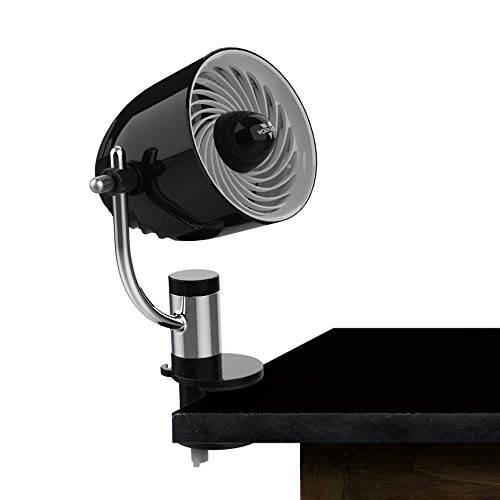
Vornado Pivot3 Clip Personal Air Circulator
A stuffy desk corner can make a normal work session feel twice as long, especially when floor space is tight and the nearest outlet is already crowded. The best clip desk fan should solve that annoyance without wobbling, roaring, or blowing straight past the chair. Vornado’s Pivot3 Clip takes a more deliberate approach, pairing a multi-surface clamp with three speeds, measured noise levels, and a compact head that can be aimed through a full 360-degree axis.
Vornado Pivot3 Clip Fan
The Pivot3 Clip is built as a personal air circulator rather than a miniature room fan pretending to cool everything. Its compact frame stands about 12 inches tall and uses a five-inch grille, keeping the footprint manageable around monitors, books, lamps, and bedside clutter. That space-conscious design makes the fan easier to place where the air is actually needed instead of several feet away on the floor.
The black housing has a clean, modern shape that looks more considered than the usual utility-style clip fan. Style won’t lower the temperature, of course, but a fan that stays visible on a desk every day shouldn’t feel like leftover workshop equipment. The modern exterior fits naturally in an office, dorm room, or bedroom without drawing too much attention.
Vornado keeps the controls simple with three speed settings. That gives enough range for a soft background breeze, a more noticeable midday push, and stronger airflow when the room starts feeling close. The three-speed adjustment offers more nuance than a basic low-and-high switch without turning the fan into a button-filled gadget.
Measured Noise Levels Make Expectations Clear
Noise claims often get slippery with small fans, but the supplied figures give this model a clearer frame of reference. At its lowest setting, the Pivot3 Clip is rated at 32 decibels, which Vornado describes as quieter than a standard interior space. That level makes the fan better suited to close desk placement, reading, or sleep than a sharp little motor buzzing beside the ear.
At the highest speed, the fan reaches a stated 46 decibels, roughly the level of a whispered conversation. Air movement will still be audible, especially in a very quiet bedroom, but the figure suggests a controlled sound rather than a harsh mechanical racket. That distinction matters during calls or late-night use, where tone can be more irritating than sheer volume.
The lowest setting will likely make the most sense when the fan sits within arm’s reach. Close placement lets a softer airflow feel useful without demanding extra speed. The quiet low mode can keep air moving around the face and upper body while leaving conversation, music, or focused work in the foreground.
Higher speed earns its place during warmer stretches, though it comes with the expected increase in sound. The useful part is having a known range instead of a vague promise that every setting is silent. This transparent noise range makes it easier to judge whether the Pivot3 Clip belongs beside a bed, on a shared desk, or in a livelier workspace.
Airflow Can Turn Through a Full Axis
Clip fans rarely attach at the exact angle needed. A shelf edge may sit above the shoulders, a bed frame may face sideways, and a dorm desk can force the clamp into whatever open spot remains. The Pivot3 Clip answers that problem with a 360-degree adjustable axis, allowing the fan head to direct air without moving the entire base.
That movement gives the fan more practical reach than its small grille might suggest. It can point upward from a low surface, downward from a raised shelf, or sideways from a vertical edge. The multi-directional airflow helps prevent one of the most common clip-fan frustrations: having a strong breeze aimed perfectly at an empty patch of wall.
Manual adjustment also keeps the head fixed once the desired position is set. There’s no automatic oscillation listed, so the airflow remains concentrated instead of sweeping across the room. That steady directional focus suits a desk chair or sleeping position, although it won’t share air broadly among several people.
A full axis is especially useful when the fan changes jobs during the day. One angle can cool a laptop workstation, another can serve a bedside setup, and a quick turn can redirect the breeze after the chair moves. The flexible head position saves the repeated unclipping and reattaching that can wear thin pretty quickly.
Multi-Surface Clip Frees Valuable Desk Space
The clamp is designed to work across different surfaces rather than limiting the fan to a flat tabletop. That mounting flexibility allows the fan to sit on a desk edge, shelf, headboard, or another suitable structure while preserving the open space below. The multi-surface clip is the feature that turns this from a compact desk fan into a more adaptable personal cooling tool.
A clip mount also raises the fan closer to shoulder or face level. That can make moderate airflow feel stronger because less of it is lost below the desk or behind nearby objects. The elevated positioning often matters more than raw motor power in a crowded room where every available surface is already spoken for.
Surface shape still affects stability. A solid, flat edge gives the clamp more contact than a narrow rounded bar or flexible panel. The secure mounting point deserves a moment of attention because even a well-designed clip can struggle if the surface bends, curves sharply, or barely fits between the jaws.
The supplied details don’t state the clamp’s exact opening width, so thick furniture remains an unknown. That’s a practical limitation for anyone planning to attach it to a deep headboard or chunky shelf. The unspecified clamp capacity doesn’t erase the fan’s versatility, but measuring the intended spot before relying on it would prevent an unpleasant surprise.
Tight Grille Spirals Add a Thoughtful Barrier
The five-inch grille uses tight spiral spacing intended to keep curious fingers from reaching the blades. That feature gives the compact fan a more reassuring presence in bedrooms, dorms, or household spaces where small hands may wander. The protective grille design addresses a real concern without requiring a bulky cage around the fan head.
Physical protection doesn’t remove the need for sensible placement. Loose hair, fabric, cords, and bedding should stay clear of the intake and front grille. The kid-conscious spacing is a useful barrier, but it shouldn’t be treated as permission to position the fan carelessly near dangling material.
The tighter spiral structure may also collect visible dust over time. A personal fan moves air through the same small opening for hours, so lint and debris can build up around the grille. Regular cleaning helps preserve consistent airflow and prevents the fan from looking neglected on an otherwise tidy desk.
The fan’s 12-inch height means it remains noticeable despite the compact grille. It isn’t a pocket fan, and it won’t disappear inside a shallow drawer. That small-but-substantial size gives the head room to sit above desk clutter while remaining manageable in a bedroom or dorm.
Three Speeds Suit Different Kinds of Heat
Low speed makes sense during long stretches of close-range use. A gentle stream can reduce that stagnant feeling around the face without drying the eyes or disturbing loose notes. The soft airflow setting pairs naturally with the stated 32-decibel sound level for calls, studying, or winding down at night.
Medium speed fills the gap between background circulation and a stronger cooling push. That middle setting is easy to overlook on paper, yet it often becomes the everyday choice once the room warms up. The balanced middle speed offers more air without jumping straight to the fan’s loudest operating level.
High speed is better reserved for moments when stronger airflow matters more than near-silent operation. A stuffy dorm, warm office, or bedroom without strong ventilation may call for the extra push. The 46-decibel maximum keeps expectations grounded, since stronger output will be heard even if the overall sound remains moderate.
Three speeds also make positioning less finicky. A fan mounted farther away can run higher, while one clipped beside the monitor may need only the lowest setting. This adjustable output helps compensate for different mounting distances without forcing the head into an awkward location.
Support and U.S. Use Requirements
Vornado backs the Pivot3 Clip with replacement support for up to five years if the product doesn’t meet its stated standards. That five-year support period stands out in a category where small appliances can otherwise feel disposable. Products are designed and supported in Andover, Kansas, according to the supplied information.
The warranty language comes with a geographic boundary. This model is built to meet U.S. voltage requirements and is safety-tested and warrantied for use only in the United States. The U.S.-only operating requirement matters for travel or international use, where different electrical standards may make the fan unsuitable.
A corded design also changes where the fan fits best. No rechargeable battery or cordless runtime is listed, so operation depends on access to compatible power. The plug-in limitation makes the fan less convenient for camping or outdoor travel than a battery model, but it avoids charging downtime during long office or bedroom sessions.
Continuous power can be a strength in a fixed setup. A desk fan that runs for hours doesn’t need its battery managed, topped up, or conserved for later. The steady corded operation suits spaces where the fan stays mounted near an outlet and portability mainly means moving between indoor surfaces.
Practical Strengths and Honest Limits
The Pivot3 Clip’s strongest qualities are easy to identify: measured sound levels, full-axis adjustment, three speeds, tight grille spirals, and a multi-surface mounting design. Those functional details address noise, direction, safety, and lost desk space rather than piling on extras with little daily value. The fan feels built around indoor personal circulation, and it stays in that lane.
Its limitations are just as clear. There’s no rechargeable battery mentioned, no automatic oscillation, and no stated clamp opening measurement. These notable tradeoffs make the model less suitable for cordless travel, wide shared coverage, or unusually thick mounting surfaces.
The five-inch grille and 12-inch height strike a middle ground between tiny travel fans and broad tabletop circulators. It remains compact enough for a dorm or office, but it has more physical presence than a palm-sized stroller fan. That moderate footprint makes sense where airflow quality and quieter operation matter more than packing the fan into a small bag.
As a best clip desk fan candidate, the Vornado Pivot3 Clip favors refinement over battery endurance or oversized output. The 32-to-46-decibel range, 360-degree axis, protective grille, and five-year replacement support give it a practical identity for indoor desks, bedrooms, and dorm rooms. Its corded personal airflow won’t suit every setting, but in a fixed U.S. workspace with a nearby outlet, the design solves the right problems without making a song and dance about it.


Best Quiet Ceiling Fan For Bedroom 2026 Ultimate Comfort Picks

Best Ceiling Fan For Master Bedroom 2026 With Ultimate Comfort

Best White Ceiling Fan With Light For Bedroom 2026 Top Picks

Best Quorum Medallion Ceiling Fan 2026 With Style & Breeze

Best Outdoor Fan For Pergola 2026 Comfort Boost

Best Ceiling Fan For Great Room 2026 With Ultimate Comfort

Best Outdoor DC Ceiling Fans 2026 For Breezy Comfort

Best ceiling exhaust bath fan with light and heater 2026





