
Best desk lamp for homework and using laptop 2026

Best desk lamp for homework and using laptop setups should do more than brighten a notebook. A cramped desk, a glowing screen, and a late assignment can make cheap lighting feel rough fast. Soft, adjustable light helps reduce that harsh contrast between paper and laptop, so the whole setup feels calmer instead of like a tiny interrogation room. And yes, that matters after an hour of reading, typing, erasing, and squinting.
Glare control deserves real attention because laptop screens already throw light back at the eyes. A lamp with an adjustable arm, tilting head, or wider light bar can point brightness where it belongs, not straight into the screen. That small shift can make typed notes easier to read beside a textbook, especially on darker desks or glossy surfaces. A fixed lamp may look neat, but it can become annoying if every angle creates reflection.
Brightness levels also change the mood of the workspace. Strong light helps with handwriting, sketching diagrams, or reviewing printed worksheets, while lower light feels better for laptop-heavy sessions at night. A lamp with dimming control gives more room to adjust instead of forcing one bright setting that feels too sharp. Small thing, big difference, especially when focus is already running on fumes.
Color temperature can make homework feel less draining. Cooler white light keeps details crisp for reading and problem-solving, but it may feel too clinical before bed. Warmer light is easier on the room, though it can make tiny textbook print feel a bit dull. A lamp with multiple color modes offers a practical middle ground without turning the desk into a gadget showroom.
Desk space matters more than most people admit. Between a laptop, charger, notebook, pencil case, water bottle, and maybe a calculator, a bulky base can get in the way fast. Clamp lamps and slim LED lamps help free up surface space, though clamp designs need a sturdy desk edge. A small base works fine too, as long as it doesn't wobble every time the laptop shifts.
Eye comfort isn't about chasing the brightest lamp on the shelf. It’s about even coverage, less flicker, and the ability to aim light without creating a shiny patch on the screen. A lamp that spreads light across both keyboard and paper makes multitasking feel smoother. Not flashy, just useful, which is exactly the point.

- LFR Score9.6
LFR Score is a ranking system developed by lightfansreviews.com. LFR Score has no relationship or impact from any manufacturers or sales agent websites. Learn more
- BrandKaulsoue
![iZELL Desk Lamp, [3 Color Modes & 10 Brightness] LED Reading Light with Clamp, Flexible Gooseneck Book Light for Kids Reading Book in Bed at Night Clip on Table, Headboard, Dorm - 15.8‘’ Black](https://m.media-amazon.com/images/I/41kabBTJ2SL._SL160_.jpg "iZELL Desk Lamp, [3 Color Modes & 10 Brightness] LED Reading Light with Clamp, Flexible Gooseneck Book Light for Kids Reading Book in Bed at Night Clip on Table, Headboard, Dorm - 15.8‘’ Black")
- LFR Score9.2
LFR Score is a ranking system developed by lightfansreviews.com. LFR Score has no relationship or impact from any manufacturers or sales agent websites. Learn more
- BrandiZELL

- LFR Score9.2
LFR Score is a ranking system developed by lightfansreviews.com. LFR Score has no relationship or impact from any manufacturers or sales agent websites. Learn more
- BrandAirlonv

- LFR Score9.2
LFR Score is a ranking system developed by lightfansreviews.com. LFR Score has no relationship or impact from any manufacturers or sales agent websites. Learn more
- BrandLIBORA

- LFR Score9.0
LFR Score is a ranking system developed by lightfansreviews.com. LFR Score has no relationship or impact from any manufacturers or sales agent websites. Learn more
- BrandQPEUIM

- LFR Score9.0
LFR Score is a ranking system developed by lightfansreviews.com. LFR Score has no relationship or impact from any manufacturers or sales agent websites. Learn more
- BrandBOHON
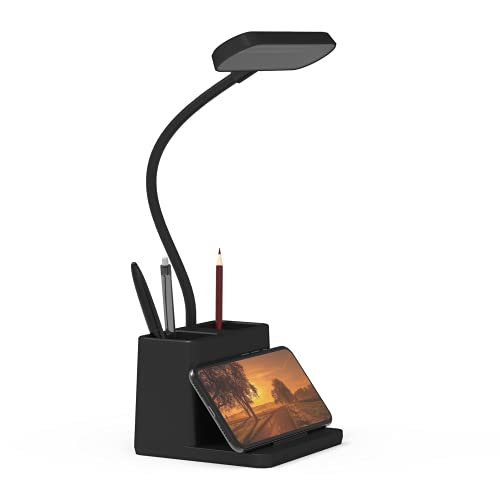
- LFR Score8.8
LFR Score is a ranking system developed by lightfansreviews.com. LFR Score has no relationship or impact from any manufacturers or sales agent websites. Learn more
- BrandAXX

- LFR Score8.6
LFR Score is a ranking system developed by lightfansreviews.com. LFR Score has no relationship or impact from any manufacturers or sales agent websites. Learn more
- BrandDott Arts

- LFR Score8.6
LFR Score is a ranking system developed by lightfansreviews.com. LFR Score has no relationship or impact from any manufacturers or sales agent websites. Learn more
- BrandDWEPTU

- LFR Score8.6
LFR Score is a ranking system developed by lightfansreviews.com. LFR Score has no relationship or impact from any manufacturers or sales agent websites. Learn more
- BrandACNCTOP
Last update on 2026-05-29 / Affiliate links / Images, Product Titles, and Product Highlights from Amazon Product Advertising API
Best Desk Lamp For Homework And Using Laptop
Late-night homework can turn ugly fast once shadows start crawling across notebooks and glare bounces off a laptop screen like a flashlight in the eyes. A weak desk lamp usually makes people lean closer to the screen without even noticing, and after a while, that neck tension becomes part of the routine. The best desk lamp for homework and using laptop setups need balanced lighting, adjustable positioning, and softer brightness that doesn’t feel like a dentist’s office lamp pointed straight at the face. This LED task lamp handles those everyday frustrations surprisingly well without turning the desk into a cluttered mess.
Led Home Office Lamp
Desk organization matters more than people admit during long homework sessions. Between notebooks, coffee mugs, chargers, sticky notes, and a laptop sitting front and center, oversized lamps become irritating fast. This lamp keeps a slimmer footprint thanks to the narrow metal base and taller design. The workspace feels less boxed in, which honestly helps concentration more than flashy lighting tricks.
The extra-wide lamp bar spreads light across a broader area instead of creating one blinding hotspot in the middle of the desk. Smaller lamps often leave textbook edges dim while the keyboard gets all the brightness. That imbalance gets annoying after a while, especially during note-taking or side-by-side studying. Here, the wider beam helps keep paper, keyboard, and nearby items visible without constant repositioning.
Touch controls respond quickly and don’t require repeated tapping just to adjust brightness. That sounds minor until a laggy control panel interrupts concentration every few minutes. Smooth adjustments feel especially useful late at night when lowering brightness slightly can make the whole desk feel calmer. Some practical details really do shape the experience more than flashy marketing terms.
The included power adapter saves an unnecessary headache right out of the box. Plenty of budget lamps skip this and leave people scrambling for spare adapters buried in drawers somewhere. This one powers through a wall adapter, computer connection, or even a power bank. That flexibility works nicely in shared rooms or tighter workspaces where outlets disappear quickly.
Brightness And Color Flexibility
The five color temperature settings make this lamp more adaptable than single-tone LED lamps that lock users into one harsh shade of white. Warm lighting around 3000K feels easier on the room during nighttime reading or casual browsing. Cooler lighting sharpens details better for homework, spreadsheets, or dense textbook pages. Switching between those modes actually changes the feel of the workspace instead of acting like a gimmick.
Dimming control becomes surprisingly valuable once laptop glare enters the picture. Full brightness might help with handwritten notes, but it can overwhelm a screen in darker rooms. Lower settings soften the desk nicely without making text hard to read. That balance helps reduce the constant eye adjustment that happens with uneven lighting.
Homework routines rarely stay focused on one task for very long. One minute involves reading printed pages, then suddenly it’s typing, highlighting notes, or checking research tabs across two windows. This lamp adapts smoothly to those quick transitions because brightness and color changes happen fast. A rigid lighting setup usually feels more frustrating than people expect during busy work sessions.
Eye comfort stands out here because the light feels more even and controlled than many bargain desk lamps. Harsh flickering LEDs can leave eyes feeling weirdly dry after extended use, especially beside a glowing monitor. This softer output helps reduce that strained feeling during longer nights of studying or work. From a practical angle, eye-caring desk lamp setup discussions usually focus on exactly this kind of balanced illumination.
Flexible Gooseneck Performance
The adjustable gooseneck solves one of the most common laptop-lighting problems: screen glare. A fixed lamp angle might look sleek, but it becomes irritating once reflections start cutting across the display. This flexible neck bends easily without feeling loose or unstable. Small adjustments make a noticeable difference while switching between reading and typing.
The taller structure also helps with medium and larger monitor setups. Lamps that sit too low often throw awkward shadows behind the screen or directly onto notebooks. This design keeps the light positioned higher, which spreads illumination more naturally across the desk. The result feels cleaner and less cramped overall.
Creative projects benefit from the broader lighting coverage too. Drawing, crafting, puzzles, and detail-heavy hobbies usually need even visibility instead of concentrated spotlighting. A narrow lamp beam can leave tools and materials sitting in dim patches around the desk. This wider spread handles multi-purpose workstations more comfortably.
One drawback comes down to desk depth and placement. The flexible neck adjusts well, but smaller desks pushed tightly against walls may still feel a bit crowded during positioning. That won’t bother everyone, though compact setups should measure space carefully before adding taller desk lamps like this one.
Pros And Realistic Tradeoffs
The strongest feature is the balance between brightness, flexibility, and eye comfort. Cheap lamps often overcompensate with aggressive white light that becomes tiring fast during long study sessions. This lamp avoids that harshness while still providing enough visibility for textbooks, keyboards, and detailed notes. It feels more controlled than overpowering.
LED efficiency helps keep the lamp cooler during extended use. Traditional bulbs or poorly ventilated lamps sometimes create noticeable warmth around the desk after hours of operation. Here, the lower heat output feels more comfortable during long evenings indoors. That quieter practicality fits the lamp’s overall design pretty well.
Touch-sensitive controls won’t appeal to everyone. People who prefer physical switches may find accidental taps slightly annoying while repositioning the lamp. Mechanical buttons usually provide clearer feedback during rushed adjustments. Still, the controls respond consistently enough that the issue stays relatively minor.
The metal construction gives the lamp a cleaner appearance compared to plastic-heavy budget models that start looking worn after regular use. It blends naturally into workstations without demanding attention. The overall design feels functional first, decorative second, which honestly works better for study-focused desks anyway.
Everyday Use Across Long Sessions
Extended homework sessions expose weak lighting setups quickly. Shadows shift, glare builds up, and concentration starts slipping once eye strain kicks in. This lamp handles longer sessions fairly well because the light distribution stays consistent across the workspace. That steady coverage makes typing and handwriting feel less disconnected from each other.
Laptop-heavy desks benefit most from the directional lighting adjustments. Tilting the beam slightly away from the screen cuts down on reflections without sacrificing notebook visibility. Lamps with limited flexibility usually force awkward compromises between readable paper and usable screen brightness. This setup leaves more room for adjustment.
The warmer light modes feel especially comfortable during evening browsing or lighter reading sessions. Cooler white light definitely sharpens details during focused work, but softer tones reduce that overstimulated feeling late at night. Switching between them becomes second nature after a few days. Funny enough, that flexibility often matters more than maximum brightness numbers.
Build stability lands in a solid middle ground. The lamp feels sturdy enough for daily homework, office tasks, and creative work without pretending to be luxury desk decor. Some ultra-budget lamps wobble every time the keyboard moves or the desk shifts slightly. This one stays planted well enough to avoid becoming another distraction during work.
Best Desk Lamp For Homework And Using Laptop
Dim lighting can wreck concentration faster than people realize. A desk that feels comfortable at sunset suddenly becomes awkward once shadows creep over notebook pages and laptop keys start blending together. The best desk lamp for homework and using laptop setups usually solve more than brightness problems because glare, desk space, portability, and eye strain all collide at the same time. This compact iZELL clamp lamp leans into flexibility rather than brute-force brightness, and honestly, that approach makes daily use feel smoother.
iZELL Reading Clamp Lamp
The clamp design immediately changes how the workspace feels. Traditional desk lamps with wide bases tend to hog valuable space, especially on smaller dorm desks or crowded study corners. This lamp clips onto shelves, headboards, or table edges without eating up the center of the setup. That extra room matters during long homework sessions packed with textbooks, notebooks, chargers, and a laptop squeezed into one tiny area.
The 15.8-inch gooseneck gives the lamp a surprisingly adaptable feel. Some clip lamps barely move without springing back awkwardly, but this neck bends smoothly and stays in place once adjusted. Directing light away from a glossy laptop screen helps reduce annoying reflections while still keeping handwritten notes visible. Little adjustments like that can make a desk feel far less tiring after a couple of hours.
The lightweight structure also makes it easier to move between different spots around the house or dorm. One evening it might sit beside a laptop for research, then later clip onto a headboard for reading in bed. Bulkier desk lamps usually stay planted in one location because relocating them becomes a hassle. This one feels built around flexibility rather than permanence.
The black finish keeps the overall appearance simple and practical. Some budget lamps try too hard with flashy colors or oversized styling that clashes with minimal setups. Here, the design stays low-key enough to blend into study desks, home offices, or bedside spaces without becoming visually distracting. Quiet design choices sometimes age better than trendy ones.
Lighting Modes During Real Study Sessions
The three color modes create noticeable differences depending on the task at hand. Warm light around 3000K feels calmer during nighttime reading or casual browsing before bed. The cooler 6000K setting sharpens contrast better for dense homework pages, spreadsheets, or note-heavy assignments. That middle tone around 4500K often ends up being the sweet spot for mixed laptop and notebook use.
The ten brightness levels add more flexibility than many compact reading lamps offer. Strong brightness helps during detailed work like sketching, crafting, or reviewing tiny textbook print, while lower levels feel easier on tired eyes late at night. Some lamps jump awkwardly between brightness presets, but these transitions feel gradual enough to fine-tune the desk comfortably. Small changes in brightness can completely shift how relaxing the workspace feels.
Eye comfort becomes more noticeable during longer sessions. Harsh LED lighting often creates that dry-eyed, overexposed feeling after staring at screens and paper for too long. This lamp spreads light through a softer panel housing instead of blasting one concentrated beam directly downward. The result feels gentler during extended reading or typing sessions.
The strip-style LED layout helps widen the illumination compared to tiny circular book lights that create tunnel vision on the desk. A broader light spread means fewer dark corners around keyboards, notebooks, and nearby supplies. That balanced coverage feels especially useful while multitasking between handwritten notes and online research. Nobody enjoys constantly repositioning a lamp every five minutes.
Portable Setup And Usb Power
USB-powered lighting sounds basic until outlet space becomes scarce. This lamp works through laptops, power banks, desktop computers, USB docks, or standard adapters, which gives it more flexibility than fixed wall-powered lamps. Shared rooms and dorm setups usually involve extension cords stretched in every direction already. Having multiple power options removes one more annoyance from the equation.
The included 5V/2A adapter deserves credit because plenty of compact lamps skip it entirely. Opening a new lamp only to realize another adapter purchase is necessary feels irritating fast. Here, the lamp works straight out of the box without extra scrambling. That practical convenience fits the overall personality of the product pretty well.
The 49-inch cable also helps more than expected. Short lamp cords create awkward placement limitations that force desks into weird layouts just to reach an outlet. This longer cable gives more freedom for positioning around beds, shelves, or workstations. A small feature, sure, but practical setups usually depend on little details like this.
Portable lighting setups become surprisingly valuable during temporary work sessions. Sometimes the kitchen table turns into a study spot, or a bedside area doubles as a reading station during late nights. This lamp transitions between those spaces easily because it’s lightweight and quick to reposition. Larger architect-style lamps rarely move around that casually.
Strengths And Everyday Tradeoffs
The biggest strength comes from how adaptable the lamp feels in small spaces. Desk lamps with fixed bases often struggle in cramped setups because they permanently claim valuable room. This clamp-style design avoids that issue while still offering decent brightness coverage. That combination works nicely for homework-heavy desks already overloaded with devices and supplies.
The eye-care focus feels practical rather than exaggerated. Softer lighting and wider coverage genuinely reduce some of the harsh contrast that cheaper LEDs create. Reading beside a laptop screen feels smoother when shadows aren’t slicing across the keyboard or notebook. In some setups, a related reference appears in adjustable reading light ideas for similar glare-control discussions.
Brightness limitations do exist compared to larger full-sized desk lamps. This lamp handles focused personal work very well, but wider desks with multiple monitors may still need additional lighting support. Compact clip lamps naturally prioritize portability and flexibility over massive room-filling illumination. That tradeoff feels reasonable once the lamp’s intended use becomes clear.
The clamp mechanism stays fairly sturdy for normal use, though extremely thick desk edges could create limitations. The clamp opens up to 2.3 inches, which works for most tables, shelves, and headboards. Slim surfaces definitely suit it best. Oversized gaming desks with chunky frames might require a bit more positioning patience.
How The Lamp Fits Into Daily Routines
Late-night homework sessions usually reveal weaknesses quickly. A lamp that seems fine during casual use can become irritating once hours of reading, typing, and switching tabs start stacking up. This iZELL lamp handles those routines comfortably because the light stays controlled instead of aggressively bright. The softer spread feels easier to live with over time.
Laptop users dealing with glossy displays will probably appreciate the flexible positioning more than anything else. Slightly shifting the lamp angle helps cut down reflections without turning half the desk dark. Fixed-head lamps often force awkward compromises between readable paper and visible screens. That flexibility gives this lamp a more forgiving everyday feel.
Bedside reading also benefits from the adjustable brightness range. Strong overhead lighting can feel harsh before sleep, while dimmer warm settings create a calmer atmosphere without sacrificing visibility. Compact clip lamps often struggle with uneven lighting, but the strip-style beam keeps coverage fairly balanced. Reading small print becomes less tiring because the brightness feels more controlled.
The overall experience lands somewhere practical, portable, and refreshingly uncomplicated. It doesn’t pretend to replace large studio lighting or oversized office setups. Instead, it focuses on solving common lighting frustrations for smaller workspaces, flexible routines, and mixed homework-plus-laptop use. Honestly, that narrower focus works in its favor because the lamp feels purpose-built instead of overloaded with unnecessary extras.
Airlonv LED Desk Lamp
A crowded desk has a sneaky way of making simple homework feel heavier than it should. The laptop takes the center, notebooks slide toward the edge, cables snake around the back, and one bad shadow can make the whole setup feel messy. For anyone trying to balance screen work with handwritten notes, the best desk lamp for homework and using laptop needs more than raw brightness. This Airlonv clamp lamp focuses on wide coverage, stepless dimming, and flexible positioning, which makes it feel built for real study desks rather than showroom photos.
Airlonv Clamp Desk Light
The clamp design gives this lamp a practical edge right away. A normal lamp base can eat up the exact spot needed for a notebook, mouse, calculator, or coffee mug. By clipping onto the desk edge, this model frees up the main work surface and keeps the lighting source lifted above the clutter. That’s a smart move for tight rooms, shared desks, and laptop-heavy setups where every inch counts.
The adjustable metal clamp supports desktops up to 2.36 inches thick, which gives it a good amount of placement flexibility. It can sit at the back of a desk, off to the side, or near a workbench where a base lamp would just get in the way. That said, clamp lamps do need a suitable edge, so thick rounded desks or awkward ledges may take a little patience. Still, for a flat desk edge, the setup feels cleaner and less fussy.
The 17-inch extra-wide lamp bar is one of the main reasons this lamp fits homework and laptop use so well. Small desk lamps often create one bright pool of light while leaving the keyboard, notebook margins, and nearby papers half-dim. This wider bar spreads illumination across a broader area, making side-by-side work feel less cramped. Reading from a textbook while typing notes becomes easier when the desk doesn’t look split into bright and dark zones.
The black finish keeps the lamp visually quiet, which is a good thing on a busy desk. It doesn’t scream for attention or clash with most monitor stands, laptop docks, or office accessories. The overall look feels more functional than decorative, but that suits a study lamp just fine. A lamp like this earns its keep by staying useful, not by acting like desk jewelry.
Stepless Dimming Feels More Personal
Stepless dimming gives this Airlonv lamp a more flexible feel than lamps with only a few fixed brightness levels. The 1% to 100% brightness range lets the light settle exactly where the desk needs it instead of jumping from too dim to too sharp. That matters during mixed work, where a laptop screen, printed worksheet, and handwritten notes all need different levels of support. Fine control makes the lighting feel less bossy.
The color temperature range from 2700K to 6500K adds another useful layer. Warmer light can feel softer during evening reading or low-pressure work, while cooler light makes details stand out better for focused tasks. The nice part is the range, not just the extremes. Somewhere in the middle, the light can feel balanced enough for typing, reading, and studying without making the desk feel cold or sleepy.
Laptop glare is where many desk lamps lose points. Too much direct light bounces off screens, especially glossy displays, and suddenly the lamp becomes part of the problem. With this model, the dimming control and adjustable neck help angle brightness away from the screen while still lighting the notebook. That flexibility can reduce the annoying back-and-forth between moving the lamp and tilting the laptop lid.
Homework sessions rarely stay neat and predictable. One minute it’s reading, then it’s solving problems, then it’s typing notes, then maybe sketching or reviewing a printed page. A fixed-brightness lamp can feel clumsy during that kind of task switching. This Airlonv model handles those changes better because both brightness and color can be shaped around the moment.
Gooseneck Control And Desk Coverage
The 360-degree flexible gooseneck is a big part of the lamp’s everyday usefulness. It bends and redirects the light without requiring the whole lamp to move, which keeps the desk setup stable. That helps when a laptop, monitor, or stack of books blocks the usual lighting path. A quick neck adjustment can shift the beam from keyboard to notebook without disturbing everything else.
The maximum work height of about 31 inches gives the lamp enough reach for larger setups. The product details mention compatibility with 30-inch monitors and backward compatibility with smaller monitor sizes, which makes sense for home office desks and study stations. A lamp that sits too low can throw shadows behind a laptop screen or monitor stand. This taller reach gives the light a better angle over the workspace.
Wide illumination helps more than people expect during detailed tasks. Drawing, sewing, craftwork, knitting, and study notes all become harder when the lamp creates uneven shadows. The 17-inch light bar helps cover more of the desk surface, so small materials and written lines stay easier to see. That doesn’t make it a studio light, but it does make it more capable than a tiny clip-on reading lamp.
Built-in wire management is a quiet but useful feature. Cable mess can make an otherwise clean desk look chaotic, especially with laptop chargers, USB hubs, and monitor cords already in the mix. Being able to collect and conceal wires gives the lamp a tidier footprint. It’s not glamorous, sure, but clean cable routing can make a study corner feel less mentally noisy.
Eye Care Claims And Realistic Comfort
The eye-care design centers on soft, uniform brightness with reduced glare, no bothersome strobes, and no blue light hazards according to the product details provided. That combination is important for long laptop sessions because the eyes are already dealing with screen brightness. A harsh lamp can make fatigue arrive faster, especially in darker rooms. Softer, more even light gives the desk a calmer working rhythm.
The 100 lamp beads help create a wider lighting range instead of relying on a tiny, concentrated source. Concentrated beams can make paper look bright in the middle and dull around the edges. This Airlonv lamp aims for broader coverage, which supports reading and writing without constant repositioning. That’s especially helpful when the desk layout changes throughout the day.
Energy saving is another practical point, with the product information stating it consumes 85% less energy than traditional incandescent lamps. That kind of efficiency makes sense for a lamp used through long study blocks, work sessions, or evening craft time. Lower energy use also pairs nicely with reduced heat, especially on smaller desks where warm lights can feel uncomfortable. Less heat near the face and hands is a small comfort that adds up.
Long-session comfort depends on more than one feature. Brightness range, color temperature, lamp height, beam width, and glare control all work together. This model’s strength is that it gives enough adjustment to avoid one-size-fits-all lighting. The realistic expectation is simple: it won’t erase eye fatigue from marathon screen time, but it can make the desk environment noticeably easier to manage.
Build, Adapter, And Everyday Tradeoffs
The aluminum and ABS construction gives the lamp a practical balance between structure and weight. Aluminum helps with heat dissipation, while ABS keeps the design from feeling overly heavy or bulky. The product details also mention a lifespan of up to 60,000 hours, though real-world longevity always depends on use habits and care. On paper, the materials match the lamp’s role as a daily desk fixture.
The included 5V/3A adapter is a welcome detail because some USB-powered lamps arrive without the power brick. That creates an annoying extra step, especially for desks already full of devices competing for ports. With this package, the lamp includes the desk light, metal clamp, power adapter, and manual. Having the essentials included makes the setup feel more complete from the start.
The clamp setup does bring one clear tradeoff. It saves surface space beautifully, but it depends on desk compatibility. A thick, curved, or oddly shaped desktop may limit placement options, and some people may prefer the freedom of a lamp with a weighted base. For flat-edged desks, though, the clamp makes more sense than a bulky base taking up prime workspace.
The overall value sits in the lamp’s adjustability rather than flashy extras. It gives wide lighting, flexible reach, stepless dimming, color temperature control, wire management, and an included adapter. Those features directly support homework, laptop work, reading, craftwork, and general desk tasks. The main limitation is simple: people wanting a decorative statement lamp may find it too practical and work-focused.
Best Fit For Homework And Laptop Use
The strongest fit is a desk where screen work and paper work happen together. A laptop alone might not need a 17-inch light bar, but a laptop plus notebooks, textbooks, and loose worksheets absolutely benefits from wider coverage. This lamp helps reduce the patchy lighting that makes multitasking feel clunky. It supports the whole work zone instead of only one bright corner.
Study routines with shifting tasks feel easier under adjustable lighting. Cooler light can support sharper focus during reading or problem solving, while warmer light can soften the mood during lighter evening work. The stepless controls keep the lamp from feeling locked into one personality. That’s useful because homework doesn’t always happen at the same hour, in the same room, or with the same level of energy.
Monitor users may appreciate the height and lamp bar width even more than laptop-only setups. The stated compatibility with up to 30-inch monitors gives it room to sit above larger screens and still light the desk. That can help avoid awkward shadows from monitor stands or laptop lids. Proper positioning still matters, but the hardware gives more room to work with.
The Airlonv lamp feels best suited for practical desks that need control, coverage, and cleanliness. It isn’t the smallest clip lamp and it isn’t a decorative table lamp pretending to be functional. It’s a task-focused light with enough flexibility to handle studying, reading, workbench tasks, and laptop-heavy evenings. For a desk that needs less glare and more usable space, its design choices line up well with everyday frustrations.
LIBORA LED Clamp Desk Lamp
Small desks can turn messy in a hurry. A laptop sits open, a notebook steals the last clean corner, a charger drags across the back edge, and then the lamp base decides to take up half the remaining space. For the best desk lamp for homework and using laptop, the real win isn’t just brightness, it’s controlled light that lands where it’s needed without crowding the desk. The LIBORA LED Clamp Desk Lamp feels made for that kind of everyday juggling, especially with its clamp design, flexible gooseneck, memory function, and soft LED lighting.
LIBORA Clamp Study Lamp
The clamp-style build gives this lamp a different personality from a regular desk lamp. Instead of parking a bulky base beside the laptop, it clips onto the edge of a desk, shelf, or study table. That frees up room for books, headphones, pens, and whatever else usually piles up during homework. On a narrow desk, that space-saving design feels less like a bonus and more like a relief.
The long flexible gooseneck makes the lamp easy to aim without dragging everything around. A slight bend can move the beam from a keyboard to a worksheet, then over to a textbook without shifting the clamp. That matters because homework rarely stays in one neat lane. Reading, typing, writing, and checking notes all happen in the same cramped little zone.
The black finish keeps the look simple and unfussy. It doesn’t try to become the visual star of the desk, which is honestly better for study spaces. A quiet design blends well with laptops, monitor stands, dorm furniture, and work tables. The lamp feels practical first, decorative second.
Setup feels straightforward because the lamp comes fully assembled and uses a USB input. There’s no complicated mounting process or awkward hardware puzzle to solve before using it. Clip it, plug it in, adjust the neck, and the light is ready to go. That kind of low-drama setup suits busy study routines where nobody wants another little chore.
Light Modes For Homework
The three color modes give this LIBORA lamp useful range for different tasks. Warm light at 2700K feels softer for relaxed reading or evening work, while warm white at 4500K gives a more balanced tone for mixed laptop and notebook sessions. Cool light at 6500K adds sharper contrast for detail-heavy tasks. That variety helps the lamp fit the mood of the room instead of forcing one harsh setting all night.
The ten brightness levels make the lighting easier to tune than basic on-off lamps. A dim setting can work beside a laptop in a darker room, while stronger brightness helps with handwritten homework, drawing, or reading small print. Big jumps in brightness can feel annoying, especially when eyes are already tired. More levels mean the desk can feel bright enough without becoming uncomfortable.
Screen glare is one of those little frustrations that can ruin a study setup. Light that hits the laptop screen at the wrong angle creates reflections, and then the neck starts craning forward without anyone noticing. The adjustable gooseneck helps redirect the beam away from the screen while still lighting the notebook. That’s a small practical advantage, but it can make long sessions feel much less irritating.
The memory function is a nice touch for daily use. In standby mode, it remembers the last brightness and color settings, so the lamp doesn’t force a reset every time. That’s handy for anyone who tends to use the same evening setup again and again. Less fiddling with controls means fewer interruptions once the work starts.
Eye Comfort And Soft Illumination
The eye-caring design focuses on soft illumination without glaring, flickering, or ghosting, based on the product details provided. That matters for long reading and laptop sessions because harsh light can make the whole desk feel tense. A softer beam helps reduce the sharp contrast between paper and screen. The result feels easier on the eyes than a tiny spotlight blasting one bright patch.
LED bead quality plays a big role in how comfortable the lamp feels during extended use. Uneven lamps can leave bright centers and dull edges, which makes the eyes keep adjusting. LIBORA’s design aims for bright but gentle coverage, which fits homework, reading, drawing, and office-style tasks. It’s not trying to flood a room, but it does support a focused desk area well.
Late-night study sessions are where softer light earns its keep. Overhead lights can feel too strong, and a laptop screen alone usually isn’t enough for handwritten notes. This lamp gives a more controlled pool of light without waking up the whole room. That balance works especially well for shared spaces, bedrooms, and compact study corners.
Realistic expectations still matter. This is a clamp reading and desk lamp, not a full room lighting system. Larger desks with multiple monitors or wide work surfaces may need extra lighting from another source. For a single laptop, notebook, book, or craft area, though, the focused beam makes a lot more sense.
Usb Power And Desk Flexibility
USB-powered operation gives this lamp a portable feel. It can connect to a laptop, desktop computer, power bank, or 5V/2A adapter, depending on what’s available nearby. That’s useful in places where wall outlets are already occupied by chargers and monitors. A lamp that doesn’t demand a dedicated outlet can fit into more everyday setups.
The 59-inch power cord helps with placement more than a short cable ever could. A cramped desk may need the lamp clipped to one side while power comes from a laptop or USB hub on the other. Extra cord length reduces that awkward tugging problem. Nobody likes arranging a whole desk around one stubborn cable.
The clamp and gooseneck combo makes this lamp useful outside a standard desk, too. It can serve as a reading light near a bed, a small task lamp for drawing, or a focused light for craftwork. The clip-on design gives it more placement options than base lamps that need flat surface space. That flexibility feels practical for rooms where furniture has to do double duty.
Portability has limits, of course. The lamp still needs a stable edge to clip onto, so very thick, rounded, or soft surfaces may not hold it as neatly. A regular flat desk edge will usually make more sense than a padded headboard or awkward shelf lip. That’s the tradeoff with clamp lamps: they save space beautifully, but they depend on the right mounting spot.
Pros And Cons In Daily Use
The main strength is how well the lamp saves desk space while keeping light adjustable. A base lamp can feel like one more object fighting for room, but this clamp design lifts the light source out of the way. The flexible arm then puts brightness where it’s needed. That makes the lamp especially helpful for laptop setups with limited surface area.
The lighting controls are another clear advantage. Three color modes and ten brightness levels provide enough range for reading, studying, drawing, and typing without feeling overcomplicated. The memory function adds convenience because the lamp can return to familiar settings after standby. Small conveniences like that tend to matter more after a few weeks of daily use.
The weaker side is coverage size. This lamp works nicely for focused personal tasks, but it may not satisfy someone expecting broad illumination across a large workbench or multi-monitor desk. Clamp lights naturally shine best in a defined area. For wide desktops, a longer bar lamp or larger architect-style light may feel more suitable.
The USB design is useful, but it also means power setup depends on the available port or adapter. Since the lamp can connect to several USB sources, that usually isn’t a big issue. Still, desks with crowded USB hubs may need a little planning. The good news is that the included fully assembled design keeps the rest of the setup simple.
Best Fit Around Laptop Work
Laptop-heavy routines benefit from lighting that doesn’t fight the screen. The LIBORA lamp can be angled from the side or above, which helps keep glare from landing directly on the display. That gives handwritten notes more visibility without making the laptop harder to read. For homework that jumps between tabs and paper, this matters more than raw brightness.
Mixed work sessions also feel smoother with adjustable color and brightness. A cooler mode can help sharpen focus during reading or problem solving, while warmer light feels easier during lighter evening tasks. The lamp doesn’t force one mood onto every activity. That makes it more adaptable than a basic clip light with only one color tone.
Small-room use is another strong fit. Dorm desks, bedrooms, shared apartments, and compact home offices often need lighting that stays personal and contained. This lamp offers enough control for focused work without lighting up the entire space. That can be helpful during late hours when overhead lights feel rude or just plain too much.
The overall experience feels practical, tidy, and pleasantly low-maintenance. LIBORA didn’t overload the lamp with unnecessary extras, and that restraint works in its favor. The clamp saves space, the gooseneck adjusts easily, the memory function reduces repeat setup, and the soft LED light supports everyday study tasks. For a realistic best desk lamp for homework and using laptop setup, those strengths line up with the problems that actually show up on a desk.
QPEUIM LED Student Desk Lamp
A small study corner can feel fine during the day, then suddenly turn awkward once the room gets dark and the laptop screen becomes the brightest thing around. Notes look dull, the keyboard throws weird shadows, and the eyes start working harder than they should. For the best desk lamp for homework and using laptop, the useful stuff is simple: steady brightness, easy controls, and desk-friendly power. The QPEUIM LED Student Desk Lamp keeps things basic, but that stripped-down approach may suit a homework desk better than a lamp packed with extras nobody uses.
QPEUIM LED Student Lamp
The QPEUIM LED Student Lamp feels like a compact study tool rather than a decorative office piece. Its main purpose is clear: provide bright, steady light for reading, writing, and laptop-side work. That matters on desks where space is already being fought over by books, chargers, notebooks, and a mouse. A lamp that stays simple can be easier to live with during everyday homework sessions.
The included AC power plug gives the setup a more complete feel. Some USB desk lamps arrive without the plug, which turns a basic purchase into a drawer hunt for spare adapters. This one includes the power cable and plug, so it’s less fussy from the start. That small bit of convenience can save time, especially in a dorm room or shared study space.
The design focus leans toward student desks, reading corners, bedrooms, and home office surfaces. It doesn’t aim to be a large architect lamp with a long swing arm or oversized light bar. Instead, it works as a personal desk light for close-range tasks. That narrower purpose makes sense for homework and laptop work where the lamp only needs to support one focused area.
The biggest first impression is simplicity. Touch brightness, USB power, bright LED output, and eye-care claims make up the core package. No confusing remote, no complicated setup, no oversized frame taking over the desk. For anyone who gets annoyed by lamps that try to do too much, this one keeps the menu short.
Brightness For Homework Tasks
The 6000K color temperature gives this lamp a cool daylight-style tone. That kind of light can make printed pages, math problems, and handwritten notes look sharper. It’s especially useful during focused work, where warm yellow lighting might feel too sleepy or soft. The tradeoff is that 6000K can feel a bit crisp late at night, especially in a very dark room.
The three brightness levels offer a basic amount of control without overcomplicating the lamp. Lower brightness can support casual reading beside a laptop, while stronger brightness works better for textbooks or worksheets. It won’t give the same fine tuning as lamps with ten levels or stepless dimming. Still, three levels are enough for many short study blocks and everyday desk tasks.
The touch switch makes adjustments quick and clean. A physical knob can feel more precise, but touch control keeps the lamp looking neat and easy to operate. During homework, that matters because small interruptions can break focus. Tapping through brightness levels is simple enough that it doesn’t become another task.
Cool white lighting pairs well with laptop work if the lamp is positioned carefully. Too much direct light on the screen can create glare, but a side angle can help brighten notebooks without washing out the display. This is where placement matters more than fancy features. A bright lamp still needs a smart angle to feel comfortable.
Eye Care And Flicker-Free Use
The eye-caring LED design is built around flicker-free lighting, according to the product details provided. Flicker can be hard to notice directly, but poor lighting often shows up as tired eyes, headaches, or a restless feeling after long use. A steadier light source helps the desk feel calmer during reading and typing. That’s especially important when the laptop screen is already adding its own brightness into the mix.
DC drive technology is listed as part of the non-flicker design. In practical terms, the lamp is meant to reduce the unstable light behavior that cheaper LEDs can sometimes produce. That makes it more suitable for long reading sessions or homework that stretches past dinner. The goal isn’t dramatic, just steadier desk lighting that doesn’t nag at the eyes.
Strong light stimulation is another issue the product details call out. A lamp can be bright and still feel unpleasant if the beam is too harsh or badly aimed. This QPEUIM model is described as an eye protection desk lamp, so the focus is on usable brightness rather than glare-heavy shine. Real comfort will still depend on desk height, lamp angle, and room lighting.
Children’s study use is mentioned in the product information, but the broader value is easy to understand. Homework often means leaning over pages for a long time, then shifting back to a screen. A softer, flicker-free light can make that back-and-forth less tiring. It won’t replace good posture or breaks, but it can support a better study environment.
USB Power And Everyday Convenience
The USB power supply gives this lamp flexible placement options. It can work with USB charging heads, power banks, compatible power strips, and other USB sources. That’s useful on desks where wall outlets are already claimed by laptop chargers, speakers, or monitor cables. A USB lamp can fit into the setup without demanding a special outlet arrangement.
The included AC plug is helpful for more permanent desk use. USB-only lamps sometimes feel temporary because they depend on whatever port happens to be nearby. With a plug included, this lamp can sit on a homework desk as a regular daily light. That makes it a bit more convenient for bedrooms, dorm rooms, and small home offices.
Portability is another quiet advantage. A lamp powered through USB can move from desk to bedside table or from bedroom to study corner without much hassle. Power bank compatibility also gives it a little more flexibility during travel or temporary setups. It’s not a camping lantern, but the power options make it less tied down than old-school desk lamps.
The simple control setup keeps daily use low-friction. There’s no app, no pairing, and no complicated modes to remember. For homework and laptop work, that can be a good thing. The lamp is there to brighten the desk, not steal attention from the actual work.
Pros And Cons In Real Use
The main strength is straightforward study lighting. The QPEUIM lamp provides a cool 6000K tone, three brightness levels, touch control, USB power, and an included plug. Those features cover the basics for reading, office work, bedroom study, and dorm use. It’s not trying to become a full workstation lighting system, and that restraint keeps it approachable.
The energy-saving claim is also worth noting from the provided product details. The lamp is described as using high-brightness LEDs that save 80% more power than fluorescent tubes. For a desk lamp used often, lower energy consumption is a practical benefit. It also fits the general advantage of LED lighting for everyday study spaces.
The long lifespan claim says the LED lamp beads can reach 100,000 hours. That sounds strong on paper, though real-world lifespan can vary based on usage, heat, handling, and power source quality. Still, LED lamps generally avoid the frequent bulb changes of older desk lights. For a basic homework lamp, less maintenance is always welcome.
The biggest limitation is adjustability. Compared with gooseneck clamp lamps or large bar-style desk lamps, this model may offer less flexibility in aiming light across a wide laptop-and-notebook layout. The three brightness levels are useful, but not as precise as stepless dimming. Anyone with a large desk or multiple screens may want broader coverage.
Best Fit For Study Desks
Homework desks with limited space can benefit from a lamp that doesn’t feel complicated. This QPEUIM model keeps the focus on bright, flicker-free LED lighting and easy power options. That makes it better suited for everyday reading, studying, and laptop support than for highly specialized work. A simple desk usually doesn’t need a lamp that behaves like a control panel.
Laptop-side use works best when the lamp is positioned to the side rather than pointed straight at the screen. Cool white light can help paper notes look crisp, but direct reflection can become annoying on glossy displays. A small angle adjustment can make the difference between helpful brightness and distracting glare. That’s true for nearly every desk lamp, not just this one.
Dorm rooms and bedrooms are natural places for this lamp. USB power makes it easy to work with common charging setups, and the included AC plug helps when a wall outlet is available. The lamp’s basic brightness control supports reading, studying, and light office tasks without adding bulk. For small rooms, that practical simplicity feels right.
The overall character is plainspoken and functional. The QPEUIM LED Student Desk Lamp offers the essentials: cool daylight tone, touch dimming, flicker-free eye-care lighting, USB power, and complete packaging with plug and cable. It has real limits in coverage and fine adjustment, but it handles focused homework and laptop work without unnecessary fuss. That makes it a sensible fit for anyone who wants a clean, bright desk light and doesn’t need a feature-heavy setup.


Best Floor Lamps for Dark Rooms: Top Picks 2026

Best Value Outdoor Christmas Lights 2026 Brighten Nights

Best Lighting For Makeup 2026 Bright Ideas For Flawless Looks

Best Quiet Ceiling Fan For Bedroom 2026 Ultimate Comfort Picks

Best Christmas Lights For Bushes 2026 Brighten Your Yard

Best Outdoor Waterproof Christmas Lights 2026 For Festive Glow

Top 16 Kichler Barrington Flush Mount 2026 - Highly Rated

Best Wall Sconces For Staircase 2026 Brighten Your Home





