Best Desk Lamp For Photo Editing 2026: Clean Color Picks

Best desk lamp for photo editing isn’t about grabbing the brightest light on the shelf and calling it a day. Color work gets fussy fast, and a lamp with harsh glare, uneven spread, or a weird tint can make skin tones look off before the edit even begins. A clean setup needs stable brightness, low glare, and a light tone that doesn’t fight the monitor. Small details matter here, because one bad reflection on a glossy screen can turn a simple edit into a squinting contest.
Brightness control deserves more credit than it usually gets. A lamp that jumps from dim cave to interrogation room won’t help much during late-night culling, fine masking, or soft proofing. Smooth dimming lets the workspace stay visible without washing out the screen, and that’s the sweet spot. So, yeah, adjustability isn’t a fancy extra, it’s the part that keeps the desk from feeling like a photo booth gone rogue.
Color temperature control also pulls serious weight. Warm light can make whites feel creamy, while cool light can push the room into a bluish mood that messes with judgment. A neutral setting around daylight territory often feels more dependable for editing, especially beside a calibrated display. Still, the lamp shouldn’t become the main character, because the monitor needs to remain the reference point.
Glare control separates a useful editing lamp from one that just looks good in product photos. A wide lamp head, flexible arm, or angled light bar can spread light across the desk without blasting straight into the eyes. That helps with note-taking, memory cards, prints, color charts, and small gear scattered around the keyboard. The tradeoff is simple: bigger lamps take more desk space, while compact lamps may create tighter pools of light.
A strong desk lamp for photo editing should also stay physically steady. Wobbly arms, loose hinges, and tiny bases get annoying once cables, tablets, drives, and camera gear crowd the desk. Clamp designs can free up space, but they won’t suit every table edge. Base lamps feel easier to move, though they can steal the exact corner where an external drive or editing console wants to live.
Eye comfort matters more after the first hour. Flicker, hard contrast, and direct beams can make long retouching feel heavier than it needs to be. A lamp with softened output and flexible positioning helps reduce that nagging feeling of chasing tiny details through tired eyes. It won’t fix a bad monitor, poor room light, or skipped breaks, but it can make the whole editing corner feel less cranky.
The right pick depends on how the desk actually behaves after dark. A wide monitor setup may need a bar-style lamp or long-arm design, while a smaller editing nook may do better with a compact lamp that can aim light away from the screen. Print checking asks for steadier, more neutral light than casual file sorting. Better lighting won’t make every image better, but it does remove one sneaky source of second-guessing.

- LFR Score9.6
LFR Score is a ranking system developed by lightfansreviews.com. LFR Score has no relationship or impact from any manufacturers or sales agent websites. Learn more
- BrandPzloz

- LFR Score9.6
LFR Score is a ranking system developed by lightfansreviews.com. LFR Score has no relationship or impact from any manufacturers or sales agent websites. Learn more
- BrandKaulsoue

- LFR Score9.6
LFR Score is a ranking system developed by lightfansreviews.com. LFR Score has no relationship or impact from any manufacturers or sales agent websites. Learn more
- BrandLitONES

- LFR Score9.4
LFR Score is a ranking system developed by lightfansreviews.com. LFR Score has no relationship or impact from any manufacturers or sales agent websites. Learn more
- BrandUBeesize

- LFR Score9.4
LFR Score is a ranking system developed by lightfansreviews.com. LFR Score has no relationship or impact from any manufacturers or sales agent websites. Learn more
- BrandLepro
- LFR Score9.2
LFR Score is a ranking system developed by lightfansreviews.com. LFR Score has no relationship or impact from any manufacturers or sales agent websites. Learn more
- BrandMicomlan

- LFR Score9.2
LFR Score is a ranking system developed by lightfansreviews.com. LFR Score has no relationship or impact from any manufacturers or sales agent websites. Learn more
- BrandLitONES

- LFR Score9.2
LFR Score is a ranking system developed by lightfansreviews.com. LFR Score has no relationship or impact from any manufacturers or sales agent websites. Learn more
- BrandHONEYWELL

- LFR Score8.6
LFR Score is a ranking system developed by lightfansreviews.com. LFR Score has no relationship or impact from any manufacturers or sales agent websites. Learn more
- BrandDWEPTU

- LFR Score8.4
LFR Score is a ranking system developed by lightfansreviews.com. LFR Score has no relationship or impact from any manufacturers or sales agent websites. Learn more
- BrandSKYLEO
Last update on 2026-05-29 / Affiliate links / Images, Product Titles, and Product Highlights from Amazon Product Advertising API
Best Desk Lamp For Photo Editing
Long editing nights can turn frustrating fast once shadows start creeping across the desk and glare begins bouncing off the monitor. A weak lamp leaves camera gear buried in darkness, but an overly aggressive light can make color grading feel inconsistent and tiring after a few hours. That tension is exactly why the Led Desk Lamp for Office Home stands out for photo editing setups that need broad coverage without overwhelming the workspace. The oversized dual-head design, adjustable lighting modes, and flexible positioning feel built around real desks cluttered with monitors, lenses, tablets, and memory cards instead of polished showroom setups.
Led Desk Lamp For Office Home
Wide lighting coverage changes the experience immediately, especially on desks with dual monitors or ultrawide screens. Smaller desk lamps usually create one bright hotspot while the rest of the setup fades into dim corners. This lamp approaches things differently because the expandable dual-head structure spreads light across a much larger area. The 31.5-inch extension feels noticeably more balanced for editing stations where every inch of desk space matters.
The clamp-mounted setup also solves a surprisingly common annoyance. Desk real estate disappears quickly once hard drives, notebooks, keyboards, and charging cables start piling up. Traditional lamps with heavy bases tend to steal the exact corner where editing gear needs to sit. The metal clamp frees up that space while still keeping the lamp stable during adjustments, which helps the entire workstation feel less crowded and easier to manage.
Brightness flexibility makes a real difference during long editing sessions. Some evenings call for softer lighting while organizing files, while detailed retouching benefits from stronger illumination that keeps tiny details easier to spot. The 25 lighting combinations provide enough range to adapt naturally instead of forcing the eyes to work around fixed brightness levels. That flexibility helps the desk feel calmer during late-night editing rather than overly harsh or clinical.
Color temperature control matters too, especially beside calibrated displays. Warm lighting can make whites feel slightly yellow, while cooler tones sometimes create a sterile blue cast across the room. The adjustable 3000K to 5500K range helps maintain a more neutral editing environment without making the desk feel cold or uncomfortable. A related setup discussion often appears around photo editing desk lighting, particularly for spaces where monitor glare becomes difficult to manage.
Remote Features Feel More Useful Than Expected
The wireless remote control initially sounds like one of those features people ignore after the first week, but it actually becomes convenient once the desk fills with editing equipment. Reaching behind monitors or around mounted accessories gets annoying pretty quickly during focused editing sessions. Adjusting brightness or switching color modes from the keyboard area keeps the workflow moving without breaking concentration.
The memory function quietly improves day-to-day use in a practical way. Recreating the same lighting conditions every evening gets tedious, especially for color-sensitive editing work where consistency matters. This lamp remembers the previous settings, so the workspace feels familiar every time it powers on. That small convenience becomes more noticeable after weeks of regular use.
The timer function also fits naturally into editing routines that tend to stretch longer than planned. One quick adjustment turns into another, then another, and suddenly the clock says 2 a.m. Automatic shutoff after an hour adds a subtle reminder to step away or at least pause for a moment. It doesn’t feel gimmicky because it lines up with how creative work often drifts late into the night.
Night mode and reading mode help the lamp transition beyond editing tasks. Plenty of desks double as reading areas, casual workspaces, or streaming stations depending on the hour. Softer lighting feels more comfortable during those quieter moments, and switching modes keeps the desk from feeling locked into one harsh lighting style all the time.
Flexible Positioning Handles Real Workspace Problems
The gooseneck design solves one of the most annoying lighting problems around large monitors: reflections. Fixed-position lamps often bounce light directly onto glossy displays, making shadows and glare harder to control during editing. This setup allows far more precise positioning, so the light can spread across the desk without blasting straight into the screen.
Desk layouts rarely stay the same for long. One day there’s a graphics tablet in the center, the next day the space fills with prints, camera gear, or handwritten notes scattered around the keyboard. The rotating lamp heads and foldable swing arms help the light adapt to those shifting setups without feeling restrictive. That flexibility becomes especially useful in smaller editing spaces where repositioning gear happens constantly.
Lighting angles also affect comfort more than most people expect. Harsh overhead beams can create deep shadows near the keyboard while making monitor glare even worse. Adjusting the lamp slightly above and behind the display creates softer illumination that keeps the workspace visible without overwhelming the eyes.
The wider structure does come with a tradeoff, though. Smaller desks may feel slightly overwhelmed by the lamp’s physical size compared to compact single-head lamps. Wider workstations benefit the most from the broader light spread, while minimalist desks with a single laptop setup may not fully use the extra reach.
Eye Comfort Holds Up During Long Sessions
Eye strain sneaks up quietly during detailed editing work. Flickering light, uneven brightness, and harsh glare can make the entire desk feel exhausting after a couple of hours. This lamp focuses on softer, evenly distributed lighting that feels less aggressive during long stretches of screen time. The difference becomes especially noticeable late at night once the rest of the room goes darker.
Flicker-free illumination helps reduce that constant visual adjustment the eyes make under poor lighting. Editing already demands enough concentration without adding extra discomfort into the mix. Softer light spread across a larger area feels steadier and easier to tolerate during long retouching sessions.
The reduced blue light effect also helps maintain a less fatiguing workspace atmosphere. Some LED desk lamps push overly cool brightness that feels harsh after prolonged use, especially in dark rooms. This setup stays more balanced, which helps the desk feel functional without becoming visually draining.
Heat management deserves a quick mention too. Editing equipment already generates enough warmth during longer sessions, and lamps that run hot only add to the discomfort. The LED system here stays relatively controlled, so the workspace doesn’t slowly turn stuffy while exporting images or sorting through large photo batches.
Daily Use Feels Built Around Real Editing Habits
Installation stays refreshingly straightforward. Some clamp-mounted lamps turn setup into an annoying process filled with tiny hardware pieces and awkward adjustments. This one clips onto the desk without much hassle, which matters because crowded workstations rarely leave room for complicated assembly.
The overall design leans functional instead of flashy. That’s honestly a better fit for editing environments where consistent lighting matters more than trendy aesthetics. The broad illumination, adjustable controls, and flexible positioning all focus on usability first rather than trying too hard to look futuristic.
The broader light spread also helps outside of photo editing. Sorting memory cards, reading printed proofs, sketching layouts, or organizing camera gear becomes easier once the entire desk stays evenly visible. Smaller lamps often leave important parts of the workspace buried in shadow, which gets frustrating during detailed tasks.
Warranty support adds a little reassurance without overselling itself. Adjustable lamps tend to get repositioned constantly, especially in creative setups where the desk layout changes week to week. Knowing there’s backup support behind the product helps offset some concerns about long-term wear on moving joints and rotating parts.
Best Desk Lamp For Photo Editing
Editing photos for hours under bad lighting can make even calibrated monitors feel unreliable. Tiny shadows creep across the keyboard, reflections hit the screen at awkward angles, and eye fatigue slowly sneaks in before the work is even halfway done. That’s exactly where the LED Desk Lamp for Home Office with Base feels more practical than flashy. The wider light spread, adjustable brightness levels, and flexible positioning create a workspace that feels calmer and easier to work in during long editing sessions.
LED Desk Lamp For Home Office
The 16.2-inch lamp bar immediately changes how the desk feels once it’s turned on. Smaller lamps tend to create a spotlight effect that leaves half the workspace hidden in dim corners, especially around larger monitors. This design spreads light much more evenly across the desk surface, which helps while sorting memory cards, checking prints, or adjusting camera gear beside the keyboard. The broader illumination also reduces that constant shift between bright and dark zones that can make editing surprisingly tiring.
Color temperature flexibility plays a bigger role than most people expect. Warm lighting can make whites look slightly yellow, while colder light sometimes pushes skin tones into a bluish cast before editing even begins. The adjustable range between 3000K and 6500K gives enough room to create a more neutral editing setup depending on the room conditions and monitor brightness. Softer tones feel better during late-night organizing, while cooler settings help sharpen focus during detailed retouching.
The touch controls stay simple without feeling cheap or overly sensitive. A lot of desk lamps try to cram too many gimmicks into tiny controls, but this setup keeps things straightforward. Quick brightness changes feel smooth, and the lamp responds fast enough without forcing repeated taps. Little details like that matter more than expected once editing sessions stretch for several hours.
The included USB power adapter also adds flexibility that works well in crowded workspaces. Some editing desks already have limited outlet space thanks to monitors, drives, chargers, and speakers taking over every available plug. Being able to power the lamp through a computer or power bank helps simplify cable management a bit. It’s not a dramatic feature, but it quietly makes desk organization easier.
Lighting Comfort During Long Editing Sessions
Eye strain usually builds slowly rather than hitting all at once. One hour turns into three, then suddenly the screen starts looking harsher than it did earlier in the evening. This lamp handles that issue fairly well because the light output stays softer and more evenly distributed compared to many compact desk lamps. The lack of visible flickering helps the workspace feel steadier during longer sessions.
Harsh glare can wreck editing concentration surprisingly fast. Direct reflections bouncing off glossy monitors force the eyes to constantly readjust, and that gets exhausting after a while. The wider lamp head combined with the adjustable gooseneck allows the light to sit at better angles instead of blasting directly toward the screen. That flexibility makes a noticeable difference once dual monitors or larger ultrawide displays enter the setup.
The softer LED output also feels easier on the eyes during late-night work. Some desk lamps lean too heavily into cold brightness that makes the room feel clinical and uncomfortable after prolonged use. This one stays more balanced, particularly in mid-range brightness settings where the desk remains visible without overpowering the monitor.
Heat control deserves a little credit too. Traditional bulbs and stronger lamps can slowly warm up smaller rooms, especially once editing equipment starts running for hours at a time. The LED system keeps temperatures more manageable, which helps maintain a more comfortable workspace during long imports, exports, and retouching sessions.
Gooseneck Design Solves Real Desk Problems
The flexible gooseneck ends up being one of the most useful parts of the lamp. Editing setups rarely stay static for long, and desk layouts tend to shift constantly depending on the task. One evening might involve detailed retouching with a graphics tablet, while another revolves around organizing prints and camera accessories. The adjustable neck makes repositioning the light quick without feeling stiff or awkward.
Compact lamps often struggle once larger monitors enter the picture. The light either disappears behind the display or creates uneven shadows around the workspace. This design handles larger screens more naturally because the taller structure and flexible positioning allow the lamp to sit above the monitor line without becoming intrusive.
The stable metal base also helps during adjustments. Some lightweight desk lamps wobble every time the neck moves, which gets irritating pretty quickly during regular use. This base stays grounded well enough to handle repositioning without feeling flimsy. That extra stability gives the lamp a more dependable feel over time.
There’s still a tradeoff worth mentioning. The base takes up more desk space compared to clamp-mounted alternatives, and smaller editing desks may feel a little crowded once external drives, speakers, and notebooks start piling up. People working with narrow desks might prefer clamp designs that leave more open surface area available.
Brightness Range Fits Different Workflows
The five brightness levels help the lamp adapt to more than just photo editing. Lower settings feel more comfortable for organizing files or casual reading, while stronger brightness works better during color corrections or close-up detail work. That range keeps the lamp useful throughout the day instead of locking it into one specific lighting style.
Photo editing setups often serve multiple purposes beyond editing itself. Reading contracts, sketching layouts, handling craft work, or reviewing printed images all demand slightly different lighting conditions. The adjustable modes help the lamp transition between those tasks without constantly feeling either too dim or painfully bright.
The 120 LED beads contribute to a smoother spread of light across the workspace. Smaller lamps sometimes create uneven hotspots that make the desk look patchy and distracting. Here, the illumination feels broader and cleaner, which helps maintain visual comfort during repetitive editing tasks.
Brightness consistency stays fairly reliable during extended use as well. Some cheaper lamps gradually feel harsher or less stable over time once they warm up, but this setup maintains a more even output during longer sessions. That steadiness becomes more noticeable during detailed editing work where lighting shifts can subtly affect perception.
Pros And Cons In Daily Use
The biggest strength is definitely the balance between wide coverage and adjustable control. The lamp adapts well to larger desks, dual monitors, and mixed creative tasks without feeling overly complicated. Softer lighting combined with flexible positioning creates a workspace that feels less fatiguing during long hours. The included adapter and multiple powering options also add practical convenience.
Eye comfort stands out as another strong point. Flicker-free lighting and adjustable color temperatures help reduce the harshness that cheaper LED lamps often create. The wider spread also helps avoid deep shadows around the workspace, which keeps the entire desk easier to use.
On the downside, the metal base does occupy noticeable desk space. Smaller workstations packed with accessories might feel crowded once the lamp is fully positioned. Clamp-mounted alternatives usually leave more room available for keyboards, drives, and editing tablets.
The maximum height limitation may also affect certain oversized monitor setups. Extremely tall displays or stacked monitor arrangements could require more elevation than this design comfortably provides. Standard editing desks with 15-inch to 30-inch monitors fit the lamp much more naturally than unusually tall workstation configurations.
LitONES Led Desk Lamp Review
Screen glare has a sneaky way of making a clean edit feel suspicious. A photo can look balanced one minute, then slightly dull or oddly warm once the room light starts fighting the monitor. That’s where the LitONES Double-Sided Desk Lamp makes sense for anyone chasing a steadier setup around the best desk lamp for photo editing search. Its double-sided lighting, clamp-mounted arm, smooth dimming, and high color specs aim at a real workspace problem: keeping the desk visible without turning the monitor into a mirror.
LitONES Double-Sided Desk Lamp
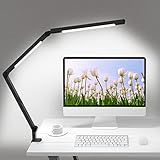
The double-sided illumination gives this lamp a different personality from ordinary task lights. Instead of throwing one narrow beam across the desk, it spreads light in a softer, more balanced way. That matters around photo editing setups because memory cards, notebooks, camera straps, and keyboards tend to sit in awkward little shadow pockets. A wider glow makes the workspace feel more usable without constantly dragging objects under the light.
The 11-inch lamp head isn’t huge, but the design feels focused on even coverage rather than brute brightness. That’s a better fit for editing work, where harsh light can be just as annoying as dim light. The lamp uses edge-lit technology and diffuser film, which should help soften the output across the desk. Softer spread means fewer sharp hotspots on glossy surfaces and less of that squinting, “Why does my screen look weird?” feeling.
Color accuracy gets a rare bit of attention here. The listed CRI ≥ 95, Rf ≥ 98, and Rg ≥ 95 specs suggest the lamp is built to render colors more faithfully than basic office lamps. That doesn’t replace a calibrated monitor, no way, but it does help the surrounding workspace feel less visually misleading. For print checks, reference notes, sketching edits, or looking at physical samples beside a screen, that cleaner color behavior can be genuinely useful.
The clamp design also fits crowded editing desks better than a big weighted base. Desks with monitors, hard drives, tablets, card readers, and coffee mugs rarely have spare room sitting around. A metal C clamp that supports edges up to 2.3 inches helps free up surface space while keeping the lamp planted. That makes the setup feel tidier, especially if the desk already looks like a tiny production booth after a long editing night.
Lighting Control For Editing Work
Smooth dimming from 1% to 100% is one of the strongest points here. Many lamps jump between brightness levels too aggressively, which makes them awkward for screen-heavy work. Fine control lets the light sit quietly in the background during color grading, then brighten up for writing notes or sorting gear. That range feels practical rather than decorative.
The color temperature range from 2700K to 6500K gives the lamp room to shift between cozy ambient light and cooler task lighting. Warm settings feel easier during relaxed evening work, while cooler settings can help keep the desk more alert and crisp. For photo editing, the middle range will likely feel more natural beside a monitor. Pushing too warm or too cool can make the room feel visually biased, so restraint matters.
The upgraded remote control is more useful than it sounds on paper. Once a monitor, keyboard, tablet, and speakers are in place, reaching for lamp controls can become a small irritation repeated all night. Remote adjustment keeps brightness and color temperature changes within easy reach. The memory function also helps because the lamp can return to the last setting instead of making the setup feel different every time.
Video conference mode adds a side benefit that actually fits modern workstations. A lamp built for photo editing may also sit beside Zoom calls, remote interviews, or screen-share reviews. Even front-facing light can reduce harsh facial shadows, especially in rooms with poor overhead lighting. It’s not a full studio panel, but it adds practical range for a desk that handles more than editing alone.
Arm Flexibility And Desk Fit
The swing arm design gives the LitONES lamp a more serious workstation feel. Five damped joints allow the light to move up, down, forward, and sideways without acting floppy. That matters because photo editing desks shift constantly between keyboard work, tablet retouching, gear cleanup, and reference checks. A stiff or unstable arm would get annoying fast.
The maximum height of about 32 inches gives the lamp decent reach over monitors and larger work surfaces. That extra height can help position the light above the desk rather than directly beside the screen. Better placement reduces direct glare and keeps the light from bouncing into the eyes. Small lamps often fail here because they sit too low and create awkward reflections.
The damped joints are worth noting because adjustability only helps if the lamp stays where it’s placed. A loose arm can sag slowly during work, and that kind of tiny movement becomes maddening once concentration kicks in. The stronger dampening design should make the arm feel more controlled during repositioning. It also helps the clamp setup feel safer when the cantilever stretches outward.
There is a fair tradeoff, though. Clamp lamps need a compatible desk edge, and not every tabletop shape plays nicely with a C clamp. Thick beveled edges, rounded lips, or desks pushed tightly against a wall can make installation less convenient. The lamp saves surface space, but the desk itself has to cooperate.
Pros For Real Workspace Use
The biggest advantage is the combination of soft light and high color rendering. Photo editing requires a calm surrounding environment, not just raw brightness. The CRI and Rf specs make this lamp more interesting than a basic office light because color fidelity actually matters near images. That gives it a stronger case for editing desks, drawing tables, and mixed creative setups.
Brightness control is another major win. The 1% to 100% dimming range gives more nuance than standard five-step lamps. Low levels can keep the room from feeling pitch-black during monitor work, while higher levels help during desk tasks that need clarity. That flexibility keeps the lamp from feeling locked into one narrow use.
The remote and memory function make daily use smoother. Small conveniences count when a workspace gets used for hours at a time. Saving the last setting prevents the light from becoming one more thing to fiddle with before work starts. It’s a quiet feature, but a useful one.
The clamp-mounted arm also supports cleaner desk organization. Large editing setups can become cable jungles, and a lamp base only adds another obstacle. Keeping the lamp off the main surface gives more room for tablets, editing consoles, notebooks, and drives. That matters most on medium-size desks where every corner already has a job.
Cons And Practical Limits
The lamp head size may not satisfy everyone with a very large desk. An 11-inch head can cover a useful area, but ultrawide workstations or deep drafting tables may still need additional ambient room lighting. The lamp is better viewed as focused desk support rather than a full-room lighting fix. Expecting it to light an entire studio would be asking too much.
The clamp requirement can also be a limitation. Some desks simply aren’t clamp-friendly, and that can make setup more annoying than expected. A base lamp is easier to move from room to room, while this one feels more permanent once installed. That’s fine for a dedicated editing desk, less ideal for a shared table.
The video conferencing mode is useful, but it shouldn’t be mistaken for a dedicated key light setup. Face lighting can improve under-desk conditions, yet camera placement, wall color, and room brightness still affect the final look. The lamp helps reduce shadows, but it won’t magically fix every webcam problem. Realistic expectations keep this feature in the right lane.
The broad adjustment range can also tempt people to overdo the light temperature. Very warm or very cool settings may feel pleasant for general use, but photo editing benefits from consistency. Keeping the lamp moderate and avoiding dramatic room-light shifts will make it more helpful. Used thoughtfully, it supports the workspace instead of competing with the monitor.
UBeesize Streaming Light Review
A cluttered desk can make lighting feel like one more thing begging for attention. The screen already has its own glow, the keyboard hides in shadow, and a small desk lamp can throw a weird bright circle that does more harm than good. The UBeesize Streaming Light steps into that mess with a ring-style head, adjustable clamp arm, and enough brightness control to make it useful beyond simple video calls. For anyone searching around the best desk lamp for photo editing, this one feels more like a flexible desktop light than a traditional editing lamp, and that difference matters.
UBeesize Streaming Light
The 8-inch ring light design gives this lamp a different feel from wide bar-style desk lamps. Instead of spreading light in a long strip across the full desk, it creates a more focused, front-facing glow. That can work nicely for close-up tasks like reviewing prints, touching up small objects, checking camera gear, or lighting the face during calls. For broad photo editing desks, though, it won’t cover the same wide area as a dual-head architect lamp.
The 112 LED beads help create a smoother light output than a basic clip lamp. Even illumination matters because harsh shadows can make a workspace feel jumpy and visually tiring. The ring shape helps soften the light around the center area, which is helpful for video calls and small creative tasks. Still, the circular light pattern may feel more targeted than sweeping, especially across deeper desks.
The product description mentions reduced shadows and glare, and that fits the lamp’s likely sweet spot. Close-up lighting benefits from softer, more direct control, especially during streaming, makeup, writing, or product-style desk shots. For photo editing on a monitor, the lamp needs careful positioning so the ring doesn’t reflect in glossy screens. A little angle adjustment goes a long way here.
The overall personality leans toward flexible creator lighting rather than strict color-review lighting. That’s not a bad thing, just a lane worth understanding. It suits desks that handle editing, video meetings, streaming, note-taking, and casual creative work. A dedicated print-proofing or color-critical workstation may want a wider, more neutral task light beside it.
Lighting Range And Color Control
The 3000K to 6500K color range gives this lamp useful flexibility across different desk moods. Warmer light around 3000K feels easier during relaxed evening work, while cooler light near 6500K can make the desk feel sharper and more alert. For photo editing, the middle range usually makes more sense because extreme warmth or coolness can skew how the room feels beside the monitor. That balance helps the lamp support the workspace without stealing the show.
The 10 brightness levels are a practical touch. A lamp with only two or three levels often feels too dim for detail work or too bright for screen-heavy sessions. This one gives more room to dial down glare during editing or push brightness up for reading, writing, and video lighting. That extra control can make the desk feel less fussy over a long night.
Lighting comfort depends heavily on placement. A ring light pointed straight at a monitor can create reflections that become annoying fast, especially on glossy displays. Angled side lighting works better for editing because it keeps the workspace visible without putting a bright circle on the screen. Used thoughtfully, the lamp can help reduce desk shadows while avoiding that “why is my monitor glaring back at me?” headache.
The lamp can also serve as a quick lighting fix for content calls. Video conference lighting is clearly part of its design, and the ring format naturally suits face illumination better than many desk lamps. That makes it handy for remote meetings, recorded tutorials, podcast setups, and casual streaming. The tradeoff is that strong front lighting may feel unnecessary during quiet editing sessions where screen accuracy matters more than camera appearance.
Clamp Arm And Desk Space
The clamp-mounted build is one of the most practical parts of this setup. Desk bases eat space, and photo editing desks rarely have spare room lying around. A clamp keeps the main surface open for tablets, keyboards, drives, camera batteries, and whatever else ends up scattered around during a project. That matters even more on narrow desks where every corner gets used.
The dual arms, measuring 13.5 inches and 14.5 inches, give the lamp decent reach for positioning. That flexibility helps move the light closer for detailed tasks or farther back for softer desk coverage. The arm also makes it easier to shift from monitor work to video calls without rearranging the whole workspace. Little adjustments like that keep the lamp from feeling stuck in one role.
The 3-inch clamp capacity gives it more installation flexibility than smaller clamps. Thicker tabletops, workbenches, and studio desks may have enough edge depth for a secure fit. Still, clamp compatibility depends on desk shape, not just thickness. Rounded edges, drawers under the lip, or desks pressed tightly against a wall can make installation trickier than expected.
Carbon alloy steel arms add a sturdier feel on paper, and that matters with adjustable lighting. Reduced wobble is especially helpful if the lamp gets moved often between editing, streaming, and task lighting. Nobody wants a light that droops mid-call or slowly shifts while sorting images. A stable arm helps the lamp feel more dependable in daily use.
Photo Editing Strengths And Limits
The biggest strength is versatility. This isn’t only a desk lamp for reading or a ring light for video calls, but a hybrid that can cover both roles reasonably well. The adjustable brightness, color temperature range, and flexible arm make it easy to reshape the lighting around different tasks. That helps a lot in small home offices where one desk handles everything.
For best desk lamp for photo editing needs, the UBeesize light is most useful as supporting workspace lighting. It can illuminate the keyboard, desk items, notes, and small creative materials without taking over the room. The softer ring output can also help with quick product shots or video calls related to creative work. It’s especially sensible where desk space is tight and a bulky lamp base would feel like dead weight.
The limitation is coverage shape. A ring light doesn’t spread across a wide desk the same way a long LED bar does. Large dual-monitor setups, deep workbenches, or print-heavy editing stations may still need broader ambient lighting. This lamp works better for focused zones than full-desk illumination.
Color-sensitive editing also needs realistic expectations. The product offers adjustable temperatures, but the provided details don’t mention color rendering specs such as CRI, Rf, or Rg. Color accuracy near a monitor depends on the whole setup, including display calibration, wall color, and room light. So, this lamp can improve comfort and visibility, but it shouldn’t be treated as a dedicated color-proofing tool.
Pros And Cons For Daily Use
The pros start with control. Ten brightness levels and five color temperature possibilities make the lamp more adaptable than a simple on-off desk light. The clamp arm saves space, the rotating head helps aim light where it’s needed, and the ring design works nicely for face lighting. For mixed workdays, that blend feels practical.
The modern build also helps it fit into visible desk setups. Some task lamps look too industrial for home offices, while some decorative lamps don’t adjust enough for real work. This one lands in the middle with a clean look and functional movement. It can sit in a workspace used for editing, calls, streaming, writing, and casual desk tasks without feeling out of place.
The cons are mostly about specialization. The lamp is not the strongest fit for large editing desks that need edge-to-edge lighting. Ring lights can create noticeable reflections if aimed poorly, and the focused shape may leave outer desk areas dim. Anyone expecting broad architectural lamp coverage may feel boxed in by the circular light pattern.
Another practical drawback is clamp dependence. The space-saving design only helps if the desk edge accepts the clamp cleanly. Some desks make that easy, others don’t. Once installed well, though, the lamp makes more sense for compact creative corners than traditional lamps with wide bases.
Best Fit And Use Cases
The UBeesize Streaming Light fits best on desks that switch roles throughout the day. Morning video calls, afternoon editing, evening reading, and quick content recording all make sense with this kind of lamp. The adjustable arm supports frequent repositioning, and the brightness range helps match different tasks. That flexibility gives it more everyday value than a fixed lamp.
Small spaces benefit the most. Compact desks often struggle with lamp placement because monitor stands, keyboards, and notebooks already crowd the surface. The clamp frees up room while still giving enough reach to place light above or beside the work zone. That setup feels especially useful in apartments, dorm rooms, and home offices carved out of tight corners.
Video work is another natural fit. The ring light format gives faces a more even look during calls and streaming, which standard desk lamps don’t always manage well. It can soften shadows around the face while still acting as a task light between meetings. That dual-purpose nature is probably the lamp’s most convincing angle.
Photo editing expectations should stay grounded. The lamp supports comfort, desk visibility, and flexible positioning, but serious color work still depends on monitor calibration and controlled room lighting. Used as part of a sensible setup, it can make editing sessions feel less strained and more organized. Used as the only light source for a large editing station, it may feel a bit too focused.
Lepro LED Desk Lamp Review
A small lamp can make a photo desk feel calm or completely off, depending on how the light lands around the monitor. Too much glare, and the screen starts fighting back. Too little spread, and every cable, card reader, and notebook disappears into little pockets of shadow. The Lepro LED Desk Lamp enters the best desk lamp for photo editing conversation as a compact, foldable task light that focuses on soft diffused output rather than oversized workstation coverage.
Lepro LED Desk Lamp
The compact footprint is the first thing that makes this lamp feel different from larger architect-style models. Editing desks often get crowded fast, especially with a monitor, keyboard, mouse, external drive, headphones, and maybe a small tablet already fighting for space. This lamp keeps things modest with a slim desktop shape that doesn’t sprawl across the work area. That restrained design suits smaller desks where a huge clamp arm would feel like overkill.
The long lamp head gives the Lepro more useful spread than a tiny bedside-style light. Instead of throwing one tight circle onto the desk, it casts a broader span of softer illumination. That helps reduce the contrast between the monitor and the surrounding area, which matters during long editing sessions. A calmer light field around the screen can make the whole setup feel less visually jumpy.
The listed 800lm output gives it enough brightness for everyday desk tasks without turning the workspace into a harsh spotlight. Photo editing needs control more than brute force, and this lamp leans that way. Its 72 energy-efficient LEDs sit behind a frosted shade, so the light feels more diffused than direct. That kind of spread can help with reading notes, checking printed references, or keeping a keyboard visible while editing after dark.
The white minimalist look also blends easily into a clean home office setup. It doesn’t scream for attention, which is honestly a good thing on a desk where the screen should stay the main focus. The design feels practical for mixed tasks like reading, crafting, sewing, puzzles, nail work, and light creative work. It’s not trying to be a studio fixture, and that keeps expectations grounded.
Lighting Modes And Brightness Control
The five color modes give the lamp useful range for different tasks across the day. Brighter white light can support sharper focus during desk work, while warmer settings feel better for relaxed reading or late-night cleanup. For photo editing, the middle settings will usually feel more sensible than either extreme. Too warm can tint the room yellow, and too cool can make the desk feel sterile.
The five brightness levels keep things simple. Some lamps go heavy on endless adjustments, but this one sticks to a more straightforward setup. That’s not a bad thing if the goal is quick control without fiddling through menus. A lower setting can soften the room around the monitor, while higher brightness helps during hands-on tasks like labeling drives or reviewing printed material.
The frosted shade deserves more attention than it usually gets. Diffused lighting makes a desk lamp feel easier on the eyes because the beam isn’t punching straight into the workspace. Harsh LEDs can create sharp reflections, especially around glossy screens or laminated notes. This lamp’s softer approach helps avoid that uncomfortable hard-edged glare.
Non-flickering light is another practical detail for long sessions. Editing already asks a lot from the eyes, especially during fine retouching or repeated image comparisons. A steadier light source makes the workspace feel less tiring over time. It won’t replace healthy breaks or good monitor settings, but it supports a more comfortable desk routine.
Desk Fit And Adjustability
The adjustable main arm gives the lamp enough movement for normal desk work. It can angle toward a keyboard, printed notes, crafting materials, or a small photo reference without forcing the whole lamp to move. That flexibility helps on desks that shift between editing and everyday tasks. Still, it’s more of a compact task lamp than a big swing-arm workstation light.
The top light bar can also be adjusted to focus the light more directly where it’s needed. That matters if the desk layout changes throughout the day. One moment the lamp may need to brighten a notebook beside the keyboard, and later it may need to sit farther from the monitor to avoid reflection. Small angle changes can make the difference between useful lighting and annoying glare.
The foldable design gives it an edge in tight spaces. Space-saving storage matters in rooms where the desk doubles as a work surface, craft station, or nightstand. Folding the lamp down when it isn’t being used keeps the desk from feeling permanently occupied. That’s a small but welcome perk for apartments, dorm desks, or shared work areas.
There’s a tradeoff with the desktop base, though. A base lamp is easy to move around, but it does take up surface space. Clamp lamps leave the desktop clearer, while this design keeps installation simple and portable. That choice depends on whether easy relocation matters more than maximum open desk area.
Photo Editing Strengths And Weak Spots
The main strength for photo editing is the softer surrounding light. A monitor in a dark room can feel harsh, especially during long editing sessions. This lamp helps brighten the area around the screen without flooding the desk with aggressive light. That can make image sorting, file naming, and reference checking feel more relaxed.
The broader soft span from the long lamp head also helps avoid the narrow spotlight effect common with small lamps. Even though it isn’t huge, it spreads light more calmly across the immediate work area. That makes it useful for a single-monitor desk or a smaller photo editing station. Larger dual-monitor setups may want something wider.
Color-critical work needs realistic expectations. The product details mention color modes and eye-care lighting, but they don’t provide color rendering specs such as CRI, Rf, or Rg. That means the lamp should be treated as supportive workspace lighting rather than a dedicated proofing light. Monitor calibration and controlled room lighting still matter more for serious color decisions.
The 9.5W power level also suggests a practical daily-use lamp rather than a heavy-duty studio light. That’s fine for reading, crafting, sewing, puzzle work, and compact desks. It may feel limited across deep workbenches or wide editing stations with multiple displays. The lamp’s sweet spot is smaller, cleaner, more contained work areas.
Pros And Cons In Everyday Use
The pros start with simplicity. Five lighting modes and five brightness levels give enough control without making the lamp feel complicated. The frosted shade softens the output, and the long head spreads light better than many small lamps. For a neat desk setup, that combination feels sensible.
Eye comfort is another strong point. The non-glaring, non-flickering design supports longer work sessions better than harsh bare LEDs. Softer contrast around the monitor can make editing feel less tiring at night. That benefit shows up most clearly in rooms with weak overhead lighting.
The downsides mostly come from size and specialization. This lamp won’t blanket a large desk with the same reach as a dual-head clamp model. It also lacks the listed color accuracy specs that would make it feel more directly tuned for serious photo review. For heavy editing stations, it may need help from ambient room lighting.
The base design can also be a mixed bag. Portability is nice because the lamp can move between a desk, nightstand, sewing table, or craft area. Surface space, though, is the cost. A crowded photo desk might feel the base more than a clamp-mounted alternative.
Best Use Cases And Practical Limits
The Lepro LED Desk Lamp makes the most sense for compact setups that need a softer desk glow. A single-monitor editing desk, a small workbench, or a multipurpose home office can benefit from its simple controls and foldable build. It keeps the surrounding area usable without feeling oversized. That’s a real plus if the desk already feels crowded.
Reading and crafting are natural fits too. The same diffused light that helps around a monitor also works well for sewing, puzzles, nail work, and handwritten notes. The adjustable arm lets the light follow the task instead of forcing the task under one fixed beam. That makes the lamp more useful across the day.
Photo editing expectations should stay practical. This isn’t a color-proofing lamp based on the provided details, and it shouldn’t be treated like one. It’s better understood as a comfort-focused task lamp that reduces harsh contrast around a screen. For casual editing and everyday desk work, that role makes sense.
The biggest limitation is scale. Wide desks, dual displays, and deep work surfaces may outgrow the lamp’s coverage. Smaller desks, though, get a neat balance of adjustability, soft light, and simple operation. That makes it a grounded choice for a cleaner, less tiring editing corner.


Best Value Outdoor Christmas Lights 2026 Brighten Nights

Best Lighting For Makeup 2026 Bright Ideas For Flawless Looks

Best Quiet Ceiling Fan For Bedroom 2026 Ultimate Comfort Picks

Best Christmas Lights For Bushes 2026 Brighten Your Yard

Best Outdoor Waterproof Christmas Lights 2026 For Festive Glow

Top 16 Kichler Barrington Flush Mount 2026 - Highly Rated

Best Wall Sconces For Staircase 2026 Brighten Your Home

Best LED Grow Lights for Starting Seeds Indoors 2026