
Best Desk Tower Fan 2026: Cooler Air, Less Clutter

A stuffy workspace can drain concentration faster than a crowded inbox. A best desk tower fan offers a practical way to move air without planting a wide circular grille beside the keyboard, lamp, and coffee mug. Its narrow body uses vertical space rather than swallowing the limited surface area needed for actual work. That compact footprint matters on small desks, bedside tables, kitchen counters, and hobby benches where every inch already has a job.
Focused airflow is the main appeal, but raw power isn't the only detail worth watching. A fan sitting two feet from your face can become annoying if the lowest setting still feels harsh or the motor adds a constant mechanical whine to calls and quiet tasks. Multiple speed levels make it easier to shift from a soft breeze during paperwork to stronger circulation after the room heats up. Oscillation can spread air across a wider area, though a fixed model may feel more effective when cooling one chair instead of the whole desk.
Controls should be simple enough to use without breaking concentration. Clearly marked buttons, a reachable dial, or a small remote can save the usual fumbling around the back of the unit. A timer function is handy during bedtime reading or long work sessions because the fan won't keep running after the room cools down. Still, extra controls can raise the price, so a basic three-speed unit may make more sense when straightforward airflow is the only real need.
Noise deserves close attention because vague labels such as “quiet” don't tell the whole story. Most compact fans sound calmer on their lowest setting, while maximum speed may produce noticeable rushing air even if the motor itself stays smooth. A steady hum is often easier to ignore than rattling buttons, clicking oscillation, or a base that vibrates against a hollow desktop. Placing a thin mat beneath the fan can reduce transferred vibration, but it won't fix a poorly balanced housing.
Cleaning access separates convenient designs from models that slowly collect a gray layer of dust behind the grille. Tower-style housings can be harder to open than traditional desk fans, so removable filters, accessible vents, or clear cleaning instructions are worth having. A soft brush and low-power vacuum attachment may handle routine buildup, but narrow internal blades can remain awkward to reach. For dusty rooms or homes with shedding pets, this maintenance tradeoff shouldn't be brushed aside.
Power choices also shape how the fan fits into daily routines. A USB-powered model keeps cord management simple near a computer, yet it may deliver gentler airflow than a full-size plug-in unit. Rechargeable designs remove the cable for a while, but battery life drops quickly at higher speeds and eventually requires another charging habit. Plug-in fans offer steady output for long sessions, though outlet placement may limit where the slim body can actually sit.
The most sensible pick balances desk-friendly size, tolerable sound, useful speed control, and realistic cleaning needs. A taller unit isn't automatically stronger, and a long feature list won't help if the lowest breeze is too aggressive for close-range use. Measure the available height beneath shelves, note where the air needs to land, and consider whether oscillation will cool the right area or simply scatter airflow. Those small checks prevent a sleek-looking fan from becoming one more object that gets pushed to the corner.

- LFR Score8.8
LFR Score is a ranking system developed by lightfansreviews.com. LFR Score has no relationship or impact from any manufacturers or sales agent websites. Learn more
- BrandLevoit

- LFR Score8.8
LFR Score is a ranking system developed by lightfansreviews.com. LFR Score has no relationship or impact from any manufacturers or sales agent websites. Learn more
- BrandKopBeau

- LFR Score8.8
LFR Score is a ranking system developed by lightfansreviews.com. LFR Score has no relationship or impact from any manufacturers or sales agent websites. Learn more
- BrandDR.PREPARE

- LFR Score8.6
LFR Score is a ranking system developed by lightfansreviews.com. LFR Score has no relationship or impact from any manufacturers or sales agent websites. Learn more
- BrandHoneywell
- LFR Score8.6
LFR Score is a ranking system developed by lightfansreviews.com. LFR Score has no relationship or impact from any manufacturers or sales agent websites. Learn more
- BrandDR.PREPARE

- LFR Score8.6
LFR Score is a ranking system developed by lightfansreviews.com. LFR Score has no relationship or impact from any manufacturers or sales agent websites. Learn more
- BrandKopBeau

- LFR Score8.6
LFR Score is a ranking system developed by lightfansreviews.com. LFR Score has no relationship or impact from any manufacturers or sales agent websites. Learn more
- BrandVIVOSUN

- LFR Score8.4
LFR Score is a ranking system developed by lightfansreviews.com. LFR Score has no relationship or impact from any manufacturers or sales agent websites. Learn more
- BrandLasko

- LFR Score8.0
LFR Score is a ranking system developed by lightfansreviews.com. LFR Score has no relationship or impact from any manufacturers or sales agent websites. Learn more
- BrandPNTCK

- LFR Score7.6
LFR Score is a ranking system developed by lightfansreviews.com. LFR Score has no relationship or impact from any manufacturers or sales agent websites. Learn more
- BrandAbolee
Last update on 2026-07-08 / Affiliate links / Images, Product Titles, and Product Highlights from Amazon Product Advertising API
LEVOIT Tower Fan For Bedroom And Office Cooling
A crowded desk leaves little room for a wide fan, yet stale air can make a long work session feel twice as tiring. The best desk tower fan needs to deliver useful airflow without crowding a monitor, rattling through video calls, or blasting papers across the room. This LEVOIT model tackles that balance with a slim body, an efficient DC motor, and adjustable oscillation rather than relying on sheer size. Its strongest appeal is simple: focused cooling that can be tailored to a chair, bedside area, or compact workspace.
LEVOIT Quiet Mini Tower Fan
The LEVOIT Quiet Mini Tower Fan is built around an upgraded DC motor paired with VortexAir Technology. That combination is intended to produce a concentrated breeze rather than the scattered airflow common with small, basic desk fans. Air speed reaches up to 23 feet per second, giving the unit enough punch for close-range cooling during warm afternoons. Still, it remains a personal fan rather than a substitute for cooling an entire large room.
Its compact tower shape makes the fan easier to place beside a laptop, on a dresser, or near the corner of a nightstand. A traditional round fan often needs extra width around its grille, while this design uses vertical space more efficiently. The soft carrying handle also reduces the awkwardness of moving it between a bedroom and home office. Pick it up, shift it over, and the setup changes without wrestling with a bulky base.
The white finish and clean controls keep the appearance restrained, which matters in rooms where appliances can quickly make a surface look cluttered. More importantly, the fan includes a remote, so speed and oscillation adjustments don’t require leaning across a desk or reaching from bed. The portable design makes the product flexible, but portability here still means moving it around the home rather than running it without a power connection. That distinction is worth keeping in mind before treating it like a rechargeable travel fan.
Quiet Airflow For Work And Sleep
Noise can turn a useful desk fan into a daily irritation, especially when the motor develops a sharp whine at low speed. LEVOIT lists an operating range of 20 to 43 decibels across the available settings, with the lowest output aimed at quiet rest and focused work. A 20-decibel minimum suggests a very subdued operating mode, though stronger speeds will naturally create more rushing-air sound. The key benefit is having several levels rather than being stuck with one overly aggressive setting.
Optional sound and display-off functions address two annoyances that often show up after the lights go out. Button tones can feel surprisingly loud in a quiet bedroom, and a bright display may become distracting from across the room. Turning those elements off helps the fan settle into the background, which is exactly where a bedroom fan belongs. It keeps doing its job without announcing every adjustment.
The 12-hour timer adds another layer of control for overnight use or scheduled work blocks. Instead of leaving the fan running until morning, the timer can match a sleep routine, an afternoon nap, or a few hours of focused desk work. That supports low-maintenance comfort, especially when the room cools later in the evening. One tradeoff remains: people who prefer fully automatic temperature sensing won’t get that kind of climate response from a standard timer.
Five Speeds Plus Turbo Control
Five regular fan speeds make this model more adaptable than a simple low-medium-high setup. Lower settings can provide a light breeze for reading or calls, while the upper levels handle warmer periods when gentle airflow won’t cut it. LEVOIT also includes an additional Turbo speed for maximum output. That extra setting is handy in short bursts, though it will also sit at the louder end of the stated noise range.
The difference between multiple speeds isn’t merely about power. Close-range airflow can feel uncomfortable if the fan jumps from barely noticeable to too strong, so smaller adjustments help dial in a more natural breeze. This fine speed control is particularly useful on a desk, where the unit may sit only a few feet away. It also reduces the need to keep repositioning the fan whenever the room temperature shifts.
Maximum power consumption is listed at 7.5 watts, which is modest for a fan designed for extended personal cooling. Low power use doesn’t mean the airflow will cool the room’s actual temperature, but it can make constant operation easier to justify during long workdays. The combination of 23 ft/s airflow and restrained wattage is one of the model’s more practical strengths. It aims to move air efficiently instead of leaning on a large motor and oversized housing.
Multi-Angle Oscillation Makes A Difference
Fixed oscillation can be frustrating because the fan sweeps across areas that don’t need cooling. This LEVOIT tower fan allows a choice of 30, 60, or 90 degrees, making the airflow pattern easier to match to the space. A narrow 30-degree sweep suits one chair or a compact workstation. Wider settings make more sense when sharing airflow across a bed, couch, or two nearby seats.
The narrower angle is especially useful on desks because it keeps papers, lightweight notes, and nearby plants from receiving a constant side blast. A 60-degree setting offers a middle ground, spreading the breeze without sending most of it into empty space. The 90-degree mode provides the broadest coverage when room circulation matters more than direct cooling. That flexibility gives the fan a noticeable edge over models with only on-or-off oscillation.
Oscillation also changes how strong airflow feels. A stationary breeze can become chilly or drying after a while, while a sweeping pattern creates short breaks between passes. This makes personalized airflow easier to live with during extended use. Even so, the fan’s compact size means wider oscillation spreads the available breeze across a larger area, so direct intensity may feel lower at the edges.
Practical Strengths And Real Tradeoffs
The strongest parts of this model come together around comfort rather than novelty. Quiet low-speed operation, multiple oscillation angles, a remote, and a timer solve common frustrations without making the controls needlessly complicated. The slim footprint also helps in tight spaces where a round desk fan would block a screen or consume valuable surface area. For bedside and office use, those small conveniences add up quickly.
The bladeless-style exterior offers a cleaner, more enclosed appearance, but it doesn’t mean the fan has no internal moving parts. Dust can still collect around vents and internal airflow passages, so periodic cleaning remains necessary. Tower housings can sometimes be less straightforward to clean than exposed round grilles, making maintenance access a point worth checking in the included instructions. A narrow body saves space, yet that same shape can make deep cleaning less obvious.
The remote is useful, though it introduces another small item that can disappear under bedding or paperwork. On-unit controls remain important for moments when the remote goes missing, and the listed features suggest the fan can still be managed directly. Its 12-hour timer is generous for most routines, but there’s no indication of app control or smart-home integration in the provided details. That won’t bother someone who values straightforward operation, but it may feel basic beside connected appliances.
This fan fits best in situations where close-range comfort, low noise, and limited space matter more than whole-room cooling. It should handle a desk, nightstand, or compact seating area well, especially with the 30-degree oscillation setting and lower speeds. The best desk tower fan isn’t necessarily the tallest or most powerful model; it’s the one that stays useful without becoming intrusive. LEVOIT’s combination of controlled airflow, low stated power draw, and flexible settings makes a sensible case for that role.
Personal Tower Fan For Bedroom And Office
Small rooms heat up fast, and crowded desks make bulky cooling equipment feel like one more problem instead of a fix. A best desk tower fan should move enough air to ease that sticky, distracted feeling without taking over the workspace or filling a quiet room with mechanical noise. This personal tower fan leans into flexibility with four speeds, two airflow modes, dual oscillation angles, remote control, and a 12-hour timer. The feature list is practical, though its real value depends on whether the fan is used for personal cooling rather than expected to replace a full-room cooling system.
Personal Tower Fan With Remote
The shortened design makes this fan easier to position than a broad circular desk model. Its slim black housing can sit beside a monitor, near a bed, or on the floor without demanding much horizontal space. That compact tower shape is especially helpful where notebooks, chargers, lamps, and cups already compete for room. Still, the narrow footprint works best on a level surface where the base won’t be bumped during daily use.
A built-in carrying handle gives the fan some welcome mobility. Moving it from a home office to a bedroom takes less fuss than dragging a larger standing fan from one room to another. The lightweight portable design also makes seasonal storage simpler because the unit doesn’t need a wide closet corner. Portable, though, doesn’t mean cordless, so access to a suitable outlet still shapes where it can be placed.
The visual style stays fairly understated, with a dark finish that blends into many workspaces and bedrooms. An LED display provides readable feedback for speed, mode, oscillation, and timer settings without forcing guesswork. That clear control layout matters more than it sounds, especially during late-night adjustments when nobody wants to cycle through settings blindly. The display could still feel bright in a dark room, depending on whether its illumination can be dimmed or switched off, which isn’t specified in the provided details.
Four Speeds And Two Airflow Modes
Four adjustable speeds give this fan more range than a basic three-setting model. A lower level can provide gentle circulation during reading or computer work, while the stronger settings suit warmer afternoons when a faint breeze won’t do much. This speed flexibility helps prevent the all-or-nothing feeling common with simpler personal fans. Close to the bed or desk, finer control also reduces the chance of papers fluttering or eyes drying out from constant strong airflow.
Normal mode delivers a steady stream of air, which makes sense when consistent cooling is the priority. Nature mode varies the airflow pattern to create a less uniform breeze, offering brief pauses instead of a nonstop blast. That variable airflow can feel easier to tolerate over several hours, particularly when the fan sits close by. Some people may prefer the predictable output of Normal mode, so having both options avoids forcing one style of cooling on every situation.
The product description refers to air that feels cold, but the fan does not appear to use refrigeration or active cooling. It moves room-temperature air across the skin, helping moisture evaporate and making the space feel more comfortable. That distinction sets realistic cooling expectations and prevents disappointment during extreme heat. In a hot, sealed room, stronger circulation may help, yet the fan won’t lower the actual room temperature the way an air conditioner can.
Airflow control is most useful when matched to distance. On a desktop, the lowest or middle speeds are likely to feel more natural because the fan may sit only a few feet away. Positioned on the floor, the higher settings can help the breeze reach a chair or bed more effectively. This desk-to-floor flexibility broadens the fan’s usefulness, but performance will naturally feel different depending on height, placement, and obstacles in the airflow path.
Dual Oscillation For Focused Or Wide Cooling
The choice between 60-degree and 110-degree oscillation is a meaningful detail rather than decorative spec-sheet filler. A 60-degree sweep keeps the breeze concentrated around a desk chair, bedside area, or single seating position. The broader 110-degree setting spreads air across more of the room or between nearby seats. This dual-angle oscillation gives better control than fans locked into one wide sweep that sends half their airflow toward an empty wall.
Narrow oscillation can also reduce irritation during focused work. Instead of hitting the face continuously, the moving breeze passes through the immediate area and then shifts away for a moment. That pattern creates balanced personal airflow without leaving the user in a constant wind stream. It also helps when lightweight papers, plant leaves, or loose cords sit near the fan and shouldn’t be pushed around all day.
The 110-degree option is better suited to shared spaces or broader circulation. Placed near a corner, it can move air across a wider section of a bedroom or small office rather than cooling one fixed spot. The tradeoff is simple: wider coverage usually feels less intense at any single point because the airflow spends less time aimed in one direction. Anyone wanting a strong, uninterrupted breeze may prefer fixed positioning or the narrower oscillation setting.
Placement still determines whether oscillation helps or wastes airflow. A fan tucked behind a monitor, curtain, or tall stack of books may sweep air into obstacles instead of the open room. Giving the outlet a clear path allows the oscillating airflow to reach the intended area with fewer dead zones. A few inches of repositioning can matter more than jumping immediately to a higher speed.
Remote Control And A 12-Hour Timer
Touch controls on the unit keep everyday adjustments straightforward, while the included remote adds convenience from across a room. Speed, mode, oscillation, and timer settings can be changed without leaving a chair or reaching across a crowded table. That remote operation is particularly useful beside a bed, where frequent physical adjustments quickly become annoying. The fan remains usable at the control panel, which matters whenever the remote slips under furniture or gets buried under paperwork.
The programmable timer supports both scheduled shutoff and startup according to the supplied description. A maximum setting of 12 hours covers overnight use, long work sessions, and daytime routines without requiring constant attention. This 12-hour timer can reduce unnecessary operation after sleep begins or after a workspace is no longer occupied. It also makes the fan easier to fold into a routine without relying on memory every single time.
An LED display ties the controls together by showing the active settings at a glance. That saves the usual button-counting routine found on inexpensive fans with minimal indicators. The visible status display is convenient during the day, though bright indicators can be bothersome beside the bed if they remain illuminated all night. Because display-dimming behavior isn’t listed, light-sensitive sleepers may want to consider placement carefully.
Remote-controlled fans bring a small maintenance detail that’s easy to overlook. The remote needs to stay within reach, and its battery will eventually require replacement. Neither issue is serious, but they are part of the convenience tradeoff that comes with extra controls. A simple storage spot near the bed or desk can prevent the remote from becoming a permanent hide-and-seek champion.
Quiet Operation For Sleep And Concentration
The description emphasizes low-noise operation, which is a central concern for a fan intended for bedrooms and offices. Smooth motor performance and controlled airflow should help limit distracting hums, rattles, and abrupt tonal changes. A quiet fan is easier to leave running during video calls, reading, or sleep because it doesn’t keep demanding attention. Exact decibel figures aren’t provided, so the noise claim should be understood qualitatively rather than treated as a measured guarantee.
Air movement itself becomes more audible as speed increases, even if the motor remains smooth. Lower settings are generally better for bedtime or close-range use, while the upper levels trade some quietness for stronger circulation. That noise-versus-airflow balance is normal for compact fans and shouldn’t be mistaken for a defect. The useful part is having enough speed choices to settle on a tolerable middle ground.
Surface vibration can influence perceived noise as much as the fan’s motor. A hollow desk, loose shelf, or uneven nightstand may amplify a mild hum into something far more noticeable. Placing the fan on a stable surface can improve acoustic comfort without changing any settings. A thin nonslip pad may also help if the base transfers vibration, though no extra pad is listed among the supplied features.
The fan’s narrow housing also calls for sensible cleaning habits. Dust accumulating around intake vents can restrict airflow and may increase operating noise over time. Regular exterior cleaning supports steady airflow performance, but deep access may be less direct than on an open-grille fan. The provided information doesn’t describe a removable rear cover or washable filter, so maintenance may rely on gentle brushing and vacuuming around accessible vents.
Strengths, Limits, And Daily Fit
The strongest case for this model comes from its mix of compact size and flexible controls. Four speeds, two modes, two oscillation ranges, remote operation, and a long timer cover most personal-cooling routines without piling on complicated smart features. The control variety allows the fan to shift from concentrated desk airflow to broader bedroom circulation. That versatility feels useful rather than excessive because each setting solves a recognizable everyday problem.
Its limits are equally straightforward. The fan is built for circulation and personal comfort, not true refrigerated cooling or rapid temperature reduction across a large space. A small tower fan can make a chair, bed, or work zone feel better, but it won’t erase heat trapped in a poorly ventilated room. Expectations matter here, and using the fan alongside open airflow or air conditioning will produce a different experience than relying on it alone.
The black finish and slim form suit modern rooms, yet appearance shouldn’t outweigh stability and cleaning access. A tall, narrow body needs a dependable base, especially around pets, children, or tight walkways. The portable build makes moving it convenient, but frequent repositioning also increases the chance of cords becoming awkward or the remote getting separated. Those aren’t deal breakers, just practical details worth planning around.
As a best desk tower fan candidate, this model stands out more for adjustability than for raw specifications. It offers useful control over breeze strength, movement, timing, and operating style while keeping the footprint manageable. The absence of provided noise measurements, power figures, and detailed cleaning instructions leaves a few questions unanswered. Even so, the supplied feature set points toward a capable personal fan for desks, bedside tables, and compact rooms where flexible airflow matters more than whole-room cooling.
DR.PREPARE 16-Inch Quiet Tower Fan
Heat builds around a computer desk in sneaky little pockets, especially after a monitor, laptop, and charging gear have been humming for hours. A bulky circular fan can clear the air, but it may also crowd the keyboard, shake loose papers, and sound like a tiny propeller plane. The best desk tower fan should feel less intrusive while still producing a breeze strong enough to matter. DR.PREPARE approaches that problem with a 12-watt DC motor, eight speed settings, remote operation, and a narrow 16-inch body.
DR.PREPARE Quiet DC Tower Fan
The fan’s compact tower shape is its first practical advantage. It uses vertical room rather than claiming a broad section of the desk, leaving more space for a lamp, notebooks, speakers, or that coffee cup nobody wants knocked over. At 16 inches tall, the portable desk fan can also sit on a bedside table, dresser, kitchen counter, or nearby shelf. It’s small enough to move around without turning every room change into a minor furniture project.
A slim fan still needs useful muscle, and the supplied specifications point to a motor capable of reaching up to 2,000 RPM. DR.PREPARE lists a maximum airflow speed of 23 feet per second, which gives the unit more range than a one-note personal fan that barely stirs the air. That airflow is best understood as close-range cooling, not refrigerated air or whole-room temperature reduction. Used near a chair or bed, though, a focused breeze can take the edge off a warm, stagnant space surprisingly well.
The 12-watt DC motor is another detail with day-to-day value. DC motors typically allow finer speed adjustments and quieter operation than basic fan motors, and this model uses that control to offer eight distinct levels. The eight-speed range makes it easier to avoid the familiar problem where low feels useless but medium already blows paperwork across the desk. Small adjustments matter when the fan sits only a few feet from the face.
Eight Speeds Make Close-Range Cooling Easier
Eight settings may sound like overkill at first, but close-range airflow benefits from precision. A gentle speed can keep air moving during reading, calls, or paperwork without creating dry eyes or a constant blast against the skin. Higher levels provide more immediate relief after exercise, cooking, or walking into a room that has been closed up all afternoon. The adjustable wind control lets the fan shift with the moment instead of forcing the same breeze from morning to night.
The upper settings should feel strongest near the unit because the fan’s compact housing concentrates airflow into a relatively narrow outlet. That makes placement more important than simply pushing the speed button until it reaches eight. Sitting the fan beside a monitor with a clear path toward the chair will generally make better use of its 23 ft/s maximum wind speed than hiding it behind books or a large speaker. A couple of inches can be the difference between useful circulation and air blowing into the back of a screen.
More speed also means more audible moving air, even with a quiet motor. The lowest operating noise is listed at 25 dB, but that figure should not be assumed across every setting because stronger airflow naturally creates more sound. For sleep or deep concentration, the lower end of the speed spectrum will likely be the more comfortable neighborhood. The high settings make more sense when cooling takes priority over near-silent operation.
The fan’s power profile also keeps expectations grounded. A 12-watt appliance is designed for efficient personal airflow, not the room-wide cooling load handled by air conditioning. It can help sweat evaporate faster and keep warm air from sitting still around the body, but it won’t lower the room’s actual temperature on its own. That personal cooling focus is a strength in compact spaces and a limitation in large, overheated rooms.
Quiet Operation Without Fussy Bedtime Controls
A desk fan earns its keep only if it can run without becoming the loudest object in the room. DR.PREPARE rates this model as low as 25 decibels, supporting use during sleep, studying, video meetings, or quiet office work. The DC motor is meant to maintain smoother operation during extended sessions rather than developing the coarse hum associated with some inexpensive fans. That doesn’t make it silent, but it gives the fan a sensible foundation for low-noise cooling.
The included sleep mode helps reduce nighttime distraction beyond motor noise alone. Controls for sound and sleep behavior can be managed from the top panel or the remote, so late adjustments don’t require fumbling around the base in the dark. The sound control function is especially useful if button beeps would otherwise wake someone nearby. Little touches like that rarely sell a fan by themselves, yet they make repeated use far less irritating.
Surface choice can still change how quiet the fan seems. A lightweight hollow desk may amplify minor vibration, while a solid nightstand will usually keep the sound more contained. Placing the tower fan on a flat, stable surface also reduces the chance of rattling as it oscillates. If a faint buzz appears, checking the surface and clearing nearby objects is smarter than assuming the motor is the culprit.
Airflow noise deserves realistic expectations as well. At high speed, the rush of moving air may be clearly audible even if the motor remains smooth. That tradeoff is normal, and the eight settings provide enough room to hunt for a comfortable balance between cooling and quietness. The 25 dB low setting is the headline feature, while the stronger levels are better viewed as occasional tools for hotter moments.
Remote Access And A Straightforward Timer
The top-mounted touchscreen keeps direct control within easy reach on a desk or table. Speed, timer, oscillation, sleep mode, sound settings, and power can all be managed from the panel without sorting through a maze of knobs. The included remote controller mirrors those core functions from a couch or bed. That convenience becomes more noticeable after the first few nights of not having to sit up just to lower the fan.
The timer runs from one to eight hours in one-hour steps. That structure is simple, predictable, and broad enough for an afternoon work block, an evening reading session, or most sleep routines. A 1-to-8-hour timer also prevents the fan from running long after the room is empty. It lacks half-hour increments and a timer longer than eight hours, so anyone wanting finer scheduling will need to accept that limitation.
Remote controls have their own small annoyances, of course. They wander under blankets, disappear behind books, and eventually need a fresh battery. The fan remains usable from its touchscreen, which keeps a misplaced remote from turning the appliance into a decorative column. A nearby tray or drawer can keep the remote operation convenient instead of letting it become an ongoing scavenger hunt.
The controls appear focused on familiar functions rather than app pairing or smart-home automation. That may feel basic beside connected appliances, but it also removes setup steps, account requirements, and wireless troubleshooting. For quick daily adjustments, physical controls are often the less glamorous but more dependable route. Press the setting, see the response, and move on with the day.
Eighty-Degree Oscillation Broadens The Breeze
An 80-degree oscillation range allows the fan to sweep airflow across more than one fixed spot. That’s useful beside a bed, between two nearby seats, or on a desk where a stationary stream becomes uncomfortable after twenty minutes. The wide oscillating motion creates short breaks between passes, which can feel gentler on the eyes and skin. It also helps circulate air around a compact room rather than concentrating everything on one shoulder.
The swing range is fixed at 80 degrees according to the supplied information. Unlike models offering several selectable angles, this fan doesn’t appear to provide narrow and wide oscillation choices. That means the single oscillation pattern may send some airflow into unused space when only one chair needs cooling. Switching oscillation off and aiming the unit directly can solve that issue when concentrated airflow matters more than coverage.
Positioning becomes especially important with a fixed sweep. A fan placed too close to a wall may spend part of each cycle blowing against the surface, while one tucked behind a monitor can scatter air around the edges instead of toward the chair. Giving the outlet a clear route helps the 80-degree airflow do useful work. The best spot is rarely the most visually hidden one.
Cleaning Access Is A Genuine Standout
Dust buildup is where many compact tower fans become a headache. Narrow vents and enclosed internal blades may look tidy, but they can be awkward to clean once lint begins collecting inside. DR.PREPARE addresses that maintenance problem with a detachable impeller wheel and removable rear guard. Those parts provide more direct access than a sealed housing that can only be brushed from the outside.
Regular cleaning helps preserve airflow and reduces the chance of dust contributing to extra noise. A clogged intake forces the fan to move air through a restricted path, which can weaken the breeze even though the motor is still spinning normally. The removable rear guard makes routine care more practical, particularly in rooms with shedding pets, open windows, or fabric-heavy furnishings. Cleaning should still follow the included instructions, with the unit unplugged before parts are removed.
The detachable design also carries a small responsibility. Reassembled parts need to sit securely, or a loose guard may produce vibration that wasn’t there before cleaning. Keeping track of clips, fasteners, and the proper orientation of the impeller assembly prevents maintenance from creating a new annoyance. Easy access is valuable, but careful reassembly is part of the bargain.
As a best desk tower fan contender, this DR.PREPARE model makes its strongest case through granular airflow control, low stated noise, and uncommon cleaning access. The fixed 80-degree sweep and eight-hour timer are less flexible than some alternatives, while the compact motor is still intended for personal rather than whole-room cooling. Even so, eight speeds, remote operation, a 12-watt DC motor, and removable internal parts address the everyday details that often separate a useful desk fan from one that ends up gathering dust in a closet.
Honeywell QuietSet Personal Table Fan
A warm desk can make concentration slip long before the room feels truly unbearable. Papers start sticking to forearms, the laptop adds another pocket of heat, and a bulky fan becomes one more object fighting for space. The best desk tower fan should ease that discomfort without dominating the surface or filling quiet hours with a harsh mechanical buzz. Honeywell’s slim 13-inch model keeps the idea straightforward with four sound and power levels, oscillation, and an automatic shut-off timer.
Honeywell QuietSet Table Fan
The Honeywell QuietSet Table Fan uses a narrow tower body rather than the wide circular cage found on many small fans. That shape leaves more usable room beside a monitor, lamp, alarm clock, or stack of books. Its compact 13-inch size also makes it easier to place on a nightstand without blocking half the surface. Small dimensions are a practical strength here, though the fan is still designed for personal airflow rather than cooling a large room from corner to corner.
The black finish keeps the design low-key, which suits bedrooms and workspaces where flashy controls would feel out of place. Honeywell describes the model as portable, so shifting it between a desk, dresser, and nearby table should be less awkward than moving a full-height tower fan. That personal cooling format works well for spots where the breeze only needs to reach one chair or one side of a bed. It won’t carry the same room-filling presence as a larger floor unit, and that tradeoff is part of the compact design.
Oscillation helps the fan avoid blasting one fixed patch of skin for hours. A moving breeze can feel more natural during reading, typing, or sleep because the airflow comes and goes instead of staying locked on the face. The oscillating tower design also spreads circulation across a small workstation or bedside area. Anyone wanting a constant direct stream can usually leave oscillation off and aim the unit toward the preferred spot.
The overall layout favors simple operation rather than a long list of connected features. There’s no provided mention of app control, voice commands, or a remote, so the appeal rests on accessible physical controls and familiar fan functions. That straightforward control style can be refreshing for a device used several times a day. Fewer layers mean less setup, though adjusting the fan from bed may require reaching the unit directly.
Four Levels Balance Sound And Airflow
Honeywell pairs airflow strength with sound across four selectable levels. That arrangement recognizes a basic truth: stronger cooling and lower noise rarely peak at the same setting. The four QuietSet levels allow a softer breeze during calls or sleep, then more airflow when the room turns muggy. Having several steps also reduces the annoying jump from barely moving air to papers flying off the desk.
Lower settings should make the most sense at close range. A fan sitting two or three feet away doesn’t need to run flat out to create noticeable movement across the skin. The gentler end of the sound and power range can keep air from feeling stale without becoming the loudest thing in the room. Stronger levels are better saved for warmer periods or placements farther from the chair.
Quiet operation is one of the product’s central claims, but the supplied details don’t include a decibel measurement. That means the fan can be discussed as noise-conscious without pretending every setting is silent. Air rushing through a compact grille will still become more audible as power increases, even if the motor remains smooth. The quiet cooling focus is most convincing as a balance of options rather than a promise of complete silence.
Sound quality matters just as much as raw volume. A steady airflow tone usually fades into the background more easily than rattling plastic, clicking oscillation, or an uneven hum. Placement can influence that experience because a hollow desk may amplify vibration that would barely register on a solid nightstand. A stable surface supports quieter everyday use and keeps the slim body from wobbling during oscillation.
Timer And Oscillation Fit Daily Routines
An automatic shut-off timer adds usefulness beyond basic speed control. It allows the fan to run during the first part of the night, through a study block, or while finishing work without staying on indefinitely. That timed operation is especially handy in rooms that cool down after sunset. The provided information doesn’t specify the timer increments, so expectations should stay limited to the presence of automatic shutoff rather than exact scheduling detail.
Bedside use benefits from that timer because falling asleep with a fan running often leads to waking up chilly several hours later. A scheduled stop can keep air moving during the warmest stretch without turning the whole night into one long breeze. The sleep-friendly timer also reduces the need to remember another switch before drifting off. Still, light sleepers may want to place the fan far enough away that control changes and oscillation remain unobtrusive.
Oscillation broadens the fan’s reach across a desk or small room zone. Instead of cooling one elbow while the rest of the workspace stays stuffy, the moving outlet distributes airflow across a wider arc. This balanced circulation can help around a bed, reading chair, or shared desk where two nearby spots need occasional airflow. Wider distribution does reduce the amount of time the breeze stays aimed at any single point, so fixed mode may feel stronger.
The timer and oscillation work best as separate tools rather than features that need constant adjustment. Set the sweep for the area, choose the sound and power level, then let the timer handle the rest. That low-fuss routine fits a fan meant for daily comfort rather than constant tinkering. The simplicity also makes the unit approachable for anyone who doesn’t want to scroll through digital menus just to get a breeze.
Energy Use And Real Cooling Expectations
Honeywell positions portable fans as a way to improve airflow while giving air conditioning a break. That idea makes sense when the goal is personal comfort rather than lowering the temperature of an entire room. A desk fan can make warmer air feel more tolerable by increasing evaporation from the skin. It doesn’t produce cold air, so calling it room cooling should be understood as circulation and perceived comfort.
Using a personal fan may allow the thermostat to stay a little higher in situations where only one occupied area needs attention. That can avoid cooling empty corners of a room as aggressively, though actual energy savings depend on climate, thermostat habits, insulation, and how long each appliance runs. The smart savings angle is plausible as a usage strategy, not a guaranteed dollar amount. No specific savings figure is provided, so inventing one would miss the point.
The fan’s smaller format also means it can be moved to wherever heat feels most annoying. A nightstand in the evening, a desk during work, and a side table while reading can all become practical locations. That portable indoor cooling follows the occupied space instead of treating the whole room equally. The catch is obvious: anyone expecting strong airflow across a large living room will likely need a larger fan.
Air conditioners and personal fans solve different problems. The AC lowers air temperature and humidity, while this Honeywell model moves existing air across a limited area. Pairing the two can improve comfort, especially when the fan helps distribute cooled air near the body. Used alone in extreme heat, the personal airflow may feel helpful but won’t replace mechanical cooling.
Practical Strengths And Noticeable Limits
The strongest part of this model is its restraint. Four levels, oscillation, a timer, quiet-focused operation, and a slim body cover the essentials without piling on features that may never be used. The compact footprint suits tight desks and crowded nightstands, while the adjustable sound and power settings make close-range use more comfortable. That combination gives the fan a clear purpose rather than trying to act like a miniature whole-room system.
The missing remote is a possible drawback based on the supplied description. Reaching across a nightstand or desk isn’t difficult, but it can become annoying after the lights are off or during a focused work session. Likewise, the timer details aren’t fully explained, and there’s no stated display-dimming feature. Those control limitations may matter more in a bedroom than in an office.
Cleaning access is another unanswered question. Slim tower fans often hide internal blades behind narrow vents, which keeps fingers away from moving parts but can make dust removal less direct. Regular exterior cleaning helps maintain steady airflow, yet the description doesn’t mention a removable grille or washable filter. Homes with pets or heavy dust may need a soft brush and careful vacuuming around the intake.
The fan also makes the most sense near the person rather than across the room. Its 13-inch body is built for a desk, table, or nightstand, and that scale naturally limits how far the airflow can remain effective. The best desk tower fan doesn’t need to behave like a floor fan, but it should be placed with a clear path toward the chair or bed. Tucked behind a monitor or decorative objects, even a capable personal fan will waste much of its breeze.
Honeywell’s QuietSet model lands in a sensible middle ground for simple personal cooling. It offers more adjustment than a basic single-speed fan, yet it avoids the complexity and bulk of larger digital towers. The four-level QuietSet control is its defining difference, giving noise and airflow equal weight instead of treating sound as an afterthought. For a compact workspace or bedside area, that focus may matter more than a flashy specification sheet.
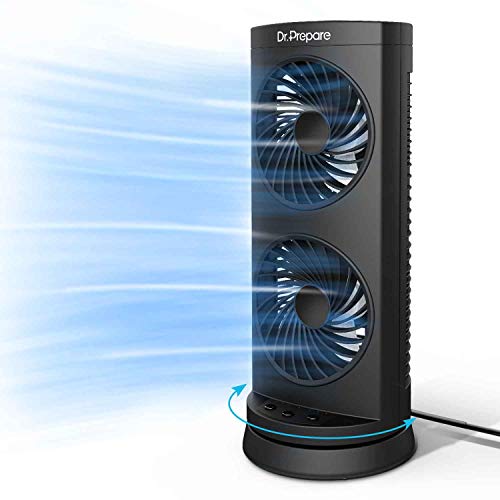
Dr. Prepare 12-Inch Oscillating Tower Fan
Stuffy corners have a habit of showing up exactly where a desk, bed, or reading chair already feels cramped. A wide fan can move plenty of air, but it also eats up surface space and tends to become another obstacle beside notebooks, chargers, and lamps. The best desk tower fan should keep the footprint narrow while sending enough airflow across the immediate area to make warm hours easier to handle. This Dr. Prepare model takes a simple route with dual internal fans, three speed settings, 110-degree oscillation, and three automatic shutoff options.
Dr. Prepare Dual-Fan Tower Fan
The 12-inch body is compact enough for a desktop, nightstand, dresser, or small side table. Its vertical layout leaves more room around the base than a traditional circular grille, which matters when the available surface is already packed to the gills. The space-saving tower design also makes the fan easier to reposition between work and rest areas. It’s portable in the practical household sense, though the provided details don’t describe cordless operation.
Two fans inside the housing are used to increase air movement through the slim outlet. That dual air circulation setup is the model’s main structural difference from a basic single-fan desktop unit. The goal isn’t to refrigerate the air, but to push a stronger stream through a compact frame and break up the muggy pocket around a chair or bedside area. In a closed room during severe heat, the result will still depend on the existing room temperature and ventilation.
The design favors straightforward controls rather than a long digital menu. Three fan speeds, one oscillation function, and three preset timers cover the daily basics without turning a small appliance into a control-panel puzzle. That simple operating layout can be a relief during late-night use or busy work sessions. The tradeoff is fewer fine adjustments than models offering six, eight, or continuously variable speed levels.
Dual Fans Deliver Focused Personal Airflow
The dual-fan arrangement is meant to maximize airflow inside a relatively short tower. Instead of relying on one broad blade assembly, the unit moves air through two internal fan sections and directs it toward the occupied area. This focused airflow makes the most sense at close range, such as beside a monitor, near a pillow, or across a small reading nook. It shouldn’t be judged by the same standard as a full-height tower fan designed to circulate a large living room.
Placement has a big say in how useful that airflow feels. A clear path between the outlet and the chair will do more good than cranking the speed while the fan sits behind a stack of books. On a desk, angling the unit beside the monitor helps keep the breeze from striking papers head-on. That close-range cooling can feel surprisingly effective when the fan isn’t fighting furniture and clutter.
The dual fans may also help distribute airflow more evenly along the vertical outlet. That can reduce the narrow, pencil-thin breeze produced by some tiny personal fans. Still, stronger air movement from a compact body may feel concentrated at short distances, especially on the highest setting. The three-speed control gives enough room to soften the breeze when it becomes too direct.
Three Speeds Keep The Controls Simple
Low, medium, and high settings cover the familiar rhythm of daily use. Low suits quiet reading, late-night circulation, or a desk where the fan sits only a couple of feet away. Medium offers a steadier push for warm afternoons, while high is there for those sticky moments when subtle airflow just won’t cut it. The three-speed range is easy to understand, though it lacks the finer tuning available on more elaborate models.
A compact fan doesn’t always need a long ladder of settings. Too many levels can become busywork if most of them feel nearly identical at close range. This model’s simple speed selection lets the difference between low, medium, and high remain clear and purposeful. On the flip side, anyone sensitive to airflow may wish there were an extra step between low and medium.
High speed should be treated as the strongest cooling mode rather than the quietest one. More air moving through a small outlet naturally creates more rushing sound, even if the motor itself stays reasonably smooth. The best balance will likely come from matching distance and speed rather than leaving the fan at maximum all day. That airflow-versus-noise tradeoff is normal for compact personal fans.
Wide Oscillation Covers More Than One Spot
A 110-degree horizontal sweep gives this fan broader movement than many small desk models. Pressing the swing control lets the breeze travel across a wider section of the room instead of staying locked on one shoulder. The 110-degree oscillation is useful beside a bed, across a shared desk, or near two chairs positioned close together. It also creates short breaks between passes, which can feel less drying during extended use.
Wide oscillation has a practical downside: part of each sweep may point toward unused space. On a narrow desk, the fan could spend several seconds sending air toward a wall, bookshelf, or empty corner. Turning oscillation off gives a stronger, fixed stream when only one position needs cooling. That fixed-or-sweeping choice makes the fan more adaptable than an always-oscillating design.
The oscillating motion also depends on stable placement. A level table or solid nightstand helps the base stay planted as the body turns from side to side. Loose cords, uneven surfaces, or objects pressed against the housing can introduce vibration and extra noise. The wide sweep works best when the fan has enough clearance to rotate without rubbing against nearby items.
Timer Options Suit Work And Bedtime
The timer includes three preset choices: two, four, or eight hours. Those intervals cover a short nap, an evening work block, or most overnight routines without requiring repeated adjustments. The automatic shutoff timer also prevents the fan from running until morning when only the first part of the night feels warm. It’s a simple feature, but one that can make the appliance noticeably easier to live with.
A two-hour setting suits temporary cooling while winding down, while four hours lands neatly in the middle for a longer reading or study session. The eight-hour option is the obvious bedtime choice when airflow is needed for most of the night. These three timer presets are practical, although there’s no one-hour option or fine-grained scheduling. Anyone wanting a precise shutoff time may find the fixed intervals a little blunt.
The timer also supports more thoughtful energy use. There’s less chance of leaving the fan on long after leaving the room, and no need to wake up just to switch it off. That doesn’t guarantee a particular savings amount, since actual consumption depends on usage habits and local energy rates. It does make scheduled operation easier than relying on memory alone.
Quiet Cooling Needs Realistic Expectations
The description lists operating sound below 60 dB and characterizes the output as a moderate level of white noise. That detail matters because “quiet” can mean anything from nearly silent to simply less harsh than a rattling box fan. The under-60 dB claim suggests the fan is intended for bedrooms and focused work, but it isn’t presented as whisper-silent. Some sleepers may actually appreciate the steady background sound, while others may prefer a lower stated noise floor.
White noise can mask distant traffic, hallway sounds, or household activity, which helps explain why a fan often feels calming at bedtime. The key is consistency. A smooth hum is generally easier to ignore than clicking controls, wobbling parts, or changes in pitch during oscillation. The steady sound profile is more important in practice than chasing an unrealistic promise of total silence.
Surface vibration can make the fan seem louder than its motor actually is. A hollow desk may resonate, while a sturdier dresser or nightstand can keep the same fan sounding more controlled. Clearing loose objects away from the base also prevents small rattles from joining the mix. That placement-sensitive noise is worth remembering before judging the fan solely by one location.
Sixteen-Watt Motor And Everyday Efficiency
The fan uses a 16-watt motor to power its dual-fan airflow system. That rating places it in the low-power personal-appliance category rather than among large room circulators or air conditioners. The 16W motor is designed to keep air moving around a limited area without demanding the energy draw of refrigerated cooling. It’s a useful distinction because the fan changes how the heat feels rather than changing the room’s temperature.
Running a personal fan near the occupied spot can reduce the urge to cool every corner of a room equally. That approach may support lower energy use when paired with sensible air-conditioning habits, but the actual result varies from one home to another. The personal cooling strategy works best when only a desk, bedside area, or reading chair needs extra airflow. It’s less convincing in a large, sealed room where heat has built up everywhere.
The compact motor and short housing also keep expectations in check. This isn’t meant to throw air across an open-plan living space or replace a full-size standing fan. Its strength lies in delivering localized circulation from a footprint that fits where larger fans become awkward. Used near the intended spot, the design makes sense; pushed across a large room, it may feel underpowered.
Useful Strengths And Clear Tradeoffs
The Dr. Prepare model earns attention through simplicity, compact size, and broad oscillation. Dual fans, three speeds, and three timers address common cooling needs without burying the controls under extra modes. The best desk tower fan often succeeds by staying easy to place and easy to operate, and this model follows that philosophy closely. Its 12-inch height also makes storage less troublesome once cooler weather returns.
The biggest limitations come from the same stripped-down design. Three speeds don’t offer much fine tuning, the timer uses fixed presets, and the stated noise level is higher than some low-decibel bedroom fans. The lack of finer control may matter to anyone who wants a barely-there breeze or exact scheduling. There’s also no remote mentioned in the supplied details, so adjustments appear to require direct access to the unit.
Cleaning access isn’t described, which leaves an important maintenance question unanswered. Tower fans can collect lint around their intake vents, and dual internal fans may gather dust over time if routine cleaning is ignored. Keeping the exterior vents clear should support consistent airflow, but deeper maintenance may depend on the manufacturer’s instructions. A soft brush or careful vacuuming around accessible openings is usually the sensible starting point.
This fan fits situations where space is tight, controls need to stay uncomplicated, and airflow only has to cover a nearby area. It offers wide oscillation and useful timer choices without pretending to be a whole-room climate system. The under-60 dB sound claim and 16-watt motor point toward practical, everyday use rather than ultra-quiet luxury. For a desk, nightstand, or compact office corner, that honest middle ground may be exactly the right fit.


Best Quiet Ceiling Fan For Bedroom 2026 Ultimate Comfort Picks

Best Ceiling Fan For Master Bedroom 2026 With Ultimate Comfort

Best White Ceiling Fan With Light For Bedroom 2026 Top Picks

Best Quorum Medallion Ceiling Fan 2026 With Style & Breeze

Best Outdoor Fan For Pergola 2026 Comfort Boost

Best Ceiling Fan For Great Room 2026 With Ultimate Comfort

Best Outdoor DC Ceiling Fans 2026 For Breezy Comfort

Best ceiling exhaust bath fan with light and heater 2026





