
Best Fan for Summer 2026: Cooler Rooms, Less Fuss

A sticky room can feel uncomfortable long before the thermostat looks alarming. The best fan for summer should move enough air to make skin feel cooler without turning conversation, television, or sleep into a battle against motor noise. Strong airflow matters, but raw power isn't the whole story. A fan that spreads air across the room often feels more useful than a narrow blast that only cools one chair.
Room size should guide the first decision. A compact desk fan can handle a work surface or bedside table, yet it'll struggle to improve a warm living room with poor circulation. Tower fans fit neatly into tight corners and usually provide broad oscillation, though cleaning their internal vents can be a bit fiddly. Pedestal fans take up more visual space, but their adjustable height and directional control make them practical for pushing air over furniture.
Noise deserves close attention, especially during long summer nights. Some fans sound calm at their lowest setting and become noticeably rough once the speed climbs, so a long list of speed levels doesn't automatically mean better comfort. A useful sleep mode lowers airflow gradually or softens control-panel lights instead of simply renaming the lowest speed. Still, extremely quiet operation often comes with gentler airflow, so hot rooms may need a slightly stronger setting and a little background hum.
Controls can either make daily use effortless or needlessly annoying. A remote helps when the fan sits across the room, while a clear onboard panel prevents frustration when that remote disappears between couch cushions. Timers are handy because the fan won't run until morning after the room has cooled. Smart controls add convenience, sure, but simple buttons may age better and won't depend on an app, account, or stable Wi-Fi connection.
Oscillation works best when its range matches the room rather than chasing the widest number on the box. Wide movement can cool several seating areas, but it may leave each spot without airflow for too long. A narrower sweep feels steadier beside a bed or desk. Adjustable tilt also matters because air aimed above shoulder height won't provide much relief while sitting, and air aimed too low can scatter papers or stir dust across the floor.
Maintenance is easy to overlook until dust coats the grille and airflow drops. Removable covers and accessible blades make cleaning far less of a chore, while sealed tower designs may require a vacuum attachment and patience. A stable base is equally important around busy walkways, curious pets, or cramped bedrooms. Lighter fans are easier to carry from room to room, but they can wobble at full speed if the stand and base aren't well balanced.
The smartest summer setup doesn't always rely on the fan alone. Positioning it near a cooler hallway can pull fresher air into a stuffy room, while placing it near an open window after sunset can help exhaust trapped heat. During the hottest afternoon hours, closed blinds and reduced indoor heat sources give the fan less work to do. Pairing thoughtful placement with steady air circulation often feels better than simply selecting the highest speed and hoping for the best.
A realistic pick balances airflow, sound, footprint, cleaning, and control simplicity. Large rooms usually benefit from a pedestal fan, air circulator, or box fan with a sturdy motor, while smaller spaces can stay comfortable with a quieter tower or tabletop model. No fan will lower room temperature the way an air conditioner does, but moving air can reduce that heavy, stagnant feeling. That distinction keeps expectations grounded and makes it easier to choose a fan that earns its spot all summer.
- LFR Score9.4
LFR Score is a ranking system developed by lightfansreviews.com. LFR Score has no relationship or impact from any manufacturers or sales agent websites. Learn more
- BrandDREO
![Aecooly Slim Portable Fan, Thin Handheld Fan, USB Rechargeable Mini Personal [17H Max Cooling Time], Battery Powered Small Foldable Pocket for Travel, Summer, Gifts for Women, Girls -Beige](https://m.media-amazon.com/images/I/31Sw6XPTQjL._SL500_.jpg "Aecooly Slim Portable Fan, Thin Handheld Fan, USB Rechargeable Mini Personal [17H Max Cooling Time], Battery Powered Small Foldable Pocket for Travel, Summer, Gifts for Women, Girls -Beige")
- LFR Score9.4
LFR Score is a ranking system developed by lightfansreviews.com. LFR Score has no relationship or impact from any manufacturers or sales agent websites. Learn more
- BrandAecooly

- LFR Score9.2
LFR Score is a ranking system developed by lightfansreviews.com. LFR Score has no relationship or impact from any manufacturers or sales agent websites. Learn more
- BrandLevoit

- LFR Score9.2
LFR Score is a ranking system developed by lightfansreviews.com. LFR Score has no relationship or impact from any manufacturers or sales agent websites. Learn more
- BrandHoneywell

- LFR Score9.2
LFR Score is a ranking system developed by lightfansreviews.com. LFR Score has no relationship or impact from any manufacturers or sales agent websites. Learn more
- BrandDREO
- LFR Score9.2
LFR Score is a ranking system developed by lightfansreviews.com. LFR Score has no relationship or impact from any manufacturers or sales agent websites. Learn more
- BrandDREO

- LFR Score9.2
LFR Score is a ranking system developed by lightfansreviews.com. LFR Score has no relationship or impact from any manufacturers or sales agent websites. Learn more
- BrandDREO

- LFR Score8.8
LFR Score is a ranking system developed by lightfansreviews.com. LFR Score has no relationship or impact from any manufacturers or sales agent websites. Learn more
- BrandJISULIFE

- LFR Score8.8
LFR Score is a ranking system developed by lightfansreviews.com. LFR Score has no relationship or impact from any manufacturers or sales agent websites. Learn more
- BrandLasko
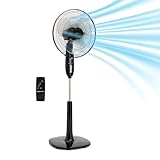
Amazon Basics 16-inch Pedestal Floor Fan Oscillating Remote, 3-Speed, Energy-Efficient,
View on Amazon- LFR Score8.8
LFR Score is a ranking system developed by lightfansreviews.com. LFR Score has no relationship or impact from any manufacturers or sales agent websites. Learn more
- BrandAmazon Basics

- LFR Score8.6
LFR Score is a ranking system developed by lightfansreviews.com. LFR Score has no relationship or impact from any manufacturers or sales agent websites. Learn more
- BrandAntarctic Star
Last update on 2026-07-08 / Affiliate links / Images, Product Titles, and Product Highlights from Amazon Product Advertising API
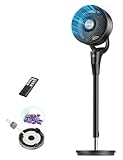
Dreo PolyFan 306 Quiet Pedestal Fan
Hot bedrooms often expose the weak spots in an ordinary fan: uneven airflow, rattling at higher speeds, and a breeze that disappears the moment you move across the room. The best fan for summer should ease that sticky, restless feeling without forcing the air conditioner to carry the whole load. The Dreo PolyFan 306 approaches the problem with long-range circulation, adjustable positioning, and controls designed for daily convenience. Its feature set looks especially practical for spaces where quiet sleep and broad room coverage matter more than a harsh stream of air.
Dreo PolyFan 306 Standing Fan
Dreo describes this model as capable of moving air up to 80 feet, which gives it a different purpose from a small fan aimed at one chair. The focused circulation can help push conditioned air through a bedroom, living room, or kitchen instead of leaving cool air trapped near a vent. That reach may also help in awkward layouts where one side of the room always feels warmer. Still, the actual sensation will depend on furniture placement, open doorways, and where the head is aimed.
The fan uses three speed settings along with an automatic mode that responds to changes in room temperature. According to the supplied product information, the fan increases by one speed level whenever the temperature rises by 3 degrees Fahrenheit. That behavior takes some fiddling out of overnight use because airflow can adapt without repeated button presses. The tradeoff is that three manual speeds offer less fine-tuning than models with a long list of incremental settings.
A top-mounted control panel keeps the main functions accessible, while the included remote control handles speed, oscillation, and related adjustments from across the room. That setup makes sense beside a bed or couch, where getting up to change the breeze quickly becomes annoying. The remote also includes a one-touch option to mute button sounds, a small detail that feels surprisingly useful after lights-out. Physical controls remain available, so a misplaced remote doesn't make the fan difficult to operate.
Quiet Airflow for Bedrooms and Workspaces
The stated 25-decibel noise level is one of the PolyFan 306's most appealing specifications. Dreo attributes the quieter airflow to its bionic blade design, which is intended to move air smoothly instead of producing a rough, choppy sound. Gentle motor noise can still be noticeable in a completely silent room, but the supplied figure suggests this fan was built with bedtime use in mind. Muted control beeps strengthen that impression because they prevent late-night adjustments from sounding louder than necessary.
Quiet operation isn't only about sleep. During calls, focused work, reading, or television, a steady breeze is easier to live with when it doesn't compete with voices. The low-noise design could therefore make this fan useful in a home office where a standard pedestal fan feels too intrusive. Higher settings may naturally sound stronger than the lowest level, so expectations should stay realistic. Even a well-designed fan has to move more air to create a more noticeable cooling effect.
The auto mode can be particularly handy overnight, though it won't replace thoughtful placement. A fan blasting directly at the face may feel uncomfortable after several hours, even at a moderate speed. Angling the head slightly above the mattress or using the 80-degree oscillation can spread airflow more gently across the sleeping area. That approach reduces the constant pressure of direct wind while still helping the room feel less stagnant.
Flexible Direction and Adjustable Height
Airflow control is where this standing fan separates itself from simpler fixed-head models. The head offers a 90-degree manual vertical pivot, allowing the breeze to travel forward, upward, or somewhere between. Upward positioning can help circulate warm air that gathers near the ceiling, while a lower angle works better for floor seating or pet areas. Because the vertical adjustment is manual, changing it requires walking over to the fan rather than using the remote.
The height adjusts from roughly 33.8 to 41.3 inches, giving the fan enough range for several common room arrangements. A lower position can direct air beneath a desk or across a play area, while the taller setting can clear the edge of a bed or sofa. That flexibility helps prevent the usual pedestal-fan problem where the grille lines up perfectly with furniture instead of the person who needs the breeze. The range isn't enormous, but it covers practical everyday positions.
Horizontal oscillation spans 80 degrees, which should suit shared rooms better than a narrow fixed stream. Broad movement can keep several seats from feeling ignored, though each spot receives airflow in intervals rather than continuously. For one desk chair, turning oscillation off may feel more effective. For a bedroom or living area, letting the fan sweep can create a softer, less aggressive cooling pattern.
Different cooling setups solve different problems, and ceiling-mounted airflow may suit rooms where floor space is already tight; a neutral reference to that category appears in ceiling fan options. The PolyFan 306 remains easier to relocate and aim, which matters in homes where one fan may move between a bedroom and office. A ceiling fixture offers permanent overhead circulation, while this portable pedestal format provides more directional control. Neither arrangement is automatically better because room shape and daily habits change the answer.
Cleaning, Aroma Pad, and Everyday Upkeep
Dust buildup can quietly weaken airflow, so the detachable construction deserves attention. The blade, front grille, and rear grille can be separated for more direct cleaning instead of relying only on a vacuum through narrow openings. That makes seasonal maintenance less frustrating, especially in bedrooms where lint and fabric fibers collect quickly. Reassembly will still require care because fan guards need to be secured properly before use.
The built-in aroma pad adds an unusual extra feature. Fragrance can travel with the moving air, creating a fresher impression without placing a separate diffuser beside the fan. People sensitive to scents may prefer leaving the pad unused, and heavily fragranced oils could become overwhelming in a small room. The pad is best treated as optional rather than a core reason to purchase the fan.
A pedestal fan with an adjustable pole and pivoting head naturally has more joints than a compact tabletop model. Those moving parts provide useful flexibility, but they also benefit from occasional checks for looseness or wobble. Keeping the base on a flat surface supports stable operation, particularly at the highest speed. Tight spaces may also make the standing footprint feel more noticeable than a slim tower fan tucked into a corner.
Strengths, Weaknesses, and Realistic Expectations
The strongest combination here is quiet airflow, useful directional control, and a remote that handles the functions people adjust most often. The 80-foot circulation claim suggests more room-reaching capability than a basic personal fan, while the oscillating and pivoting head helps put that airflow where it counts. Auto mode adds a layer of hands-off comfort as temperatures shift. Taken together, those features address the daily annoyances that make cheaper fans feel limited after the first heat wave.
The main limitation is the relatively small number of manual speeds. Three levels may be enough for straightforward use, but sensitive sleepers sometimes want tiny adjustments between barely there and clearly noticeable. The manual vertical tilt is another compromise because only horizontal oscillation and electronic controls can be changed from a distance. Anyone expecting fully motorized multidirectional movement should keep that distinction in mind.
The fan also circulates existing room air rather than lowering its temperature. That means it can make the body feel cooler and help distribute air from an air conditioner, but it can't remove indoor heat on its own. Closing blinds, reducing heat from appliances, and positioning the fan near cooler airflow will improve the result. The best fan for summer earns its place through comfort and circulation, not by pretending to be a portable air conditioner.
Dreo's PolyFan 306 fits rooms that need a calmer breeze without giving up meaningful reach. Its adjustable height and wide head movement handle more layouts than a fixed floor fan, while removable parts make routine cleaning less of a headache. The aroma pad won't matter to everyone, and three speeds may feel basic beside feature-heavy competitors. Even so, the balance of bedroom-friendly noise, automatic adjustment, and directional airflow gives this model a clear, practical identity.
Aecooly Slim Rechargeable Pocket Fan
Summer heat gets old fast when a crowded train, outdoor line, or stuffy café leaves no room for a full-size cooling device. A compact breeze close to the face can take the edge off without adding noticeable weight to a handbag or pocket. The Aecooly Slim Portable Fan enters the best fan for summer conversation as a personal cooling tool built around thin construction, foldable positioning, and rechargeable convenience. It won't cool an entire room, but that's not the job it was designed to handle.
Aecooly Slim Portable Fan
The defining feature is the fan's slim profile, which makes it easier to carry than bulky handheld models with thick handles or oversized bases. Its lightweight shape is meant to fit naturally in one hand, a bag compartment, or a pocket without creating an awkward lump. That matters during travel, commuting, festivals, and long outdoor errands where every extra item becomes a nuisance. Beige styling also keeps the appearance understated rather than making the fan resemble a brightly colored toy.
Portability sounds simple, yet small design choices decide whether a fan actually leaves the house. A device that's too wide stays in a drawer, while one that's too delicate feels risky inside a packed bag. The Aecooly model aims for a practical middle ground with a compact body and a folding structure that protects its usefulness across different settings. Still, careful storage makes sense because thin electronics can be easier to misplace than a large pedestal fan.
This isn't a substitute for air conditioning or broad room circulation, and pretending otherwise would set the wrong expectation. Its airflow stays close to the person holding it or sitting near it in desktop mode. That focused approach is useful during makeup application, waiting outdoors, reading on a porch, or sitting through a warm commute. The key strength is personal relief on demand, not changing the temperature of the surrounding space.
Battery Life Built for Long Summer Days
Aecooly states that the rechargeable battery can provide up to 17 hours of cooling on a charge. Actual runtime will naturally depend on the selected speed, since stronger airflow usually draws more power than a gentle breeze. Even so, the stated maximum suggests enough flexibility for daily errands, extended travel, or several shorter sessions between charges. That can be a real comfort when wall outlets aren't nearby and carrying spare batteries feels like one chore too many.
USB recharging also removes the need to keep buying disposable batteries. A power bank, laptop, or compatible wall adapter can become part of the charging routine, which fits neatly into modern travel habits. The rechargeable setup is especially convenient for luggage because one cable can often serve several small devices. Charging speed and cable details aren't included in the supplied information, so those points shouldn't be assumed.
Long runtime only helps when the fan remains comfortable to carry and easy to store. This model's thin shape makes the stated battery endurance more meaningful because the fan can stay nearby rather than being left behind. A larger battery-powered fan may move more air, but hauling it through a city or airport is another story. The Aecooly fan favors endurance with portability, a tradeoff that suits personal use better than whole-room cooling.
Three Speeds Without Unnecessary Complexity
The fan provides three airflow settings, covering a light breeze, a stronger everyday level, and a more forceful option for hotter moments. Three speeds keep operation straightforward because there isn't a maze of modes to cycle through. A gentle setting makes sense indoors or in quieter environments, while the highest level is better suited to outdoor heat and stagnant air. The limited number of steps may feel basic to anyone who prefers very precise airflow adjustment.
Simple controls can be a blessing during travel. Nobody wants to study tiny icons while standing in direct sun or balancing luggage. The Aecooly fan's straightforward speed range focuses on quick changes rather than app controls, temperature sensors, or elaborate presets. That easy operation helps the fan remain useful during short bursts of discomfort when speed matters more than customization.
Wide airflow coverage is supported by a relatively large fan surface and an optimized blade design, according to the supplied description. That arrangement is intended to spread the breeze more evenly instead of producing a narrow stream that cools one tiny spot. The effect should still be judged within the limits of a pocket fan because blade size and motor power remain constrained by the slim body. Its broader personal airflow is most useful at close range, not across a bedroom or office.
Handheld Cooling Meets Desktop Convenience
The folding body allows the fan to switch between handheld use and a desktop position. That versatility changes how often a small fan can fit into a normal day. It can stay in hand during a walk, then sit beside a laptop, mirror, or plate once a stable surface is available. A product that handles both jobs reduces the need to pack a separate stand or prop the fan against whatever happens to be nearby.
Desktop mode makes sense for focused tasks rather than shared cooling. Placed near a keyboard, it can direct air toward the face without blowing papers around the entire desk. Beside a vanity, it may help reduce that overheated feeling during skincare or makeup routines. The foldable stand adds practical value, though the stability will depend on placing it on a flat surface and selecting an angle that doesn't shift the center of gravity too far forward.
Handheld use offers more control because the airflow can follow movement and point exactly where relief is needed. That freedom is handy on buses, in amusement park lines, or while waiting at an outdoor event. The downside is obvious: holding any device for a long stretch can become tiring, even when it's light. Switching to desktop mode gives the wrist a break and shows why the dual-use design is more than a decorative folding trick.
Personal fans and room fans solve very different heat problems, so broader circulation deserves its own reference within ceiling fan circulation. A ceiling fan spreads air through a fixed indoor area, while the Aecooly model stays close, mobile, and easy to carry. The pocket fan wins on convenience outside the home, but it can't deliver the room-wide movement of a ceiling fixture. Understanding that difference in coverage prevents disappointment and makes each format easier to judge fairly.
Comfort, Gift Appeal, and Everyday Tradeoffs
The clean appearance gives this fan more gift appeal than many purely utilitarian models. Its beige finish, slender shape, and rechargeable design create a practical item that doesn't feel clunky or overly industrial. A gift still needs to match real habits, though, and this one makes the most sense where summer travel, commuting, or outdoor waiting is common. The strongest gift-related benefit is usable everyday comfort, not decorative packaging or exaggerated novelty.
Small size brings unavoidable compromises. A slim fan typically has less room for a large motor, substantial grille, or oversized battery than a full desktop model. The Aecooly fan answers that limitation with a larger fan surface for its category and a stated maximum runtime of 17 hours. Even so, anyone expecting a powerful room breeze should view compact airflow as the central boundary of the design.
Noise information isn't included in the supplied product details, so quietness can't be evaluated with a claimed decibel figure. Small fans may sound more noticeable at their highest setting because the blades spin faster in a compact housing. Lower speeds are likely to feel less forceful and may be more comfortable during close-range use, but that remains a practical expectation rather than a verified measurement. The missing noise specification is a notable uncertainty for use in libraries, meetings, or very quiet rooms.
Maintenance should stay fairly simple, although the description doesn't specify whether the front grille or blades are removable. Pocket fans tend to collect lint, dust, and makeup residue because they spend time inside bags and close to the face. Gentle exterior cleaning and careful storage can help preserve airflow without forcing debris deeper into the housing. The thin portable build is convenient, but it deserves more careful handling than a heavy fan that stays planted in one room.
Where This Portable Fan Makes the Most Sense
The Aecooly Slim Portable Fan fits situations where carrying comfort matters as much as cooling. Long travel days, outdoor queues, warm classrooms, cramped offices, and public transportation all reward a device that slips away quickly after use. Its foldable body keeps it useful once a table appears, while the three speeds cover basic changes in heat and airflow preference. The clearest strength is flexible personal cooling without the bulk of a traditional desk fan.
People who spend most of their time in one large room may get more value from an air circulator, tower fan, or pedestal model. Those designs occupy more space but can spread air farther and reduce stagnant pockets throughout the room. This pocket model takes the opposite route by keeping the breeze close and the footprint tiny. That mobility-versus-coverage tradeoff should guide the decision more than appearance alone.
Battery endurance, portability, and simple speed control form the product's strongest trio. The stated 17-hour maximum gives it an edge for extended outings, while USB charging keeps the routine familiar. Desktop conversion adds another layer of usefulness once the walking stops. For the best fan for summer in a truly portable format, the Aecooly model offers a sensible balance, provided expectations remain centered on close-range relief rather than cooling an entire room.
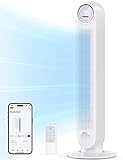
Levoit Classic 36-Inch Tower Fan
A warm bedroom can turn a normal night into an endless cycle of kicking off the blanket, flipping the pillow, and reaching for the thermostat. A fan helps only if its hum, bright display, and uneven airflow don't create a fresh batch of annoyances. The Levoit Classic 36-Inch Tower Fan earns attention as a best fan for summer candidate by pairing 28-decibel operation with temperature-aware sleep settings and a narrow floor footprint. It focuses less on brute-force wind and more on keeping everyday cooling manageable from afternoon heat through the middle of the night.
Levoit Classic 36-Inch Fan
The tall, bladeless-style housing makes this model easier to place in rooms where a pedestal fan would feel bulky. Its slim tower shape can sit beside a dresser, nightstand, or desk without a wide circular grille projecting into the walkway. That shape won't make the fan invisible, of course, since the 36-inch body still needs clear space around its intake and outlet. Even so, the vertical design is a sensible match for bedrooms and apartments where every square foot counts.
Levoit lists a maximum air velocity of 25 feet per second, giving the fan enough output for quick personal relief at its stronger settings. Turbo Mode is the obvious choice after stepping into a room that has been closed up all afternoon. The concentrated breeze can feel brisk near the fan, while oscillation helps spread that airflow instead of leaving one side of the room untouched. Air velocity isn't the same as lowering room temperature, though, so the fan still circulates the air already present.
Five speeds provide more adjustment than the common three-speed layout. That extra range matters because summer comfort isn't always a choice between barely moving air and papers flying off the desk. A middle setting can handle routine daytime use, while a gentler level keeps the breeze from feeling pushy near the bed. The five-speed control gives this tower fan a better shot at matching different room conditions without constant repositioning.
Advanced Sleep Mode Handles Nighttime Changes
Nighttime cooling often gets tricky because the setting that feels right at bedtime may feel too cold several hours later. Levoit's Advanced Sleep Mode uses a temperature sensor and gradually adjusts fan speed as conditions change. The supplied description says the mode considers different stages of sleep rather than running one fixed setting until morning. That automatic behavior can reduce those half-awake moments spent hunting for the remote.
The display lights turn off in Sleep Mode, which solves a small but genuine bedroom irritation. A bright control panel can cast more light than expected once the room goes dark, especially when the fan sits directly across from the bed. Pairing a darkened display with noise levels as low as 28 decibels makes the fan better suited to light-sensitive and sound-sensitive spaces. Higher speeds will naturally create more audible airflow than the lowest setting, so the quietest figure shouldn't be treated as universal across every mode.
Temperature-responsive adjustment also makes more sense than a basic timer in certain situations. A timer simply shuts the fan off after a chosen period, while Advanced Sleep Mode can keep air moving and alter the intensity along the way. That distinction matters during humid nights when still air becomes uncomfortable again before sunrise. The sensor-guided airflow offers convenience, although personal preferences may still favor manual control for anyone who wants the breeze to stay exactly the same.
The included 12-hour timer remains useful even with automated sleep features. It can stop the fan after a long evening, cover a full night's rest, or prevent unnecessary operation after leaving the room. Twelve hours offers more flexibility than short timers limited to a few preset intervals. The extended timer range also helps during daytime use, such as keeping air moving through a home office without leaving the fan running indefinitely.
Four Modes Cover Different Cooling Routines
Normal Mode gives direct control over the five available speeds, keeping the experience simple and predictable. Auto Mode shifts the workload to the fan by responding to temperature changes, while Turbo Mode prioritizes rapid airflow. Advanced Sleep Mode takes a calmer approach for overnight comfort. These four operating modes aren't merely cosmetic labels because each one addresses a different annoyance, from sudden heat to hands-off nighttime use.
Turbo Mode will appeal most during the hottest part of the day, but it may be more forceful and audible than necessary once the room feels comfortable. Running the strongest setting nonstop can create a dry, persistent breeze at close range. A practical routine is to use Turbo briefly, then settle into a lower manual speed or Auto Mode. That gives the powerful motor a clear purpose without treating maximum output as the default for every situation.
Auto Mode is useful in rooms where temperatures drift throughout the day. Sunlight through a west-facing window, cooking heat from a nearby kitchen, or an air conditioner cycling on and off can all change how much airflow feels comfortable. Letting the fan respond automatically removes some of the button tapping from that routine. The tradeoff is reduced predictability because the automatic speed changes may not always match a very specific personal preference.
Normal Mode remains the no-nonsense option. It won't reinterpret comfort or alter speed unexpectedly, which can be reassuring during work, reading, or television. Pick a level, leave it there, and let the fan do its job. Sometimes the simplest feature is the one people use most, and the manual control mode keeps this feature-rich fan from feeling needlessly complicated.
Remote Control and 90-Degree Oscillation
The remote handles settings without requiring a walk across the room. That sounds minor until the fan sits beyond the foot of the bed or across a living space, exactly where direct airflow works best. Speed, mode, and oscillation changes become easier to make while resting, working, or watching television. The remote control supports the fan's comfort-first design because the useful features remain accessible from a distance.
An LED display provides visible operating information at the tower itself. Clear feedback helps prevent confusion about the current speed or active mode, particularly after using the remote. Bedroom use benefits from the display shutoff in Sleep Mode, while daytime operation keeps the information easy to read. That balance between visibility and darkness is more thoughtful than a display that's either permanently bright or too dim to read.
Optional 90-degree oscillation broadens the coverage across a bed, couch, or shared seating area. Fixed airflow feels stronger in one location, but oscillation prevents the breeze from drilling into the same spot for hours. The sweeping movement also helps disturb warm pockets across more of the room. A 90-degree arc won't circulate every corner of a large open floor plan, yet it suits the focused coverage expected from a bedroom tower fan.
Rooms with limited floor space sometimes benefit from overhead airflow instead, and a neutral reference to that separate format appears in kitchen ceiling fans. A ceiling-mounted unit frees the floor and spreads air from above, while the Levoit tower fan can be moved, aimed, and stored as needs change. The difference in placement matters more than appearance alone. One is a fixed room fixture, while the other provides flexible cooling without installation work.
Cleaning and Assembly Stay Manageable
Tower fans often look tidy from the outside while collecting dust behind narrow vents. Levoit addresses that issue with a washable rear cover that can be removed for access to the inside. Wiping internal surfaces and cleaning the cover should help prevent dust from restricting airflow over time. That design is more practical than a sealed housing that leaves maintenance to a vacuum nozzle and a fair amount of guesswork.
Regular cleaning matters in bedrooms where fabric lint, pet hair, and household dust can gather around the intake. A dirty fan may move less air and push settled debris back into circulation. The removable cover doesn't eliminate maintenance, but it makes the task less awkward. The real strength is accessible upkeep, not a claim that the fan will remain clean on its own.
Initial setup requires no tools according to the supplied product information. The base pieces snap together and attach to the tower body, keeping assembly relatively straightforward. Levoit specifically advises aligning the fan body before tightening the base nut to prevent a skewed installation. That alignment step shouldn't be rushed because a crooked tower can look unstable even if the base is technically secured.
A correctly assembled base is especially important on hard floors where uneven contact may cause wobbling. Carpet can hide a slight alignment problem, but it may also make a tall fan feel less planted. Positioning the tower on a flat surface and leaving room around the intake supports steadier operation. The fan's narrow footprint saves space, though it still needs sensible placement away from tight corners and obstructing furniture.
Practical Strengths and Noticeable Tradeoffs
The strongest feature mix is easy to spot: quiet low-speed operation, five fan speeds, four distinct modes, and a full 12-hour timer. Those controls let the fan shift between rapid daytime cooling and calmer overnight circulation without changing devices. The 90-degree oscillation adds useful reach, while the remote reduces interruptions. Together, these features solve several everyday annoyances rather than leaning on one headline specification.
The washable cover is another meaningful strength because tower fans can be frustrating to clean. Access to the intake area gives routine maintenance a clearer path and may help preserve airflow. Tool-free assembly also removes a barrier for anyone who doesn't want to dig through a toolbox for a summer appliance. These practical details aren't flashy, but they're the sort of features that influence satisfaction after weeks of use.
The main limitation is that the fan remains a room-air circulator, not a cooling appliance that removes heat. A 25-foot-per-second maximum breeze can feel refreshing, but a sealed room exposed to afternoon sun will still hold heat. Pairing the fan with blinds, ventilation, or air conditioning will produce a more noticeable result. The realistic expectation is improved comfort through moving air, not a measurable drop in room temperature from the fan alone.
Its tall body may also be less convenient in cramped walkways than a compact desk fan, despite the narrow base. People who need airflow aimed low at floor level may prefer a fan with vertical tilt because this model's main adjustment comes from speed and horizontal oscillation. The tower shape favors upright, room-level airflow rather than precise directional aiming. That limited vertical control is worth weighing against the cleaner footprint and broad horizontal sweep.
How It Fits a Summer Cooling Setup
The Levoit Classic 36-Inch Tower Fan makes the most sense where sleep comfort, flexible control, and limited floor space all matter. Its low stated noise level supports bedroom use, while Turbo Mode gives it enough punch for stuffy afternoons. Five speeds make it easier to settle on a comfortable middle ground after the initial heat fades. As a best fan for summer option, it leans toward adaptable indoor comfort rather than portability or industrial airflow.
A home office can benefit from the same mix for different reasons. The narrow body stays out of the way, the remote reduces disruptions, and lower settings can provide airflow without dominating calls or focused work. Auto Mode may be handy in rooms that warm gradually as the day goes on. The quiet tower design fits spaces where background comfort matters more than a dramatic blast of air.
Shared bedrooms and living spaces gain the most from oscillation, while solo use may feel better with the sweep turned off. Sleep Mode handles gradual nighttime changes, but Normal Mode remains available for anyone who dislikes automatic adjustments. That flexibility keeps the fan from forcing one style of comfort on every routine. The choice between automatic and manual control is a bigger benefit than piling on modes that all feel the same.
This model's appeal rests on balance rather than novelty. It delivers stated airflow up to 25 feet per second, offers a quiet 28-decibel low setting, and provides controls that serve distinct purposes throughout the day. Cleaning access and tool-free setup round out the package without pretending to eliminate every maintenance chore. The Levoit Classic 36-Inch Fan is best judged as a well-equipped indoor tower fan with thoughtful sleep features and a few natural limits in directional control.
Honeywell TurboForce HT900 Air Circulator
A desk can feel like the hottest spot in the house once afternoon sunlight hits, computer equipment warms the area, and still air settles around the chair. Bigger fans may cool more space, but they also eat up floor room and can be awkward to position near a bed or workstation. The Honeywell TurboForce HT900 enters the best fan for summer discussion with a compact body, a 25-foot airflow reach, and a pivoting head that directs the breeze instead of scattering it aimlessly. It keeps the concept simple: move a useful amount of air without demanding much space.
Honeywell TurboForce HT900 Fan
The HT900 is sized for a tabletop, desk, floor, or wall, giving it more placement options than a typical personal fan. Its compact footprint can fit beside a monitor, on a nightstand, or near the corner of a small room without dominating the setup. Wall mounting adds another route when surfaces are crowded or floor space is scarce. That flexibility makes the fan easier to work into an existing room rather than forcing furniture to move around it.
Honeywell describes the TurboForce design as aerodynamic, with the housing and blades shaped to maximize air movement. The supplied product information states that airflow can be felt from up to 25 feet away, a notable distance for a fan in this size class. That reach can help move conditioned air farther from a vent or break up a warm pocket across a bedroom. Furniture, doorways, and fan angle will affect the result, so the figure shouldn't be treated as identical in every layout.
Small air circulators behave differently from broad oscillating fans. The HT900 produces a more focused stream, which can feel stronger in one direction but won't automatically sweep across several seats. That concentrated airflow suits a desk, bedside area, or single couch position where a steady breeze is preferable. Shared spaces may require occasional repositioning because this model doesn't include automatic oscillation.
Three Speeds Keep Cooling Straightforward
Three manual speeds cover the basic range from a gentler breeze to stronger air movement. The lowest setting can handle close-range use when a full blast would feel distracting, while the highest setting makes more sense across a room. This simple speed control avoids unnecessary modes, displays, and menus. It also means there are fewer fine adjustments than a fan offering five or more speed levels.
A desk fan doesn't need to run at maximum power all day to be useful. Medium speed can provide steady circulation during work, then a lower setting can take over once the room settles down. The strongest speed is better reserved for quick relief or for pushing air toward a farther chair. That flexible routine helps balance airflow strength with sound and comfort instead of treating the top setting as the only worthwhile one.
Control simplicity has another practical benefit: there isn't much to relearn after the fan has been stored through winter. A basic dial responds immediately and doesn't depend on a remote, app, or wireless connection. The downside is equally clear because adjustments require reaching the fan itself. For a tabletop placement, that's hardly a problem, but wall mounting can make the manual controls less convenient if the unit sits high.
The Pivoting Head Solves Awkward Angles
The fan head pivots through 90 degrees, allowing airflow to point forward, upward, or between those positions. Upward airflow can help circulate air that collects near the ceiling, while a level angle sends the breeze directly across a desk or bed. A lower placement can still work because the head doesn't force air straight at the floor. That directional freedom gives the small housing a much broader range of useful positions.
Placement often matters more than raw fan power. Set behind a doorway, the HT900 may help pull cooler hallway air into a warm room; aimed upward, it can mix layers of air without blasting directly at the face. Sitting near an air-conditioning vent, it may push cooled air beyond the immediate area. The adjustable head makes these arrangements possible without stacking the fan on books or improvising a stand.
The pivot is manual, so the head stays at the selected angle rather than moving on its own. That fixed direction can be a strength beside a workstation because airflow won't drift away every few seconds. It becomes a limitation when several people want coverage across a wide seating area. The main tradeoff is focused control instead of automatic room-wide sweeping.
Desk fans also vary widely in shape and visual character, and a neutral look at older-inspired designs appears within retro desk fans. The HT900 follows a practical, modern air-circulator format rather than using exposed metal blades or decorative vintage styling. Its black housing is meant to blend into a workspace, not become a focal point. That difference in design may matter in rooms where appearance carries nearly as much weight as airflow.
Noise Levels Suit Everyday Indoor Use
Honeywell states that the TurboForce HT900 is 25 percent quieter than comparable fans, based on the supplied product description. No exact decibel figure is provided, so the claim offers a relative reference rather than a precise sound level. A concentrated air stream will still create audible movement, particularly on the highest speed. Even so, quieter operation is valuable when the fan sits close to a keyboard, bed, or television.
Low speed is likely the most comfortable setting for close-range tasks where motor and blade noise can become tiring. Stronger speeds trade a calmer sound profile for more forceful circulation, which is normal for a fan of this type. The useful question isn't whether the unit is silent, because it isn't presented that way. The real benefit is manageable background noise while maintaining enough airflow to feel worthwhile.
A steady hum can also mask intermittent household sounds, though preferences vary widely. Some sleepers tolerate consistent fan noise better than sudden changes from oscillation or automatic speed adjustments. The HT900's fixed direction and manual speeds keep its behavior predictable through the night. Still, light sleepers should remember that the supplied information doesn't include a verified bedroom noise measurement.
Small-Room Circulation and Energy Use
The HT900 is intended for small to medium-sized rooms, but its strongest effect will remain near the airflow path. Used alone, it can make the body feel cooler by moving air across the skin. Paired with air conditioning, it can help distribute cooled air and reduce the temptation to lower the thermostat immediately. That circulation-first approach supports comfort without pretending the fan removes heat from the room.
Giving the air conditioner a break doesn't mean the fan guarantees a particular utility-bill reduction. Energy use depends on local rates, climate, insulation, thermostat habits, and how long each appliance runs. The practical opportunity comes from using a fan for personal comfort before asking the cooling system to work harder. Honeywell's portable indoor design makes that strategy easier because the unit can follow activity from one room to another.
Warm offices present a good example. Computer equipment and sunlight can make one workstation uncomfortable even when the rest of the room feels reasonable. Cooling the whole building further may be wasteful, while focused airflow from a desk fan addresses the immediate problem. The HT900's 25-foot stated reach also lets it sit farther away if close airflow feels too intense.
Bedrooms create a different challenge because airflow must be useful without becoming harsh. Positioning the fan several feet from the bed and angling it slightly upward can soften the direct breeze. A low or medium setting may keep air moving while avoiding that dried-out feeling caused by constant high-speed wind. The pivoting head supports these small adjustments better than a fixed tabletop fan.
Wall, Floor, and Table Placement
Tabletop placement is the most obvious setup because controls stay within easy reach and the airflow can line up with a seated position. The fan's compact size leaves more room for lamps, laptops, or bedside essentials than a wide pedestal base. Vibrations can become noticeable on a lightweight or uneven surface, so a firm table is the better match. The small housing is convenient, but stable support still matters at higher speeds.
Floor placement changes the airflow angle and can help push cooler air upward through a room. The 90-degree pivot keeps this arrangement useful because the fan head isn't locked into blowing along the floor. Near a doorway, the unit can support cross-room circulation without blocking much of the walkway. Its low-profile format also makes it easier to tuck beside furniture than a tall standing fan.
Wall mounting saves the most surface space and keeps the fan away from busy floors. That setup may suit workshops, compact offices, or rooms where pets and loose cords create placement concerns. The compromise is reduced portability and less convenient access to the manual speed control. A wall-mounted HT900 still offers directional adjustment, but changing locations becomes a project rather than a quick lift-and-carry move.
Practical Strengths and Clear Limitations
The strongest part of the HT900 is its ability to produce focused, long-reaching airflow from a body small enough for a desk. Three speeds keep operation uncomplicated, while the pivoting head gives each placement more usefulness. Table, floor, and wall options expand where the fan can operate. Those qualities solve real space and positioning problems without relying on elaborate electronics.
Its lack of oscillation is the most obvious limitation. Air stays where the head points, which works well for one spot but offers less comfort across a shared couch or large bedroom. Manual controls also feel basic beside fans with timers, remotes, or automatic modes. The simple feature set is dependable and easy to understand, yet it won't satisfy anyone expecting hands-off adjustments.
Cleaning details aren't included in the supplied description, so removable-grille access shouldn't be assumed. Air circulators naturally collect dust around the intake, grille, and blades, especially when placed on the floor. Regular exterior cleaning can help prevent buildup from restricting airflow. The maintenance uncertainty is worth acknowledging because compact fan housings can be less convenient to clean than open pedestal designs.
The Honeywell TurboForce HT900 makes the most sense as a personal or small-room circulator rather than a whole-house cooling answer. Its stated 25-foot reach gives it more flexibility than its dimensions suggest, while the 90-degree pivot helps turn that airflow toward a practical target. Noise is described as lower than comparable fans, though no exact sound measurement is supplied. As a best fan for summer contender, it stands out through compact power, flexible placement, and a refreshingly uncomplicated design.
Dreo Cruiser Pro T1 42-Inch Tower Fan
Stuffy air has a sneaky way of making a perfectly usable bedroom or office feel downright miserable by midafternoon. Cranking the air conditioner lower can help, but the electric bill may sting, and cold air still tends to collect unevenly. The Dreo Cruiser Pro T1 takes a practical shot at the best fan for summer title with six speeds, broad oscillation, and a 42-inch tower that moves air without occupying the footprint of a pedestal fan. Its real appeal lies in control: soft airflow for quiet moments, stronger wind for peak heat, and several automatic modes in between.
Dreo Cruiser Pro T1 Tower Fan
The 42-inch tower format gives this fan enough height to send air across a bed, couch, or desk rather than mostly cooling ankles. Its vertical air outlet spreads the breeze over a larger section of the body, which feels more natural than a narrow stream hitting one spot. The slim housing also fits beside furniture more easily than a round fan with a wide grille and base. Still, the tall body needs a level surface and sensible placement so busy foot traffic doesn't turn it into an obstacle.
Dreo states that the internal motor reaches up to 1,350 RPM and can push airflow as far as 29.5 feet. That stated reach makes the Cruiser Pro T1 more useful than a personal fan meant to sit inches from the face. It can direct air across a bedroom or support circulation in a home office without needing to crowd the chair. Furniture, doorways, and room shape will influence how far the breeze feels effective, so placement remains a big part of the equation.
Air enters from the back and sides, allowing the fan to draw in more room air before sending it forward. This multi-directional intake supports stronger circulation while keeping the outer body narrow. Clear space around those intake areas matters because pushing the fan tightly against curtains or furniture can restrict airflow. A few inches of breathing room can make the difference between crisp circulation and a fan that sounds busy without moving much air.
Six Speeds Offer Useful Cooling Control
Six speed levels give the Cruiser Pro T1 more nuance than the standard low, medium, and high setup. The gentlest settings suit close-range use during reading, work, or sleep, while the upper levels are better for a room that's been baking in afternoon sun. That wider speed range makes it easier to land on a comfortable breeze instead of bouncing between too weak and too forceful. Fine adjustment matters more than it sounds when the fan will run for several hours at a time.
Strong airflow has its place, especially after walking in from humid weather or returning to a closed room. The highest setting can provide fast personal relief, but leaving it there all evening may feel unnecessarily aggressive. Dropping to a middle level once the heat settles creates steadier comfort with less noise and less direct wind. The six-step control gives that cooling routine more flexibility without burying basic operation under complicated menus.
Lower speeds also help during video calls or focused work where background noise can become distracting. Dreo describes the fan as quiet at every setting, supported by an acoustically designed airflow path and a hyper-precision bearing. No exact decibel figure is provided in the supplied details, so silence shouldn't be assumed. The meaningful promise is reduced mechanical noise, not the complete absence of moving air.
Each speed still depends on distance and angle. A gentle setting may feel adequate beside the bed but disappear across a large room, while a stronger setting can become too direct at close range. Positioning the fan several feet away often creates a smoother breeze across more of the body. That simple adjustment helps the six-speed system feel more useful than judging each level with the fan parked right beside the chair.
Four Modes Change How the Fan Behaves
Normal Mode keeps operation straightforward by holding the selected speed until it's changed. This is the dependable setting for anyone who wants predictable airflow without automatic adjustments. Pick a comfortable level and the fan stays put, no surprises. The manual consistency works especially well during desk work, workouts, or television.
Auto Mode handles changing room conditions with less button pressing. It suits afternoons when sunlight shifts, an air conditioner cycles, or cooking heat drifts into another room. The fan can manage airflow more independently instead of leaving the same strong setting active after the room becomes comfortable. That hands-off cooling is convenient, though some people may still prefer direct control over every speed change.
Natural Mode varies the breeze rather than holding one constant stream. The changing pattern can feel less mechanical during lounging or reading, especially when a fixed blast becomes tiring. It won't appeal to everyone because fluctuating airflow may feel distracting during focused tasks. The variable breeze pattern is best treated as a comfort preference rather than an essential cooling feature.
Sleep Mode shifts attention toward quieter nighttime operation and a darker room. The display turns off after 15 seconds, and control sounds are muted, preventing small electronic noises from becoming surprisingly loud after bedtime. That display shutoff is a thoughtful touch for anyone who notices every glowing number across the room. The fan keeps running without turning the bedroom into a tiny control panel.
Wide Oscillation Spreads Air Across the Room
The Cruiser Pro T1 uses a 90-degree oscillation range to sweep airflow across a broader area. That movement works well across a bed, sectional couch, or shared office where one fixed stream would leave most spots untouched. The extended 530 mm fan wheel is designed to release more air over the sweep. Instead of cooling one narrow lane, the tower spreads relief across a wider section of the room.
Oscillation has a tradeoff, of course. Each seat receives airflow in intervals rather than continuously, so a solo desk setup may feel cooler with the fan aimed in one direction. Shared rooms benefit more because the breeze travels between several positions without moving the unit. The fixed-versus-sweeping choice makes the fan adaptable rather than forcing broad coverage all the time.
The tall outlet also reduces the need for manual vertical adjustment. Air leaves from a long section of the tower, covering more height than a compact fan head. That design is useful beside a bed because the breeze can reach above the mattress without balancing the fan on furniture. The limitation is that airflow can't be tilted sharply upward or downward like a pivoting circulator.
Overhead fans approach room circulation from a different angle, and the visual relationship between rounded fixtures and broad airflow appears in circular ceiling fans. A ceiling unit preserves floor space and moves air from above, while the Dreo tower can shift between rooms and operate without installation. The placement difference shapes the experience more than the basic fact that both products circulate air. One becomes part of the room, while the other remains a movable appliance.
Remote Controls and a 12-Hour Timer
The included remote makes the fan easier to manage from a bed, sofa, or desk. Speed, mode, oscillation, and timer adjustments don't require crossing the room every time comfort changes. That distance control becomes especially useful at night, when getting up can turn a small temperature adjustment into a fully awake detour. Physical controls on the fan still keep it usable when the remote hides under a cushion.
An LED display shows the active settings clearly during daytime use. Visible feedback prevents the usual guessing game after cycling through several modes or speeds. Sleep Mode handles the opposite need by switching the display off after 15 seconds. The combination offers clear information when needed without leaving unnecessary light glowing through the night.
The timer can be set for up to 12 hours, covering short naps, work sessions, and a full night. It can stop the fan after the room cools or prevent it from running long after everyone leaves. Twelve hours provides more breathing room than basic timers limited to two or four hours. The feature doesn't reduce room temperature by itself, but it does give energy use a defined endpoint.
Remote dependence can still become a mild annoyance if frequently used controls are hard to reach on the tower. Fortunately, the supplied description confirms an onboard LED display, so operation isn't locked behind the handheld controller. Keeping the remote in a consistent spot will save plenty of searching. The dual-control setup offers convenience without making the fan helpless when one small accessory goes missing.
Quiet Operation Without Weak Airflow
Quiet fans sometimes earn that label by barely moving air, which isn't much help during a heat wave. Dreo takes a different route by shaping the internal airflow path to reduce motor and fan noise while maintaining usable output. The acoustic design and precision bearing are meant to smooth operation rather than simply limiting the top speed. That's a better approach for a fan expected to serve both daytime cooling and nighttime sleep.
Air noise will naturally rise as speed increases, even if mechanical sounds remain controlled. A high setting moving air across nearly 30 feet can't sound identical to a soft bedside breeze. The useful distinction is whether the sound stays smooth or develops rattles, hums, and rough tonal changes. The product details support a quieter design, but they don't provide a measured decibel range for independent comparison.
Sleep Mode removes another source of disturbance by muting interface sounds and darkening the display. Those details don't change airflow, yet they matter in a room where every beep and flash feels amplified. A steady low or middle speed can provide calm background circulation without repeatedly changing character. Light sleepers may still need to experiment with distance because even smooth airflow can feel loud when the fan sits directly beside the pillow.
Cooling Support for Air-Conditioned Rooms
A tower fan can't extract heat or humidity from indoor air, so it shouldn't be judged like an air conditioner. Its job is to move air across the skin and distribute cooled air beyond the immediate area around a vent. The Cruiser Pro T1's 29.5-foot stated reach can help push conditioned air toward warmer parts of the room. That circulation may allow a more moderate thermostat setting to feel comfortable, though actual savings depend on climate, insulation, and daily habits.
Fan placement can either help or sabotage that strategy. Setting the tower near an air-conditioning outlet can send cool air farther, while placing it in a blocked corner may recycle the same small pocket. Aiming the outlet through an open doorway can also support airflow between adjacent rooms. The slim body makes these experiments easier because moving it doesn't involve wrestling with a wide pedestal base.
Closed blinds, reduced appliance heat, and evening ventilation all give the fan less work to do. None of those steps is glamorous, but together they can tame a room that otherwise feels stubbornly hot. The fine-tuned airflow system performs best as part of that broader cooling routine. Expecting one fan to rescue a sun-soaked room with closed windows and no air conditioning would be asking too much.
Strengths, Weaknesses, and Best Use Cases
The strongest feature is the balance between six-speed control and four genuinely different modes. Many tower fans pile on settings that feel nearly identical, while this layout separates manual, automatic, variable, and nighttime behavior. Broad oscillation and a tall air outlet add practical coverage. The remote and 12-hour timer finish the package with controls that suit long daily use.
Its limitations mostly come from the tower format. There is no stated vertical tilt, so the fan can't aim sharply upward like a compact air circulator. The 42-inch body also occupies more visual space than a desk fan, even though the base remains narrow. Anyone needing airflow beneath a desk or directly toward floor seating may prefer a pivoting model.
Cleaning instructions aren't included in the supplied details, which leaves some uncertainty about access to the internal fan wheel and intake areas. Tower fans can collect dust along their rear vents, and restricted intakes gradually weaken airflow. Routine exterior cleaning will help, but removable components shouldn't be assumed without specific confirmation. That maintenance uncertainty deserves attention because the tall internal air path is less exposed than a traditional grille fan.
The Dreo Cruiser Pro T1 fits bedrooms, home offices, and living areas where broad airflow matters but a wide fan base would get in the way. Its softer speeds handle close comfort, while the upper levels and Turbo-like strength address hotter stretches of the day through Normal or other operating modes. The strongest case for this best fan for summer contender rests on adaptable airflow, quiet-minded engineering, and controls that don't require constant babysitting. It won't chill the room like refrigeration, but it can make the air already there feel far less oppressive.


Best Quiet Ceiling Fan For Bedroom 2026 Ultimate Comfort Picks

Best Ceiling Fan For Master Bedroom 2026 With Ultimate Comfort

Best White Ceiling Fan With Light For Bedroom 2026 Top Picks

Best Quorum Medallion Ceiling Fan 2026 With Style & Breeze

Best Outdoor Fan For Pergola 2026 Comfort Boost

Best Ceiling Fan For Great Room 2026 With Ultimate Comfort

Best Outdoor DC Ceiling Fans 2026 For Breezy Comfort

Best ceiling exhaust bath fan with light and heater 2026





