
Best Fan With USB 2026: Cool Air Without the Fuss

A best fan with USB earns its place by solving a small but irritating problem: stale air in spots where a full-size fan is awkward, noisy, or impossible to plug in. A compact USB-powered model can sit beside a laptop, clip onto a shelf, or travel in a bag without taking over the room. That convenience sounds simple, yet the differences between models become obvious once the fan runs for several hours. Weak airflow, rattling housings, short cords, and limited adjustment can turn a handy gadget into desk clutter.
Airflow control matters more than flashy lighting or an unusually large speed count. Three useful speed settings usually provide enough range for quiet desk work, warm afternoons, and stuffy rooms where stronger circulation is needed. A well-shaped grille and balanced blades can push air farther without creating a harsh stream that dries the eyes. Still, compact fans have limits, and even a strong model won’t cool an entire living room like a floor fan or air conditioner.
Power design deserves a close look, too. Some USB fans run only while connected to a laptop, wall adapter, or power bank, while rechargeable versions can keep moving air after the cable is removed. A rechargeable battery adds flexibility during travel, power interruptions, outdoor meals, or long stretches away from an outlet. The tradeoff is extra weight, a higher price, and another battery that eventually loses capacity, so a corded model may make more sense for a permanent desk setup.
Noise often separates a pleasant fan from one that gets switched off after ten minutes. A quiet motor helps during video calls, reading, sleep, and focused work, but manufacturer noise claims don’t always tell the whole story. Vibration against a hollow desk can amplify even a modest hum, especially if the base lacks rubber padding. A sturdy stand, smooth bearings, and tightly fitted parts usually matter more than a vague “silent” label printed on the box.
Placement flexibility can make a modest fan far more useful. A tilting head directs air toward the face without stacking the unit on books, while a clip base saves space on crowded tables and narrow nightstands. Some designs rotate vertically but not horizontally, so positioning may take a little trial and error. For tight corners, adjustable airflow direction often brings more day-to-day value than raw power.
Maintenance shouldn’t be ignored because small blades collect dust quickly. Removable front grilles make cleaning easier, although many inexpensive models use fixed housings that require a brush or compressed air. Dust buildup can reduce airflow and create an uneven buzzing sound over time. Regular cleaning, gentle cable handling, and keeping loose paper away from the intake help the fan stay useful rather than becoming another short-lived accessory.
The strongest pick balances compact size, steady airflow, manageable noise, and dependable power. Bigger isn’t automatically better, and tiny isn’t automatically convenient if the fan has to sit inches from the face. A practical model should fit the available space, point where needed, and run without becoming a distraction. That’s the real standard: not dramatic cooling claims, but reliable comfort exactly where hot, motionless air tends to linger.

- LFR Score9.2
LFR Score is a ranking system developed by lightfansreviews.com. LFR Score has no relationship or impact from any manufacturers or sales agent websites. Learn more
- BrandGaiatop

- LFR Score9.2
LFR Score is a ranking system developed by lightfansreviews.com. LFR Score has no relationship or impact from any manufacturers or sales agent websites. Learn more
- BrandPlayHot

- LFR Score9.2
LFR Score is a ranking system developed by lightfansreviews.com. LFR Score has no relationship or impact from any manufacturers or sales agent websites. Learn more
- BrandTriPole

- LFR Score9.2
LFR Score is a ranking system developed by lightfansreviews.com. LFR Score has no relationship or impact from any manufacturers or sales agent websites. Learn more
- BrandTriPole

- LFR Score9.2
LFR Score is a ranking system developed by lightfansreviews.com. LFR Score has no relationship or impact from any manufacturers or sales agent websites. Learn more
- BrandGaiatop

- LFR Score9.0
LFR Score is a ranking system developed by lightfansreviews.com. LFR Score has no relationship or impact from any manufacturers or sales agent websites. Learn more
- BrandSWEETFULL

- LFR Score9.0
LFR Score is a ranking system developed by lightfansreviews.com. LFR Score has no relationship or impact from any manufacturers or sales agent websites. Learn more
- BrandGaiatop

- LFR Score9.0
LFR Score is a ranking system developed by lightfansreviews.com. LFR Score has no relationship or impact from any manufacturers or sales agent websites. Learn more
- BrandUaunega

- LFR Score8.8
LFR Score is a ranking system developed by lightfansreviews.com. LFR Score has no relationship or impact from any manufacturers or sales agent websites. Learn more
- BrandFRIZCOL

- LFR Score8.6
LFR Score is a ranking system developed by lightfansreviews.com. LFR Score has no relationship or impact from any manufacturers or sales agent websites. Learn more
- BrandBESKAR

- LFR Score8.4
LFR Score is a ranking system developed by lightfansreviews.com. LFR Score has no relationship or impact from any manufacturers or sales agent websites. Learn more
- Brandlcocove
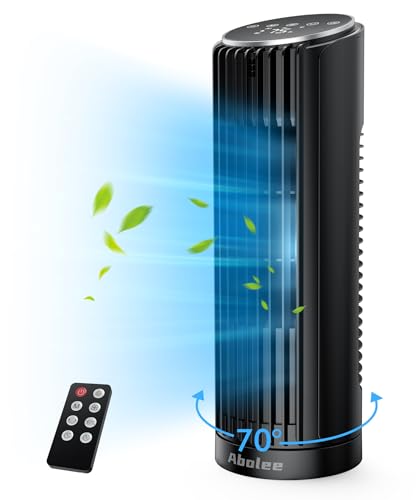
- LFR Score8.4
LFR Score is a ranking system developed by lightfansreviews.com. LFR Score has no relationship or impact from any manufacturers or sales agent websites. Learn more
- BrandAbolee
Last update on 2026-08-18 / Affiliate links / Images, Product Titles, and Product Highlights from Amazon Product Advertising API
Gaiatop Mini Portable USB Fan
Summer heat has a sneaky way of wrecking carefully applied makeup, turning a quiet commute sticky, or making a campsite tent feel like a zipped-up oven. Carrying a full-size fan obviously isn’t practical, while many pocket models trade useful airflow for a tiny frame and a cute shell. The Gaiatop Mini Portable USB Fan tries to dodge that compromise with three speeds, a rechargeable design, and enough flexibility to work in the hand or on a desk. It’s built for personal cooling, not for chilling a whole room, and that distinction shapes nearly every strength and limitation.
Gaiatop Mini Portable Fan
The first thing that stands out is the unusually compact body. At roughly 5.9 inches tall and weighing about 0.26 pounds, it won’t claim much room inside a purse, backpack, beach tote, or carry-on. That small footprint helps during crowded commutes and long outdoor events, where every extra ounce starts to feel annoying. Better yet, the included lanyard reduces the chance of dropping the fan while walking or juggling other gear.
Its pink finish and rounded silhouette lean more playful than utilitarian. Cute styling won’t improve airflow, of course, but it can make an everyday accessory feel less like a clunky appliance and more like something that belongs beside cosmetics, travel gear, or a colorful desk setup. The design is also protected by US Design Patent D964,544 S, according to the supplied product information. That patent doesn’t guarantee durability or cooling performance, though it does show that the exterior wasn’t treated as an afterthought.
Portability is only useful if the fan can be stored without becoming a nuisance. The flat, narrow body slips into smaller compartments more easily than round desk fans with wide guards, and the included base can remain at home when only handheld use is needed. Still, exposed fan grilles tend to gather lint and bag debris, so tossing it beside loose tissues or powder makeup isn’t wise. A small pouch would protect the blade area and keep the finish from picking up scratches.
Three Speeds With Noticeably Different Roles
The fan provides three selectable speeds controlled through a button on the body. The stated motor speeds are 3,500 rpm on low, 4,500 rpm on medium, and 7,500 rpm on high. Those numbers suggest a meaningful jump between the middle and highest settings rather than three nearly identical airflow levels. In daily use, that range should make the fan adaptable enough for gentle indoor airflow and stronger outdoor relief.
Low speed makes the most sense near the face, especially while applying mascara, skincare, or setting spray. Too much direct air can dry the eyes, blow loose powder around, or make contact lenses uncomfortable, so maximum force isn’t always the smart move. The gentler setting also suits quiet moments such as reading at a desk or waiting in a warm clinic lobby. It won’t feel dramatic, but subtle airflow can take the edge off without becoming distracting.
Medium speed is likely the everyday sweet spot. It offers more noticeable cooling for a warm office, kitchen counter, dorm room, or passenger seat without immediately jumping to the fan’s most aggressive setting. High speed, at a stated 7,500 rpm, is better reserved for humid outdoor conditions, post-workout heat, or a stuffy tent. The tradeoff is predictable: stronger airflow generally brings more motor sound and faster battery use.
No small handheld fan should be expected to cool several people or lower the surrounding temperature. It works by moving air across the skin, helping sweat evaporate and making heat feel more manageable. That’s a focused job, and the Gaiatop’s compact grille naturally limits its coverage area. Anyone expecting floor-fan reach will be disappointed, but for close-range cooling, the three-speed setup is sensibly matched to the fan’s size.
Rechargeable Power Without a Special Adapter
A rechargeable battery keeps the fan from depending on disposable cells. The supplied details list a full charging time of about 2.5 hours, with a charging cable included in the package. It can draw power from a USB adapter, computer, or another device equipped with a suitable USB port. That flexibility is handy on trips because there’s no proprietary charging brick to remember.
The fan can also operate continuously while connected to power. That feature matters more than it sounds, particularly at a desk where the battery may run low halfway through a long work session. Plugging it into a laptop or wall adapter lets it function like a small wired desk fan rather than forcing a charging break. The cable may limit placement, but uninterrupted airflow beats waiting for the battery to recover.
Battery runtime isn’t specified in the provided information, so it wouldn’t be fair to promise all-day use or assign an hourly estimate. Actual endurance will depend heavily on speed selection, battery age, charging habits, and whether the fan is used continuously. High speed will naturally demand more power than low. Keeping a power bank nearby offers a practical backup during camping, beach days, festivals, or travel delays.
USB charging has one small wrinkle: the available port may already be occupied by a phone, headphones, or another travel device. A multiport adapter can solve that at home, while a power bank with several outputs is more convenient on the road. Room-scale airflow follows a different set of rules, and ceiling fan sizing provides a separate reference for cooling a compact room rather than one person. The Gaiatop remains a personal airflow tool, not a substitute for permanent ventilation.
Handheld Freedom And Desktop Stability
The included base gives this compact fan a second identity. Set into the stand, it becomes a tiny desktop unit suitable for a vanity, bedside table, study nook, checkout counter, or cramped office station. That dual-use design stretches the value beyond occasional travel. A fan that can move from bag to desk without extra assembly is simply easier to use regularly.
Desktop performance depends on placement because the small frame won’t throw a broad wall of air. Sitting it within a comfortable arm’s reach should provide the most useful effect, while positioning it across a large table will weaken the sensation. The base also needs a level surface, and a hard desk may amplify vibration at higher speed. A thin mat can help soften any mechanical buzzing if the surface acts like a sounding board.
Handheld use is straightforward, but gripping any device for a long stretch can become tiring. At 118 grams, this model is light enough to reduce that strain, and the lanyard adds reassurance around pools, crowded sidewalks, or moving vehicles. The strap also lets the fan hang from a wrist or backpack loop between uses. That small detail improves real-world portability more than decorative extras would.
The base doesn’t appear to provide a tall stand or wide-angle oscillation, based on the supplied description. Airflow direction will therefore depend on how the fan is positioned and whether the base allows the desired angle. That’s fine for a fixed spot, but less convenient when two people are trying to share the breeze. The design favors individual comfort over broad circulation, which is exactly what its size suggests.
Practical Uses Beyond Beating Summer Heat
Makeup application is one of the clearest use cases. A light stream of air can help skincare layers feel less tacky and give setting products time to settle before the next step. Still, holding the fan too close may cause uneven drying or blow loose powder across the counter. Low or medium speed, placed a little farther away, offers more controlled vanity-side airflow.
Travel brings a different set of frustrations: hot boarding areas, delayed trains, crowded buses, and hotel rooms with weak ventilation. The compact frame makes the Gaiatop easier to pack than a conventional table fan, while USB charging fits naturally alongside common travel electronics. Its base can turn a nightstand into a personal cooling station after arrival. Just don’t expect it to mask loud neighbors or replace a hotel air conditioner.
Outdoor use suits the high-speed setting, particularly during camping, picnics, youth sports, or long lines under the sun. Wind in an open area can overpower a small fan, however, so performance will vary with the surroundings. It’s most effective in sheltered spots where the airflow isn’t fighting a strong cross-breeze. Dust, sand, and moisture also deserve caution because the provided details don’t claim water resistance or rugged weather protection.
The fan can be useful during short power interruptions when paired with its charged battery or a power bank. It won’t cool a bedroom, but direct airflow can make sitting, reading, or waiting more tolerable. Parents may also appreciate the lightweight construction around supervised activities, though spinning blades and charging cables still require ordinary care. Compact doesn’t mean indestructible, and the plastic housing should be protected from hard drops.
Strengths That Make Daily Use Easier
Small size is the main advantage, but it isn’t the only one. Three distinct speed settings let the fan adapt to different situations instead of delivering one fixed blast. Rechargeable operation reduces recurring battery purchases, and the included cable keeps charging uncomplicated. These features work together rather than feeling like unrelated additions.
The handheld-and-desktop arrangement is another genuine strength. Many travel fans excel in one position but become awkward in the other, while this model includes both a lanyard and a base. That means it can hang from the wrist during a walk, then sit beside a laptop later. The two-way setup makes the product easier to justify for anyone trying to pack fewer single-purpose gadgets.
Continuous operation while charging adds everyday reliability. A depleted battery doesn’t automatically end a work session, and a connected USB source can keep the blades moving as long as power remains available. That turns a portable accessory into a more dependable desk companion. It’s a modest feature on paper, but one that prevents a common rechargeable-device annoyance.
The visual design may also matter in spaces where bulky industrial-looking equipment feels out of place. The pink body fits naturally near beauty tools, pastel stationery, or colorful travel accessories without pretending to be invisible. Style remains subjective, and anyone who prefers neutral colors may see the same design as overly cute. Even so, the appearance gives this fan a distinct personality without interfering with its core cooling function.
Weaknesses And Sensible Expectations
Limited coverage is the unavoidable downside of such a small fan. It cools the person directly in front of it, not the room, nearby furniture, or a group around a table. Moving farther away will reduce the effect quickly. That limitation isn’t a defect, but buyers expecting broad circulation should consider a larger desktop or floor model.
The highest speed may be more noticeable in quiet surroundings. Brushless motors are often associated with smoother operation, yet the provided information doesn’t include a verified decibel level. Sound sensitivity varies widely, especially during sleep, recording, studying, or video meetings. Low speed will probably be the safer setting where background noise needs to stay unobtrusive.
The battery is convenient, but its unspecified runtime leaves an important question unanswered. Without a stated capacity or endurance range in the supplied details, planning for an entire outdoor day requires a backup charging source. Battery performance will also decline gradually with repeated charge cycles, as it does with rechargeable devices generally. A power bank helps manage that runtime uncertainty, though it adds another item to carry.
Cleaning may require patience if the grille isn’t designed for easy removal. Fine dust, hair, and cosmetic powder can collect around small fan blades and gradually reduce smooth airflow. A soft brush or gentle burst of air is safer than forcing tools through the openings. Regular care protects the motor area and keeps a cute portable fan from becoming a rattling pocket accessory.
Where The Gaiatop Fan Fits Best
The Gaiatop makes the most sense in places where space is tight and airflow only needs to reach one person. Desks crowded with monitors, narrow vanity tables, airplane trays, and packed travel bags all reward a smaller footprint. Its base and lanyard accommodate quick changes between stationary and handheld use. That flexibility supports routines that shift throughout the day.
It’s less convincing as a shared fan or a solution for persistent room heat. A larger fan will offer broader coverage, greater reach, and often more directional control, though it won’t slip into a pocket. The Gaiatop trades those capabilities for low weight and easy transport. Buyers who understand that bargain are less likely to be frustrated by its natural limits.
Three speed levels, USB charging, and operation while plugged in give the design enough substance to move beyond novelty status. The product information describes a fan made for quick personal relief rather than ambitious cooling claims. That honest role suits makeup sessions, travel days, outdoor waits, and close-range desk use. Its strongest appeal lies in convenience without bulk, provided expectations remain grounded.
The deciding question is simple: does the cooling problem stay within a few feet of the face? If so, the Gaiatop’s small body, included stand, wrist lanyard, and adjustable speeds address that problem directly. If the heat fills an entire room, this fan will only nibble at the discomfort. Used in the right setting, though, its focused airflow and portable build can make sticky moments noticeably easier to tolerate.
PlayHot Portable Handheld Turbo Fan
A crowded boarding line, a sun-baked beach chair, or a warm makeup station can turn a decent day into a sticky mess fast. Full-size fans don’t travel well, and many pocket models barely move enough air to justify the space they take up. The PlayHot Portable Handheld Turbo Fan takes a more forceful approach to the best fan with USB category, pairing a six-blade setup with five speeds, USB-C charging, and a folding body. Its strongest appeal lies in close-range cooling that feels deliberate rather than decorative, though its higher power and 190-gram weight bring a few practical tradeoffs.
PlayHot N607 Turbo Fan
The PlayHot N607 is built around a three-phase brushless motor and a six-blade fan design. According to the supplied specifications, the motor reaches up to 13,550 rpm and produces wind speeds as high as 10 meters per second. Those figures position it well above the gentle-breeze style common among tiny novelty fans. Numbers alone don’t tell the whole story, but they do show that this model was designed to prioritize concentrated airflow.
Its pink body keeps the industrial-sounding motor from making the fan look like a workshop tool. The shape feels more like a travel accessory, and the folding mechanism lets the fan shorten for storage or change position during use. At 190 grams, it’s still light enough for a purse or daypack, though it isn’t featherweight compared with simpler handheld models. That added mass likely comes from the motor, folding hardware, and rechargeable battery packed into the body.
The fan’s identity is clear: this isn’t meant to circulate air across an entire room. It focuses on personal cooling around the face, neck, or upper body, especially in places where larger equipment would be clumsy. A strong personal fan can make waiting outdoors or sitting in a warm vehicle less miserable without demanding much setup. Still, anyone hoping to cool several people at once will run into the natural limits of the compact grille.
Five Speeds Offer More Than A Token Adjustment
Five speed settings give the fan a broader operating range than the usual low, medium, and high arrangement. A lower setting can provide soft airflow near makeup, contact lenses, or paperwork without blowing everything around. Middle speeds make more sense during desk work, commuting, or sitting in a shaded outdoor area. The top setting is there for those muggy moments when subtle air movement simply won’t cut it.
That extra control matters because personal cooling isn’t a one-speed problem. Strong airflow feels welcome after walking through a parking lot under direct sun, yet the same force can become irritating when aimed at the face for half an hour. The five-speed range makes it easier to balance cooling, noise, and battery use from one situation to the next. It also prevents the awkward jump from barely noticeable airflow to full blast.
Maximum output reaches a stated 13,550 rpm, so the highest setting should be treated as a short-range boost rather than the default for every task. Stronger motor speeds usually create more audible airflow and draw more power, even with a brushless design. A quiet office or shared hotel room may call for one of the lower settings instead. The advantage isn’t merely having more power, but having enough steps to avoid using more than the moment requires.
Turbo Airflow Suits Hot And Crowded Situations
The six-blade layout is intended to create a focused stream rather than a wide, lazy breeze. That distinction helps in crowded spaces where the fan needs to work close to the body, such as a cruise terminal, stadium line, outdoor market, or packed train platform. The supplied maximum wind speed of 10 meters per second suggests a more assertive cooling sensation at close range. Even so, wind from the surrounding environment can overpower a handheld fan outdoors.
Heat relief comes from moving air across the skin, not from lowering the surrounding temperature. The PlayHot can help sweat evaporate faster and reduce that heavy, stagnant feeling around the face and neck. It can’t cool a cabin, bedroom, or patio the way a larger fan can. That realistic boundary keeps the best fan with USB label tied to personal comfort rather than inflated room-cooling promises.
High airflow also has small consequences that deserve attention. Loose hair can get pulled toward the grille, paper receipts may flutter away, and cosmetic powder can scatter if the fan sits too close. A little distance solves most of those issues while preserving the cooling effect. The turbo setting makes the most sense during heat spikes, while lower levels are easier to live with for extended use.
USB-C Charging Fits Modern Travel Routines
USB-C charging is one of the more practical parts of the design. The fan can be powered from common sources such as a laptop, power bank, car charger, or compatible wall adapter. That cuts down on the need for a dedicated charging brick and lets the fan share equipment already packed for a phone or tablet. For travel, USB-C compatibility is far easier to manage than a rare proprietary cable.
The product description states a runtime of up to 12 hours, though actual use will depend on the selected speed and charging conditions. Lower settings should stretch the battery farther than maximum turbo output. Long outdoor days will still reward sensible power management, especially if phone charging competes for the same power bank. A spare cable or multiport charger can keep the setup from turning into a tiny electrical traffic jam.
Portable charging matters most when cooling is needed away from a wall outlet. A power bank can keep the fan useful through a beach afternoon, roadside stop, sports event, or extended sightseeing day. The supplied details don’t state battery capacity or charging time, so it wouldn’t be responsible to guess at either. The clear benefit is charging flexibility, not a promise that every speed will last from sunrise to bedtime.
The Folding Body Adds Real Placement Options
A 180-degree folding design gives the PlayHot more flexibility than a straight handheld body. Folded into a compact shape, it takes up less awkward space in a tote or carry-on. Adjusted at an angle, it can direct air toward the face while resting on a flat surface. That means the fan can shift between hand use and tabletop cooling without requiring a separate stand.
Desk placement won’t feel identical to using a full-size desktop fan. The smaller footprint can wobble if the surface is uneven, and higher speeds may transmit some vibration through a hollow table. A stable, flat spot helps the folding base stay planted. Positioning it close by also matters, since concentrated airflow loses impact as the distance increases.
The folding hinge introduces a moving part, and moving parts always deserve a bit of care. Repeatedly snapping it open or forcing it past its intended angle could shorten its useful life. Gentle adjustment is the safer habit, particularly when the fan is tossed into a crowded bag. The hinge earns its keep by improving storage and aiming, but it shouldn’t be treated like a toy joint.
Comfort On The Move Without Bulky Gear
The included anti-loss lanyard makes sense for a product designed around movement. It can keep the fan attached to a wrist or bag while walking through airports, outdoor venues, or busy sidewalks. That reduces the chance of dropping it while carrying a phone, drink, ticket, or beach gear. The lanyard system is simple, yet it solves a very real problem with handheld accessories.
At 190 grams, the fan should remain manageable for short handheld sessions, but holding anything for hours can become tiring. The folding body helps by allowing the unit to rest on a table between bursts of mobile use. Travelers can cool down while standing, then set it beside a seat once they stop moving. That mix of handheld and tabletop use is more practical than forcing one grip position all day.
Its compact frame also suits makeup bags, desk drawers, cruise cabins, backpacks, and vehicle consoles. Pocket storage may be possible depending on clothing, though the 190-gram weight could feel bulky in thin fabric. A zippered bag compartment offers better protection for the grille and hinge. The fan travels best when treated like a small electronic device rather than something loose beside keys and coins.
Everyday Uses Beyond Summer Vacations
Travel gets most of the attention, but the fan has quieter uses at home and work. A warm desk corner, crowded kitchen counter, or stuffy bathroom mirror can all benefit from focused airflow. Lower speeds may help skincare or setting spray dry without creating the chaos of a full turbo blast. The folding angle also makes it easier to aim the fan while both hands stay occupied.
Outdoor events are another natural fit, especially where shade is limited and seating remains fixed for long stretches. The strongest setting can provide quick relief after walking, while a lower setting may be more comfortable once the body cools down. Open air, dust, and wind will affect the experience, of course. The supplied description doesn’t mention water resistance, so rain, splashes, and wet sand should be avoided.
Kitchen heat creates a different problem because steam and cooking odors need room-scale ventilation, not just air pointed at one person. A separate reference on that broader issue appears in kitchen extractor fans, while the PlayHot remains focused on personal relief near a prep area or dining spot. It won’t remove moisture or grease from the room. That difference keeps expectations sensible and prevents a portable fan from being judged against equipment built for ventilation.
Strong Points That Stand Out
Airflow range is the clearest strength. Five settings offer more control than basic three-speed models, and the stated top speed gives the fan enough muscle for genuinely hot conditions. A user can move from a mild breeze to a concentrated burst without switching devices. That versatility makes the fan easier to use across quiet indoor routines and demanding outdoor heat.
The second strength is its three-in-one practicality. It functions in the hand, rests on a surface through its folding body, and travels with a lanyard for added security. None of those features is flashy by itself, but together they reduce friction during daily use. A product that adapts easily tends to get used more often than one that works only in a narrow setup.
USB-C charging rounds out the package with modern convenience. Power banks, laptops, car chargers, and common adapters provide several ways to keep it running. That matters during long trips where wall outlets may be scarce or shared. The up-to-12-hour runtime claim adds appeal, though the highest setting shouldn’t be expected to match the maximum duration.
Tradeoffs Worth Knowing Before Buying
Motor noise may become noticeable at the upper speeds. A fan spinning at a stated 13,550 rpm will move serious air for its size, but it can’t do so in complete silence. Quiet reading, recording, or sleeping may call for a lower setting. Anyone sensitive to airflow noise should value the five-speed control rather than assuming turbo mode will suit every environment.
The 190-gram body is portable, though it’s heavier than bare-bones pocket fans. That weight can feel reassuring on a desk, yet it may become more obvious during long handheld use. The folding design partly offsets the issue by allowing frequent tabletop breaks. Its compactness should be understood as easy bag storage, not necessarily weightless carrying.
Runtime uncertainty at maximum speed is another practical consideration. The product is described as lasting up to 12 hours, but no speed-specific battery chart is included in the supplied details. Turbo use will almost certainly shorten that figure compared with gentler settings. Carrying a power bank is sensible for all-day travel rather than relying on the highest runtime claim under every condition.
Who Will Get The Most From Its Design
The PlayHot fits routines where heat follows from place to place. Commutes, beach trips, cruise excursions, outdoor sports, makeup sessions, and warm workspaces all benefit from a fan that can switch positions quickly. The best fan with USB for those situations needs to be easy to charge, strong enough to feel, and small enough to carry without planning around it. This model addresses those needs with more power than the average cute travel fan.
People seeking silent bedside airflow or broad room circulation may prefer a larger, slower fan with a wider grille. The PlayHot’s narrow stream and high-speed motor favor direct relief over gentle ambient movement. That’s neither a flaw nor a universal advantage. It’s a design choice that works best when the heat problem stays close to the body.
The fan’s real value comes from how its features overlap. Five speeds support different comfort levels, the folding hinge supports different positions, and USB-C charging supports different locations. Add the lanyard, and the product becomes easier to carry through a day that doesn’t stay put. Used within its limits, the PlayHot N607 offers strong personal airflow without dragging along a bulky cooling setup.
TriPole USB-Powered Mini Desk Fan
A warm desk can become irritating long before the rest of the room feels uncomfortable. Laptop heat, direct sunlight, and weak air circulation often create a stuffy pocket around the face and hands, yet a large floor fan takes up too much space and may disturb everyone nearby. The TriPole USB-Powered Mini Desk Fan approaches the best fan with USB category with a compact 4.5-inch frame, three airflow settings, and a head that rotates through 360 degrees. It favors steady, close-range comfort over room-wide cooling, which makes its strengths practical rather than flashy.
TriPole Mini USB Desk Fan
The TriPole keeps its footprint small enough for a crowded workstation, narrow nightstand, dorm shelf, or hotel desk. Its fan diameter measures 4.5 inches, so it won’t crowd out a keyboard, lamp, phone stand, or stack of notebooks. That size also makes it easy to place inside a travel bag without treating the fan like a separate piece of luggage. Compact gear only earns its keep when it stays useful after the novelty wears off, and this design focuses on everyday placement rather than decorative extras.
A black finish gives the fan a low-key appearance that blends with office equipment and bedroom electronics. It doesn’t call attention to itself, which can be a plus in shared workspaces where brightly colored accessories feel out of place. The housing surrounds a traditional circular grille, keeping the design familiar and straightforward. There’s no complicated control panel either, just a button on the back for managing the three speed settings.
The fan is powered directly through USB rather than relying on an internal rechargeable battery. That arrangement removes charging downtime and battery aging from the equation, but it also means the fan must stay connected while running. For desks, bedside tables, and hotel rooms, that’s rarely a major obstacle. For walking, outdoor lines, or handheld use, however, a battery-powered model would be a better fit than this plug-in desktop design.
Three Speeds Keep Personal Cooling Flexible
Three airflow modes give the TriPole enough range for common indoor situations. Low speed can provide a mild stream during reading, paperwork, or video meetings, while medium offers a more noticeable breeze during warmer afternoons. High speed is better suited to stuffy rooms, makeup routines, or the burst of heat that builds around electronics. The adjustable airflow keeps the fan from being stuck at one volume and one intensity.
The rear button keeps operation simple, though reaching behind the fan may feel less convenient than using a front-mounted control. On a small desk, that’s usually a minor issue because the unit remains within arm’s reach. The single-button layout also means there are fewer switches and dials taking up space. Simple controls suit a fan meant to be plugged in, aimed, and left alone rather than adjusted every few minutes.
High speed requires adequate power from the connected USB source. The supplied details state that the fan needs 0.8 amps during operation and recommend testing it with a 5V/1A charger if the third speed doesn’t work correctly. That note is useful because older laptop ports, weak hubs, or low-output adapters may not provide enough current. A fan that seems faulty may simply be connected to an underpowered source.
The three-speed arrangement also helps balance cooling against sound. Stronger airflow naturally produces more motor and air noise, while the lower setting should feel less noticeable during quiet work or nighttime use. No verified decibel level is provided, so it wouldn’t be honest to label the fan silent. The more realistic expectation is manageable personal airflow with noise that varies by speed, surface, and power source.
A Stable Base Helps Control Vibration
Small desk fans often struggle with vibration because their lightweight bodies react to the motor’s movement. TriPole addresses that problem with a wide base designed to keep the fan steady on a flat surface. Four silicone pads underneath add grip while separating the plastic base from the desk. That combination can reduce sliding, buzzing, and the hollow drumming sound that sometimes occurs on thin tabletops.
The silicone pads matter most on smooth furniture such as laminated desks, glass tables, and polished nightstands. Without grip, a compact fan can slowly shift position as it runs, especially on the highest setting. A steadier base keeps the airflow pointed where it belongs instead of wandering sideways. It also lowers the chance of the fan tipping after a light bump from a hand, charging cable, or notebook.
Surface quality still plays a role. An uneven shelf, soft mattress, or cluttered stack of papers won’t provide the same support as a solid desk. The fan should sit on a flat area with enough space around the intake so it can pull air freely. Blocking the rear of the housing can reduce airflow efficiency and force the motor to work harder than necessary.
The 360-Degree Head Solves Awkward Placement
The fan head rotates vertically through 360 degrees, allowing airflow to be directed upward, downward, or straight ahead. That flexibility is especially useful on desks where the only open spot may sit below face level or off to one side. Rather than stacking the fan on books or leaning it against another object, the angle can be adjusted within the frame. Better aiming often matters more than adding another speed setting.
A downward angle can move air across a laptop keyboard or hands, while a slightly raised position directs the breeze toward the face. On a nightstand, the fan can sit below mattress height and still reach the pillow area. The rotating head also allows quick changes between seated and standing tasks. This directional control gives the small grille more practical reach without making the housing larger.
The rotation is up and down rather than powered oscillation from side to side. That means the fan won’t sweep air across a room or alternate between two people automatically. It stays focused wherever it’s pointed, which works well for personal cooling but limits shared use. The distinction is worth keeping in mind because a rotating frame and an oscillating motor solve different problems.
Room-scale circulation follows another set of sizing decisions, and a useful reference for broader bedroom airflow appears in bedroom ceiling fan sizing. The TriPole is built for a much smaller zone around a desk, bed, or chair. It won’t replace overhead circulation, but it can handle warm spots that a ceiling fan doesn’t reach evenly. That focused role is where the adjustable head makes the biggest difference.
The Long USB Cable Adds Placement Freedom
A 4.9-foot cable gives the TriPole more placement flexibility than short-cord desk fans. The extra reach can bridge the gap between a wall adapter and a nightstand, or between a desktop tower and the far side of a workstation. It also reduces the need to position the fan directly beside a laptop just because that’s where the available port happens to be. Cable length isn’t glamorous, but short cables cause daily annoyance fast.
The fan uses a standard 5V USB-A connection, allowing it to draw power from compatible chargers, computers, power banks, and other USB sources. That setup is convenient during overseas travel because the fan itself doesn’t depend on local outlet voltage. A suitable USB adapter still needs to match the destination’s wall socket, of course. Once that part is handled, the fan continues operating from the same familiar 5V supply.
A power bank can turn this corded desk fan into a semi-portable setup for picnic tables, balconies, campsites, or power interruptions. It still won’t behave like a handheld fan because the cable and base remain part of the arrangement. Yet for stationary outdoor seating, the combination can provide useful airflow without a wall outlet. The key requirement is a power source capable of supplying enough current for the chosen speed.
Cable management deserves a little thought on compact desks. Nearly five feet of cord can create clutter if the USB port sits only a few inches away. A reusable cable tie keeps the extra length under control without bending the wire sharply. Good cord handling protects the USB connection and prevents the cable from dragging against papers, drinks, or other electronics.
Detachable Cover Makes Dust Less Troublesome
Fan blades collect dust quickly, especially near open windows, bedding, carpeting, or busy computer stations. The TriPole includes a detachable front cover, making the grille and blades more accessible for routine cleaning. That feature can preserve smoother airflow and prevent gray dust from building up around the edges. Many tiny fans use fixed covers, so removable access is a meaningful maintenance advantage.
Regular cleaning also helps reduce rattling caused by uneven dust accumulation on the blades. A soft brush or dry cloth is usually better than aggressive scrubbing around small plastic components. The fan should be unplugged before the cover is removed or the blades are touched. Moisture should stay away from the motor housing and USB connection unless the manufacturer specifically states otherwise.
The detachable cover needs to be reinstalled securely after cleaning. A loose grille may vibrate, buzz, or create an unwanted gap near the spinning blades. Taking a few extra seconds to align the cover correctly keeps the fan safer and quieter. This kind of easy maintenance can extend the useful life of a small appliance that might otherwise be ignored until airflow drops.
Desk And Bedside Use Feel Most Natural
The TriPole makes the most sense beside a computer, where localized heat can build around monitors, chargers, and closed office spaces. Its small base leaves room for work essentials, while the adjustable head points air around a screen or laptop lid. Low speed may be enough during focused tasks, with higher settings reserved for afternoon heat. The steady USB power means there’s no battery indicator to watch during a long workday.
Nightstand use highlights a different set of strengths. The wide base and silicone pads help keep the fan steady, and the rotating head can aim upward from a low table. A 4.9-foot cord may reach an adapter behind furniture more easily than a short lead. Still, sleepers sensitive to motor noise should expect the lowest speed to be more suitable than full power.
Travel use works best in hotel rooms, cruise cabins, guest bedrooms, and other places where the fan can remain on a surface. Its 4.5-inch diameter packs more easily than a conventional table fan, and USB power avoids dependence on a single type of wall outlet. The tradeoff is obvious: without an internal battery, cooling stops when the cable is disconnected. This is portable in size, not cordless in operation.
Strengths That Hold Up In Daily Use
Compact dimensions rank among the TriPole’s clearest advantages. The fan fits areas where a larger model would block the view, crowd a nightstand, or interfere with work materials. It can stay within easy reach without dominating the surface. That restraint makes it practical for small apartments, dorm rooms, temporary workstations, and travel accommodations.
The 360-degree vertical rotation adds value without adding electronic complexity. A fixed-angle fan often forces awkward placement, while this model can direct the breeze around obstacles. The adjustment also helps compensate for its small grille by concentrating airflow where it matters. Precise positioning makes close-range cooling feel stronger than careless placement would suggest.
The stable base, silicone pads, detachable cover, and long cord address small frustrations that cheap desk fans often overlook. None of these features sounds dramatic by itself, yet together they improve setup, noise control, cleaning, and placement. That practical combination gives the fan a more thoughtful feel. Its design is less about showing off and more about avoiding the annoyances that lead people to stop using compact fans.
Limitations That Shouldn’t Be Overlooked
No internal battery is the largest limitation for anyone expecting handheld freedom. The fan needs a continuous USB connection, so walking around with it or using it far from a power source will be awkward. A power bank helps, but the cable still remains attached. Those wanting a fan for lines, festivals, or walking tours should lean toward a rechargeable handheld design instead.
The 4.5-inch grille also limits the size of the cooling zone. Airflow is intended for one nearby person, not an entire bedroom or office. Even at the highest setting, distance will weaken the effect quickly. A larger fan will provide broader circulation, while the TriPole trades coverage for space-saving convenience.
USB power quality can affect performance, particularly at the third speed. A weak adapter or overloaded hub may supply enough energy for low speed but fail under the fan’s higher current demand. The supplied recommendation of a 5V/1A source gives a sensible troubleshooting baseline. Using the right charger prevents an avoidable power issue from being mistaken for a faulty motor.
The fan also lacks automatic oscillation, rechargeable operation, and stated timer controls. Those omissions keep the design simple, though they reduce flexibility for shared rooms and unattended nighttime use. Its appeal rests on direct airflow, reliable plugged-in operation, and easy angle adjustment. Used for that specific job, the TriPole USB desk fan offers a sensible balance of size, stability, and control without pretending to cool more space than its frame can handle.
TriPole Dual USB Mini Desk Fan Set
One warm corner can ruin an otherwise comfortable room, especially when a laptop, bedside lamp, or sunny window keeps dumping heat into the same small area. A single compact fan may solve that problem at one desk, but it still leaves another workstation, nightstand, or travel bag without airflow. The TriPole Dual USB Mini Desk Fan Set tackles the best fan with USB question with two matching 4.5-inch fans, each offering three speeds, 360-degree vertical adjustment, and steady USB power. The pair favors practical coverage in two separate spots rather than trying to push air across an entire room.
TriPole Two-Pack USB Desk Fans
The two-pack format changes how this product fits into daily routines. One fan can stay beside a computer while the second sits on a nightstand, vanity, kitchen counter, or guest-room table. That split arrangement avoids carrying the same unit back and forth whenever the warm spot changes. Two independent fans also make more sense than one larger model when airflow is needed in separate corners.
Each fan has a stated diameter of 4.5 inches, keeping the footprint compact enough for crowded surfaces. A full keyboard, coffee mug, charger, notebook, and phone stand can already make a desk feel cramped, so a small base matters. The black finish blends easily with common electronics and office furniture without becoming the visual center of the setup. Size is the real selling point here, not decorative styling.
Portability comes from the compact frame rather than cordless operation. These fans can slip into a suitcase or work bag more easily than conventional table fans, but each one must remain connected to a USB power source while running. That makes them suitable for hotels, offices, cruise cabins, and temporary workspaces where outlets or power banks are nearby. They aren’t designed for walking through a park or holding in line at an outdoor event.
Three Speeds Keep The Airflow Easy To Control
Each fan provides three adjustable speed settings, giving the pair enough flexibility for different temperatures and noise preferences. Low speed suits quiet reading, light desk work, or sleeping nearby, while medium delivers a more noticeable breeze without immediately jumping to full output. High speed makes more sense during hot afternoons or in rooms where air feels stale around electronics. The range is simple, but it covers the situations most people actually face.
The control button sits on the back of each fan. That position keeps the front clean and uncluttered, though it does require reaching behind the housing to change speeds. On a nearby desk or nightstand, the movement is hardly a deal breaker. The single-button operation also avoids complicated controls that would feel unnecessary on such a small fan.
Three speeds become more useful in a two-fan setup because the fans don’t have to run identically. One can stay on low beside a bed while the other runs on high near a warm laptop. That kind of independent control helps avoid wasted airflow and extra noise. It also lets each spot keep its own comfort level without forcing a shared setting.
No small 4.5-inch fan should be expected to cool a full bedroom or office. These units move air across a narrow personal zone, helping warm skin feel more comfortable without reducing the actual room temperature. Their value comes from placing airflow close to the problem. A fan two feet away will feel far more effective than the same fan sitting across the room.
The Wide Base Helps Each Fan Stay Put
Compact fans can become annoying when motor vibration makes them creep across a smooth desk. TriPole uses a wide base to give each unit a steadier stance, along with four silicone pads underneath. Those pads add grip and help separate the hard plastic housing from the surface below. That combination can reduce sliding, buzzing, and the faint rattling that thin desks sometimes amplify.
The stable base is especially useful on polished nightstands, glass tables, and laminated office furniture. A light bump from a cable or notebook is less likely to knock the fan sideways if the base maintains good contact. Stability also keeps the airflow pointed at the intended area rather than drifting off-angle during use. Small details like this often decide whether a desk fan feels dependable or disposable.
Surface choice still matters, of course. A soft mattress, uneven shelf, or pile of papers won’t support the fan as well as a flat table. Placing the unit on a solid surface with open space behind the grille allows the motor to pull in air more freely. The rear intake shouldn’t be pressed against a wall, curtain, or stack of books.
Full Vertical Rotation Fixes Awkward Angles
Each fan head rotates 360 degrees vertically, which gives the small housing far more placement freedom. A fan sitting below face level can tilt upward, while one placed on a shelf can angle downward toward a chair or bed. That range removes the need to prop the unit on books or wedge something beneath the base. Better aiming often creates more useful cooling than raw power alone.
Desk layouts rarely cooperate. Monitors block airflow, laptop screens rise above the fan, and open space may only exist off to one side. The rotating head helps direct air around those obstacles without moving the entire base. This adjustable angle is especially handy in compact work areas where every inch already has a job.
Vertical rotation is not the same as automatic oscillation. The fans won’t sweep side to side or share airflow across a wide seating area without manual repositioning. They stay focused wherever they’re aimed, which suits one-person use but limits room coverage. That fixed direction makes the pair better for separate personal zones than for cooling a group.
Broader airflow calls for a larger fixture and a different set of design priorities, and a related reference appears in living room ceiling fans. The TriPole pair operates on a much smaller scale around desks, beds, and travel tables. It won’t circulate air across a living room, yet it can relieve warm pockets that overhead airflow doesn’t reach evenly. The precision of the angle is what makes its compact size useful.
Long USB Cables Make Placement Less Fussy
Each fan includes a stated 4.9-foot power cable, giving more freedom than a short lead that keeps the fan chained beside a laptop. That length can reach from a wall charger behind a nightstand or from a desktop tower under the table. It also helps when available USB ports sit on the wrong side of the workspace. Cord length sounds boring until a fan won’t reach the place where the air is needed.
The fans use 5V USB-A connections, so they can draw power from compatible wall chargers, computers, power banks, and other USB sources. This setup is convenient while traveling because the fans themselves don’t depend on local wall voltage. A suitable adapter still has to fit the regional outlet, but the fan continues running from the same familiar USB standard. That simplifies packing for hotel stays and overseas trips.
Running both fans at once requires two available USB ports or a charger with multiple outputs. A laptop with limited ports may already be handling a mouse, keyboard, storage drive, or phone cable. A multiport adapter or power bank can solve that without constantly unplugging other devices. The two-fan arrangement is most convenient when the power setup is planned rather than improvised.
Long cords can also create clutter if the USB source sits only a few inches away. Loose cable loops may snag papers, drag across a drink, or crowd an already busy nightstand. Reusable cable ties keep the extra length controlled without sharply bending the wire. Thoughtful cord management helps protect the USB connection and keeps both fans easier to reposition.
Detachable Covers Make Cleaning Less Of A Chore
Dust collects quickly on small fan blades, particularly near bedding, carpeting, open windows, or computer equipment. Each TriPole fan includes a detachable front cover, allowing better access to the grille and blade area. That makes routine cleaning less awkward than trying to push a brush through fixed openings. Cleaner blades can maintain smoother airflow and reduce the chance of uneven vibration.
The fans should be unplugged before either cover is removed. A soft brush, dry cloth, or gentle burst of air is safer than forcing tools between the blades. Moisture should stay away from the motor housing and USB components unless the manufacturer provides separate cleaning guidance. Simple care goes a long way with compact appliances that run close to dust-producing surfaces.
Reattaching the cover correctly matters just as much as removing it. A loose grille may buzz against the housing or leave an unsafe gap near the spinning blades. Taking a moment to align the cover protects both airflow and noise control. The serviceable front design is a modest feature, but it can keep the pair useful longer.
Two Separate Cooling Zones Add Practical Value
The strongest argument for buying the set is the ability to cool two locations at once. One fan can stay in a home office while the other remains beside the bed, eliminating the daily habit of carrying a fan between rooms. In a shared workspace, each person can aim a separate stream without arguing over direction. That flexibility gives the two-pack a clear advantage over a single fan with similar specifications.
Travel adds another useful angle. Two compact fans can serve separate hotel beds, two sides of a cruise cabin, or a desk and sleeping area without taking much luggage space. The USB design also lets each fan connect to a different power source if outlets are limited. Still, packing two units means managing two cords and enough charging capacity for both.
Separate fans are also helpful in spaces with uneven heat. A sunny window might warm one side of a room while a desktop computer heats another. Placing one unit near each trouble spot can feel more effective than pointing a larger fan from the middle and hoping the air reaches both. The distributed airflow is narrow, but it lands where it’s actually needed.
Where The Pair Fits Naturally
Office desks are an obvious match because the compact base leaves room for daily equipment. One fan can sit near a monitor while the second handles a neighboring workstation or home office setup. The 360-degree head helps work around screens, shelves, and laptop lids. Continuous USB power also means there’s no battery level to monitor through a long day.
Bedrooms benefit from the same compact design, especially where nightstands are already crowded. The silicone pads help reduce vibration against hard furniture, and the long cable can reach chargers behind the bed. Lower speed will usually make more sense for sleep than full output. Noise sensitivity varies, so the safest expectation is quieter operation on low, not complete silence.
The pair also works in dorm rooms, craft areas, makeup stations, guest rooms, and RV interiors. Each space rewards equipment that can be tucked into a corner and aimed precisely. A power bank can support temporary use on a patio or picnic table, though the fans remain wired during operation. Their portability is based on small size and easy packing, not cordless mobility.
Strengths That Make The Set Easy To Live With
Compact size is the first clear strength. Two 4.5-inch fans can cover separate personal zones without claiming the surface area of two standard table fans. That matters in small apartments, shared offices, and travel accommodations where every inch counts. The black finish also keeps the pair visually understated.
The next strength is placement control. A 360-degree rotating head, wide base, and nearly five-foot cable work together to reduce awkward setups. The fan can sit lower, farther away from the power source, or at a sharper angle without makeshift supports. Those practical adjustments improve the daily experience more than ornamental features would.
Maintenance is another bright spot. Detachable covers make the blade area easier to clean, while silicone pads help reduce surface vibration. USB power removes the need to replace disposable batteries or wait for an internal battery to recharge. The pair is straightforward, and that simplicity can be an advantage when reliability matters more than a long feature list.
Tradeoffs That Deserve A Clear Look
Corded operation is the biggest limitation. Both fans need continuous USB power, so they’re awkward for walking, commuting, or standing in outdoor lines. A power bank makes stationary use more flexible, but the cable still remains attached. Rechargeable handheld fans are better suited to movement-heavy situations.
The cooling area is also narrow. Each fan is designed for one nearby person rather than an entire bedroom, office, or living area. Moving the unit farther away will weaken the breeze quickly. The TriPole set trades broad coverage for focused personal airflow and a much smaller footprint.
Two fans also mean two power connections, two cords, and twice the cleaning. That isn’t difficult, but it does add a little setup compared with running one larger fan. Shared chargers need enough available ports, and cable clutter can build up on small desks. The set makes the most sense where two distinct cooling spots justify the extra hardware.
Automatic oscillation, rechargeable batteries, and timers aren’t listed in the supplied details. Those missing features keep the design simple, though they reduce flexibility for hands-off room circulation. The TriPole two-pack succeeds by staying focused on stable desktop airflow, adjustable angles, and easy USB power. It won’t replace a larger fan, but it can make two stubborn warm spots far easier to tolerate.
Gaiatop USB Desk Fan
A crowded workstation can trap heat in the exact spot where concentration matters most. Monitors, chargers, desk lamps, and afternoon sunlight often create a warm pocket around the face and hands even when the rest of the room feels manageable. The Gaiatop USB Desk Fan enters the best fan with USB category with a compact 5.5-inch frame, three measured airflow levels, and a tilting head designed for close-range relief. It doesn’t pretend to cool an entire room, but it addresses the smaller, more stubborn discomfort that tends to follow people through work, study, and travel.
Gaiatop 5.5-Inch USB Fan
The Gaiatop keeps its design simple enough to fit beside a laptop, alarm clock, stack of books, or makeup organizer. Its stated dimensions are 5.5 by 5.9 by 2.2 inches, and the fan weighs about 6.5 ounces. That compact profile makes it easier to carry in a backpack or suitcase without sacrificing a large chunk of storage space. Small size is useful here because the fan is meant to stay close, not sit across the room and throw air over furniture.
The black housing has a practical, neutral look that blends with office equipment and bedroom electronics. Nothing about the exterior demands attention, which suits a device likely to remain on a desk for hours at a time. The circular grille protects the blade area while preserving a familiar tabletop shape. It feels more like a small appliance than a novelty gadget, and that distinction matters for regular use.
This model relies on continuous USB power rather than an internal rechargeable battery. That choice removes charging cycles, battery aging, and the worry of running out of power halfway through a work session. The tradeoff is obvious: the fan must remain connected while operating. For desks, libraries, dorm rooms, hotel tables, and bedside use, that corded arrangement is often more dependable than battery power.
Three Speeds Cover Different Cooling Needs
The fan provides three clearly defined airflow settings instead of three vague labels. Speed one produces a stated 3.1 meters per second at 1,500 rpm, creating a softer breeze for reading, sleep, or close facial cooling. Speed two increases output to 4.0 meters per second at 2,000 rpm. Speed three reaches 4.8 meters per second at 2,500 rpm for hotter conditions or greater distance.
Those figures help explain how each setting fits daily use. Low speed works best when the fan sits close to the face and strong airflow would feel distracting. Medium makes sense beside a laptop during a warm afternoon, while high is better after a commute, workout, or walk through humid weather. The three-step progression gives enough control without turning a basic cooling device into a button-heavy chore.
Higher airflow also changes the way the fan interacts with nearby objects. Loose receipts, sticky notes, lightweight papers, and cosmetic powder may shift if the fan is placed too close on maximum speed. Moving it a little farther away or choosing the middle setting keeps the breeze useful without creating desk clutter. The strongest mode is valuable, but it doesn’t need to run constantly to justify its presence.
A 5.5-inch fan still has a narrow cooling field, regardless of speed. It moves air through a focused zone around one person rather than circulating the entire room. That limitation is part of the design, not a hidden flaw. The best fan with USB for this use case should cool efficiently at close range, and the Gaiatop’s measured speed options support that role.
Quiet Operation Suits Work And Rest
The supplied description emphasizes an upgraded motor designed to produce stronger airflow with less noise. No verified decibel figure is included, so calling the fan silent would stretch the available information. Still, the combination of a compact motor and three adjustable speeds gives users some control over the sound level. Low speed should naturally create less audible airflow than the 2,500 rpm setting.
Quiet operation matters most during focused tasks. A loud motor can become irritating during writing, video calls, reading, or detailed computer work, especially when the fan sits within arm’s reach. The Gaiatop aims to provide steady personal airflow without dominating the room. That balance is more useful than raw power alone in an office or library setting.
Bedroom use brings another set of expectations. Light sleepers may prefer the first speed, while people who enjoy soft background noise may feel comfortable with the middle setting. Surface vibration can also affect perceived sound, so a solid nightstand will usually perform better than a hollow or uneven shelf. The fan’s rubber pads help with that issue by reducing direct vibration against the furniture.
The 90-Degree Tilt Improves Placement
The fan head can tilt through 90 degrees, allowing airflow to move upward or downward rather than remaining fixed straight ahead. That range is useful when the available surface sits below face level, as many nightstands and compact desks do. It also helps direct air over a laptop screen or around a stack of books. Better aiming can make a small fan feel far more effective.
Desk layouts are rarely convenient. Monitors block airflow, shelves limit height, and power outlets often force equipment into awkward corners. The tilting frame lets the fan adapt without requiring a pile of books underneath it. This directional flexibility matters more in real use than decorative features that look good but solve nothing.
The adjustment is manual, not automatic oscillation. The fan won’t sweep from side to side or divide airflow between multiple people unless someone repositions it. That makes it better suited to one focused cooling zone than a shared seating area. Users who need broad circulation should view the Gaiatop as a supplemental fan rather than a room-wide solution.
Larger rooms and decorative fixtures involve a different scale of airflow, and a related reference appears in unique ceiling fans with lights. The Gaiatop stays firmly in the personal-cooling lane, serving desks, bedsides, and travel tables. Its strength comes from aiming air precisely where overhead circulation may feel weak. That focused adjustment keeps the compact fan useful despite its modest size.
USB Power Keeps The Setup Flexible
The fan can connect to a PC, laptop, power bank, AC adapter, car charger, or another USB-enabled source. That broad compatibility makes it easy to move between home, office, vehicle, and travel settings without changing the fan itself. A user only needs an available USB port or suitable adapter. The plug-and-run design avoids waiting for an internal battery to recharge.
USB power is also helpful during international travel. The fan operates from a compatible low-voltage USB source, so the main concern becomes the wall adapter rather than the fan’s electrical design. A travel adapter that supports the destination’s outlet can power the same USB charger used for other electronics. That keeps the setup familiar and reduces the need for specialized equipment.
A power bank adds another layer of portability. The fan can run on a picnic table, balcony, campsite, or during a temporary power interruption as long as the bank provides an appropriate USB output. It still won’t behave like a handheld fan because the base and cable remain part of the setup. Even so, portable USB power gives the unit more freedom than a conventional wall-only desk fan.
The Long Cord Solves A Common Annoyance
The supplied 4.9-foot cord gives the fan useful reach between the cooling spot and the nearest USB source. Short cables often force a desk fan to sit beside a laptop port rather than where the airflow is actually needed. Extra length helps bridge the gap from a wall adapter behind furniture or a desktop tower under a table. That simple detail improves everyday placement more than it first appears.
Bedside use benefits from the longer cord because outlets often sit behind the headboard or below the nightstand. The fan can stay within reach while the cable runs to a charger farther away. In an office, the same length allows the unit to sit on the opposite side of a monitor or keyboard. The extended cable reduces awkward compromises around furniture and equipment.
More cord also means more clutter when the power source sits nearby. Loose loops can catch on papers, drag across a drink, or bunch behind a laptop. A small cable tie keeps unused length controlled without putting sharp bends near the connector. Good cable management protects the wire and keeps a compact workspace from feeling messier.
Rubber Pads Help Keep The Fan Stable
The base includes four rubber pads intended to reduce vibration and prevent slipping. Those pads matter because small fans have less weight holding them in place than larger desktop models. On glass, laminate, or polished wood, extra grip keeps the unit from creeping as the motor runs. Stability also preserves the chosen angle rather than letting the fan slowly drift away from the user.
Vibration control can improve perceived noise as well. A lightweight fan placed directly on a hollow desk may cause the surface to amplify motor movement like a small drum. Rubber pads create a buffer between the fan and the furniture. The result should feel steadier and less buzzy, particularly at the highest speed.
The base still needs a flat, solid surface to work properly. A bed, cushion, stack of papers, or uneven shelf can block airflow and reduce stability. Leaving space behind the intake also helps the motor pull in air without obstruction. The wide, padded base performs best when the surrounding setup gives it room to breathe.
Portable Size Works Well For Travel
At about 6.5 ounces, the fan is light enough to move between rooms or pack for a trip without much fuss. Its shallow 2.2-inch depth helps it slide into luggage beside clothing, chargers, or books. Hotel rooms, dorms, cruise cabins, and guest bedrooms often have weak or uneven airflow, making a small fan useful. The Gaiatop provides personal cooling without demanding the space of a traditional table fan.
Portability should still be understood correctly. This isn’t a cordless walking fan, and it won’t cool someone while they move through an airport terminal or outdoor line. It works best after being placed on a stable surface and connected to power. For stationary travel use, that limitation is manageable; for constant movement, a rechargeable handheld model would fit better.
The compact dimensions also make storage easier after summer ends. The fan can fit in a desk drawer, closet bin, or luggage pocket without becoming an awkward seasonal appliance. Keeping dust away from the grille during storage will help maintain smooth operation. A small cloth bag or clean shelf is better than tossing it loose beside lint-producing fabrics.
Everyday Situations Where It Makes Sense
Office desks are an obvious fit because computers and chargers can warm a small area even in an air-conditioned building. The fan can sit close to the keyboard, aimed toward the face or hands, while using a computer’s USB port for power. Medium speed should handle many workday situations without immediately using maximum airflow. The compact desk footprint leaves room for the equipment that actually needs to stay within reach.
Bedrooms benefit from the tilting frame and long cord. Placed on a nightstand, the fan can direct air toward the pillow even when the table sits below mattress height. Low speed may provide a gentler breeze for sleep, while the rubber pads help reduce vibration against hard furniture. It won’t replace room circulation, but it can make one sleeping position more comfortable.
Libraries, dorm rooms, craft tables, makeup stations, and vehicle stops also suit the design. The fan can provide localized air without affecting everyone nearby or stirring up an entire room. Its black housing looks understated enough for shared environments. The main requirement is a reliable USB source and enough surface space for the base.
Strengths That Stand Out In Daily Use
Measured airflow levels give the fan a more informative setup than products that only promise weak, medium, and strong wind. The stated progression from 3.1 to 4.8 meters per second helps clarify what changes across the three modes. Users can match the setting to distance, heat, and noise preference. That practical control makes the fan easier to live with over long sessions.
The combination of small dimensions and low weight is another clear advantage. The fan fits into crowded spaces without feeling flimsy in purpose. It can move from desk to nightstand or suitcase with little effort. Portability here doesn’t rely on a battery, but the physical design still makes relocation simple.
The 90-degree tilt, rubber pads, and 4.9-foot cable address three common desk-fan frustrations: poor aim, sliding, and limited reach. These features work together rather than feeling tacked on. A fan placed at the right angle, on a steady base, with enough cable to reach power is far more useful than a stronger model trapped in the wrong spot. The thoughtful setup is one of this Gaiatop model’s better qualities.
Weaknesses And Realistic Expectations
No rechargeable battery will be the biggest drawback for anyone expecting cordless freedom. The fan stops as soon as the USB connection is removed. A power bank offers mobility around stationary locations, but the cord still remains attached. Users planning to walk, commute, or attend outdoor events should consider a handheld battery-powered fan instead.
The 5.5-inch size also limits coverage. Airflow is strongest close to the grille and weakens as distance increases. Two people sitting apart won’t receive equal cooling from one unit, and the fan won’t lower the room temperature. Its personal cooling zone is useful, but narrow.
High speed may create more audible airflow than low speed, even with the upgraded motor. The supplied information doesn’t include a tested noise rating, so expectations should remain grounded. Quiet offices and light sleepers may prefer the first or second setting. The third speed is better reserved for moments when stronger cooling matters more than background sound.
The fan also lacks automatic oscillation, timer controls, and a detachable battery system in the provided description. Those omissions keep operation simple, though they reduce flexibility for shared rooms and scheduled nighttime use. The Gaiatop USB Desk Fan earns its place through focused airflow, stable positioning, and dependable corded power. It does a small job well, provided that job stays close to the desk, bed, or travel table.


Best Quiet Ceiling Fan For Bedroom 2026 Ultimate Comfort Picks

Best Ceiling Fan For Master Bedroom 2026 With Ultimate Comfort

Best White Ceiling Fan With Light For Bedroom 2026 Top Picks

Best Quorum Medallion Ceiling Fan 2026 With Style & Breeze

Best Outdoor Fan For Pergola 2026 Comfort Boost

Best Ceiling Fan For Great Room 2026 With Ultimate Comfort

Best Outdoor DC Ceiling Fans 2026 For Breezy Comfort

Best ceiling exhaust bath fan with light and heater 2026




