
Best Large Desk Fan 2026: Big Air Without the Bulk

A cramped room can feel miserable long before the thermostat looks alarming. A best large desk fan moves enough air to cool more than your hands and keyboard, yet it still fits on a table, workbench, dresser, or roomy nightstand. The sweet spot isn’t simply the biggest fan you can squeeze onto the surface. It’s a model with strong airflow, a stable base, sensible controls, and a sound profile that won’t make every video call feel like it’s happening beside an airplane propeller.
Blade size matters, but the housing and motor design shape the experience just as much. A broad grille may spread air across your shoulders and upper body, while a tightly focused circulator can push a narrower stream farther across the room. That distinction can save a lot of frustration. A wide breeze feels comfortable at close range, but a concentrated airflow pattern may be more useful when the fan sits several feet away or needs to help mix cooled air from an air conditioner.
Noise control deserves a closer look because product descriptions often hide behind fuzzy words like quiet or whisper-soft. Low speed should fade into normal room sounds, while higher settings will naturally become more noticeable. Still, rattling panels, clicking controls, or a rough motor tone can be far more irritating than steady air noise. A heavier base and well-fitted grille usually help reduce those little vibrations that become impossible to ignore during focused work, reading, or sleep.
Controls can make an ordinary fan much easier to live with. A front-mounted dial is simple and dependable, though rear controls can be awkward when the fan sits against a wall. Remote control, timers, and oscillation add convenience, but they also add parts that may fail or become annoying to replace. Honestly, a straightforward three-speed model may suit a permanent desk setup better than a feature-packed unit with tiny buttons and a display that stays bright all night.
Size brings tradeoffs, plain and simple. A larger desk fan takes up more surface area, may block a monitor corner, and can send papers skating across the room on its highest setting. The upside is fuller airflow and less need to place the fan inches from your face. Checking the base dimensions matters more than reading the blade diameter alone, since a wide stand can turn an otherwise practical model into a poor fit for a narrow desk or crowded plant shelf.
Plant-filled rooms bring another wrinkle. Strong air movement can help prevent stale, damp pockets around crowded foliage, but a constant blast may dry potting mix faster and rough up delicate leaves. Adjustable tilt makes it easier to aim the breeze above or between plants rather than directly at tender growth. Oscillation can also spread airflow more gently, which helps avoid one dry corner while the rest of the shelf remains still and humid.
Cleaning shouldn’t feel like a repair project. Dust clings to grilles and blade edges, gradually reducing airflow and creating that fuzzy gray ring nobody wants beside a computer or bed. A removable front grille makes routine care far less tedious, though some designs use screws or clips that aren’t especially friendly. So, before settling on a large tabletop fan, consider whether the grille can be opened safely and whether the base has deep grooves that trap dust.
The right model balances reach, noise, footprint, and maintenance rather than chasing one impressive number. It won’t replace whole-room air conditioning, and it may not cool a large open space by itself. But paired with sensible placement, a powerful desk fan can make a stuffy workstation, warm bedroom corner, or humid plant room noticeably more comfortable. That practical improvement is the real goal, not a dramatic wind tunnel sitting three feet from your coffee mug.

- LFR Score9.6
LFR Score is a ranking system developed by lightfansreviews.com. LFR Score has no relationship or impact from any manufacturers or sales agent websites. Learn more
- BrandDREO

- LFR Score9.2
LFR Score is a ranking system developed by lightfansreviews.com. LFR Score has no relationship or impact from any manufacturers or sales agent websites. Learn more
- BrandHoneywell

- LFR Score9.2
LFR Score is a ranking system developed by lightfansreviews.com. LFR Score has no relationship or impact from any manufacturers or sales agent websites. Learn more
- BrandDREO

- LFR Score9.2
LFR Score is a ranking system developed by lightfansreviews.com. LFR Score has no relationship or impact from any manufacturers or sales agent websites. Learn more
- BrandHoneywell

- LFR Score9.0
LFR Score is a ranking system developed by lightfansreviews.com. LFR Score has no relationship or impact from any manufacturers or sales agent websites. Learn more
- BrandDREO

- LFR Score8.8
LFR Score is a ranking system developed by lightfansreviews.com. LFR Score has no relationship or impact from any manufacturers or sales agent websites. Learn more
- BrandBEYOND BREEZE

- LFR Score8.6
LFR Score is a ranking system developed by lightfansreviews.com. LFR Score has no relationship or impact from any manufacturers or sales agent websites. Learn more
- BrandAmazon Basics

- LFR Score8.6
LFR Score is a ranking system developed by lightfansreviews.com. LFR Score has no relationship or impact from any manufacturers or sales agent websites. Learn more
- BrandAmazon Basics
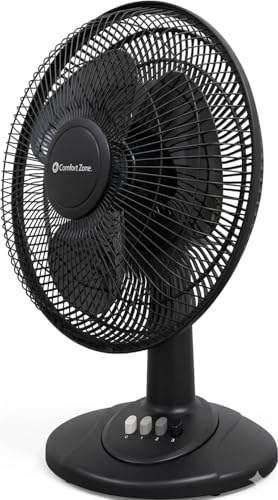
- LFR Score8.6
LFR Score is a ranking system developed by lightfansreviews.com. LFR Score has no relationship or impact from any manufacturers or sales agent websites. Learn more
- BrandComfort Zone
- LFR Score8.4
LFR Score is a ranking system developed by lightfansreviews.com. LFR Score has no relationship or impact from any manufacturers or sales agent websites. Learn more
- BrandComfort Zone
Last update on 2026-07-08 / Affiliate links / Images, Product Titles, and Product Highlights from Amazon Product Advertising API
DREO Smart Fan For Bedroom And Home Office
A warm room rarely becomes unbearable all at once. Heat settles around a desk, gathers near the bed, and lingers in corners where a small fan barely makes a dent. The DREO Smart Fan approaches the best large desk fan category with a 12-inch frame, long-range airflow, and multidirectional movement designed to circulate more than the air directly in front of it. That broader reach matters when the goal is room comfort rather than a narrow blast aimed at one chair.
DREO TurboPoly Table Fan 565S
The headline feature is its stated ability to move up to 950 CFM of airflow and send air as far as 85 feet. Those figures suggest a fan built for circulation across bedrooms, offices, dorm rooms, and other compact living spaces instead of simple close-range cooling. DREO also claims the TurboWind system can cool a room in about one minute, though real results will naturally depend on room size, layout, temperature, and whether doors or windows are open.
A long airflow path can be useful in awkward rooms where the desk isn’t near the hottest spot. Rather than parking the fan inches from a keyboard, the airflow can travel across furniture, past a bed, or toward the opposite wall to keep warm pockets from sitting still. That makes the whole-room circulation claim more meaningful than raw speed alone. Still, strong reach doesn’t replace air conditioning because a fan moves existing air rather than lowering the actual room temperature.
The 12-inch body gives the fan more presence than a compact USB model, so desk space needs an honest check before buying. A larger head can provide fuller airflow across the upper body, but it may feel bulky beside dual monitors, speakers, or a crowded plant shelf. The tradeoff is simple: broader air movement requires more physical room. On a narrow writing desk, a side table or dresser may be the smarter home for it.
Wide Oscillation Reaches More Of The Room
Horizontal oscillation is common, but this model adds 90-degree vertical movement alongside 90-degree horizontal oscillation. That two-axis motion lets the fan sweep air left, right, upward, and downward instead of repeating the same flat arc. The result should feel more evenly distributed, especially in rooms with tall beds, elevated desks, shelving, or air that tends to collect near the ceiling.
Vertical adjustment can also help keep direct wind out of the face. Air can be aimed slightly upward so it rolls across the room, bounces from a wall, or blends with conditioned air from a vent. That softer circulation often feels less harsh during long work sessions. It also reduces the paper-flapping chaos that happens when a powerful fan points straight across a cluttered desk.
The drawback is that complex movement adds more motors and more settings to manage. Some people will appreciate being able to shape the airflow precisely, while others may prefer one fixed angle and a basic speed dial. The 3D auto oscillation earns its keep most clearly in shared spaces or rooms with uneven temperatures. In a tiny room where the fan always points at the same chair, the extra movement may be used less often.
Quiet Cooling With Nine Speed Levels
DREO lists a minimum operating sound of 20 dB, supported by a brushless DC motor. That low figure is aimed at nighttime use, quiet offices, and rooms where motor hum becomes distracting fast. The fan also includes nine speed settings, which offers more control than the familiar low, medium, and high setup. Fine adjustments can make the difference between barely moving air and sending loose notes across the desk.
Low-speed operation is where a fan like this can become easy to live with. Gentle circulation can reduce stuffiness without creating a cold draft or overpowering a podcast, video call, or bedtime routine. Higher settings will inevitably make more airflow noise, regardless of motor design. The useful part is having enough steps between quiet and forceful modes to avoid jumping from too weak to too loud.
The brushless DC motor is also tied to a claimed energy savings of up to 20 percent. That may appeal in rooms where the fan runs for many hours, though actual savings depend on speed, operating time, and what device it replaces. A fan generally uses less energy than a room air conditioner, but it won’t produce refrigerated air. Its practical role is helping occupants feel cooler and helping conditioned air circulate more evenly.
Smart Controls Reduce Daily Fiddling
The DREO app brings control to a phone, while compatibility with Alexa and Google Home adds voice operation. That can feel unnecessary at first, yet it becomes handy when the fan sits across the room, runs beside the bed, or needs adjustment during a meeting. Speed, mode, oscillation, and timer changes can happen without reaching for the control panel. The convenience is real, provided the home network and app remain reliable.
A 12-hour timer supports overnight use, work blocks, and planned shutdowns after leaving a room. The product description also mentions an eight-hour timer, so timer availability may vary by control method or listing configuration. Power-off memory helps restore preferred settings after the unit is turned back on. Meanwhile, the 60-second screen shutoff prevents the display from glowing continuously in a dark bedroom.
The child lock adds reassurance in rooms where curious hands might change settings or trigger oscillation. It won’t replace sensible placement, especially around cords, unstable furniture, or areas within easy reach. Smart controls also introduce a minor learning curve compared with a plain mechanical fan. Anyone who dislikes app setup can still judge the product by its physical controls and core airflow performance.
Six Modes Offer More Than Basic Airflow
Six airflow modes allow the fan to behave differently across changing conditions rather than delivering one steady stream all day. A softer pattern may suit sleep, while stronger circulation can help after cooking, during humid afternoons, or while airing out a warm office. Combined with nine speeds, the mode selection creates a wide adjustment range. That flexibility is useful, though many households will eventually settle on two or three favorite combinations.
DREO positions the fan as part of a connected comfort setup with heaters, humidifiers, and coolers. Pairing appliances can make sense during seasonal changes, especially when one device handles temperature while another improves circulation. A humidifier’s mist can disperse more evenly with moving air, while a heater’s warmth may reach beyond one corner. Even so, direct airflow shouldn’t be aimed so strongly at plants that leaves dry out or potting mix loses moisture faster than expected.
The multiple modes also help address a common frustration with powerful desk fans: too much air at close range and too little farther away. Lower speeds can keep nearby airflow comfortable, while stronger settings can push air across the room. The customizable airflow is therefore more practical than simply chasing maximum output. Folks who prefer bare-bones appliances may see the menu as overkill, but control-focused households will likely appreciate the range.
Daily Comfort Comes With A Few Tradeoffs
This fan’s biggest strength is the combination of long-distance airflow, two-axis oscillation, and detailed speed control. Those features tackle uneven room temperatures better than a small fixed fan that cools only a narrow strip of space. The smart controls also reduce repeated trips across the room. For bedrooms and offices, that mix creates a more polished experience than a basic tabletop circulator.
Physical size remains the most obvious compromise. A 12-inch fan can occupy meaningful space, and the oscillating head needs clearance from walls, lamps, curtains, and shelves. The broader movement may also be unnecessary on a tiny desk where the fan sits close to one person. Measuring the intended surface first prevents the familiar headache of discovering that a powerful appliance has nowhere comfortable to sit.
Maintenance deserves attention because strong airflow eventually pulls dust toward the grille and blade area. The provided details don’t explain how easily the front housing comes apart, so cleaning convenience can’t be assumed. Regular dust removal helps preserve airflow efficiency and keeps buildup from becoming visible beside a bed or workstation. App features are nice, but a fan still needs ordinary hands-on care.
Where This Fan Makes The Most Sense
The DREO model fits rooms where stagnant heat is spread across more than one spot. Its 85-foot airflow claim and multidirectional sweep are better matched to whole-room movement than to a tiny bedside breeze. A home office with electronics, a dorm with limited floor space, or a bedroom with uneven cooling can benefit from that reach. The fan may be less compelling for someone who only needs a silent personal breeze from arm’s length.
Night use appears to be one of its stronger roles. Low claimed noise, an auto-dimming screen, timer control, and gradual speed adjustment all address common sleep annoyances. Voice control can help when reaching for buttons would mean sitting up or turning on a lamp. Still, sleepers who are extremely sensitive to motor movement or changing airflow may prefer a fixed angle instead of full oscillation.
As a large smart desk fan, the DREO TurboPoly Table Fan 565S offers more control and reach than a simple three-speed model. Its appeal rests on circulation, quiet low-speed operation, and the ability to tailor airflow without constant manual adjustment. The cost and complexity may be harder to justify in a small, already well-ventilated room. In warmer, uneven spaces where air tends to sit still, its feature set has a clearer purpose.
Honeywell TurboForce HT900 For Desk And Room Airflow
A stuffy corner can make an otherwise comfortable room feel oddly tiring. Warm air hangs around the desk, the bed feels a little too muggy, and the air conditioner keeps working harder than expected without fixing that stagnant pocket. The Honeywell TurboForce HT900 enters the best large desk fan conversation from a different angle, using a compact body and focused air circulation instead of oversized blades or a wide oscillating sweep. It’s less about filling a desktop with machinery and more about pushing air where it needs to go.
Honeywell TurboForce HT900
The HT900 is built as a small tabletop or floor fan, yet Honeywell states that its airflow can be felt from as far as 25 feet away. That reach gives it more flexibility than a tiny personal fan that only feels useful at arm’s length. It can sit beside a monitor, rest on a nightstand, or work from the floor without demanding much room. The focused airflow also makes it practical for moving conditioned air from one part of a room to another.
Honeywell describes the fan as suitable for small to medium-sized rooms, which sets a realistic boundary around its role. It isn’t designed to replace a full-size pedestal fan in a large open-plan space, and it won’t lower the actual temperature like an air conditioner. Still, circulation can make a warm room feel less stagnant and help cool air spread more evenly. That’s often enough to make a workspace or bedroom feel more comfortable without running the AC at its hardest setting.
The black housing keeps the look simple, though the utilitarian design may not blend into every polished home office. This is a practical fan first, not a decorative statement. Its compact footprint is a genuine strength where desk space is already crowded with speakers, lamps, chargers, or plant pots. The tradeoff is that its airflow pattern is more concentrated than the broad breeze produced by a larger traditional desk fan.
Focused Airflow With A 25-Foot Reach
The aerodynamic TurboForce design is meant to maximize air movement and directional power. Instead of gently stirring the air immediately around the grille, the fan sends a more focused stream across the room. That approach works especially well when the fan needs to reach a chair, bed, or warm corner from several feet away. It can also help circulate cool air from a window unit or central vent that doesn’t naturally reach every part of the space.
Focused airflow has a different feel from oscillation. One spot receives steady cooling, while areas outside the fan’s path may notice much less movement. That’s useful during desk work, reading, or sleep when consistent air is preferred. In a shared room, however, a fixed air stream won’t distribute comfort as evenly as an oscillating model that sweeps from side to side.
The 25-foot airflow claim sounds substantial for a fan this size, but placement still matters a great deal. Furniture, curtains, open doors, and the angle of the fan can interrupt the stream before it reaches its maximum distance. A clear path gives the TurboForce design a better chance to do its job. Pointing it across the room rather than directly into a nearby wall usually makes better use of that long-range circulation.
Three Speeds Keep Operation Straightforward
Three speed settings keep the controls refreshingly simple. There’s no app setup, no remote to lose under the couch, and no long menu of modes to sort through. The three-speed adjustment covers the basics: a gentler breeze for close use, a middle setting for routine circulation, and a stronger option for hotter periods. That simplicity can be a relief for anyone tired of appliances that require a manual just to change airflow.
The limited speed range also creates a small compromise. Nine-speed fans offer finer control, especially when one setting feels slightly too weak and the next becomes too loud. The HT900 doesn’t provide that level of precision. Still, three clearly separated speeds are often enough for a bedside table, desk, or small room where the fan’s distance can be adjusted along with its speed.
Manual controls also tend to suit permanent setups. Once the preferred angle and speed are set, there’s little reason to keep fiddling with the fan. The absence of smart features means it can’t be adjusted by voice or scheduled through an app. For some households that’s a weakness, while for others it means fewer connections, fewer setup headaches, and fewer things that can stop working.
The Pivoting Head Makes Placement Easier
A 90-degree pivoting head lets the airflow point straight ahead, upward, or somewhere between those positions. That range makes the fan easier to position on shelves, low tables, floors, and desks with limited open space. Air can be aimed toward the upper body, directed across a bed, or sent toward the ceiling to help mix warm and cool layers. The adjustment is mechanical and direct, so changing the angle takes only a quick tilt.
Upward airflow can be surprisingly useful in rooms where warm air collects near the ceiling. Angling the fan vertically encourages air to circulate instead of sitting in separate hot and cool layers. It may also prevent papers, receipts, or lightweight desk items from blowing around. Aiming the breeze slightly above face level often feels less drying during long work sessions too.
The pivoting design does not provide automatic oscillation. That means the fan won’t sweep horizontally across a room or share airflow between several seating positions. Its strength is precision rather than coverage. Once pointed correctly, the adjustable head keeps a steady stream exactly where it’s needed, but anyone wanting motion across a wide area may prefer an oscillating fan.
Noise Control Fits Bedrooms And Offices
Honeywell states that the HT900 is 25 percent quieter than comparable fans. That claim gives some useful context, though the listing details don’t identify every model used for comparison or specify sound levels in decibels. The steady motor and air noise should still become more noticeable as speed increases. Low and medium settings are likely to be the more comfortable choices for calls, reading, or overnight use.
A consistent fan sound can be easier to tolerate than rattles, clicking controls, or changing motor tones. The compact housing needs a stable surface because vibration can turn a quiet fan into an irritating one. A solid desk, dresser, or floor position usually helps keep unwanted buzzing under control. Thin shelves or hollow furniture may amplify sound even when the fan itself is operating normally.
Bedroom use benefits from the absence of a bright digital display. There’s no glowing control panel to light up the room after dark, and no screen-off setting is needed. On the other hand, the fan doesn’t include a timer, so it won’t automatically shut down later in the night. A separate outlet timer may solve that issue, but it adds another accessory to the setup.
Wall Mounting Adds Useful Flexibility
The HT900 can be used on a table, desk, floor, or mounted on a wall. Wall mounting can free valuable surface space and keep the fan above clutter, pets, or items that might block the grille. It also gives the airflow a clearer route across the room. In compact bedrooms and home offices, that option may be just as valuable as the fan’s raw airflow power.
Permanent mounting requires more thought than simply placing the fan on a desk. The cord needs a safe path, the mounting surface must be suitable, and the chosen height should still allow access to the controls. The pivoting head helps compensate for a fixed mounting position. Even so, moving the fan to another room becomes less convenient once it’s attached to the wall.
Portable use remains the easier choice for anyone who shifts cooling between a desk during the day and a bedroom at night. Its compact frame makes that kind of movement manageable. The design isn’t cordless, so every placement still depends on a nearby outlet. That corded setup offers continuous operation, but it lacks the freedom of rechargeable fans during outages, outdoor use, or rooms with awkward outlet locations.
Energy Savings Depend On How It Is Used
Honeywell presents the fan as a way to give an air conditioner a break and support lower energy use. That benefit makes sense when the fan helps occupants feel comfortable at a less aggressive thermostat setting. Circulation can spread cooled air more effectively and reduce the temptation to lower the temperature simply because one corner feels stuffy. The exact savings will vary with climate, room layout, fan speed, and existing cooling equipment.
A fan can’t remove heat from a room, so expectations need to stay grounded. During extreme heat, moving warm air may offer limited relief without air conditioning or cooler outdoor air. The HT900 works best as a circulation tool, either on its own during mild weather or alongside another cooling source. That distinction keeps the product’s role practical rather than overstated.
Long daily operation also makes cleaning important. Dust gathers on the grille and blades, gradually restricting airflow and making the fan look neglected. The provided product details don’t explain how easily the housing opens, so maintenance convenience shouldn’t be assumed. Regular surface cleaning helps preserve airflow strength and prevents dust from being pushed around a bedroom or office.
Its Strength Is Practical Circulation
The Honeywell HT900 stands out through compact size, focused reach, and simple controls. It doesn’t rely on smart-home features, decorative styling, or an oversized frame to justify its place in a room. Instead, it delivers a direct airflow path with three speeds and a head that tilts through 90 degrees. That combination solves the basic problem of stagnant air without taking over a desk.
Its limitations are equally clear. There’s no oscillation, timer, remote, app control, or cordless battery. The focused breeze may feel too narrow in a shared room, and the three-speed setup won’t offer the fine adjustment found on more elaborate models. Those omissions keep the experience basic, but they also reduce clutter and complexity.
For the best large desk fan search, the HT900 is an interesting fit because it produces strong circulation without being physically large. It makes the most sense where surface space is tight but airflow still needs to travel beyond the immediate desk area. A larger oscillating fan may cover more people, while this one favors direct, steady cooling and flexible placement. That’s a sensible trade for bedrooms, compact offices, and rooms where a narrow stream of air can do more good than a broad, unfocused breeze.
Dreo 12-Inch Air Circulator For Whole-Room Cooling
Desk space disappears fast once a monitor, lamp, keyboard, and half-finished coffee claim their territory. A bulky fan can solve the heat problem while creating a brand-new clutter problem, which isn’t much of a win. The Dreo 12-Inch Air Circulator takes a more practical route into the best large desk fan category, pairing a 9-by-11-inch base with a 12-inch-tall body and airflow designed to travel well beyond the edge of the desk. It aims to cool the room through circulation rather than blasting one narrow patch of skin from two feet away.
Dreo 12-Inch Air Circulator
Dreo’s WingBoost system combines deep-pitched blades with an aerodynamic housing to propel air up to a stated 70 feet. That kind of reach gives the fan a broader job than keeping a keyboard area breezy. Positioned with a clear path, it can move air toward a bed, across a kitchen, or through a small office where warm spots tend to linger. The design makes the fan feel closer to a compact room circulator than a typical personal desk model.
Long-range airflow doesn’t mean the room temperature suddenly drops, of course. A fan moves existing air and helps sweat evaporate, while an air conditioner actually removes heat. The 70-foot airflow claim is most useful for distributing conditioned air, breaking up stagnant corners, and making a room feel less stuffy. Furniture, doorways, and placement will affect how far that airflow remains noticeable.
The 12-inch profile lands in a sensible middle ground. It’s larger than a tiny USB fan, yet the compact footprint can still fit on a roomy desk, dresser, kitchen counter, or bedside table. A crowded workstation may require shifting it to a nearby shelf or floor, especially since the fan needs open space in front and behind the grille. That’s the first honest tradeoff: stronger circulation needs more breathing room than a palm-sized personal fan.
WingBoost Airflow Reaches Beyond The Desktop
Traditional desk fans often produce a decent breeze nearby and very little movement across the room. WingBoost is designed to create a more focused stream, pushing air farther before it loses force. That whole-room circulation can help when a cooling vent sits on one side of the room and the desk sits stubbornly on the other. Rather than dropping the thermostat again, the fan can keep cooled air from pooling near the vent.
A focused stream also works well in rooms with awkward layouts. Set on a dresser, the fan can send air toward a bed without occupying precious nightstand space; placed near a doorway, it may help move cooler air between adjacent areas. The directional airflow won’t cover every corner at once because this model doesn’t provide automatic oscillation. Careful aiming matters more here than it would with a fan that sweeps continuously from side to side.
Strong airflow at close range can feel a bit much, especially around loose papers, lightweight curtains, or delicate plants. Backing the fan away often creates a softer, more comfortable breeze while taking better advantage of its reach. That setup also reduces the dry-eye feeling that comes from having air aimed directly at the face all afternoon. In practical use, distance becomes another adjustment tool alongside the three speed settings.
Quiet Operation Fits Work And Sleep
Dreo states that the fan can operate as quietly as 28 dB, using NACA-inspired airflow design and bionic engineering to reduce unnecessary noise. A low noise floor matters in bedrooms, home offices, and shared living spaces where a harsh motor tone gets old in a hurry. Gentle airflow can fade into the background during reading, calls, or sleep. Higher speeds will naturally create more rushing-air sound because moving more air is never completely silent.
The character of the sound matters almost as much as the number attached to it. A smooth, steady whoosh is usually easier to tolerate than clicking, rattling, or a motor pitch that rises and falls. The aerodynamic design is intended to move air efficiently without relying solely on brute-force blade speed. A stable surface will still help, since hollow desks and thin shelves can amplify small vibrations.
Bedroom use benefits from the straightforward mechanical controls. There’s no illuminated screen glowing beside the bed, no wireless connection to configure, and no app notification asking for attention. The absence of a timer may be a drawback for anyone who prefers the fan to shut off automatically overnight. Still, simple knob control is refreshingly predictable, especially when adjusting the fan in a dark room by touch.
Three Speeds Keep The Controls Sensible
The fan uses a knob to switch among three built-in speeds. That setup isn’t fancy, but it’s quick and hard to misunderstand. Low speed suits close placement or quiet nighttime circulation, medium handles everyday room movement, and high can push air across a greater distance. No menu diving. No tiny capacitive buttons that refuse to cooperate with damp fingers.
Three settings won’t provide the precision of a nine-speed smart fan. There may be moments when low feels slightly weak and medium feels stronger than desired, particularly at close range. Changing the distance or tilt can help bridge that gap. The limited speed range is a reasonable compromise for people who value direct controls over a long list of customization options.
Mechanical controls also make the fan easy to share. Guests, coworkers, and family members can operate it without downloading anything or asking which button changes the mode. That simplicity fits kitchens and common areas where several hands may adjust the fan during the day. The tradeoff is clear: reliable manual operation replaces remote access, voice commands, scheduling, and automated routines.
The 120-Degree Tilt Adds Placement Freedom
A 120-degree adjustable tilt gives the fan more directional flexibility than a fixed tabletop model. It can send air straight ahead, angle upward toward warmer ceiling air, or aim downward from a shelf or wall-mounted position. That range helps compensate for the lack of oscillation because the airflow can be positioned precisely. Once the right angle is set, the stream stays focused instead of wandering around the room.
Upward circulation can be useful during both summer and winter. In warm weather, it helps mix cooler lower air with warmer layers near the ceiling. During heating season, the same vertical airflow control can redistribute warmth that gathers overhead rather than letting it sit where nobody feels it. The fan doesn’t create heat or cool air, but it can help other appliances work more evenly.
Wall mounting opens another option for cramped rooms. Raising the fan off a desk frees usable surface space and gives the airflow a clearer path over furniture. Installation requires a suitable mounting point, sensible cord routing, and enough access to reach the control knob. For renters or anyone who moves the fan often, the portable base and handle will probably prove more useful than permanent mounting.
It Can Support Heating And Air Treatment
Air circulation isn’t only a summer concern. Dreo notes that the fan can work alongside space heaters, humidifiers, and air purifiers by moving treated air around the room faster. A space heater pairing may reduce the hot bubble that forms directly in front of the heater while the far side of the room stays chilly. Safe clearance from heating equipment remains essential, and the fan shouldn’t interfere with a heater’s intake or exhaust.
Humidifiers can also benefit from gentle circulation. Moisture often gathers near the machine, leaving nearby surfaces damp while distant corners remain dry. A carefully angled fan can spread that humidity more evenly without firing mist directly onto walls, electronics, or leaves. Strong airflow may dry plant soil faster, though, so humidity distribution needs a lighter touch around indoor gardens.
Air purifiers depend on steady room movement to draw airborne particles toward their intake. The fan may help prevent air from sitting motionless behind furniture or in far corners, though it doesn’t filter anything by itself. Placement should avoid blowing directly against the purifier’s exhaust and creating a short circulation loop. Used thoughtfully, appliance-assisted airflow can make a room feel more balanced across changing seasons.
Cleaning Access Solves A Common Fan Headache
Dust buildup is where many otherwise decent fans become a nuisance. Grilles collect lint, blade edges develop a gray film, and airflow gradually weakens while cleaning looks like a half-day repair job. Dreo says parts can be removed for easier routine cleaning, which is a meaningful practical benefit. Accessible components make it more realistic to clean the fan before dust becomes packed into every opening.
Regular maintenance matters even more in kitchens, bedrooms with pets, and rooms full of plants. Cooking residue can make dust stickier, pet hair gathers around intake areas, and potting mixes add fine particles to the room. Keeping the grille and blades clean helps preserve airflow and prevents the fan from pushing old dust back into the space. Every removable part should be reinstalled securely before the fan is powered on.
The base and integrated handle also make room-to-room use less awkward. A fan that’s easy to carry is more likely to follow the heat instead of sitting unused in one location. The corded design still requires a nearby outlet, so it isn’t suited to power outages or untethered outdoor use. For everyday indoor movement, though, the portable handle design is more useful than decorative extras.
Practical Strengths And Noticeable Limits
The biggest strengths are easy to pin down: 70-foot airflow, quiet low-speed operation, broad tilt adjustment, and a body that can sit on several surfaces or mount to a wall. Those features address stale air without filling the room with another tall floor appliance. The design also stays approachable, relying on a physical knob instead of layers of electronic controls. That makes it easy to put into service straight from the box.
The missing features deserve equal weight. There’s no automatic oscillation, timer, remote control, app connection, or battery. A fixed airflow path can feel limiting in a shared room, while the three-speed control may be too coarse for people who like fine adjustments. None of those omissions stops the fan from circulating air, but they shape the day-to-day experience.
The Dreo model makes the most sense where airflow reach matters more than smart features. It can serve as a large desk fan alternative without occupying the footprint of a traditional wide-blade tabletop fan. A bigger oscillating model may spread air across several seats more evenly, while this one favors distance, adjustable direction, and uncomplicated operation. That distinction gives it a clear role in bedrooms, kitchens, offices, and other rooms where warm air tends to settle in the wrong place.
Honeywell HT-904 TurboForce Air Circulator
A warm desk corner can turn a normal afternoon into a slow grind. Papers stick to forearms, the room feels heavier than it should, and lowering the thermostat starts to feel like the only answer. The Honeywell HT-904 TurboForce enters the best large desk fan discussion with a compact white body, focused airflow, and enough reach to serve more than the few inches directly in front of its grille. It’s a straightforward air circulator built around placement, direction, and steady room movement rather than a long list of electronic extras.
Honeywell HT-904 TurboForce
The HT-904 is small enough to sit on a desk, table, shelf, or floor, yet Honeywell describes it as capable of cooling small to medium-sized rooms. That gives it a different role from a tiny personal fan meant only for face-level airflow. The compact frame saves surface space while the circulator design pushes air farther into the room. For crowded work areas, that balance between small footprint and useful reach is the main attraction.
The white finish gives the fan a lighter, less industrial look than many dark utility fans. It can blend more easily into bedrooms, kitchens, dorm rooms, and bright office setups without drawing much attention. Still, the design is plainly functional, not decorative. Anyone chasing a sculptural centerpiece may find it basic, but that simplicity suits a fan meant to move air without fuss.
Its portable format also makes room changes easier. The fan can spend the day beside a monitor, move to a nightstand after work, or sit on the floor near an air-conditioning vent. Since it’s corded, every location still needs a reachable outlet. That limits outdoor freedom, but it supports continuous operation without battery charging or reduced power as a battery drains.
TurboForce Airflow Reaches Up To 25 Feet
Honeywell’s aerodynamic turbo design is built to maximize air movement and focused power. The company states that airflow can be felt from as far as 25 feet away, which is notable for a fan this compact. That reach can help move cooled air across a bedroom or carry a breeze from one side of an office to the other. It also means the fan doesn’t have to sit inches from the body to feel useful.
A focused airflow pattern behaves differently from a wide oscillating breeze. The stream stays concentrated, so one area receives consistent cooling while nearby spots may feel less movement. That’s handy during desk work or sleep, where a steady direction often feels more comfortable than air sweeping on and off. In a shared room, though, fixed directional airflow won’t distribute comfort as evenly as an oscillating model.
Placement will shape the real result. A clear path lets the 25-foot reach work more effectively, while furniture, curtains, and open doors can break up the stream. Setting the fan a few feet away often produces a softer breeze than placing it close at high speed. That small adjustment can keep papers from flying while still taking advantage of the long-range circulation.
Three Speeds Keep Control Simple
The fan includes three speed settings, covering light circulation, everyday cooling, and stronger room movement. A physical control keeps operation immediate and easy to understand. There’s no app, pairing process, menu, or remote to keep track of. That plain setup feels almost refreshing in a room already full of screens and connected devices.
Three speeds also mean fewer fine adjustments. A fan with nine settings may offer a more exact balance between noise and airflow, while the HT-904 makes broader jumps from one level to the next. Distance and angle can help compensate when one setting feels slightly too weak and the next feels too forceful. The basic speed range is best viewed as practical rather than highly customizable.
Mechanical simplicity has another benefit: anybody can use the fan immediately. A guest, coworker, or family member won’t need instructions to change the airflow. That makes the HT-904 a sensible fit for common areas and shared workspaces. The downside is equally clear, since there’s no timer, voice control, scheduling, or automatic routine built into the fan.
The 90-Degree Head Improves Placement
A 90-degree pivoting head allows the fan to aim straight ahead, upward, or at an angle between those positions. That flexibility is especially useful on low tables, shelves, or floors where fixed airflow would miss the intended area. The fan can send air toward a bed, across a desk, or upward to mix warmer ceiling air with cooler air below. Direction becomes part of the cooling strategy rather than an afterthought.
Upward airflow can be more comfortable than pointing a strong stream directly at the face. It helps circulate the room while reducing dry eyes, fluttering papers, and the constant sensation of wind against the skin. During cooler months, an upward angle may also help redistribute warm air that gathers near the ceiling. The adjustable head makes the fan useful beyond hot afternoons alone.
The head doesn’t oscillate automatically, so it stays wherever it’s aimed. That can be a strength for focused cooling and a weakness for wider coverage. A shared bedroom or meeting area may benefit more from a fan that sweeps from side to side. For one chair, one bed, or one stubborn warm corner, the steady fixed direction is often easier to live with.
Quiet Operation Supports Work And Rest
Honeywell describes the HT-904 as a quiet personal fan, which matters in bedrooms and offices where motor noise can become more irritating than the heat. A steady airflow sound is usually easier to tolerate than rattles, clicks, or changing mechanical tones. Lower speeds should be the better fit for reading, calls, and overnight use. Higher speeds will naturally create more rushing-air noise as the fan moves more air.
The surface beneath the fan can affect perceived sound. A solid desk or dresser helps control vibration, while thin shelves and hollow furniture may amplify small motor movements. Setting the fan on a stable surface can make the quiet operation feel more convincing without changing the speed. That simple detail is easy to overlook, yet it often separates a calm background hum from an annoying buzz.
The lack of a digital screen is useful at night. There’s no glowing display beside the bed and no indicator light demanding attention in a dark room. On the other hand, the missing timer means the fan won’t switch itself off after a set period. Anyone who prefers automatic shutdown may need an external outlet timer, adding one more item to the setup.
Wall Mounting Frees Valuable Surface Space
The HT-904 can sit on a desk or floor, but it can also be wall-mounted. That option is handy where every inch of tabletop space already has a job. Mounting the fan above furniture can create a clearer airflow path and keep the grille away from clutter. Small bedrooms and compact offices may benefit more from this feature than larger, sparsely furnished rooms.
Wall placement needs a little planning. The mounting surface must be secure, the cord needs a safe route, and the controls should remain reachable. The pivoting head helps direct air after installation, but moving the fan to another room becomes less convenient. For changing daily needs, the portable tabletop setup remains easier.
Floor use adds another practical arrangement. Positioned near an air-conditioning vent, the fan can help push cool air farther into the room instead of letting it settle nearby. It can also aim upward from below a desk or beside a bed. The compact housing makes those placements possible without introducing the bulk of a pedestal fan.
Energy Savings Depend On Smart Use
Honeywell suggests using the fan to give an air conditioner a break and support lower energy consumption. That idea makes sense when circulation allows the thermostat to stay at a less aggressive setting while the room still feels comfortable. Moving cooled air evenly can reduce the urge to keep lowering the temperature because one corner remains warm. The actual savings will depend on climate, room size, AC efficiency, and how long each appliance runs.
A fan doesn’t remove heat, so expectations need to stay grounded. During extreme weather, circulating hot air may offer limited relief without cooler outdoor air or air conditioning. The HT-904 is better understood as an air movement tool than a replacement for mechanical cooling. Its value rises when paired thoughtfully with an existing vent, window unit, or shaded room.
The same circulation can help during mild weather when full air conditioning feels excessive. A steady breeze often makes a room feel more comfortable even though the measured temperature hasn’t changed. That can delay turning on the AC or reduce how hard it needs to work. Used this way, the fan supports comfort through efficient air distribution rather than dramatic temperature reduction.
Cleaning And Maintenance Need Regular Attention
Every fan eventually gathers dust around the grille and blade area. That buildup looks messy, reduces airflow, and can send fine particles back into the room. The provided details don’t specify how easily the HT-904 opens for deep cleaning, so maintenance convenience shouldn’t be assumed. Routine surface cleaning will help preserve airflow strength and keep the white housing from showing gray dust around the vents.
Bedrooms with pets, kitchens, and rooms full of plants may require more frequent care. Pet hair collects near intake areas, cooking residue makes dust sticky, and potting soil contributes fine particles to the air. A clean grille allows the TurboForce circulation to work without unnecessary restriction. The fan should always be unplugged before any cleaning begins.
White plastic has one visual tradeoff: dust and marks can become noticeable sooner than on a black housing. The upside is that buildup is easier to spot before it becomes severe. A quick wipe during regular room cleaning can prevent grime from settling into seams. That small habit keeps the fan looking presentable and helps avoid a more tedious cleanup later.
Its Strengths Come With Clear Limits
The HT-904’s strongest qualities are compact size, 25-foot airflow, simple controls, and flexible placement. It can circulate air beyond the immediate desk without occupying the space required by a traditional large-blade fan. The pivoting head adds useful direction, while wall mounting creates options in cramped rooms. Those benefits make it practical where floor and desk space are both limited.
The missing features will matter in some setups. There’s no oscillation, remote, timer, app control, battery, or broad range of speed adjustments. A room shared by several people may feel unevenly cooled because the fan’s airflow stays focused. The three-speed fixed design favors reliability and directness over automation.
Within the best large desk fan category, the Honeywell HT-904 stands out by acting larger than it looks. It won’t produce the sweeping coverage of a wide oscillating model, but it can send a steady stream across a small or medium room while leaving more usable desk space. That tradeoff makes sense for compact bedrooms, home offices, and warm corners that need targeted circulation. Its appeal is plain and practical: strong directional air without an oversized body or complicated controls.
Dreo 11-Inch Whole-Room Air Circulator Fan
Warm air has a habit of settling exactly where it causes the most annoyance: beside a monitor, around a bed, or in the far corner of a kitchen. A tiny fan may cool one elbow while the rest of the room stays stubbornly still. The Dreo 11-Inch Air Circulator takes a broader approach to the best large desk fan category by combining an 800 CFM airflow claim, a 40-foot reach, and a compact frame that doesn’t swallow an entire tabletop. Rather than relying on a wide, lazy breeze, it pushes a focused stream intended to stir air throughout the room.
Dreo 11-Inch Air Circulator
The fan’s main selling point is its stated 800 CFM airflow, produced through a turbine-style internal design. Dreo says the airflow can circulate through a room in about three minutes, though real timing will depend on room dimensions, furniture placement, doors, and temperature differences. That claim is best understood as a picture of strong circulation rather than a guaranteed stopwatch result in every home. In practical terms, the fan is built to move more air than a basic personal model sitting two feet from a keyboard.
An 11-inch body gives it enough size to produce meaningful airflow without turning the desk into an appliance shelf. It can sit beside a monitor, on a dresser, near a kitchen counter, or on the floor without the tall footprint of a pedestal fan. The compact air-circulator shape is especially useful where room is tight but stale air remains a daily nuisance. Even so, it still needs open space around the intake and grille, so squeezing it between books and a wall will work against its airflow design.
The overall setup stays deliberately simple. There’s no app, remote, digital screen, or long control sequence to remember. A physical knob handles the three speed settings, while the fan head is adjusted by hand. That low-fuss design suits spaces where dependable airflow matters more than smart-home tricks or automation.
Forty-Foot Airflow Changes How It Can Be Placed
Dreo states that the fan can send air up to 40 feet, giving it more placement freedom than a small desk fan that fades beyond arm’s reach. The fan can sit across the room, near a doorway, or beside an air-conditioning vent and still direct air toward a work area or bed. That reach helps keep the fan out of crowded zones where cords, papers, mugs, and electronics already compete for space. It also reduces the need to aim a strong breeze directly at the face.
The wind-tunnel style housing is designed to keep the stream concentrated as it travels. A focused current can help push cool air from one side of a room to another, especially when a vent leaves distant corners warm. The turbine airflow pattern may also help break up hot and cool layers that settle at different heights. It won’t lower the actual room temperature by itself, but it can make conditioned air spread more evenly.
Furniture will still have the final say. A sofa, tall bed frame, curtain, or open cabinet can interrupt the airflow long before it reaches its maximum stated distance. Clear placement matters, and so does angle. A slightly elevated position may send air over clutter, while floor placement can push cooler lower air toward warmer areas.
Three-Minute Circulation Needs Realistic Expectations
The claimed three-minute whole-room circulation sounds dramatic, but airflow coverage is never identical from one room to another. A small office with an open layout will respond differently than a furnished bedroom with closed curtains and several tight corners. The fan’s job is to agitate still air and encourage mixing, not create refrigerated air. That distinction matters because circulation improves comfort without replacing an air conditioner during severe heat.
Used beside cooling equipment, the fan can make a noticeable difference in how evenly the room feels. A window unit often cools the area around itself first, leaving a desk or bed several degrees less comfortable. Directing the Dreo fan across the room can carry that cooler air farther and reduce the familiar cold-corner, hot-corner split. The whole-room airflow is therefore most valuable as part of a sensible placement strategy.
The same principle applies during cooler months. Warm air from a heater tends to rise and collect near the ceiling, where it does little good. Aiming the fan upward can help mix that trapped warmth back into the occupied part of the room. The fan doesn’t create heat, of course, but seasonal air circulation can help existing appliances work more evenly.
Twenty-Eight-Decibel Operation Favors Quiet Spaces
Dreo lists a minimum operating noise of 28 dB, supported by its blade design and TurboSilent airflow system. That figure suggests a low setting intended for bedrooms, study areas, and offices where an abrasive motor tone would become distracting. Air movement will naturally become more audible as speed increases. Still, a steady whoosh is generally easier to tolerate than rattling panels, clicking parts, or an uneven motor hum.
Quiet performance depends partly on where the fan sits. Hollow desks and thin shelves can amplify vibration, making a calm motor sound louder than expected. A stable dresser, solid table, or firm wall mount should help the low-noise design do its job. Keeping the grille clean also matters because dust buildup can disturb airflow and add unwanted sound over time.
Nighttime use benefits from the absence of a glowing digital display. There’s no bright panel shining beside the bed, no connectivity alert, and no screen that needs a dimming mode. The limitation is equally straightforward: the provided details don’t mention a timer or automatic shutoff. Anyone who wants the fan to stop after falling asleep may need a separate outlet timer.
The 120-Degree Tilt Solves Awkward Room Angles
The fan head moves from minus 30 degrees to 90 degrees, creating a 120-degree vertical adjustment range. That flexibility lets the airflow travel downward from a shelf, straight across a desk, or upward toward the ceiling. A fixed-head fan can become frustrating when furniture forces it below or above the intended cooling area. Here, the manual tilt makes placement far less fussy.
An upward angle is particularly helpful around beds and desks. Instead of sending a sharp stream into the eyes, the fan can move air over the body and around the room. That approach often feels less drying during long work sessions and keeps loose papers from taking flight. The vertical airflow control also gives indoor plants gentler circulation without blasting delicate leaves from close range.
The adjustment is manual rather than automatic, and the provided specifications don’t describe horizontal oscillation. That means the fan stays aimed in one direction until someone moves it. Focused airflow works well for one bed, one chair, or one stubborn warm zone, but it won’t sweep across several seating positions. Shared spaces may need more careful placement or a different fan if broad side-to-side coverage is the priority.
Wall Mounting Can Rescue A Crowded Desk
The integrated handle supports easier carrying and can also assist with wall-mounted placement. Mounting the fan above the desk clears valuable surface area and gives the airflow a less obstructed path across the room. That setup can be especially useful in compact offices, small bedrooms, and kitchens where counters already feel packed. It also keeps the fan farther from papers, cables, and curious hands.
A wall installation takes a little forethought. The mounting point must be secure, the power cord needs a safe route, and the control knob should remain reachable. The 120-degree tilt helps compensate for a fixed position, allowing the airflow to be aimed after installation. Still, portability drops once the fan is attached to the wall, so a tabletop setup makes more sense if it moves between rooms regularly.
The handle earns its keep during everyday transport too. Carrying a rounded fan by its grille or head is awkward and can put stress on moving parts. A proper grip makes it easier to move the unit from an office during the day to a bedroom at night. The corded design still ties every location to an outlet, but easy room-to-room movement is better than wrestling with a bulky pedestal fan.
Three Speeds Keep Daily Use Straightforward
A twist knob controls the fan’s three airflow levels. Low speed suits close placement and quiet circulation, medium handles routine room movement, and high pushes a stronger stream across longer distances. The controls don’t require a manual, which sounds minor until an appliance with fifteen icons lands on the nightstand. Here, operation is immediate and predictable.
The drawback is a lack of fine tuning. A model with eight or nine speeds can fill the small gaps between barely noticeable and slightly too strong. With three levels, distance and tilt become part of the adjustment process. Moving the fan farther away can soften high output, while aiming it upward can turn a direct blast into a broader room current.
Manual control also means no remote adjustments from bed or across the office. There’s no app schedule, voice command, or memory feature described in the supplied information. For some households, that’s a clear limitation. For others, simple mechanical operation means fewer setup headaches and fewer electronic features to manage.
Cleaning Access Matters More Than Fancy Controls
Dust is the quiet enemy of every air circulator. It gathers on blade edges, clings to the grille, and gradually restricts the airflow that made the fan useful in the first place. The Dreo design is presented as easy to keep ready for use, though the supplied details don’t spell out the exact removal process for every component. Regular cleaning remains essential for maintaining strong, unobstructed airflow.
Bedrooms with pets, kitchens, and plant-filled rooms will likely need more frequent attention. Pet hair collects near intake areas, cooking residue makes dust sticky, and potting soil adds fine particles to nearby surfaces. A removable or accessible grille can make that maintenance less of a chore. Every part should be fully dry and securely reinstalled before the fan is powered again.
Cleaning also protects quiet performance. Dust can unbalance airflow, create faint vibration, and make the fan sound rougher over time. A quick wipe of the housing and routine attention to the grille helps preserve the 28 dB low-noise claim under normal conditions. That humble bit of upkeep will matter longer than any flashy feature printed on the box.
Its Biggest Strength Is Focused Room Circulation
The Dreo model brings together 800 CFM airflow, a stated 40-foot reach, quiet low-speed operation, and broad vertical tilt. Those features address a specific frustration: a room that feels unevenly cooled even though a fan is already running. Its focused stream can move air beyond the desktop while the 11-inch body stays manageable on a table or shelf. That balance gives it a clear place among larger personal fans and compact room circulators.
The limitations are plain enough. It offers only three speeds, lacks automatic horizontal oscillation in the provided specifications, and doesn’t include smart controls or a built-in timer. A shared room may need a sweeping fan, while a very large open area may demand more coverage than one focused stream can provide. The fixed directional design favors deliberate placement over automatic movement.
For the best large desk fan search, this Dreo unit makes the strongest case where desk space is limited but airflow needs to travel well beyond the chair. It won’t replace air conditioning, and it won’t suit every person who wants feature-heavy control. What it does offer is straightforward: substantial directional air, flexible tilt, quiet low-speed use, and a frame that can move from desk to wall without turning the room upside down.


Best Quiet Ceiling Fan For Bedroom 2026 Ultimate Comfort Picks

Best Ceiling Fan For Master Bedroom 2026 With Ultimate Comfort

Best White Ceiling Fan With Light For Bedroom 2026 Top Picks

Best Quorum Medallion Ceiling Fan 2026 With Style & Breeze

Best Outdoor Fan For Pergola 2026 Comfort Boost

Best Ceiling Fan For Great Room 2026 With Ultimate Comfort

Best Outdoor DC Ceiling Fans 2026 For Breezy Comfort

Best ceiling exhaust bath fan with light and heater 2026





