
Best mini electric usb fan 2026: Cool Without Clutter

A stuffy desk can turn an ordinary afternoon into a slow crawl. The best mini electric usb fan fixes that small but nagging problem with focused airflow that stays close instead of trying to cool an entire room. It slips beside a keyboard, monitor stand, plant shelf, or bedside lamp without swallowing the little space that remains. Better yet, USB power keeps the setup simple, though the cable length and available port location still deserve a quick look before buying.
Size alone doesn't tell the whole story. A tiny housing paired with poorly shaped blades may produce more buzzing than breeze, while a well-designed model can move useful air at a lower setting. Quiet operation matters during calls, study sessions, gaming, and sleep because a sharp motor whine gets old fast. Still, silence usually comes with a tradeoff, since the strongest speed may be clearly audible even on a well-built compact fan.
Speed controls make a bigger difference than flashy extras. A single-speed fan can feel fine on mild days, but it leaves no room to soften the airflow when papers start fluttering or eyes begin to feel dry. Two or three settings offer more control, allowing a gentle breeze during focused work and a stronger push after exercise or during humid afternoons. Physical buttons are often easier to manage than touch controls, especially in a dim room or while reaching behind a monitor.
Adjustable airflow also separates useful designs from frustrating ones. A tilting fan head sends air toward the face, hands, electronics, or a small plant area without forcing the entire base to move. Stable rubber feet help keep vibration from traveling through a hollow desk, which can amplify even a modest motor sound. Clip-on models save surface space, but they need a sturdy edge and enough clearance to avoid bumping shelves, cables, or leaves.
Power flexibility deserves a closer look, too. Standard USB models can run from a laptop, desktop hub, wall adapter, or power bank, making them handy in offices, bedrooms, dorm rooms, workshops, and temporary setups. Battery-free designs won't need charging, but they'll stop the moment the power source is disconnected. Rechargeable versions add freedom, yet they also introduce charging time, battery aging, and a little more weight.
Cleaning is easy to ignore until dust begins clinging to the grille and blade edges. A removable front cover makes routine care far less annoying, while sealed housings may require careful brushing or compressed air. Easy maintenance protects airflow and helps prevent the musty dust smell that can appear after months of use. Compact fans aren't room air conditioners, of course, but the right one can make a warm personal zone feel noticeably less sticky without cluttering the workspace.

- LFR Score9.2
LFR Score is a ranking system developed by lightfansreviews.com. LFR Score has no relationship or impact from any manufacturers or sales agent websites. Learn more
- BrandTriPole

- LFR Score9.2
LFR Score is a ranking system developed by lightfansreviews.com. LFR Score has no relationship or impact from any manufacturers or sales agent websites. Learn more
- BrandTriPole

- LFR Score9.2
LFR Score is a ranking system developed by lightfansreviews.com. LFR Score has no relationship or impact from any manufacturers or sales agent websites. Learn more
- BrandGaiatop

- LFR Score9.0
LFR Score is a ranking system developed by lightfansreviews.com. LFR Score has no relationship or impact from any manufacturers or sales agent websites. Learn more
- BrandKoonie

- LFR Score9.0
LFR Score is a ranking system developed by lightfansreviews.com. LFR Score has no relationship or impact from any manufacturers or sales agent websites. Learn more
- BrandGaiatop

- LFR Score9.0
LFR Score is a ranking system developed by lightfansreviews.com. LFR Score has no relationship or impact from any manufacturers or sales agent websites. Learn more
- BrandKoonie
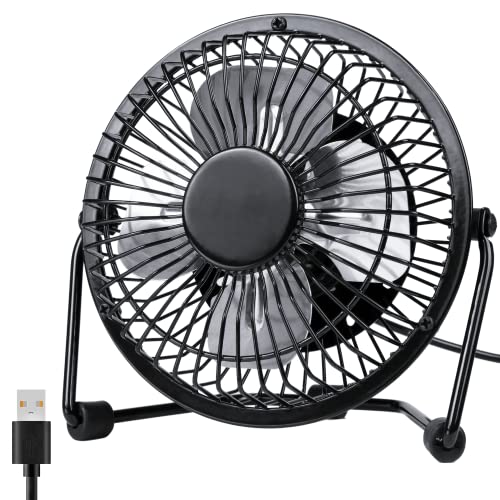
- LFR Score9.0
LFR Score is a ranking system developed by lightfansreviews.com. LFR Score has no relationship or impact from any manufacturers or sales agent websites. Learn more
- BrandZuvas
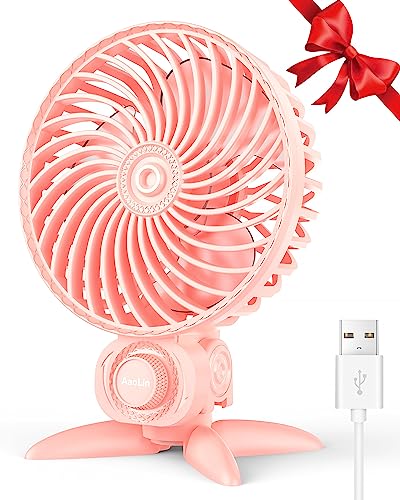
- LFR Score9.0
LFR Score is a ranking system developed by lightfansreviews.com. LFR Score has no relationship or impact from any manufacturers or sales agent websites. Learn more
- BrandAaoLin

- LFR Score8.6
LFR Score is a ranking system developed by lightfansreviews.com. LFR Score has no relationship or impact from any manufacturers or sales agent websites. Learn more
- BrandBESKAR

- LFR Score8.6
LFR Score is a ranking system developed by lightfansreviews.com. LFR Score has no relationship or impact from any manufacturers or sales agent websites. Learn more
- BrandComfort Zone
Last update on 2026-08-19 / Affiliate links / Images, Product Titles, and Product Highlights from Amazon Product Advertising API
TriPole USB Mini Desk Fan
A crowded desk leaves little patience for a bulky appliance, especially when stale air starts building around a monitor, lamp, or charging station. The best mini electric usb fan should solve that close-range discomfort without becoming a noisy distraction or stealing room from everyday essentials. TriPole’s compact desk fan approaches the job with three airflow settings, a stable base, and a fully adjustable head rather than a pile of unnecessary extras. It’s a focused little machine, and that straightforward design is both its strongest quality and its clearest limitation.
TriPole Mini USB Desk Fan Review
The first thing worth understanding is that this fan is built for personal cooling, not whole-room circulation. Its 4.5-inch diameter keeps the airflow concentrated around a chair, bedside area, or small work surface, which makes more sense than expecting it to push air across a large bedroom. That narrow purpose helps the fan stay compact enough for a crowded table or travel bag. Still, anyone hoping to cool several people at once will likely need a larger fan.
Operation is refreshingly uncomplicated. A button on the rear cycles through three speed modes, giving enough flexibility to move from a light background breeze to a stronger stream of air. The lowest setting suits quiet desk work, while the faster modes make more sense after a warm commute or during a stuffy afternoon. There’s no remote, timer, display, or app, but frankly, those features would feel excessive on a fan this small.
The supplied product details describe a 4.9-foot power cord, which is a practical improvement over the short leads often attached to compact USB accessories. That extra reach reduces the need to position the fan directly beside a laptop or wall adapter. It also makes bedside use less awkward when the nearest power source sits behind furniture. Cable clutter remains possible, of course, but a longer cord is easier to manage than one that simply can’t reach.
Airflow Control And Adjustable Direction
Three speeds make the TriPole more adaptable than a basic one-setting desk fan. A gentle speed can keep air moving without constantly drying the eyes, while the upper setting provides a more noticeable breeze during hotter stretches. The difference matters because fixed airflow often becomes irritating after extended use. Having control over intensity lets the fan fit the moment rather than forcing the same blast all day.
The fan head rotates 360 degrees vertically, allowing air to be directed toward the face, hands, upper body, or even a warm electronic device nearby. That broad range is useful on a nightstand, where the fan may sit lower than the pillow, or on a shelf positioned above desk level. The rotating design also means the entire base doesn’t need to be dragged around every time the seating position changes. It won’t oscillate from side to side, though, so the airflow stays aimed at one spot until manually adjusted.
Focused airflow has a pleasant side effect: less disturbance around loose objects. Papers, sticky notes, lightweight plant leaves, and charging cables are less likely to flap around when the breeze is carefully aimed. The adjustable angle makes that precision possible, particularly in tight setups where a wider fan would blow across everything at once. Still, the strongest setting may move lightweight items if the fan is placed too close. A little distance usually makes the airflow feel smoother and less sharp.
USB Power And Everyday Placement
The fan runs through a 5V USB-A connection, so it can draw power from a compatible wall charger, computer, power bank, or powered USB hub. That arrangement is handy for temporary workspaces, hotel rooms, and desks where a standard outlet is already occupied. It also avoids the regional voltage concerns that can complicate travel with traditional plug-in appliances. A power source isn’t included in the supplied description, so an existing USB adapter may be necessary.
Power compatibility deserves attention because the fan requires approximately 0.8 amps while running. The manufacturer notes that the third speed may not operate correctly with a weak USB source and recommends testing with a charger that supports 5V/1A output. That isn’t an unusual demand, but older laptop ports or low-output hubs may struggle. Using a capable adapter should provide steadier operation, especially at the highest setting.
The fan has no built-in rechargeable battery, which creates a clear tradeoff. Continuous USB power means there’s no battery to recharge, age, or unexpectedly run flat, but the fan must stay connected during use. A power bank restores some portability, though it adds another item to the setup. Separately, larger rooms often require broader overhead circulation, and a related reference appears in this ceiling fan guide for spaces where a miniature desk model would be undersized.
Stability, Noise, And Desk Comfort
Small fans can become surprisingly annoying when their bases creep across smooth furniture. TriPole uses a wide base with four silicone pads underneath, helping the unit remain planted while reducing transferred vibration. Those pads matter most on hollow desks, glass tables, and lightweight nightstands that tend to amplify motor hum. The design should also make accidental tipping less likely during routine button presses.
The product is described as quiet, but silence shouldn’t be expected from any compact fan moving air at higher speed. The silicone padding and stable housing are intended to reduce vibration noise, while the motor and blade movement will still produce audible sound. Lower settings will generally fit concentration and bedtime routines better than the strongest mode. Noise sensitivity varies, so placing the fan a little farther away may be more comfortable than running it inches from the face.
A stable base also improves directional consistency. Once the head is tilted toward a preferred spot, the fan is less likely to shift from vibration or a light tug on the cord. That matters during long work sessions because constant readjustment quickly becomes a nuisance. The fixed-base design is simple, but it suits personal cooling better than a flimsy stand or narrow tripod.
Cleaning And Long-Term Practicality
Dust buildup is one of the most common reasons a small fan begins to feel weaker or smell stale. The TriPole includes a detachable front cover, allowing better access to the grille and blades for routine cleaning. That feature is more meaningful than decorative lighting or touch-sensitive controls because it directly affects airflow and upkeep. Regular cleaning should be done carefully with the fan unplugged.
The compact frame is easier to handle during cleaning than a large pedestal fan, but the smaller grille openings may still trap fine dust. A soft brush or dry cloth should handle most surface buildup without forcing dirt deeper into the housing. The removable cover makes the process less fiddly, especially after months of desktop use. Easy maintenance also helps the fan remain pleasant around sleeping areas and small indoor spaces where dust is more noticeable.
Long-term hãy kiểm tra lại bạn đã tạo hyperlink chưa. Lưu ý yêu cầu: Create hyperlink as below rules. In addition, always add relevant CTA hyperlink or relevant hook before hyperlink to increase interaction. Structrue CTA or hooks ANCHOR_TEXT. Only 1 hyperlink in the response. I will provided you url part. "Here is list link:" Anchor text selected a 2–6 word phrase (or longer only if it reads more naturally) that still clearly represents the path topic. Rewrite full response with hyperlink practicality comes down to modest expectations. This model offers simple cooling, useful angle control, and flexible USB power in a package that won’t crowd a small surface. It lacks oscillation, battery operation, remote control, and room-scale airflow, so it isn’t trying to replace a larger household fan. For close-range relief beside a computer, bed, or travel setup, its focused design makes considerably more sense than its tiny dimensions might suggest.
Strengths, Weaknesses, And Best Use Cases
The main strengths are easy to spot: three adjustable speeds, full vertical rotation, a longer USB cable, and a base designed to reduce movement. Each feature addresses a real annoyance rather than adding decoration. The rear button keeps controls simple, and the compact body fits places where a conventional table fan would feel clumsy. Those qualities give the TriPole a practical, no-nonsense personality.
The weaknesses are equally straightforward. The fan requires constant USB power, provides no automatic oscillation, and won’t circulate air throughout a large room. Its highest speed also depends on a USB source capable of supplying sufficient current, which may rule out older or underpowered ports. None of these drawbacks is hidden by the design, but they should shape expectations before the fan is placed into daily service.
The TriPole makes the most sense in a personal zone where space, airflow direction, and simple operation matter more than broad coverage. It can sit beside a keyboard, on a nightstand, near a craft table, or inside a temporary travel workspace without demanding much room. The 4.5-inch frame keeps it unobtrusive, while the 4.9-foot cable gives placement some breathing room. Used within those limits, it offers a sensible answer to localized heat without turning the setup into a tangle of bulky equipment.
TriPole 2-Pack Mini USB Desk Fans
One warm corner is annoying; two separate hot spots can turn a normal workday into a constant shuffle of cords and equipment. This TriPole set approaches the best mini electric usb fan category with two compact units, letting airflow stay near separate desks, opposite sides of a bed, or different rooms without moving one fan back and forth. Each fan pairs three speed settings with a 4.5-inch frame, a wide base, and vertical angle adjustment. The setup is practical rather than fancy, which fits small spaces where direct cooling matters more than screens, remotes, or decorative lighting.
TriPole Mini USB Fan 2-Pack Review
The two-pack format is the defining difference here. Instead of asking one little fan to cover a broad area, the set creates two personal cooling zones that can be positioned independently. One fan might sit beside a laptop while the other stays on a nightstand, vanity, craft table, or kitchen counter. That arrangement makes better sense than trying to stretch concentrated airflow across a room where it will lose much of its effect.
Each unit measures 4.5 inches in diameter, so the pair won’t demand the footprint of two conventional table fans. The compact size leaves room for a keyboard, notebooks, charging gear, or a small indoor plant without turning the surface into a cluttered mess. Packing both for a trip is possible, although two separate fans and cords naturally take more luggage space than a single rechargeable model. For everyday placement, though, the small frames are easy to tuck into narrow gaps.
These are plug-in USB fans rather than cordless devices. That means there’s no battery level to watch and no charging cycle to plan, but both units need access to suitable power while running. A computer, USB wall charger, powered hub, or power bank can supply the 5V USB-A connection described for each fan. The balance is straightforward: dependable operation near a power source, with less freedom once the cords are disconnected.
Three Speeds For Separate Cooling Needs
Three airflow modes allow each fan to handle a different job at the same time. A lower setting can provide a mild breeze near a bed or microphone, while the other unit runs faster beside a sunny desk. This independent speed control is where the two-pack earns its keep, since one fixed setting rarely suits two locations equally well. The rear button keeps operation uncomplicated, although reaching behind the fan may be less convenient in a tightly packed shelf.
Personal airflow can feel more comfortable than blasting a large room fan at everyone nearby. A close, directed breeze helps ease that sticky feeling around the face and hands without stirring papers across the entire workspace. The stronger speed should be reserved for moments when more air movement is actually needed, since higher fan speeds generally create more audible motor and blade sound. Lower settings are likely to feel less intrusive during reading, calls, or late-night use.
Small fans still have physical limits, and this pair doesn’t escape them. The 4.5-inch blades are intended for close-range relief, not for lowering room temperature or pushing air from one end of a bedroom to the other. Their focused airflow works best when each unit sits within a reasonable distance and points toward a specific area. Expecting room-scale circulation would set the fans up for a job they weren’t designed to perform.
Flexible Angles Without Moving The Base
Each fan head rotates vertically through 360 degrees, allowing the breeze to be aimed upward, forward, downward, or somewhere between those positions. This adjustable angle is especially useful when a fan sits below shoulder height on a nightstand or above eye level on a shelf. The base can remain planted while the head moves, saving the repeated nudging and turning that often accompanies fixed-angle models. It also helps keep the cord from twisting around nearby objects.
Directional control matters in crowded areas. Air can be sent past a monitor edge, beneath a shelf, toward warm hands, or away from loose papers instead of sweeping indiscriminately across the surface. The 360-degree vertical rotation doesn’t provide automatic side-to-side oscillation, however, so each fan serves one chosen direction until manually adjusted. That limitation is less troublesome with two units because their positions can divide the cooling work.
The pair can also address uneven conditions in the same room. One side may catch afternoon sun while another feels stagnant because furniture blocks the main ceiling fan. Positioning the TriPole units at different heights lets the targeted breeze reach both areas without forcing either fan to cover too much ground. Still, manual adjustment will be necessary whenever seating positions or room layouts change.
USB Power And Cord Placement
USB-A power gives the fans several practical connection choices. They can run from compatible computers, wall adapters, power banks, or powered hubs, which helps in offices and travel setups where ordinary outlets are scarce. The 5V power format also avoids tying the units to a single regional wall-plug shape, provided a suitable USB source is available. Two fans may require two open ports or an adapter capable of supporting both connections.
Each unit includes a 4.9-foot cord, offering more placement freedom than the short leads commonly attached to desktop accessories. A fan can sit farther from a laptop, reach behind a nightstand, or connect to an adapter below a desk without immediately needing an extension. The longer cable solves many reach problems, but two cords can create extra visual clutter if both fans share one crowded workspace. Simple cable clips or careful routing can keep them from tangling with chargers and peripherals.
Power banks add mobility without changing how the fans operate. That can be handy at a patio table, temporary workstation, or hotel setup where wall access is awkward. The tradeoff is that portable power adds another device to carry and eventually recharge. Since the supplied details don’t describe built-in batteries, neither fan should be treated as a truly cordless model.
Stable Bases And Realistic Noise Expectations
A lightweight fan becomes irritating fast if it slides every time its control button is pressed. TriPole gives each unit a wide base with four silicone pads, creating better desk stability while helping isolate vibration. Those pads are particularly useful on glass, laminate, and hollow furniture surfaces that can turn a faint motor hum into a noticeable buzz. The broad base also reduces the chance of tipping when the head is angled sharply.
The product description presents these fans as quiet, and the padded base supports that goal by reducing transferred vibration. Even so, quiet operation shouldn’t be mistaken for complete silence, especially at the highest speed. Air moving through a small grille and blades will create some sound, and perception changes depending on distance, room acoustics, and background noise. A low speed placed a little farther away will usually be less distracting than maximum airflow inches from a pillow.
Two fans introduce another practical wrinkle: running both at high speed may be more noticeable than using only one. On the flip side, separating them can allow each unit to operate at a lower setting because the airflow doesn’t have to reach as far. This distributed cooling approach may feel calmer than forcing one compact fan to work at full output. The best arrangement depends on whether the priority is stronger airflow in one spot or gentler movement across two areas.
Cleaning Access And Daily Upkeep
Fan grilles collect dust, hair, and lint, particularly beside bedding, open windows, or plant shelves. Each TriPole fan has a detachable cover, making the front grille and blades more accessible for routine cleaning. That feature can preserve airflow and prevent a dusty smell from developing after long periods of use. Both units should be unplugged before the covers are removed or the blades are touched.
Owning two fans doubles the number of grilles that need attention, but the smaller housings are easier to handle than a large floor fan. A soft brush or dry cloth can remove most loose buildup without pushing debris into the motor area. The removable fan mask reduces the awkwardness of cleaning through narrow grille openings. Regular light maintenance is usually less frustrating than waiting until a thick layer has formed.
Placement affects cleaning frequency more than many people expect. A fan beside fabric, pet bedding, or an open window will usually gather debris faster than one kept on a clean office shelf. The accessible blade area makes those messier locations more manageable, although it doesn’t eliminate the upkeep itself. Larger bedrooms may need broader overhead circulation, and a neutral reference for that different scale appears in this warm-light bedroom fan guide.
Two-Pack Strengths And Everyday Tradeoffs
The strongest reason to choose this version is flexibility across two locations. The set provides two compact fans, six total speed choices across both units, separate directional control, and two long power cords. That combination can cover paired desks, opposite nightstands, or a home-and-office split without repeatedly packing the same fan. Buying a pair also keeps appearance and controls consistent across both setups.
The weaknesses follow directly from the plug-in design. Two USB ports may be required, two cords must be managed, and neither fan offers cordless operation or automatic oscillation. The small blade diameter also keeps airflow localized, so the pair shouldn’t be treated as a substitute for a large circulator or ceiling fan. These limitations aren’t deal breakers, but they define where the product makes sense.
Practicality wins here, not spectacle. The TriPole two-pack addresses warm personal spaces with three-speed control, adjustable vertical aim, stable padded bases, and covers that can be removed for cleaning. It suits situations where two focused breezes are more useful than one broad stream of air. Kept within close range and connected to dependable USB power, the pair offers a tidy way to cool separate spots without filling either surface with oversized equipment.
Gaiatop 5.5-Inch USB Desk Fan
Heat tends to gather in the exact spot where concentration matters most, right beside a laptop, reading lamp, or cluttered work surface. A room fan may move plenty of air yet still leave that stubborn pocket feeling warm, which is why the best mini electric usb fan needs to deliver focused cooling without becoming another bulky object on the desk. The Gaiatop model tackles that job with three measured speed levels, a slim 5.5-inch frame, and a tilting base that sends airflow where it’s actually useful. It’s small and straightforward, though its corded design and limited rotation range create a few practical boundaries.
Gaiatop Portable USB Desk Fan Review
The Gaiatop’s proportions make sense for surfaces that are already doing too much. At 5.5 by 5.9 by 2.2 inches, the fan can sit near a monitor stand, books, charging dock, or small plant pot without taking over the whole area. Its listed weight of about 6.5 ounces also keeps it easy to move between a bedroom, office, library, or temporary travel setup. Light weight helps with portability, although it makes the stability features underneath more important.
Three speed settings provide more control than a basic on-or-off fan. The supplied specifications list Speed 1 at 3.1 meters per second and 1,500 rpm, Speed 2 at 4.0 meters per second and 2,000 rpm, and Speed 3 at 4.8 meters per second and 2,500 rpm. Those figures show a clear step between gentle, stronger, and maximum airflow rather than three settings that merely feel alike. Exact comfort will still depend on distance and room conditions, but the progression offers room to dial the breeze up or down.
The design favors close-range cooling instead of broad circulation. Placed within a few feet, the fan can move air around the face, hands, or upper body without disturbing every loose item across the room. Its 5.5-inch size won’t replace a floor fan or lower the actual room temperature, and that distinction matters. Think of it as a personal breeze source, not a tiny air conditioner wearing a USB cable.
Three Speeds With Noticeable Airflow Changes
The first setting is the sensible pick for long stretches at a desk. Its listed 3.1 m/s airflow should provide movement without forcing papers to flutter or making exposed skin feel constantly blasted. That softer level also fits reading, calls, and late-night use where background comfort matters more than maximum output. Frankly, running a personal fan at full speed all day can be overkill when a modest breeze will do.
Speed 2 raises the airflow to a listed 4.0 m/s and 2,000 rpm, giving the fan a useful middle ground. This balanced speed can suit warm afternoons, crowded work areas, or a desk positioned near a sunny window. It offers more push without immediately jumping to the motor’s fastest setting. That middle option is often where compact fans feel most practical because it balances air movement, sound, and comfort.
Speed 3 reaches the supplied maximum of 4.8 m/s at 2,500 rpm. That setting makes sense after walking in from the heat, sitting near warm electronics, or dealing with a room that feels temporarily stuffy. More speed will naturally create more blade and airflow sound, even with a motor designed to limit unnecessary noise. The strongest mode is useful to have, but it won’t always be the setting people leave running for hours.
Quiet Cooling Without Unrealistic Promises
The product description highlights an upgraded motor intended to deliver stronger airflow with less noise. That pairing matters because tiny fans can produce an irritating high-pitched hum when the motor housing or blades aren’t well controlled. Gaiatop’s quiet-focused motor is meant to keep the fan suitable for work and rest while still reaching the specified top airflow. No fan moving air is silent, though, and the third speed should be expected to sound more noticeable than the first.
Surface vibration can make a modest motor seem much louder than it really is. A lightweight nightstand, hollow desk, or glass shelf may act like a little speaker, amplifying every tremor from the base. Four rubber pads underneath provide vibration reduction while helping the fan stay planted. That detail isn’t flashy, but it can make a bigger daily difference than decorative lights or touch controls.
Distance also changes the noise experience. Setting the fan a little farther from the ears and using the adjustable angle can preserve useful airflow without placing the motor directly beside a microphone or pillow. The three-speed control makes that placement easier because the fan can compensate for extra distance with a stronger setting. For very quiet rooms, the lowest mode will generally be the safer bet, while busier spaces can mask the sound of higher speeds more easily.
Portable Size And A Longer Power Cord
At roughly 6.5 ounces, this model won’t weigh down a work bag the way a larger table fan might. Its slim 2.2-inch depth helps it slide beside notebooks, cables, or other compact travel gear without creating an awkward bulge. The lightweight frame suits switching between a home desk and office station, although the fan still needs a USB power source wherever it goes. There’s no built-in battery listed, so portability depends on access to a port or power bank.
The included 4.9-foot cord gives placement some breathing room. A short cable can force a fan to sit beside a laptop even when the airflow angle is wrong, while this longer lead can reach a wall adapter, under-desk hub, or nearby power bank. That extended cord length is especially useful on nightstands where outlets hide behind furniture. The downside is predictable: extra cable needs tidying if the fan sits close to its power source.
Travel use is practical because USB power avoids reliance on one particular wall-plug format. A compatible laptop, AC adapter, car charger, or portable battery can run the fan according to the supplied description. This USB-powered flexibility helps in hotel rooms, shared offices, cars, and study areas where ordinary outlets may already be occupied. Still, a suitable adapter isn’t listed as part of the package, so the existing power setup deserves a quick check.
USB Power Across Everyday Setups
The fan connects directly to USB-enabled power rather than using a rechargeable internal battery. Continuous operation is simple as long as the source remains connected, and there’s no battery percentage to monitor halfway through the day. This corded power design also avoids battery aging, which can gradually shorten runtime in rechargeable fans. On the flip side, unplugging the cable stops the airflow immediately.
Desktop computers and laptops offer convenient power, but port location may affect how neatly the cable can be routed. A powered hub or wall adapter can free the fan from sitting directly beside a computer, while a power bank provides movement around temporary spaces. The 4.9-foot lead helps all of those arrangements feel less cramped. Cable management may still be needed around keyboards, lamps, and phone chargers, particularly on narrow desks.
Energy use is described as economical, though the supplied information doesn’t provide a specific wattage figure. A small USB motor will generally serve a different role from a large room fan, focusing modest power on a compact personal area. That localized cooling approach avoids running oversized equipment solely to move air around one chair. Larger spaces call for broader fixtures, and room-scale airflow is discussed separately in this ceiling fan light fixture guide.
Tilting Range And Focused Air Direction
The fan tilts through 90 degrees, giving enough movement to aim the breeze upward or forward from different surface heights. A low nightstand may require a steeper upward angle, while a shelf above shoulder level can send air down toward a chair. This 90-degree adjustment keeps the base in place while the airflow direction changes. It’s less flexible than a full 360-degree rotating frame, but it covers the angles most desk setups actually need.
Manual tilt also keeps the mechanism simple. There’s no oscillation motor sweeping air from side to side, so the fan stays focused on the chosen spot until someone moves it. That fixed directional airflow works well for one seat but won’t share the breeze evenly across a couch, meeting table, or large bedroom. A broader fan would make more sense where several areas need simultaneous coverage.
Precise aiming helps prevent small annoyances around a busy desk. The airflow can pass above loose receipts, beside a microphone, or away from delicate leaves rather than blowing straight across everything nearby. This controlled direction also reduces the temptation to keep shifting the entire fan around during work. Once the angle feels right, the padded base should help it hold position.
Base Stability And Cleaning Practicality
A wide base gives the lightweight housing a firmer stance than its 6.5-ounce weight might suggest. Four rubber pads increase grip and reduce sliding, particularly on smooth laminate, glass, and polished wood. This anti-slip setup becomes more valuable at the highest speed, where stronger motor movement can expose a flimsy stand. It also helps the fan stay steady when the tilt angle is adjusted by hand.
The supplied details describe the model as easy to clean, though they don’t state that the front cover detaches. Dust will still gather on the grille and blades over time, especially near bedding, open windows, fabric, or indoor plants. Gentle surface cleaning with the power disconnected can help preserve clear airflow paths and prevent lint from building around the intake. Any deeper disassembly should follow the manufacturer’s instructions rather than guesswork.
Maintenance frequency depends heavily on placement. A clean office shelf may need attention less often than a nightstand beside blankets or a table near a frequently opened window. The dark housing can hide some dust at a glance, but buildup still affects airflow efficiency if ignored long enough. A soft brush and dry cloth should handle routine exterior care without turning the task into a weekend project.
Strengths, Weaknesses, And Sensible Expectations
The strongest feature is the clearly defined airflow range. Three speeds provide listed performance from 3.1 to 4.8 m/s, while the adjustable tilt helps direct that output instead of wasting it across an empty part of the room. The slim body, light weight, and longer cable make the fan easy to position in cramped areas. Those qualities fit personal cooling far better than decorative features would.
The limitations are just as plain. It requires continuous USB power, tilts only through 90 degrees, and doesn’t include automatic oscillation in the supplied description. The small cooling footprint also means it won’t refresh an entire room or serve several seats equally. Anyone expecting broad circulation may be disappointed, but that’s a mismatch of scale rather than a flaw hidden inside the design.
Gaiatop’s desk fan is most convincing beside a laptop, bed, study lamp, or travel workstation where a directed breeze can ease localized heat. The rubber-padded base addresses slipping and vibration, while the three speeds let airflow shift with changing conditions throughout the day. Its strongest setting offers extra punch, yet the lower modes will often feel more comfortable for extended use. Kept close, aimed carefully, and connected to a dependable USB source, it handles its narrow job without taking over the surface around it.
Koonie USB-C Folding Desk Fan
A fixed fan can become surprisingly inconvenient once the sun shifts, a chair moves, or a crowded desktop leaves only one usable corner. The Koonie model enters the best mini electric usb fan discussion with a folding body, 220-degree tilt, three speed settings, and USB-C power. Those features give it more positioning freedom than a rigid desk fan, especially around monitors, books, lamps, and other everyday clutter. It still serves a personal cooling zone rather than an entire room, so realistic placement matters.
Koonie Folding USB Desk Fan Review
Koonie keeps the basic idea refreshingly simple. The fan provides three adjustable speeds, allowing the airflow to shift from a lighter breeze to a stronger stream without piling on complicated controls. That range makes sense because the same intensity rarely feels comfortable from morning through late afternoon. A soft setting may suit steady desk work, while a faster mode can cut through that sticky feeling after coming in from the heat.
The folding design is the feature that gives this model its own personality. A standard desktop fan usually keeps the same shape whether it’s running, packed, or stored, but this one can fold into a more manageable form. That space-conscious structure should be useful in a work bag, drawer, suitcase, or cabinet where awkward fan frames tend to snag on nearby items. Folding parts do add a moving joint, though, so careful handling makes more sense than repeatedly forcing the hinge.
This isn’t a room circulator disguised as a travel accessory. Its purpose is close-range cooling around a desktop, bedside area, home office, or similar personal spot. Sitting within the directed airflow will produce a more useful result than placing the fan across a large bedroom and hoping the breeze carries. That limitation isn’t unusual for a small fan, but it’s worth keeping front and center.
Three Speeds For Changing Comfort
Speed control matters more than it first appears. A one-speed fan may feel pleasant for ten minutes and irritating after an hour, particularly if the airflow is aimed toward the face. Koonie’s three-speed setup gives more breathing room, letting the breeze match the temperature, distance, and task at hand. It’s a practical feature rather than a decorative one, and that’s exactly what a compact desk fan needs.
The lowest setting is the logical starting point during calls, reading, or focused computer work. Gentler airflow can reduce stagnant heat without constantly stirring loose notes, drying the eyes, or pushing lightweight objects around the desk. The middle setting offers a balanced cooling level for warmer rooms where the soft mode feels a bit too timid. Then the upper speed is there for those muggy stretches when subtle air movement simply won’t cut it.
Strong airflow is listed as a main product feature, but the supplied details don’t provide measured air speed, motor revolutions, or coverage distance. That means the fan can fairly be described as offering a higher-output third setting, not as matching a full-size table or floor fan. Distance will also shape the experience, since concentrated air feels stronger up close and fades as the fan moves farther away. Keeping expectations grounded prevents a compact appliance from being judged against equipment built for a completely different scale.
Quiet Operation With Sensible Expectations
The product description presents the fan as ultra quiet, which fits the places where a small desktop model is likely to run. A harsh motor buzz can wreck concentration, creep into online meetings, or become impossible to ignore beside a bed. Koonie’s quiet-focused design aims to reduce that irritation while maintaining useful airflow. Still, moving blades and rushing air naturally create some sound, especially at the strongest speed.
Fan noise isn’t shaped by the motor alone. A thin desk, hollow shelf, or loose surface can amplify vibration until a mild hum turns into an annoying rattle. Careful placement on a firm, level area can support steadier operation and keep the housing from resonating against nearby objects. A coaster, cable, or pen touching the fan body may also create extra noise that isn’t coming from the mechanism itself.
Distance offers another easy way to balance airflow and sound. Placing the fan slightly farther away, then aiming it carefully, can keep the breeze comfortable without putting the motor directly beside the ears or microphone. The adjustable speed range helps here because a higher setting can compensate for extra space when needed. For sleep or quiet work, the gentlest mode will usually be the sensible place to begin.
220-Degree Tilt And Flexible Placement
The 220-degree tilt range gives this fan more directional freedom than a model with a shallow adjustment arc. It can aim from different surface heights without requiring the entire base to be turned, propped up, or balanced on a stack of books. That wide tilt adjustment is useful beside a low bed, beneath a raised monitor, or on a shelf above shoulder level. It also helps direct airflow around obstacles instead of blowing straight into them.
Manual positioning has a certain no-fuss charm. The fan stays aimed at the chosen spot rather than sweeping airflow across an empty part of the room through automatic oscillation. That focused direction suits one chair, one sleeping position, or one workspace especially well. It won’t distribute air evenly across several seats, however, so a larger oscillating fan would be more appropriate for shared coverage.
The tilt mechanism and folding body work together rather than acting like unrelated extras. The joint can support a useful operating angle, then help the fan take up less room once it’s no longer needed. This dual-purpose hinge design makes the model easier to adapt to changing desk arrangements. As with any movable joint, smooth adjustments are preferable to pushing beyond the stated range.
USB-C Power For Modern Setups
USB-C power gives the Koonie fan a familiar connection for current desk and travel gear. It can fit into setups built around compatible adapters, computers, hubs, and portable power sources without relying on a permanently attached traditional wall plug. That USB-C connection is convenient where outlets are scarce but powered ports are already available. The supplied description doesn’t mention an internal battery, so the fan should be treated as requiring external power during operation.
Corded power brings a straightforward tradeoff. There’s no battery runtime to monitor or recharge schedule to remember, but the fan can’t keep running once it’s disconnected from its power source. A compatible power bank can add mobility, although it means carrying another device. The plug-in design makes the most sense in stable places such as desks, bedside tables, and temporary workstations.
Power compatibility deserves a quick check before the fan becomes part of a travel kit. USB-C describes the connector shape, but adapters and ports can vary in available output and behavior. Using a suitable source should support consistent fan operation without relying on assumptions about every USB-C port. The provided information doesn’t specify a required current or wattage, so unsupported electrical figures shouldn’t be guessed.
Folding Portability And Storage
Portable equipment earns its keep by being easy to carry and easy to put away. Koonie’s folding structure helps reduce the awkward shape that makes traditional desk fans bothersome inside bags and drawers. The fold-flat capability should also protect the fan from sticking out among notebooks, charging cables, and other packed items. Exact folded measurements aren’t included in the description, so it’s safer to describe the shape advantage without claiming a particular footprint.
Travel use still depends on the broader setup. The fan needs USB-C power, and its value drops quickly if the available adapter or power bank is forgotten. That external-power requirement is less convenient than a built-in battery during movement, yet it avoids waiting for an internal cell to recharge. For hotel desks, office stations, and planned work areas, the tradeoff may feel perfectly reasonable.
Storage is where folding can matter even when travel isn’t part of the plan. A rigid fan may spend cooler months occupying shelf space or collecting dust, while a folding model can slip into a smaller cabinet or drawer. This compact storage advantage is especially relevant in bedrooms and home offices where every surface already has a job. Dust protection will still depend on how and where the fan is stored.
Desk Use, Bedrooms, And Small Work Areas
A desktop fan has to coexist with screens, keyboards, notebooks, and charging gear rather than demanding the center of the surface. The Koonie’s tilting frame allows airflow to pass above or around those objects while keeping the fan in an available corner. That adaptable placement can reduce the usual cycle of moving the fan every time another item lands on the desk. Focused cooling also avoids stirring the entire workspace when only one spot feels uncomfortable.
Bedroom use raises different concerns. Noise becomes more noticeable after the room settles, and direct airflow can feel too sharp if the fan sits close to the pillow. A lower speed paired with the 220-degree angle control can send the breeze across the sleeping area rather than straight at the face. Larger rooms often need overhead circulation instead, and that separate scale of airflow is discussed in this flush-mount ceiling fan guide.
Small work areas may benefit most from the fan’s narrow focus. A directed breeze can ease heat around a laptop station without forcing papers, craft materials, or lightweight plant leaves into constant motion. The personal cooling format also lets nearby people maintain their own comfort instead of sharing one room-wide setting. It’s less effective when several seats need simultaneous airflow, but that isn’t the job this design claims to handle.
Practical Strengths And Clear Limitations
The strongest features form a coherent package rather than a random checklist. Koonie combines three speeds, a broad 220-degree tilt range, USB-C power, and a folding body aimed at small-space convenience. Each element helps with either airflow control, placement, or storage. That practical focus is more useful than adding lights, screens, or complicated controls to a fan meant for everyday personal cooling.
The weaknesses come from the same compact, corded format. It needs an external power source, offers manually directed airflow, and isn’t described as providing automatic oscillation or room-wide circulation. The limited coverage area will disappoint anyone expecting one small fan to cool a large bedroom or shared office. Its strongest use case remains a single nearby position where the airflow can be aimed deliberately.
Several details also remain unspecified, including dimensions, weight, exact noise output, power requirements, and cleaning access. Those omissions don’t make the product unsuitable, but they prevent confident claims about bag space, measured sound, or maintenance steps. The fairest reading is that the Koonie offers adjustable personal airflow with flexible positioning and a foldable design. Used close by and connected to appropriate USB-C power, it addresses localized heat without turning a small desk into a crowded equipment shelf.
Gaiatop Compact USB Desk Fan
A warm desk can sap patience long before the whole room feels uncomfortable, especially beside a laptop, under a bright lamp, or inside a parked car during a break. The Gaiatop model approaches the best mini electric usb fan category with a compact frame, three speed settings, and a vertically adjustable head rather than a pile of unnecessary controls. Weighing less than 8 ounces, it’s built for close-range airflow in places where a larger fan would hog space or become awkward to move. Its strongest appeal is simplicity, though the narrow tilt range and corded power setup bring clear tradeoffs.
Gaiatop Mini USB Desk Fan Review
The classic circular design keeps the fan familiar and easy to place. Its listed weight of less than 8 ounces makes it light enough for a work bag, car console, suitcase, or drawer without adding much bulk. That low weight also makes quick room-to-room moves painless. Still, lightweight construction means the fan should sit on a stable surface rather than a wobbly stack of books.
Gaiatop positions this model for home, office, car, travel, and outdoor setups with access to USB power. The compact footprint suits narrow desks where keyboards, cups, chargers, and notebooks are already fighting for elbow room. It can also fit beside a bed or on a small shelf without becoming the visual center of the space. Broad room circulation isn’t its job, and expecting that would be asking a pocketknife to chop firewood.
The controls are pleasantly direct. Repeatedly pressing the power button cycles through low, medium, and high speeds, so there’s no menu, screen, or remote to misplace. This single-button operation is easy to understand at a glance and works well in temporary setups. The downside is that reaching the preferred setting may require several presses each time the fan starts.
Three Speeds For Everyday Cooling
Low speed fits steady use during reading, desk work, or casual browsing. The gentler breeze can reduce stuffiness without constantly pushing loose papers or drying the eyes. That soft airflow setting also makes more sense in cooler morning hours when maximum output would feel excessive. Personal comfort changes throughout the day, so having a restrained first level is genuinely useful.
Medium speed provides the practical middle ground. It can move more noticeable air around the face and upper body while avoiding the full sound and force of the highest mode. This balanced setting will likely suit many ordinary situations, such as a warm office, a home desk near a sunny window, or a short break inside a car. It’s the level that keeps things moving without making a fuss.
High speed is intended for stronger cooling during hotter stretches. The supplied details don’t include measured airflow velocity or motor speed, so the safest description is that it offers the fan’s maximum available output. Close placement will make that breeze feel more direct, while greater distance will soften it. A compact fan can provide relief around one person, but it won’t lower the actual temperature of a large room.
Quiet Operation With A Measured Noise Claim
The product information states that operating noise remains below 50 decibels, even while delivering strong airflow. That figure gives the quiet claim more substance than a vague promise, although sound perception still depends on distance and room acoustics. A fan beside the ear will naturally seem louder than one positioned across a desk. Background sounds from a computer, air conditioner, or open window can also change how noticeable it feels.
Workspaces punish irritating noises because they repeat for hours. A steady motor tone is easier to tolerate than rattling, clicking, or vibration against a hollow surface. The Gaiatop’s sub-50 dB rating suggests it’s intended for offices, bedrooms, and other places where concentration or rest matters. High speed will still produce more airflow noise than low speed, because moving more air isn’t a silent process.
Placement can improve the listening experience without sacrificing much cooling. A firm desk or shelf will usually transmit less vibration than a thin tray table, while a little extra distance keeps the motor away from microphones and pillows. The three-speed control helps balance those variables by letting users raise airflow if the fan sits farther away. For late-night use, the lower setting will generally feel less intrusive.
Compact Size For Tight Spaces
Small surfaces benefit from equipment that knows its place. This fan’s space-saving body can sit beside a monitor stand, sewing machine, reading lamp, or charging dock without forcing other essentials off the desk. Its classic shape also avoids protruding arms or oversized controls that catch on nearby cables. That tidy footprint matters more in daily use than flashy styling ever would.
Travel is another reasonable use case, provided a USB power source is available. At under 8 ounces, the fan won’t add much weight to luggage or a commuter bag, and its compact shape should be simpler to pack than a tall pedestal model. The portable design works particularly well for hotel desks, temporary offices, and study areas. It remains a corded device, though, so true grab-and-go use depends on carrying a power bank or compatible adapter.
Car use is possible through a USB-equipped port or compatible car charger. A small fan can help direct air toward a seat during a stop or supplement uneven vehicle ventilation, but it shouldn’t replace the car’s main climate system. The personal airflow range is best understood as local relief rather than cabin-wide cooling. Safe placement also matters so the fan and cable don’t interfere with controls or movement.
Thirty-Degree Tilt And Air Direction
The fan head rotates vertically from 0 to 30 degrees. That adjustable tilt provides enough movement to raise the breeze from a low tabletop toward the face or upper body. It can also redirect air away from loose notes or delicate items sitting directly in front of the grille. The adjustment is modest, but it covers common desktop positioning needs.
A 30-degree range is less flexible than the broader rotation offered by some competing desk fans. Users working from a high shelf, low nightstand, or unusual angle may need to reposition the entire base to aim the breeze correctly. This limited tilt range is the clearest mechanical compromise in the design. For a standard desk placed near seated head height, however, the available movement should be easier to work with.
The fan doesn’t include automatic oscillation in the supplied description. Air remains focused in one direction, which is useful for a single chair but less suitable for several people sharing the same area. This fixed personal airflow can prevent unnecessary disturbance across a cluttered surface. Broader coverage would require a larger oscillating fan or a room-level fixture.
USB Power And Device Compatibility
The fan runs from USB power and is described as compatible with PCs, laptops, power banks, AC adapters, car chargers, and other suitable USB sources. That broad power compatibility makes it easy to integrate into existing desk or travel setups. It also avoids depending on one regional wall-plug format during trips. A compatible source must remain connected because no internal rechargeable battery is listed.
Corded operation has a useful upside: there’s no battery percentage to monitor and no internal cell waiting to run flat halfway through a work session. The fan can keep operating as long as the connected power source remains available. This continuous USB power suits desks, bedrooms, and cars where a port is already nearby. Mobility drops immediately once the cable is disconnected, which may frustrate anyone expecting cordless freedom.
The product description also presents USB operation as energy-saving, though it doesn’t provide a specific wattage figure. A small personal fan generally addresses one close area rather than powering airflow through an entire room. That localized cooling approach can be more sensible than running larger equipment solely for one seat. Broader overhead circulation belongs to a different product category, and a neutral reference appears in this socket ceiling fan guide.
Work, Rest, And Outdoor Use
At a home office desk, the fan can address heat collecting around monitors, lamps, and charging equipment. Its low-noise operation is the feature that matters most during calls or focused tasks, while the compact body keeps the work surface usable. The three speeds allow quick changes as the room warms through the afternoon. It’s a practical fit for one workstation, not an open-plan office.
Bedroom use calls for gentler positioning. Direct airflow close to the face can become uncomfortable over several hours, so the lower speed and slight upward tilt may feel better than maximum output aimed straight at the pillow. The under-50 dB noise claim supports quiet-room use, but individual sensitivity varies. Light sleepers may still prefer the fan farther from the bed.
Outdoor use depends heavily on conditions and available power. A USB power bank can support the fan at a sheltered table, campsite workspace, or covered patio, but strong natural wind will easily overpower a small desktop model. The lightweight frame also deserves protection from unstable surfaces and sudden gusts. Since no weather resistance is stated, the fan should stay away from rain and moisture.
Cleaning And Routine Maintenance
Dust gradually collects on any fan grille, especially near bedding, fabric, open windows, or busy desks. The supplied information doesn’t mention a detachable cover, so cleaning access shouldn’t be assumed. Routine exterior care can still help maintain clear airflow and prevent lint from gathering around the intake. The fan should be disconnected from power before cleaning begins.
A soft brush or dry cloth can remove loose debris from the grille without pushing it deeper into the housing. Compressed air may scatter dust around the room, so controlled brushing is often less messy for basic maintenance. This simple cleaning routine suits a compact appliance that may move between several environments. Any deeper disassembly should follow official instructions rather than guesswork.
Storage habits affect how quickly the fan gets dirty. Leaving it uncovered on a desk through cooler months can lead to a dusty grille before the next warm season arrives. A drawer, cabinet, or breathable storage bag can protect the compact housing while keeping it easy to retrieve. Keeping the power cable loosely coiled also reduces strain around its connection point.
Strengths, Weaknesses, And Best-Fit Situations
The main strengths are easy to identify: three speed levels, a body weighing less than 8 ounces, USB compatibility, and a stated noise level below 50 dB. Together, those features support portable personal cooling without demanding much desk space. The simple controls also reduce setup friction. Nothing here feels added merely to lengthen a feature list.
The weaknesses deserve equal attention. The fan requires continuous USB power, offers only 0-to-30-degree vertical adjustment, and isn’t described as oscillating. Its limited cooling area also makes it unsuitable for broad room circulation or several users at once. Those boundaries are manageable in a personal workspace but harder to ignore in a large bedroom or shared setting.
The Gaiatop model fits desks, bedside tables, cars, travel workstations, and sheltered outdoor spots where a nearby USB source is available. Its compact construction and straightforward controls favor people who value quick, directed cooling over battery operation or elaborate extras. The strongest results will come from keeping it within close range and aiming the 30-degree tilt carefully. Used that way, it solves a small but persistent comfort problem without crowding the surface around it.


Best Quiet Ceiling Fan For Bedroom 2026 Ultimate Comfort Picks

Best Ceiling Fan For Master Bedroom 2026 With Ultimate Comfort

Best White Ceiling Fan With Light For Bedroom 2026 Top Picks

Best Quorum Medallion Ceiling Fan 2026 With Style & Breeze

Best Outdoor Fan For Pergola 2026 Comfort Boost

Best Ceiling Fan For Great Room 2026 With Ultimate Comfort

Best Outdoor DC Ceiling Fans 2026 For Breezy Comfort

Best ceiling exhaust bath fan with light and heater 2026




