
Best Mini Table Fan 2026: Small Fan, Serious Relief

A stuffy desk can turn an ordinary afternoon into a sweaty, distracted slog. A best mini table fan fixes that problem with focused airflow that cools the spot that matters instead of trying to move air across an entire room. The compact footprint leaves space for a keyboard, lamp, coffee mug, or stack of notebooks, so the cure doesn't create a new clutter problem. Better yet, a small fan usually costs less to run than lowering the thermostat just to cool one corner.
Size alone doesn't tell the whole story, though. A useful compact desk fan needs enough airflow to feel refreshing from a practical distance without scattering papers or buzzing like an old refrigerator. Multiple speed settings help strike that balance, since the strongest mode may suit a hot afternoon while a gentler setting feels better during calls, reading, or sleep. Adjustable tilt matters too, because air aimed at the chest or face feels far more effective than a fixed breeze hitting the edge of the desk.
Power options can make or break the experience. A USB-powered fan works neatly beside a laptop, power bank, or wall adapter, but the cable can limit placement and add another wire to an already crowded setup. Rechargeable models cut the cord and move easily from a home office to a kitchen counter, yet battery life naturally drops at higher speeds. Plug-in designs offer steady performance for long work sessions, although they aren't as handy during outages, travel, or quick room changes.
Noise deserves close attention, especially in quiet rooms. Small blades and high motor speeds can produce a sharper pitch than larger fans, so the highest setting may be too noticeable beside a microphone or pillow. A well-designed quiet mini fan should provide a soft background hum on its lower modes while keeping rattles and vibration under control. Rubber feet, a stable base, and a balanced blade assembly often matter more in daily use than decorative lighting or an extra speed level.
Cleaning is another detail that tends to get ignored until dust starts clinging to the grille. Removable covers make blade maintenance easier, while tightly sealed housings may require a brush, compressed air, or a little patience. Narrow grille spacing adds protection around moving blades, but it can also trap lint faster in dusty rooms. No tiny fan is maintenance-free, so an accessible front guard is worth favoring over a sleek shell that can't be opened.
The right personal cooling fan should feel simple rather than flashy. Clear buttons, a firm base, sensible speed changes, and an angle that stays put all improve the routine without demanding much thought. Oscillation can spread air across a wider area, but it adds bulk, noise, and another moving part, so focused airflow often makes more sense on a narrow table. The strongest pick isn't automatically the smallest or most powerful one; it's the model that fits the available space, preferred noise level, and usual power source without becoming a nuisance.
- LFR Score9.4
LFR Score is a ranking system developed by lightfansreviews.com. LFR Score has no relationship or impact from any manufacturers or sales agent websites. Learn more
- BrandGaiatop

- LFR Score9.2
LFR Score is a ranking system developed by lightfansreviews.com. LFR Score has no relationship or impact from any manufacturers or sales agent websites. Learn more
- BrandHoneywell

- LFR Score9.2
LFR Score is a ranking system developed by lightfansreviews.com. LFR Score has no relationship or impact from any manufacturers or sales agent websites. Learn more
- BrandTriPole

- LFR Score9.2
LFR Score is a ranking system developed by lightfansreviews.com. LFR Score has no relationship or impact from any manufacturers or sales agent websites. Learn more
- BrandGaiatop

- LFR Score9.2
LFR Score is a ranking system developed by lightfansreviews.com. LFR Score has no relationship or impact from any manufacturers or sales agent websites. Learn more
- BrandWHATOOK

- LFR Score9.2
LFR Score is a ranking system developed by lightfansreviews.com. LFR Score has no relationship or impact from any manufacturers or sales agent websites. Learn more
- BrandGaiatop

- LFR Score9.2
LFR Score is a ranking system developed by lightfansreviews.com. LFR Score has no relationship or impact from any manufacturers or sales agent websites. Learn more
- BrandHoneywell

- LFR Score9.0
LFR Score is a ranking system developed by lightfansreviews.com. LFR Score has no relationship or impact from any manufacturers or sales agent websites. Learn more
- BrandGaiatop

- LFR Score9.0
LFR Score is a ranking system developed by lightfansreviews.com. LFR Score has no relationship or impact from any manufacturers or sales agent websites. Learn more
- BrandKIMMOO

- LFR Score9.0
LFR Score is a ranking system developed by lightfansreviews.com. LFR Score has no relationship or impact from any manufacturers or sales agent websites. Learn more
- BrandFRONTSUN

- LFR Score8.8
LFR Score is a ranking system developed by lightfansreviews.com. LFR Score has no relationship or impact from any manufacturers or sales agent websites. Learn more
- BrandHolmes
Last update on 2026-07-18 / Affiliate links / Images, Product Titles, and Product Highlights from Amazon Product Advertising API
Best Mini Table Fan For Focused Personal Cooling
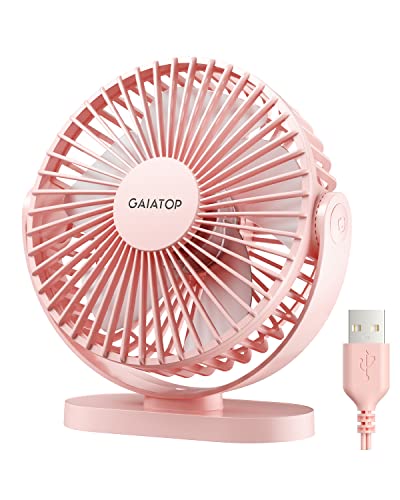
A warm desk can drain concentration faster than expected, especially when the room feels fine but the air around a laptop, monitor, or sunny window sits stubbornly still. The Gaiatop USB Desk Fan tackles that narrow comfort problem with a 5.5-inch frame, three airflow levels, and a head that rotates through 90 degrees. It fits the idea behind a best mini table fan because it concentrates airflow near one seat instead of pretending to cool an entire room. That distinction matters, since personal cooling works best when expectations stay tied to distance, placement, and available USB power.
Gaiatop 5.5-Inch USB Desk Fan
The first thing that stands out is how little desk space this fan asks for. Its compact 5.5-inch body can sit beside a keyboard, on a narrow nightstand, or near a car console without swallowing the usable surface around it. At roughly 0.6 pounds, it’s also light enough to move from room to room without becoming another awkward appliance. The pink finish adds personality, though the color may be too specific for a workspace built around darker or more neutral gear.
Small fans often look convenient until their short cable forces them into a useless corner. Gaiatop avoids part of that frustration with a five-foot power cord, giving the fan more freedom to reach a laptop port, wall adapter, power bank, or car charger. That extra length helps with positioning, especially when the nearest USB source isn’t right beside the cooling spot. Still, the cord remains part of the setup, so anyone expecting cordless freedom will need to keep a power source nearby.
The fan’s lightweight design makes it practical for temporary setups. It can move from an office desk to a bedside table, then into a travel bag for a campsite, ballgame, or hotel room without much fuss. The tradeoff is straightforward: portable construction won’t carry the planted, heavy feel of a larger metal desk fan. Gaiatop addresses that weakness with silicone pads on four points of the base, which help reduce sliding and keep the fan from creeping across a smooth surface.
Three Speeds Make The Airflow Easier To Control
Three speed settings give this little fan more range than a basic one-button model. The low setting creates a gentler breeze that makes sense for close-range use, nighttime airflow, or quiet desk work where a strong stream would feel distracting. Medium offers a middle ground for steady circulation, while high is meant to move air more aggressively. That progression sounds simple, but it prevents the all-or-nothing experience that makes some mini fans uncomfortable at arm’s length.
The listed maximum air speed reaches 5.3 meters per second, which suggests a fairly direct breeze for a fan in this size class. That figure shouldn’t be confused with room-wide cooling, since a compact fan still works best over a short distance. Positioned toward the face, shoulders, or upper body, the airflow can take the edge off a warm workstation faster than a fan aimed vaguely across the room. Placement does much of the heavy lifting here, so the 90-degree adjustable head deserves as much attention as the motor itself.
The 90-degree rotation range lets the fan angle upward or downward instead of locking the breeze at desktop level. That’s handy when the base sits below shoulder height, on a shelf, or beside a bed where a fixed head would blow into the mattress. The adjustment also makes it easier to avoid drying the eyes during long computer sessions by redirecting air toward the neck or torso. It doesn’t oscillate side to side, though, so the airflow stays focused rather than sweeping across a wider zone.
Focused airflow suits personal use, but it also exposes a limitation. A single stationary stream won’t serve several people spread around a table, and it won’t circulate air through a large bedroom the way a full-size fan can. The three-speed control improves comfort within its intended radius, not beyond it. Used at a desk, in a car, or beside a sleeping area, that narrow purpose feels sensible rather than restrictive.
Noise Levels Fit Work Better At Lower Speeds
Noise can make or break a desktop fan, especially during video calls, reading, or sleep. Gaiatop lists a range of 30 to 50 decibels, with sound naturally rising as the speed increases. At the lower end, the fan should blend more easily into ordinary room noise, while the upper end may be more noticeable in a silent bedroom. The motor is described as upgraded for stronger airflow with lower noise, but the exact experience will still depend on fan speed, placement, and the surface beneath it.
A hollow desk can amplify vibration, turning a modest hum into an irritating buzz. The four silicone base pads help by adding grip and reducing direct contact between the plastic base and the tabletop. They also lower the chance of the fan shifting under its own vibration, a common annoyance with very light models. On uneven outdoor tables or soft bedding, however, the compact base may still need a firmer surface to remain steady.
High speed is the setting most likely to reveal the usual tradeoff between airflow and sound. More air movement means the blades and motor have to work harder, so expecting whisper-level operation at maximum output would be unrealistic. For calls or sleep, low speed will probably be the more comfortable compromise. High makes better sense during short bursts of heat, outdoor breaks, or moments when cooling matters more than background noise.
USB Power Adds Flexibility With One Clear Catch
USB power broadens the number of places where the fan can run. It can connect to a laptop, desktop computer, power bank, car charger, or USB wall adapter, which keeps it useful across office, travel, and outdoor setups. That flexibility is especially convenient when a standard electrical outlet isn’t close to the table. The fan isn’t battery-powered by itself, so it stops as soon as the connected source is removed.
The manufacturer recommends a 5V/2A power supply, and that detail shouldn’t be brushed aside. An underpowered USB port may lead to weaker performance, particularly on the highest setting, while a suitable adapter gives the motor the power it was designed to use. No wall charger is included, so the box won’t provide a complete wall-outlet setup on its own. Most homes and offices already have compatible USB adapters, but checking the output beforehand saves a needless round of troubleshooting.
Power banks make the fan more useful away from a desk, though runtime will depend on the bank’s capacity and the selected speed. That arrangement offers a kind of portable operation without adding a built-in battery that eventually wears down. Still, it means carrying two items instead of one, and the five-foot cord may feel excessive in a tight travel setup. For stationary use, the same long cable becomes an advantage rather than clutter.
Cleaning Is Simpler Than On Sealed Mini Fans
Dust buildup arrives quickly on small fan grilles, particularly near windows, pet areas, or busy desks. Gaiatop uses a detachable front cover, making it easier to reach the blades instead of trying to force a cloth through narrow grille openings. That practical detail can preserve airflow and reduce the fuzzy buildup that makes a fan look neglected. The fan should still be unplugged before cleaning, and the motor housing shouldn’t be exposed to water.
Easy access matters because compact blades spin quickly and collect debris around their leading edges. A soft brush or lightly damp cloth can handle routine cleaning without turning maintenance into a half-hour project. The removable cover also helps people who use the fan outdoors, where dust and fine grit collect faster. Reattaching the guard securely is essential, since the cover is part of the fan’s basic blade protection.
The Gaiatop model makes the strongest case for itself through manageable size, direct airflow, adjustable positioning, and straightforward upkeep. It won’t replace a room fan, and its brightest setting in pink won’t blend into every interior. It also relies on an external USB power source and doesn’t include a wall adapter. Yet for close-range cooling beside a computer, bed, car seat, or temporary outdoor setup, those compromises are easy to understand and fairly well balanced.
Honeywell TurboForce Air Circulator HT900
Stale air has a sneaky way of making a small room feel warmer than the thermostat suggests. The Honeywell TurboForce Air Circulator HT900 approaches that problem with concentrated airflow, a compact frame, and enough directional control to serve as a best mini table fan for desks, bedrooms, and other tight spaces. Its job isn’t to imitate a full-size pedestal fan or blast air across an open floor plan. Instead, it focuses on moving air efficiently where a bulky fan would feel clumsy or intrusive.
Honeywell TurboForce HT900
The HT900 keeps its design practical and fairly no-nonsense. Its small tabletop footprint makes it easier to place on a desk, dresser, nightstand, or shelf without sacrificing half the surface. Honeywell also designed it for floor use, so it doesn’t have to stay perched above waist level. That flexibility helps in rooms where the best airflow path starts near the floor and needs to angle upward.
Wall mounting adds another useful placement option. A mounted fan can free up desk space, keep cords away from clutter, and direct air from a fixed point without being bumped or shifted. Still, wall placement takes more commitment than dropping the fan on a table, and the chosen angle needs to make sense for the room. The tabletop, floor, or wall-mounted setup gives this model more range than many compact fans with a single intended position.
The black housing blends easily into offices, workshops, bedrooms, and shared living areas. It won’t bring much decorative flair, but that restraint can be a strength when the room already feels visually busy. The fan looks more functional than stylish, which fits its straightforward purpose. Anyone wanting a colorful accent or sleek decorative centerpiece may find the utilitarian appearance a little plain.
Airflow Reaches Beyond The Immediate Desk Area
Honeywell says the TurboForce design can be felt from up to 25 feet away, which separates it from tiny personal fans built only for arm’s-length cooling. The aerodynamic housing channels air into a more focused stream rather than letting it scatter immediately around the grille. That concentrated push can help circulate air through a small or medium-sized room, especially when the fan points toward an open doorway or across a clear path. Furniture, walls, and room layout will naturally affect how far the breeze feels useful.
The fan’s aerodynamic turbo design serves two different purposes. Pointed directly toward a chair or bed, it delivers personal cooling without taking up the space of a larger floor fan. Angled across the room, it can support broader circulation and reduce the pockets of warm, stagnant air that often collect in corners. That second use is easy to overlook, but air circulation can make an air-conditioned room feel more even without forcing the thermostat lower.
Strong directional airflow comes with a tradeoff. This isn’t an oscillating fan, so the breeze doesn’t sweep automatically from side to side. One well-aimed stream works nicely for a desk, couch, sleeping area, or doorway, but it won’t share air equally across several seats. The focused airflow pattern rewards careful placement more than casual placement.
Room size matters too. Honeywell positions the HT900 for small to medium spaces, and that description feels more realistic than treating it like a whole-house cooling device. It can improve movement in a bedroom, office, dorm room, or compact living area, but it won’t replace a larger fan in a broad, open room. Used within its intended range, the 25-foot airflow claim offers more reach than its compact body might suggest.
Three Speeds Cover Gentle And Stronger Cooling
Three speed settings keep control simple. The lowest speed suits quiet circulation, bedside use, or cooler days when the room only needs a light push of air. Medium provides a steadier breeze without jumping straight to maximum output. High delivers the strongest airflow for hot afternoons, stuffy rooms, or times when the fan sits farther away.
The difference between the speeds gives the HT900 more flexibility than a one-speed personal fan. A strong setting can feel excessive at close range, especially while reading or working, while a weak fixed speed may disappoint from across the room. The three-speed control lets the same fan shift between personal cooling and wider air movement. That range is more useful than piling on extra modes that rarely change the actual experience.
Control placement may require reaching around or toward the rear depending on how the fan is positioned. That isn’t a major flaw, but it can be mildly inconvenient on a deep shelf or wall mount. A remote control isn’t part of the design, so every speed change happens manually. The tradeoff is a simpler fan with fewer electronic parts and a straightforward mechanical interface.
The Pivoting Head Solves Awkward Placement Problems
A fixed fan often sends air at the wrong height, especially from a low table or floor. The HT900 uses a 90-degree pivoting head to aim airflow upward, forward, or somewhere between those positions. That adjustment helps the fan work beside a bed, under a desk, on a dresser, or near a doorway. It also reduces the need to stack the fan on books or boxes just to reach the right angle.
Upward airflow can improve room circulation by pushing cooler air toward warmer zones instead of blowing directly at one person. On the floor, the fan can move air that settles near an air-conditioning vent and help distribute it farther into the room. On a desk, a slightly raised angle can cool the upper body without blasting loose papers. The adjustable head turns a simple fan into a more adaptable circulation tool.
The pivot mechanism doesn’t provide horizontal rotation. Changing direction across the room means turning the entire fan base by hand. That’s easy enough on a tabletop, though less convenient after wall mounting. The design favors precise stationary airflow over automatic movement, which will suit some setups better than others.
Quieter Operation Helps In Bedrooms And Offices
Honeywell describes this fan as 25% quieter than comparable models, giving it a useful advantage in places where noise competes with sleep, calls, or focused work. A compact fan still produces audible motor and airflow sound, particularly at the highest setting. The real benefit is moderation rather than silence. Lower speeds should fit more comfortably into quiet routines, while high speed prioritizes airflow over subtlety.
Bedroom use often exposes noises that go unnoticed during the day. A steady fan hum can be soothing, but rattles, clicks, or sudden speed fluctuations quickly become annoying. The HT900’s focused design aims to move plenty of air without relying on an oversized blade assembly. Placement on a stable, level surface can help preserve the quieter operating character and prevent furniture from amplifying vibration.
Office use brings a different challenge. A fan needs to cool without overpowering a microphone, distracting coworkers, or creating a constant rush of air across paperwork. The lower and middle settings are likely to make the most sense at close range, while high can handle warmer periods or longer distances. The three-speed noise tradeoff lets airflow intensity match the situation instead of forcing one compromise all day.
The quietness claim should still be read in context. “Quieter” doesn’t mean inaudible, and airflow itself creates sound even when the motor is well behaved. People who need near-silent operation may prefer the lowest setting or place the fan farther away. For ordinary sleep, office, and living-room use, the balance between air movement and manageable sound is one of the HT900’s stronger qualities.
Air Circulation Can Ease The Load On Air Conditioning
A fan doesn’t lower the actual room temperature, but it can make the space feel more comfortable by moving air across the skin and reducing stagnant zones. The HT900 can also help distribute conditioned air instead of letting it pool near a vent or remain trapped in one section of the room. That makes the energy-saving circulation role more meaningful than simply aiming a breeze at a chair. Better distribution may allow an air conditioner to run less aggressively, depending on the room and comfort preference.
Placement plays a big part in that strategy. Pointing the fan across the room, toward a doorway, or upward from the floor can help mix air instead of creating one cold spot and one warm spot. The 90-degree head makes those adjustments easier without moving furniture around. A little trial and error usually pays off because the best airflow path depends on vents, windows, doors, and room shape.
The HT900 isn’t a replacement for cooling equipment during extreme heat. It can improve perceived comfort and circulation, but it won’t remove heat or humidity from the air. That limitation is common to every standard fan, and ignoring it leads to unrealistic expectations. Its strength lies in making existing cooling feel more evenly distributed while providing direct personal relief where needed.
Practical Strengths And Everyday Limitations
The biggest strength is the amount of placement flexibility packed into a compact fan. It can sit on a table, rest on the floor, mount on a wall, and pivot through 90 degrees without becoming complicated. Three speeds give enough control for both close and farther-range use. The combination of compact size, directional airflow, and multiple mounting options makes it easier to fit into rooms where space is already spoken for.
The lack of oscillation is the clearest limitation. A stationary stream works beautifully for one focused area, but it won’t distribute air across a wide seating arrangement without manual repositioning. People who prefer a sweeping breeze may be happier with an oscillating model, even if it takes up more room. The HT900 is better understood as an air circulator with targeted reach rather than a traditional side-to-side table fan.
Its corded design also limits true portability. Moving it from room to room is easy, but operation always depends on a nearby outlet. There’s no battery mode for camping, power outages, or areas without electrical access. In return, the fan avoids charging downtime and can run continuously without worrying about battery capacity.
The Honeywell TurboForce HT900 makes sense where steady airflow, modest dimensions, and flexible positioning matter more than decorative styling or remote features. Its strongest qualities are the up-to-25-foot airflow reach, three useful speeds, and a pivoting head that adapts to desks, floors, and walls. The quieter design supports bedrooms and offices, though high speed will naturally be more noticeable. For a compact fan built around circulation rather than gimmicks, the balance feels practical and refreshingly clear.
TriPole USB Desk Fan With 360-Degree Rotation
A crowded desk doesn’t leave much room for bulky cooling gear, yet trapped heat around a monitor or nightstand can become distracting fast. The TriPole Desk Fan takes a stripped-down approach with a 4.5-inch body, three speeds, and a fully adjustable head designed for close-range airflow. That combination puts it squarely in the conversation around the best mini table fan for personal spaces rather than whole-room cooling. Its strengths are easy placement, simple USB power, and precise direction, though the compact size naturally limits how broadly it can move air.
TriPole 4.5-Inch USB Desk Fan
The compact diameter is the first practical advantage. At 4.5 inches, the fan can sit beside a keyboard, alarm clock, speaker, or stack of papers without claiming the whole surface. It also slips more easily into luggage or a work bag than a standard tabletop model. Small dimensions don’t guarantee strong cooling, of course, but they make the fan far easier to live with in tight quarters.
Its black finish keeps the look restrained and easy to match with most office equipment. Nothing about the housing seems designed to draw attention, which can be a plus when the desk already feels visually busy. The broad base gives the fan a more planted stance than its small head might suggest. That wide-base design matters because lightweight fans can wobble, tip, or creep across smooth surfaces once the motor reaches its highest setting.
Portability here means light, compact, and easy to reposition, not cordless. The fan still needs a USB power source, so it can’t run by itself in the middle of a field or during an outage. Paired with a power bank, though, it becomes far more flexible for travel, outdoor seating, or temporary work setups. The small travel-friendly frame makes sense for anyone who values easy packing more than battery integration.
Three Speeds Keep Personal Cooling Simple
Three wind modes let the fan shift from a soft breeze to a stronger stream without burying the controls under extra buttons. A single button on the back handles operation, so the interface stays uncomplicated. Low speed suits close placement, reading, or bedside use, while medium can maintain steady airflow during longer work sessions. High provides the strongest cooling, though it will naturally create more sound and draw more current.
The speed range adds flexibility because personal comfort changes throughout the day. A powerful setting may feel welcome after coming in from the heat, but that same airflow can become irritating if it blows directly toward the eyes for hours. The three-level adjustment makes it easier to dial things back without moving the fan farther away. That’s a small convenience on paper, yet it has a noticeable effect on how often a compact fan actually gets used.
Button placement on the rear keeps the front clean, but it’s not always the most convenient spot. Reaching behind the fan can be mildly awkward if it sits against a wall, beneath a monitor, or on a crowded shelf. Still, the control is simple enough that there’s little chance of confusion. The lack of a remote or touch panel also means fewer parts, fewer settings to memorize, and a more direct plug-in-and-use experience.
Expectations need to stay tied to the fan’s scale. Three speeds don’t turn a 4.5-inch model into a room circulator, and the strongest mode is still intended for close-range relief. The fan is better suited to a desk, bedside table, travel seat, or compact workstation than a large living room. Used within that smaller radius, the focused airflow should feel far more effective than its size alone might imply.
Full Rotation Solves Awkward Airflow Angles
The head rotates through 360 degrees vertically, giving the TriPole more directional freedom than fans limited to a narrow tilt range. It can point upward from a low shelf, angle downward from a raised surface, or sit nearly straight ahead on a desk. That range helps when the available space is less than ideal. Instead of stacking the fan on books or nudging the base into a strange position, the head itself handles the adjustment.
Precise direction can make a modest airflow stream feel much stronger. Air aimed at the neck, upper body, or face has a more immediate cooling effect than air drifting past the side of a chair. The adjustable fan head also helps avoid blowing directly across papers or into dry eyes. A few degrees of tilt can be the difference between useful cooling and an annoying draft.
The fan doesn’t oscillate from side to side, so it won’t sweep air across a bed, couch, or shared table. Its 360-degree movement refers to manual up-and-down positioning rather than automatic rotation during operation. That distinction matters because the product favors one directed stream over broad distribution. For a single seat or a fixed workspace, stationary targeted cooling is often more practical than constant side-to-side motion.
Manual positioning also reduces mechanical complexity. There’s no oscillation motor adding noise, width, or another component that can wear out over time. The tradeoff is that changing the cooling zone requires turning or re-angling the fan by hand. That setup works well for personal use but feels less convenient when several areas need airflow at once.
USB Power Works Across Several Everyday Setups
The fan uses a 5V USB-A connection, so it can draw power from a computer, USB charger, power bank, or other compatible source. That broad compatibility is handy at home and especially useful while traveling, since USB power avoids dealing with different wall-voltage standards directly. A suitable local USB adapter can handle the outlet side while the fan continues using the same cable. The arrangement is simple, familiar, and easy to replace if the original power source isn’t available.
A 4.9-foot cord gives the fan more placement freedom than models tied to a short lead. It can reach behind a desk, across a nightstand, or toward a power bank tucked out of the way. The extra length also reduces the temptation to place the fan too close to a laptop simply because that’s where the USB port happens to be. On a tiny desk, however, nearly five feet of cable may need some basic management to keep it from becoming clutter.
Power requirements deserve attention because the fan needs about 0.8 amps while operating. TriPole notes that if the third speed doesn’t work, a USB charger supporting 5V/1A should be used for testing. That detail suggests weak or low-current ports may run the fan inconsistently, particularly at the highest setting. A modern wall adapter or capable power bank should be a safer bet than an old keyboard port or low-output hub.
No built-in battery means there’s no charging wait, battery aging, or runtime limit tied to an internal cell. As long as a compatible source supplies power, the fan can keep running. The flip side is obvious: continuous USB dependence reduces freedom compared with a rechargeable model. A power bank solves much of that issue, but it adds another item to carry.
The Base Helps Control Vibration And Movement
Four silicone pads sit beneath the base to improve grip and soften contact with the surface. That design helps reduce the little vibrations that can turn a quiet motor into a noticeable buzz on a hollow desk. It also keeps the fan from sliding during operation. The combination of a wide base and silicone feet gives the compact frame a steadier foundation.
Surface quality still matters. A level wooden desk, countertop, or nightstand should support the fan better than a soft blanket, uneven picnic table, or sloped dashboard. Silicone pads can add traction, but they can’t compensate for a badly tilted surface. For travel use, placing the fan on something firm will usually produce the least noise and the most reliable angle.
Reduced vibration doesn’t mean silent operation. Blade noise and moving air become more noticeable as speed increases, especially in a quiet bedroom. The stable base simply prevents avoidable rattles from joining the mix. On lower speeds, that vibration-damping setup should help the fan feel less intrusive during reading, desk work, or sleep.
Cleaning Access Is A Real Everyday Benefit
Dust gathers quickly on small fan grilles because the blades constantly pull room air through a narrow opening. TriPole uses a detachable front cover, making the fan mask and blades easier to reach for routine cleaning. That access matters more than it sounds, since clogged blades move air less efficiently and can start looking grimy within a surprisingly short time. A removable guard saves the tedious job of poking a cloth through tiny grille gaps.
Regular maintenance should be straightforward with a soft brush or lightly damp cloth after the fan is disconnected from power. The motor housing shouldn’t be washed or soaked, and the blades need to be dry before the cover goes back on. A secure reattachment is essential because the front guard provides protection from the moving blades. The easy-clean design is practical, but it still calls for basic care rather than a rushed rinse under the faucet.
Cleaning frequency depends on the environment. Pet hair, open windows, fabric fibers, and dusty travel conditions can load the grille faster than a closed office. A quick visual check every so often is usually more useful than following a rigid schedule. Keeping the intake clear supports steadier airflow and prevents dust from becoming part of the breeze.
Where The TriPole Fan Fits Best
The TriPole’s strongest case rests on compact size, adjustable direction, and simple USB power. It fits naturally beside a computer, on a small nightstand, or in a travel setup where packing space matters. The long cable and flexible head make placement less frustrating than with many tiny fans. Those features solve everyday annoyances without adding decorative lights, wireless controls, or extra complexity.
Its limitations are just as clear. The fan isn’t cordless, doesn’t oscillate, and won’t cool an entire room with the reach of a larger circulator. The rear button may also be inconvenient in a cramped position, while the highest speed depends on a capable power source. These aren’t hidden flaws so much as the ordinary tradeoffs behind a small personal USB fan.
A larger fan makes more sense for broad circulation across a bedroom or living area. A rechargeable model is the better fit where outlets and power banks aren’t practical. The TriPole earns its place in smaller, fixed setups where air needs to hit one spot and stay there. That focused role is narrower, but it’s also where the fan’s 360-degree adjustment and stable footprint provide the most value.
The overall design favors function over flourish. Three useful speeds, a removable cover, silicone feet, and a nearly five-foot cord cover the details that affect daily use. The unit asks for a reliable USB source and realistic expectations about its limited cooling zone. Within those boundaries, it offers a sensible balance of portability, control, and easy maintenance without pretending to be more powerful than a 4.5-inch fan can reasonably be.
Gaiatop 5-Inch Desk Air Circulator Fan
Heat tends to settle in the most inconvenient spots, such as beside a computer, over a kitchen counter, or near a bed where the central air barely reaches. The Gaiatop model approaches that problem as a best mini table fan built for concentrated airflow without demanding much surface space. Its compact housing, three manual speeds, and fully adjustable tilt give it more flexibility than a basic fixed-angle desk fan. Still, this is a corded personal air circulator, so its strongest results come from smart positioning rather than sheer size.
Gaiatop Compact Desk Fan
The body measures roughly 5.59 by 5.65 by 4.33 inches, which keeps it manageable on crowded desks, narrow counters, and small bedside tables. At about 0.73 pounds, it’s easy to carry between rooms without feeling flimsy or awkward. That small footprint leaves room for the things that already compete for space, whether that’s a keyboard, lamp, coffee maker, or stack of books. For a fan meant to stay close, compact dimensions are more useful than a large grille that constantly gets in the way.
Gaiatop pairs deep-pitched blades with an aerodynamic housing designed to push air forward and improve circulation. The listed maximum wind speed reaches 6.2 meters per second, giving this small unit a stronger stream than its modest frame might suggest. That airflow can feel brisk at desk distance and can also help move conditioned air away from a vent or appliance. It won’t replace a full-size room fan in a broad open space, but it can make a stubborn warm zone far less uncomfortable.
The black finish gives the fan a clean, practical look that won’t fight with most office or kitchen setups. There are no decorative lights, touch displays, or flashy extras competing for attention. That restraint suits a product built around simple cooling and air movement. Anyone after a colorful accent piece may find it plain, but the understated shell is easier to place in rooms that already have plenty going on.
Three Speeds Cover Different Heat Levels
Three manual speed settings make it easy to shift between a mild breeze and more forceful cooling. The lowest level makes sense during quiet work, reading, or sleep, especially when the fan sits only a few feet away. Medium provides a steadier stream for everyday room circulation, while high is better suited to stuffy afternoons or warm kitchen tasks. The three-speed range avoids the annoyance of a single fixed output that’s either too weak or too aggressive.
High speed is where the fan’s compact motor and aerodynamic blade design do their heaviest work. A direct stream can cool the upper body quickly when the fan is aimed correctly, which matters more than trying to blast air vaguely across a whole room. The stronger setting may also help redistribute cool air from an air conditioner or move warm air away from an appliance-heavy corner. Naturally, maximum airflow will be more noticeable than the lower settings, even with a quieter motor.
Manual controls keep operation straightforward, though they don’t provide the convenience of a remote. Every adjustment requires reaching the fan, so placement behind a monitor or high on a shelf may be less convenient. On a desk, counter, or nightstand, that limitation is minor because the controls stay within easy reach. The upside is a simpler setup with fewer electronic parts and no app, pairing process, or menu to fuss with.
The 360-Degree Tilt Improves Placement
A small fan becomes much more useful when it can aim air exactly where it’s needed. The head offers 360-degree adjustable tilt, allowing the airflow to point forward, upward, downward, or somewhere between. That freedom helps when the fan sits below shoulder level, on a high shelf, or near the floor. Rather than propping the base on books or shifting furniture around, the angle can be changed at the fan itself.
Directional control also helps prevent common annoyances. A breeze aimed straight at the eyes can become uncomfortable during long computer sessions, while air hitting a stack of loose papers can turn a tidy desk into a mess. Tilting the head toward the neck, chest, or surrounding room lets the fan cool without becoming a distraction. The precise airflow angle is especially useful in compact spaces where moving the entire unit isn’t always practical.
The tilt is manual and doesn’t provide automatic side-to-side oscillation. That means the fan serves one focused zone at a time rather than sweeping across several seats. For a desk, bedside area, bathroom counter, or cooking station, concentrated airflow often makes more sense anyway. Shared spaces that need broad, moving coverage may be better served by a larger oscillating model.
Quiet Operation Suits Work And Rest
The upgraded motor is rated for operation as low as 30 decibels, giving the fan a useful role in bedrooms, dorm rooms, and focused workspaces. Lower speed should create the least intrusive background sound, while stronger settings naturally add more blade and airflow noise. “Quiet” shouldn’t be mistaken for completely silent, since moving air always produces some sound. Still, the combination of smooth airflow and controlled vibration is better suited to close-range use than a rattly high-speed fan.
Four rubber pads sit under the base to help reduce vibration and keep the unit from sliding. That detail matters on hollow desks, metal shelves, and smooth countertops, where even a modest motor can create an annoying buzz. The pads also give the lightweight body a steadier footing when the airflow is set high. A stable nonslip base doesn’t draw much attention in a product listing, but it can make a major difference during everyday use.
Surface choice still affects sound. A firm, level desk will usually keep the fan steadier than a soft blanket, uneven shelf, or flexible folding table. Placing it against another object may also introduce rattling that isn’t coming from the motor itself. A little space around the housing allows the quiet airflow design to perform without nearby clutter vibrating along with it.
Corded Power Brings Reliability And Limits
This Gaiatop fan runs from a standard 120-volt AC connection and uses a permanently attached 4.92-foot cable. The cord is long enough to reach behind a desk, across a counter, or toward a nearby wall outlet without forcing the fan into an awkward position. Continuous wall power also means there’s no battery to charge or runtime to manage. As long as an outlet is available, the fan can keep operating through a long workday or warm night.
The undetachable cable is both practical and limiting. It can’t be forgotten at home, yet it also can’t be swapped for a shorter lead or removed for easier packing. The fan is portable from room to room, but it isn’t built for places without household power. A campsite, outdoor game, or power outage would call for a battery-powered or USB-compatible alternative rather than this AC-powered design.
Cord placement deserves a little thought in kitchens and bathrooms. The cable should stay away from wet counters, sinks, hot surfaces, and busy walkways where it could be pulled or tripped over. Its nearly five-foot reach offers useful flexibility, but extra length can become clutter if it’s left loose. A tidy route along the back of a desk or counter keeps the setup safer and less distracting.
Low Power Draw Supports Everyday Circulation
The fan is rated at 6.8 watts, a modest power draw for continuous personal cooling and air circulation. That makes it practical to run alongside an air conditioner, heater, dehumidifier, or other appliance that benefits from better air movement. A small circulator can help distribute treated air instead of letting it remain concentrated near one vent or corner. The fan itself doesn’t lower room temperature, but it can make existing cooling feel more evenly spread.
Airflow placement matters more than simply turning the fan on. Pointing it across a room, toward an open doorway, or upward from a low surface may help mix cooler and warmer pockets of air. In a kitchen, it can direct heat away from a work area, though it shouldn’t blow directly across an open flame or scatter lightweight ingredients. The energy-efficient circulation role works best when the angle supports the room’s natural airflow rather than fighting it.
Pairing the fan with air conditioning may reduce the urge to keep lowering the thermostat simply because one area feels stale. The actual savings will depend on climate, room size, appliance settings, and how long everything runs, so precise cost claims would be unrealistic. What the 6.8-watt motor does offer is a low-demand way to improve local comfort. For concentrated cooling, that’s a sensible use of power.
Detachable Parts Make Cleaning Less Tedious
Dust clings quickly to fan grilles and blade edges, especially in bedrooms, kitchens, and spaces with pets. The front cover can be detached, making the blades and grille easier to clean than those on a sealed compact fan. Better access means less time poking cotton swabs through narrow openings or trying to dislodge buildup with compressed air. Regular cleaning also helps preserve airflow by keeping the blade surfaces clear.
The fan should be unplugged before the cover is removed. A soft brush or lightly damp cloth can handle ordinary dust, while the motor housing needs to stay dry. The cover must be reattached securely before operation because it protects fingers and nearby objects from the spinning blades. Easy maintenance is useful, but it still calls for a careful hand rather than a quick rinse under the faucet.
Kitchens may require more frequent cleaning because grease and airborne residue can make dust stick to the grille. Bathroom humidity can create a similar issue if moisture and lint collect around the intake. Offices and bedrooms are usually less demanding, though open windows and pet hair can speed up buildup. The removable front guard makes those different maintenance routines easier to manage.
Practical Strengths And Clear Tradeoffs
The Gaiatop fan’s main strengths come from how well its parts work together. A compact 5-inch frame saves space, the full tilt range fixes awkward placement, and three speeds cover light circulation through stronger personal cooling. Its 6.2-meter-per-second maximum airflow gives the small body some real punch at close range. Rubber feet and a removable cover round out the design with stability and easier upkeep.
The limitations are equally straightforward. This fan needs a wall outlet, has no automatic oscillation, and relies on manual controls. Its focused stream won’t evenly cool several people spread around a room, and the attached cable reduces travel flexibility. Those tradeoffs don’t undermine the fan’s purpose, but they do define where the corded personal circulator fits best.
A rechargeable fan makes more sense for outdoor use or frequent travel. A larger oscillating unit is better for broad coverage across a living room or shared bedroom. The Gaiatop model belongs on a desk, counter, nightstand, or shelf where one warm spot needs steady attention. In that narrower role, its strong directional breeze and low power draw are more valuable than a long list of decorative extras.
The design stays refreshingly direct: plug it in, choose a speed, set the angle, and let it move air. There’s no timer, remote, battery meter, or smart-home integration to manage. That simplicity may feel basic beside feature-heavy fans, but it also keeps the daily routine uncomplicated. For close cooling in a fixed location, the balance of power, size, quietness, and adjustability feels thoughtfully matched.
WHATOOK Rechargeable Fan For Personal Cooling
A warm desk, stuffy bedside corner, or windless campsite can make a small fan feel less like an accessory and more like practical relief. The WHATOOK model takes an unusual route for a best mini table fan, offering 100 airflow levels instead of the familiar low, medium, and high arrangement. A rechargeable battery, remaining-power display, adjustable angle, and closely spaced grille round out the design. Its wide control range is the headline feature, though getting real value from all those settings depends on how often precise airflow adjustments matter in daily use.
WHATOOK 2000mAh Rechargeable Desk Fan
The compact body is designed to move easily between a desk, nightstand, travel bag, and outdoor setup. Since it uses a rechargeable 2000mAh battery, the fan doesn’t need to remain tied to a wall outlet during operation. That freedom is useful in cramped workspaces where cords already pile up, and it also helps during short trips or temporary power interruptions. Better still, the fan can continue running while it charges, so low battery power doesn’t automatically end the cooling session.
WHATOOK states that the 2000mAh version can operate for up to 10 hours, though actual runtime will naturally depend on airflow strength and usage habits. Lower settings should place less demand on the battery, while the upper end of the speed range will drain it faster. That’s a normal tradeoff for rechargeable fans, but the broad selection of settings gives more control over the compromise. A gentle bedside breeze can preserve power, while a stronger outdoor setting can prioritize immediate cooling.
The product information also mentions a 5000mAh version with up to 25 hours of operation, but this particular model is identified with the smaller battery. That distinction matters because the two capacities shouldn’t be treated as interchangeable. The 2000mAh configuration favors lighter, easier portability over maximum runtime. For overnight use at modest airflow or several shorter desk sessions, the listed 10-hour ceiling offers a practical amount of flexibility without making the fan unnecessarily bulky.
One Hundred Speeds Offer Precise Airflow Control
Most small fans give three or four speed choices, and that often leaves an awkward gap between barely noticeable and louder than preferred. WHATOOK stretches the range to 100 wind-speed levels, allowing much finer adjustments. Levels 1 through 20 are described as quieter settings suited to work and sleep, while levels 50 through 100 provide heavier airflow for hotter conditions. That structure makes sense, although cycling through such a large range may feel excessive if only a handful of favorite settings get used.
Fine control can be genuinely helpful at close range. A fan sitting two feet from the face doesn’t need the same output as one placed across a tent, and even a small speed change can affect eye dryness, loose papers, or microphone noise. The low-speed range lets the breeze stay soft without forcing the fan farther away. During sticky outdoor weather, the higher levels offer a stronger stream that’s better suited to immediate personal cooling than subtle circulation.
The practical question isn’t whether 100 settings sound impressive. It’s whether the control method makes those settings easy to reach without endless button pressing. The supplied details don’t explain the exact adjustment interface beyond mentioning airflow changes and the display, so it would be careless to invent how quickly the fan moves between levels. What can be said is that granular speed control offers more room to balance comfort, sound, and battery life than a basic three-speed switch.
That flexibility also keeps the fan from being boxed into one job. Soft airflow can sit quietly beside a bed, middle settings can support long office sessions, and stronger output can handle short bursts of outdoor heat. Still, a compact personal fan won’t cool an entire campsite or large room simply because its speed number reaches 100. The benefit is adjustable personal airflow, not whole-space climate control.
The Battery Display Removes Some Guesswork
Rechargeable fans can be frustrating when they shut off without warning. WHATOOK adds an LED battery display that shows remaining power after airflow adjustments, giving a clearer sense of when charging will be needed. That visibility is useful before sleep, travel, or a long meeting, since guessing from motor speed alone isn’t reliable. It also makes it easier to decide whether to lower the airflow and stretch the remaining charge.
The display uses soft, low-level lighting intended to avoid becoming distracting in a dark bedroom. Bright indicators can be surprisingly irritating at night, especially on a nearby table where every glowing number reflects off furniture or walls. A low-light screen strikes a better balance by keeping battery information visible without acting like a tiny lamp. Light sensitivity varies, though, so even a dim display may need to face away from the bed.
Charging while the fan runs adds another layer of convenience. The unit can remain useful beside a computer or wall adapter instead of sitting idle until the battery fills. That arrangement effectively turns it into a corded fan whenever continuous operation matters. The use-while-charging function doesn’t erase the need to manage cables, but it prevents battery capacity from becoming a hard stop during long work or rest periods.
Quiet Low Settings Fit Bedside And Office Use
WHATOOK describes levels 1 through 20 as silent gears intended for sleep and office settings. No specific decibel measurement is provided, so it’s safer to expect reduced noise rather than complete silence. Blade movement and airflow will always create some sound, particularly as the fan speed rises. At low output, that sound may settle into the soft background hum often described as light white noise.
White noise can help mask distant traffic, hallway activity, or the occasional household creak, but it isn’t universally soothing. Some people prefer nearly silent rooms, while others sleep better with a consistent mechanical hum. The fan’s broad speed scale makes that personal preference easier to accommodate because the sound and airflow can be nudged gradually. A soft bedside breeze also avoids the harsh, drying feeling that stronger airflow may cause over several hours.
Office conditions create a different set of demands. Strong air can scatter notes, dry the eyes, or become audible on video calls, while weak airflow barely cuts through the heat from a laptop and monitor. Levels near the lower end should help keep the fan from becoming a distraction at arm’s length. The ability to tune both noise and breeze intensity is more valuable here than raw maximum power.
Higher settings will naturally be louder. That’s not a defect so much as the price of moving more air through a small housing. Outdoors, the extra sound is less likely to matter because ambient noise tends to cover it. Indoors at night, sticking with the lower range will better match the fan’s quiet personal-cooling role.
The Adjustable Head Broadens Placement Options
A 180-degree adjustable angle lets the fan direct air forward, upward, or downward depending on where it sits. That makes it easier to use on a low nightstand, a high shelf, or a crowded desk without stacking objects beneath the base. Precise aiming also helps keep airflow off sensitive eyes or loose paperwork. The fan stays manually positioned rather than sweeping automatically, so one cooling zone remains the focus.
The design can rest flat on a bedside table or be hung, according to the provided details. Hanging placement may be useful where surface space is scarce, though the exact hanging method isn’t specified and shouldn’t be guessed. A secure support point would be essential because a dangling fan that shifts or falls creates more trouble than relief. The flat-or-hanging flexibility adds possibilities, but stability should come before clever placement.
Manual angle control has one obvious limitation: it doesn’t spread air across several positions by itself. Someone moving between a desk and nearby chair will need to redirect the fan by hand. On the other hand, skipping automatic oscillation can reduce mechanical complexity and keep the body compact. For a bed, workstation, or travel seat, focused directional airflow is often more useful than a breeze that keeps moving away.
The Safety Grille Is Built For Close Placement
Small fans often sit within easy reach, which makes grille spacing more than a cosmetic detail. WHATOOK uses smaller gaps with a denser, wider structure intended to keep fingers from reaching the blades. That added separation is reassuring on a low table or crowded desk where hands, charging cables, and loose objects move nearby. Basic caution still matters, since no protective grille makes careless handling sensible.
The housing is described as pure ABS material with no odor. ABS is commonly used for lightweight appliance shells because it can form a sturdy structure without adding much weight. The supplied information doesn’t include independent material testing, so broad safety claims beyond the stated design would be unwarranted. What the product description does support is a simple, sturdy plastic body intended for regular portable use.
Dense grille spacing may collect dust faster than an open design. Bedroom lint, pet hair, and outdoor grit can gather along the intake and gradually restrict airflow. The product details don’t specify whether the cover detaches, so cleaning access shouldn’t be assumed. A soft brush or careful surface wipe while the fan is powered off would be the sensible approach for maintaining the protective front grille.
Where The WHATOOK Fan Makes The Most Sense
The strongest part of this design is the combination of cordless operation, precise speed control, and battery visibility. It can shift from quiet bedside use to stronger outdoor airflow without forcing one fixed compromise. The adjustable angle also makes the small body easier to position in awkward spaces. Those features address the everyday irritations that often make basic mini fans feel less useful after the novelty wears off.
There are tradeoffs worth keeping in view. The 2000mAh battery won’t match the longer runtime associated with the separately mentioned 5000mAh version, and maximum speed will likely shorten operation considerably. A 100-level control range may also feel like overkill for someone who simply wants low, medium, and high. The WHATOOK makes the most sense where fine adjustment and portability matter more than instant simplicity.
Large rooms remain outside its natural territory. This is a personal desktop and travel fan, not a substitute for an air conditioner, ceiling fan, or full-size circulator. Its stronger settings can make close-range heat more manageable, but they won’t remove humidity or reduce the actual room temperature. Realistic expectations keep the mini rechargeable fan useful instead of asking it to handle a job its size can’t support.
WHATOOK also states that replacement support is provided within one year. The exact terms, eligibility rules, and process aren’t included in the supplied details, so that service promise should be read without assumptions. Even so, stated after-sales coverage adds reassurance for a battery-powered appliance with electronic controls and a display. Day to day, the more immediate strengths remain the up-to-10-hour battery claim, low-speed quiet range, and broad airflow adjustment packed into a portable frame.


Best Quiet Ceiling Fan For Bedroom 2026 Ultimate Comfort Picks

Best Ceiling Fan For Master Bedroom 2026 With Ultimate Comfort

Best White Ceiling Fan With Light For Bedroom 2026 Top Picks

Best Quorum Medallion Ceiling Fan 2026 With Style & Breeze

Best Outdoor Fan For Pergola 2026 Comfort Boost

Best Ceiling Fan For Great Room 2026 With Ultimate Comfort

Best Outdoor DC Ceiling Fans 2026 For Breezy Comfort

Best ceiling exhaust bath fan with light and heater 2026





