
Best Noiseless Desk Fan 2026: Quiet Picks That Fit

A best noiseless desk fan should cool the space around a keyboard without turning every call, study session, or late-night task into a battle with motor noise. Plenty of compact fans look harmless on a product page, yet some produce an irritating whine that becomes harder to ignore after twenty minutes. Others stay fairly quiet at the lowest setting but shake, buzz, or push uneven air once the speed increases. The real goal isn’t total silence, because moving air always creates some sound, but a soft and consistent tone that fades into the background.
Low-speed performance matters more than an oversized speed count. Ten settings won’t help much if the first usable level scatters papers or dries the eyes before it cools the face. A well-tuned fan should provide a mild breeze for close-range use, then offer stronger airflow for warmer afternoons without suddenly sounding like a small appliance under strain. That balance makes everyday use less fiddly, especially when concentration disappears the moment a fan starts pulsing or changing pitch.
Desk space can vanish in a hurry, so a narrow base and sensible control placement deserve close attention. A broad pedestal may feel stable, but it can crowd a mouse pad, notebook, microphone, or charging dock. By contrast, an overly light model may creep across a smooth surface or vibrate against the furniture. Stable construction, rubber feet, and a head that holds its chosen angle can prevent those small annoyances from piling up during a long workday.
Air direction also separates a genuinely practical fan from one that merely looks tidy. A fixed head forces the whole unit to be moved whenever posture changes, while a flexible tilt lets the breeze reach the neck or upper body without blasting directly into the eyes. Oscillation can help in a shared room, though it isn’t always necessary for personal cooling. In fact, a focused stream often feels calmer and uses less desk space than a wider oscillating design.
USB-powered desk fans offer convenient placement near a laptop, monitor, or power bank, but cable length and connector type can affect how cleanly everything fits together. Battery-powered models remove the cord for a while, though runtime usually drops at higher speeds and the battery adds weight. Plug-in designs suit a permanent workstation and avoid charging routines, yet they’re less convenient to move from room to room. So, the right power setup depends on whether the fan will stay planted or follow daily routines around the house.
Cleaning shouldn’t require a toolbox or a wrestling match with fragile clips. Dust gathers on blades and grilles faster than expected, and that buildup can reduce airflow or introduce extra noise. A removable front grille makes maintenance easier, while tightly sealed housings can become frustrating after a few months. Simple access for cleaning keeps the fan quieter, helps the motor breathe, and prevents gray dust from being blown back across the desk.
Realistic expectations matter, too. A small fan can make a warm workspace feel more comfortable, but it won’t lower the temperature of an entire room like air conditioning. Larger blades often move more air at a lower pitch, though the housing takes up extra room. Tiny high-speed blades save space, but they may produce a sharper sound that sensitive ears notice quickly. The strongest pick is the one that matches the distance, available space, and acceptable sound level rather than chasing maximum airflow on paper.

- LFR Score9.2
LFR Score is a ranking system developed by lightfansreviews.com. LFR Score has no relationship or impact from any manufacturers or sales agent websites. Learn more
- BrandSWEETFULL

- LFR Score9.2
LFR Score is a ranking system developed by lightfansreviews.com. LFR Score has no relationship or impact from any manufacturers or sales agent websites. Learn more
- BrandHoneywell

- LFR Score9.2
LFR Score is a ranking system developed by lightfansreviews.com. LFR Score has no relationship or impact from any manufacturers or sales agent websites. Learn more
- BrandDREO

- LFR Score9.2
LFR Score is a ranking system developed by lightfansreviews.com. LFR Score has no relationship or impact from any manufacturers or sales agent websites. Learn more
- BrandWHATOOK

- LFR Score9.0
LFR Score is a ranking system developed by lightfansreviews.com. LFR Score has no relationship or impact from any manufacturers or sales agent websites. Learn more
- BrandKIMMOO

- LFR Score9.0
LFR Score is a ranking system developed by lightfansreviews.com. LFR Score has no relationship or impact from any manufacturers or sales agent websites. Learn more
- BrandKoonie

- LFR Score9.0
LFR Score is a ranking system developed by lightfansreviews.com. LFR Score has no relationship or impact from any manufacturers or sales agent websites. Learn more
- BrandGaiatop
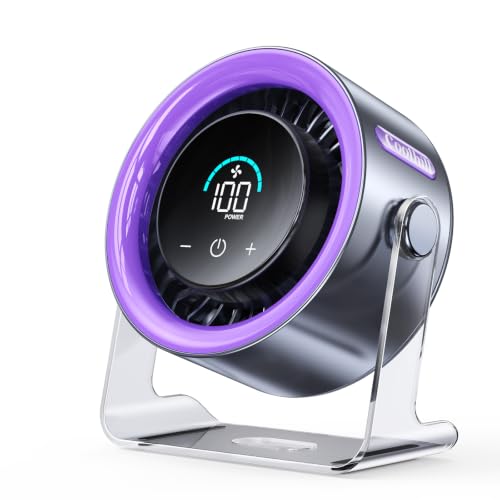
- LFR Score8.8
LFR Score is a ranking system developed by lightfansreviews.com. LFR Score has no relationship or impact from any manufacturers or sales agent websites. Learn more
- BrandCoolhill

- LFR Score8.6
LFR Score is a ranking system developed by lightfansreviews.com. LFR Score has no relationship or impact from any manufacturers or sales agent websites. Learn more
- BrandHoneywell

- LFR Score8.2
LFR Score is a ranking system developed by lightfansreviews.com. LFR Score has no relationship or impact from any manufacturers or sales agent websites. Learn more
- BrandKONSIDEN
Last update on 2026-07-08 / Affiliate links / Images, Product Titles, and Product Highlights from Amazon Product Advertising API
Best Noiseless Desk Fan For Compact Workspaces
A quiet room can turn surprisingly irritating once a small motor starts whining beside the keyboard. That’s the problem this compact SWEETFULL model tries to avoid, positioning itself as a best noiseless desk fan candidate for close-range cooling where harsh sound, bulky housings, and tangled controls quickly become annoying. Its 6.5-inch frame, three speed settings, and vertically rotating head keep the design straightforward rather than piling on features that rarely earn their space. The result is a focused personal fan built around low-noise airflow, simple positioning, and easy portability.
SWEETFULL 6.5-Inch USB Desk Fan
The SWEETFULL fan measures 6.5 by 2.5 by 7.4 inches, so it occupies a narrow strip of desk space instead of claiming the area needed for a notebook, coffee mug, or mouse. At just 10 ounces, it’s light enough to move from a home office to a kitchen counter, car, campsite, or hotel room without becoming one more heavy item to lug around. That low weight is handy, though it also means placement matters on crowded surfaces where cords get pulled or bumped. The anti-slip rubber base helps counter that weakness by reducing movement, vibration, and the rattling that can travel through a hollow tabletop.
The black wood-grain base gives the fan a warmer look than the usual plain plastic office accessory. It won’t fool anyone into thinking it’s made from real timber, but the finish softens the gadget-like appearance and sits comfortably beside dark monitors, wooden desks, and neutral home decor. That matters more than it sounds because a desktop fan often stays visible all day, even when it isn’t running. The wood-grain styling adds personality without turning the fan into a flashy centerpiece.
Portability is one of the clearest strengths here, yet the design doesn’t include an internal battery. The fan must stay connected through its 4.7-foot USB cable, whether the power comes from a laptop, desktop computer, power bank, AC adapter, or car charger. That setup offers broad compatibility and avoids battery aging, but it isn’t truly cordless. Anyone expecting to place it in the middle of a patio table with no nearby power source will need a separate power bank.
Quiet Airflow Without The Distracting Buzz
SWEETFULL states that the fan operates at under 25 dB, a figure aimed squarely at quiet work, study, rest, and conversation. Actual perceived sound can still shift with speed, surface type, and distance, but the anti-slip base is a sensible addition because vibration often makes small fans seem louder than their motors alone. On a solid desk, the soft base can prevent the housing from passing a faint hum into the furniture. That combination of a low stated noise level and vibration control fits situations where steady background sound becomes harder to tolerate than heat.
Three speeds provide a useful range without turning operation into a button-heavy puzzle. Repeated presses of the power button cycle through low, medium, and high airflow, making it easy to soften the breeze during a call or raise it when the afternoon heat settles in. Low speed should be the natural starting point at arm’s length, especially when papers, dry eyes, or microphone noise are concerns. High speed offers more cooling force, though any compact fan will become more noticeable as blade speed rises.
The controls are simple enough to use by feel after a few days, but the single-button arrangement carries a small tradeoff. Reaching a preferred speed may require cycling through the other settings rather than choosing one directly. That’s hardly a deal-breaker, yet it can feel mildly tedious if the fan is switched on and off several times throughout the day. Still, the one-button control keeps the body uncluttered and reduces the number of small switches that can collect dust.
Personal cooling is where this design makes the most sense. A 6.5-inch desktop fan isn’t intended to lower the temperature across a full room, and expecting air-conditioning-style results would miss the point. Its job is to move air around the face, neck, hands, or upper body from a relatively short distance. Used that way, the compact airflow pattern can make a stuffy workstation feel less stagnant without disturbing everything nearby.
Full Vertical Rotation Makes Placement Easier
The fan head rotates vertically from 0 to 360 degrees, allowing the airflow to be aimed upward, downward, forward, or at an angle between those positions. That range helps when the fan sits below face level, on a shelf above the desk, or beside equipment that blocks a straight path. Instead of shifting the whole base each time posture changes, the head can be tilted to redirect the breeze. The adjustment is especially practical in tight setups where moving one item tends to knock three others out of place.
Vertical rotation shouldn’t be confused with automatic oscillation. The SWEETFULL remains pointed in the chosen direction rather than sweeping from side to side, so it’s better suited to focused personal airflow than cooling several people across a wider area. That fixed direction can actually be helpful during concentrated work because the breeze won’t repeatedly pass over papers, microphones, or sensitive eyes. Shared spaces, however, may benefit more from a larger oscillating model.
Car use is another sensible fit because the USB connection can draw power from a compatible car charger. The compact body can sit near a console or other stable surface, while the rotating head directs air toward a passenger or a poorly ventilated spot. Safe placement is essential, of course, since a lightweight fan shouldn’t interfere with controls, visibility, or loose objects inside the vehicle. The adjustable head reduces the need for awkward mounting angles, but the fan still needs a secure resting place.
Easy Cleaning Helps Preserve Performance
Dust buildup is a quiet fan’s sneakiest enemy. Fine debris collects on the grille and blades, gradually restricting airflow and sometimes creating an uneven sound that wasn’t present when the fan was new. SWEETFULL uses a detachable front cover, making routine cleaning less of a chore than it would be with a permanently sealed grille. Regular maintenance can help preserve both airflow and the quieter character that makes this model appealing.
The removable cover also makes this fan more practical for dusty offices, workshops, bedrooms, and travel bags. A quick wipe of the grille and careful cleaning of the blades can prevent gray buildup from being blown back toward the desk. The fan should be unplugged before the cover is removed, and moisture shouldn’t be allowed near the motor or USB connection. That’s basic care, but easy blade access means the task is less likely to be postponed until the fan looks noticeably dirty.
The plastic construction keeps the weight low and makes transportation easier, though it won’t have the dense, planted feel of a heavier metal fan. A lightweight frame may react more to accidental cable pulls, especially when connected to a laptop positioned across the desk. The rubber feet offer some protection against sliding, but thoughtful cable routing will still improve stability. This is a clear portability-versus-weight tradeoff, not a hidden flaw.
SWEETFULL also states that support is available around the clock for product issues. That service claim is useful to know, although the practical value depends on the response provided if a problem actually occurs. More immediately, the detachable cover, simple button, and common USB power format reduce the number of unusual parts that need explanation. The design favors straightforward ownership over complicated features or app-based controls.
Where This Small Fan Fits Best
This model makes the strongest case on desks where space and sound are both limited. Its narrow body can slip beside a monitor or laptop, while the stated sub-25 dB operation aims to keep airflow from becoming the loudest thing in the room. The three speeds cover gentle to stronger personal cooling without introducing a confusing control panel. For close use, the balance of small footprint and adjustable airflow feels well judged.
Camping and outdoor travel are possible, but the USB-only power setup needs planning. A power bank can keep the fan running away from wall outlets, while the 10-ounce body won’t add much weight to a bag. Wind, uneven ground, or a loose picnic table can expose the limitations of such a light frame, so the anti-slip base can only do so much outdoors. The lack of a built-in battery is the main compromise for travel, particularly when every cable and accessory has to earn its place.
Hot sleepers may appreciate the low stated noise level and adjustable angle on a nightstand, though the fan’s compact blade size produces localized rather than room-wide airflow. It can aim a light breeze toward the pillow without occupying the space required by a full-size table fan. The USB cord also allows connection to a nearby adapter or power bank, but cable placement should remain tidy around the bed. The focused cooling range works best when the fan sits reasonably close.
The SWEETFULL won’t replace a larger circulator in a hot room, and it won’t suit anyone who specifically needs cordless operation or automatic oscillation. What it offers is more modest and, frankly, more realistic: a small USB fan with three speeds, broad vertical adjustment, a removable grille, and a base designed to limit slipping and vibration. Those features directly address the everyday irritations that make cheap desk fans hard to live with. As a best noiseless desk fan option for personal use, its appeal rests on compact convenience rather than oversized promises.
Honeywell HT-904 TurboForce Air Circulator Fan
Small fans often force an annoying compromise: accept weak airflow or live with a sharp motor buzz sitting a few feet from your ears. The Honeywell HT-904 takes a different route, using an aerodynamic housing to move air farther without requiring a large pedestal or tower-style body. That practical balance places it among the more compelling best noiseless desk fan options for a bedroom, office, or compact living space. It isn't a cordless travel fan, nor is it built around decorative extras, but its focused air circulation and flexible placement give it a clear purpose.
Honeywell HT-904 TurboForce Fan
The HT-904 has a compact footprint that works on a desk, tabletop, shelf, or even the floor. Honeywell also designed it for wall mounting, which opens up useful placement options when surface space is already packed with monitors, books, chargers, and everyday clutter. That flexibility is a real strength because airflow placement matters almost as much as raw fan speed. A modest fan positioned well can feel more effective than a larger model blowing across the wrong part of the room.
Its white housing has a simple, appliance-like appearance rather than a decorative finish. That may feel plain beside more stylized desk accessories, but the neutral design blends easily into bedrooms, offices, kitchens, and utility spaces. The rounded body also serves a practical role by guiding air through the TurboForce structure. Here, functional design takes priority over visual flair, and that choice suits a fan likely to spend most of its life quietly working in the background.
The compact size shouldn't be mistaken for pocket-sized portability. This is a corded indoor air circulator, so it needs access to an electrical outlet and won't run from a laptop, power bank, or USB adapter. Moving it between rooms is easy enough, but using it in a car, tent, or outlet-free patio setup isn't the point. The main tradeoff is clear: steady plug-in power replaces the freedom offered by rechargeable personal fans.
Airflow That Reaches Beyond The Desktop
Honeywell states that the HT-904's airflow can be felt from up to 25 feet away. That claim gives this model a broader job than simply blowing air across a keyboard or cooling someone's hands. The aerodynamic turbo design is intended to push a focused stream into a small or medium-sized room, helping move stagnant air through corners that a tiny personal fan may barely reach. Used from a desk, dresser, or low shelf, the longer airflow reach can make the surrounding area feel less stuffy.
Focused circulation also helps explain why the fan doesn't oscillate from side to side. Instead of sweeping air across a wide arc, it sends the breeze toward one chosen direction. That setup can feel stronger at a distance and works well for moving cool air from an air conditioner, open window, or cooler part of the room. The weakness is equally straightforward: fixed-direction airflow won't distribute a breeze among several seats unless the fan is manually repositioned.
The HT-904 won't lower the actual room temperature by itself, and expecting it to perform like an air conditioner would set the wrong benchmark. Its value comes from increasing air movement across the skin and helping conditioned air circulate more effectively. That can make a warm office or bedroom feel more comfortable without immediately lowering the thermostat. The circulation-first approach is practical, though its benefit depends on room layout, ambient temperature, and where the fan is placed.
Three Speeds Keep The Controls Straightforward
Three speed settings provide enough adjustment for common indoor situations without adding a complicated control panel. The lowest speed suits close-range use, quiet reading, or background circulation, while the middle setting adds a more noticeable breeze for warmer stretches of the day. High speed is the setting for stronger room movement, though it will naturally produce more audible air noise. This simple three-speed range makes daily operation easy to understand from the first use.
Quiet operation is part of Honeywell's description, but silence shouldn't be interpreted literally. Blades moving enough air to reach across a room will always produce some sound, particularly on the highest setting. The more useful question is whether the sound remains steady and unobtrusive rather than rattly, pulsing, or high-pitched. For a best noiseless desk fan, predictable background noise is often more comfortable than a softer motor that changes tone every few seconds.
The controls are mechanical rather than app-based or remote-operated. That means there are no schedules, smart-home integrations, digital displays, or wireless settings to manage. Some people will see those omissions as limitations, especially beside modern tower fans with electronic features. Others may appreciate the direct manual control, since a small fan rarely needs software to handle three speeds and an adjustable head.
The Pivoting Head Solves Awkward Placement
A 90-degree pivoting head lets the airflow point straight ahead, upward, or at an angle between those positions. That range becomes useful when the fan sits below desk height, on top of a cabinet, or near an air-conditioning vent. Tilting the head upward can circulate air toward the center of a room, while a lower angle creates more direct personal cooling. The adjustment reduces the need to balance the entire fan on books or other makeshift stands.
Wall mounting adds another layer of flexibility, particularly in tight rooms where floor and desk space disappear quickly. Positioned higher on a wall, the fan can move air above furniture and keep the cord away from the main work surface. Installation still requires a secure mounting location and thoughtful cable routing, so this isn't a completely fuss-free arrangement. Even so, wall-mount compatibility gives the HT-904 an advantage over models limited to flat surfaces.
The fan head pivots vertically, but it doesn't automatically rotate horizontally. Anyone wanting air to sweep across a couch, shared desk, or dining area may prefer an oscillating model. The HT-904 is better at sending a consistent stream toward a bed, workstation, doorway, or ventilation path. That directional cooling style feels purposeful rather than broad, but it won't suit every room arrangement.
Quiet Cooling With Practical Tradeoffs
Close-range fan noise can become tiring during calls, focused work, or sleep, especially if the housing vibrates against furniture. The HT-904 is designed for quiet operation, yet placement still affects how it sounds. A solid desk or stable shelf will usually create less secondary vibration than a thin folding table or hollow cabinet. Giving the fan a firm surface helps preserve its quieter operating character instead of allowing furniture to amplify every mechanical hum.
High speed deserves realistic expectations. Stronger airflow means faster-moving blades and more air turbulence, so the fan will be easier to hear than it is on low. That doesn't automatically make it noisy or unsuitable, but it means the lowest setting is likely to be the better fit beside a microphone, during nighttime use, or while reading in a silent room. The noise-versus-airflow tradeoff is unavoidable with any fan, and the HT-904 offers three levels for managing it.
The concentrated breeze can also dry eyes or scatter lightweight papers if the fan sits too close and points directly at the face or desktop. Tilting it slightly upward or placing it farther away can soften that effect without losing circulation. Its stated 25-foot reach gives more freedom to experiment with distance than a short-range USB fan might allow. Proper positioning turns the pivoting head from a minor feature into one of the product's most useful tools.
Energy Savings Depend On How It Is Used
Honeywell presents indoor fans as a way to give air conditioning a break and help reduce energy use. That logic makes sense when the fan allows the thermostat to remain at a less aggressive setting while occupants still feel comfortable. Air moving across the skin can improve perceived cooling, while circulation helps distribute conditioned air beyond the immediate vent area. The potential energy-saving benefit comes from changing cooling habits, not from the fan magically reducing the room's temperature.
Room layout plays a major role in that strategy. Pointing the HT-904 from a cooler hallway into a warm office, or upward to mix air that has settled into different temperature layers, may provide more value than aiming it randomly at an empty wall. Small adjustments can matter, particularly in rooms with poor natural circulation. The fan's focused turbo airflow rewards thoughtful placement rather than set-it-anywhere convenience.
Running the fan alongside an air conditioner can also reduce hot pockets around desks, beds, and corners blocked by furniture. Still, savings aren't guaranteed because climate, insulation, thermostat settings, and operating time all affect household energy use. Honeywell doesn't provide a universal dollar figure here, and one wouldn't be credible across every home anyway. The practical takeaway is that air circulation can support cooling efficiency, but only when it changes how heavily other cooling equipment is used.
Where The HT-904 Makes The Most Sense
A compact office is a natural setting for the HT-904 because it can sit on a desk without the height or footprint of a tower fan. The three speeds allow quick changes as the room warms, while the pivoting head keeps the breeze away from loose papers or directly into the upper body. Its longer stated reach also means it doesn't have to sit inches from the keyboard. That combination of desk-friendly size and room-oriented airflow is the model's clearest distinction.
Bedrooms can benefit from the same flexibility, especially if the fan is placed on a dresser or mounted away from the nightstand. Low speed supports gentler nighttime airflow, while the adjustable head makes it easier to avoid a constant blast toward the face. Sleep-sensitive environments will still depend on personal tolerance for motor and air noise. The fan's quiet-operation focus is promising, but no moving-blade product is completely silent.
The HT-904 is less suitable for cord-free travel, outdoor use without electricity, or shared spaces that need automatic oscillation. It also lacks timers, remote control, and a rechargeable battery, so convenience comes from physical simplicity rather than extra electronics. Those limitations aren't hidden once the design is understood. For steady indoor circulation, the Honeywell HT-904 TurboForce Fan offers a compact, adjustable setup built to move air farther than its tabletop proportions might suggest.
Dreo 12-Inch Quiet Air Circulator
A stuffy room rarely needs another bulky appliance chewing through floor space and droning beside the bed. The more practical fix is often steady air movement that reaches beyond the edge of a desk, which is where this Dreo model enters the best noiseless desk fan conversation. Its 12-inch frame combines a stated 70-foot airflow reach, a noise floor of 28 dB, three speeds, and a deeply adjustable head. Rather than behaving like a tiny personal fan aimed at one pair of hands, it’s designed to circulate air through a much larger portion of the room.
Dreo Quiet Room Fan
The first surprise is the size. At 9 inches deep, 11 inches wide, and 12 inches high, this isn’t the sort of miniature USB fan that disappears behind a coffee mug. It still fits on many desks, dressers, shelves, and kitchen counters, but it needs a proper patch of open surface. That added bulk pays for a wider air path and stronger circulation, though crowded workstations may need some rearranging before it settles in comfortably.
Dreo’s WingBoost system pairs deep-pitched blades with an aerodynamic housing intended to project air as far as 70 feet. That stated distance gives the fan a different job from compact models built only for close-up cooling. Placed across a bedroom or living room, it can keep air moving without sitting inches from the bed or chair. The airflow is focused rather than scattered, which helps it travel farther but also makes careful aiming more important.
The built-in handle and supportive base make room-to-room moves less awkward than the dimensions might suggest. Carrying it from an office during the day to a bedroom at night doesn’t require wrestling with a tall stand or loose pedestal. The housing can also be wall-mounted, freeing up the desk or floor while keeping the air stream above furniture. That placement flexibility is a meaningful strength in small rooms where every horizontal surface already has a job.
Long-Reaching Airflow Changes How It Feels
Strong airflow is only useful when it reaches the part of the room that actually feels stale. The Dreo’s claimed 70-foot reach allows it to sit farther away while still moving air toward a bed, sofa, workstation, or doorway. That can reduce the unpleasant sensation of having a fan blasting directly at the face. Instead, the unit can be angled to create circulation around the room, producing a less aggressive and more even cooling effect.
The 120-degree adjustable tilt adds more control than a fixed tabletop design. Aim it upward to move trapped warm air near the ceiling, point it horizontally for across-room circulation, or angle it toward the lower half of the body during hotter afternoons. This isn’t automatic oscillation, so the fan won’t sweep from side to side on its own. The wide tilt range is useful, but anyone wanting constantly shifting airflow may consider the fixed direction a limitation.
Room layout will decide whether that focused stream feels clever or restrictive. In an open bedroom, a direct path lets the fan move air with fewer obstacles. Tall furniture, thick curtains, and tight corners can break up the flow, so placing it behind a monitor or under a crowded desk wastes much of its reach. A few feet of clear space in front of the grille helps the WingBoost airflow do what it was designed to do.
Quiet Enough For Sleep And Focused Work
Dreo lists the minimum operating sound at 28 dB, which places quiet performance near the center of the design rather than treating it as a side benefit. The fan uses NACA-inspired technology and a bionic design to move air efficiently while limiting unwanted noise. That doesn’t mean every speed will sound identical, of course. Low speed should be the calmest choice for sleep, reading, calls, or concentrated work, while stronger settings naturally create more air movement and audible rush.
Sound character matters just as much as the number printed on a specification sheet. A steady whoosh often fades into the background more easily than rattling plastic, changing motor tones, or pulsing vibration. The larger blade structure may also produce a fuller, less shrill sound than tiny high-speed desk fans. For a best noiseless desk fan, that smoother acoustic profile can be more valuable than chasing absolute silence, which no moving-air appliance can honestly provide.
Placement can either preserve quiet operation or ruin it. A solid desk, dresser, or shelf is less likely to amplify vibration than a thin folding table or hollow cabinet. Wall mounting may reduce clutter, but an insecure bracket could transfer mechanical sound into the wall. The fan’s 28 dB minimum gives it a promising starting point, yet the surface underneath still plays a part in how quiet the room feels.
Three Speeds Keep Operation Refreshingly Simple
A manual knob controls the fan’s three speeds, skipping touch panels, remotes, and menus that can make a basic appliance feel needlessly fussy. The knob is quick to understand and easy to adjust without staring at a display. Low suits close placement or nighttime airflow, medium provides a stronger everyday breeze, and high is better for pushing air across a larger room. The three-speed control isn’t elaborate, but it covers the common situations without much fiddling.
Mechanical controls also have a practical advantage during repeated daily use. There’s no app to pair, no wireless connection to troubleshoot, and no glowing screen beside the bed. The downside is obvious: settings can’t be changed from across the room unless the fan is within reach. Anyone used to remote-controlled appliances may miss that convenience, while others will appreciate the straightforward knob and lack of electronic clutter.
The speed range helps balance airflow against sound, though three choices offer less fine tuning than fans with five, nine, or continuously variable levels. A middle setting may occasionally feel a touch stronger or softer than preferred, and there’s no in-between step to split the difference. Still, too many speed levels can become their own nuisance when cycling through them repeatedly. Dreo keeps the decision simple: gentle, moderate, or strong circulation.
Seasonal Circulation Goes Beyond Summer Cooling
This fan’s larger value appears when it works alongside other room appliances. During warm months, it can help spread conditioned air beyond the immediate area around an air-conditioning vent. In colder weather, pointing the fan upward can move warm air that has collected near the ceiling back into the occupied part of the room. The whole-room circulation approach makes it useful beyond a few humid weeks each year.
Humidifiers and air purifiers may also benefit from faster air movement. A humidifier’s output can remain concentrated near the machine if the surrounding air barely moves, while a purifier relies on room air reaching its intake. The Dreo can help distribute moisture or encourage broader circulation around those devices. It won’t increase their rated capacity, but better air mixing can reduce stagnant pockets in awkward room layouts.
Energy savings depend on habits rather than the fan alone. Pairing it with heating or cooling equipment may allow less aggressive thermostat settings while maintaining comfort, but no fixed savings figure applies to every home. Room size, insulation, climate, appliance efficiency, and operating time all shape the result. The honest benefit is that moving conditioned air more effectively can reduce the urge to keep pushing a heater or air conditioner harder than necessary.
Cleaning Access Helps Protect Airflow
Dust will eventually collect on any fan grille and blade set, and a powerful circulator is no exception. Dreo designed removable parts so routine cleaning doesn’t require poking cotton swabs through narrow openings. Clearing buildup helps maintain the intended airflow and prevents debris from being blown across a desk or bedroom. The removable components make upkeep less tedious, which matters because neglected blades can become noisier and less efficient over time.
The fan should be unplugged before opening or cleaning any removable section. A dry or lightly damp cloth is generally more sensible around the housing than soaking parts near the motor, though care should follow the product instructions. Allowing every cleaned component to dry fully before reassembly helps avoid moisture reaching electrical areas. Easy access is a strength, but safe maintenance still requires a little patience.
Its out-of-box setup is also intentionally simple. The fan can be placed on a stable surface and used without assembling a tall stand, while wall mounting remains optional rather than mandatory. That means it can start as a tabletop circulator and move to a permanent wall position later if desk space becomes tight. The combination of easy setup, a carry handle, and cleanable parts supports regular use rather than occasional storage.
Where The Design Fits And Where It Does Not
A bedroom is one of the strongest matches for this model. The stated 28 dB minimum supports quieter nighttime use, while the tilting head lets airflow pass over the bed instead of blowing directly into the eyes. Its 70-foot stated reach also allows placement on a dresser or shelf rather than crowding a nightstand. The distance-friendly circulation is especially useful when outlets or furniture limit where the fan can sit.
Office use makes sense too, provided the desk has enough room for the 12-inch body. The larger housing takes more space than a personal USB fan, yet it can cool beyond one chair and reduce stagnant air throughout a compact office. A shared workspace may still expose the lack of oscillation because the breeze remains directed toward one area. This is a focused air circulator, not a sweeping fan meant to serve several seats equally.
The Dreo is less convincing for travel, tiny cubicles, or situations requiring battery power. Its room-oriented dimensions and corded operation favor permanent or semi-permanent indoor placement. It also lacks a remote, timer, automatic oscillation, and a long list of speed increments, so feature hunters may consider it too basic. Its strongest case rests on quiet long-range airflow, flexible vertical aiming, and a design that can circulate air from a desk, floor, shelf, or wall.
WHATOOK Rechargeable 100-Speed Desk Fan
A gentle breeze sounds simple until the fan beside the keyboard starts buzzing, flashes a bright display at bedtime, or dies halfway through a warm afternoon. The WHATOOK model tackles those everyday irritations with unusually broad speed control, a rechargeable battery, and a compact body that can sit flat or hang nearby. Those details give it a credible place among best noiseless desk fan choices built for close personal cooling rather than whole-room circulation. Its strongest appeal lies in 100 adjustable speeds, portable USB charging, and airflow that can shift from soft background movement to a much stronger outdoor breeze.
WHATOOK 100-Speed Rechargeable Desk Fan
Most compact fans offer three or four settings, which can leave the lowest level too weak and the next one oddly aggressive. WHATOOK takes a very different approach by providing 100 wind-speed levels, allowing small adjustments instead of forcing a jump between broad presets. Speeds L1 through L20 are described as quieter settings for office work and sleep, while levels L50 through L100 are intended for stronger outdoor or travel cooling. That range sounds excessive at first, but fine control can be useful when a fan sits close to the face and a tiny airflow change makes a noticeable difference.
The broad adjustment range also helps this fan adapt to changing conditions without being constantly moved around. A low level can keep air from feeling stale during focused work, while a stronger setting can cut through the heavier heat of a campsite, parked rest area, or outdoor table. Still, more settings mean more button presses or control adjustments than a basic three-speed fan may require. The fine-tuning advantage is real, though anyone who prefers one simple knob may consider 100 levels more elaborate than necessary.
WHATOOK separates the speed range into practical zones rather than pretending every level serves the same purpose. The quieter lower gears make sense beside a laptop, on a bedside table, or during reading, while the upper range prioritizes airflow over silence. That distinction sets realistic expectations because strong air movement will naturally create more audible wind. The product’s quiet personal cooling claim is most relevant at the lower settings, not at maximum output.
Battery Life Suits Short And Long Daily Routines
The supplied description lists a 2000 mAh battery with operation lasting up to 10 hours. It also references a 5000 mAh version capable of up to 25 hours, so battery duration depends on the capacity of the specific version selected. Those runtime figures will also vary with speed because high airflow generally draws more power than a gentle setting. For desk use, the smaller battery still covers many work sessions, commutes, or stretches away from a wall outlet.
A rechargeable design removes the cord during use, which makes placement far more flexible than a plug-in tabletop fan. The unit can move from a home office to the kitchen, bedside table, patio, or travel bag without requiring a nearby socket every time. Better yet, it can operate while charging, so a depleted battery doesn’t automatically interrupt airflow. This use-while-charging function bridges the gap between portable convenience and dependable all-day desk operation.
Battery-powered fans do introduce a maintenance habit that corded models avoid. Forgetting to recharge before a trip can leave the fan dependent on a power bank or USB outlet, and long-term battery capacity may gradually decline through normal use. That’s the price paid for cord-free portability. In a permanent office setup, leaving the cable nearby makes sense, while travel use benefits from checking the display before heading out.
The LED Display Removes Battery Guesswork
A built-in LED screen shows the remaining battery level after airflow adjustments, making it easier to judge whether the fan needs charging. That’s more useful than a vague blinking light because a small battery indicator can prevent the unit from quitting unexpectedly during sleep or a long meeting. The display also supports the large speed range by giving a visible reference for the selected level. With clear battery feedback, power management becomes less of a guessing game.
Bright electronics can be irritating beside a bed, but WHATOOK describes the display as soft and low-light. That restrained glow should be less distracting in a dark room than a sharp blue screen or row of bright status lamps. Personal sensitivity still varies, and even a dim display may bother someone who prefers total darkness. The low-light screen is a thoughtful compromise, though it isn’t the same as having no illuminated display at all.
The screen adds useful information without requiring an app, wireless pairing, or a complicated control panel. Everything stays on the fan itself, which keeps operation self-contained during travel. That matters when phone batteries, unreliable connections, and forgotten passwords are already enough of a nuisance. The on-device controls suit a small appliance that should remain easy to use wherever it lands.
Quiet Airflow Fits Desks And Bedside Tables
WHATOOK describes the lower settings as silent gears with soft wind and a little white noise. That combination can work well during sleep or focused tasks because a steady, gentle sound is often easier to ignore than a motor that rattles or repeatedly changes pitch. The fan isn’t presented with a specific decibel measurement in the supplied details, so calling it completely silent would go beyond the available information. Its case as a best noiseless desk fan rests on the quiet L1 to L20 range and the ability to select a very precise low setting.
Fine speed control may help prevent the dry-eye problem that often appears when a small fan blows too hard from close range. Rather than moving the unit farther away or turning it off completely, the airflow can be reduced in small steps until it feels comfortable. This also lowers the chance of scattering receipts, sticky notes, or loose pages across the workspace. The soft-wind adjustment is especially practical in tight setups where the fan must sit near the keyboard.
White noise can be soothing, but it isn’t universally welcome. Recording, streaming, or microphone-heavy work may still pick up fan sound, especially at stronger settings or from very close placement. Positioning the airflow slightly off-axis can preserve cooling while reducing direct noise near a microphone. The low-speed range gives more room to make that compromise than a fan with only a few broad settings.
Flexible Positioning Helps In Small Spaces
The fan offers a 180-degree adjustable angle, so the airflow can be aimed upward, forward, or toward a lower position without moving the entire base. That flexibility helps on a short bedside table, a shelf above a desk, or a crowded surface where the most convenient spot isn’t directly in front of the chair. Tilting the head can also keep air away from the eyes while still cooling the neck and upper body. For personal airflow, direction often matters more than simply raising the speed.
WHATOOK states that the fan can sit flat on a bedside table or be hung, adding another option where horizontal space is scarce. Hanging placement can keep the fan above clutter, though the support point must be stable and appropriate for the unit’s weight. The product details don’t describe automatic oscillation, so the airflow remains aimed in the chosen direction. This fixed but adjustable design favors one cooling zone rather than distributing air across several seats.
Compact portability also suits luggage, camping gear, and temporary work areas. A small rechargeable fan is easier to justify in a bag than a corded air circulator with a wide base, particularly when power access is uncertain. The compromise is coverage: this model is intended for personal cooling, not for circulating air throughout a large room. Its travel-friendly form makes the most sense from short range.
Safety Details Matter Around A Small Fan
The housing uses pure ABS material that WHATOOK describes as odor-free, simple, and sturdy. Plastic keeps the fan light enough for travel while avoiding the weight of a metal housing. It may not feel as planted as a heavier tabletop model, but the reduced weight makes hanging and frequent repositioning easier. The ABS construction supports portability without adding unnecessary bulk.
The grille uses smaller gaps and a denser, wider structure intended to prevent fingers from reaching the blades. That’s a practical safeguard on a fan likely to sit within arm’s reach, move around the home, or travel in shared spaces. No grille should replace basic caution, especially if the cover becomes damaged or loose. Still, the narrow protective spacing addresses a common concern with compact high-speed blades.
A tighter grille may collect dust over time, particularly when the fan runs daily near bedding, fabric, or open windows. The supplied information doesn’t specify whether the front cover is removable, so cleaning access shouldn’t be assumed. Dust on the intake and grille can restrict airflow and add noise if ignored. Gentle exterior cleaning while the fan is switched off and disconnected will help preserve airflow consistency without making claims about parts that aren’t described.
Practical Strengths And Noticeable Tradeoffs
The standout feature is plainly the 100-level speed control. It offers far more adjustment than the usual low, medium, and high arrangement, making it easier to balance comfort, battery life, and sound. That level of precision is particularly useful for close-range cooling, where a single strong step can feel harsh. On the flip side, anyone who wants instant simplicity may prefer fewer choices and a physical speed dial.
Portability is another strong point because the rechargeable battery, compact shape, adjustable head, and hanging option reduce dependence on a fixed desk setup. The LED readout also makes battery planning easier during travel. Yet the stated runtime should be read as an upper limit tied to battery capacity and operating conditions, not a promise that maximum speed will run for the full duration. The key battery-life tradeoff is straightforward: stronger airflow generally means more frequent charging.
WHATOOK states that replacement support is available within one year and describes rapid after-sales response. That policy adds reassurance, although the supplied information doesn’t provide detailed warranty conditions or exclusions. Keeping order information and following the stated support process would matter if a battery, display, or control issue appeared. The fan’s strongest practical identity remains quiet adjustable personal airflow for desks, sleep, travel, and other close-range situations where a large room fan would be clumsy.
KIMMOO Rechargeable USB Desk Fan
A warm workspace can wreck concentration, yet a loud fan merely swaps one distraction for another. KIMMOO tries to split that difference with a compact rechargeable model that offers precise airflow control instead of the usual three blunt settings. Its 35 dB minimum noise rating, 100 speed levels, digital display, and adjustable head put it firmly in the best noiseless desk fan discussion. The design is especially appealing where quiet personal cooling matters more than moving air across an entire open-plan room.
KIMMOO 100-Speed Quiet Desk Fan
The fan measures 5.5 by 3.11 by 6.58 inches, so it fits beside a monitor, lamp, or stack of notebooks without swallowing the whole desk. At 0.92 pounds, or 418 grams, it’s light enough to carry between rooms or tuck into travel gear. That low weight makes daily movement easy, though a compact fan can be more sensitive to accidental cable pulls and bumps. A stable, uncluttered spot will help the small desktop footprint feel like an advantage rather than a balancing act.
The black housing keeps the appearance restrained and practical. No oversized pedestal, no decorative trim, and no collection of controls scattered across the frame. The compact body looks more like a personal desk appliance than a whole-room circulator, which matches its strongest use case. Its portable construction is aimed at close-range comfort in bedrooms, home offices, temporary work areas, and travel settings.
Battery operation gives the fan more freedom than a corded tabletop model. It can sit on a bedside table, outdoor desk, hotel counter, or workbench without needing to remain tethered to an outlet during use. That flexibility is useful, but rechargeable convenience always comes with a charging routine. The cord-free design pays off most when portability matters enough to justify keeping an eye on the remaining battery level.
One Hundred Speeds Offer Unusually Fine Control
Three-speed fans often leave an awkward gap between barely noticeable airflow and a breeze that feels too sharp at arm’s length. KIMMOO avoids that jump by offering 100 adjustable speed levels, letting the airflow rise in small increments from gentle to forceful. Fine control can reduce dry eyes, prevent loose papers from shifting, and make close placement more comfortable. It’s a practical feature, not merely a large number on the control panel.
The supplied specifications list a motor range of 2,000 to 2,900 RPM. Lower settings suit quiet reading, concentrated work, or a soft bedside breeze, while stronger levels provide faster personal cooling during hotter conditions. Naturally, the upper end will produce more wind noise and use battery power more quickly. The value lies in choosing the compromise instead of being stuck with a preset that’s close, but not quite right.
One hundred choices can sound like overkill, and honestly, not everyone will care about the difference between adjacent levels. A simple three-position dial is quicker when the only goal is low, medium, or high. Still, close-range fans are sensitive to small changes because they sit so near the body. The precision speed control earns its keep in quiet rooms where a slightly softer breeze can make the difference between comfort and irritation.
Quiet Operation Has Clear Limits
KIMMOO states that the fan produces 35 dB at Speed 1. That figure applies to the lowest setting, so it shouldn’t be treated as the noise output across all 100 levels. Faster blades move more air and inevitably create a stronger audible rush. For sleep, calls, and focused desk work, the quietest part of the range will be the relevant benchmark.
Noise character matters alongside the decibel figure. A steady airflow sound is usually easier to tune out than rattling plastic, clicking controls, or a motor tone that rises and falls. Surface placement can also change the experience because hollow furniture may amplify vibration that seems minor on a solid desk. Keeping the fan on a firm surface helps protect its low-noise advantage.
The fan belongs in the best noiseless desk fan category only with realistic expectations. It moves physical blades, so literal silence isn’t possible, especially at high speed. The more accurate promise is a quiet starting level with enough adjustment to avoid using stronger airflow than necessary. That’s a sensible approach for anyone who wants cooling without turning the workspace into a wind tunnel.
Turbo Airflow Adds Power When Heat Builds
KIMMOO describes its Turbo Wind system as using an ultra-high-speed motor with a 200 percent power boost. The intent is to circulate air quickly rather than limit the fan to a faint personal breeze. This gives the small unit more range across changing conditions, from gentle nighttime use to stronger daytime cooling. The claim should still be understood as manufacturer-provided product information rather than a guarantee of whole-room temperature reduction.
A compact fan can make the surrounding area feel cooler by moving air across the skin, but it doesn’t lower the room’s actual temperature like an air conditioner. Stronger airflow may feel especially useful in a parked workspace, warm kitchen corner, tent, or room with poor circulation. Its small blade housing will still provide more localized coverage than a large floor fan. The turbo airflow is best viewed as added personal cooling power, not a replacement for climate control.
High output also brings tradeoffs. Maximum speed will be louder, may disturb papers, and will likely shorten runtime compared with the gentlest setting. That isn’t a defect so much as the basic physics of moving more air with a small rechargeable motor. KIMMOO’s advantage is the wide adjustment range, which lets the fan stay restrained until stronger cooling is genuinely needed.
The Digital Display Makes Settings Easier To Track
A clear LED display shows both real-time battery status and the selected wind speed. That information is particularly useful on a fan with 100 levels because guessing the current setting by sound alone would be tedious. The battery readout also reduces the odds of the unit shutting down unexpectedly during a meeting or overnight. Visible feedback turns charging and airflow adjustment into a much simpler routine.
The display does add light to the room, which may matter on a bedside table. The provided description doesn’t mention a display-off mode or automatic dimming, so those features shouldn’t be assumed. Anyone sensitive to small lights during sleep may need to consider placement carefully. For daytime work, though, the easy-to-read screen is far more helpful than a single vague indicator lamp.
Physical, on-device information also means there’s no app to install and no connection process to troubleshoot. The fan remains self-contained whether it’s used at home, in an office, or on the road. That simplicity fits a small appliance that should be ready without software updates or account logins. The integrated display adds useful detail without making operation feel technical.
Battery Runtime Supports Portable Use
The fan is rated for up to 8.5 hours of continuous cooling on one charge. Runtime will depend on the selected speed, with low settings generally stretching battery life farther than turbo-level airflow. Eight and a half hours can cover a work block, a long evening, or much of a travel day under suitable conditions. Still, maximum output shouldn’t be expected to match the longest stated duration.
Recharging takes about 2.5 hours with a 5V/2A adapter, according to the supplied details. That turnaround is short enough to replenish the fan between daytime and nighttime use without leaving it plugged in for an entire day. Using a lower-output power source may affect charging time, so the adapter rating matters. The relatively quick recharge helps offset the inconvenience of an internal battery running down.
Portable battery power suits patios, travel bags, temporary desks, and rooms where outlets are inconveniently placed. It also keeps a cable from running across a busy work surface during normal operation. The limitation appears on long outdoor days, where a power bank or charging opportunity may still be necessary. The rechargeable setup favors mobility, but it doesn’t remove the need for power planning altogether.
Adjustable Airflow Improves Everyday Placement
The head rotates through 90 degrees, allowing the breeze to be aimed toward the face, upper body, bed, or a slightly elevated position. This is useful when the most convenient surface sits below shoulder height or off to one side. A quick tilt can redirect airflow without sliding the whole fan around the desk. That matters in cramped setups where moving one device usually tangles two cables and knocks something else over.
Directional adjustment also helps avoid the discomfort of air blowing straight into the eyes. Angling the fan toward the neck or across the upper body can preserve cooling while reducing dryness during long computer sessions. The unit doesn’t appear to offer automatic oscillation in the supplied description, so airflow remains fixed once positioned. Its multi-directional cooling serves one focused area rather than sweeping across several seats.
Fixed airflow isn’t automatically a drawback. During calls or recording, a steady off-axis breeze can be easier to manage than an oscillating stream that repeatedly crosses the microphone. A consistent direction also keeps papers from fluttering every few seconds. Shared rooms may need broader circulation, but personal desk cooling benefits from the predictable aim.
Safety Grilles Add Reassurance Around Busy Spaces
KIMMOO uses a dual guard rail design around the blades. The protective grille is intended to reduce access to moving parts, which is useful in homes where curious fingers, paws, or nearby objects may get too close. No grille makes careless handling safe, but denser protection lowers an obvious risk. The fan should still be switched off before it’s moved, cleaned, or inspected.
Tighter guard spacing can collect dust and lint over time. Buildup around the grille restricts airflow and may make the fan sound rougher than it did when new. The supplied information doesn’t specify whether the cover is removable, so easy internal cleaning shouldn’t be assumed. Regular exterior dusting while the unit is powered off will help preserve airflow consistency.
The compact size makes placement easy, yet it also encourages people to squeeze the fan into crowded corners. Leaving some open space around the intake gives the motor a better chance to draw air freely. Fabric, curtains, and loose papers shouldn’t rest against the grille. A little breathing room supports both safer operation and more effective cooling.
Where This Compact Fan Makes Sense
The KIMMOO fits best within a few feet of a desk chair, bed, countertop, or travel seat. Its precise low settings can provide a gentle breeze during quiet work, while the upper range handles warmer moments without requiring a second fan. The compact body and rechargeable battery make it easier to relocate than a corded air circulator. That combination favors close-range flexibility over broad room coverage.
Its main weaknesses are tied to the same design choices that make it portable. Battery runtime varies by speed, the digital display may be noticeable in a dark bedroom, and a small housing won’t circulate air like a full-size floor model. One hundred levels may also feel unnecessarily detailed to anyone who values a basic knob. Those are honest portability tradeoffs, not reasons to dismiss the fan outright.
The stronger case rests on control. A 35 dB lowest setting, 100 selectable speeds, battery and speed information on the display, fast charging, and a tilting head address the little frustrations that make many personal fans difficult to live with. It won’t cool an entire home, and it won’t stay silent at maximum power. As a best noiseless desk fan candidate, the KIMMOO stands out for letting airflow be adjusted with far more precision than the usual low-medium-high routine.


Best Quiet Ceiling Fan For Bedroom 2026 Ultimate Comfort Picks

Best Ceiling Fan For Master Bedroom 2026 With Ultimate Comfort

Best White Ceiling Fan With Light For Bedroom 2026 Top Picks

Best Quorum Medallion Ceiling Fan 2026 With Style & Breeze

Best Outdoor Fan For Pergola 2026 Comfort Boost

Best Ceiling Fan For Great Room 2026 With Ultimate Comfort

Best Outdoor DC Ceiling Fans 2026 For Breezy Comfort

Best ceiling exhaust bath fan with light and heater 2026





