
Best Personal Desk Fan 2026: Small Fan, Big Relief

A stuffy desk can make an ordinary afternoon feel twice as long. The best personal desk fan sends a focused stream of air toward your face and upper body without blasting loose papers across the room. That targeted cooling matters in shared offices, small bedrooms, dorm rooms, and home workspaces where lowering the thermostat isn't practical. A compact fan won't cool an entire room, but it can make the space around a chair feel far less sticky.
Airflow control deserves more attention than flashy extras. Several speed settings let the fan stay gentle during calls, then push harder when afternoon heat starts creeping through the window. An adjustable head is useful, too, since a fixed breeze can hit the keyboard, miss your face, or dry out your eyes after a few hours. Oscillation spreads air more broadly, though it usually takes up more room and may add a faint mechanical sound.
Noise can make or break the experience. A motor that sounds harmless in a busy store may become distracting beside a microphone, during late-night reading, or while trying to fall asleep. Look for a quiet desk fan with a stable base, smooth speed changes, and minimal rattling at its lowest setting. Still, silence claims deserve a raised eyebrow because every fan creates some air noise, especially once the blades start moving faster.
Power options also shape daily convenience. A USB desk fan plugs easily into a laptop, power bank, or wall adapter, but some models lose airflow when connected to a weak USB port. Rechargeable designs clear away cable clutter and move easily between a desk, kitchen counter, and bedside table. The tradeoff is simple: Batteries need charging, and maximum speed can drain them much sooner than the advertised runtime suggests.
Size isn't only about fitting beside a monitor. A tiny frame saves space, yet smaller blades may need to spin faster, creating a sharper sound and a narrower breeze. Larger personal fans often move more air at lower speeds, but they'll claim valuable desk space and may block part of the screen. A sturdy base, rubber feet, and a protective grille are worth prioritizing because a fan that slides, tips, or vibrates becomes annoying fast.
Cleaning should be straightforward rather than a weekend project. Dust gathers on the grille and blade edges, gradually weakening airflow and sending fine debris back toward the desk. A removable front cover makes routine care easier, while sealed housings can leave grime trapped in awkward corners. The strongest pick balances focused cooling, manageable sound, practical controls, and realistic maintenance instead of piling on features that rarely get used.
- LFR Score9.4
LFR Score is a ranking system developed by lightfansreviews.com. LFR Score has no relationship or impact from any manufacturers or sales agent websites. Learn more
- BrandGaiatop

- LFR Score9.2
LFR Score is a ranking system developed by lightfansreviews.com. LFR Score has no relationship or impact from any manufacturers or sales agent websites. Learn more
- BrandHoneywell

- LFR Score9.2
LFR Score is a ranking system developed by lightfansreviews.com. LFR Score has no relationship or impact from any manufacturers or sales agent websites. Learn more
- BrandTriPole

- LFR Score9.2
LFR Score is a ranking system developed by lightfansreviews.com. LFR Score has no relationship or impact from any manufacturers or sales agent websites. Learn more
- BrandHoneywell

- LFR Score9.2
LFR Score is a ranking system developed by lightfansreviews.com. LFR Score has no relationship or impact from any manufacturers or sales agent websites. Learn more
- BrandGaiatop

- LFR Score9.0
LFR Score is a ranking system developed by lightfansreviews.com. LFR Score has no relationship or impact from any manufacturers or sales agent websites. Learn more
- BrandGaiatop

- LFR Score9.0
LFR Score is a ranking system developed by lightfansreviews.com. LFR Score has no relationship or impact from any manufacturers or sales agent websites. Learn more
- BrandKIMMOO

- LFR Score9.0
LFR Score is a ranking system developed by lightfansreviews.com. LFR Score has no relationship or impact from any manufacturers or sales agent websites. Learn more
- BrandFRONTSUN

- LFR Score8.6
LFR Score is a ranking system developed by lightfansreviews.com. LFR Score has no relationship or impact from any manufacturers or sales agent websites. Learn more
- BrandHoneywell

- LFR Score8.6
LFR Score is a ranking system developed by lightfansreviews.com. LFR Score has no relationship or impact from any manufacturers or sales agent websites. Learn more
- BrandAmazon Basics
Last update on 2026-07-08 / Affiliate links / Images, Product Titles, and Product Highlights from Amazon Product Advertising API
Best Personal Desk Fan For Focused Everyday Cooling
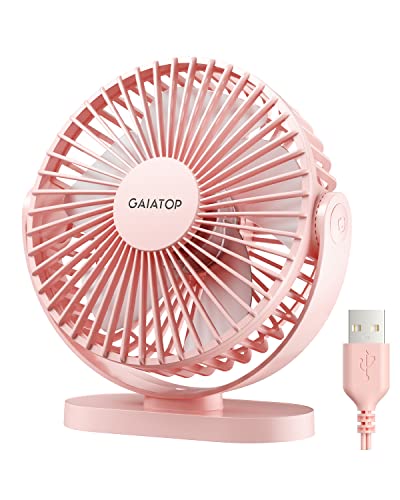
A warm desk can wreck concentration long before the whole room feels uncomfortable. Papers start sticking to your arms, the laptop adds another pocket of heat, and lowering the thermostat may not be an option. The best personal desk fan should solve that close-range problem without crowding the workspace or creating a distracting racket. The Gaiatop USB Desk Fan takes a practical route with a compact 5.5-inch frame, three airflow settings, and a rotating head that directs the breeze where it actually helps.
Gaiatop 5.5-Inch USB Desk Fan
This little pink fan weighs only 0.6 pounds, so shifting it from a home office to a nightstand or packing it for a trip shouldn’t feel like hauling extra equipment. Its small body also leaves more room for a keyboard, coffee mug, notebooks, and the usual clutter that somehow settles around a monitor. That compact footprint is a genuine strength in cramped areas, though it also means the fan is designed for personal cooling rather than circulating air through an entire room.
The 90-degree rotating head gives the small frame more flexibility than a fixed-position fan. Tilting the airflow upward can cool your face without blowing receipts and loose notes across the desk, while a lower angle can direct air toward your hands or upper body. The adjustment is manual, not automatic oscillation, so the breeze stays focused in one direction until it’s moved again. Honestly, that’s often more useful beside a computer because steady directional airflow creates fewer interruptions than a breeze that keeps sweeping away.
Three speeds cover the basic situations without piling on controls that rarely get touched. Low produces a gentler breeze for sleeping, reading, or working near a microphone, while medium offers a stronger everyday setting. High is the setting meant for quick relief, with the supplied information listing a maximum wind speed of 5.3 meters per second. That figure suggests fairly brisk close-range airflow, but the effect will still depend on placement, power source, and how far the fan sits from the chair.
Airflow And Noise In Daily Use
Small fans often face an awkward tradeoff: spinning faster moves more air, yet faster blades usually create more sound. Gaiatop lists a noise range of 30 to 50 decibels, with the lower end more relevant to gentle operation and the upper end more likely at stronger speeds. Those numbers describe a noticeable range rather than silence, so expectations should stay realistic. Low speed should be the safer bet for bedtime or calls, while high speed may be more audible in a quiet room.
The upgraded motor is described as producing stronger wind with lower noise, and that balance matters more than decorative extras. A fan beside a laptop doesn’t need fancy lighting or a long menu of modes; it needs to move enough air without becoming the loudest object on the desk. The three-speed control makes it easier to adjust that balance as the room changes through the day. Still, anyone extremely sensitive to background noise may prefer keeping it on low rather than expecting whisper-level operation at full power.
Placement will shape the experience just as much as speed. Set too far away, a 5.5-inch fan may feel weaker because its airflow is meant to stay concentrated around a small area. Set too close, especially at high speed, and the breeze may dry the eyes or feel harsh during long work sessions. A distance of a few feet is likely the sensible starting point, then the 90-degree tilt can fine-tune the direction without moving the whole base.
The silicone pads at four points underneath the base help address another common annoyance: lightweight fans that slowly shuffle across a desk. Vibration can make a poorly supported fan creep, rattle, or tip when the head is tilted. The anti-skid base is meant to keep the unit planted during operation, which is especially useful on smooth desks, bedside tables, or vehicle surfaces. It won’t turn the fan into a heavy-duty model, but it gives the compact body a more secure footing.
USB Power And Portability Tradeoffs
USB power makes this model easy to use around modern workspaces. It can connect to a laptop, desktop computer, power bank, USB socket, wall adapter, or car charger, provided the power source supports the required output. Gaiatop specifically recommends a 5-volt, 2-amp power supply, a detail worth following because an underpowered port may reduce airflow or cause inconsistent performance. The fan doesn’t include a wall charger, so that accessory must already be available or purchased separately.
The five-foot cord gives more placement freedom than the short leads found on many miniature fans. A longer cable can reach behind a monitor, down to a power bank, or across a nightstand without forcing the fan to sit right beside the power source. On the flip side, this is not a rechargeable cordless model, so it must remain plugged in while running. The USB-powered design favors dependable continuous use over cable-free convenience.
Travel use makes sense as long as power access is planned ahead. At 0.6 pounds, the fan can fit into a work bag, camping bin, or car kit without adding much weight, and a power bank can keep it running away from an outlet. Baseball games, outdoor tables, and tents are reasonable settings listed for the product, though the fan isn’t described as waterproof or weather-resistant. Dust, rain, and unstable surfaces should therefore be treated carefully, particularly during outdoor use.
Cleaning And Long-Term Practicality
Dust buildup can quietly weaken a fan long before the motor develops a problem. Fine debris settles on the grille and blade edges, reducing clean airflow and sometimes creating extra noise. The detachable front cover makes routine cleaning more manageable because the blade area is easier to reach than it would be behind a sealed grille. That removable cover is a useful maintenance feature, especially on a fan that may sit near fabric, pet hair, open windows, or kitchen dust.
Cleaning should still be handled with the fan unplugged, and moisture shouldn’t be allowed near the motor or USB connection. A dry cloth or soft brush can handle ordinary dust, while the removable cover may be cleaned separately if the manufacturer’s care directions allow it. Regular light cleaning is usually easier than waiting for a thick layer of grime to build up. The payoff is simple: clearer airflow, less rattling, and fewer dusty particles blowing back toward the desk.
The pink finish gives this model more personality than the usual black or white office fan, but color doesn’t erase its practical limitations. It won’t cool a large bedroom, replace air conditioning, or provide cordless operation away from a USB source. Its real value lies in compact spot cooling, straightforward controls, easy repositioning, and a base built to resist sliding. Those strengths suit close-range use, while broader room circulation calls for a larger fan with wider blades or oscillation.
Among small desktop models, the Gaiatop keeps its priorities refreshingly clear. The combination of three speeds, a tilting head, USB compatibility, a five-foot cord, and an accessible grille addresses the day-to-day frustrations that matter around a desk. The lack of a wall adapter and the need for continuous wired power are worth factoring into the setup before buying. Used within its limits, this small quiet desk fan offers focused relief without taking over the workspace.
Honeywell TurboForce HT900 Personal Desk Fan
A desk can feel strangely uncomfortable even when the rest of the room seems fine. Warm air gathers around a monitor, sunlight creeps across the workspace, and a full-size fan takes up more space than it earns. The best personal desk fan needs to move enough air to matter without turning every paper into a flying object. The Honeywell TurboForce HT900 approaches that problem with a compact body, three speeds, a 90-degree pivoting head, and airflow designed to reach beyond the immediate edge of the desk.
Honeywell TurboForce HT900
The HT900 sits in an interesting middle ground between a tiny personal fan and a small-room air circulator. It can rest on a table, desk, or floor, and the housing also supports wall mounting for tighter spaces. That flexibility is one of its strongest traits because placement changes airflow more than many people expect. A fan aimed from below, across a desk, or down from a wall can feel completely different even at the same speed.
Honeywell states that the fan can be felt from up to 25 feet away, which separates it from miniature USB models intended only for close-range cooling. That reach doesn’t mean it will cool a whole room like an air conditioner, but it does suggest stronger circulation across a bedroom, office, or compact living area. Used on a desk, the extra output lets the fan sit farther away instead of crowding a keyboard or blowing directly into the eyes. That distance can make the breeze feel broader and less harsh.
The black housing is plain and practical rather than decorative. It blends easily with office equipment, televisions, shelving, and dark furniture without calling much attention to itself. Still, the body is bulkier than the smallest travel fans, so it deserves a little breathing room on a narrow desk. The tradeoff is reasonable: more substantial airflow generally requires a larger blade system and a deeper fan housing.
Turbo Airflow Without Fussy Controls
The aerodynamic turbo design is meant to concentrate and project air rather than letting it scatter immediately in front of the grille. That focused movement helps in rooms where air feels stagnant, especially near a hot workstation or a bed positioned far from an air vent. Three speeds keep the operation simple, with no remote, digital screen, or complicated mode list to learn. Sometimes basic controls are exactly what a desk fan needs.
Low speed suits steady background circulation, while medium gives the breeze more presence without jumping straight to maximum output. High speed is the setting for hotter afternoons, stuffy rooms, or situations where the fan needs to push air across a wider distance. The difference between these settings also lets airflow intensity change with the task at hand. Reading, sleeping, and video calls may call for restraint, while exercise, cooking, or direct summer heat may justify the stronger setting.
The 90-degree pivoting head adds useful control without relying on oscillation. Air can be aimed upward to move warm air away from a desk, straight ahead for direct cooling, or down from a wall-mounted position. Because the head stays where it’s placed, the breeze remains consistent instead of sweeping back and forth. That fixed directional flow can be easier to live with during focused work because it avoids repeated changes in pressure and noise.
Noise Levels And Realistic Expectations
Honeywell describes the TurboForce as 25 percent quieter than comparable fans, based on the company’s stated comparison. That claim is useful, but “quieter” doesn’t mean silent, especially on the highest speed. Blade noise and rushing air naturally rise as the motor moves more air. In a busy office, that sound may fade into the background, while a silent bedroom will make it more noticeable.
Low speed is the sensible place to start for sleep, calls, or reading. A steady fan sound can mask small household noises, but the exact effect depends on how close the unit sits and how sensitive the room is to mechanical hum. Placing the fan a few feet away often softens the sound while preserving airflow. The HT900’s stronger reach supports that setup better than a tiny fan that must sit inches from the face.
Desk surfaces can also affect perceived noise. A hollow table, lightweight shelf, or uneven surface may amplify vibration even if the motor itself runs smoothly. A solid placement helps reduce that problem, and wall mounting can free the fan from a resonant desktop altogether. The main point is practical: fan noise comes from both the machine and its surroundings, so setup matters nearly as much as the speed dial.
Small-Room Circulation And Energy Use
Direct cooling is only one way to use the HT900. Aiming it across a room can help move conditioned air more evenly, reducing warm pockets near windows, electronics, or poorly positioned vents. During cooler weather, angling the head upward may help redistribute air that gathers near the ceiling. That makes the fan useful beyond the hottest weeks of summer.
Honeywell positions portable fans as a way to give an air conditioner a break, and the logic is straightforward. A focused breeze can make a person feel cooler without lowering the thermostat as aggressively. Actual energy savings will vary by room, climate, fan use, and cooling habits, so a fixed dollar figure would be misleading. Even so, targeted air circulation can reduce the urge to cool unused parts of a home.
The fan’s reach also helps in small to medium-sized rooms where air needs movement rather than dramatic temperature reduction. It won’t remove humidity, lower indoor temperature by itself, or replace central cooling during severe heat. What it can do is keep air from sitting still, which often makes a room feel less oppressive. That distinction matters because circulation and refrigeration are different jobs.
Placement Options And Everyday Flexibility
Tabletop use is the obvious arrangement, but the HT900’s floor and wall-mount options open up better setups in crowded rooms. A floor position can push cooler air upward, while wall mounting clears valuable desk or dresser space. The pivoting head then becomes even more useful because it compensates for the fixed mounting point. This flexibility makes the fan easier to adapt as furniture or routines change.
On a home-office desk, it can sit behind a monitor and direct air over the top rather than across loose documents. On a nightstand, aiming the head slightly upward can keep the breeze from hitting the face too sharply. In a workshop or kitchen, a more direct angle may be preferable to move heat away quickly. The adjustable head turns one compact fan into several different airflow setups without extra attachments.
Wall mounting does require proper hardware, a suitable surface, and careful placement near a power outlet. Renters or anyone unwilling to drill may prefer keeping it on a stable table or shelf. The fan is portable within the home, but it isn’t described as cordless, so the power cord will always influence placement. That’s a limitation worth considering before choosing a permanent spot.
Strengths, Limits, And Best-Fit Situations
The strongest argument for the HT900 is its balance of compact size and projected airflow. Many personal fans save space but only create a narrow breeze at close range. This model is designed to reach farther, making it more useful in a small office or bedroom where one fan may need to serve both personal cooling and general circulation. The three-speed dial keeps that power easy to manage.
Its limitations are just as clear. There’s no automatic oscillation mentioned, no battery operation, and no remote control. The styling is functional, and the housing may feel oversized beside ultracompact USB fans. Those tradeoffs won’t suit every setup, but they also keep the fan focused on air movement rather than extras.
The HT900 makes the most sense where stronger airflow matters more than portability in a backpack. It can cool a desk from several feet away, circulate air through a small room, or mount on a wall where floor space is scarce. People wanting whisper-soft bedside airflow at arm’s length may prefer a smaller motor, while anyone frustrated by weak mini fans may appreciate the extra push. Realistically, this is a compact circulator first and a tiny personal accessory second.
Maintenance and long-term convenience also deserve attention, even though the supplied details don’t specify a removable grille or special cleaning system. Dust will collect on any fan that runs regularly, particularly around the intake and front grille. Periodic cleaning with the unit unplugged helps preserve steady airflow and keeps loose dust from being pushed back into the room. A compact fan that moves serious air needs clear vents to keep doing its job properly.
TriPole USB Desk Fan For Personal Cooling
Heat around a workstation rarely announces itself all at once. It builds beside the monitor, settles near the keyboard, and slowly turns a productive afternoon into a sweaty slog. The best personal desk fan should cut through that discomfort without swallowing half the desktop or roaring beside a microphone. The TriPole USB Desk Fan answers with a 4.5-inch frame, three speeds, full vertical rotation, and a longer cable that gives the compact design more room to work.
TriPole 4.5-Inch USB Desk Fan
The TriPole measures 4.5 inches in diameter, placing it firmly in the mini-fan category. That small footprint leaves space for notebooks, speakers, chargers, and the coffee cup that always seems to land too close to the keyboard. It can also sit on a nightstand without competing with a lamp or phone. Small dimensions do limit how broadly it can circulate air, though, so this is personal cooling rather than a substitute for a room fan.
Portability is a clear part of the appeal. The fan is compact enough to move between a bedroom, office, hotel room, or temporary travel setup without turning the bag into a hardware drawer. Its USB-powered operation also avoids the need to hunt for a region-specific fan outlet during overseas trips. Still, it has no built-in battery, which means the fan must remain connected to a working USB power source.
The black finish keeps the appearance simple and easy to blend into most desks. There’s no display panel, remote control, mood lighting, or complicated control scheme vying for attention. One button on the back handles the speed settings, keeping operation straightforward even in a dim room. That simplicity suits a small plug-in fan, although reaching behind the housing may be less convenient if the unit is tucked tightly against a monitor.
Three Speeds For Close-Range Airflow
Three wind modes provide enough adjustment for the usual changes throughout a day. Low speed can create a lighter breeze during reading, sleeping, or video calls, while medium gives the airflow a more noticeable presence. High speed is intended for quicker relief when the desk area becomes stuffy. The three-speed control won’t offer fine-grained tuning, but it covers the basic shift from gentle circulation to stronger spot cooling.
Distance matters with a fan this small. Positioned within close range, its focused breeze can cool the face, neck, or hands without disturbing the temperature of the whole room. Move it too far away, and the narrow airflow will naturally lose some impact. A little trial and error with placement helps the compact airflow feel useful rather than underwhelming.
The strongest setting also depends on adequate USB power. TriPole states that the fan needs 0.8 amps while operating and recommends testing it with a 5V/1A USB charger if the third speed doesn’t work. That note matters because older computer ports, weak hubs, and low-output adapters may not supply enough current. A fan that runs on low but stalls on high may be dealing with the power source rather than a faulty motor.
Noise is softened by the stable base and silicone pads, but faster airflow will still create more audible rushing sound. The supplied description calls the fan quiet, yet no specific decibel figure is given, so silence shouldn’t be assumed. Low speed is the safer setting around a microphone or bedside, while high speed may be more noticeable in a still room. The practical advantage is adjustable sound and airflow, not noiseless operation at every level.
Full Rotation Without Automatic Oscillation
The fan head rotates 360 degrees up and down, giving the little frame far more aiming flexibility than a fixed-head model. It can point toward the face from below a monitor, angle across the hands, or direct air upward from a low shelf. That freedom helps when the available desk space forces the base into an awkward spot. Instead of shifting the entire fan, the head can be tilted until the breeze lands where it’s useful.
Full rotation shouldn’t be confused with automatic oscillation. The head stays in the selected position rather than sweeping from side to side, which keeps the airflow concentrated on one area. For close work, that can be an advantage because papers aren’t repeatedly hit by changing gusts. The tradeoff is that one-direction cooling won’t share airflow across several seats or cover a broad room.
Aiming the fan slightly off-center can make longer sessions more comfortable. Direct airflow into the eyes may feel refreshing for a minute, then become irritating after an hour of screen time. Tilting the head toward the neck, shoulder, or upper chest can deliver relief without creating that dry, windblown feeling. The adjustable angle makes these small refinements easier than they would be with a rigid tabletop fan.
The rotating head also gives the fan a useful role outside a traditional office. On a nightstand, it can aim over bedding rather than directly at the face; on a kitchen counter, it can point toward a warm prep area. A power bank can support temporary use at a picnic table or campsite, provided the fan remains protected from moisture and dirt. No weather-resistant claim is supplied, so outdoor placement calls for common sense rather than carefree exposure.
Stable Base And Desk-Friendly Design
Lightweight fans have a bad habit of creeping across smooth furniture as vibration builds. TriPole counters that issue with a wide base and four silicone pads underneath. The pads are intended to improve grip, reduce vibration, and keep the fan from tipping during use. That doesn’t make it impossible to knock over, but it should help the unit stay planted during ordinary operation.
Stability also affects perceived noise. A vibrating fan on a hollow desk can sound louder than the motor itself because the furniture acts like a resonating box. Silicone contact points reduce that transfer and help prevent small rattles from turning into a steady annoyance. A firm surface will still give the quiet design its best chance to perform as intended.
The broad base takes up a little more horizontal room than a clip-style stand, yet it avoids the pressure marks and placement restrictions that clips can create. It can rest on a desktop, bedside table, shelf, or other flat surface without needing an edge to grip. That makes repositioning quick and uncomplicated. The downside is simple: flat-surface placement is required, so it can’t attach to a bed frame or cubicle divider without separate hardware.
USB Power And Cable Practicality
A 4.9-foot cable gives this fan more flexibility than models tethered by a short lead. It can reach a computer under the desk, a wall adapter behind furniture, or a power bank placed out of the way. That extra length reduces the need to rearrange an entire workstation just to power a small fan. Cable management may still be necessary, but having excess cord is usually easier than coming up several inches short.
The USB-A connector works with computers, USB chargers, power banks, and other compatible power sources. Travelers won’t need to worry about the fan itself matching local wall voltage because the USB adapter handles that connection. However, a suitable charger isn’t described as included, so the existing adapter must provide enough output. The recommended 5V/1A supply is especially relevant for reliable use on the highest setting.
Continuous USB power has a few advantages over an internal battery. Runtime isn’t capped by battery capacity, and there’s no aging rechargeable cell gradually losing endurance. On the other hand, the cord remains part of every setup, and the fan can’t operate independently during a power interruption. This wired power design favors steady desk use over truly cordless portability.
Computer USB ports can be convenient, but they aren’t all equal. Low-power hubs and older ports may struggle once the fan reaches its third speed, exactly the issue mentioned in the supplied notes. Plugging into a stronger charger can help determine whether the limitation lies with the fan or the source. That troubleshooting detail saves some head-scratching and highlights how strongly USB output can influence small appliances.
Cleaning Access And Everyday Tradeoffs
Dust builds quickly on compact fans because the grille and blades constantly pull room air through a small opening. TriPole uses a detachable front cover, making those surfaces easier to reach during routine cleaning. Removing settled dust can help preserve airflow and prevent the fan from blowing loose particles back toward the desk. The power cable should be disconnected before any cleaning begins.
A soft brush or dry cloth should handle ordinary buildup without pushing moisture toward the motor. Regular light maintenance is less troublesome than waiting until a thick layer forms around the blade edges. Cleaner blades also tend to move air more consistently and may reduce noise caused by uneven debris. The removable grille gives the fan a practical advantage over sealed mini fans that are difficult to clean properly.
Several limitations deserve a fair look. This model doesn’t offer automatic oscillation, battery operation, remote control, or room-scale circulation. Its compact size is excellent for conserving space, yet that same size keeps the cooling zone fairly narrow. The TriPole makes the strongest case as a focused personal fan, especially where a larger tabletop circulator would feel clumsy.
The overall design sticks to useful basics: three speeds, dependable USB power, a long cable, a stable base, and a head that can point almost anywhere vertically. Those features address the ordinary frustrations of desk cooling without burying the fan under unnecessary settings. Power-source requirements and the wired setup need consideration, particularly for travel or sparse workspaces. Within those boundaries, the TriPole USB Desk Fan offers a tidy way to bring direct airflow into small, heat-prone corners.
Honeywell HT-904 TurboForce Air Circulator Fan
A warm desk doesn’t always call for a giant floor fan humming in the corner. Sometimes the trouble sits closer: heat from a monitor, still air around a chair, and a room that feels fine everywhere except the exact spot where work needs to happen. The best personal desk fan should handle that pocket of discomfort without hogging space or demanding constant adjustment. The Honeywell HT-904 takes a broader approach than most miniature fans, pairing a compact tabletop body with airflow designed to reach up to 25 feet.
Honeywell HT-904 TurboForce Fan
The HT-904 isn’t merely a tiny breeze maker meant to sit inches from your face. Honeywell describes it as powerful enough for small to medium-sized rooms, while keeping the body compact enough for a desk, table, floor, or wall. That combination gives it more flexibility than a narrow-purpose personal fan. It can cool one workstation up close, then shift into a room-circulation role without requiring a different appliance.
The white housing changes the feel of the design compared with the usual black office equipment. It looks lighter on a nightstand, blends neatly with pale furniture, and doesn’t make a small workspace feel visually crowded. Of course, color is mostly a matter of taste, and dust may show more clearly on a white grille. Still, the clean tabletop profile suits rooms where a dark fan would look a little heavy.
Wall mounting is a particularly useful option in cramped spaces. A desk already packed with a monitor, keyboard, lamp, notebook, and charging cables doesn’t leave much room for another appliance. Mounting the HT-904 can reclaim that surface while keeping the airflow aimed toward the chair or across the room. The setup requires a suitable wall and secure installation, but the payoff is cooling without desktop clutter.
Turbo Airflow With Useful Reach
Honeywell’s aerodynamic turbo design is built to concentrate air and project it farther than a basic open-blade desk fan. The supplied specifications state that airflow can be felt from up to 25 feet away. That distance gives the HT-904 an edge in rooms where a fan can’t sit directly beside the chair. It can remain on a shelf, dresser, or nearby table and still contribute meaningful circulation.
Longer reach also makes the breeze feel less aggressive at close range. A tiny fan often needs to sit near the face, which can dry the eyes or become irritating during several hours of screen time. The HT-904 can be placed farther back and aimed across the upper body instead. That wider spacing turns focused airflow into something steadier and easier to tolerate.
The fan won’t lower the actual room temperature by itself, and that distinction matters. It moves air, helps reduce stagnant pockets, and can make skin feel cooler through evaporation. During severe heat, it still won’t replace air conditioning or remove humidity. Its strength lies in air circulation rather than refrigeration, a more realistic job for any tabletop fan.
Room layout can influence how well the projected airflow travels. Furniture, curtains, open doors, and the fan’s angle may either help the breeze move or block it sooner than expected. Placing the unit where the front grille has a fairly clear path usually makes better use of the turbo design. A little positioning effort can be the difference between a breeze that disappears behind a monitor and one that reaches across the room.
Three Speeds Keep Cooling Straightforward
Three speed settings cover the usual range without turning the controls into a puzzle. Low speed works for background circulation, quiet desk tasks, or nighttime use when a hard blast would feel excessive. Medium adds more presence for warmer afternoons, while high puts the fan’s full airflow to work. The simple three-speed setup is easy to adjust without scrolling through menus or hunting for a remote.
Low speed is likely to be the everyday setting in a close workspace. A gentle flow can keep air moving around the face and shoulders without tossing papers or making a microphone pick up too much wind. Medium makes sense when the fan sits several feet away. High earns its keep in stuffier rooms, though stronger airflow naturally brings more audible air movement.
The absence of numerous modes may seem basic, yet basic has its perks. There’s no timer mentioned, no sleep program, and no digital display glowing beside the bed. That means fewer extras to manage and fewer controls to forget. The fan’s identity remains clear: choose a speed, set an angle, and let it circulate air.
Adjustable Head Makes Placement Easier
The 90-degree pivoting head gives the HT-904 considerable vertical flexibility. It can aim forward across a desk, angle upward to push warm air away from a workstation, or direct airflow from a low floor position toward the upper body. That range helps the fan adapt to awkward furniture layouts. Instead of moving the whole unit repeatedly, the pivoting head handles most directional changes.
Upward airflow can be useful when warm air lingers near the ceiling or a room feels poorly mixed. The fan can help circulate conditioned air more evenly rather than blowing directly at one person all day. Set on the floor, it may also push cooler air upward from a lower part of the room. These arrangements make the HT-904 feel more like a compact circulator than a strictly personal fan.
The head does not automatically oscillate based on the provided information. Once aimed, it keeps the breeze concentrated in that direction. That fixed stream is helpful for desk work, sleeping, or cooling a single chair because the air doesn’t keep drifting away every few seconds. Shared spaces, however, may benefit more from an oscillating model that spreads air from side to side.
Wall installation puts the pivoting design to especially good use. Mounted above desk height, the fan can angle downward without occupying a shelf or creating a cable tangle across the work surface. Mounted lower, it can direct air upward and across a broader area. The limitation is that relocation becomes less convenient once the fan has a permanent spot.
Quiet Operation Without Unrealistic Promises
Honeywell describes the HT-904 as providing quiet operation, a sensible priority for bedrooms and offices. Quiet doesn’t mean silent, though, and the sound will change with the selected speed. Air moving quickly through a compact grille always produces some rushing noise. The lowest setting should be the least intrusive, while high speed will naturally announce itself more clearly.
Surface placement can alter the noise almost as much as the motor. A hollow desk or lightweight bedside table may amplify vibration, turning a mild hum into a noticeable buzz. A solid, level surface usually keeps the sound more controlled. Wall mounting can also reduce desktop resonance, provided the fan is attached securely and doesn’t vibrate against loose hardware.
Distance offers another easy way to manage sound. Since the fan is designed to project air farther, it doesn’t need to sit right beside a microphone or pillow. Moving it several feet away may soften the mechanical noise while still preserving useful airflow. That’s a meaningful difference from weak mini fans that lose their effect as soon as they’re moved out of arm’s reach.
Air Circulation May Ease AC Dependence
Honeywell positions portable fans as a way to give an air conditioner a break. The idea is practical: a steady breeze can make a room feel more comfortable without forcing the thermostat lower every time the air becomes still. Actual savings depend on climate, room size, insulation, and cooling habits, so no fixed reduction should be assumed. Even so, targeted cooling can help avoid wasting energy on unoccupied areas.
The HT-904 can also help distribute cooled air from a vent that doesn’t reach a desk or bed evenly. A fan placed near that cooler zone may move air farther into the room and reduce uncomfortable hot spots. During milder weather, circulation alone may be enough to postpone turning on the air conditioner. That’s where a small fan can earn its keep without pretending to perform the AC’s job.
Seasonal use doesn’t have to stop once summer fades. Warm air often collects near the ceiling during colder months, leaving the lower part of a room feeling cooler than necessary. Angling the fan upward may help mix that air more evenly. The effect depends on the room, but year-round circulation gives the unit more purpose than occasional spot cooling.
Practical Strengths And Clear Tradeoffs
The HT-904’s biggest strength is its ability to bridge personal comfort and room circulation. It remains small enough for a desktop yet offers more reach than many compact USB fans. Three speeds and a pivoting head keep adjustments simple, while wall mounting creates options where surface space is scarce. That combination makes placement flexibility the real standout feature.
Several tradeoffs deserve equal weight. The fan isn’t described as battery powered, so it needs a nearby electrical connection and can’t operate as a truly cordless travel model. There’s no remote control or automatic oscillation listed, either. Those missing conveniences may matter in a large bedroom, but they’re less significant when the fan sits within easy reach.
The fan’s stronger airflow also means it may be more fan than a tiny desk requires. A narrow workspace filled with loose receipts, sticky notes, or lightweight craft supplies could feel chaotic on the highest speed. Low or medium should be easier to manage in that setting. Anyone wanting a barely noticeable personal breeze might prefer a smaller USB unit, while stronger room-reaching air movement is where this model makes more sense.
Cleaning will affect performance over time, even though no special detachable grille is mentioned in the supplied details. Dust can gather around the intake, front grille, and blade area, gradually restricting airflow and adding unwanted noise. Regular surface cleaning with the fan unplugged helps keep those passages clear. The white housing may reveal buildup sooner, which is mildly annoying but also a useful reminder that maintenance is due.
The Honeywell HT-904 keeps its priorities grounded: move air farther, fit into smaller spaces, and provide enough adjustment for daily comfort. It doesn’t lean on decorative extras or complicated electronics to justify its place on a desk. The corded operation, fixed airflow direction, and lack of a remote establish clear boundaries. Within those limits, the Honeywell TurboForce design offers a practical step up from miniature fans that only feel effective from a few inches away.
Gaiatop 5-Inch Desk Air Circulator Fan
A hot corner of a room can turn ordinary work into a slow grind, especially when the air sits still around a monitor or bedside table. Oversized fans solve the airflow problem but often steal floor space, rattle furniture, or push loose papers everywhere. The best personal desk fan should create a noticeable breeze without becoming another bulky appliance to work around. Gaiatop’s compact air circulator tackles that balance with a 5-inch frame, three manual speeds, full-angle adjustment, and an AC-powered motor rated at only 6.8 watts.
Gaiatop 5-Inch Desk Fan
Small dimensions are the first thing working in this fan’s favor. Its body measures approximately 5.59 by 5.65 by 4.33 inches and weighs 0.73 pounds, so it can settle beside a laptop, lamp, kitchen appliance, or stack of books without taking over the surface. Moving it between rooms shouldn’t be a chore, either. The compact housing is particularly useful where a traditional pedestal fan would feel like bringing a lawn chair into a phone booth.
That little frame isn’t designed merely to stir air a few inches from the grille. Deep-pitched blades and an aerodynamic housing are intended to project the airflow outward and help circulate air through a broader area. Gaiatop lists a maximum wind speed of 6.2 meters per second, which indicates a brisk stream at the strongest setting. It still won’t refrigerate a room, of course, but the airflow should feel more assertive than the faint puff produced by many miniature desktop models.
The black finish keeps the appearance understated and easy to place among office electronics or darker furniture. There’s no glowing display, remote control, or decorative lighting competing for attention. That restraint makes sense on a small appliance whose main job is to move air. Anyone hunting for timers, touch controls, or smart features may consider the design plain, but simple manual operation also means there’s less fuss during everyday use.
Three Speeds With A Strong Top Setting
Three manual speed levels provide a useful range for changing conditions. Low can maintain a soft stream of air during focused work or nighttime use, while medium adds enough force to cut through a stuffy afternoon. High brings out the fan’s maximum listed wind speed and is better suited to quick cooling or pushing air farther across a room. The three-speed adjustment is uncomplicated, though it won’t offer the fine tuning found on fans with five or more settings.
Close placement calls for a lighter touch. High-speed airflow aimed directly at the face may feel refreshing at first, then become irritating around the eyes after a long stretch at the computer. Angling the fan toward the neck, shoulders, or upper body can make the breeze feel less sharp while preserving the cooling effect. That small positioning change often matters more than simply cranking the motor to its strongest setting.
Medium speed may be the sweet spot for routine desk use. It can provide a noticeable breeze without pushing as much air noise into a microphone or scattering lightweight notes around the workspace. Low makes more sense beside a bed, on a bathroom counter, or near a quiet reading chair. The ability to shift between gentle circulation and stronger cooling helps the fan adapt without requiring a second appliance.
The strongest setting has a practical role beyond personal comfort. A compact circulator can help move conditioned air away from a vent, reduce warm pockets near a sunny window, or keep air from stagnating in a small kitchen. Results will depend on room layout and placement, so the fan shouldn’t be treated as a whole-room climate system. Still, directed air movement can make a noticeable difference where the room temperature is acceptable but the airflow is lousy.
Full Tilt Makes Placement Less Fussy
The fan body supports a 360-degree adjustable tilt, allowing the airflow to point upward, downward, or straight ahead. That range is especially handy when the base has to sit below monitor height or on a shelf beside the desk. Instead of shuffling the entire unit around, the head can be rotated until the breeze reaches the right spot. Full vertical movement also gives the compact fan more usefulness than a rigid model locked into one angle.
Upward positioning can help mix air that has settled at different heights in a room. Warm air often gathers near the ceiling, while conditioned air may pool closer to the floor or remain trapped near a vent. Tilting the fan toward that uneven pocket can support broader circulation. The effect won’t be dramatic in every room, but flexible airflow direction gives the user a fair shot at improving an awkward setup.
The adjustable head stays fixed rather than oscillating automatically. That means the breeze remains concentrated on one location instead of sweeping from side to side. Focused airflow is often preferable at a desk because it doesn’t repeatedly blast papers, plants, or microphones. Shared spaces may be a different story, since a non-oscillating fan won’t distribute air evenly across several seats.
Bathroom and kitchen placement also benefit from the tilting design, provided the fan stays safely away from water, steam-heavy areas, and hot cooking surfaces. It can direct air toward a warm prep zone or across a counter without requiring much room. No water-resistance claim is provided, so splashes and damp surfaces remain a real concern. The portable tabletop format is useful, but it still needs sensible indoor placement.
Quiet Operation With Some Necessary Perspective
Gaiatop lists the operating noise at approximately 30 decibels, supported by an upgraded motor intended to deliver smoother airflow with minimal sound. That figure suggests low-noise operation under the stated conditions, though actual perception can vary with speed, distance, surface type, and room acoustics. A quiet bedroom makes any motor more noticeable than a busy office does. High-speed air rushing through a compact grille will also be more audible than a gentle low setting.
The four rubber pads underneath the base serve a useful double purpose. They help keep the lightweight fan from sliding and reduce vibration transferred into a desk or table. That matters because a hollow surface can amplify a mild motor hum into an annoying buzz. The anti-slip rubber feet won’t eliminate airflow noise, but they can prevent the furniture from joining the percussion section.
Placement can soften the sound further. The fan’s listed airflow gives it enough strength to sit farther away than weaker USB models that must remain inches from the face. Moving it toward the back of a desk or across a nightstand may reduce both mechanical noise and the harshness of direct air. A solid, level surface will usually provide the calmest operation.
AC Power Brings Reliability And A Cord
This model runs from a standard 120-volt AC connection and includes an attached 4.92-foot power cable. Continuous wall power removes concerns about charging cycles, fading battery capacity, or a power bank running dry halfway through the afternoon. Once plugged in, the fan can operate for extended sessions without battery management. That reliability suits a regular home, dorm, or office setup where an outlet is already nearby.
The attached cord is also one of the clearest tradeoffs. It can’t be removed for packing, and the fan won’t run from a laptop, USB charger, or portable battery. A nearly five-foot length offers reasonable reach, but furniture placement will still depend on outlet location. Travelers should also note that the stated 120-volt input may not suit overseas electrical systems without appropriate voltage compatibility.
Compared with rechargeable models, corded power favors stationary use over grab-and-go freedom. The fan can move easily between rooms, but each new location needs a compatible outlet. That may be perfectly acceptable beside a desk or bed, yet less convenient for camping, outdoor seating, or power interruptions. Its portability comes from the small body, not from cordless operation.
Low Power Draw And Practical Circulation
The fan carries a rated input of 6.8 watts, a modest figure for a plug-in air circulator. Low wattage doesn’t automatically guarantee a specific reduction in an electricity bill because operating time, local rates, and cooling habits all matter. Even so, the fan consumes far less power than a typical air-conditioning system. Using focused airflow may reduce the urge to lower the thermostat simply because one chair feels warm.
Pairing the fan with air conditioning can help move cooled air more efficiently around furniture or into a stagnant corner. It may also support circulation near another household appliance, provided the placement remains safe and doesn’t block ventilation. The fan itself doesn’t create cold air, despite casual product wording that may imply otherwise. Its real contribution is moving existing air faster so the room feels less uneven.
Energy-conscious use works best when expectations stay grounded. Running a small circulator while leaving doors and windows wide open in extreme heat may accomplish very little. Positioning it along the path of cooler air is far more sensible. The 360-degree tilt makes that strategy easier because the airflow can be aimed precisely instead of forcing the base into an awkward location.
Detachable Cover Simplifies Dust Control
Compact fans collect dust quickly around the front grille and blade edges. Gaiatop addresses that maintenance problem with a detachable front cover, allowing easier access to areas that are usually difficult to reach. Regular cleaning can prevent dirt from restricting airflow or being blown back toward a desk, bed, or food-prep area. The appliance should always be unplugged before the cover is removed or the blades are touched.
A soft brush or dry cloth should handle routine buildup without introducing moisture near the motor. The removable grille makes frequent light cleaning more realistic than wrestling with cotton swabs through narrow openings. Keeping the blades evenly clean may also reduce vibration caused by uneven debris. That’s not glamorous, but easy maintenance often determines whether a fan still feels useful after months of regular operation.
The design has definite limits despite its practical strengths. There’s no automatic oscillation, battery, remote, timer, or digital control panel mentioned in the supplied information. The 5-inch housing also can’t move air like a large pedestal or box fan across a spacious open floor plan. Its better role is focused cooling and supplemental circulation in smaller rooms.
The Gaiatop’s strongest qualities are fairly down-to-earth: a compact footprint, assertive airflow, full-angle adjustment, a steady AC supply, and a grille that can be removed for cleaning. The attached cord and single-direction airflow narrow the situations where it fits best, particularly away from outlets or in shared seating areas. Placed near a desk, bed, kitchen counter, or dorm workspace, the Gaiatop 5-Inch Desk Fan offers stronger circulation than its small frame initially suggests.


Best Quiet Ceiling Fan For Bedroom 2026 Ultimate Comfort Picks

Best Ceiling Fan For Master Bedroom 2026 With Ultimate Comfort

Best White Ceiling Fan With Light For Bedroom 2026 Top Picks

Best Quorum Medallion Ceiling Fan 2026 With Style & Breeze

Best Outdoor Fan For Pergola 2026 Comfort Boost

Best Ceiling Fan For Great Room 2026 With Ultimate Comfort

Best Outdoor DC Ceiling Fans 2026 For Breezy Comfort

Best ceiling exhaust bath fan with light and heater 2026





