
Best Portable Desk Fan 2026: Cool Air Without the Fuss

A stuffy desk can turn a simple afternoon into a slow grind. The best portable desk fan should move enough air to take the edge off without rattling through calls, scattering papers, or swallowing half the available workspace. Small dimensions matter, but a tiny frame means little if the airflow fades beyond a few inches. A useful model balances focused cooling, manageable noise, and controls that don't require constant fiddling.
Battery life deserves a close look because advertised runtime often reflects the lowest speed setting. Higher speeds drain power faster, so a fan that promises all-day operation may need a midday charge during hot weather. USB-C charging is generally easier to live with than a proprietary cable, especially when the same charger already handles a phone, tablet, or laptop. Still, charging speed varies, and some fans can't operate at full power while plugged in.
Noise is another sticking point. A soft motor hum may disappear under office chatter, yet the same sound can become distracting during a quiet study session or bedtime reading. Brushless motors tend to produce smoother operation, while poorly balanced blades may create clicking or vibration as speed increases. Rubber feet and a solid base help prevent that annoying buzz against a wooden desk, metal shelf, or bedside table.
Airflow controls should offer meaningful differences rather than three settings that feel nearly identical. A gentle first speed suits close-range use, while a stronger top setting helps after a warm commute or during a kitchen task. Adjustable tilt also matters because cool air aimed at the neck or upper body often feels more effective than air blowing across the hands. Oscillation can spread airflow around a shared space, though it usually adds bulk, noise, and battery drain.
Portability brings its own tradeoffs. Folding designs slip into a bag more easily, but hinges can loosen after repeated use. Clip-on bases save desk space and attach to shelves, bed frames, or stroller handles, yet a weak clamp may wobble on thicker surfaces. A built-in handle is handy around the house, while a protective front grille keeps fingers and loose objects away from the blades.
Cleaning shouldn't be an afterthought, either. Dust slowly gathers on the grille and blade edges, reducing airflow and making the motor work harder. A removable cover makes routine cleaning far less irritating, though some compact fans use tightly fitted grilles that require patience to open. Regular wiping keeps air movement steady and prevents dusty buildup from being blown across a keyboard or nightstand.
The strongest pick won't necessarily be the model with the highest speed. A powerful fan that shrieks, tips over, or dies after two hours quickly becomes more trouble than it's worth. Practical value comes from a stable base, honest battery performance, useful speed steps, and a size that fits real daily routines. Get those details right, and portable cooling feels simple rather than fussy.
- LFR Score9.4
LFR Score is a ranking system developed by lightfansreviews.com. LFR Score has no relationship or impact from any manufacturers or sales agent websites. Learn more
- BrandAURATHEA

- LFR Score9.2
LFR Score is a ranking system developed by lightfansreviews.com. LFR Score has no relationship or impact from any manufacturers or sales agent websites. Learn more
- BrandWHATOOK

- LFR Score9.2
LFR Score is a ranking system developed by lightfansreviews.com. LFR Score has no relationship or impact from any manufacturers or sales agent websites. Learn more
- BrandJISULIFE
- LFR Score9.2
LFR Score is a ranking system developed by lightfansreviews.com. LFR Score has no relationship or impact from any manufacturers or sales agent websites. Learn more
- BrandJISULIFE

- LFR Score9.2
LFR Score is a ranking system developed by lightfansreviews.com. LFR Score has no relationship or impact from any manufacturers or sales agent websites. Learn more
- BrandHoneywell
- LFR Score9.0
LFR Score is a ranking system developed by lightfansreviews.com. LFR Score has no relationship or impact from any manufacturers or sales agent websites. Learn more
- BrandOtlonpe

- LFR Score9.0
LFR Score is a ranking system developed by lightfansreviews.com. LFR Score has no relationship or impact from any manufacturers or sales agent websites. Learn more
- BrandGaiatop
- LFR Score8.8
LFR Score is a ranking system developed by lightfansreviews.com. LFR Score has no relationship or impact from any manufacturers or sales agent websites. Learn more
- BrandCoolhill
Last update on 2026-07-08 / Affiliate links / Images, Product Titles, and Product Highlights from Amazon Product Advertising API
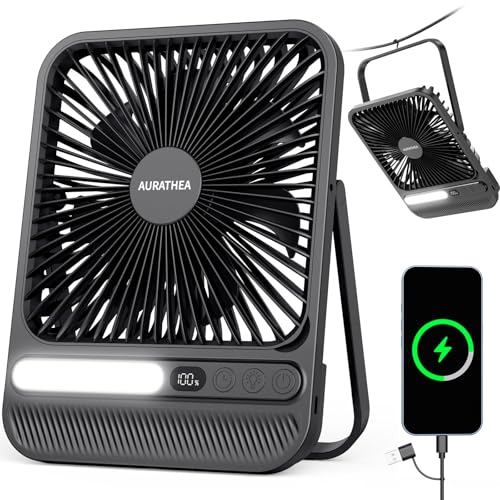
AURATHEA 10000mAh Portable Travel Fan
Packing a desk fan usually means accepting an awkward lump that steals room from chargers, clothes, and everything else squeezed into the bag. The AURATHEA 10000mAh Travel Fan takes a different route with a slim 7-inch body, a foldable support, and enough battery capacity to function beyond a typical workday. Within the crowded best portable desk fan category, its practical appeal comes from combining personal cooling, adjustable lighting, timed operation, and emergency device charging in one compact frame.
AURATHEA 10000mAh Travel Fan
The dimensions tell much of the portability story. At approximately 9.06 by 6.89 by 1.57 inches, the fan has a flatter shape than the bulky circular models that tend to catch on zippers or consume an entire side pocket. Its stated weight of 1.06 pounds keeps it reasonable for a backpack, carry-on, cruise bag, or office tote, though it still has enough substance to avoid feeling like a flimsy novelty.
The foldable stand makes the thin body far more useful once it leaves the bag. Set upright, it works as a compact desktop fan for a workstation, bedside table, hotel dresser, or kitchen counter. Folded down, the stand reduces wasted space and helps protect the fan during transport, although the broad rectangular shape may still feel noticeable in a very small purse or tightly packed day bag.
A 180-degree adjustable handle bracket changes the airflow angle without forcing the whole unit to sit in one fixed position. That flexibility matters on shallow desks, inside tents, or near a bed where the fan may sit below shoulder level. The built-in hook adds another mounting option, letting the unit hang from suitable tent loops or other stable supports instead of occupying limited surface space.
The overall design favors adaptability rather than one narrow use. It can sit like a regular desk fan, tilt toward the upper body, or hang overhead for broader circulation in a compact sleeping area. The tradeoff is that a slim multipurpose bracket may require careful placement on uneven surfaces, especially at steeper angles where stability becomes more important.
Battery Capacity That Suits Long Days
The built-in 10000mAh rechargeable battery is the headline feature, and it gives the fan a stronger case for travel than models tied closely to a wall outlet. AURATHEA states that operation can reach up to 28 hours on a full charge, though real runtime will naturally depend on the selected speed, lighting use, and any power shared with another device. Lower airflow settings should stretch the battery farther, while the strongest speed will draw it down more quickly.
Four adjustable speeds make that battery easier to manage. A soft setting can provide a mild breeze during quiet desk work or overnight use, while higher levels are better suited to warm rooms, outdoor seating, or a stuffy cabin. The useful part isn't merely having four buttons or modes; it's being able to match airflow to the moment instead of burning through battery power at maximum speed all day.
The LED display shows the battery level, fan speed, and timer status, reducing the guesswork that often comes with rechargeable accessories. That visible battery information is especially handy before heading out, since nobody wants to unpack a fan at a campsite or hotel and discover that it's nearly empty. A display does consume a little energy of its own, but the practical benefit generally outweighs that minor draw.
A supplied 2-in-1 USB-C cable supports 5V/2.4A input and output, allowing the fan to accept power and provide emergency charging support to compatible devices. This power-bank function shouldn't replace a dedicated fast charger, and using it will reduce the fan's remaining runtime. Still, having backup power available for a phone during an outage, cruise excursion, or campsite stay adds genuine utility without requiring another bulky gadget.
Airflow And Noise In Shared Spaces
A brushless motor drives a seven-blade fan design, a pairing intended to produce steady airflow without the rough mechanical chatter common in cheaper portable fans. The stated noise level remains below 42 dB, which places the focus on quieter personal cooling rather than raw, room-filling force. That makes sense for close-range use at a desk, beside a bed, or inside a tent where the fan sits only a few feet away.
Quiet operation matters most at the lower settings. During a video call, late-night reading session, or shared office shift, a constant whine can be more irritating than the heat itself. The brushless motor should help keep the sound smoother, though the strongest setting will naturally be more noticeable than the gentlest one.
The seven-inch size also sets realistic boundaries. This is a personal cooling fan, not a substitute for a large pedestal fan or an air conditioner. It should perform best when aimed toward one person or a small immediate area, while anyone expecting it to circulate air across a large living room may come away disappointed.
Four speed levels give the fan more breathing room across changing conditions. The first level can handle mild warmth without flooding the room with noise, while the upper settings provide a stronger push after a hot walk or during humid weather. That graduated control is more useful than a simple low-high switch because comfort rarely stays fixed throughout the day.
Lighting And Timer Controls Add Practical Value
The integrated LED light offers three brightness levels, turning the fan into a compact bedside or camping accessory after dark. A dim setting can provide enough visibility to locate a water bottle or charging cable without lighting the whole room. The brighter levels are better suited to tent interiors, brief power outages, or unpacking gear after sunset.
Combining the light and fan reduces the number of separate devices competing for outlet space. On a cruise cabin nightstand or inside a small tent, that consolidation feels less like a gimmick and more like sensible packing. Still, running the light and fan together will shorten total battery life, so the highest brightness level is best reserved for moments when it's actually needed.
The 2, 4, 6, and 8-hour timer settings are useful for anyone who dislikes leaving a fan running until morning. A two-hour setting can ease the room into a cooler night without draining the battery until sunrise, while longer intervals suit naps, focused work blocks, or an evening outdoors. The timer status appears on the display, so there's less chance of forgetting which duration was selected.
Timer controls also make the fan easier to use without constant supervision. Set beside a bed, it can shut itself down after the room cools or sleep takes over. On a desk, a scheduled stop helps preserve battery through a long day, although a continuous mode will still be preferable during extended heat.
Cleaning Is Less Of A Chore
Portable fans collect dust faster than they appear to, particularly when they travel between offices, bedrooms, tents, and vehicles. The removable front cover makes the blade area easier to reach than sealed grilles that trap lint around the edges. Routine cleaning helps maintain airflow and reduces the dusty film that can otherwise end up blowing across a keyboard or sleeping space.
The cleaning feature sounds small, but it affects long-term usability. Dust buildup can unbalance blades, increase noise, and weaken the breeze even when the motor remains healthy. Being able to remove the cover means maintenance doesn't have to involve cotton swabs, awkward angles, or a half-hour battle with a grille that refuses to open.
Care is still necessary around the fan blades and electrical components. The cover should be removed only while the unit is powered off, and moisture shouldn't reach the motor or charging ports. A dry cloth or lightly dampened cleaning method is the sensible route, followed by complete drying before reassembly.
The flat body may also be easier to wipe down than heavily sculpted camping fans with deep grooves and oversized cages. On the flip side, the broad front surface can show dust and fingerprints more readily. That isn't a serious flaw, but frequent travelers may want to give it a quick wipe before packing it back beside clean clothing or electronics.
Where The Design Fits And Where It Doesn't
The AURATHEA's strongest advantage is its multi-use layout. It can cool a desk, hang inside a tent, illuminate a bedside area, run on a timer, and provide limited emergency power. That combination reduces packing clutter, particularly where every outlet and inch of luggage space matters.
Its slim profile also makes it less intrusive on a narrow workstation. A thick round fan can crowd a laptop, notebook, and coffee mug, while this flatter design is easier to position near the edge of the desk. The adjustable bracket helps direct the breeze without stacking the fan on books or turning the entire base sideways.
There are limits worth keeping in view. The 28-hour runtime is an upper-end figure rather than a promise at maximum speed with the light running and a phone connected. The power output is intended for emergency support, not fast, repeated charging, and the seven-inch fan head won't replace a larger circulator in an expansive room.
Noise below 42 dB is encouraging, but sound tolerance varies. A gentle hum that disappears in an office may stand out in a silent bedroom, especially at higher speeds. The fan's actual comfort level will depend on distance, speed selection, and whether it sits on a surface that amplifies vibration.
Practica hãy kiểm tra lại bạn đã tạo hyperlink chưa. Lưu ý yêu cầu: Create hyperlink as below rules. In addition, always add relevant CTA hyperlink or relevant hook before hyperlink to increase interaction. Structrue CTA or hooks ANCHOR_TEXT. Only 1 hyperlink in the response. I will provided you url part. "Here is list link:" Anchor text selected a 2–6 word phrase (or longer only if it reads more naturally) that still clearly represents the path topic. Rewrite full response with hyperlinkl Strengths And Honest Tradeoffs
The biggest strength is the balance between battery capacity and portability. A 10000mAh battery usually adds weight, yet the stated 1.06-pound body remains manageable for regular travel. The combination makes more sense for long outings than a featherweight fan that requires charging every few hours.
The display, timer, adjustable light, and four-speed control bring welcome precision. Instead of guessing at the remaining charge or settling for one aggressive airflow level, the settings can be tailored to sleep, work, travel, or outdoor downtime. Those controls also make the fan feel less disposable than basic single-purpose models.
The compromise lies in expectations. A slim rechargeable fan prioritizes close-range comfort, not whole-room cooling, and using every function at once will reduce battery endurance. Its folding bracket is useful across many settings, though a conventional wide base may feel steadier on rough picnic tables or uneven ground.
For a crowded desk, compact cabin, campsite, or hotel room, the AURATHEA offers a sensible blend of airflow and utility without turning into another oversized piece of gear. Its most convincing features are practical rather than flashy: four speeds, visible battery information, timed shutoff, a cleanable grille, and a body thin enough to pack without a wrestling match. Those details address the everyday annoyances that often separate a fan used regularly from one left forgotten in a closet.
WHATOOK 100-Speed Rechargeable Desk Fan
A mug, keyboard, phone, and notebook can leave almost no room for a bulky cooling gadget. Heat doesn't care, of course, and a weak little breeze that stops at the edge of the desk won't fix the problem. The WHATOOK Small Desk Fan approaches the best portable desk fan brief with a compact body, rechargeable power, adjustable positioning, and an unusually broad range of 100 wind-speed settings. That combination sounds ambitious for a personal fan, so the real value lies in how those controls, battery choices, and safety details fit ordinary work, sleep, and travel routines.
WHATOOK Small Desk Fan
The headline feature is the 100-speed adjustment range, which is far more granular than the usual three or four fixed levels. Settings from L1 to L20 are described as quiet modes suited to focused office work or sleep, while L50 to L100 provide stronger airflow for warmer spaces and outdoor use. That wide spread lets the breeze rise in small steps instead of jumping from barely noticeable to needlessly aggressive. Still, nobody should expect each neighboring setting to feel dramatically different, since closely spaced levels are meant for fine tuning rather than sudden changes.
A broad speed range helps solve a familiar desk-fan annoyance: the lowest setting can still feel too strong when the fan sits near the face. With fine airflow control, the fan can be dialed back for reading, video calls, or late-night use without repeatedly changing its position. Higher levels make more sense after a hot commute, inside a poorly ventilated room, or during a warm afternoon outdoors. The controls offer flexibility, but running near the top of the range will naturally consume battery power faster and create more audible airflow.
The fan is designed around close-range cooling rather than whole-room circulation. Its small desktop format should be easiest to appreciate from a desk, bedside table, shelf, or other nearby surface where the airflow doesn't need to travel across a large room. That distinction matters because a personal fan can feel lively at arm's length while doing very little several yards away. Treating it like a compact companion rather than a replacement for a floor fan keeps expectations grounded.
Portability adds another practical angle. A small rechargeable fan can move between a home office, hotel room, shared workspace, and travel bag without demanding a dedicated outlet at every stop. It won't eliminate heat in an open campsite, but the stronger settings can provide targeted relief while sitting, eating, or resting. The useful bit is simple: cool air follows the chair instead of being tied to one corner of the room.
Battery Choices And Everyday Runtime
WHATOOK lists two battery configurations: a 2000mAh version rated for up to 10 hours and a 5000mAh version rated for up to 25 hours. Those figures provide a useful sense of the available range, though actual operating time will vary with fan speed, battery condition, and charging habits. Low settings should preserve power longer, while sustained use at L50 to L100 will reduce runtime more quickly. The larger battery has an obvious endurance advantage, but it may also affect weight, price, or overall portability depending on the selected version.
The fan can operate while charging, which removes some of the anxiety around a nearly empty battery during a long work session. Plugged into a suitable USB power source, it can continue moving air rather than sitting idle until the battery refills. That use-while-charging support is especially handy at a permanent desk, since cordless operation remains available whenever the fan needs to move. Cable placement still deserves attention, though, because a short or awkwardly routed cord can tug at a lightweight fan or clutter a narrow tabletop.
An LED battery display shows the remaining power after airflow adjustments. That feedback is more useful than a basic blinking light because it gives a clearer warning before the fan shuts down during sleep, travel, or a meeting. It also makes charging easier to plan instead of relying on guesswork. The display is designed with soft, low lighting, which should reduce the chance of an overly bright number glowing beside the bed.
Battery longevity depends on more than the capacity printed in the product description. Frequent operation at the highest setting, deep discharges, and long periods without charging can affect how a rechargeable battery behaves over time. A moderate speed may be the sweet spot for balancing steady airflow and usable endurance. For occasional travel, the 2000mAh version may be enough, while longer stretches away from convenient power give the 5000mAh option a clearer purpose.
Quiet Cooling For Work And Sleep
Noise can sink an otherwise useful desktop fan. A strong breeze isn't much comfort when the motor whines through calls, distracts from reading, or becomes the loudest object in a quiet bedroom. WHATOOK describes the lower L1 to L20 range as silent gears, paired with soft airflow and a little white noise. No fan with moving blades is truly silent, but lower operating levels should be less intrusive than the stronger outdoor-oriented settings.
Gentle background sound can have two very different effects. Some people barely notice it or even appreciate the consistent hum, while others pick up every mechanical tone once the room becomes quiet. The low-speed range gives more room to settle on a comfortable balance instead of being stuck with one preset sleep mode. Surface choice matters too, since a hollow nightstand or thin metal shelf can amplify vibration that would remain subdued on a sturdy desk.
The soft, low-light display supports bedside use without turning the fan into a miniature alarm clock. Bright displays can be surprisingly irritating in a dark room, especially when placed near eye level. Pairing restrained illumination with gentle airflow makes the unit easier to position on a nightstand or dresser. Still, anyone highly sensitive to light may prefer to angle the display away rather than assuming it becomes completely invisible.
A 180-degree adjustable angle gives the airflow somewhere useful to go. The fan can sit flat on a bedside table, point upward from a low shelf, or aim across a desk without relying on a stack of books for height. It can also be hung where the support allows, which helps when flat surfaces are scarce. Adjustable positioning won't increase the fan's raw power, but it can make the available breeze feel more effective by directing it toward the neck, face, or upper body.
Compact Safety Without A Flimsy Feel
The housing uses pure ABS material, described as odor-free, simple, and sturdy. ABS is commonly used in small appliances because it can keep weight manageable while providing a firm outer shell. The practical concern isn't flashy styling; it's whether the fan can handle repeated moves between a desk, suitcase, and bedside table without feeling fragile. A compact plastic body may still pick up scratches, but it makes more sense for travel than a heavier metal enclosure.
The front grille uses smaller gaps and a denser, wider structure to help keep fingers from reaching the blades. That close-gap safety design is useful around crowded desks where charging cables, pens, loose paper, and curious hands can drift toward the fan. It doesn't remove the need for basic care, and narrow objects should still be kept away from the grille. Even so, a tighter guard is more reassuring than widely spaced openings on a personal fan used at close range.
Stability deserves a little scrutiny with any compact model. A lightweight fan is easy to carry, yet stronger airflow or a steep tilt angle can make poor placement more noticeable. The base should sit on a flat, steady surface, especially at higher settings. Hanging the fan can save room, but the support point needs to be secure enough to prevent swinging or accidental drops.
The simple construction also reduces visual clutter. A desk fan shouldn't demand more attention than the work sitting beside it, and the compact shape is meant to settle into limited spaces rather than dominate them. That small-footprint design suits packed desks and narrow bedside tables, although it also limits blade size and long-distance airflow. The compromise is sensible as long as personal cooling, rather than room-wide circulation, remains the goal.
Useful Placement Beyond A Standard Desk
The adjustable frame makes the WHATOOK fan more flexible than a rigid upright model. It can rest on a desk during work, lie at a useful angle on a bedside table, or hang where an appropriate fixture is available. That versatility helps in compact rooms where every surface already holds something. The 180-degree positioning also means the fan can adapt to changing seating height instead of forcing the entire setup to move.
Travel use makes sense, but the fan's battery version should match the trip. A short hotel stay with regular access to USB charging places fewer demands on the 2000mAh model. Camping, transit delays, or long days away from an outlet make the 5000mAh capacity more appealing because the stated runtime reaches up to 25 hours under suitable conditions. Higher fan speeds will shorten that figure, so the larger battery offers breathing room rather than unlimited operation.
Outdoor cooling comes with realistic limits. A compact fan can create a personal stream of air at a picnic table, tent entrance, or sheltered campsite, but an open breeze can quickly overpower its effect. The L50 to L100 range is intended for larger airflow, though maximum output will also be louder and more demanding on the battery. Positioning the fan close by will usually deliver better results than setting it several feet away and expecting broad coverage.
The hanging option can be useful where counter space disappears fast. A hook or suitable support point can place the fan above a sleeping area, near a shelf, or away from spills and clutter. However, hanging changes how the controls and display are reached, and a swinging fan may feel less steady than one resting flat. That placement flexibility is a strength, not a guarantee that every mounting angle will be equally convenient.
Controls That Favor Precision Over Simplicity
One hundred levels offer unusually precise control, but they also introduce a tradeoff. A person who wants a single low, medium, and high button may consider the full range more complicated than necessary. The advantage appears during longer sessions, where tiny airflow changes can reduce noise or conserve battery without giving up cooling entirely. The granular speed system rewards adjustment, while simpler fans may feel quicker for grab-and-go use.
The LED display helps make those numerous settings easier to follow. Without a visible number, moving through 100 levels could become a guessing exercise, especially after switching the fan off and back on. Seeing the selected airflow and remaining charge gives the controls a clearer sense of order. The display also makes it easier to repeat a comfortable setting once a workable balance has been established.
Fine speed increments can be especially useful in a shared office or bedroom. A lower number may keep loose receipts from blowing around, while a modest increase can offset afternoon warmth without drowning the room in motor noise. At the other end, high-output settings provide a quick burst of cooling after activity or during outdoor use. The breadth of control is valuable, though most daily routines will probably settle around a smaller handful of preferred levels.
Operating while charging further reduces control-related fuss. There's no need to choose between airflow and replenishing the battery during a long desk session. Once unplugged, the fan can return to portable use without changing its basic setup. That shift between corded convenience and rechargeable freedom is one of the more practical parts of the design.
Maintenance And Ownership Considerations
Small fans tend to collect dust on the grille and blade edges, even when they look clean from across the room. Buildup can weaken airflow, change the sound, and send fine dust toward a keyboard or bed. The provided description doesn't state that the front cover is removable, so cleaning may require a careful brush, dry cloth, or low-powered air duster used while the fan is switched off. Keeping moisture away from the motor, display, and charging port is the safest approach.
The narrow grille gaps improve finger protection, but they may also make trapped lint harder to reach. Regular light cleaning is easier than waiting until a thick layer forms behind the guard. Loose hair, thread, and paper scraps should stay away from the intake area, particularly on a cluttered workstation. A little routine care helps preserve the airflow that those 100 settings are supposed to control.
WHATOOK states that replacement support is provided within one year and describes its service approach as focused on rapid response. That one-year replacement statement offers a defined support window, although the exact eligibility terms, required documentation, and exclusions aren't included in the supplied details. Keeping purchase information and checking the written policy would matter if a battery, motor, display, or control issue appears.
The most convincing strengths are practical: precise speed control, two available battery capacities, a visible power display, adjustable positioning, and use during charging. The main compromises are equally clear. It's built for nearby airflow rather than cooling a full room, top speeds will reduce battery endurance, and 100 settings may feel excessive to someone who values one-touch simplicity. Those boundaries don't erase its usefulness; they simply show where the WHATOOK fits best and where a larger, more conventional fan would make better sense.
JISULIFE Life7 3-In-1 Portable Fan
Summer heat has a knack for showing up where large fans can't follow: a crowded train platform, a makeup mirror, an outdoor ceremony, or a desk already buried under cables. The JISULIFE Handheld Fan Life7 tackles that problem with a foldable body that works in the hand, rests on a tabletop, or hangs around the neck. Its blend of a 5000mAh battery, five speeds, digital readout, and up to 19.5 hours of operation gives it a credible place in the best portable desk fan conversation, though its strongest appeal comes from personal flexibility rather than room-wide cooling.
JISULIFE Life7 Portable Fan
The Life7 doesn't lock itself into one cooling position. Its 3-in-1 design supports handheld use during walks or outdoor events, desktop placement during work or makeup, and neck-worn operation when both hands need to stay free. That flexibility cuts down on the awkward juggling act of holding a fan while carrying bags, using a phone, or handling travel documents. One compact unit covers several situations without requiring separate handheld and desktop models.
The body folds through a stated 150-degree range, allowing the fan head to sit at different angles on a flat surface. On a desk, that means the breeze can be directed toward the face or upper body instead of blasting across papers and drying out the eyes. Beside a mirror, the angle can be lowered for focused airflow during makeup or skin-care routines. The hinge also makes storage tidier, although repeated adjustments should still be handled with reasonable care.
A supplied lanyard supports hands-free carrying and neck use. That setup can be useful during shopping, sightseeing, concerts, cruise excursions, or long waits outdoors, especially when holding the fan would become tiresome. The tradeoff is straightforward: a fan hanging near the chest won't always aim as precisely as one held in the hand. Clothing, walking movement, and lanyard length can all change where the breeze lands.
Desktop use gives the Life7 a steadier role during long stretches indoors. Folded into a suitable position, it can provide close-range airflow beside a laptop, vanity mirror, or bedside setup without claiming much surface area. It isn't designed to cool every corner of a large office, and expecting floor-fan reach from a compact body would miss the point. Its job is to put a controlled breeze exactly where the heat feels most distracting.
Twelve Blades Put Airflow First
JISULIFE equips the fan with a 12-blade design and an upgraded brushless motor. More blades can help create a smoother, more concentrated stream of air within a compact housing, while a brushless motor generally suits rechargeable products because it avoids the friction associated with traditional brushed designs. The supplied description emphasizes powerful airflow for hot summer conditions. Even so, the output remains personal in scale rather than comparable to a full-size room circulator.
The concentrated airflow should be most noticeable at close range. Held near the face after a warm commute, the fan can provide quicker relief than a small desk unit sitting several feet away. Placed on a tabletop, it can maintain a steady breeze during paperwork, gaming, studying, or grooming. Distance matters, though, and the cooling sensation will fade as the fan moves farther from the body.
A high-power motor brings an unavoidable balance between airflow, noise, and battery use. Stronger speeds move more air, but they also draw more energy and produce more audible blade noise. Lower settings suit quieter indoor moments, while the upper end makes more sense outdoors or in warm spaces with competing background sound. The five-speed layout allows that tradeoff to be managed instead of forcing every situation into one fixed output.
The blade count sounds impressive, but placement still determines comfort. Air aimed directly at the eyes can become irritating during screen work or makeup application, even at a moderate setting. Tilting the fan slightly toward the neck or upper chest often provides cooling without turning the breeze into a nuisance. The foldable head makes those small corrections easier than they would be with a rigid handheld model.
Five Speeds Keep Cooling Manageable
Five adjustable wind speeds give the Life7 enough range for changing temperatures without burying the controls under dozens of tiny increments. The lowest level can provide a mild breeze during indoor work or close-up use, while the strongest setting is better suited to humid walks, outdoor seating, and crowded summer events. This five-speed control feels practical because each level has a clearer purpose. It also avoids the all-or-nothing behavior common in simpler single-speed fans.
Small adjustments make a bigger difference when the fan sits close to the face. A setting that feels gentle from two feet away may be too intense when the unit hangs around the neck or rests beside a makeup mirror. Stepping down one level can reduce dryness and noise without shutting off the airflow entirely. That control helps the fan stay useful through longer sessions rather than becoming something that gets switched on for five minutes and then abandoned.
Outdoor conditions call for more realistic expectations. A strong natural crosswind can scatter the Life7's airflow, while still air under a shaded canopy lets the breeze feel more focused. Higher speeds are likely to perform better at concerts, outdoor weddings, beaches, or campsite seating, but they'll shorten the available runtime. Using the lowest effective level preserves battery endurance without giving up the cooling benefit.
The speed controls also matter during travel. A low setting can take the edge off a warm airport gate without attracting much attention, while a higher setting provides faster relief after walking with luggage. Since the fan moves between handheld, neck, and desktop positions, the preferred speed may change even when the temperature doesn't. Close placement usually needs less power than a fan sitting across a table.
Digital Information Without Guesswork
A built-in digital display shows both the selected wind speed and the remaining battery level. That sounds like a small convenience until a rechargeable fan shuts down halfway through an outdoor event with no warning. Visible battery information makes it easier to decide whether the fan needs charging before leaving home. The speed readout also prevents confusion about which of the five levels is active.
The display is especially practical during longer days away from a familiar outlet. Concerts, ceremonies, cruise excursions, and camping trips don't always leave much room for charging mistakes. A quick glance can reveal whether the remaining power is comfortable or whether a lower speed would be wiser. This at-a-glance feedback adds more everyday value than decorative lighting that communicates nothing useful.
Desk use benefits from the readout as well. Instead of tapping the control repeatedly and judging by sound alone, the selected level remains visible. That makes it easier to return to a preferred setting after changing speeds or repositioning the fan. The feature won't improve airflow by itself, but it does make the controls feel more predictable.
Displays also consume a small amount of power and can create visible light in a dark room. The supplied details don't describe adjustable brightness or a display-off function, so light-sensitive sleepers should keep that unknown in mind. Turning the fan slightly away may help if the screen proves noticeable at night. That's a modest limitation, yet it's worth considering for a product that may spend time beside a bed.
Battery Life Built Around Lower-Speed Endurance
The rechargeable battery has a stated capacity of 5000mAh, giving the fan more freedom than models that depend on a nearby USB port. JISULIFE lists a maximum runtime of up to 19.5 hours at speed one. That wording matters because the longest figure applies specifically to the lowest setting, not continuous maximum-power use. Higher speeds will naturally bring the next charging session closer.
For office routines, the battery should reduce cable clutter and allow the fan to move from a desk to a meeting area or break room. A long low-speed session may cover much of a workday and extend beyond it, depending on actual conditions. Hotter surroundings may push the fan toward stronger settings, reducing that endurance. The practical advantage isn't a guaranteed number of hours at every level; it's the ability to choose between longer runtime and stronger airflow.
Travel gives the battery capacity a clearer purpose. Early commutes, sightseeing, shopping, and outdoor evening plans can pile into one long day, and a tiny battery may run dry before the heat lets up. The Life7's stated low-speed runtime offers more breathing room for those stretched schedules. Still, charging before departure remains the sensible habit, especially if higher settings are likely to do most of the work.
An included charging cable keeps the setup straightforward, although the supplied description doesn't state the complete recharge time or charging-input specifications. Without those details, it would be unfair to promise rapid replenishment between uses. A planned overnight charge may be easier than gambling on a short top-up before an event. Battery condition, charging source, temperature, and speed habits can all influence real-world endurance.
Handheld Use Keeps Relief Close
Handheld mode offers the most direct control over airflow. The fan can be aimed at the face, neck, or hairline and moved as needed rather than relying on a fixed desktop angle. That matters after climbing stairs, crossing a sunny parking lot, or standing in a packed line where personal space is limited. The portable hand-fan format delivers relief without waiting for the surrounding air to cool.
Holding any device for a long stretch can become tiring, though, especially while carrying a phone or bag. That's where the neck-worn and desktop options earn their keep. The fan can shift roles instead of forcing the wrist to do all the work. This changeable setup is more useful than simply calling the product portable, because it addresses what happens after the first few minutes of carrying it.
Makeup application is another sensible handheld use. A directed breeze can help reduce the sticky feeling caused by warm lighting and a stuffy vanity area, while the digital display keeps the chosen level clear. Too much airflow may dry products unevenly or blow loose powder, so a lower speed will often be the safer bet. The five-level adjustment makes that restraint possible.
Outdoor events expose both the strengths and limits of handheld cooling. The Life7 can create a personal breeze during a concert or wedding, but it can't lower the actual temperature or overpower every gust of hot wind. Holding it closer improves the effect, while using the lanyard frees the hands at the cost of some aiming precision. That honest tradeoff is common to compact fans, not a flaw unique to this model.
Desktop Mode Saves Valuable Space
A folding handheld fan can earn its desk space by staying compact. The Life7's 150-degree folding structure lets the body act as its own support instead of requiring a separate stand that could be lost in a suitcase or drawer. On a crowded workstation, that simplicity reduces the number of loose pieces around a laptop and charging cable. It also allows quick angle changes as posture and seating position shift.
The base arrangement should be placed on a stable, level surface. Lightweight portable fans can vibrate or creep if a high setting is used on a slick tabletop, particularly when the head is tilted far forward. A firm surface usually controls that better than a hollow tray or uneven outdoor table. The supplied description doesn't specify anti-slip materials, so stability shouldn't be assumed beyond what the folding format provides.
Close placement makes modest airflow feel more useful. Positioned beside a monitor or near the edge of a desk, the fan can cool the upper body without attempting to circulate an entire room. That targeted approach may also avoid arguments over shared thermostat settings. The personal desktop breeze stays local rather than changing conditions for everyone nearby.
Noise at a desk will depend heavily on speed. The brushless motor is a sensible foundation, but the product details don't provide a stated decibel rating. Lower settings should generally be less intrusive than the strongest one, yet a claim of silent operation would go beyond the supplied information. Video calls and quiet rooms may require a little experimenting with distance and power level.
Neck Mode Offers Freedom With Aiming Tradeoffs
The included lanyard turns the Life7 into a neck-worn fan for shopping, travel, and outdoor activity. Hands-free cooling becomes useful when both hands are occupied with luggage, a camera, groceries, or event essentials. The fan can stay close without being constantly gripped. That wearable option broadens the design beyond what a conventional desk-only fan can manage.
A hanging fan naturally moves as the body moves. Walking, bending, and adjusting clothing may shift the airflow away from the intended spot. The folding angle can help correct its direction, but neck mode won't provide the locked-in precision of handheld use. It trades perfect aiming for convenience, which is often a fair exchange during casual activity.
Lanyard comfort also depends on how long the fan is worn and how the weight rests against the body. The provided description doesn't state the exact product weight, so it isn't possible to judge long-session comfort from specifications alone. Taking occasional breaks may be sensible if the unit begins to bounce or pull at the neck. Clothing with structure may hold it more steadily than loose fabric.
Safety deserves common-sense attention during wearable use. Long hair, jewelry, and loose cords should remain clear of the intake and grille, even with a protective housing around the blades. The fan should sit where the controls remain reachable without awkward twisting. Used thoughtfully, the neck-hanging configuration can reduce hand fatigue while keeping the breeze nearby.
Practical Limits Behind The Flexible Design
The Life7's main strength is clear: one device covers handheld, desktop, and neck-worn cooling. That range suits days that move between commuting, indoor work, outdoor stops, and evening plans. The 5000mAh battery and digital display support those changes without tying the fan to a wall outlet. Few compact features feel wasted because each one addresses a different placement problem.
The most important limitation is scale. A personal fan, even one with 12 blades and a stronger motor, isn't built to cool a bedroom, tent, or office by itself. Its airflow works best near the body and becomes less persuasive with distance. Anyone seeking broad circulation would be better served by a larger fan, while the Life7 remains focused on portable spot cooling.
Maximum runtime also needs proper context. The stated 19.5 hours applies at speed one, and stronger levels will consume the battery more quickly. Outdoor heat may encourage frequent high-speed use, so the fan could require charging sooner than the headline figure suggests. That's not a hidden defect; it's the normal cost of asking a compact motor for more airflow.
The foldable hinge adds flexibility but also becomes a moving part that deserves careful handling. Forcing the fan beyond its stated 150-degree range or stuffing it loosely among heavy luggage could put unnecessary strain on the joint. Folding it deliberately and packing it where the head won't be crushed should help preserve the mechanism. The design is travel-friendly, but it isn't immune to rough treatment.
Where The Life7 Makes The Most Sense
Long days with changing locations suit this fan better than a routine confined to one large room. It can leave the desk, hang from the neck during a walk, and return to handheld use in a warm line or crowded venue. That flexibility helps reduce the frustration of carrying a cooling device that works in only one position. The 3-in-1 structure is the defining reason to consider it.
The Life7 also fits situations where storage space is tight. A foldable personal fan slips more naturally into a travel plan than a rigid desktop unit with a wide base. The included charging cable keeps the essential pieces together, though a protective pouch isn't mentioned in the supplied details. Packing the fan away from loose debris may help keep the grille and hinge cleaner.
Five speeds make the unit adaptable without overcomplicating everyday control. Gentle airflow suits close-up tasks, while the upper settings handle hotter outdoor moments with the expected cost to noise and battery life. The digital battery readout helps manage that balance before the power runs out unexpectedly. Those practical details matter more than flashy extras because they shape every use.
The JISULIFE Life7 stands out through mobility rather than a claim of replacing larger cooling equipment. Its 12-blade system, brushless motor, 5000mAh battery, adjustable speeds, and folding body work together around one simple idea: keep a breeze within reach as the day changes. The main compromises are sensible for the size, including shorter runtime at stronger settings, limited room coverage, and less precise airflow in neck mode. For personal cooling at a desk, during travel, or through outdoor plans, those boundaries leave the fan with a clear and practical role.
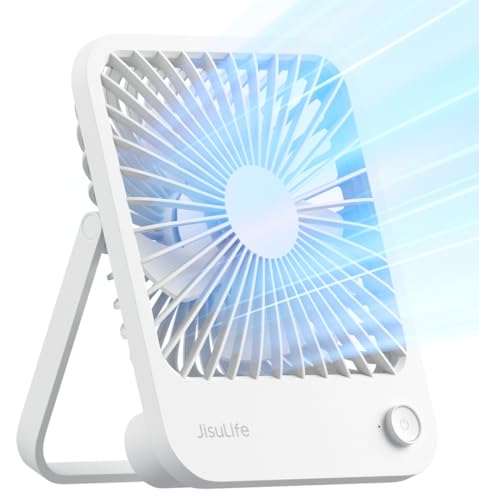
JISULIFE FA26 Foldable Rechargeable Desk Fan
Desk space disappears quickly once a laptop, coffee mug, phone charger, and scattered notes settle in for the day. A cooling device can help, but not if its bulky base becomes one more thing to shuffle around. The JISULIFE FA26 enters the best portable desk fan category with a 216-gram body, a 180-degree folding stand, four airflow modes, and a rechargeable 4500mAh battery. Its design favors easy movement and flexible placement, although the compact size brings realistic limits in room coverage and maximum airflow.
JISULIFE FA26 Desk Fan
The FA26 weighs a stated 216 grams, making it light enough to move between a home office, kitchen counter, bedside table, and travel bag without much fuss. That low weight is a meaningful advantage when every ounce matters in a backpack or carry-on. It also makes the fan easier to reposition throughout the day, though a lighter body may require more careful placement on slick or uneven surfaces.
The cordless format removes the usual tug-of-war with cables. A crowded workstation stays cleaner, and the fan can shift from one side of the desk to the other without dragging a charger behind it. This portable cordless design also suits places where outlets are awkwardly positioned, such as a campsite table, hotel nightstand, or kitchen prep area.
Its compact proportions make more sense for personal cooling than broad air circulation. Positioned near the upper body, the fan can provide a focused breeze while working, cooking, reading, or resting. Set too far away, however, and the airflow will lose much of its effect. The FA26 is built to cool the immediate space around one person, not push air through an entire bedroom or office.
The simple white finish helps the fan blend into work and home settings without looking overly rugged or technical. Portability remains the main visual theme, with no separate stand or oversized base to pack. That tidy construction is handy for travel, but the fan should still be protected from heavy items that could put pressure on its folding joint.
A 180-Degree Stand Changes The Setup
The 180-degree swivel stand gives the FA26 more placement freedom than a fixed upright desk fan. It can stand on a flat surface, tilt toward the face from a low table, or hang from a suitable support when desk space runs out. That flexibility is especially useful beside a bed or inside a compact tent, where the most convenient surface may sit below the ideal airflow height.
Angle control can make a modest fan feel noticeably more effective. Directing air toward the neck and upper chest often provides better comfort than letting the breeze skim across a keyboard or tabletop. The folding mechanism also helps the fan pack flatter, reducing the awkward shape that makes rigid fans troublesome to carry.
JISULIFE describes the housing as a square-shaped diverting structure intended to gather airflow from multiple sides. The practical goal is to channel the available breeze rather than allowing it to scatter immediately around the fan head. Still, a compact body can't match the reach of a full-size circulator, so close-range airflow remains the most sensible expectation.
Hanging the fan can free a crowded surface, but stability depends on the support point. A loose hook, thin cord, or moving branch may allow the unit to swing and redirect the breeze. Resting it on a solid tabletop offers steadier control, while the hanging position is better treated as a useful alternative for spaces with limited furniture.
Four Airflow Modes Cover Different Moments
The FA26 provides three regular speed settings plus a fourth natural-wind mode. The regular levels allow straightforward adjustment from a lighter breeze to stronger personal cooling. This arrangement is easier to manage than a fan with dozens of tiny increments, especially when quick changes matter more than fine numerical control.
A low setting makes sense during quiet work, reading, or bedtime use, where aggressive airflow can become distracting. Medium speed offers a middle ground for warm afternoons, while the highest regular setting is better suited to stuffier rooms and outdoor breaks. Stronger airflow will naturally create more sound and draw more energy from the battery.
The natural-wind mode adds variation instead of maintaining one constant output. Changing airflow can feel less relentless during long sessions, particularly when a steady stream begins to dry the eyes or skin. Some may prefer the predictable pressure of a fixed speed, though, so the fourth mode is an alternative rather than an automatic improvement.
Four settings provide enough flexibility for common routines without turning the controls into a guessing exercise. A gentle level can sit quietly beside a monitor, while a stronger one can offer quicker relief after cooking or returning from outside. The real strength is not the number itself, but the ability to choose between quiet comfort, stronger airflow, and varied breeze patterns.
The 4500mAh Battery Supports Cordless Use
A built-in 4500mAh rechargeable battery gives the fan freedom from continuous outlet use. The supplied information doesn't state a precise runtime, so it would be misleading to promise a certain number of hours. Actual endurance will depend on the selected speed, battery condition, charging habits, and whether the fan's emergency power feature is used.
Lower airflow settings should generally preserve battery energy better than the highest mode. That tradeoff matters on travel days, outdoor visits, or long work sessions where charging may not be convenient. Running only as fast as necessary can stretch cordless use while still providing enough air to take the edge off the heat.
The included USB interface allows conventional recharging and gives the FA26 more flexibility around common power sources. A USB adapter, laptop port, or compatible power bank may keep it operating away from a dedicated wall outlet, depending on the available setup. Charging specifications aren't included in the supplied details, so recharge speed shouldn't be assumed.
Cordless power is useful, but it also creates one more device that needs attention before leaving home. A fan tucked into a travel bag with an empty battery isn't much help once the temperature climbs. Regular charging turns the 4500mAh capacity into a practical convenience rather than a feature that looks good only on paper.
Emergency Charging Adds A Backup Option
The FA26 can function as a power bank in an emergency, allowing its internal battery to support a compatible device through the USB interface. This feature may help provide limited power to a phone when no other source is available. It shouldn't be treated as a replacement for a dedicated high-capacity power bank, since every bit of shared energy reduces the fan's remaining cooling time.
Emergency output makes the most sense during travel interruptions, brief outages, or outdoor activities where keeping a phone alive matters more than preserving every minute of airflow. Even a modest top-up can be useful for maintaining access to messages, directions, or digital tickets. The exact output performance isn't provided, so fast charging and full phone recharges shouldn't be expected without further specifications.
The dual-purpose battery creates a clear choice during hot conditions. Sending power to another device may solve one problem while shortening the fan's cordless operation. That isn't necessarily a weakness; it's simply the cost of packing backup charging and personal cooling into one compact product.
A dedicated power bank remains better for frequent device charging, especially on long trips with several electronics. The FA26's output is more reasonably viewed as a safety net for occasional use. Keeping that distinction in mind prevents the emergency feature from overshadowing the fan's main job.
Desk And Bedside Use Feel Straightforward
A desktop fan earns its place by staying out of the way. The FA26's small body and foldable stand allow it to sit near a laptop or notebook without consuming the space required by a conventional round base. Its adjustable angle also helps keep airflow away from loose papers while directing the breeze toward the upper body.
Bedside placement benefits from the same tilt control. A low nightstand can still support useful airflow because the fan head doesn't have to remain vertical. The supplied description doesn't include a decibel rating or a specific quiet-mode claim, so noise-sensitive sleepers should expect the strongest setting to be more noticeable than the lower levels.
The kitchen is another plausible setting, particularly during meal preparation where a large floor fan would be inconvenient. A compact cordless unit can sit away from wet areas and move as the workspace changes. Careful positioning matters around steam, grease, loose ingredients, and water, since the FA26 is an electrical device rather than a moisture-resistant kitchen appliance.
Small rooms make the fan's focused character easier to appreciate. A nearby breeze can improve personal comfort without changing the thermostat or disturbing someone across the room. The localized cooling approach is economical in space, although it won't solve heavy heat buildup throughout a closed room.
Travel Benefits Come With Sensible Limits
At 216 grams, the FA26 is unlikely to become the heaviest item in a day bag. Its foldable shape helps it settle beside chargers, toiletries, or work supplies more easily than a fan with a tall fixed neck. This lightweight travel profile suits hotel stays, camping setups, office commutes, and other routines that involve frequent packing.
Outdoor use requires a little perspective. A personal fan can create a useful breeze at close range, but strong ambient wind and open space may dilute the effect. Placing the fan nearby and selecting a higher setting will generally make more sense than expecting it to cool a whole picnic table or campsite.
The folding stand reduces bulk, yet the hinge becomes a point that deserves protection. Tossing the unit beneath heavier luggage could strain the adjustable mechanism even if the outer shell feels sturdy. Packing it in a stable section of the bag will better preserve the 180-degree folding function.
Battery planning also matters during travel because the supplied details don't specify exact operating time or recharge duration. A fresh charge before departure is the safer approach, especially when outlets may be scarce. The power-bank function adds reassurance, but using it for a phone will leave less energy available for cooling.
Practical Strengths And Clear Tradeoffs
The FA26's strongest feature is the relationship between low weight and flexible placement. It can stand, tilt, hang, fold into luggage, and operate without a permanent power connection. Those abilities address the daily annoyances that make fixed desk fans inconvenient outside one carefully arranged workspace.
Four airflow modes provide enough choice for changing conditions without unnecessary complexity. The natural-wind setting adds a less uniform breeze, while the regular speeds offer predictable cooling. Anyone who wants precise numerical control may prefer a model with more levels, but the FA26's simpler arrangement should be quicker to operate.
The emergency charging function adds value with an obvious compromise. It can support a compatible device in a pinch, yet doing so consumes the same battery needed to run the fan. The absence of supplied runtime and charging-speed figures also means battery expectations should remain conservative rather than based on guesswork.
JISULIFE states that its customer service team aims to respond within 24 hours after a reported problem. That service statement provides a point of contact, although the supplied description doesn't spell out warranty length, replacement conditions, or exclusions. Purchase records and the written support terms would be worth keeping if an issue develops.
The FA26 makes the most sense where a full-size fan would be awkward and a fixed USB model would feel restrictive. Its 216-gram build, folding stand, rechargeable battery, four airflow settings, and emergency output create a practical tool for close-range comfort. The smaller body won't circulate an entire room, the battery has finite endurance, and rough handling could challenge the hinge, but those tradeoffs are understandable for a fan designed to travel light.
Honeywell TurboForce HT900 Air Circulator
A cramped desk can turn uncomfortable fast once a laptop starts throwing off heat and the room air sits still. Large fans solve part of the problem, but they also eat floor space, crowd walkways, and often move more air than a close workstation needs. The Honeywell TurboForce HT900 takes a more focused approach with a compact housing, three speeds, a 90-degree pivoting head, and airflow designed to reach up to 25 feet. That mix gives it a strong case in the best portable desk fan category, though its corded design and lack of oscillation make it a different kind of portable than rechargeable travel models.
Honeywell TurboForce HT900
The HT900 is built to work as a tabletop, floor, or wall-mounted fan, which immediately gives it more placement options than a typical desktop-only model. Set beside a monitor, it can deliver close-range cooling without taking over the room. Placed on the floor, it can push air upward toward a chair or bed. Mounted on a wall, it frees surface space entirely, though installation requires a suitable location and secure hardware.
Its compact shape makes moving it between rooms fairly easy, even though it doesn't use a rechargeable battery. The fan still depends on an outlet, so portability here means easy relocation rather than cordless freedom. That distinction matters for travel, camping, or outdoor use where wall power may not be available. Around a home office, bedroom, kitchen, or dorm, however, the corded setup avoids battery anxiety and declining runtime.
The fan is intended for small to medium-sized rooms, which gives it a broader role than a tiny personal fan aimed only at the face. Honeywell states that the airflow can be felt from up to 25 feet away, suggesting enough reach for room circulation as well as direct cooling. Distance, furniture, room layout, and speed selection will affect how noticeable that airflow feels in practice. Still, the stated reach gives the HT900 more ambition than many compact desk fans.
Black housing keeps the design understated and practical. It won't disappear entirely on a small desk, but the rounded frame looks less bulky than many traditional box fans. The body also appears purpose-driven rather than decorative, with the grille and pivoting head doing most of the visual work. That plain styling suits spaces where the fan needs to blend in rather than become a centerpiece.
Turbo Airflow Gives The Small Frame More Reach
Honeywell uses an aerodynamic turbo design to concentrate and direct air movement. The goal isn't merely to blow air at the nearest object, but to circulate it through a larger portion of the room. That makes the fan useful for breaking up stagnant air near a desk, helping conditioned air travel farther, or moving cooler air from one part of a room toward another. A focused stream can also feel stronger than the diffuse breeze produced by some open-blade designs.
The claimed reach of up to 25 feet is one of the most notable specifications in the supplied description. On a desk, that reach may be more than necessary, but it becomes useful when the fan sits across a room or near an air-conditioning vent. Directing the airflow down a hallway or toward a warmer corner can improve circulation without moving the fan every few minutes. Obstacles such as furniture and open doors will shape the result, so clear placement matters.
Strong focused airflow has a tradeoff. Papers, receipts, and lightweight objects may shift if the fan sits too close on the highest setting. Positioning it a little farther away or choosing a lower speed can reduce that annoyance while preserving cooling. The 90-degree pivoting head also helps aim the breeze above desk clutter instead of straight across it.
The HT900 isn't an oscillating fan, so it won't sweep air from side to side automatically. That limitation may matter in a shared room where several seats need coverage. On the other hand, fixed directional airflow can be more effective when cooling one workstation, pushing air toward a bed, or circulating air through a specific doorway. The design favors precision and reach over broad moving coverage.
Three Speeds Keep The Controls Simple
The fan offers three speed settings, giving a straightforward low, medium, and high range. This setup lacks the fine control found on fans with five, ten, or more levels, but it also avoids fiddly menus and repeated button presses. A quick adjustment is enough to move from background circulation to stronger direct cooling. For a fan that may be relocated often, simple controls can be a practical advantage.
Low speed makes sense during focused work, reading, or nighttime use where a softer breeze is easier to tolerate. Medium can handle warmer afternoons without immediately jumping to the strongest output. High speed is better suited to stuffy rooms, quick cooldowns, or moving conditioned air farther across the space. The right level will depend heavily on distance, since a strong setting several feet away may feel gentler than low speed at arm's length.
Three speeds also create clear battery-free consistency. The fan can run as long as power remains available, without changing behavior as a rechargeable battery drains. That steady corded performance suits long workdays, overnight circulation, or repeated use during hot weather. The cord does limit placement, though, and an extension cable may be needed if the nearest outlet sits far from the preferred position.
The controls prioritize familiarity over novelty. There is no digital display, timer, app connection, or battery meter mentioned in the supplied details. Some may see that simplicity as refreshing because fewer electronics mean fewer settings to manage. Others may miss automatic shutoff or remote adjustment, especially if the fan sits across the room or is mounted on a wall.
The Pivoting Head Solves Awkward Placement
A 90-degree adjustable head allows the HT900 to direct airflow from a low surface toward a higher target. Set on the floor, it can point upward toward a chair, sofa, or bed instead of blowing uselessly at ankle height. On a desk, the head can tilt above loose papers and aim toward the upper body. That angle range adds flexibility without requiring a tall stand or adjustable pole.
Vertical adjustment is especially useful in rooms with uneven temperature pockets. Warm air gathers higher in the room, while cooler air may settle near the floor or remain concentrated around an air-conditioning vent. A fan angled upward can help mix those layers rather than simply pushing air horizontally. This air circulation role may improve comfort even when the fan isn't pointed directly at anyone.
The pivoting head also helps with wall mounting. Once positioned above desk height, the fan can angle downward toward a work area or across the room. Wall placement keeps the cord and body away from crowded surfaces, though the outlet location still needs to make sense. Because the fan doesn't oscillate, the mounting angle should be chosen carefully before settling on a permanent spot.
Adjustment has limits, of course. A 90-degree range gives useful vertical control but doesn't create automatic side-to-side movement. Changing horizontal direction still requires turning the whole fan or repositioning its mount. That isn't a serious drawback for targeted airflow, but it may feel restrictive in spaces where the cooling target changes frequently.
Quiet Operation Has Practical Value
Honeywell states that the TurboForce is 25 percent quieter than comparable fans. The supplied information doesn't include the specific comparison method or a decibel figure, so that claim should be treated as relative rather than absolute. Even so, reducing mechanical noise matters in bedrooms, offices, and study areas where a harsh motor tone can become tiring. The lower speed is likely to provide the most restrained sound profile.
Quiet doesn't mean silent. Air moving through a compact grille still creates audible sound, especially on the highest setting. At close range, that airflow noise may be noticeable during calls or recording. Placing the fan farther away can soften the sound while still taking advantage of the stated 25-foot airflow reach.
Some background fan noise can be useful at night because it masks small household sounds and creates a steady acoustic layer. Others prefer near silence and may be sensitive to even a consistent hum. The HT900's three speeds offer some control over that balance, though there is no dedicated sleep mode mentioned. Surface choice can also affect noise, since a hollow desk may amplify vibration more than a solid shelf or floor.
The lack of oscillation may help keep the sound more consistent. Oscillating mechanisms often introduce extra motor noise, clicking, or shifting vibration as the fan changes direction. A fixed head removes that source of movement. The tradeoff is narrower coverage, but the sound character may remain steadier during long sessions.
Air Circulation Can Support Lower AC Use
A fan doesn't lower the actual room temperature, yet it can make the space feel more comfortable by moving air across the skin. The HT900 can also help distribute conditioned air that would otherwise remain concentrated near a vent. This circulation support may allow an air conditioner to work less aggressively in some situations. Actual energy savings will depend on climate, thermostat settings, room insulation, and how the fan is used.
Positioning matters more than simply turning the fan on. Placing it where cool air enters the room can help push that air toward a warmer zone. Pointing it through an open doorway may improve flow between connected spaces, while angling it upward can mix cooler and warmer air layers. A little experimentation often produces better results than keeping it permanently aimed at one chair.
The fan can also operate alone during milder weather. On days that feel warm but not oppressive, steady airflow may provide enough comfort without running the air conditioner at full strength. That gives the HT900 a practical role during transitional seasons, cool evenings, or rooms that heat up mainly because of electronics and poor circulation. The three-speed range makes it easy to scale the airflow to the conditions.
Energy claims should stay realistic. A small fan consumes less power than a central cooling system, but the exact household savings can't be known from the supplied information. The value comes from using airflow strategically rather than assuming the fan replaces air conditioning in severe heat. It can support comfort and circulation, but it won't remove humidity or lower indoor temperature by itself.
Desk Use Feels Stronger Than The Size Suggests
Many compact desk fans produce a narrow breeze that fades just beyond the keyboard. The HT900's turbo-style airflow is meant to travel farther, allowing the fan to sit back from the immediate work area. That extra distance can keep papers from fluttering and reduce direct dryness around the eyes. It also leaves more room near the keyboard and mouse.
The fan may feel oversized on an extremely shallow desk, especially beside multiple monitors or audio equipment. Wall mounting or floor placement can solve that problem without giving up directional cooling. A small side table also works well when the main desk is already packed. The flexible placement options are part of what separates this model from tiny USB fans that need to sit inches away.
Long work sessions benefit from corded operation because there's no runtime countdown in the background. The fan can stay on through a full day without needing a midday charge. That continuous-use advantage is easy to overlook until a rechargeable model shuts down during the hottest part of the afternoon. The drawback is obvious too: outlet access remains mandatory.
Video calls may require a lower setting or a little extra distance. Strong airflow can reach the microphone, disturb loose notes, or dry the eyes during screen-heavy work. Tilting the head toward the neck instead of the face can improve comfort without sending air directly across the desk. The adjustable head makes that small correction simple.
Bedroom Use Depends On Placement
Bedside cooling doesn't always require a large fan at mattress height. The HT900 can sit on the floor and angle upward, which keeps the tabletop clear for a lamp, phone, and water glass. Its 90-degree pivot allows the breeze to reach the bed without stacking the fan on books or boxes. This setup also places the sound source a little farther away.
Wall mounting may be useful in compact bedrooms where floor and nightstand space are scarce. A higher position can send air downward while keeping the fan away from clutter. The fixed direction works best when the bed stays in one place and the preferred airflow angle doesn't change often. Anyone who wants air sweeping across two sleepers may miss oscillation.
The quietness claim supports bedroom use, but personal tolerance remains the deciding factor. Low speed will likely be the most appropriate for overnight operation, while high speed may produce more audible airflow. No timer is mentioned, so the fan will continue running until it is manually switched off. A separate outlet timer could address that need, though it isn't part of the provided product features.
Direct airflow all night can feel drying for some people. Angling the fan to circulate room air instead of pointing straight at the face may create a gentler result. The longer airflow reach allows that indirect approach because the fan doesn't have to sit inches from the bed. Small placement changes can make the difference between comfortable circulation and an overly intense breeze.
Wall Mounting Adds Useful Flexibility
Wall-mount capability gives the HT900 an option that many portable desk fans lack. It can move off crowded furniture and operate from a higher angle, which is handy in workshops, small offices, bedrooms, or utility spaces. The mounted configuration also reduces the chance of the fan being bumped by papers, pets, or passing elbows. Secure installation is essential because the fan contains a running motor and moving blades.
The supplied description doesn't detail mounting hardware or installation steps, so those specifics shouldn't be assumed. The wall material, screw type, and proximity to an outlet all need consideration before installation. The cord should run safely without becoming a snagging hazard. A stable mount matters more than squeezing the fan into the first open patch of wall.
Wall placement can improve circulation by raising the airflow path above furniture. From that position, the fan may push air across a room more effectively than it would from behind a monitor or below a desk. The pivoting head helps refine the vertical direction after mounting. Horizontal changes remain manual because the fan doesn't rotate side to side.
Mounting reduces spontaneous portability. Once attached, the fan no longer moves as casually between a bedroom, office, and kitchen. A tabletop setup makes more sense where relocation is frequent, while wall mounting favors a fixed problem area that needs regular airflow. The HT900 supports both approaches, but one configuration won't suit every routine equally well.
Practical Strengths And Real Tradeoffs
The HT900's strongest quality is the amount of directed airflow it aims to produce from a relatively compact frame. Three speeds, a pivoting head, and a claimed 25-foot reach give it more room-circulation potential than many small personal fans. It can sit nearby for direct cooling or work from farther away to move air through a small or medium-sized room. That flexibility is useful in homes where one fan needs to handle several jobs.
The corded design is both a strength and a weakness. Continuous power supports long sessions without charging, battery wear, or declining runtime. On the flip side, the fan can't follow a picnic table, campsite, commute, or power outage unless an external power source is available. The word portable applies to its size and easy relocation, not true off-grid operation.
Three speeds keep operation simple but provide less fine control than models with many settings. The fixed airflow direction also means there is no oscillating sweep for shared spaces. Those compromises aren't hidden once the design is understood. The HT900 prioritizes focused power, dependable corded use, and flexible vertical aiming over digital extras and automatic movement.
The quietness claim and aerodynamic design make it appealing for work and bedroom use, yet the supplied information doesn't provide a decibel rating or detailed test conditions. Stronger settings will still create more sound, and individual noise tolerance varies. Practical placement can help by increasing distance, reducing surface vibration, and aiming the airflow indirectly.
Honeywell positions the TurboForce HT900 as a compact circulator rather than a tiny travel accessory, and that distinction gives the product a clear role. It suits desks, floors, walls, bedrooms, and small work areas where steady outlet-powered airflow matters more than battery operation. Its limitations are equally plain: no oscillation, no timer, no cordless mode, and no digital controls. For focused cooling and room circulation without a large footprint, those tradeoffs may be easier to accept than carrying around a weaker rechargeable fan that needs constant charging.


Best Quiet Ceiling Fan For Bedroom 2026 Ultimate Comfort Picks

Best Ceiling Fan For Master Bedroom 2026 With Ultimate Comfort

Best White Ceiling Fan With Light For Bedroom 2026 Top Picks

Best Quorum Medallion Ceiling Fan 2026 With Style & Breeze

Best Outdoor Fan For Pergola 2026 Comfort Boost

Best Ceiling Fan For Great Room 2026 With Ultimate Comfort

Best Outdoor DC Ceiling Fans 2026 For Breezy Comfort

Best ceiling exhaust bath fan with light and heater 2026





