
Best Small Table Fan 2026: Cool Air Without the Clutter

A cramped desk can heat up fast, especially when a laptop, monitor, lamp, and charging gear are all packed into the same corner. A best small table fan should solve that problem without creating another one by rattling, hogging space, or blowing papers across the room. Compact dimensions matter, but a tiny housing isn't useful if the airflow fades before it reaches your face. The sweet spot is a fan that produces a steady personal breeze while staying easy to position beside everyday essentials.
Airflow control deserves more attention than flashy extras. Two or three useful speed settings usually beat a long list of barely different modes, since the real goal is quick cooling without constant fiddling. A lower setting helps during calls, reading, or sleep, while a stronger setting earns its keep during humid afternoons. Still, don't expect a palm-sized fan to cool an entire room because these models work best within a short, focused range.
Noise can make or break the experience. A faint hum may disappear beneath office chatter, but clicking blades, motor buzz, or base vibration become hard to ignore in a quiet bedroom. Look for a stable base, balanced blades, and simple controls that don't beep every time they're touched. Rubber feet are a small detail, yet they can stop the fan from creeping across a smooth desk and reduce the irritating vibration that travels through furniture.
Power design brings its own tradeoffs. A USB-powered model fits naturally beside a computer or power bank, though cable length can limit placement. A rechargeable table fan offers more freedom and keeps running during brief outages, but the battery adds weight and eventually needs charging. Plug-in models avoid battery anxiety, so they make more sense when the fan rarely leaves one spot.
Adjustability is another practical concern. A tilting head directs air toward the face instead of the keyboard, and a compact oscillating model can share airflow across a small table. On the other hand, oscillation mechanisms add moving parts and may take up more room than expected. A simple fixed fan can be quieter, cheaper, and easier to tuck against a wall, so extra motion isn't automatically better.
Cleaning shouldn't feel like a repair job. Dust gathers on the grille and blade edges, gradually weakening airflow and making the motor work harder. A removable front grille gives access without forcing anyone to wrestle with tiny hidden screws. Meanwhile, narrow decorative openings may look sleek but can trap lint where a cloth can't reach.
The strongest small desk fan balances size, sound, airflow, and convenience rather than chasing one impressive specification. Measure the available surface before buying, check where the power source sits, and think about how close the fan will be during normal use. A model built for personal cooling can feel surprisingly effective at arm's length, but it won't replace a larger circulator across an open room. Realistic expectations make the compact format far more satisfying.

- LFR Score9.2
LFR Score is a ranking system developed by lightfansreviews.com. LFR Score has no relationship or impact from any manufacturers or sales agent websites. Learn more
- BrandHoneywell

- LFR Score9.2
LFR Score is a ranking system developed by lightfansreviews.com. LFR Score has no relationship or impact from any manufacturers or sales agent websites. Learn more
- BrandHoneywell

- LFR Score9.2
LFR Score is a ranking system developed by lightfansreviews.com. LFR Score has no relationship or impact from any manufacturers or sales agent websites. Learn more
- BrandGaiatop

- LFR Score9.2
LFR Score is a ranking system developed by lightfansreviews.com. LFR Score has no relationship or impact from any manufacturers or sales agent websites. Learn more
- BrandDREO

- LFR Score9.2
LFR Score is a ranking system developed by lightfansreviews.com. LFR Score has no relationship or impact from any manufacturers or sales agent websites. Learn more
- BrandGaiatop

- LFR Score9.2
LFR Score is a ranking system developed by lightfansreviews.com. LFR Score has no relationship or impact from any manufacturers or sales agent websites. Learn more
- BrandTriPole

- LFR Score9.0
LFR Score is a ranking system developed by lightfansreviews.com. LFR Score has no relationship or impact from any manufacturers or sales agent websites. Learn more
- BrandGaiatop

- LFR Score9.0
LFR Score is a ranking system developed by lightfansreviews.com. LFR Score has no relationship or impact from any manufacturers or sales agent websites. Learn more
- BrandFRONTSUN

- LFR Score8.8
LFR Score is a ranking system developed by lightfansreviews.com. LFR Score has no relationship or impact from any manufacturers or sales agent websites. Learn more
- Brandduludulu

- LFR Score8.6
LFR Score is a ranking system developed by lightfansreviews.com. LFR Score has no relationship or impact from any manufacturers or sales agent websites. Learn more
- BrandAmazon Basics

- LFR Score8.6
LFR Score is a ranking system developed by lightfansreviews.com. LFR Score has no relationship or impact from any manufacturers or sales agent websites. Learn more
- BrandHoneywell
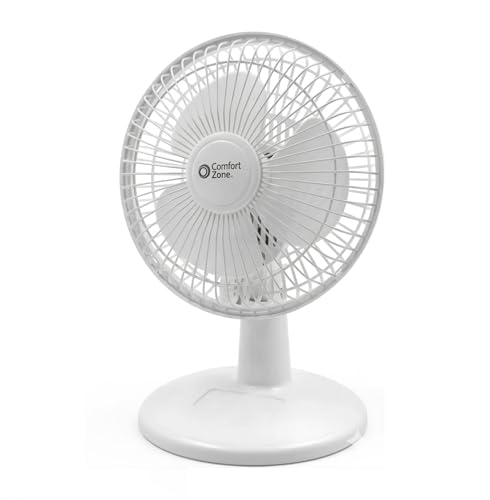
- LFR Score8.2
LFR Score is a ranking system developed by lightfansreviews.com. LFR Score has no relationship or impact from any manufacturers or sales agent websites. Learn more
- BrandComfort Zone
Last update on 2026-07-18 / Affiliate links / Images, Product Titles, and Product Highlights from Amazon Product Advertising API
Honeywell TurboForce HT900 Small Table Fan Review
A warm desk can turn an ordinary afternoon into a slow grind, especially when the room feels stale but lowering the thermostat seems wasteful. Small fans often promise relief, yet many produce a weak breeze, annoying motor noise, or an awkward blast that hits papers instead of people. The best small table fan needs to move meaningful air without taking over the workspace, and the Honeywell TurboForce HT900 approaches that challenge with a compact body, three speeds, and a pivoting head. Its practical design puts airflow control ahead of decorative extras, which makes sense for daily cooling in bedrooms, offices, and smaller living spaces.
Honeywell TurboForce HT900
The shortened name fits the product rather well because the TurboForce HT900 is less about bells and whistles and more about focused circulation. Honeywell describes it as suitable for tabletop, floor, or wall-mounted use, so placement isn't locked to one setup. That flexibility can be handy in a cramped office where desk space disappears quickly or in a bedroom where the nightstand is already crowded. The black housing also keeps the appearance simple, though anyone seeking a decorative fan may find the styling a little plain.
Size alone doesn't determine whether a compact fan feels useful. The HT900 uses an aerodynamic turbo design intended to maximize air movement, helping it push a concentrated stream rather than merely stirring the air around its grille. Honeywell states that the airflow can be felt from up to 25 feet away, although room layout, furniture, and the selected speed will naturally affect that reach. Even so, the design is clearly meant to offer more punch than the soft flutter produced by many tiny USB fans.
Three speed settings keep operation straightforward. The lowest level suits close-range cooling when a stronger blast would dry the eyes or disturb loose notes, while the higher levels provide more force during humid afternoons. A three-speed control isn't especially elaborate, but it covers the main situations without forcing anyone to cycle through a dozen barely distinguishable modes. Simplicity has its perks, particularly when the fan needs to be adjusted quickly during a call, study session, or bedtime routine.
Focused Airflow Without a Large Footprint
The 90-degree pivoting head is one of the HT900's most useful features because airflow direction matters as much as raw power. A fixed fan can waste much of its output by blowing into the side of a chair, under a desk, or across a cluttered surface. With the 90-degree adjustable head, the breeze can be aimed upward, straight ahead, or somewhere in between. That range helps the fan work from a low shelf, tabletop, or floor without demanding a perfectly level line to the person using it.
Focused airflow also makes the fan useful beyond direct personal cooling. Pointed upward, it can help circulate air that tends to collect near the ceiling, while a forward angle can move conditioned air deeper into a small or medium-sized room. This air-circulation role won't replace a central cooling system, but it can help reduce hot pockets and make an existing air conditioner feel more effective. The benefit is especially noticeable in rooms where vents sit behind furniture or cool air struggles to reach a desk tucked into the corner.
The compact body leaves more usable surface space than a large pedestal or box fan, yet buyers should still account for the fan's depth and the clearance needed for its tilting head. The shape is somewhat chunkier than a slim personal fan, so it may not tuck neatly beside every monitor stand or narrow bedside lamp. That tradeoff supports the stronger air-moving design, but it matters in extremely tight setups. Measuring the intended spot before settling on placement can prevent the familiar headache of rearranging half the desk after the fan arrives.
Wall mounting adds another placement option for rooms where every horizontal surface has already been claimed. Raising the fan can keep cords and controls away from children, pets, paperwork, or water near a kitchen counter. Still, wall installation requires a secure location and careful positioning because the pivoting head determines where the airflow lands. Renters or anyone who moves the fan frequently may prefer tabletop use rather than committing it to one wall.
Noise, Comfort, And Everyday Operation
Noise is often the deal-breaker with a personal fan because the motor may sit only a couple of feet from the listener. Honeywell states that this model is 25% quieter than comparable fans, giving it an advantage on paper for bedrooms, home offices, or shared workspaces. That claim doesn't mean silent operation, especially at the highest speed, where stronger airflow naturally creates more sound. Still, a steady fan hum is usually easier to tolerate than rattling, pulsing, or clicking noises that interrupt concentration.
The lowest speed is likely to be the most comfortable choice during video calls or late-night use, while the higher settings make more sense when heat becomes the bigger annoyance. A fan this size will produce some audible airflow as speed rises, so expectations should stay realistic. The quiet personal fan description points to reduced disturbance rather than complete silence. Light sleepers who are sensitive to any mechanical sound may still prefer placing it farther from the pillow and using the pivoting head to direct the breeze.
Physical controls have an old-school advantage: they work without an app, remote, pairing process, or glowing display. The HT900's straightforward setup keeps everyday operation fuss-free, though it also means there are no timers, automatic modes, or remote adjustments listed in the provided details. For many rooms, that stripped-down approach is enough. A simple control layout tends to age well because there are fewer electronic features to learn or ignore.
The design is also better suited to continuous household use than ultra-light travel. It can be moved from room to room, but the product's emphasis is stable circulation rather than pocket-sized portability. Anyone hoping for battery power, USB charging, or cordless operation won't get those benefits from the described model. The plug-in format makes more sense for a desk, bedroom, workshop, or kitchen area where an outlet is already nearby.
Cooling Support And Energy Tradeoffs
Running a smaller fan alongside air conditioning can help a room feel cooler without immediately pushing the thermostat lower. The fan moves cool air through areas where it might otherwise settle, and direct airflow helps sweat evaporate faster from the skin. This supplemental cooling can make a noticeable difference around a workstation or bed, even though the fan doesn't lower the actual room temperature by itself. Honeywell frames that circulation as a way to give the air conditioner a break and potentially reduce energy use.
Savings will depend on how the fan is used. Turning the thermostat slightly higher while using the HT900 for personal airflow may reduce cooling demand, but running both appliances exactly as before won't create the same benefit. The practical value comes from using the targeted breeze to stay comfortable in the occupied part of the room rather than overcooling every corner. That approach is particularly sensible in a home office occupied by one person for much of the day.
The fan's small-to-medium room positioning also deserves attention. It can circulate air across a modest space, but buyers shouldn't expect a compact unit to behave like a large whole-room circulator in an open-plan living area. Doorways, tall furniture, and irregular room shapes can interrupt the 25-foot airflow reach stated by the manufacturer. In tighter rooms with a clear path, the concentrated output should have a better chance to deliver the intended effect.
Direct cooling can feel strong at close range, which is useful during heat spikes but may become uncomfortable during long sessions. Dry eyes, fluttering papers, and chilled hands are common signs that the fan is aimed too directly or set too high. Tilting the adjustable fan head slightly upward can soften the sensation while keeping air moving around the body. That small adjustment often creates a more natural cooling effect than pointing the center of the grille straight at the face.
Strengths, Limitations, And Best-Fit Situations
The clearest strength is the balance between compact size and forceful circulation. Many small fans save space by using narrow blades and lightweight motors, but the HT900 is designed around a concentrated, turbo-style airflow path. Its three speeds and directional head allow more control than a basic one-speed desk fan. Those features make it practical for worktables, bedside use, kitchen counters, and smaller rooms where floor space is limited.
Mounting flexibility sets it apart from personal fans that can only sit upright on a flat surface. The ability to use it on a table, floor, or wall helps solve awkward room layouts without requiring a separate stand. Still, the fan doesn't oscillate according to the supplied information, so its airflow remains aimed in one direction until someone adjusts it. That fixed directional flow is excellent for focused cooling but less suited to sharing a breeze across several seats.
The lack of advanced controls will be either a virtue or a drawback. There is no provided mention of a remote, programmable timer, sleep mode, battery, or digital speed display. Anyone wanting a fan that shuts off automatically after bedtime may miss those conveniences, while someone tired of complicated appliances may appreciate the mechanical simplicity. The HT900 concentrates its value on airflow and positioning rather than automation.
The manufacturer's claim that it is the number-one-selling table fan adds context to its popularity, but popularity alone doesn't settle whether it fits a particular room. Its strongest use case is close or medium-range cooling where a steady stream of air is more important than oscillation or cordless freedom. Large open spaces, silent recording rooms, and setups without nearby outlets may call for a different design. For a desk, nightstand, or small room, though, the Honeywell TurboForce HT900 keeps the proposition refreshingly clear: compact placement, adjustable direction, and more airflow than its modest footprint might suggest.
Honeywell HT-904 TurboForce Tabletop Air Circulator Fan
A stuffy corner can wear down concentration faster than expected, especially when lowering the thermostat feels excessive for one desk or one side of a bedroom. Tiny fans often save space but lose their nerve once they’re placed more than a few feet away. The Honeywell HT-904 enters the best small table fan conversation with a different priority: concentrated airflow from a compact housing that can sit on a table, rest on the floor, or mount to a wall. Its three speeds and pivoting head keep the controls simple, while the white finish gives the familiar TurboForce shape a cleaner, lighter look.
Honeywell HT-904 TurboForce Fan
The Honeywell HT-904 is built around circulation rather than decorative extras. Honeywell describes it as small enough for a desk or tabletop yet powerful enough to help cool small to medium-sized rooms. That balance is the main attraction because a compact footprint doesn’t mean much if the breeze disappears beyond arm’s length. With this model, the focus stays on moving air through a room instead of merely creating a soft flutter beside the grille.
Its aerodynamic turbo design is intended to maximize air movement, and Honeywell states that the airflow can be felt from up to 25 feet away. Furniture placement, room shape, open doors, and speed selection will affect how far that breeze feels useful, so the number shouldn’t be treated as a guarantee in every setting. Still, it signals that the HT-904 is designed for more than close-up facial cooling. A clear path across a bedroom or home office should let the concentrated stream travel farther than the output from many lightweight USB fans.
The fan’s small size opens several placement options without forcing a major furniture shuffle. It can sit beside a monitor, on a nightstand, near a reading chair, or on the floor to push cooler air upward. The option to wall-mount the fan is especially useful where shelves and work surfaces are already crowded. That said, wall mounting turns a portable appliance into a more fixed setup, so the best arrangement depends on whether the fan needs to move throughout the day.
Airflow That Reaches Beyond the Desktop
Direct airflow is the HT-904’s calling card. Rather than sweeping side to side, the fan sends air in a focused direction, which works well when one part of the room consistently feels warmer than the rest. The turbo-style airflow can be aimed toward a chair, bed, doorway, or ceiling area where stagnant air tends to collect. For a compact fan, that directional strength gives it more practical range than its footprint might suggest.
Three speed options cover the basic cooling situations without burying the controls under unnecessary modes. Low speed suits close placement during desk work, reading, or sleep, while the middle setting adds circulation without immediately jumping to maximum output. High speed provides the strongest cooling breeze for hot afternoons or rooms where conditioned air struggles to spread. The setup is uncomplicated, and honestly, that can be refreshing when all that’s needed is a quick adjustment.
The lack of oscillation shapes how the fan should be used. A fixed stream feels stronger in one chosen direction, but it won’t automatically share the breeze across a couch or conference table. Repositioning the head becomes part of daily use, especially if the fan serves more than one spot. This focused airflow is a strength for personal cooling and a limitation for broader, constantly changing coverage.
Air circulation also helps an air conditioner distribute cool air more evenly. A vent may pour cold air into one corner while the desk across the room remains muggy, and a compact circulator can help bridge that gap. The HT-904 doesn’t lower room temperature by itself, but its air-moving power can reduce the heavy, still feeling that makes a space seem hotter. Used strategically, it can support an existing cooling system instead of trying to replace one.
Flexible Angles for Awkward Room Layouts
The 90-degree pivoting head gives the fan more flexibility than a fixed upright design. Air can be directed straight ahead for personal cooling, angled upward to circulate warmer air near the ceiling, or tilted between those positions to avoid blasting papers across a desk. This adjustable fan head helps compensate for imperfect placement. A low shelf or floor position can still work because the grille doesn’t have to face only forward.
Bedroom placement benefits from that pivot range. A fan sitting below mattress height can be tilted upward so the breeze reaches the bed without balancing the unit on a stack of books. On a nightstand, the head can point slightly above the pillow to soften direct airflow while keeping the surrounding air moving. The directional control makes it easier to avoid dry eyes or an uncomfortably cold stream during long periods of use.
Desk setups bring a different set of annoyances. Strong airflow aimed too low can lift receipts, shift loose notes, or dry out hands resting near the keyboard. Tilting the fan a little higher moves the breeze toward the upper body while leaving the work surface calmer. That small adjustment gives the 90-degree pivot real everyday value rather than making it a feature that sounds useful only on the box.
Wall mounting can free up valuable space in craft rooms, workshops, kitchens, or compact offices. Mounted above a crowded surface, the fan can direct air downward without tangling its cord around other equipment. Installation does require a suitable wall location and secure hardware, and the controls may become less convenient if the unit is placed too high. The multi-position design is flexible, but thoughtful placement still matters.
Quiet Operation With Realistic Expectations
Noise sits near the top of the priority list for any fan placed within a few feet of a chair or bed. Honeywell presents the HT-904 as a quiet personal fan, which makes sense for offices, bedrooms, and study spaces where a harsh mechanical buzz would quickly become irritating. Quiet doesn’t mean silent, though, because moving more air naturally creates more sound. The lowest speed should be the least intrusive, while the highest setting will trade some acoustic comfort for stronger circulation.
A steady hum can actually fade into the background more easily than irregular clicking or rattling. The provided details don’t claim silent performance, so light sleepers should keep expectations grounded and consider placement distance as part of the setup. Moving the fan farther from the bed while using the concentrated airflow may strike a better balance between comfort and sound. The three-speed control makes that compromise easier to manage.
Home-office use puts the noise claim to a practical test. Video calls, voice recordings, and focused reading all become harder when a fan has a sharp motor tone. Running the HT-904 on low or medium speed should make more sense during those tasks, while high speed can be saved for breaks or particularly hot stretches. The quiet operation is best viewed as reduced distraction, not an absence of audible airflow.
The simple mechanical design also avoids extra sounds from digital displays, touch panels, or confirmation beeps. There’s no provided mention of a remote, timer, app, or sleep mode, so operation stays basic. Some will miss those conveniences, but others may prefer a fan that starts, stops, and changes speed without a learning curve. The straightforward controls suit spaces where reliability matters more than automation.
Energy Support Without Overstating the Savings
Honeywell positions the fan as a tool that can help reduce reliance on air conditioning. The logic is straightforward: direct airflow can make the body feel cooler, while circulation helps conditioned air reach areas that would otherwise remain warm. Raising the thermostat slightly and using the HT-904 nearby may reduce cooling demand in some homes. The energy-saving potential depends on actual habits, though, not simply plugging in another appliance.
Running the fan alongside an unchanged air-conditioning schedule won’t automatically produce meaningful savings. The practical benefit comes from cooling the occupied area instead of trying to chill every room equally. A home office used by one person, for example, may feel comfortable with targeted airflow even if the rest of the house stays a little warmer. That kind of personal cooling strategy is where a compact circulator earns its keep.
The fan can also help during milder weather when full air conditioning feels unnecessary. Open windows may bring in cooler outdoor air, but without circulation, that air can stall near the opening. Pointing the HT-904 into or across the room can help move the breeze farther inside. This portable air circulation offers a middle ground between doing nothing and running a larger cooling system.
Room size remains an important boundary. Honeywell describes the unit as suitable for small to medium-sized rooms, not sprawling open layouts. Tall furniture, partitions, and narrow doorways can weaken the focused stream before it reaches the far side. The up-to-25-foot reach is most believable in a relatively clear path, while cluttered spaces may require a closer or higher placement.
Practical Strengths and Noticeable Tradeoffs
The strongest point is the combination of compact sizing and purposeful airflow. The HT-904 can fit where a pedestal fan would be clumsy, yet it’s designed to circulate air beyond the immediate desktop. Its three speeds and pivoting head offer enough adjustment for most everyday situations. That makes it useful for bedrooms, offices, workshops, dorm-style rooms, and small living areas where floor space is tight.
The white exterior is a minor but meaningful difference from the darker HT-900-style look. It may blend more naturally with light-colored walls, shelving, appliances, or office furniture. Cosmetic preference won’t change cooling performance, but a fan that stays visible every day becomes part of the room whether anyone likes it or not. The clean white finish gives this model a less industrial appearance.
Several modern conveniences are absent from the supplied feature list. There’s no stated oscillation, battery operation, remote control, timer, or automatic speed adjustment. Those omissions keep the fan simple, but they also limit its appeal in setups that require cordless movement or scheduled shutoff. The plug-in, directional design suits fixed cooling spots better than travel or shared-room circulation.
Cleaning will eventually matter because compact air circulators pull dust toward the grille and blade area. The provided description doesn’t explain the disassembly process, so maintenance convenience can’t be judged confidently from the supplied information. Regular exterior dusting should help keep the intake clear, but deeper cleaning may require consulting the product instructions. That unknown is a fair maintenance consideration, especially in homes with pets, open windows, or dusty work areas.
The Honeywell HT-904 makes the most sense where strong directional airflow matters more than remote features or oscillation. It won’t cool every corner of a large room, and high speed won’t be whisper-silent, but those are reasonable limits for a compact circulator. Its small footprint, wall-mounting option, adjustable head, and stated 25-foot airflow reach give it a clear role among best small table fan options. For steady desk, bedside, or small-room circulation, the design stays focused on the job rather than piling on features that may never get used.
Gaiatop 5.5-Inch USB Desk Fan
Desk space disappears quickly once a laptop, keyboard, charger, notebook, and coffee mug settle in for the day. A bulky fan only adds another obstacle, while a weak one barely moves enough air to matter. The Gaiatop USB Desk Fan takes a practical route into the best small table fan category with a 5.5-inch frame, three defined speed settings, and a body light enough to slip into a travel bag. It won’t cool an entire room like a full-size circulator, but it’s designed to keep a personal workspace, bedside area, or temporary setup from feeling so stuffy.
Gaiatop USB Desk Fan
The first thing that stands out is the fan’s genuinely compact build. At roughly 5.5 by 5.9 by 2.2 inches, it occupies less space than many hardcover books standing upright. The listed weight of about 6.5 ounces also keeps it easy to move between a home office, dorm room, library table, or hotel desk. Tossing it into a backpack shouldn’t feel like packing another appliance, which is exactly the point.
Portability often comes with a catch, and here that catch is the absence of an internal battery. The fan must remain connected to a USB power source, so it isn’t a truly cordless travel companion. Still, the USB-powered design works with laptops, desktop computers, power banks, wall adapters, and car chargers. That broad compatibility makes the limitation easier to live with, especially in places where a standard outlet isn’t close by.
The included 4.9-foot cord gives the fan more placement flexibility than models with short, stingy cables. A laptop can sit on one side of a desk while the fan rests farther away, angled toward the chair instead of crowding the keyboard. The long USB cable also helps in hotel rooms or dorms where outlets tend to hide behind furniture. Cable clutter is still possible, of course, but the extra length beats stretching a setup to its limit.
Three Speeds With Measurable Differences
Gaiatop provides specific figures for each of the three settings rather than describing them with vague labels alone. Speed one is rated at 3.1 meters per second and 1,500 rpm, giving a softer breeze suited to close-range use. That level makes sense during reading, video calls, or late-night work when strong airflow would become distracting. It’s also the setting least likely to scatter lightweight receipts or dry out the eyes.
Speed two increases the listed airflow to 4.0 meters per second at 2,000 rpm. This middle setting should be the everyday sweet spot for many situations because it adds noticeable cooling without immediately pushing the motor to its fastest pace. A desk several feet from an air-conditioning vent can feel stale even when the room itself is cool, and medium airflow helps break up that pocket of still air. It’s the sort of setting that can stay on while work carries on.
Speed three reaches a stated 4.8 meters per second and 2,500 rpm. That stronger output is intended for hotter afternoons, poorly ventilated corners, or moments when quick personal cooling matters more than minimizing sound. Compact fans can’t compete with large floor circulators across a room, but concentrated airflow at close range can still feel surprisingly brisk. The important bit is placement: keeping the fan within a reasonable personal zone will make the highest setting far more effective.
The difference between all three speeds gives the fan more range than a basic on-or-off model. Soft airflow can handle quiet tasks, while the top setting provides extra push after a walk outside or during a warm commute. This three-speed adjustment prevents the common annoyance of being stuck with a breeze that feels either too weak or too aggressive. Simple controls suit the design because there’s little reason to complicate a fan built for quick personal comfort.
Quiet Cooling for Work and Rest
Noise matters more with a desk fan than with a larger unit sitting across the room. The motor may be only a foot or two from the listener, so rattles and sharp mechanical tones become hard to ignore. Gaiatop describes the upgraded motor as producing stronger airflow with less noise, which fits the fan’s intended use in bedrooms, offices, dorms, and libraries. No exact decibel rating is provided, so quiet should be understood as reduced disturbance rather than silence.
Lower speed will naturally be the safest choice for video meetings, studying, or falling asleep. At that setting, the fan doesn’t need to spin at maximum rpm to keep nearby air moving. The soft-wind mode should also feel gentler during long sessions, when constant high-speed airflow can leave skin or eyes uncomfortably dry. A slight upward tilt can soften the breeze further without stopping circulation.
High speed brings more motor and airflow sound because the fan reaches its maximum listed 2,500 rpm. That tradeoff isn’t unusual, and expecting whisper-level operation at full output would be unrealistic. The useful distinction is whether the sound remains steady rather than turning into an uneven buzz or vibration. Four rubber pads beneath the base are meant to reduce that problem by isolating the fan from the desk surface.
A stable base plays a bigger role in perceived noise than many buyers realize. Hard plastic feet can transfer vibration into a hollow desk, turning a mild hum into a low droning sound. The four rubber pads help grip the surface and dampen some of that movement, even on the highest setting. They also reduce the chance of the fan slowly sliding backward across a smooth table while it runs.
A 90-Degree Tilt That Solves Placement Problems
The fan’s 90-degree tilt lets the airflow travel where it’s needed instead of forcing the whole unit into an awkward position. Set low on a desk, it can angle upward toward the face or upper body. Placed on a shelf, it can point straight ahead or downward depending on the setup. This wide tilting range makes the compact frame more adaptable than a fixed-head fan.
Nightstand use benefits from the same adjustment. Direct airflow aimed at a pillow may feel too harsh after an hour, especially for anyone bothered by dry eyes or a cold nose. Tilting the fan slightly above the bed keeps air circulating without creating a nonstop blast. The directional cooling can therefore feel gentler while still reducing that heavy, stagnant sensation common in warm bedrooms.
Desk clutter presents another everyday headache. A fan pointed straight across the table may lift sticky notes, flutter paperwork, or send lightweight wrappers skittering to the floor. Angling the head upward moves the airflow over the work surface and toward the person sitting behind it. That adjustment sounds minor, but it can mean the difference between useful cooling and an annoying mess.
The fan doesn’t oscillate according to the supplied details, so the breeze remains focused in one direction. That’s helpful for personal cooling because the airflow isn’t constantly sweeping away, but it limits coverage across a shared table. The fixed directional stream works best for one seat, one sleeping area, or one compact workspace. Broader room circulation would call for a larger or oscillating design.
Travel-Friendly Size With a Power Tradeoff
A weight of roughly 6.5 ounces puts this fan firmly in the portable category. It can move from an office drawer to a suitcase without adding much bulk, and its slim depth helps it fit alongside chargers and other small electronics. The lightweight frame is especially practical for temporary workspaces where a full-size fan would be ridiculous. Even a crowded dorm desk should have room for it.
Travel convenience depends on carrying a suitable USB power source. A power bank makes the setup more flexible, while a laptop can run the fan during work sessions. Car-charger compatibility also gives it a role during parked breaks or camping setups with access to USB power. Still, the fan won’t operate on its own, so forgetting the adapter or battery pack leaves it as little more than luggage.
The USB connection may help keep power consumption modest compared with larger household fans, though the provided information doesn’t include exact wattage. Gaiatop presents the model as more friendly to the electricity bill, which is reasonable given its small motor and personal cooling role. The energy-conscious format makes the most sense when cooling one occupied spot instead of lowering the thermostat for an entire room. Actual savings will depend on how the fan changes air-conditioning habits.
Durability during travel also deserves realistic expectations. A fan this light should be easy to carry, but loose objects packed against the grille could place pressure on the blades or housing. Keeping it in a structured compartment would be wiser than dropping it beneath shoes and heavy books. The compact plastic body favors convenience, not rough treatment.
Maintenance, Stability, and Daily Practicality
Dust collects quickly on small fans because they often sit close to keyboards, bedding, open windows, or pet hair. Gaiatop describes the unit as easy to clean, although the supplied details don’t explain exactly how the grille opens. Regular surface cleaning can prevent lint from building up around the intake and weakening airflow. The small grille area should take less time to wipe than a large circulator, provided the blade section remains accessible.
The wide base helps the fan stay upright despite its low weight. Lightweight appliances can wobble or creep across a desk when the motor reaches full speed, especially on polished wood or glass. Gaiatop addresses that concern with a broad footprint and rubber padding. The combination should provide a steadier platform without adding much bulk.
Its strongest qualities are easy to identify: compact dimensions, three clearly defined speeds, a long USB cord, and a generous tilt range. Those features address common frustrations without adding remote controls, displays, timers, or decorative lighting. The straightforward design keeps operation quick, but anyone wanting cordless use or automatic oscillation will notice what’s missing. This isn’t a miniature whole-room fan pretending to do everything.
The Gaiatop model fits best where close-range airflow matters and available space is measured in inches rather than feet. A bedside shelf, study table, library desk, hotel room, or parked vehicle with USB power all make sense. Its 4.8-meter-per-second maximum airflow gives the highest setting real purpose, while the softer modes make extended use more comfortable. Among best small table fan choices, it stands out less through fancy extras and more through a sensible mix of portability, stability, and adjustable personal cooling.
Dreo 12-Inch Whole-Room Air Circulator Fan
A warm room rarely feels uncomfortable in just one spot. Heat gathers near the ceiling, cool air stalls beside the vent, and the desk across the room somehow gets none of it. The Dreo 12-Inch Air Circulator approaches the best small table fan category with a larger goal than close-range cooling, using its WingBoost system to move air as far as 70 feet. Its 28-decibel minimum noise level, three speeds, and wide tilting range make it a practical middle ground between a tiny personal fan and a bulky floor model.
Dreo 12-Inch Air Circulator
The Dreo fan measures 9 inches deep, 11 inches wide, and 12 inches high, so the word “small” needs a little perspective. It’s compact enough for a sturdy desk, kitchen counter, dresser, or side table, but it takes more room than a miniature USB fan. That extra size supports a broader circulation job rather than merely blowing air across a keyboard. A narrow workstation may feel crowded, while a bedroom shelf or open tabletop should accommodate it more comfortably.
Dreo’s WingBoost system combines deep-pitched blades with an aerodynamic air path intended to push a concentrated stream across the room. The stated reach of up to 70 feet is considerably farther than the range associated with ordinary personal fans. Furniture, doorways, and irregular layouts will affect that distance, of course, so a clear path gives the airflow its best shot. Even without relying on the maximum figure, the design is plainly meant to circulate an entire room rather than cool only the nearest chair.
The fan arrives ready for tabletop or floor placement, and the integrated base gives it a stable stance without a separate pedestal. A built-in handle makes room-to-room movement less awkward, especially when shifting it between a home office during the day and a bedroom at night. The option to hang it on a wall adds another useful arrangement where floors and surfaces are already busy. Wall placement requires sensible positioning, though, because controls and cleaning access still need to remain within reach.
WingBoost Airflow Across the Room
Long-range airflow changes how a compact circulator can be used. Instead of aiming it directly at the face all day, the fan can sit farther away and move air through the occupied portion of a room. That broader whole-room circulation helps reduce warm pockets around desks, beds, couches, and kitchen work areas. The breeze may feel less harsh at a distance while still breaking up stagnant air.
The blade design is especially relevant in rooms where vents are poorly positioned. Cool air often pours into an empty corner and stays there while the far side remains stuffy. A Dreo circulator placed near the vent can help carry that conditioned air deeper into the space. This doesn’t create colder air, but the focused 70-foot airflow can distribute what the cooling system already produces more effectively.
Open living areas introduce more resistance than small bedrooms. Sofas, tables, shelving, and door frames interrupt an air stream, and that means placement matters as much as fan speed. Raising the unit onto a table may let the breeze travel over low furniture, while floor placement can push cooler air along the lower part of the room. The powerful circulation pattern works best when the grille faces a reasonably open route.
Close-range use is still possible, though high speed may feel overly forceful from a few feet away. The first speed makes more sense beside a desk or bed, while the faster settings suit longer distances. Tilting the fan slightly above shoulder level can soften direct wind without sacrificing movement around the room. That small adjustment keeps loose papers from taking flight and prevents the breeze from becoming a constant blast.
Quiet Operation for Sleep and Focus
Dreo states that the fan can operate as quietly as 28 decibels, which gives the lowest setting a clear role in bedrooms and workspaces. That number represents a subdued sound level rather than total silence. Air moving through blades and a grille will always create some audible noise, particularly as speed increases. Still, a low, steady sound is much easier to live with than rattling plastic or an uneven motor pulse.
The fan combines NACA-inspired technology with a bionic design to improve airflow efficiency while limiting noise. In practical terms, the aim is to move more air without depending solely on aggressive blade speed. That approach matters at night because a fan shouldn’t have to roar just to keep a bedroom from feeling stale. The quiet airflow design supports continuous use during sleep, reading, or calls where background noise quickly becomes distracting.
High speed will naturally be more noticeable than the stated minimum. Stronger airflow produces more turbulence, so expecting 28-decibel operation at every setting would miss the tradeoff. The useful part is having three speed choices rather than being stuck with one loud maximum. Low can handle bedtime, medium can maintain everyday circulation, and high can clear stuffiness faster during hotter stretches.
Distance also changes how the fan sounds. Sitting directly beside the unit makes every motor and airflow sound more apparent, while placing it several feet away lets the noise blend into the room. The 70-foot airflow claim gives more freedom to experiment with that separation. For light sleep, positioning the fan across the room and directing the head toward the bed may provide a calmer balance than keeping it on the nightstand.
Three Speeds Without Unnecessary Fuss
The knob control keeps operation refreshingly direct. Three built-in speeds cover gentle circulation, regular cooling, and stronger long-range movement without a digital panel or complicated sequence of buttons. A physical speed knob is easy to operate by feel, which is handy in a dim bedroom or while working without looking away from the screen. There’s no supplied mention of a remote, timer, or automatic mode, so the experience stays intentionally basic.
That simplicity comes with a tradeoff. Anyone who wants to change speed from bed or schedule an automatic shutoff won’t get those conveniences from the listed features. On the other hand, fewer electronic controls mean there’s less to configure before the fan starts doing its job. The manual control system suits a fixed routine where speed changes are occasional rather than constant.
The lowest setting should handle close personal cooling and gentle overnight circulation. Medium is likely to be the practical everyday choice for moving air through a bedroom, office, or kitchen without running at maximum output. High earns its place when the fan sits across a larger room or works alongside another appliance. Each setting has a clear purpose, so the three-speed arrangement doesn’t feel skimpy.
A circulator doesn’t need dozens of nearly identical modes to be useful. What matters is whether the steps between speeds create meaningful changes in comfort and reach. Dreo’s combination of long-distance airflow and a straightforward knob keeps attention on placement and direction rather than feature hunting. For anyone tired of blinking displays and buried controls, that plainspoken operation may be a strength.
A 120-Degree Tilt for Smarter Placement
The 120-degree adjustable tilt gives this fan more directional freedom than models limited to a modest upward angle. It can send air horizontally across a room, aim toward a raised bed, or push airflow upward to mix warmer air near the ceiling. That range also makes floor placement more useful because the fan doesn’t have to remain pointed at ankles. One pivoting head supports several jobs without requiring a tall stand.
Kitchen use highlights the value of directional control. Heat tends to linger around the stove and upper cabinets, while cooler air stays lower or in the next room. Angling the fan upward can help move that trapped warmth and improve general circulation without pointing a hard breeze directly at food preparation surfaces. The wide tilt range offers more control over where the air travels and what it avoids.
Heating season brings a different use. Warm air rises and can collect near the ceiling while the lower part of the room remains chilly. A circulator aimed upward can help mix those layers, allowing a space heater to influence more than its immediate surroundings. The fan itself doesn’t produce warmth, but better air distribution can make an existing heating setup feel less uneven.
The fan doesn’t include oscillation in the supplied description, so the head stays in the selected position. A fixed stream provides stronger, consistent movement along one path, but it won’t sweep across several seats automatically. That limitation matters in shared spaces where people sit in different directions. For circulation toward a doorway, ceiling, appliance, or single occupied zone, the fixed angle remains useful.
Working Alongside Seasonal Appliances
Dreo presents the fan as a partner for air conditioners, space heaters, humidifiers, and air purifiers. Each appliance benefits from moving treated air beyond the area immediately surrounding it. An air conditioner cools more evenly, a heater’s warmth spreads farther, and a humidifier is less likely to concentrate moisture beside one wall. The year-round circulation role gives the fan value beyond hot weather.
Air purifiers face a similar challenge because clean air must travel through the room after leaving the outlet. A circulator can help mix that output with the surrounding air rather than allowing it to linger nearby. Placement should avoid blowing dust directly from dirty surfaces, since that would create more work for the purifier. Used thoughtfully, the room-wide air movement can support a more consistent environment.
Energy savings depend on changed behavior, not on the fan alone. Pairing it with air conditioning may help maintain comfort at a slightly higher thermostat setting, while better heat distribution could reduce the urge to increase a space heater’s output. Running every appliance exactly as before won’t guarantee lower costs. The practical advantage comes from using efficient circulation to get more useful coverage from equipment that’s already operating.
Seasonal flexibility also makes storage less of an issue. A typical cooling fan may disappear into a closet once summer ends, but this model can continue circulating heated or humidified air. Its handle supports moving it to whichever room needs help that day. That continued use makes the 12-inch footprint easier to justify than a single-purpose fan that sits idle for half the year.
Cleaning Access and Everyday Upkeep
Dust buildup is more than a cosmetic annoyance. Lint along the grille and blade edges can weaken airflow, increase noise, and leave a fan looking neglected even when the surrounding room is tidy. Dreo states that parts can be removed for easier cleaning, which addresses one of the most irritating problems with enclosed circulators. Accessible components make regular maintenance less likely to turn into a wrestling match with cotton swabs and narrow gaps.
Bedrooms with fabric bedding, homes with pets, and kitchens with airborne residue may require more frequent attention. A quick exterior wipe handles surface dust, but periodic access to the inner parts should help prevent thicker deposits. Any removable section still needs to be reinstalled securely before operation. The serviceable fan design is useful, though cleaning should follow the supplied care instructions rather than guesswork.
The base and handle also affect daily upkeep. A fan that’s easy to lift can be moved away from the wall for cleaning instead of becoming a permanent dust trap. Its tabletop format leaves no tall pole or sprawling stand to wipe down. The compact, movable frame keeps maintenance more manageable than it would be with a large pedestal fan.
White noise, strong airflow, and a dusty grille often go hand in hand over time, so removable parts aren’t a throwaway detail. Cleaner blades preserve the intended airflow pattern and reduce the stale smell that can develop when dust repeatedly passes through the fan. Routine upkeep won’t make the air itself purified, but it prevents the circulator from becoming an overlooked source of grime. That’s a practical benefit for an appliance designed to run across multiple seasons.
Size, Strengths, and Real Limitations
The Dreo occupies more surface area than pocket-sized desk fans, and that distinction matters on a narrow table. Its 12-inch height and 11-inch width demand a proper spot rather than whatever sliver remains beside a laptop. In return, the larger body supports deeper blades and longer-range circulation. The tradeoff is sensible, but cramped desks may be better served by placing it on the floor, wall, or nearby cabinet.
Long airflow reach is the central strength, followed closely by the 28-decibel minimum and broad tilting head. Those features address three common fan frustrations: weak output, distracting sound, and poor aiming. The WingBoost system gives this model a whole-room purpose that many small tabletop units can’t match. It’s better understood as a compact air circulator than as a tiny face fan.
The omissions are equally clear. No oscillation, remote control, timer, battery operation, or variable speed dial appears in the provided description. The fan depends on manual positioning and one of three fixed speeds, which may feel limiting in a smart bedroom or frequently changing shared space. Its plug-in simplicity suits steady, deliberate circulation rather than hands-off automation.
Large open-plan areas may still exceed what one 12-inch circulator can handle, particularly when walls, furniture, and hallways divide the airflow. The 70-foot figure describes maximum reach under suitable conditions, not equal cooling in every corner. Heat sources and room geometry will shape the real result. Keeping expectations tied to air movement rather than temperature reduction avoids disappointment.
The Dreo fan earns attention among best small table fan candidates because it reaches beyond the usual desktop role. It can cool a nearby seat, circulate air across a bedroom, support heating and cooling appliances, and mount on a wall when surfaces run short. The quiet 28-decibel operation and removable parts make long-running use easier to tolerate and maintain. Its bigger tabletop footprint and lack of remote features are fair compromises for a fan built around strong, adjustable, room-spanning airflow.
Gaiatop 5-Inch Desk Air Circulator Fan
Small rooms can feel surprisingly stubborn once heat settles around a desk, kitchen counter, or bedside table. A miniature fan may fit the available space, yet weak airflow and rattling plastic can make that convenience feel pointless. The Gaiatop 5-Inch Desk Fan enters the best small table fan category with a compact frame, a stated maximum wind speed of 6.2 meters per second, and a full 360-degree tilt. It’s designed to deliver focused circulation without swallowing the surface beneath it, though its AC-powered setup works best in places with a nearby outlet.
Gaiatop 5-Inch Desk Fan
The fan measures approximately 5.59 by 5.65 by 4.33 inches, giving it a short, squat shape that should fit more easily beside a monitor, lamp, coffee maker, or stack of books. At about 0.73 pounds, it’s light enough to carry from room to room without becoming another chore. That compact build also makes storage fairly painless when cooler weather arrives. Still, it’s deeper than an ultra-slim USB fan, so a very narrow shelf may need careful measuring.
Gaiatop combines deep-pitched blades with an aerodynamic housing intended to move air more forcefully than its dimensions suggest. The design focuses on circulation rather than decorative features, which is the right call for a small appliance expected to earn its space every day. A concentrated breeze can help break up warm pockets around a workstation or cooking area. It won’t chill a large room on its own, but it can move stagnant air faster and make an occupied corner feel less stuffy.
The black housing keeps the appearance understated and practical. It won’t draw much attention beside dark office equipment or kitchen appliances, though it may look a little utilitarian in a carefully styled room. More importantly, the broad base and four rubber pads give the lightweight body a steadier footing. That matters because a compact fan spinning at its highest speed can otherwise vibrate, creep across a smooth surface, or transmit an irritating hum through the furniture.
Strong Airflow From a Compact Frame
The stated maximum wind speed of 6.2 meters per second gives this model a stronger airflow claim than many tiny personal fans. That figure applies to peak output, so the practical sensation will depend on distance, room layout, and how directly the grille faces the occupied area. Used on a desk or nearby table, the higher setting should provide a firm stream rather than a barely noticeable flutter. Across a large open room, however, expectations should stay modest because the fan’s five-inch format naturally limits broad coverage.
Three manual speeds let the airflow suit different moments instead of forcing one intensity all day. Low speed makes sense during reading, sleep, or close desk work, where constant strong air can dry the eyes or disturb papers. Medium provides a steadier everyday breeze, while high uses the fan’s full 6.2-meter-per-second output for hotter periods. The simple progression feels practical because each level has a clear job.
Focused airflow can also support existing heating or cooling equipment. Set near an air-conditioning vent, the fan can help push cooler air beyond the corner where it first enters the room. During cooler seasons, angling it upward may help mix warmer air that tends to collect near the ceiling. This air-circulation role gives the fan more year-round usefulness than a model designed only to blow directly at someone’s face.
Large-area cooling needs a realistic frame of reference. The product description says the fan can help cool larger areas faster, but the appliance itself doesn’t produce cold air or lower room temperature. Its job is to move existing air, improve distribution, and increase the cooling sensation on skin. The compact circulator design is most convincing in bedrooms, offices, kitchens, bathrooms, and similarly contained spaces rather than expansive open-plan rooms.
Full 360-Degree Tilt Control
The fan’s 360-degree adjustable tilt is one of its most useful differences. Many tabletop models offer only a modest upward angle, which can be frustrating when the available surface sits below or above the desired airflow path. This Gaiatop can rotate through a full circle, allowing air to travel forward, upward, downward, or behind the base. That flexibility makes awkward placement much easier to work around.
A desk setup shows the advantage immediately. Pointing the fan straight across the surface can send receipts, sticky notes, and loose paperwork flying, especially on high speed. Tilting the grille above the keyboard directs air toward the upper body while leaving the workspace calmer. The wide directional range solves that annoyance without requiring a stand, stack of books, or improvised wedge beneath the fan.
Bedroom use creates a different challenge because a hard stream aimed directly at the face may become uncomfortable after an hour. Rotating the fan slightly above the pillow keeps air moving around the bed without creating a constant blast. Placed on a higher shelf, it can tilt downward toward the sleeping area just as easily. That kind of placement flexibility is especially helpful in small rooms where furniture can’t be rearranged simply to accommodate a fan.
The fan doesn’t oscillate according to the supplied information. Its airflow stays directed along one path until the head is manually repositioned, which is useful for concentrated cooling but less convenient across a shared table or couch. A fixed stream can feel stronger because the breeze doesn’t keep sweeping away. The non-oscillating design therefore favors one occupied zone rather than several changing positions.
Quiet Cooling Without Unrealistic Promises
Gaiatop lists a minimum noise level of 30 decibels, supported by an upgraded motor intended to create smoother airflow with less disturbance. That stated figure gives the lower setting a clear place in bedrooms, offices, and study areas. Thirty decibels isn’t silence, but it suggests a soft operating sound under favorable conditions. Surface type, dust buildup, and placement distance can still influence how noticeable the fan becomes.
Higher speed will naturally sound louder than the minimum rating. Moving air at up to 6.2 meters per second creates turbulence, and the motor has to work harder to reach that output. The practical benefit is having three speed settings so stronger cooling doesn’t need to run constantly. Low can handle long sessions, while high can be reserved for brief periods when heat matters more than background sound.
The rubber pads contribute to quieter operation by reducing contact vibration. A lightweight appliance can turn a hollow desk or thin nightstand into a sounding board if its base isn’t isolated properly. Four pads help keep the fan stable and limit the buzzing that travels through hard surfaces. This vibration control is a small design choice with an outsized effect on perceived noise.
Placement still deserves some thought. Sitting inches away from the grille makes both the breeze and motor more noticeable, while a little distance allows the sound to blend into the room. The stronger top speed gives some freedom to place the fan farther away without losing all cooling effect. For sleep or calls, a low setting and angled position may provide a better noise-to-airflow balance than keeping the fan close and running it hard.
AC Power and Everyday Convenience
This model uses a standard 120-volt AC plug rather than USB power or an internal battery. The attached 4.92-foot cable offers a reasonable amount of reach from an outlet to a desk, counter, or nightstand. Continuous power means there’s no battery to recharge or fade halfway through a hot afternoon. On the flip side, cordless movement isn’t part of the deal.
The cable is listed as undetachable, which reduces the chance of misplacing it but makes packing slightly less tidy. A fixed cord can also become awkward if the fan is stored in a small drawer or moved frequently between rooms. Still, the nearly five-foot cable is long enough to avoid squeezing the fan directly against many wall outlets. Good cable routing will matter in crowded workspaces where chargers and appliance cords already compete for space.
Travel use is less natural than it would be with a USB-powered model. The fan is lightweight and compact enough to pack, but it requires access to a compatible AC outlet. It won’t run directly from a typical power bank or laptop port. The plug-in power format is better suited to stable home, office, dorm, bathroom, or kitchen arrangements than camping or mobile use.
Manual controls keep operation uncomplicated. There’s no provided mention of a remote, timer, digital display, app, or automatic mode. That stripped-down layout may feel basic, but it also avoids blinking lights, pairing steps, and hidden menus. The three-speed manual setting suits anyone who would rather turn a knob and get on with the day.
Low Power Draw and Seasonal Support
The fan is rated at 6.8 watts, a modest input compared with larger cooling appliances. That low power draw supports its use for targeted circulation around one room or work area. Exact electricity savings will depend on local rates and usage patterns, so no fixed cost reduction can be assumed. Even so, a small circulator generally uses far less power than relying solely on air conditioning for personal comfort.
Pairing the fan with an air conditioner can help distribute cool air more evenly. A room may already be cold near the vent yet remain warm around a distant desk or bed. Directing the Gaiatop toward that warmer area can reduce the urge to lower the thermostat simply because one corner feels stale. The energy-efficiency benefit comes from changing how larger appliances are used, not from running every device exactly as before.
Heating setups may benefit as well. Warm air rises, leaving the upper part of a room comfortable while feet remain cold near the floor. Tilting the fan upward or toward a wall can help mix those layers more evenly. Its 360-degree tilt makes that seasonal adjustment easier than it would be with a fixed-forward desk fan.
Humidifiers and air purifiers can also struggle to spread treated air beyond the area around the appliance. A small circulator placed nearby may help move moisture or filtered air through more of the room. Positioning should remain thoughtful, since blasting air directly into a humidifier or dusty surface may be counterproductive. The fan’s low-wattage circulation is useful as support, not as a substitute for the appliance doing the actual heating, cooling, filtering, or humidifying.
Cleaning Access and Maintenance Tradeoffs
Dust gathers quickly on small fans, especially in bedrooms, bathrooms, kitchens, and pet-friendly homes. Gaiatop addresses that nuisance with a detachable front cover, allowing easier access to the blades and grille. Removable access is far better than trying to push a cloth through narrow openings while grime remains trapped behind the guard. Regular cleaning should help preserve airflow and prevent the motor area from collecting a thick layer of lint.
Kitchen placement may demand more frequent maintenance because airborne grease can cling to dust and create sticky buildup. Bathroom humidity can have a similar effect by helping particles adhere to the grille. The detachable cover makes those environments more manageable, though the fan should still be unplugged before any cleaning begins. Following the supplied care instructions will protect the removable grille system from damage or incorrect reassembly.
Cleaner blades don’t purify the room, but they do keep the fan from recirculating obvious dust from its own surfaces. Buildup can also disturb blade balance, increase vibration, and weaken the intended air path. A quick wipe every so often is easier than waiting until airflow drops and the motor sounds rough. The easy-clean design supports long-term practicality without adding a complicated maintenance routine.
The fixed power cable is the less convenient part of cleaning. Moving the fan to a sink or outdoor workspace may require unplugging and managing the full cord at the same time. That isn’t a major obstacle, but it’s less tidy than disconnecting a removable cable. The compact 0.73-pound body at least keeps lifting and repositioning easy.
Strengths, Weaknesses, and Sensible Expectations
The standout feature is the combination of 6.2-meter-per-second airflow and a compact five-inch body. That gives the fan a stronger close-range cooling role than many featherweight desktop models. The 360-degree tilt adds genuine usefulness because airflow can be aimed around furniture, shelves, and cramped work surfaces. Three speeds provide enough control without turning a simple appliance into a button-filled project.
Quiet operation is another meaningful strength, particularly at the stated 30-decibel minimum. Rubber feet, a broad base, and the upgraded motor all support a calmer working or resting environment. Still, high speed won’t remain as quiet as low, and the strongest breeze may be excessive at very close range. The noise and power tradeoff is manageable because each speed can serve a different distance.
The limitations are easy to spot. There’s no battery, USB input, oscillation, remote control, or timer in the provided specifications. The AC cable keeps power reliable but restricts placement to outlet-friendly locations, while the fixed airflow direction serves one area at a time. Those omissions make the simple plug-in design less appealing for travel or shared-room cooling.
Its compact size also shouldn’t be confused with full-room climate control. The fan can circulate air and improve how a space feels, but it won’t generate cold air or evenly cool a large open floor plan. Bedrooms, home offices, kitchens, bathrooms, and dorm rooms are a more sensible match. Within those settings, the small but forceful airflow has room to make a noticeable difference.
The Gaiatop 5-Inch Desk Fan earns a place among best small table fan options by sticking to practical fundamentals. It moves air with a stated top speed of 6.2 meters per second, tilts through 360 degrees, runs from a modest 6.8-watt input, and opens for easier cleaning. Its lack of cordless power and oscillation are genuine compromises, not footnotes. For a stable desk, bedside, kitchen, or bathroom setup, though, the compact frame and direct airflow make solid sense.


Best Quiet Ceiling Fan For Bedroom 2026 Ultimate Comfort Picks

Best Ceiling Fan For Master Bedroom 2026 With Ultimate Comfort

Best White Ceiling Fan With Light For Bedroom 2026 Top Picks

Best Quorum Medallion Ceiling Fan 2026 With Style & Breeze

Best Outdoor Fan For Pergola 2026 Comfort Boost

Best Ceiling Fan For Great Room 2026 With Ultimate Comfort

Best Outdoor DC Ceiling Fans 2026 For Breezy Comfort

Best ceiling exhaust bath fan with light and heater 2026





