
Best Under Desk Fan 2026: Cool Air Without the Clutter

A warm workspace can turn an ordinary afternoon into a slow, sticky grind. A best under desk fan sends cooling air toward your legs and feet without blowing papers across the desk or drying out your eyes. That low placement also keeps the fan out of sight, which matters when cables, chargers, and office gear already compete for every inch of space. Still, a compact body alone doesn't guarantee comfort, so airflow direction, noise, and stability deserve a closer look.
Focused airflow matters more than raw power in a tight area. A fan that pushes a narrow stream straight at one ankle may feel harsh, while a wider breeze can cool both legs without constant repositioning. Adjustable tilt helps here because desk heights, chair positions, and footrests rarely line up neatly. Oddly enough, a modest low-speed setting often feels better over several hours than a forceful blast that becomes distracting after ten minutes.
Noise can make or break the experience, especially during calls, recording sessions, or quiet work. A steady hum tends to fade into the background, but rattling plastic and pulsing motor sounds won't. Look for a stable base, secure grille, and simple speed controls that don't click loudly every time they're touched. A rubberized bottom also helps prevent the fan from creeping across smooth flooring or vibrating against a metal desk frame.
Power choices come with real tradeoffs. A USB-powered fan is handy near a laptop, docking station, or power bank, but some USB ports don't supply enough power for stronger settings. A wall-powered model usually delivers more consistent airflow, though the extra cord can add to the cable mess below the desk. Rechargeable designs remove that cord for a while, yet battery capacity drops between charges and may not cover a full workday at higher speeds.
Cleaning is easy to overlook until dust begins collecting on the grille and blades. Under-desk placement exposes a fan to carpet fibers, pet hair, crumbs, and whatever else settles near the floor. A removable front cover makes routine cleaning far less annoying, while sealed housings can turn a two-minute chore into a fiddly project. Keeping the blades clear also helps preserve steady airflow and reduces the chance of an uneven, irritating buzz.
Size needs a little judgment too. A tiny unit saves room but may struggle to move air beyond a few inches, while a larger fan can bump knees or interfere with a rolling chair. Measure the open area beneath the desk and leave enough clearance for safe movement. Well, nobody wants to trade warm legs for bruised shins.
The strongest pick isn't automatically the model with the most speeds or the biggest motor. A useful compact cooling fan should stay put, aim easily, run quietly at its lowest setting, and fit around existing cables without becoming another obstacle. Oscillation may help in a roomy setup, but it can waste airflow in a narrow cubicle or small home office. Practical comfort comes from matching the fan's shape and airflow pattern to the space rather than chasing flashy specifications.
Realistic expectations matter. An under-desk fan won't lower the room temperature like an air conditioner, and it can't fully solve heat caused by direct sunlight or poor ventilation. What it can do is create a personal cooling zone that makes long stretches of sitting less draining. For many workspaces, that small shift is enough to improve comfort without raising the thermostat battle yet again.
- LFR Score9.4
LFR Score is a ranking system developed by lightfansreviews.com. LFR Score has no relationship or impact from any manufacturers or sales agent websites. Learn more
- BrandVornado

- LFR Score9.2
LFR Score is a ranking system developed by lightfansreviews.com. LFR Score has no relationship or impact from any manufacturers or sales agent websites. Learn more
- BrandYOSHENMO

- LFR Score9.2
LFR Score is a ranking system developed by lightfansreviews.com. LFR Score has no relationship or impact from any manufacturers or sales agent websites. Learn more
- BrandHoneywell
- LFR Score9.2
LFR Score is a ranking system developed by lightfansreviews.com. LFR Score has no relationship or impact from any manufacturers or sales agent websites. Learn more
- BrandVornado

- LFR Score9.2
LFR Score is a ranking system developed by lightfansreviews.com. LFR Score has no relationship or impact from any manufacturers or sales agent websites. Learn more
- BrandDREO

- LFR Score8.6
LFR Score is a ranking system developed by lightfansreviews.com. LFR Score has no relationship or impact from any manufacturers or sales agent websites. Learn more
- BrandKopBeau

- LFR Score8.4
LFR Score is a ranking system developed by lightfansreviews.com. LFR Score has no relationship or impact from any manufacturers or sales agent websites. Learn more
- Brandlet'me
- LFR Score8.4
LFR Score is a ranking system developed by lightfansreviews.com. LFR Score has no relationship or impact from any manufacturers or sales agent websites. Learn more
- BrandAbolee
- LFR Score8.4
LFR Score is a ranking system developed by lightfansreviews.com. LFR Score has no relationship or impact from any manufacturers or sales agent websites. Learn more
- BrandVornado

- LFR Score8.2
LFR Score is a ranking system developed by lightfansreviews.com. LFR Score has no relationship or impact from any manufacturers or sales agent websites. Learn more
- BrandKONSIDEN
Last update on 2026-07-08 / Affiliate links / Images, Product Titles, and Product Highlights from Amazon Product Advertising API
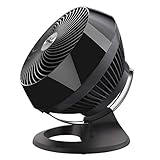
Vornado 660 Fan For Under-Desk And Room Cooling
A stuffy office can make a normal workday feel twice as long, especially when warm air settles around the floor and barely moves. The best under desk fan usually earns its place by directing useful airflow without turning the workspace into a noisy wind tunnel. The Vornado 660 takes a different route from most compact desk fans because it’s built as a whole-room air circulator, not a tiny personal breeze machine. That broader approach can be a real advantage, but it also creates a few tradeoffs that deserve an honest look.
Vornado 660 Large Air Circulator
The Vornado 660 is a full-size circulator with four speeds, a deep fan body, and a 90-degree tilt range supported by a chrome glide bar. Its main job is to keep air moving across a bedroom, office, or dorm room rather than blasting one narrow spot. That makes its Vortex circulation the defining feature, especially in spaces where the air feels trapped or uneven. Instead of relying on side-to-side oscillation, it pushes a focused column of air that can travel across the room and bounce off walls or ceilings.
That design changes how the fan feels in daily use. A small under-desk fan tends to cool ankles and calves, while the Vornado 660 can influence the entire air pattern around the desk. Placed on the floor and angled upward, it can send directed airflow toward the chair area without taking up desktop space. Placed farther away, it can help circulate cooler air from an air conditioner or open window across the room.
The size is worth thinking about before buying. This isn’t a little USB fan that disappears beside a power strip, and it may feel bulky beneath a narrow desk. The larger housing supports stronger air movement, but it also needs enough clearance so knees, chair wheels, and cables don’t keep bumping into it. In a cramped cubicle, that footprint could be awkward; in a home office with open floor space, it makes far more sense.
Airflow That Reaches Beyond The Desk
The deep-pitched blades, inlet guide cone, and spiral grille are designed to shape the airflow rather than scatter it. Vornado states that the fan can move air up to 100 feet, which points to its role as a room circulator rather than a close-range personal fan. In practical terms, that means the airflow remains more coherent over distance than the soft, diffuse breeze from many basic fans. It can be aimed across a room, toward a ceiling, or along a wall to keep stagnant air from sitting in one place.
Under a desk, that concentrated airflow needs careful aiming. The lowest tilt position can create a direct stream toward the legs, while a slightly higher angle can move air around the chair and upper body. The 90-degree tilt is useful because floor height, desk clearance, and seating position vary quite a bit. A fan with limited tilt often forces an awkward placement, but the glide bar gives more flexibility without relying on a loose plastic hinge.
Powerful circulation is helpful, though it can be too much at close range on the higher settings. A strong stream hitting one leg for hours may feel less comfortable than a wider breeze, so distance matters. The Vornado 660 performs better when given room to circulate air rather than being wedged directly against a chair. That’s an important placement tradeoff: it can cool a broader area, but it isn’t necessarily the gentlest option for extremely close use.
The lack of oscillation may surprise anyone used to conventional pedestal fans. Still, the fixed airflow has a purpose because Vornado’s system is meant to circulate air through the room continuously. Once the fan is aimed well, it doesn’t need to sweep back and forth to feel useful. The result is a steadier cooling pattern, though anyone who prefers a moving breeze may miss the back-and-forth motion.
Four Speeds For Different Comfort Levels
The four-speed control gives more adjustment than a basic low-medium-high layout. Push-button controls sit on top of the unit, so they’re easy to reach when the fan is on the floor or a low shelf. The lowest setting is intended for quieter operation, while the upper settings deliver much stronger circulation. That range helps the fan cover both background airflow and heavier cooling needs without forcing one fixed level.
Noise changes noticeably as the speed rises. Lower settings are better suited to focused work, video calls, or nighttime use, while the top speed may be more appropriate for cooling a warm room quickly. The fan is described as quiet, but “quiet” depends heavily on distance and speed. A low-speed hum may fade into the background, yet the strongest setting will naturally make its presence known.
The buttons are simple and mechanical, which has its own appeal. There’s no remote, app, timer, display, or complicated menu to deal with. That simplicity reduces setup time and makes the fan easy to operate without looking down. On the other hand, anyone who wants remote control convenience from across the room may find the manual controls a little old-school.
Power comes from a standard wall connection, so there’s no battery to charge or USB output limit to worry about. Consistent power supports the fan’s stronger motor and broader circulation. The downside is another cord under the desk, where chargers and computer cables may already be tangled. Good cable routing matters because the corded design is reliable but less flexible than a rechargeable personal fan.
Build, Tilt, And Everyday Placement
The chrome glide bar gives the fan a distinctive look while serving a practical purpose. It supports smooth tilt adjustment from horizontal to vertical, allowing the fan to aim straight ahead or toward the ceiling. That range makes the Vornado 660 useful beyond warm-weather desk cooling. During cooler months, an upward angle can help redistribute heated air that collects near the ceiling, giving the tilt mechanism year-round value.
The large base and rounded housing are designed for stable placement. Stability matters under a desk because an unsteady fan can rattle, shift, or tip after being nudged by a foot. The Vornado’s broader body should feel more planted than a tiny clip fan, although it also occupies more floor space. That solid footprint is reassuring in an open area but less convenient beside a compact filing cabinet or narrow chair path.
Cleaning will eventually become part of ownership, especially near the floor where dust, carpet fibers, and pet hair gather quickly. The grille and deep blade area can collect debris over time, and restricted airflow may increase noise or reduce performance. Regular surface cleaning is sensible, even if the enclosed shape isn’t as quick to wipe down as a simple open-frame fan. The fan’s deep housing supports its circulation design, but it also creates more nooks where dust can settle.
The black finish blends easily with most office equipment and furniture. It doesn’t look delicate or decorative, and the overall appearance leans practical rather than minimalist. The chrome bar adds a little visual contrast without making the unit flashy. For a fan likely to sit on the floor, that restrained office-friendly design feels appropriate.
Strengths And Limits For Under-Desk Use
The biggest strength is reach. Many under-desk fans cool only the small area directly in front of them, while the Vornado 660 can influence airflow across the whole office or bedroom. That broader effect may reduce the need to keep the fan inches from the chair. Its long-range circulation is especially useful when cool air exists elsewhere in the room but doesn’t naturally reach the desk.
Its second strength is directional control. The 90-degree tilt gives more freedom than fixed-angle floor fans, and the focused air stream can be aimed around furniture. This matters in rooms where a desk sits against a wall or near a vent. The adjustable airflow path helps work around awkward layouts rather than forcing the fan into one exact position.
The main weakness is size relative to the keyword. Calling it the best under desk fan only makes sense when the desk has enough open space and the goal extends beyond cooling feet. A small writing desk, crowded workstation, or narrow dorm setup may not leave enough room for comfortable placement. A compact fan would be easier to tuck away, even though it wouldn’t circulate air as effectively.
Another limitation is the absence of comfort extras. There’s no oscillation, timer, remote, rechargeable battery, or automatic mode. Those omissions keep operation straightforward, but they also make the fan feel more traditional than newer models. The Vornado 660 is strongest as a powerful air mover, not as a feature-packed gadget.
Warranty And U.S. Use Considerations
Vornado states that the fan is supported for up to five years, with replacement coverage if the product doesn’t meet the company’s standards. That kind of backing matters for an appliance expected to run for long stretches during hot weather. It doesn’t remove the need for sensible care, but it adds reassurance compared with short-lived generic fans. The five-year support period is one of the more practical reasons to consider this model.
The product is designed, supported, safety-tested, and warrantied for use in the United States. It’s also built for U.S. voltage requirements, which is important for anyone planning to use it outside the country. A plug adapter alone doesn’t always solve voltage differences, and using the wrong electrical supply can create safety or reliability problems. The U.S.-only electrical specification should be treated as a firm limitation rather than a minor detail.
For a large home office, bedroom, or dorm room, the Vornado 660 makes the most sense as a fan that supports the whole space while still serving the desk area. It can sit below the work surface, aim upward, and keep air moving without using desktop real estate. Still, it needs more room and power than a typical personal fan. The deciding factor is whether whole-room circulation matters more than tiny size, battery operation, or remote controls.
A cramped workstation calls for something smaller, but an open office setup can take real advantage of the fan’s reach. The four speeds, adjustable tilt, sturdy body, and focused airflow give it a practical, no-nonsense personality. It won’t blend into the palm of a hand, and it won’t run from a laptop port. What it offers instead is serious air movement with simple controls and a design built around circulation rather than novelty.
YOSHENMO Portable Desk Fan For Under-Desk Cooling
Warm air trapped around your legs can make a tidy workspace feel surprisingly uncomfortable, especially once a laptop, monitor, and chargers start adding their own heat. A best under desk fan should ease that stuffiness without stealing desktop space, rattling through meetings, or forcing another cord into an already crowded outlet. The YOSHENMO model approaches the problem with a rechargeable battery, compact six-inch body, adjustable airflow, and an LED display that shows operating information at a glance. It’s built more like a portable personal cooler than a traditional room fan, and that distinction shapes both its strengths and its limits.
YOSHENMO Portable Desk Fan
The YOSHENMO fan weighs a stated 0.97 pound, so it’s light enough to move between a desk, bedside table, kitchen counter, or outdoor seat without much fuss. Its compact six-inch frame is especially useful beneath smaller desks where a broad pedestal base would crowd feet and chair wheels. Even so, compact doesn’t mean invisible, and it still needs a stable patch of floor or shelf space where it won’t be kicked or blocked by a storage box. The portable shape makes relocation easy, though careful placement remains part of getting useful airflow.
A built-in 4000mAh lithium-ion battery removes the need to keep the fan plugged in during every session. The provided specifications claim a runtime range of roughly 2.5 to 17 hours, which will naturally depend on the chosen airflow level and operating conditions. That wide range gives the fan cord-free flexibility for short high-power cooling or longer use at gentler settings. It also means the highest setting shouldn’t be expected to last through a full day without recharging.
The black housing has a playful touch through the smile icon on the LED display. That visual detail keeps the design from feeling overly industrial, yet it doesn’t change the basic purpose of the product. The display can show battery status and airflow information, which is more useful than guessing how much charge remains. For a rechargeable unit, visible battery feedback helps avoid the annoying surprise of a fan shutting down halfway through a hot afternoon.
Portability is the clearest theme here. The fan is described as small enough for backpacks and handbags, making it practical for moving between home, work, travel, picnics, or camping. That convenience comes with a familiar compromise: smaller blades and housings usually focus on personal cooling rather than changing the temperature of an entire room. The YOSHENMO is better understood as a close-range cooling fan than a substitute for a large air circulator.
Airflow Control And Speed Adjustments
The product description highlights five adjustable wind speeds with a stated airflow range of 2.8 to 4.6 meters per second. That setup should provide a useful spread between a mild breeze and a stronger personal stream. Lower settings suit long periods at a desk, while the upper levels make more sense after walking indoors from summer heat. The five-speed range gives more control than a basic low, medium, and high arrangement.
There is, however, an inconsistency in the supplied operating details. One section describes five speed settings, while the button instructions refer to adjustment from level 1 through level 120. Since both claims appear in the provided description, the exact control system isn’t fully clear from the available information. That speed-control discrepancy is worth keeping in mind rather than assuming the fan definitely offers either five fixed modes or 120 distinct steps.
The two-button layout is intended to keep operation simple. A long press on the power control turns the fan on or off, while the plus and minus controls adjust airflow. That sounds straightforward, particularly under a desk where complicated touch menus would be awkward to see. Still, button accessibility depends on where the fan is placed, and controls on the unit itself require bending down unless it sits on a low shelf.
The display turns off after a short period according to the supplied instructions, and the smile icon is also said to stop flashing before the screen goes dark. That behavior can be useful in a bedroom because a permanently lit screen may become distracting at night. At a desk, the temporary display reduces visual clutter while still showing changes during adjustment. The auto-dimming display is a small detail, but it supports quieter, less intrusive use.
Quiet Operation Around Work And Sleep
The fan is described as reaching a maximum operating noise of only 30 dB. That is the manufacturer-provided figure, not an independent measurement, so real-world sound may vary with speed, surface stability, and distance. Even so, the design is clearly aimed at low-noise personal cooling for work, rest, and sleep. A steady, soft motor sound is easier to tolerate than clicking controls, loose grilles, or irregular vibration.
Under-desk use can amplify certain noises if the fan sits against a hollow cabinet, metal leg, or uneven floor. A lightweight fan may also transmit vibration through a hard surface more readily than a heavier room circulator. Placing it on a stable, flat base should help preserve the intended quiet operation. Carpet can soften vibration, though thick fibers may partially block airflow around the base if the housing sits too low.
At close range, even a quiet motor can feel noticeable if the airflow itself is strong. The upper settings may create more wind noise than the lower ones, especially when aimed directly at pant legs, loose papers, or nearby cables. A moderate setting often feels less distracting during calls and concentrated work. The practical sweet spot may be gentle continuous airflow rather than maximum output all day.
Bedroom use benefits from the rechargeable design because there’s no requirement to place the fan near a wall outlet during operation. The darkened display also reduces unnecessary light after adjustments are complete. Still, anyone sensitive to air movement may prefer indirect positioning rather than pointing the fan straight at the face or body overnight. The fan’s quiet bedside potential is promising, but comfort will depend on angle and speed.
Full-Rotation Positioning And Desk Fit
The fan is described as offering 360-degree adjustable rotation, which gives far more aiming freedom than a fixed-angle desktop unit. Beneath a desk, that range can direct air upward toward the legs, sideways around a footrest, or outward into the surrounding space. The full-rotation adjustment also helps compensate for awkward desk layouts where a fan can’t sit directly in front of the chair. Good positioning may matter more than raw airflow in such a confined area.
A freely adjustable head is especially handy when switching between floor, tabletop, and outdoor use. On a desk, the fan can aim slightly upward without blowing directly into the eyes. On the floor, it can be tilted toward a seated position rather than wasting air at ankle height. That directional flexibility makes one small fan usable across several settings without requiring a separate stand.
The 0.97-pound weight makes the fan easy to reposition, but that lightness may reduce resistance against accidental bumps. A foot, bag, or rolling chair can shift a compact fan more easily than a heavier model. The supplied description doesn’t specify the base material or anti-slip features, so stability shouldn’t be assumed beyond normal flat-surface use. This lightweight tradeoff favors portability over planted, heavy-duty placement.
Desk clearance deserves a quick measurement before settling on a permanent spot. A six-inch fan body sounds small, yet cables, power strips, drawers, and chair movement can shrink usable space quickly. Leaving open air around the intake also helps the fan work without obstruction. The best setup gives the compact housing enough breathing room while keeping it outside the path of feet.
Battery Life For Indoor And Outdoor Use
The stated 4000mAh battery is a meaningful feature for a fan this small. It supports use in places where wall power is inconvenient, including patios, campsites, picnic tables, and temporary work areas. At a desk, cordless operation also reduces cable clutter and makes the fan easier to move throughout the day. The rechargeable power system is one of the strongest reasons to consider this model over a plug-only alternative.
Runtime expectations need to stay realistic. The claimed 2.5-to-17-hour range covers a large gap because motor speed has a major effect on battery drain. Strong airflow may be useful in short bursts, while all-day operation will likely require a lower setting or periodic charging. The battery-versus-power tradeoff is normal for portable fans, but it matters during long outdoor sessions.
Camping and picnic use place different demands on a fan than a home office does. Wind, heat, dust, and open surroundings can reduce how noticeable a small fan feels compared with indoor use. Its six-inch size is easy to pack, though it won’t push air across a large campsite or cool several seats at once. The YOSHENMO makes more sense as a personal outdoor breeze positioned within close reach.
The provided information doesn’t state charging time, charging connector type, or whether the fan can operate while plugged in. Those details affect convenience, particularly for anyone hoping to use it continuously at a desk. Without that information, it’s safer to judge the fan by its stated battery capacity and runtime alone. The missing charging details don’t erase its portability, but they leave part of the daily routine uncertain.
Practical Strengths And Honest Limitations
The YOSHENMO’s biggest advantage is how many practical functions fit into a small body. Rechargeable operation, adjustable positioning, multiple airflow levels, and an information display all support flexible personal cooling. It can move from beneath a desk to a nightstand or outdoor table without dragging a long power cord along. That multi-location convenience suits changing routines better than a heavy fixed fan.
Its second strength is control over where the breeze lands. A 360-degree adjustment range helps prevent the common problem of a low fan blowing only at shoes or the underside of a desk. The airflow can be redirected as posture, seating, or room arrangement changes. For targeted cooling, that flexibility is more useful than decorative features or oversized control panels.
The main limitation is scale. A compact fan can improve comfort in a personal zone, but it won’t circulate a large bedroom or office like a full-size floor fan. Anyone expecting broad room cooling may be disappointed by the physical limits of a six-inch unit. The YOSHENMO is strongest as a nearby airflow source, not a whole-room ventilation solution.
The conflicting speed descriptions also prevent a completely clean assessment of the controls. Five speeds and 120 levels represent very different operating systems, so the exact adjustment experience can’t be confirmed from the supplied details. That doesn’t make the fan unusable, but it does create uncertainty around one of its headline features. Clear expectations matter, and the control specification mismatch should be acknowledged rather than glossed over.
Where This Fan Makes The Most Sense
A crowded workstation benefits most from equipment that earns its footprint. The YOSHENMO keeps cooling close, leaves the desktop mostly free, and avoids tying the fan permanently to a wall socket. Its under-desk portability works particularly well where the goal is easing warm legs and stagnant air rather than cooling every corner of the room. The small size also makes it easier to store once cooler weather returns.
Shared workspaces may appreciate the quiet focus of a personal fan. Instead of increasing room-wide airflow or disturbing papers across several desks, this model can remain aimed at one seating area. The adjustable speed and tilt help keep that breeze controlled. Its personal cooling footprint is less intrusive than a large oscillating fan, provided it stays stable beneath the desk.
Travel, dorm, and outdoor routines add more value to the rechargeable battery. A fan that weighs under a pound is easy to carry between locations, and the LED readout provides a quick sense of remaining charge. Even so, small portable fans need to stay reasonably close to be effective. The lightweight design is best appreciated as convenience, not evidence of room-filling power.
The most balanced view is simple: this fan prioritizes mobility, adjustable direction, and quiet personal airflow. It gives up the broader reach, heavier stability, and continuous wall-powered endurance of a larger circulator. For tight spaces and shifting routines, that exchange may feel sensible. For large rooms or nonstop maximum-speed operation, the compact rechargeable format may feel too limited.
Honeywell TurboForce HT900 Under-Desk Air Circulator
Heat tends to pool around chair legs, computer towers, and power strips, turning an otherwise comfortable desk into a stuffy little corner. A best under desk fan needs enough reach to move that trapped air without becoming a bulky obstacle or an irritating source of background noise. The Honeywell TurboForce HT900 takes a practical route with a compact housing, three speeds, and a head that pivots through 90 degrees. It isn’t packed with digital controls or decorative extras, but its straightforward design suits workspaces where reliable airflow matters more than bells and whistles.
Honeywell TurboForce HT900
The HT900 is designed to work on a floor, tabletop, desk, or wall, giving it more placement flexibility than a fan built for one fixed position. Beneath a desk, its compact air circulator design can direct air toward the legs without occupying valuable work surface. On a shelf, it can aim across the room or toward a warm corner where air tends to stall. Wall mounting is also listed as an option, though the supplied details don’t describe the mounting hardware or installation process.
Honeywell describes the unit as suitable for small to medium-sized rooms, but its strongest role remains personal and localized cooling. The aerodynamic turbo design is intended to concentrate airflow rather than produce a broad, lazy breeze. That focused movement can be useful near a workstation because the fan doesn’t need to sit inches from the chair to be noticeable. Its stated 25-foot airflow reach also gives more freedom to place it outside the immediate path of feet and rolling chair wheels.
The black housing keeps the appearance simple and easy to blend with office equipment, speakers, monitors, and dark furniture. Nothing about the shape tries too hard to look futuristic, and that’s honestly part of the appeal. A fan sitting beneath a desk should do its job without demanding attention. The low-key exterior fits that role better than bright displays or blinking indicators would.
Small fans often involve a tradeoff between portability and stability. The HT900 can move easily between rooms, yet its broader base gives it a more grounded shape than a narrow handheld model. It still needs a clear, level spot so the intake isn’t blocked by carpet fibers, bags, or loose cables. Proper placement helps the turbo airflow system work as intended and keeps the fan from becoming another object to kick by accident.
Three Speeds Without Control Clutter
Three speed settings keep adjustment simple. Low can provide a mild background breeze during calls or concentrated work, while medium offers more noticeable cooling without immediately jumping to full power. High is there for warmer afternoons or rooms where air has gone completely flat. This three-speed control isn’t as granular as models with five or more settings, but it avoids turning a basic comfort adjustment into a fiddly process.
The lack of a digital display means there’s no battery gauge, temperature readout, or numerical speed indicator to watch. Some might see that as bare-bones, while others will appreciate having fewer lights beneath a desk or beside a bed. Mechanical simplicity can be refreshing, particularly when the main task is moving air. The straightforward operation also makes it easy to switch settings without navigating menus or remembering button combinations.
Three speeds may feel limiting if the difference between low and medium is larger than preferred. A person sensitive to airflow might want a softer setting, while someone working in a very hot room could wish for more steps between medium and high. The provided information doesn’t specify airflow measurements for each speed, so those differences can’t be quantified here. That limited adjustment range is worth weighing against the convenience of simple controls.
Power comes from a wall connection rather than a rechargeable battery. That arrangement supports continuous operation without worrying about runtime, charging cycles, or declining power as the battery empties. The drawback is obvious: another cable joins the collection beneath the desk. Good cord routing becomes part of the setup, especially where the plug-in design shares space with computer cords and a rolling chair.
A Pivoting Head That Solves Awkward Angles
The 90-degree pivoting head is one of the HT900’s most useful features. A floor fan aimed straight ahead may cool shoes more effectively than legs, which isn’t much help during a long work session. Tilting the head upward lets the airflow reach a seated position while the fan remains safely below the work surface. That adjustable airflow direction gives the unit a practical edge over fixed-angle personal fans.
Placement can shift with the seasons. During hot weather, the fan may point directly toward the chair for immediate relief. On milder days, angling it across the room can help distribute air from an open window or air-conditioning vent. The pivoting fan head supports both jobs without requiring an extra stand or a stack of books underneath the base.
The fan doesn’t oscillate from side to side, so the airflow stays fixed wherever the head is aimed. That steady stream works well for one desk or a specific warm zone, but it won’t sweep air across several seats. Some people prefer consistent airflow because oscillation creates alternating moments of breeze and stillness. Others may view the fixed directional pattern as a limitation in shared rooms.
Wall mounting adds another possible angle for rooms with crowded floors or narrow workstations. Raising the fan can free space and reduce the chance of accidental bumps, though it also makes physical controls less accessible. Since installation details aren’t included in the supplied description, the convenience of that setup depends on the actual room and mounting surface. The multi-position design is useful, but each position brings its own practical compromise.
Air Movement Beyond Personal Cooling
The TurboForce system is built around concentrated circulation rather than decorative features. Honeywell states that airflow can be felt from up to 25 feet away, which suggests the fan can serve more than the small pocket directly beneath a desk. Aiming it toward a doorway or across a room may help break up stagnant air. The longer airflow reach also allows the fan to sit farther from papers, microphone stands, and loose desk items.
Circulating conditioned air can make an air conditioner’s output feel more evenly distributed. A cool room often still has warm pockets near furniture, corners, or electronics because the air isn’t moving effectively. The HT900 can help push that cooler air toward the occupied part of the room rather than lowering the thermostat again. This air circulation support may improve comfort, though actual energy savings depend on room conditions and how the cooling system is used.
Warm air can be redistributed during cooler months too. A fan angled upward may help move heat that gathers near the ceiling, especially in compact rooms with uneven temperatures. That use won’t replace a heater, but it can reduce the feeling that all the warmth is floating overhead. The year-round circulation potential gives the fan more value than a device used only for direct summer cooling.
Room size still matters. A small circulator can influence airflow in a bedroom or office, but it won’t behave like a full-size pedestal or whole-room fan in a large open area. Furniture, doorways, and ceiling height can also weaken the effect over distance. The claimed reach is helpful for setting expectations, yet the compact motor and blade size remain natural limits.
Noise Levels In A Working Space
Honeywell states that this model is 25 percent quieter than comparable fans, based on the comparison referenced in the product description. The exact competing models and test conditions aren’t provided here, so that figure should be treated as a manufacturer claim rather than a universal guarantee. Still, the HT900 is clearly positioned as a quiet personal fan for bedrooms, offices, and other occupied spaces. Low speed is likely the most sensible setting for calls, reading, or focused desk work.
Fan noise isn’t created by the motor alone. Air passing through the grille, vibration against a hard floor, and nearby objects can all change what reaches the ear. A loose cable tapping the housing may become more irritating than the fan itself. Stable placement helps preserve quieter everyday operation and prevents small rattles from stealing attention.
Higher speed naturally produces more airflow sound. That may be perfectly acceptable during a hot afternoon, especially if the alternative is feeling sluggish and uncomfortable. In a silent bedroom or recording area, however, the top setting could be more noticeable than the product’s quiet positioning suggests. The real strength lies in having usable low and medium settings rather than expecting near-silence at maximum output.
Distance can soften both the sound and the intensity of the breeze. Because the airflow is designed to travel, the fan doesn’t always need to sit directly beside the chair or bed. Moving it a few feet away may produce a gentler experience while still keeping air in motion. That flexible placement distance is valuable in spaces where close-range fan noise becomes distracting.
Under-Desk Strengths And Frustrations
The HT900’s clearest advantage beneath a desk is its balance of size and reach. It’s small enough to avoid swallowing the entire footwell, yet its focused airflow can be felt beyond arm’s length according to Honeywell’s specifications. The adjustable head helps send that airflow upward instead of wasting it at floor level. Together, those features create a practical under-desk setup without relying on clips, tall stands, or rechargeable batteries.
Continuous plug-in power is another strength for long workdays. There’s no need to ration higher speeds or remember to recharge the fan overnight. Once connected, it can run as needed without gradually losing output because a battery is nearing empty. That steady power supply makes the HT900 more dependable for a permanent workstation than many portable battery fans.
The cord is also one of its biggest annoyances. A cable stretched across a footwell can catch a shoe, interfere with chair movement, or add to an untidy power-strip setup. Positioning the fan near an outlet and securing the cord along a desk leg can reduce that problem. The cord management requirement isn’t a deal breaker, but it does separate this model from truly portable cordless options.
Another limitation is the lack of remote control. Changing speeds or turning the fan off requires reaching the unit, which may mean bending down if it sits deep beneath the desk. Placing it near the front improves access but also increases the chance of accidental contact. The manual control layout works best where the fan remains within easy reach without blocking normal movement.
Maintenance And Realistic Ownership
Floor-level fans collect dust quickly. Carpet fibers, pet hair, and small debris can gather on the grille and around the intake, gradually affecting airflow or adding noise. Regular cleaning helps the aerodynamic grille design keep moving air efficiently. The supplied description doesn’t explain grille removal or internal cleaning steps, so maintenance convenience can’t be judged beyond routine exterior care.
A compact circulator shouldn’t be squeezed tightly against a wall, cabinet, or stack of boxes. Air needs room to enter the rear and leave the front without immediate obstruction. Beneath a desk, that means resisting the temptation to hide the fan in the smallest available gap. A little clearance protects consistent air movement and reduces the chance of overheating or performance loss.
The plastic housing keeps the unit manageable, though durability claims beyond the provided product information would be guesswork. Everyday care matters more than treating the fan as indestructible. Avoiding repeated kicks, carrying it by secure parts, and keeping the cord away from chair wheels should help. The simple construction suits normal indoor use rather than rough outdoor conditions.
This model has no rechargeable battery, weatherproofing claim, timer, or smart-home control in the supplied details. Those missing extras narrow its role but also keep the design focused. It’s a compact, corded fan intended to move air in bedrooms, offices, and similar indoor spaces. The no-frills feature set will feel sensible to some and dated to others.
Who Gets The Most From Its Design
A permanent workstation with limited desk space is where the HT900 makes its strongest case. It can stay on the floor, angle upward, and provide focused airflow without placing a fan beside the keyboard or monitor. The three speeds cover basic comfort changes throughout the day. Its space-conscious cooling fits offices where function matters more than a long list of electronic features.
Small bedrooms can also benefit from the pivoting head and lower-noise positioning. The fan can sit on a nightstand, dresser, floor, or wall depending on available room. A fixed airflow stream may feel calmer than an oscillating breeze, especially when aimed indirectly. The quiet circulation focus suits nighttime use as long as the selected speed matches personal noise sensitivity.
Large rooms and fully cordless setups are less convincing matches. The fan may help move air across a moderate space, but it isn’t presented as a replacement for a large pedestal or tower fan. Outdoor use is also limited by its need for wall power and lack of stated weather resistance. Those placement boundaries are straightforward and should shape expectations before the fan is assigned a job it wasn’t designed to handle.
The HT900 keeps its pitch refreshingly simple: three speeds, concentrated airflow, adjustable direction, and a compact body. It sacrifices digital convenience, battery portability, and oscillation in exchange for steady plug-in operation and easy positioning. For an uncluttered desk setup with enough room for a cord, that trade feels reasonable. The focused TurboForce circulation is the feature doing the heavy lifting, and everything else supports that basic purpose.
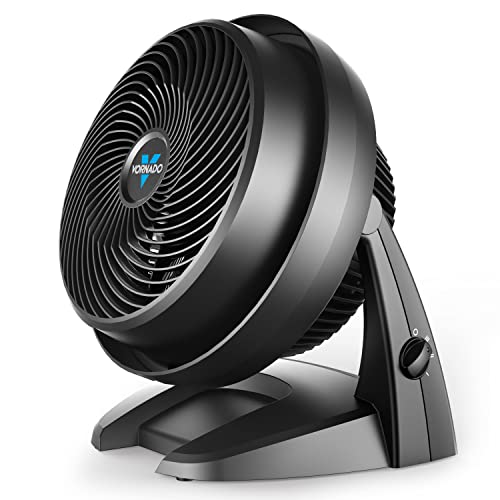
Vornado 630 Mid-Size Air Circulator For Under-Desk Cooling
A desk can feel perfectly comfortable above the keyboard while warm, stagnant air collects around the legs and computer tower below. That uneven pocket of heat is exactly where a best under desk fan needs to do more than spin air in a tiny circle. The Vornado 630 takes a broader approach by using whole-room circulation rather than a narrow personal breeze, giving it enough muscle to influence the surrounding office or bedroom. Its nine-inch body is larger than a typical desktop fan, though the added size supports deeper blades, a focused grille, and airflow meant to travel beyond the edge of the desk.
Vornado 630 Mid-Size Air Circulator
The Vornado 630 sits between a compact personal fan and a larger floor circulator. Its mid-size nine-inch design gives it more airflow potential than a small USB model without demanding the floor space of a pedestal fan. Beneath an open desk, that balance can make sense because the unit can stay out of sight while still moving air around the chair. A narrow cubicle, on the other hand, may feel cramped once cables, drawers, and chair wheels enter the picture.
Vornado’s defining feature is its Vortex circulation system. Instead of oscillating from side to side, the fan sends a concentrated stream intended to move air throughout the room. That whole-room circulation can help reduce warm pockets near furniture, electronics, or corners where conditioned air doesn’t naturally reach. The effect depends heavily on placement, so the fan performs best when its intake and outlet aren’t boxed in by bags or desk panels.
The styling is functional rather than flashy. A rounded housing, broad base, and exposed front grille give the fan the familiar look of a dedicated air mover. There’s no display, remote, decorative lighting, or touch-sensitive panel competing for attention. That straightforward construction feels appropriate for equipment likely to spend most of its life on the floor or tucked beneath furniture.
Its corded power source supports continuous use without pauses for charging. That’s handy during a full workday because airflow won’t weaken as a battery drains. Still, the cable adds one more item to manage around a power strip and rolling chair. The plug-in reliability is a clear advantage for permanent placement, but it gives up the grab-and-go freedom of rechargeable fans.
Vortex Airflow Changes The Cooling Strategy
A traditional personal fan often creates a short cone of air that fades quickly. The Vornado 630 uses deep-pitched blades, an inlet guide cone, and a spiral grille to shape a more focused stream. Those parts work together to support strong directional airflow rather than a loose breeze that disperses immediately. Beneath a desk, that means the fan doesn’t necessarily need to sit directly beside the chair to be felt.
Room circulation works best when the airflow has somewhere to travel. Pointing the fan across an open section of the room can help mix cooler and warmer air instead of concentrating everything around one pair of ankles. Aiming it toward a wall or ceiling may also redistribute air without creating a harsh direct blast. This indirect cooling approach can feel more comfortable during long sessions than keeping the fan inches from the body.
The absence of oscillation may look like a drawback at first glance. Yet a fixed stream can be useful when the fan is positioned carefully because it maintains a steady circulation path instead of repeatedly sweeping away. That makes the Vornado 630 less about chasing a moving breeze and more about changing how air travels through the room. Anyone who enjoys an oscillating sensation may still prefer a conventional fan, so fixed airflow remains a matter of taste.
Whole-room claims should stay grounded in realistic expectations. Furniture arrangement, doorway placement, ceiling height, and room size all influence how effectively air circulates. The fan can support cooling efficiency, but it won’t lower the actual temperature on its own or replace air conditioning during severe heat. Its job is air movement, plain and simple, and it does that by keeping stagnant pockets from settling in place.
Three Speeds Keep Operation Simple
The 630 uses three manual speed settings. Low suits background circulation, medium adds a more noticeable breeze, and high is available when a warm room needs stronger movement. That three-speed layout is easy to understand and quick to adjust without studying a control panel. There’s no learning curve, which is refreshing when all anyone wants is cooler air.
Three speeds also mean fewer fine adjustments. Some situations fall awkwardly between settings, especially if low feels too soft while medium feels too forceful at close range. Moving the fan farther away or adjusting the tilt can help soften that gap. The limited speed granularity is a small compromise tied to the simple control scheme.
Manual controls work reliably, though under-desk placement can make them less convenient. Reaching the fan may require bending down, particularly if it sits toward the back near a wall. Placing it closer improves access but raises the chance of bumping it with a shoe. The hands-on controls favor simplicity over remote convenience.
No timer is listed in the supplied information, so automatic shutoff shouldn’t be expected. The fan will need to be turned off manually when it’s no longer needed. That’s hardly complicated, but it matters in bedrooms or workspaces where equipment is often left running by accident. The basic feature set stays focused on circulation rather than automation.
Adjustable Tilt Solves Floor-Level Problems
A floor fan becomes frustrating fast if its airflow stays trapped below knee height. The Vornado 630’s adjustable tilt head lets the stream rise toward a seated position, move across the room, or point upward. That multi-directional airflow makes the fan far more useful beneath a desk than a fixed-angle unit. Small changes in angle can shift the breeze from the feet to the legs without moving the entire base.
Desk layouts rarely offer a perfect straight path. Drawers, file cabinets, computer towers, and crossbars can block airflow or force the fan off-center. Tilting the head helps work around those obstacles while keeping the base in a stable spot. The adjustable positioning is especially valuable where floor space exists only along one side of the chair.
Indirect placement can reduce discomfort during long use. A fan aimed straight at one leg may feel refreshing for a few minutes and irritating after an hour. Angling the stream past the chair allows circulating air to do the work without creating a constant cold spot. That softer cooling pattern is one of the better ways to use a powerful circulator in a personal workspace.
The tilt mechanism also adds value outside summer. Warm air often gathers near the ceiling during cooler months, leaving the occupied level less comfortable. Pointing the fan upward can help redistribute that heat through the room. This year-round circulation gives the 630 a job even after direct cooling season ends.
Noise And Comfort During Daily Work
The product is presented as a quiet fan for bedrooms and living spaces, but the supplied description doesn’t include a specific decibel figure. Sound will naturally change across the three speeds, with low producing less airflow noise than high. For focused work, the lower setting should be the sensible starting point. The quiet-use positioning is promising, though individual tolerance always varies.
Placement affects perceived noise as much as the motor does. A fan sitting against a hollow cabinet or uneven floor can create vibration that makes it sound louder than expected. Loose charging cables may tap against the grille, adding a repetitive little tick that becomes impossible to ignore. A flat, clear surface helps preserve steady, unobtrusive operation.
Air itself creates noise as it moves through the grille. On high, the stronger stream may be noticeable during calls or in a silent bedroom, even if the motor remains smooth. Moving the fan farther from the chair can reduce both intensity and sound while keeping the room air active. That distance flexibility is one advantage of a circulator built to project airflow.
White-noise fans may appreciate the constant hum more than those who prefer complete silence. Unlike oscillating models, there’s no shifting motor sound as the head sweeps back and forth. The tone should remain more consistent because the fan stays fixed. That stable sound profile can be easier to tune out during reading, typing, or sleep.
Removable Grille Makes Dust Less Intimidating
Floor-level fans collect dust faster than most people expect. Carpet fibers, pet hair, crumbs, and lint gather around the intake and front grille, gradually reducing airflow if ignored. The Vornado 630 includes a removable grille, which makes blade access more practical than on sealed housings. Routine cleaning should be less of a wrestling match, and that matters for a fan used regularly beneath furniture.
Cleaning isn’t only about appearance. Dust buildup can create uneven airflow, extra noise, and strain on moving parts over time. Keeping the blade area clear helps maintain the focused circulation pattern the fan was designed to produce. The maintenance-friendly front is a meaningful ownership benefit rather than a throwaway specification.
Safe cleaning still requires unplugging the fan and following the manufacturer’s care instructions. Water and electrical components don’t mix, and the motor housing shouldn’t be treated like a washable appliance. A soft cloth or brush is generally more appropriate than soaking anything. The removable access point simplifies the chore, but it doesn’t remove the need for care.
A clean intake also deserves attention. Hiding the fan against a wall or pile of storage boxes can restrict incoming air even when the front looks spotless. Leaving clearance behind the unit supports both performance and easier maintenance. Good airflow begins before the blades, so rear intake space matters just as much as the direction of the front grille.
Under-Desk Strengths And Space Tradeoffs
The Vornado 630’s biggest under-desk strength is reach. A tiny fan may cool one narrow spot, while this unit can move air around the entire workstation and into the surrounding room. The adjustable head lets that airflow rise from floor level without requiring a stand. Its broader circulation ability makes it useful when heat gathers around computer equipment and closed furniture.
Size is the obvious counterpoint. A nine-inch circulator takes more room than a six-inch rechargeable fan, and the rounded body needs clearance behind it. Tight desks with built-in drawers may leave little space for feet once the fan is positioned properly. The mid-size footprint works best in open workstations rather than narrow cubbies.
Stability should be better than that of an ultralight travel fan because the housing and base are built for floor or tabletop placement. A more planted fan is less likely to slide every time airflow changes or a cable shifts. Even so, it should stay outside the normal path of shoes and chair casters. The stable base design helps, but sensible placement still carries the day.
Portability exists in the room-to-room sense, not the backpack sense. The fan can be moved from an office to a bedroom without much trouble, but it requires access to an outlet and occupies more luggage space than a compact battery model. That makes it better suited to fixed indoor use. The corded mid-size format prioritizes dependable airflow over travel convenience.
Support And Long-Term Practicality
Vornado states that the 630 is backed for up to five years, with replacement support if the product doesn’t meet the company’s standards. That coverage gives the fan a stronger ownership story than disposable models with vague support terms. A circulator may run for hours during hot weather, so five-year backing adds reassurance. Warranty service still depends on the applicable terms and proper use, of course.
The product is designed and supported in Andover, Kansas, according to the supplied information. That detail doesn’t directly change airflow, but it clarifies where product support is based. Buyers who value an established support channel may see that as a practical advantage. The domestic support presence complements the longer replacement period.
Long-term usefulness depends on whether whole-room circulation matches the actual need. A person wanting a tiny breeze pointed at the ankles may be happier with a smaller, cheaper unit. A warmer office with poor airflow, however, can benefit from a fan that reaches beyond the chair. The circulator-first design makes the 630 more capable but also less discreet than a miniature personal fan.
The strongest fit is an open desk area where floor space is available, wall power is nearby, and air tends to stagnate around furniture. The weakest fit is a cramped setup that demands battery operation, remote controls, or barely visible hardware. Three speeds, adjustable tilt, removable cleaning access, and focused Vortex movement form a sensible package. The real difference is that the Vornado 630 treats the desk as part of a room-wide airflow problem rather than an isolated hot spot.
Dreo 12-Inch Whole-Room Fan For Under-Desk Cooling
A warm pocket beneath the desk can linger even while the rest of the room feels reasonably comfortable. Computer equipment, limited floor clearance, and weak air movement often leave legs feeling stuffy long before the thermostat seems worth touching. The best under desk fan should break up that trapped heat without creating an annoying roar or blocking the chair’s path. The Dreo 12-inch air circulator tackles the job with long-range airflow, a tilting head, three manual speeds, and a design that can also support cooling across the entire room.
Dreo 12-Inch Air Circulator Fan
The Dreo measures 9 inches deep, 11 inches wide, and 12 inches high, putting it firmly in the mid-size category. It’s larger than a palm-sized personal fan, yet it remains compact enough for a roomy desk footwell, side table, kitchen counter, or bedroom floor. That 12-inch body provides space for deeper blades and a more substantial airflow path than a tiny USB model can offer. Tight workstations may still feel crowded, so the available floor area matters just as much as the fan’s listed dimensions.
Dreo’s WingBoost system combines deep-pitched blades with an aerodynamic housing to propel air over a stated distance of up to 70 feet. That figure comes from the supplied product description and positions the unit as a whole-room air circulator, not merely a close-range breeze source. Under a desk, the extra reach means the fan doesn’t have to sit directly against the chair to feel useful. It can be placed farther away, angled upward, and allowed to move air through the surrounding workspace.
The housing includes a base and carrying handle, making room-to-room movement less awkward than hauling a pedestal fan. A permanent office setup may keep it in one spot, but the handle adds value when the same fan is used beside a bed at night or in the kitchen during the afternoon. That portable indoor design broadens its usefulness without relying on a rechargeable battery. Wall mounting is also mentioned in the provided information, although specific mounting hardware and installation steps aren’t described.
Plug-in power supports steady operation for long work sessions. There’s no battery meter to monitor and no runtime drop at the highest speed, which suits a fan expected to run for several hours. The tradeoff is another cord beneath the desk, where chargers, adapters, and computer cables may already be having a small convention. The continuous wall-powered operation is dependable, but careful cable routing is part of living with it.
WingBoost Airflow Reaches Past The Chair
The airflow design is the main reason this fan stands apart from compact personal models. Deep-pitched blades are intended to gather and push air in a focused stream, while the surrounding aerodynamic structure helps reduce wasted movement. That combination supports long-distance circulation rather than a weak breeze that disappears a few feet away. A desk placed across the room from an air-conditioning vent may benefit because the fan can help carry that cooler air into the occupied area.
Direct airflow isn’t always the most comfortable setup. A strong breeze aimed at one ankle can become irritating during a long afternoon, even if it feels pleasant at first. Tilting the Dreo slightly past the chair can create indirect cooling that keeps air moving without hammering one spot. Aimed toward a wall or ceiling, the stream can also help mix warmer and cooler air throughout the room.
The stated 70-foot reach shouldn’t be mistaken for a promise that every room will feel identical from corner to corner. Furniture, doorways, ceiling height, and blocked pathways all affect how air travels. A large open room will challenge any tabletop circulator more than a modest office or bedroom. The Dreo’s airflow projection gives it useful range, but placement remains the secret sauce.
Unlike oscillating fans, this model relies on a fixed stream and adjustable positioning. That keeps the airflow steady once the angle is set, which can work well for a desk, bed, or specific warm zone. Some people prefer a sweeping breeze, so the absence of side-to-side movement may feel limiting. The fixed circulation pattern favors consistent air movement over constantly changing direction.
Quiet Cooling Without Babying The Controls
Dreo states that the fan can operate at noise levels as low as 28 dB. The supplied details credit NACA technology and a bionic design for moving air efficiently while reducing sound. That 28 dB low-noise claim makes the fan appealing for bedrooms, calls, reading, and focused desk work. Actual sound will still vary with speed, distance, surface stability, and the acoustics of the room.
The lowest setting is the natural starting point for a quiet workspace. A soft, steady airflow can fade into the background more easily than a motor that rattles or changes tone. Higher speeds will produce more wind noise because moving more air is never completely silent. The strength lies in having usable quiet circulation available when maximum output isn’t necessary.
A stable surface matters more than people often realize. Placing the fan against a hollow cabinet, loose cable, or uneven floor may create vibration that makes it sound louder than the motor itself. Even a charging cord tapping the grille can become maddening after twenty minutes. A clear, level position helps the quiet fan design live up to its purpose.
Distance also gives more control over perceived sound. Since the airflow is designed to travel, the unit can sit farther from the chair or bed while still contributing to comfort. That extra space softens the breeze and reduces how prominent the motor sounds. The long-range airflow therefore supports quiet use in a practical way, not just through the internal design.
Three Speeds Keep Adjustment Straightforward
The fan uses three built-in speed settings controlled by a knob. Low handles background circulation, medium adds a firmer breeze, and high provides the strongest air movement for warmer conditions. The three-speed knob control avoids complicated button sequences, glowing menus, and unnecessary digital layers. A quick turn is all it takes to change the airflow.
Simple controls have a downside under a desk. Reaching the knob may require bending down if the fan sits near the back wall or behind a computer tower. Keeping it closer improves access, though that can put the housing in the path of shoes or chair casters. The manual control placement works best when the fan is nearby but not directly underfoot.
Three speeds also provide less fine-tuning than a fan with five settings or stepless adjustment. Medium may feel too strong at close range while low feels slightly weak, leaving placement and tilt to bridge the gap. Moving the fan a foot farther away can make a bigger comfort difference than another numbered setting. The limited speed range is manageable, but it’s still a real tradeoff.
No remote, timer, or automatic mode is listed in the provided description. That keeps the fan focused on basic circulation, though it won’t satisfy anyone hoping to control it from bed or schedule an overnight shutdown. Fewer electronics can feel refreshingly simple, but convenience expectations vary. The no-frills operation fits a permanent workspace better than a smart-home routine.
A 120-Degree Tilt Opens More Placement Options
The 120-degree adjustable tilt gives the Dreo a broad aiming range. On the floor, the fan can point upward toward a seated position rather than sending all its airflow beneath the chair. On a tabletop, it can angle across a room or toward the ceiling. That wide tilt adjustment makes the fan easier to adapt to changing layouts without propping it on boxes or books.
Under-desk obstacles rarely line up politely. Drawer units, crossbars, storage bins, and computer cases can block a straight airflow path, forcing the fan to sit off-center. Tilting the head allows the breeze to travel around those obstructions while the base remains stable. The directional flexibility matters most in imperfect spaces, which describes plenty of home offices.
An upward angle can also support winter use. Warm air often gathers near the ceiling, especially in rooms heated by space heaters or central vents. The Dreo can help move that heat back through the occupied zone instead of leaving it overhead. This seasonal circulation benefit makes the fan useful beyond hot-weather cooling.
Wall mounting creates another path for crowded rooms. Raising the unit can free floor space, keep it away from pets or chair wheels, and maintain a clear airflow route. Still, a mounted fan makes the manual knob less convenient unless it remains within reach. The multiple placement options add flexibility, but each setup asks for a slightly different compromise.
Helping Other Appliances Work More Evenly
Air circulators don’t create cold air, moisture, purification, or heat on their own. Their job is to move what’s already in the room, helping other appliances distribute their output more evenly. Paired with an air conditioner, the Dreo can push cooler air beyond the immediate vent area. This supportive circulation role may reduce stubborn warm zones without demanding a lower thermostat setting.
A space heater can benefit from the same principle. Heat tends to rise and collect unevenly, while a carefully aimed fan can encourage it to spread through the room. The airflow shouldn’t be positioned so close that it interferes with the heater’s safe operation, and appliance instructions always take priority. Used sensibly, the heat distribution support can make a small room feel less patchy.
Humidifiers and air purifiers also depend on room movement. Moisture released into one corner may take time to spread, while cleaned air can remain concentrated near the purifier’s outlet. A circulator helps keep that treated air moving instead of letting it linger in one area. The appliance-pairing benefit comes from better distribution, not from increasing the actual output of those devices.
Energy savings deserve realistic framing. Better circulation may allow heating or cooling equipment to work more efficiently in some spaces, but the final result depends on insulation, appliance settings, climate, and room layout. The fan itself also consumes electricity while operating. Its energy-conscious value lies in improving airflow so comfort doesn’t depend entirely on pushing another appliance harder.
Cleaning Access Makes Floor Placement Less Messy
Dust is unavoidable near the floor. Carpet fibers, pet hair, crumbs, and lint gather around fan grilles faster than most people expect, especially under furniture. Dreo states that parts can be removed for cleaning, which gives the fan a maintenance advantage over sealed designs. Easier access makes routine care less likely to become a chore that gets postponed for six months.
Clean blades and grilles support both airflow and noise control. Buildup can disrupt the smooth air path, create imbalance, and produce sounds that weren’t present when the fan was new. A quick cleaning schedule helps preserve consistent circulation without waiting for a visible layer of dust. The removable construction is practical because performance and cleanliness are closely connected.
Safe maintenance still calls for basic caution. The fan should be unplugged before parts are removed, and electrical components shouldn’t be exposed to water. The supplied description doesn’t provide a step-by-step cleaning method, so the manufacturer’s instructions should guide disassembly. The removable-part design improves access, but it doesn’t make careless cleaning harmless.
Open space behind the fan matters too. A clean front grille won’t help much if the rear intake is pressed against a wall, curtain, or storage bin. Leaving breathing room allows the fan to pull in air efficiently and reduces strain on the system. The intake clearance is easy to overlook beneath a crowded desk, yet it directly affects performance.
Under-Desk Strengths And Everyday Limitations
The Dreo’s strongest under-desk feature is its ability to influence more than the immediate footwell. A smaller personal fan may cool one narrow strip, while this model can help circulate air around the desk and into the wider room. Its tilting head keeps the breeze from staying trapped at floor level. That room-reaching performance makes sense where electronics and furniture create stubborn heat pockets.
Noise is another meaningful strength, at least according to the supplied 28 dB low-setting claim. Quiet airflow matters during calls, sleep, and long concentration-heavy tasks. The absence of oscillation also removes the changing mechanical sound produced by a sweeping head. This steady acoustic profile may be easier to ignore than a fan that repeatedly changes direction.
Size is the clearest limitation. At 12 inches high and 11 inches wide, the fan needs a real patch of floor space rather than a leftover sliver beside a power strip. Narrow desks with drawer cabinets may not leave enough clearance for feet and chair movement. The mid-size footprint rewards open layouts and punishes cramped ones.
The cord and manual knob create two smaller frustrations. Neither is unusual, but both affect convenience in an under-desk setup. A secured cable and accessible placement solve much of the problem, though they require some forethought. The corded manual design suits steady indoor use better than frequent outdoor trips or constantly changing locations.
Where The Dreo Fits Best
An open home office gives this fan room to show what it can do. The base can sit outside the path of chair wheels, the head can angle toward the seating area, and the airflow can continue across the room. That setup takes advantage of 70-foot circulation claims without forcing the fan into an uncomfortable close-range position. A little planning pays off here.
Bedrooms are another sensible match because low noise and directional airflow matter more than decorative extras. The fan can sit on the floor, table, or wall depending on available space. Aimed indirectly, it may keep the room from feeling stagnant without blowing hard at the bed all night. The 28 dB quiet setting supports that role, though individual sound sensitivity will always differ.
Kitchens and living rooms may benefit from the portable base and handle. Moving the fan between rooms is easy enough, provided an outlet is nearby. It won’t offer the cordless freedom of a battery model, yet it avoids charging downtime and reduced runtime at higher speeds. The room-to-room portability is practical rather than travel-oriented.
Very small cubicles, packed dorm desks, and outdoor setups are weaker matches. The housing may take up too much foot space, and corded operation limits use away from power. The Dreo is at its best where whole-room circulation, adjustable direction, quiet low-speed operation, and easy cleaning matter more than tiny dimensions. That balance gives it a distinct identity: not merely a breeze under the desk, but a compact circulator built to straighten out the airflow across the room.


Best Quiet Ceiling Fan For Bedroom 2026 Ultimate Comfort Picks

Best Ceiling Fan For Master Bedroom 2026 With Ultimate Comfort

Best White Ceiling Fan With Light For Bedroom 2026 Top Picks

Best Quorum Medallion Ceiling Fan 2026 With Style & Breeze

Best Outdoor Fan For Pergola 2026 Comfort Boost

Best Ceiling Fan For Great Room 2026 With Ultimate Comfort

Best Outdoor DC Ceiling Fans 2026 For Breezy Comfort

Best ceiling exhaust bath fan with light and heater 2026





