
Best USB Computer Fan 2026: Cool Air, Less Clutter

A stuffy desk can drain concentration faster than expected, especially when a laptop, monitor, and charging gear are already throwing off heat. A best USB computer fan adds focused airflow without requiring another wall outlet or taking over the workspace. Plug it into a computer, powered hub, power bank, or USB adapter, then aim the breeze where it actually helps. That simple setup makes personal cooling easier in home offices, dorm rooms, workshops, and cramped corners where a full-size fan feels like overkill.
Airflow control matters more than flashy extras. A tiny fan with one aggressive setting may feel refreshing for five minutes, but the constant blast can dry the eyes, scatter papers, or become irritating during a long work session. Models with two or three speeds offer better balance, allowing a soft background breeze during focused tasks and stronger cooling when the room gets muggy. Adjustable tilt also earns its keep because air directed at the hands or face feels far more effective than air blowing past the chair.
Noise can make or break the experience. A small motor sitting beside a keyboard is hard to ignore if it produces rattling, buzzing, or a high-pitched whine. Quiet operation is especially valuable during video calls, recording sessions, reading, or late-night work when every mechanical sound seems louder. Larger blades running at a moderate speed often create a smoother breeze than tiny blades spinning furiously, although they usually need a little more desk space.
Desk stability deserves a closer look too. Lightweight plastic models are easy to move, but they may creep across a smooth surface or vibrate at full speed. A wider base, rubber feet, or a metal frame helps the fan stay planted and cuts down on annoying resonance through the desk. Metal construction can also handle daily bumps better, though it adds weight and may feel less convenient inside a travel bag.
USB power keeps the setup flexible, but cable length can quietly become a nuisance. A short cable works beside a laptop yet becomes awkward when the USB port sits behind a desktop tower or monitor. A longer cord gives more placement freedom, while a detachable cable is easier to replace if it gets damaged. Still, detachable connections can loosen over time, so a firmly seated plug matters more than it first appears.
Size brings an obvious tradeoff. Compact fans leave room for a mouse, notebook, and coffee mug, but their cooling range stays personal rather than room-wide. Larger USB desk fans push more air and feel less strained at medium speed, though they aren't nearly as easy to tuck away. The sweet spot usually comes from matching the fan to the available space instead of grabbing the biggest model and hoping it fits.
Extra features should solve a real annoyance. A speed dial allows finer adjustment than fixed buttons, a clip can free up desk space, and a rotating head can help share airflow across a wider area. Decorative lights, elaborate touch controls, and novelty shapes may look fun, but they don't necessarily improve cooling. Practical controls, a steady base, and predictable airflow usually age better than gimmicks.
A sensible pick won't cool an entire office, and it shouldn't be expected to. The real benefit is a steady pocket of moving air that takes the edge off heat without raising the main air conditioner or filling the room with noise. For everyday comfort, prioritize adjustable speed, stable construction, manageable sound, and a size that leaves breathing room on the desk. Those details turn a basic gadget into something that gets used daily rather than tossed into a drawer.

- LFR Score9.4
LFR Score is a ranking system developed by lightfansreviews.com. LFR Score has no relationship or impact from any manufacturers or sales agent websites. Learn more
- BrandSCCCF
- LFR Score9.4
LFR Score is a ranking system developed by lightfansreviews.com. LFR Score has no relationship or impact from any manufacturers or sales agent websites. Learn more
- BrandAC Infinity
- LFR Score9.4
LFR Score is a ranking system developed by lightfansreviews.com. LFR Score has no relationship or impact from any manufacturers or sales agent websites. Learn more
- BrandAC Infinity
- LFR Score9.4
LFR Score is a ranking system developed by lightfansreviews.com. LFR Score has no relationship or impact from any manufacturers or sales agent websites. Learn more
- BrandAC Infinity

- LFR Score9.4
LFR Score is a ranking system developed by lightfansreviews.com. LFR Score has no relationship or impact from any manufacturers or sales agent websites. Learn more
- BrandELUTENG

- LFR Score9.2
LFR Score is a ranking system developed by lightfansreviews.com. LFR Score has no relationship or impact from any manufacturers or sales agent websites. Learn more
- BrandTriPole

- LFR Score9.2
LFR Score is a ranking system developed by lightfansreviews.com. LFR Score has no relationship or impact from any manufacturers or sales agent websites. Learn more
- BrandZIWIJE

- LFR Score9.0
LFR Score is a ranking system developed by lightfansreviews.com. LFR Score has no relationship or impact from any manufacturers or sales agent websites. Learn more
- BrandGaiatop

- LFR Score8.8
LFR Score is a ranking system developed by lightfansreviews.com. LFR Score has no relationship or impact from any manufacturers or sales agent websites. Learn more
- BrandEasy Cloud
- LFR Score8.8
LFR Score is a ranking system developed by lightfansreviews.com. LFR Score has no relationship or impact from any manufacturers or sales agent websites. Learn more
- BrandELUTENG
- LFR Score8.8
LFR Score is a ranking system developed by lightfansreviews.com. LFR Score has no relationship or impact from any manufacturers or sales agent websites. Learn more
- BrandELUTENG

- LFR Score8.4
LFR Score is a ranking system developed by lightfansreviews.com. LFR Score has no relationship or impact from any manufacturers or sales agent websites. Learn more
- BrandUMLIFE
Last update on 2026-07-08 / Affiliate links / Images, Product Titles, and Product Highlights from Amazon Product Advertising API
SCCCF Quiet 80mm USB Cooling Fan
Heat trapped behind a router, receiver, console, or computer cabinet rarely announces itself until performance starts feeling sluggish or the enclosure turns uncomfortably warm. The SCCCF Quiet 80mm USB Cooling Fan addresses that problem with a compact frame, selectable speed control, and a USB-powered design that fits into tight electronic setups. It isn’t built to cool an entire room, and that distinction matters. Its real job is to create focused airflow around devices that struggle with stagnant air.
SCCCF 80mm USB Fan Review
The fan measures 3.64 by 3.64 by 1.81 inches, so it can sit beside a router, beneath a shelf, or near the rear vents of a game console without swallowing valuable space. That compact shape makes it easier to work around crowded entertainment centers where cables, power strips, and adapters already compete for room. The frame can rest flat or stand upright, giving the airflow a little more flexibility than a fixed desktop fan. Still, placement will determine whether the breeze reaches the hot area or simply moves air around it.
A USB power connection keeps the setup simple because the fan can draw power from compatible electronics, a powered USB hub, or a USB adapter. That arrangement helps reduce outlet clutter, especially behind a TV stand where spare sockets are often in short supply. It also means the fan may switch on and off with the connected device, depending on how that USB port behaves. Some ports continue supplying power in standby mode, so the fan’s operating pattern may vary from one setup to another.
The double ball bearing is rated for a 65,000-hour service life, which is a meaningful specification for equipment cooling because these fans may run for long stretches. Ball-bearing construction is generally better suited to repeated or extended operation than a design intended only for occasional use. The seven-blade layout is meant to produce a stronger stream from the small housing without making the fan unnecessarily bulky. Even so, longevity depends on dust buildup, operating temperature, and whether the blades remain unobstructed.
Three-Speed Airflow Control
The included controller offers low, medium, and high settings, allowing the airflow to match the amount of heat being generated. Low speed makes sense for a router or receiver that only needs gentle circulation, while the higher settings can help when several electronics are packed into one cabinet. This adjustability is more useful than a single fixed speed because heat loads change throughout the day. A console running a demanding game produces a different cooling challenge than a receiver sitting idle.
Noise is listed at 21 dB on the low setting, which should make the fan less intrusive in quieter rooms. That matters near a television, recording desk, or work area where a sharp motor whine can become irritating. Medium and high settings will naturally create more sound as the blades move faster, though the supplied details don’t provide exact figures for those modes. The tradeoff is straightforward: stronger airflow usually brings more audible fan noise.
The speed switch also helps avoid the common mistake of running a small cooling fan at maximum output all day. High speed may be useful during intense gaming or warm afternoons, but it can be unnecessary for routine background cooling. Keeping the fan on a lower setting can reduce distraction while maintaining steady air movement around the vents. Then, when heat begins building, the controller makes it easy to increase the airflow without repositioning the whole unit.
Protection, Stability, And Placement
Iron grills cover both sides of the fan, creating full blade protection during operation. That design helps keep fingers, loose wires, and nearby cables away from the spinning blades. It is especially useful inside a crowded computer cabinet where power cords may shift while equipment is moved or serviced. The grills also give the fan a more rigid structure, though they can collect dust and will need occasional cleaning.
Shockproof foot pads help the fan remain stable whether it is placed flat or upright. A small fan can transfer vibration into a shelf or cabinet panel, turning a mild motor sound into an annoying hum. The vibration-reducing pads help limit that problem by separating the frame from the hard surface beneath it. They also reduce sliding, although a tug on the USB cable can still pull such a lightweight unit out of position.
Airflow direction deserves a little thought before installation. The fan should sit close enough to the heat source to move warm air away, but it shouldn’t block the device’s existing vents. In enclosed furniture, using the fan to support a clear intake or exhaust path usually works better than pointing it randomly into the cabinet. For a broader room-cooling reference, ceiling-fan size and airflow behave very differently, as outlined in 56-inch ceiling fan options.
Practical Benefits And Real Limitations
The strongest benefit is targeted cooling without bulky equipment. Routers, DVRs, receivers, and game consoles often sit in spaces where a conventional desk fan simply won’t fit. This 80mm model can slide into those gaps and keep air moving around heat-sensitive components. It won’t lower the temperature of an entire entertainment room, but it may help reduce pockets of trapped warm air.
Its USB format also keeps installation approachable. There is no separate power brick listed, no wall-mounted hardware, and no complicated control panel to figure out. Plugging into a nearby USB source and selecting a speed is about as straightforward as cooling accessories get. The limitation, of course, is that 5V USB power cannot deliver the same reach as a larger AC-powered fan.
Size is both the main advantage and the obvious compromise. The compact housing fits where larger fans cannot, yet the airflow will remain concentrated over a relatively short distance. It works best near the device rather than across a wide shelf or deep cabinet. A large enclosure with multiple hot components may need more than one fan or a stronger ventilation plan.
Where This Fan Makes The Most Sense
This model is well suited to setups where electronics run for hours and the surrounding space feels noticeably warmer than the room itself. A router tucked behind a monitor, a receiver inside a media console, or a game system surrounded by cables can all benefit from localized circulation. The three-speed control helps adapt the fan to each situation instead of forcing one airflow level everywhere. That flexibility makes the unit more practical than a basic on-or-off fan.
Quiet operation on low speed gives it an edge in places where constant background noise becomes tiresome. A fan used beside a workstation or television should fade into the environment rather than demand attention. The listed 21 dB low-speed rating supports that goal, though actual perceived sound can change depending on nearby walls, shelves, and hollow cabinet panels. Proper placement on the supplied pads can make a noticeable difference in how much vibration reaches the furniture.
The SCCCF Quiet 80mm USB Cooling Fan is a sensible fit for compact electronics cooling, provided expectations stay realistic. Its strengths are selectable airflow, protected blades, flexible positioning, and a long-life bearing specification. Its weaknesses come from the same compact design: limited range, dependence on a USB power source, and reduced coverage in larger cabinets. For focused cooling around one device or a tight cluster of electronics, those tradeoffs are generally easy to understand and manage.
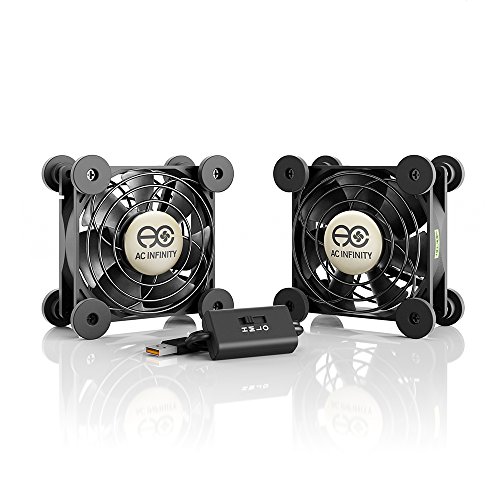
AC Infinity MULTIFAN S5 Dual USB Cooling Fan
A crowded electronics cabinet can turn into a little heat trap before anyone notices the temperature climbing. Receivers, game consoles, DVRs, and computer components keep producing warmth while shelves and closed doors restrict natural ventilation. The AC Infinity MULTIFAN S5 approaches that everyday headache with two compact 80mm fans, selectable speeds, and USB-powered cooling that doesn’t demand another bulky power adapter. It isn’t meant to chill a whole room, but for focused airflow around warm equipment, the design makes practical sense.
AC Infinity MULTIFAN S5 Review
The S5 uses a dual-fan arrangement, giving it broader coverage than a single 80mm unit placed in the same cabinet. Each fan measures 3.2 by 3.2 by 1 inch, so the pair can fit behind entertainment equipment, beside a desktop tower, or across separate warm spots. That separate-fan layout also allows more freedom with positioning, provided the cable arrangement reaches both locations comfortably. For cramped shelves where every inch counts, the slim one-inch depth is a meaningful advantage.
The supplied specifications list a combined airflow of 52 CFM, which gives the pair enough stated capacity for moving stagnant air around electronics rather than merely stirring the space directly beside the blades. Airflow still depends heavily on placement, though, and a fan pressed against a solid panel won’t perform as effectively as one with clear intake and exhaust paths. A little breathing room around each side helps the blades pull and push air without fighting nearby surfaces. Put simply, smart positioning matters just as much as the number printed on the product details.
The fans can lie flat or stand upright, thanks to their dual-ball-bearing construction. That flexibility makes the S5 easier to adapt to shelves, cabinets, media consoles, and computer setups with awkward vent locations. One fan might sit horizontally beneath a receiver while the second stands vertically beside a console, creating airflow where heat actually collects. The layout isn’t locked into one rigid arrangement, which is handy when cables and shelves refuse to cooperate.
Quiet Cooling And Speed Control
Noise often becomes the deal-breaker with small fans because high-pitched motor sounds can cut through dialogue, music, or a quiet workspace. The S5 is specified at a total noise level of 18 dBA, giving it a quieter stated profile than many compact cooling accessories. That number comes from the provided product information, not an independent sound test, so room acoustics and cabinet vibration may change what is actually heard. Even so, the focus on low-noise operation fits the product’s intended role around AV equipment and gaming systems.
A multi-speed controller lets the airflow match the heat load instead of forcing the fans to run at one fixed setting. Lower speed can maintain gentle circulation during light use, while a faster setting can move more air when a receiver, console, or computer has been working hard for hours. That control helps balance airflow and sound, which is usually more useful than chasing maximum output all day. After all, a quiet movie scene and an intense gaming session don’t create the same cooling demands.
The controller also makes the pair easier to live with in shared rooms. Full speed may be worthwhile inside a warm cabinet during summer, but it could be unnecessary beside a desk on a mild evening. Adjusting the setting avoids the all-or-nothing behavior found on simpler USB fans. The practical benefit is cooling that can be dialed back when silence matters and increased when trapped heat becomes the bigger nuisance.
USB Power And Long-Term Use
The USB plug can draw power from ports located behind compatible receivers, DVRs, game consoles, computers, and other electronics. That arrangement reduces outlet clutter and keeps the installation relatively tidy, especially behind a media center already packed with power cords. Some USB ports remain powered while the connected device is in standby, while others shut off completely. The fan’s operating schedule may therefore depend on the behavior of the chosen USB power source.
Dual-ball bearings are listed with a 67,000-hour lifespan, a specification that suits equipment cooling because these fans may run for long periods. Bearings of this type also allow horizontal or vertical operation without restricting the setup to one orientation. Dust, blocked airflow, high ambient heat, and constant maximum-speed use can still affect long-term performance, so the lifespan figure shouldn’t be treated as a guarantee under every condition. Regular cleaning around the grills and blades remains a sensible part of ownership.
USB power is convenient, but it creates a clear limitation too. The fans depend on a nearby compatible port or USB adapter, and the available power may vary between devices. A passive or underpowered hub could be less dependable than a direct connection to a suitable powered port. The S5’s plug-and-run simplicity is appealing, yet checking the intended power source before arranging the cabinet can save some head-scratching later.
Cabinet Placement And Everyday Performance
Good cabinet cooling needs a path, not just a breeze. One fan can bring cooler air toward the equipment while the other helps move warm air away, but both will struggle if the cabinet is sealed with no usable openings. The S5’s two-fan format gives more options for creating that intake-and-exhaust pattern. Even a small gap behind a shelf can become more useful when the fans are aimed to support natural heat movement rather than push against it.
Flat placement works well beneath or above electronics when there is enough clearance for air to enter the fan. Upright placement is better suited to side vents, rear cabinet openings, or narrow spaces between devices. Soft mounting surfaces can help keep vibration from traveling into hollow furniture panels, where a quiet fan may otherwise produce an annoying hum. A stable position and unobstructed airflow usually deliver a calmer, more effective result than simply running the controller at its highest setting.
The compact dimensions make the pair easier to hide, but they also define the realistic cooling range. These are personal equipment fans, not replacements for room ventilation or air conditioning. A deep cabinet containing several heat-producing components may require wider ventilation openings or additional cooling beyond what two 80mm fans can provide. For a separate look at large-room air movement and quieter overhead designs, a neutral reference appears in quiet bedroom ceiling fans, though that category serves a very different cooling purpose.
Strengths, Tradeoffs, And Best-Fit Setups
The S5’s main strength is the combination of two independently positionable fans in a compact package. The listed 52 CFM total airflow, three-level control, and low stated noise make the set suitable for electronics that need steady circulation without a large desk fan looming nearby. UL certification also adds a documented safety-related credential to the product description. Those features line up well with media cabinets, console shelves, networking corners, and computer enclosures where heat gathers in small pockets.
The biggest tradeoff is that performance depends on the surrounding layout. Poor vent access, tangled cables, or a fan placed flush against a wall can choke airflow and reduce the value of the dual setup. Two separate units also require more placement planning than a single fan, particularly inside a narrow cabinet. The flexibility is useful, but it isn’t quite a toss-it-anywhere solution.
Another limitation is coverage. The fans can move air around nearby components, yet they won’t cool a large cabinet evenly if shelves and solid panels divide the interior into isolated sections. Stronger speed may help locally, but it can’t fix a blocked ventilation path. The S5 makes the most sense where targeted electronic cooling, modest noise, and flexible positioning matter more than long-distance airflow.
The overall design feels purpose-built rather than overloaded with decorative extras. There are no stated lights, app controls, or elaborate displays competing for attention, just two fans, USB power, bearings rated for extended service, and a speed controller. That straightforward approach suits equipment cooling, where reliability and sensible placement count for more than novelty features. For keeping warm electronics from sitting in stale air, the AC Infinity MULTIFAN S5 offers a practical balance of compact size, adjustable output, and realistic everyday convenience.
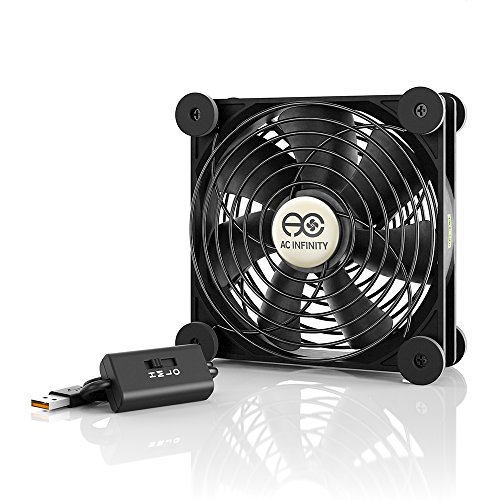
AC Infinity MULTIFAN S3 120mm USB Cooling Fan
Heat has a sneaky way of building up behind a receiver, console, or computer cabinet long before the equipment gives any obvious warning. A cramped shelf, a stack of electronics, and a tangle of cables can turn a tidy setup into a pocket of trapped warmth. The AC Infinity MULTIFAN S3 tackles that problem with a single 120mm fan, adjustable speed control, and USB-powered airflow aimed at electronics rather than an entire room. It’s a focused cooling accessory, plain and simple, and that narrower purpose is exactly where it earns its keep.
AC Infinity MULTIFAN S3 Review
The fan measures 4.7 by 4.7 by 1 inch, which gives it a broader face than many compact 80mm models while keeping the frame surprisingly slim. That larger footprint can move air across a wider patch of equipment, making it easier to cover a receiver vent, console intake, or cabinet opening without using two separate fans. The one-inch depth also helps it slide into narrow spaces where a conventional desk fan would be awkward. Still, a 4.7-inch square frame needs enough shelf space, so crowded setups may require a little rearranging.
The listed airflow is 52 CFM, a figure that points to meaningful circulation for a USB-powered fan of this size. That output is better suited to clearing warm air around nearby components than cooling anything across the room. Placement matters a lot, though, because even respectable airflow can be wasted if the intake is pressed against a wall or the exhaust faces a solid cabinet panel. Give the fan a clear path, and the moving air has a much better shot at carrying heat away instead of bouncing it around.
The design allows the fan to rest flat or stand upright, thanks to its dual-ball-bearing construction. That flexibility comes in handy when vent locations don’t line up neatly with shelf space. Laid flat, the fan can push air upward through a warm equipment stack; standing upright, it can support airflow through a rear opening or along the side of a console. The setup isn’t fussy, but the best orientation depends on where the heat actually collects.
Quiet Airflow Without The Usual Fuss
Small cooling fans can become irritating fast if the motor produces a sharp whine or sends vibration through a hollow cabinet. The MULTIFAN S3 carries a listed noise level of 18 dBA, which suggests a restrained sound profile under the stated conditions. That figure comes from the product specifications rather than independent testing, so real-world noise can shift with speed, mounting surface, and surrounding furniture. Even so, the fan is clearly designed around low-noise electronics cooling, not brute-force airflow at any cost.
A larger 120mm blade area can help produce useful airflow without relying on the frantic pitch often associated with smaller fans. That doesn’t mean the S3 will be silent in every room, but it may sound less intrusive than a tiny high-speed fan working harder to move the same amount of air. Cabinet resonance is the wild card here. A quiet fan placed on a thin wooden shelf can still create a noticeable hum if vibration travels through the panel.
Simple adjustments can reduce that problem. A stable surface, a little clearance around the fan, and a position that doesn’t press the frame against loose cables can make the operating sound easier to live with. The quietness advantage matters most around televisions, workstations, recording areas, and bedrooms where background mechanical noise tends to stand out. For an unrelated look at decorative overhead lighting and airflow, a neutral reference appears in Tiffany ceiling fan lighting.
Multi-Speed Control For Changing Heat Loads
The included controller lets the fan run at more than one speed, which is far more practical than a fixed-output design. Electronics don’t generate the same amount of heat all day, so adjustable airflow helps match the cooling effort to the actual workload. A receiver playing quietly in the background may need only gentle circulation, while a console running for hours can justify a stronger setting. That little controller turns the fan from a blunt tool into something easier to fine-tune.
Lower speed can be useful during light activity or late-night use when sound matters more than maximum cooling. A faster setting makes more sense during gaming, long streaming sessions, or warm afternoons when cabinet temperatures tend to creep upward. The tradeoff is predictable: more speed usually means more sound. Having the choice is the key benefit because the fan doesn’t force one compromise every time it runs.
The speed control also helps avoid unnecessary full-power operation. Running a fan at maximum output around the clock can create more noise than the situation calls for, especially if the equipment is idle. A moderate setting may keep air moving steadily without becoming part of the room’s soundtrack. That balance between noise and airflow is where the S3 feels more thoughtful than a bare USB fan with a simple on-off switch.
USB Power And Long-Term Reliability
The fan draws power through a USB connection, allowing it to plug into compatible ports on receivers, game consoles, computers, and other electronics. That setup can reduce outlet clutter behind a media center, where adapters and power bricks already compete for space. It also keeps installation straightforward because there’s no separate control box or wall-mounted hardware involved. Plugging into the device itself can make the fan behave more like part of the system than an extra appliance.
USB behavior varies between devices, though, and that’s worth keeping in mind. Some ports shut off when the electronics enter standby, while others remain powered continuously. A fan connected to a console may therefore stop with the console, keep running afterward, or behave differently based on power settings. The convenience is real, but power-source behavior can affect whether the fan cools only during active use or continues clearing residual heat afterward.
The dual-ball bearings are listed with a 67,000-hour lifespan, which suits a fan intended for repeated or extended operation. Ball-bearing construction also supports horizontal and vertical placement, giving the S3 more freedom than designs limited to one orientation. Dust buildup, restricted airflow, and constant high-speed use can still influence longevity, so the rating shouldn’t be treated as an unconditional promise. Occasional cleaning around the blades and grill remains part of sensible upkeep.
Cabinet Cooling In Real Setups
A fan can only move the air available to it, so cabinet ventilation still plays the leading role. The S3 works best where cooler air can enter and warmer air has somewhere to escape. Inside a sealed cabinet, the fan may circulate the same warm air instead of removing it. A rear opening, vent slot, or gap between shelves gives the 52 CFM airflow a more useful path.
Positioning the fan near an exhaust opening often helps carry warm air out, while placing it near an intake can feed cooler air toward the equipment. Neither approach is automatically better because the cabinet layout decides the smarter direction. A receiver with top vents may benefit from upward airflow, while a console with rear exhaust may respond better to air moving toward the back. The practical rule is simple: follow the equipment’s existing ventilation path instead of fighting it.
The S3’s single-fan design can be easier to manage than a dual-fan kit when one main hot spot causes most of the trouble. Fewer cables mean less clutter, and one controller keeps operation uncomplicated. The tradeoff is narrower placement flexibility because one fan can’t cover two separated heat zones at once. A large cabinet with several shelves may still need extra ventilation or another fan to prevent isolated warm pockets.
Strengths And Limitations Worth Knowing
The strongest point is the combination of a 120mm frame, slim one-inch depth, and listed 52 CFM airflow. That mix gives the fan enough physical size to cover more vent area without becoming bulky. The UL-certified design adds a documented safety credential from the supplied product information, while the speed controller offers practical control over sound and cooling. Those are useful qualities for equipment that runs for long stretches in confined spaces.
The biggest weakness is that the fan’s effectiveness depends heavily on the surrounding setup. Poor vent access, blocked intakes, and tightly packed shelves can limit airflow no matter which speed is selected. The fan also won’t cool a room, a large server enclosure, or several distant components at once. Its focused cooling range is a strength in the right place and a limitation everywhere else.
USB power can also be a mixed bag. It keeps the installation neat, but it ties operation to the available port and its power behavior. Some setups may need a powered USB adapter if the nearby device doesn’t provide suitable or continuous power. That isn’t a design failure, just a practical detail that can shape how neatly the fan fits into an existing arrangement.
Where The MULTIFAN S3 Fits Best
The MULTIFAN S3 makes the most sense around a receiver, DVR, game console, computer cabinet, or similar electronics with a clear warm spot and limited ventilation. Its single 120mm fan can cover a useful area without requiring the placement planning of a two-fan kit. The adjustable speed control gives the setup enough flexibility for quiet background circulation or stronger airflow during heavier use. For one concentrated heat source, that simplicity is appealing.
A media cabinet with a rear opening is an especially natural match. The fan can stand upright near the back and help guide warm air outward, or lie flat beneath equipment with bottom clearance. The slim housing avoids eating up much vertical room, which matters when shelf spacing is tight. Careful cable routing still matters, since loose cords can interfere with the intake or shift the fan out of position.
The AC Infinity MULTIFAN S3 offers a straightforward way to move stagnant air around warm electronics without adding a large fan or another complicated control system. Its useful traits are specific rather than flashy: low stated noise, selectable speed, dual-ball bearings, USB power, and flexible orientation. The limits are just as clear, including short-range airflow and dependence on proper vent placement. In a compact cabinet with one troublesome heat zone, those tradeoffs are easy to understand and usually easy to manage.
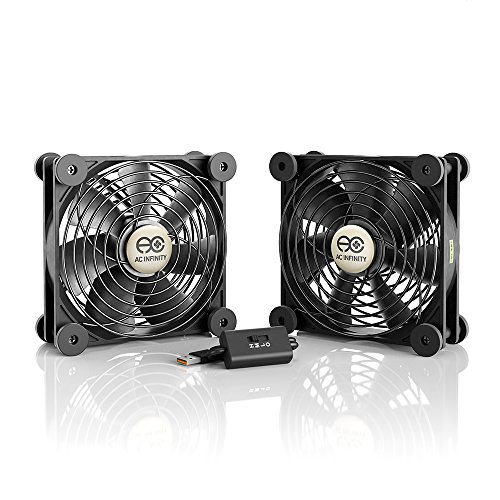
AC Infinity MULTIFAN S7 Dual 120mm USB Fan
Two warm components packed into the same cabinet can overwhelm the lazy airflow that slips through small rear openings. One side stays hot, the other barely gets any circulation, and shifting a single fan back and forth becomes old fast. The AC Infinity MULTIFAN S7 tackles that uneven heat with two 120mm fans, a multi-speed controller, and USB-powered cooling designed for receivers, game consoles, DVRs, and computer equipment. It won’t cool the whole room, but it can move air across a wider electronics setup than a lone compact fan.
AC Infinity MULTIFAN S7 Review
Each fan measures 4.7 by 4.7 by 1 inch, giving the pair a broad surface area without adding much depth. That slim profile helps the fans sit behind AV equipment, beneath ventilated shelves, or beside a computer cabinet where a regular desk fan would stick out awkwardly. Because the units are separate, they can cover two heat zones rather than forcing all the airflow through one spot. The extra coverage is the S7’s clearest difference from a single-fan setup.
The listed combined output is 104 CFM, which doubles the stated airflow of the single-fan MULTIFAN S3 from the same product family. That number suggests enough movement for a cabinet containing several nearby components, provided the air has somewhere to enter and escape. A sealed cabinet can still hold onto heat, even with both fans spinning, because circulation isn’t the same as ventilation. The S7 performs a more sensible job when it supports an existing intake, exhaust opening, or rear cable gap.
Dual-ball bearings let both fans operate flat or upright, so placement doesn’t have to follow one rigid pattern. One fan can lie beneath a receiver while the other stands near the rear of a console, or both can line up along a cabinet exhaust. That freedom helps solve the awkward reality of electronics shelves, where ports, feet, and cables rarely sit in convenient places. The flexible orientation is practical, though arranging two fans naturally takes more planning than dropping in one larger unit.
Broad Airflow For Crowded Electronics
Cabinets with multiple devices often develop separate pockets of trapped heat. A receiver may release warmth upward while a console pushes hot air toward the rear, leaving one fan poorly positioned for at least one component. The S7’s dual-fan layout allows each unit to support a different airflow path. That wider reach can be more useful than concentrating the full output against a single vent.
One sensible arrangement uses a fan near the lower opening to bring cooler air inward and the second near the upper or rear opening to move warm air out. Heat naturally rises, so this pattern can work with the cabinet rather than pushing against it. Still, furniture design varies, and shelves can interrupt the flow between compartments. A little trial and error may be needed before the intake-and-exhaust balance feels right.
The 120mm size also gives each fan a broader cooling footprint than smaller 80mm units. Larger blades can move useful air without relying entirely on a sharp, frantic spin, which often makes compact fans more noticeable. The tradeoff is simple: two 4.7-inch frames need more surface area and cable room. A narrow router shelf may feel cramped, while a wider media console or computer cabinet can make better use of the 104 CFM total airflow.
Noise Control And Speed Adjustment
The supplied specifications list a total noise level of 19 dBA, which is notably restrained for a dual-fan arrangement on paper. That figure comes from the provided product details rather than independent measurement, so the sound heard in a room can change with speed, furniture, and placement. Hollow cabinet panels can amplify a soft vibration into a low hum, while a solid shelf may keep things calmer. The fans are designed around quiet electronics cooling, but the installation still has a say.
A multi-speed controller lets the airflow match what the equipment is doing. Lower output can maintain gentle movement during light streaming or standby periods, while a faster setting can support long gaming sessions or several active components. That control keeps the S7 from behaving like a one-speed appliance that’s either too timid or unnecessarily loud. The useful part isn’t just maximum airflow, but the ability to adjust the noise-to-cooling balance.
Running both fans at full speed all day may not be necessary, especially if the cabinet temperature rises only during heavier use. A moderate setting can reduce background sound while still preventing stale air from settling around the vents. Then, during warmer afternoons or extended play sessions, the controller provides a straightforward bump in airflow. This flexibility makes the S7 easier to live with near a television, workstation, or bedroom entertainment center.
USB Power And Everyday Convenience
The fans draw power through a USB connection, allowing them to use compatible ports behind receivers, game consoles, computers, and other electronics. That approach reduces the need for another large power brick behind an already crowded cabinet. It also keeps the installation fairly tidy because the cooling system can share the same general power area as the devices it serves. For cable-heavy setups, fewer wall adapters can make a noticeable difference.
USB ports don’t all behave the same way, though. Some remain powered while the connected equipment is in standby, while others shut down as soon as the device turns off. That behavior decides whether the fans stop immediately or keep removing residual heat after use. The power-source limitation isn’t difficult to manage, but it’s worth understanding before routing every cable neatly into place.
The dual-ball bearings carry a listed 67,000-hour lifespan, a suitable specification for fans that may run through long work, gaming, or entertainment sessions. Bearing construction also supports horizontal and vertical operation without tying the fans to one orientation. Dust accumulation, blocked grills, and constant high-speed use can still affect how the system ages. Occasional cleaning keeps the blades from fighting through a fuzzy layer of debris, which is hardly glamorous but genuinely useful.
Placement Details That Shape Performance
Clearance around both sides of each fan matters more than it first appears. A fan pressed against a solid wall can’t pull air freely, and one facing a closed panel has nowhere useful to send it. Leaving a small gap helps the airflow path stay open and reduces the strain caused by obstruction. Cables should also be kept away from the grills so they don’t rattle or interrupt the moving air.
Flat placement can work beneath equipment with adequate bottom clearance, while upright placement suits rear vents and side openings. Two fans make mixed positioning possible, which is handy when components exhaust heat in different directions. The arrangement should support the device’s existing ventilation rather than blow directly against its exhaust. A well-aimed moderate setting can outperform a poorly aimed fan running at full speed.
Room-scale airflow follows a very different set of priorities, and a related example appears in indoor outdoor ceiling fans where weather exposure, overhead coverage, and integrated lighting matter more than cabinet ventilation. The S7 stays firmly in the electronics-cooling lane. Its short-range airflow is meant for vents, shelves, and enclosed components rather than people sitting across the room. Keeping that distinction clear prevents unrealistic expectations.
Strengths And Tradeoffs
The biggest strength is coverage. Two 120mm fans can address separate hot spots, support an intake-and-exhaust pattern, or work together across a wider vent area. The listed 104 CFM total airflow gives the system more stated capacity than smaller single-fan alternatives. Add selectable speeds, and the S7 becomes easier to adapt as equipment loads change.
Its main weakness is the space and setup required. Two fans, two positions, and connecting cables create more clutter than one compact unit, even though each frame is only an inch thick. Tight shelves may not offer enough open surface or clearance to use both fans effectively. In those cases, a single 120mm fan could be simpler, even if it provides less total coverage.
The UL-certified description adds a documented product credential, but it doesn’t replace sensible placement and maintenance. Grills should remain clear, cables shouldn’t rest against the blades, and the USB source needs to provide suitable power. Those details aren’t complicated, yet overlooking them can reduce cooling and increase noise. The S7 rewards a tidy setup more than a hurried one.
Best Uses For The MULTIFAN S7
A media cabinet containing a receiver and game console is a natural fit for the dual 120mm design. One fan can handle the warmer upper shelf while the other supports airflow near the lower component or rear opening. This split arrangement avoids asking one fan to cool devices that sit several inches apart. It also allows speed changes without rebuilding the entire cabinet layout.
Computer cabinets, networking corners, and DVR stacks can benefit for the same reason. Multiple components often vent in different directions, so the S7’s flexible positioning can follow those paths more closely. The fans won’t compensate for a completely sealed enclosure, though, and they can’t replace proper equipment clearances. Their job is to strengthen localized circulation, not rewrite the laws of heat.
The AC Infinity MULTIFAN S7 suits setups where one fan leaves part of the cabinet untouched or where several electronics run at the same time. Its advantages are grounded in tangible specifications: two slim 120mm frames, 104 CFM listed airflow, 19 dBA listed noise, three-speed control, USB power, and dual-ball bearings rated for 67,000 hours. The compromises are equally plain, including added cable management, a larger combined footprint, and reliance on a useful ventilation path. For divided heat zones and crowded AV equipment, that balance is practical without pretending the product can cool more than its immediate surroundings.
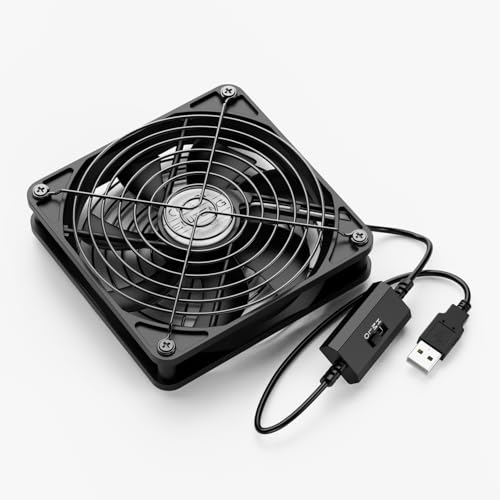
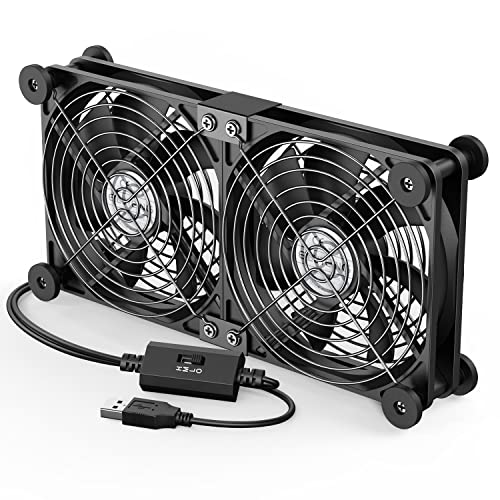
ELUTENG 80mm USB Computer Cooling Fan
A small cabinet can hold a surprising amount of heat once a router, TV box, console, or compact computer starts working for hours. The trouble usually isn’t a dramatic temperature spike but stagnant air lingering around vents and tightly packed cables. The ELUTENG 80mm USB Fan is built for that narrow job, using a compact frame, three selectable speeds, and USB power to improve airflow around nearby electronics. It’s not a room fan in miniature, and treating it like one would miss the point entirely.
ELUTENG 80mm USB Fan Review
The fan uses an 80 by 80mm frame with a 25mm body thickness, while the protective covers increase the overall depth to roughly 35mm. That compact shape helps it fit beside a router, behind a television box, or near a computer cabinet vent where a larger desk fan would feel clumsy. The extra thickness from the grills matters in very tight spaces, so measuring the available gap first can prevent an awkward installation. Small as it is, the housing still needs breathing room on both sides.
Seven blades produce a listed maximum airflow of 33 CFM, giving the fan enough stated capacity for localized electronics cooling. That airflow is best used close to the warm component rather than several feet away. A rear cabinet opening, a side vent, or the space beneath a raised device can all provide useful placement points. The closer the fan is to the trapped heat, the less airflow gets wasted.
The design favors simple problem-solving over decorative extras. There’s no display, wireless control, or elaborate mounting system, just a fan, speed control, USB cable, and protective grills. That stripped-down layout keeps setup approachable for anyone trying to reduce heat buildup around electronics. It also means performance depends heavily on where the fan is placed and how freely air can move through the area.
Three Speeds For Different Cooling Needs
The controller provides low, medium, and high settings, each with a listed speed and noise level. Low runs at 2,000 RPM and 23 dBA, medium reaches 2,500 RPM and 25 dBA, while high operates at 2,900 RPM and 30 dBA. Those figures make the tradeoff easy to understand: stronger airflow brings more audible sound. The useful part is having control instead of being stuck with maximum speed all day.
Low speed suits lighter heat loads, such as a router handling routine traffic or a TV box sitting idle between streaming sessions. Medium can provide a steadier push when several devices share the same shelf. High speed makes more sense during long gaming sessions, warm afternoons, or periods when a cabinet feels noticeably hotter. The speed flexibility lets the fan respond to the situation rather than treating every device the same.
Noise expectations should stay realistic. A listed 23 dBA on low is restrained for a small fan, but furniture can change how that sound is perceived. A hollow shelf may amplify vibration, while a solid surface can keep the motor noise less noticeable. The 30 dBA high setting will be easier to hear, particularly in a quiet bedroom or office.
USB Power With One Important Limit
The fan runs from a 5V USB connection, which keeps installation straightforward. It can draw power from compatible ports on computers, consoles, routers, TV boxes, powered hubs, or USB adapters. That setup avoids adding another bulky power brick behind a crowded cabinet. Plug it into a suitable source, select a speed, and the fan begins moving air without tools or complicated wiring.
The provided specifications include an important warning: the power input should not exceed 5V and 1A. Excess input may damage the motor, so the power source isn’t a detail to shrug off. A standard compatible USB port or correctly rated adapter is the sensible match. Using a random charger without checking its output could turn a simple cooling setup into an avoidable headache.
USB behavior also varies between devices. Some ports shut off when the equipment enters standby, while others remain powered continuously. That difference determines whether the fan stops with the device or keeps clearing residual heat afterward. The power arrangement may therefore need a little thought depending on whether constant airflow or device-linked operation is preferred.
Dual Ball Bearings And Daily Durability
The motor uses dual ball bearings, a design intended to support stable rotation and a longer operating life. This bearing type generally suits fans that run for extended periods because it handles repeated use and different orientations more comfortably than simpler sleeve-bearing designs. The supplied description doesn’t state a specific service-life figure, so there’s no reason to invent one. What can be said is that the construction is aimed at steady, ongoing cooling duty.
Ball bearings also make flat or upright placement more practical. The fan can sit horizontally beneath equipment or stand vertically beside a vent, provided the intake and exhaust remain unobstructed. That flexibility is valuable because electronics rarely release heat in one convenient direction. The orientation freedom lets placement follow the actual vent layout instead of forcing a one-size-fits-all arrangement.
Dust will still collect over time, especially around the grills and blade edges. A clogged intake reduces airflow and can make the motor work harder than necessary. Periodic cleaning with the fan unplugged helps preserve smooth operation and keeps the listed performance from being smothered by lint. Not glamorous, sure, but maintenance often separates a useful fan from a noisy, neglected one.
Protective Grills And Cable Reinforcement
Black metal grills cover both sides of the fan, providing blade protection for fingers, loose wires, and nearby cables. This matters in computer cabinets and entertainment centers where cords tend to shift whenever equipment is moved. An exposed blade can catch a cable quickly, while a grill creates a physical barrier without sealing off the airflow. The design is particularly sensible for temporary setups where the fan may be repositioned often.
The cable entry point includes protective glue intended to resist wear and reduce the chance of breakage. That small detail addresses a common weak spot on portable electronics, where repeated bending can damage the cord near the housing. It doesn’t make the cable indestructible, but it adds strain protection where tugging and flexing are most likely. Careful routing still helps, especially if the fan sits behind equipment that gets moved regularly.
The grills increase the total thickness beyond the 25mm fan body, which is both a benefit and a tradeoff. They improve safety and help shield the blades, but the overall depth approaches 35mm. Tight shelves may leave less clearance than expected once that extra thickness is included. Measuring the space before installation keeps the fan from ending up wedged against a wall with no room to breathe.
Placement Makes Or Breaks The Airflow
A fan can only cool effectively if the moving air has somewhere useful to go. Placing the ELUTENG against a solid panel will restrict intake, while pointing it into a sealed compartment may simply circulate warm air. The better arrangement creates a clear intake or exhaust path around the electronics. Even a small rear opening can become more effective when the fan helps guide air through it.
Routers and TV boxes often benefit from airflow directed across their top or side vents. Consoles and computers may respond better when the fan supports the existing exhaust direction rather than blowing against it. The right setup depends on how each device handles cooling internally. A few inches of careful repositioning can matter more than switching immediately to the highest speed.
Room-scale airflow follows a completely different design logic, and a related reference appears in modern ceiling fan lighting, where overhead coverage and integrated illumination matter more than cabinet ventilation. The ELUTENG remains a short-range cooling tool for nearby devices. It won’t replace room cooling, and it won’t fix a fully sealed cabinet with no vent openings. Its job is to strengthen circulation where warm air is already getting stuck.
Practical Strengths And Noticeable Weaknesses
The main strength is control packed into a small footprint. Three speeds make it easier to balance noise and airflow, while USB power keeps the installation simple. The 33 CFM maximum rating gives the fan a clear purpose around compact electronics. Metal grills and cable reinforcement add practical protection rather than cosmetic flair.
The biggest weakness is limited coverage. One 80mm fan can address a concentrated hot spot, but it won’t move air evenly through a large cabinet filled with several devices. The high setting also reaches a listed 30 dBA, which may be noticeable in a quiet workspace. Buyers expecting silent operation at full speed could come away disappointed.
Power compatibility is another tradeoff that deserves attention. The stated 5V/1A maximum means the fan should be paired with a suitable USB source rather than whichever charger happens to be nearby. That restriction isn’t complicated, yet ignoring it risks motor damage. The plug-and-play convenience works best when paired with basic electrical common sense.
Best-Fit Uses For The ELUTENG Fan
The ELUTENG suits a router shelf, compact computer enclosure, TV box, DVR, Xbox, or PlayStation setup with one clear heat pocket. Its 80mm size can slip into places that larger fans simply can’t occupy. The speed controller makes it useful for both gentle background circulation and stronger short-range cooling. A device with accessible side or rear vents is likely to benefit more than one sealed inside a solid compartment.
It also makes sense for users who value simple hardware over extra features. There’s no software to configure, no app to pair, and no lighting to disable. The fan does one job: move air around warm electronics. That focus keeps operation straightforward, though it places more responsibility on thoughtful positioning.
The ELUTENG 80mm USB Computer Fan offers a sensible set of specifications for targeted cooling, including three speeds, up to 33 CFM airflow, dual ball bearings, metal protection, and a reinforced cable entry. Its limitations are equally clear: modest coverage, more noise at high speed, and strict 5V/1A power requirements. For a single warm device or cramped cabinet vent, those compromises are manageable. Used with realistic expectations and a clear airflow path, it can help prevent small electronics from sitting in a pocket of stale, heated air.


Best Quiet Ceiling Fan For Bedroom 2026 Ultimate Comfort Picks

Best Ceiling Fan For Master Bedroom 2026 With Ultimate Comfort

Best White Ceiling Fan With Light For Bedroom 2026 Top Picks

Best Quorum Medallion Ceiling Fan 2026 With Style & Breeze

Best Outdoor Fan For Pergola 2026 Comfort Boost

Best Ceiling Fan For Great Room 2026 With Ultimate Comfort

Best Outdoor DC Ceiling Fans 2026 For Breezy Comfort

Best ceiling exhaust bath fan with light and heater 2026





