
Best Usb Cpu Fan 2026: Smarter Cooling Picks

A processor that runs too warm can cause noisy fan surges, reduced clock speeds, and frustrating performance dips during demanding tasks. The best usb cpu fan adds focused airflow without requiring an unused motherboard header or a complicated internal installation. It can help move trapped heat away from a compact computer, an open test bench, a media cabinet, or another tight electronics setup. Still, it supports the existing cooling system rather than replacing a correctly installed CPU heatsink and fan.
Airflow direction matters more than a flashy maximum-speed claim. A fan pointed into a random corner may circulate warm air without carrying it toward an exhaust opening. Better placement sends cooler air toward the processor area or pulls heat away from a crowded section of the enclosure. An adjustable stand, flexible neck, or secure clip makes that positioning easier and cuts down on constant fiddling.
Small fans often create a sharper sound because their blades must spin quickly to move a useful amount of air. That’s why multiple speed settings are worth having, even on a basic USB model. A low setting may provide enough circulation for browsing, office work, or streaming, while a faster mode can handle gaming, rendering, and longer processing sessions. Full power isn’t always better because extra noise and vibration can outweigh a tiny temperature improvement.
Physical size creates another tradeoff. A larger fan generally pushes air across a wider area, but it can block cables, crowd nearby components, or become awkward beside a small computer. A compact model slips into tighter spaces, though its airflow may weaken quickly over distance. Measuring the available space before buying prevents the common headache of receiving a fan that can’t be aimed where the heat actually collects.
Stable mounting helps keep cooling useful and noise under control. A weak clip can slide loose, while a lightweight base may buzz across a desk or transfer vibration into a metal panel. Rubber feet, firm joints, and a balanced blade assembly reduce those distractions. A secure setup also keeps the fan away from loose wires that might drift toward the blades.
Cable length deserves attention because USB power is only convenient when the fan can reach the right spot. A short lead may force poor placement near the port, and an excessively long cable can create clutter around vents and moving parts. An inline controller is handy because speed changes can be made without reaching behind equipment. Compatibility with computers, powered hubs, wall adapters, and power banks adds flexibility, though the power source still needs to supply the fan’s stated requirements.
Extra airflow can bring more dust into an unfiltered enclosure. Fine debris eventually coats fan blades, heatsinks, and vent openings, reducing cooling while raising noise. A removable grille or accessible blade area makes routine cleaning less annoying. Well, maintenance isn’t glamorous, but a fan that can be cleaned in minutes is more likely to keep performing properly.
The best usb cpu fan balances useful airflow, manageable sound, practical controls, and dependable positioning. It won’t repair dried thermal paste, a failed internal cooler, blocked vents, or an incorrectly mounted heatsink. But it can reduce stagnant pockets of warm air and help an existing cooling system breathe more freely. Realistic expectations make the difference between a handy cooling accessory and a disappointing attempt to cover up a deeper hardware problem.
- LFR Score9.4
LFR Score is a ranking system developed by lightfansreviews.com. LFR Score has no relationship or impact from any manufacturers or sales agent websites. Learn more
- BrandAC Infinity

- LFR Score9.4
LFR Score is a ranking system developed by lightfansreviews.com. LFR Score has no relationship or impact from any manufacturers or sales agent websites. Learn more
- BrandSCCCF
- LFR Score9.4
LFR Score is a ranking system developed by lightfansreviews.com. LFR Score has no relationship or impact from any manufacturers or sales agent websites. Learn more
- BrandAC Infinity
- LFR Score9.4
LFR Score is a ranking system developed by lightfansreviews.com. LFR Score has no relationship or impact from any manufacturers or sales agent websites. Learn more
- BrandAC Infinity
- LFR Score9.4
LFR Score is a ranking system developed by lightfansreviews.com. LFR Score has no relationship or impact from any manufacturers or sales agent websites. Learn more
- BrandSCCCF

- LFR Score9.2
LFR Score is a ranking system developed by lightfansreviews.com. LFR Score has no relationship or impact from any manufacturers or sales agent websites. Learn more
- BrandELUTENG

- LFR Score9.2
LFR Score is a ranking system developed by lightfansreviews.com. LFR Score has no relationship or impact from any manufacturers or sales agent websites. Learn more
- BrandNewHail
- LFR Score8.8
LFR Score is a ranking system developed by lightfansreviews.com. LFR Score has no relationship or impact from any manufacturers or sales agent websites. Learn more
- BrandELUTENG
- LFR Score8.8
LFR Score is a ranking system developed by lightfansreviews.com. LFR Score has no relationship or impact from any manufacturers or sales agent websites. Learn more
- BrandELUTENG

- LFR Score8.4
LFR Score is a ranking system developed by lightfansreviews.com. LFR Score has no relationship or impact from any manufacturers or sales agent websites. Learn more
- BrandUMLIFE
Last update on 2026-07-28 / Affiliate links / Images, Product Titles, and Product Highlights from Amazon Product Advertising API
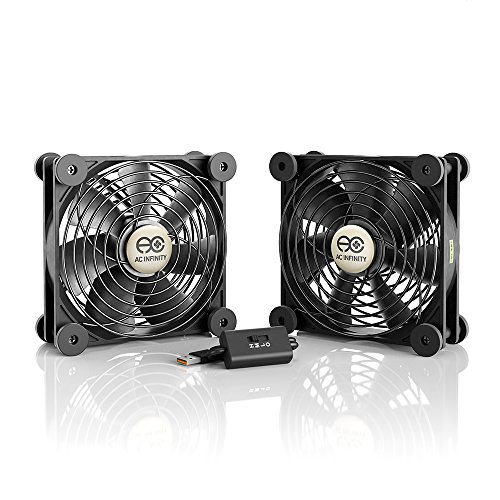
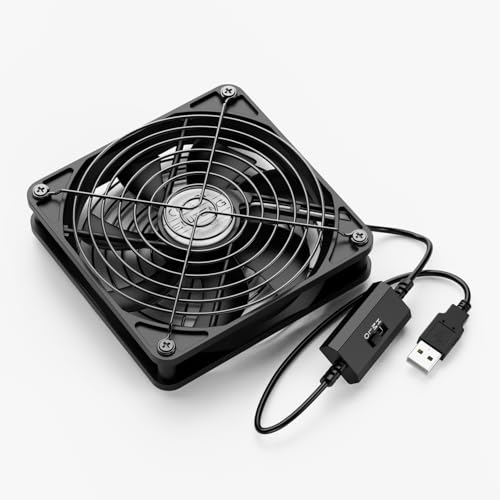
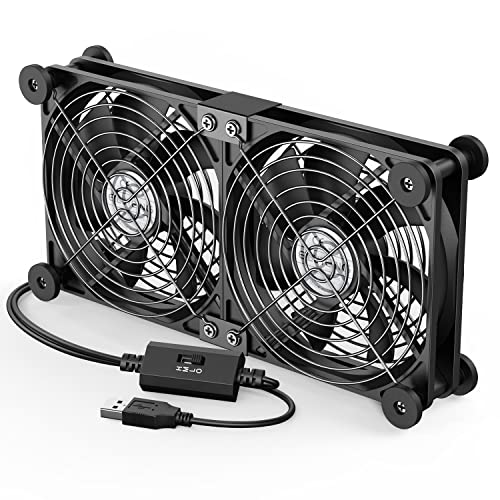
AC Infinity MULTIFAN S7 USB CPU Fan
Heat has a habit of showing up right when a system is working the hardest. Long gaming sessions, media servers that stay on around the clock, and crowded entertainment cabinets can all trap warm air in places that weren't designed to breathe well. That's where the best usb cpu fan conversation becomes interesting, and the AC Infinity MULTIFAN S7 stands out by focusing on practical airflow instead of flashy marketing. Rather than trying to replace an internal CPU cooler, it adds steady external circulation where stubborn heat tends to linger.
Why The MULTIFAN S7 Stands Apart
Quiet operation is the first thing that catches attention. The pair of 120mm fans moves a surprising amount of air while producing a sound level that's much easier to live with than many compact cooling fans. Instead of creating a sharp whine, the larger fan blades deliver smoother airflow that blends into normal room noise.
The included multi-speed controller makes everyday use far more flexible than fixed-speed alternatives. Lower settings work well for equipment that only needs gentle ventilation, while higher speeds become useful during heavier processor loads or inside enclosed cabinets where heat builds gradually throughout the day. That flexibility helps balance cooling performance against noise instead of forcing a one-size-fits-all approach.
USB power also removes much of the installation hassle. The fan connects directly to USB ports commonly found on receivers, gaming consoles, computers, televisions, and powered hubs. There's no need to open hardware or search for spare motherboard headers, making setup refreshingly straightforward.
Cooling Performance In Real Use
The advertised 104 CFM airflow gives this dual-fan setup enough capacity to circulate air across a broader area than many single USB fans. That wider airflow pattern works particularly well around computer cabinets, networking equipment, DVRs, and entertainment centers where multiple devices release heat into the same confined space.
Cooling isn't simply about blowing more air. Direction matters just as much. The ability to position both fans either flat or upright allows airflow to be aimed where warm pockets naturally collect instead of simply stirring the air. That small design choice often produces more noticeable results than increasing fan speed alone.
19 dBA noise output remains one of the strongest specifications on paper. While actual sound depends on nearby surfaces and placement, the larger fan diameter helps reduce the higher-pitched noise commonly heard from smaller USB cooling fans. Rooms used for movies, gaming, or work benefit from that quieter approach.
It's worth keeping expectations realistic. This isn't intended to replace a dedicated CPU heatsink or solve problems caused by dried thermal paste, blocked vents, or failing internal cooling hardware. Its role is to improve surrounding airflow, helping existing cooling systems perform under more favorable conditions.
Build Quality And Daily Practicality
Dual-ball bearings are a meaningful upgrade over basic sleeve bearings. They're designed for extended operating life and support multiple mounting positions without sacrificing reliability. That flexibility matters because many electronics don't offer ideal mounting surfaces or airflow paths.
The stated 67,000-hour bearing lifespan reflects the emphasis on continuous operation rather than occasional use. Equipment like media servers, routers, NAS systems, and home theater components often stay powered throughout the day, so durability becomes more valuable than maximum fan speed.
Each fan measures approximately 4.7 by 4.7 inches, creating a balanced compromise between airflow coverage and placement flexibility. They're large enough to move meaningful air without becoming difficult to position behind monitors, inside cabinets, or beside compact PCs.
Power delivery through USB keeps cable management fairly simple. Since many entertainment devices already include available USB ports, additional adapters often aren't necessary. In some situations, related cooling ideas also appear in best 5 blade ceiling fan, though that reference serves an entirely different ventilation purpose.
Strengths And Tradeoffs
Strong airflow ranks among the biggest advantages. Two larger fans distribute cooling over a wider area than many compact USB alternatives, making the setup useful for more than just desktop computers. Cabinets containing multiple heat-producing devices can benefit from that broader coverage.
The adjustable controller deserves equal praise because environmental conditions constantly change. A cool room during winter doesn't demand the same airflow as a warm summer afternoon, and having several speed settings prevents unnecessary fan noise during lighter workloads.
No product avoids compromise. The overall footprint is larger than single-fan USB models, so extremely cramped spaces may require careful positioning before installation. People expecting internal CPU cooler performance may also misunderstand the product's intended purpose, since it's designed to improve surrounding airflow rather than directly cool a processor die.
USB power also depends on the available current supplied by the connected device. Most modern USB ports handle this comfortably, but checking available power remains worthwhile whenever several accessories share the same hub.
Who Benefits Most From This Design
Compact entertainment centers often struggle with trapped heat because receivers, consoles, streaming devices, and amplifiers sit closely together. The AC Infinity MULTIFAN S7 helps move stagnant warm air away before temperatures gradually climb throughout the enclosure.
Open computer test benches and small workstation setups can also benefit from supplemental airflow. Instead of replacing carefully selected internal cooling hardware, the fan supports overall circulation around components that otherwise receive very little moving air.
Even networking equipment appreciates extra ventilation. Switches, external storage devices, DVRs, and similar electronics generally rely on passive airflow, so adding quiet circulation may help keep operating temperatures more consistent during extended use.
Balanced cooling, low noise, adjustable control, and durable bearings define this product far better than oversized marketing promises. It focuses on solving a practical heat-management problem with straightforward engineering rather than unnecessary extras.
SCCCF Quiet 80mm USB Cooling Fan
Small cabinets can turn into heat traps long before anything looks obviously wrong. A router starts running hotter, a console fan gets louder, or a receiver feels warmer after several hours, and suddenly the need for the best usb cpu fan feels less theoretical. The SCCCF Quiet 80mm USB Fan takes a compact, straightforward approach by pairing portable USB power with three speed settings, protective grills, and a footprint that fits where larger fans become awkward. It isn't built to replace a processor heatsink, but it can help clear stagnant warm air around electronics that don't get enough natural ventilation.
SCCCF 80mm USB Fan
The first useful detail is the 80mm frame, which keeps the fan manageable in tight spaces. At 3.64 by 3.64 by 1.81 inches, it can sit behind a television, beside a router, near a receiver, or inside a computer cabinet without taking over the entire area. That size also makes repositioning less of a chore, especially when the hot spot isn't directly beside an available USB port. Compact cooling often lives or dies by placement, and this fan gives you more room to experiment.
USB power keeps setup pleasantly simple. The plug can draw power from ports commonly found on game consoles, computers, receivers, and other audiovisual equipment, so there's no need to open a case or hunt for an unused fan header. That matters in rented spaces, finished entertainment centers, and electronics setups where permanent modifications aren't practical. The tradeoff is that airflow depends partly on the available USB power source, so a weak or overloaded hub may not be the smartest place to connect it.
The design feels focused rather than overloaded with extras. There are no complicated menus, wireless controls, or decorative lights competing for attention. Instead, the multi-speed controller handles the main job: adjusting airflow and sound to suit the situation. For a fan meant to solve localized heat buildup, that stripped-down approach makes sense.
Three Speeds Make The Fan Easier To Live With
Fixed-speed fans can be annoying because they force the same noise level whether the equipment is idling or working hard. The SCCCF model offers low, medium, and high settings, giving you a practical way to match cooling with the actual heat load. Low speed makes sense during quieter periods, while the middle and high settings can push more air when a console, receiver, or computer cabinet starts warming up. That flexibility helps avoid the all-or-nothing feel common with basic USB fans.
The provided specification lists 21 dB on low gear, which points toward restrained sound rather than absolute silence. Placement still matters because a fan resting against a hollow shelf or thin metal panel can sound louder through vibration. The included shockproof foot pads help reduce that issue by separating the housing from the surface beneath it. A small detail, yes, but one that can make the difference between a soft background hum and an irritating buzz.
Medium speed will probably be the everyday sweet spot for many setups. It should offer more circulation than low without pushing the fan to its loudest operating level, making it useful for equipment that runs for several hours at a time. High speed is better treated as a problem-solving setting for hotter afternoons, packed cabinets, or heavier processing loads. Running at maximum speed all day isn't automatically better if the extra airflow doesn't produce a meaningful cooling benefit.
Noise control is especially relevant in bedrooms, home offices, and media rooms where sharp fan tones quickly become distracting. Broader room-airflow ideas belong to a different category, and a neutral reference appears in nickel bedroom ceiling fans for spaces where whole-room circulation is the concern. The SCCCF fan stays focused on localized electronics cooling rather than trying to move air across an entire room.
Seven Blades And Focused Airflow
The seven-blade design is intended to generate strong airflow from a relatively small frame. More blades don't automatically guarantee better cooling, but they can help produce a steadier stream across nearby components when paired with suitable motor speed and placement. That focused output is useful around routers, DVRs, console shelves, and compact cabinets where heat tends to collect in one stubborn pocket. The key is aiming the fan so warm air has somewhere to go.
Blowing air into a sealed cabinet won't accomplish much if there isn't an exit path. Better results come from using the fan to push cooler air toward equipment or pull warm air toward an opening. The ability to position it flat or upright gives you two useful airflow orientations without needing a custom mount. A little trial and error is normal because cabinet shape, vent location, and cable clutter all influence circulation.
The fan's 80mm size naturally limits how wide the airflow spreads. A larger 120mm unit may cover more area at a lower rotational speed, but it also needs more room and can become awkward behind tightly arranged electronics. This SCCCF model favors precise cooling in compact areas over broad airflow across an entire enclosure. That makes it a better fit for a specific hot zone than for cooling several widely spaced devices at once.
As a best usb cpu fan candidate, its role needs to stay clear. It can assist nearby airflow around a computer, but it isn't a direct replacement for a working CPU cooler mounted on the processor. Dried thermal paste, a clogged heatsink, or a failing internal fan still requires proper maintenance. Supplemental airflow helps most when the core cooling system is functioning but the surrounding space doesn't breathe well.
Durability And Protective Construction
The listed double ball bearing system carries a stated service life of 65,000 hours. That specification suggests the fan is designed with extended operation in mind, which suits routers, receivers, DVRs, and cabinet electronics that may remain powered throughout the day. Ball bearings also support different mounting orientations better than many basic sleeve-bearing designs. That matters because the fan may spend its life upright behind a console rather than lying flat on a desk.
Iron grills on both sides provide a useful layer of protection. They help keep fingers, loose cables, and nearby objects away from the spinning blades, which is particularly valuable in crowded entertainment centers. Rear protection matters just as much as the front because power cords often shift when equipment is moved or cleaned. A guarded fan is simply easier to place confidently near cable bundles.
The grills do add a little depth and may collect dust over time. Regular cleaning will be necessary because dust buildup restricts airflow and can make a small fan sound rougher than it did when new. A soft brush or compressed air can help clear debris, provided the blades are held still during cleaning. Easy maintenance isn't glamorous, but it directly affects long-term cooling performance.
The housing and foot pads also influence durability in everyday use. The shockproof pads reduce slipping and vibration while allowing the fan to rest flat or stand upright. They won't turn a lightweight USB fan into industrial equipment, yet they make routine placement more stable. That practical stability is welcome around expensive electronics where a sliding fan could tug on cables or fall against a vent.
Where This Fan Fits Best
Tight electronics cabinets are the most obvious setting. Receivers, game consoles, streaming devices, and DVRs can release heat into the same enclosed space, and passive vents often struggle once several components are running together. The SCCCF fan can direct localized airflow toward the warmest section without requiring a larger cabinet fan installation. Its small footprint also leaves more room for cables and other equipment.
Routers and network devices are another sensible match. These units often sit on shelves with limited airflow, quietly warming the surrounding space for hours. A low or medium setting can keep air moving around the casing without producing the aggressive sound of a high-speed desk fan. The USB connection also makes it easy to power the fan from a nearby adapter or powered device.
Computer use is more situational. The fan may help an open-frame setup, a compact mini PC, or a cabinet holding a desktop tower, but it won't behave like an internal case fan mounted in a controlled intake or exhaust path. Its portable positioning is the advantage, while less predictable airflow is the compromise. For permanent desktop cooling, a properly installed internal fan may provide cleaner cable management and more consistent air direction.
The SCCCF model also suits temporary cooling problems. It can be moved during a heat wave, placed near equipment during long gaming sessions, or repositioned when a cabinet layout changes. That adaptability is handy when the heat source isn't always the same. Still, the fan works best where there's enough clearance around both grills to avoid choking the airflow.
Strengths, Weaknesses, And Realistic Expectations
Three-speed control is the clearest strength because it gives the fan more range than a simple on-and-off model. The seven-blade design, compact dimensions, and dual mounting orientation support targeted cooling in spots where larger fans won't fit. Protective iron grills reduce the risk of blade contact, while the foot pads help control vibration. Together, these details create a practical little cooling tool rather than a bare fan with a USB cable attached.
The double ball bearings are another meaningful advantage for equipment that stays on for long periods. A stated 65,000-hour service life doesn't guarantee identical results in every environment, since dust, temperature, and operating speed all affect wear. Even so, the bearing choice is better suited to upright or flat placement than many low-cost sleeve-bearing alternatives. It also aligns with the fan's likely role in continuous cabinet ventilation.
The main weakness is coverage. One 80mm fan can cool a focused area, but it may struggle with a large cabinet packed with several heat-producing devices. High speed can increase airflow, though it will also raise the sound level beyond the listed low-speed figure. Buyers expecting whisper-quiet operation at maximum output may need to temper that expectation.
USB convenience brings its own limitation because the fan depends on a suitable power source. Some equipment turns off USB power in standby mode, which means cooling may stop even while residual heat remains inside the cabinet. A powered USB adapter can solve that issue, but it adds another cable and occupies an outlet. That isn't a deal breaker, just a setup detail worth thinking through before deciding where the fan will live.
The SCCCF Quiet 80mm USB Fan makes the most sense as a compact supplemental cooler with adjustable noise and airflow. It handles localized heat, awkward placement, and cable safety more thoughtfully than a bare-bones portable fan. It won't fix failed internal cooling hardware or ventilate a large enclosure by itself, but within those limits, its three speeds, guarded blades, and flexible orientation give it a useful role around warm electronics.
AC Infinity MULTIFAN S3 USB Cooling Fan
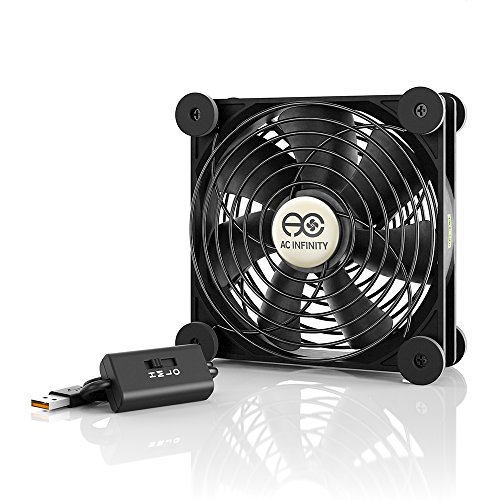
A warm cabinet rarely looks dramatic, yet the symptoms pile up fast: louder electronics, sluggish performance, and heat lingering long after a device finishes its hardest work. The best usb cpu fan should ease that buildup without adding an irritating hum or demanding a complicated installation. The AC Infinity MULTIFAN S3 takes a sensible route with a 120mm frame, adjustable speed control, USB power, and dual-ball bearings designed for long operating periods. It’s a supplemental cooling fan, not a replacement for a failed CPU cooler, but its focused airflow can make a cramped electronics setup far easier to manage.
AC Infinity MULTIFAN S3
The 120mm fan size gives this model an immediate advantage over many smaller USB fans. Larger blades can move air across a broader area without relying on the sharp, frantic sound often produced by compact high-speed designs. At 4.7 by 4.7 by 1 inch, the housing stays slim enough for shelves, entertainment centers, open computer setups, and narrow spaces behind equipment. That balance between coverage and thickness is a practical strength rather than a decorative specification.
USB power keeps installation refreshingly uncomplicated. The fan can draw power from USB ports commonly located on computers, receivers, game consoles, DVRs, and other audiovisual devices. No case opening, spare motherboard header, or permanent wiring is required, which makes repositioning much easier. The catch is worth remembering: some devices cut USB power in standby mode, so cooling may stop whenever the connected equipment sleeps.
The MULTIFAN S3 is also UL-certified, a detail that adds reassurance for a fan intended to run near electronics for extended periods. Certification doesn’t remove the need for careful placement, clean vents, or sensible cable routing, but it supports the product’s straightforward safety-focused design. This isn’t a flashy gadget packed with lights and wireless controls. It’s built around airflow, durability, and simple operation.
Airflow That Suits Tight Electronics Spaces
The listed 52 CFM airflow is substantial for a single USB-powered fan of this type. That output can help move stagnant air around receivers, routers, consoles, compact computers, and cabinet-mounted electronics where passive ventilation falls short. The broad 120mm face spreads air over a larger surface instead of blasting one tiny spot. Used thoughtfully, it can support several nearby components rather than cooling only one narrow point.
Placement still decides whether that airflow does useful work. A fan blowing toward a solid cabinet wall may simply recirculate the same warm air, while a fan positioned near an opening can push cooler air inward or draw hot air outward. The flat or upright orientation makes both approaches possible without a separate mounting kit. A few inches of adjustment can matter more than running the fan at maximum speed.
This model makes the most sense where heat gathers gradually. An AV receiver under a shelf, a console beside a DVR, or a small computer tucked into furniture can warm the surrounding air over several hours. The MULTIFAN S3 helps break up that slow accumulation by maintaining steady circulation. It won’t lower room temperature, but it can stop warm air from sitting motionless around sensitive equipment.
Broad household air movement belongs to another category entirely, and a neutral example appears in honey tower fan discussions where cooling an occupied room matters more than ventilating electronics. The MULTIFAN S3 stays focused on close-range airflow around devices and cabinets. That narrower purpose is actually helpful because expectations remain grounded.
Three-Speed Control And Noise Balance
The included multi-speed controller is one of the fan’s most useful features. Heat loads change throughout the day, so a fixed-speed model often runs louder than necessary or fails to move enough air during heavier use. Lower settings suit idle equipment and cooler rooms, while higher settings can support gaming sessions, long media playback, or tightly packed cabinets. That flexibility makes the fan easier to tolerate over long stretches.
The supplied noise figure is 18 dBA, which points toward restrained operation rather than total silence. Surface vibration, cabinet resonance, and distance from the listener will still influence what the fan sounds like in practice. A quiet fan resting against a hollow panel may create more audible buzzing than expected. Careful positioning on a stable surface helps preserve the low-noise advantage.
The larger blade diameter also works in the fan’s favor. A 120mm fan can often move useful air at a less aggressive pitch than a much smaller model, which matters in bedrooms, offices, and home theaters. The sound is more likely to blend into background electronics than cut through conversation or media. Still, maximum speed will naturally be more noticeable than the lower settings.
Speed control also reduces needless wear and dust intake. Running at full output all day can pull more debris toward vents and may create extra noise without producing a meaningful temperature improvement. A moderate setting often gives enough circulation to prevent heat from building in the first place. The smartest setup isn’t always the fastest one.
Dual-Ball Bearings And Long-Term Use
The dual-ball bearing system is rated for a lifespan of 67,000 hours. That specification fits the fan’s likely role around equipment that stays powered for long periods, including routers, storage devices, media hardware, and home theater components. Ball bearings also handle multiple mounting positions better than many simple sleeve-bearing designs. Laying the fan flat or standing it upright shouldn’t undermine the basic bearing arrangement.
Long service life doesn’t mean maintenance can be ignored. Dust eventually settles on blades, grills, and nearby vents, reducing airflow and sometimes creating an uneven sound. Regular cleaning helps the fan maintain its stated cooling role without working harder than necessary. Holding the blades still while using compressed air is a sensible precaution.
The slim one-inch depth also reduces strain on placement options. Thick housings can be awkward behind televisions or inside shallow cabinets, while this fan leaves more room for plugs and cable bends. That doesn’t make it tiny, since the 4.7-inch square face still needs a clear footprint. Measuring the available space before buying remains the easiest way to avoid a cramped installation.
Durability here feels tied to restraint. The fan doesn’t rely on decorative features that add more components, controls, or failure points. Its core pieces are the motor, bearings, speed controller, USB lead, and housing. For continuous cooling duty, that simpler structure is often preferable.
Where The S3 Makes The Most Sense
Entertainment cabinets are an obvious match because several devices often share one poorly ventilated compartment. Receivers, consoles, DVRs, and streaming boxes release heat at different rates, yet all of it rises into the same confined space. The 52 CFM airflow can help move that heat toward an opening before it settles around the equipment. A single broad fan may also reduce the need to scatter several smaller units around the cabinet.
Compact computers and open workbench setups can benefit as well. The fan can direct air toward a mini PC, external drive enclosure, test bench, or desktop tower sitting inside furniture. Its portable USB connection makes temporary placement simple during demanding workloads. Permanent internal cooling, though, is usually cleaner and more predictable for a standard desktop case.
Network hardware presents another sensible use. Routers, switches, and small storage units often rely on passive cooling while operating around the clock. Gentle airflow can reduce the warm pocket that forms around stacked equipment or a crowded shelf. Low speed may be enough in that setting, keeping sound and dust movement under control.
The MULTIFAN S3 is less convincing for a large cabinet with several widely separated heat sources. One fan can only influence the airflow path it reaches, and a blocked enclosure still needs a clear intake and exhaust route. Airflow planning matters more than simply adding another spinning fan. A poorly placed unit may move plenty of air while changing very little.
Strengths, Weaknesses, And Practical Limits
The strongest qualities are easy to identify: quiet operation, adjustable speed, broad airflow, and flexible orientation. USB power lowers the installation barrier, while the 120mm size covers more area than many compact alternatives. Dual-ball bearings support longer use and different mounting positions. None of those features feels ornamental.
The main weakness is the fan’s dependence on external placement. Airflow inside a closed cabinet can be unpredictable, especially where vents, shelves, and cable bundles interrupt the path. The fan may need several placement attempts before the cooling effect becomes noticeable. That trial-and-error stage is normal, but it can frustrate anyone expecting instant results from any position.
USB power behavior is another potential limitation. A console or receiver may shut off its USB port in standby mode, stopping the fan while residual heat remains. A separate powered adapter can keep it running, though that adds another plug to the setup. Cable routing may also require attention if the fan sits far from the available port.
The product’s role deserves one final reality check. It can assist ventilation around a computer or electronics cabinet, but it cannot repair a failed CPU fan, clogged heatsink, loose cooler, or dried thermal compound. The best usb cpu fan works as supporting airflow, not emergency hardware repair. Within that boundary, the AC Infinity MULTIFAN S3 offers a thoughtful blend of low noise, durable bearings, useful airflow, and uncomplicated control.
AC Infinity MULTIFAN S5 Dual USB Cooling Fan
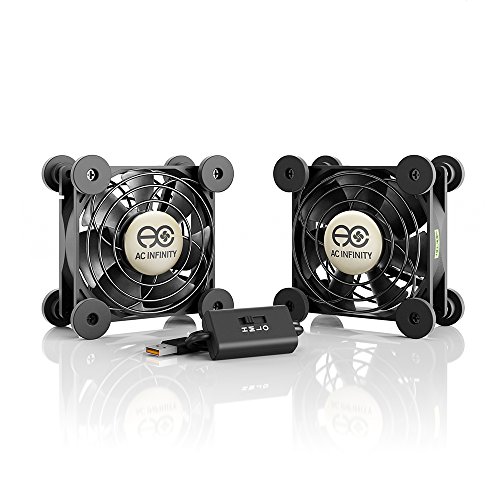
Heat inside a crowded cabinet rarely announces itself with one obvious failure. Instead, a receiver runs warmer than expected, a console fan gets louder, or a compact computer starts feeling sluggish after a long session. The best usb cpu fan should ease that trapped warmth without creating another noisy distraction, and the AC Infinity MULTIFAN S5 tackles the job with two 80mm fans, adjustable speed control, USB power, and flexible positioning. It won’t replace a damaged CPU cooler, but it can improve the airflow around electronics that simply don’t have enough room to breathe.
AC Infinity MULTIFAN S5
The dual-fan layout is the first meaningful difference. Each fan measures 3.2 by 3.2 by 1 inch, so the pair can cover two nearby hot spots or work together across one wider section of a cabinet. That arrangement is handy around stacked electronics, where heat doesn’t always collect in a single neat location. One fan can face a receiver while the other supports airflow around a console, router, or external drive.
USB power keeps the setup simple and avoids the need for internal wiring. The fans can draw power from USB ports commonly found behind computers, AV receivers, game consoles, and other electronics. That makes the S5 easy to reposition when equipment changes or cabinet shelves are rearranged. The only catch is that some devices shut off USB power in standby mode, so fan operation may stop before the cabinet has fully cooled.
The fan pair is also UL-certified, which fits the product’s purpose around electronics that may run for many hours. Certification doesn’t eliminate the need for clear vents, stable placement, and careful cable routing, but it adds a useful layer of reassurance. The design feels workmanlike rather than flashy. No lights, no wireless app, no unnecessary clutter.
Dual 80mm Airflow In Tight Spaces
The listed 52 CFM total airflow gives the S5 enough output to circulate air through compact cabinets and electronics shelves. Two 80mm fans won’t blanket a large enclosure the way a bigger 120mm model might, but they offer better placement flexibility. That matters when shelves, power bricks, and cable bundles break the airflow path into awkward little pockets. Splitting the airflow can be more useful than pushing everything from one fixed location.
Positioning decides whether those 52 CFM do real work. A fan blowing directly into a closed wall may stir the same warm air, while one aimed toward an opening can push heat out or pull cooler air in. The ability to place each unit flat or upright makes it easier to build a sensible intake-and-exhaust pattern. A few minutes of adjustment can matter more than simply choosing the highest speed.
The smaller fan size also helps behind equipment where clearance is limited. A large fan may block ports, press against connectors, or force cables into sharp bends. The S5’s compact one-inch depth leaves more room for plugs and ventilation gaps. That makes it especially practical for shallow media cabinets and crowded computer furniture.
Still, the pair has limits. A large cabinet filled with widely separated equipment may need more airflow coverage than two 80mm fans can provide. Openings also need to exist somewhere, because no fan can move heat out of a sealed box. The S5 works best as a targeted circulation tool, not as a cure for poor cabinet design.
Speed Control Without Constant Fan Noise
The included multi-speed controller is one of the strongest reasons to choose this model over a fixed-speed USB fan. Heat levels change throughout the day, and maximum airflow isn’t always necessary. Lower settings can maintain gentle circulation during idle periods, while faster settings can support gaming, streaming, or extended processing. That range makes the fan easier to live with in rooms where silence matters.
The specified 18 dBA total noise points toward quiet operation, though placement still affects what the ear actually hears. A fan resting against a thin shelf or hollow metal panel can transfer vibration and sound louder than expected. A stable surface usually keeps the fan closer to its intended character. Soft background airflow is far less distracting than a sharp mechanical buzz.
Two fans also give you room to think beyond raw speed. Instead of running both at maximum output, a balanced setup may use moderate airflow across two areas. That approach can reduce noise while still preventing hot air from settling. Steady circulation often beats short bursts of aggressive airflow in cabinets that stay warm for hours.
Whole-room cooling is a separate issue, and related room-airflow ideas appear in Honeywell table fan discussions where personal comfort matters more than electronics ventilation. The MULTIFAN S5 stays focused on close-range heat management around devices. That narrow purpose helps keep expectations sensible.
Dual-Ball Bearings And Long Operating Life
The dual-ball bearing system carries a stated lifespan of 67,000 hours. That figure suits electronics setups where the fans may operate daily for long stretches. Ball bearings are also better suited to varied mounting positions than many basic sleeve-bearing designs. Laying the fans flat or standing them upright should fit the bearing arrangement without undermining the intended service life.
Long life still depends on upkeep. Dust settles on blades, grills, shelves, and nearby vents, slowly reducing airflow and adding strain. Regular cleaning helps the fans maintain useful circulation without spinning harder than necessary. Simple maintenance becomes especially important in carpeted rooms and cabinets near the floor.
The pair’s compact size also makes cleaning less awkward than dealing with a permanently mounted internal fan. Each unit can be moved, wiped down, and returned to position without opening a computer case. That convenience matters because neglected external fans quickly become dust collectors. A fan that’s easy to reach is more likely to stay clean.
Durability here comes from a restrained design. The product focuses on the motor, bearings, controller, USB connection, and protective housing rather than adding decorative features. Fewer extras mean fewer distractions and fewer components that can complicate long-term use. For cabinet cooling, that practical simplicity is a strength.
Where The S5 Fits Best
Entertainment centers are the obvious home for this dual-fan setup. Receivers, consoles, DVRs, and streaming boxes often share one confined shelf, and each device adds heat at a different rate. The S5 can split its dual airflow between those areas instead of forcing one fan to handle the whole cabinet. That’s useful when the hottest components sit several inches apart.
Compact computers and open test benches can benefit too. One fan can push cooler air toward a mini PC or external drive enclosure, while the second helps move warm air away. The portable USB connection makes temporary cooling easy during long workloads. A permanent internal fan remains cleaner for a standard desktop case, but the S5 offers more flexibility where internal mounting isn’t possible.
Network hardware is another sensible match. Routers, switches, and storage devices often rely on passive cooling while running around the clock. Gentle airflow across two stacked units can reduce the warm pocket that forms between them. Low or medium speed may be enough, keeping sound and dust intake under better control.
The S5 is less convincing where the problem comes from failed internal hardware. A clogged heatsink, loose CPU cooler, dried thermal compound, or broken internal fan needs direct repair. Supplemental airflow can assist a healthy cooling system, but it can’t compensate for a mechanical fault. That distinction matters, especially for anyone treating a USB fan as an emergency fix.
Strengths, Weaknesses, And Real Limits
The main strengths are easy to identify: dual placement, quiet operation, adjustable speed, and compact sizing. Two fans offer more control over airflow direction than a single unit, while USB power keeps installation uncomplicated. The dual-ball bearings support longer operation and multiple orientations. None of those features feels wasted.
The compact design also creates the main tradeoff. Two 80mm fans can cover several close-range heat sources, but they don’t move air as broadly as a larger fan. Higher speed may improve circulation, though it can also increase audible noise beyond the lowest setting. Coverage and quietness need to be balanced rather than treated as separate concerns.
USB behavior can be another limitation. Some consoles and receivers stop supplying power when they enter standby, which may shut the fans off while heat still lingers. A separate powered USB adapter can solve that problem, but it adds another plug and cable. Careful cable routing also matters because two fan leads create more clutter than a single-fan setup.
The AC Infinity MULTIFAN S5 makes the most sense where heat collects in two nearby zones and a larger fan won’t fit comfortably. It offers useful airflow, restrained sound, flexible positioning, and a durable bearing design without demanding internal installation. As a candidate for the best usb cpu fan, its value lies in practical supplemental cooling rather than exaggerated promises. Used within those limits, it can make a cramped electronics cabinet noticeably easier to manage.
SCCCF Dual 80mm USB Cooling Fan
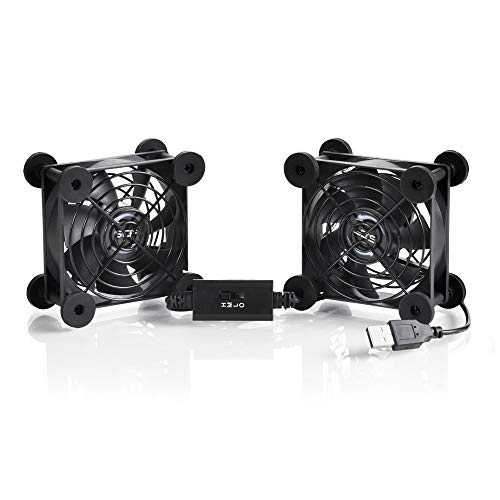
Warm electronics often hide the problem until the room gets quiet and the fan noise suddenly becomes hard to ignore. A router feels hotter, a console shelf traps warm air, or a computer cabinet starts holding heat after several hours of use. That’s where the best usb cpu fan can earn its keep, and the SCCCF Dual 80mm USB Fan approaches the job with two compact fans, three speed settings, USB power, protective grills, and flexible placement. It’s meant to support airflow around electronics, not replace a failed internal cooler, but that distinction doesn’t make it any less useful in the right setup.
SCCCF Dual 80mm USB Fan
The dual-fan layout gives this model a practical edge in cramped spaces. Each fan measures 3.64 by 3.64 by 1.81 inches, so the pair can sit beside stacked electronics without demanding the room of a larger desktop fan. One fan can face a receiver while the other handles a router, game console, or DVR. That split coverage is useful because cabinet heat rarely gathers in one tidy spot.
USB power keeps the installation simple. The fans can run from USB ports found on computers, consoles, televisions, receivers, and other audiovisual equipment, which means there’s no need to open a case or connect to a motherboard header. That makes the setup easier to move, adjust, or remove later. A powered USB adapter may still be necessary if the connected device turns its port off during standby.
The overall design feels built for practical use rather than decoration. There are no lights, app controls, or extra features competing with the main purpose. Instead, the focus stays on airflow, positioning, and basic control. For equipment cooling, that straightforward approach is often more useful than a pile of extras that don’t improve ventilation.
The pair also creates more setup possibilities than a single fan. Both units can be laid flat or stood upright, so they can push cool air toward equipment or help pull warm air away from it. That flexibility matters in cabinets where shelves, cables, and power bricks interrupt a clean airflow path. A few small placement changes can make a noticeable difference.
Three Speeds For Better Noise Control
The included three-speed controller gives the fan more range than a basic fixed-speed model. Low, medium, and high settings allow airflow to match the actual heat load instead of forcing the fans to run at full power all day. Low speed makes sense during lighter use, while medium and high can handle gaming sessions, media playback, or warm cabinet conditions. That control helps keep noise from becoming the price of better airflow.
The supplied figure of 21 dB on low speed suggests restrained operation, though placement still influences what the fan sounds like. A unit resting against a hollow shelf may create more vibration than one sitting on a firm surface. The included shockproof foot pads help reduce that transfer and keep the housing from sliding around. Small details like that matter more in bedrooms, offices, and media rooms where background noise is easy to notice.
Medium speed will likely be the most balanced setting for many electronics setups. It can provide stronger circulation without bringing the fan to its loudest level. High speed has a clear role too, especially in hot weather or when several devices are running together. Still, more airflow isn’t automatically better if the cabinet has nowhere for the hot air to escape.
Noise and airflow need to be treated as a pair. A quiet fan that barely moves air won’t solve much, while a loud fan can make a peaceful room annoying in a hurry. The SCCCF controller gives enough flexibility to avoid that all-or-nothing problem. That’s a meaningful strength for people who leave their electronics running for long stretches.
Seven Blades And Focused Cooling
The seven-blade design is intended to create strong airflow from a relatively small 80mm frame. More blades alone don’t guarantee better cooling, but they can help produce a steadier stream when paired with suitable speed and placement. That focused airflow works well around routers, DVRs, receivers, game systems, and compact computer furniture. It’s especially helpful where a larger fan simply won’t fit.
Two smaller fans can also work around physical obstacles better than one wide unit. Cabinets often contain cable bundles, shelves, power strips, and devices of different heights, all of which can block airflow. The SCCCF pair can be separated and aimed at different problem areas. That kind of targeted cooling can be more useful than blasting air from one fixed position.
Placement remains the make-or-break detail. A fan pressed too close to a wall or blocked by cables won’t breathe properly, and an intake pointed into a sealed compartment may just recirculate warm air. Leaving clear space around both grills helps the blades move air as intended. The best arrangement usually creates a path from a cooler opening toward a warmer exit point.
As a candidate for the best usb cpu fan, this model needs realistic framing. It can improve airflow around a computer, mini PC, or cabinet holding a desktop tower, but it doesn’t replace a heatsink mounted directly on the processor. A failed CPU fan, clogged cooler, or dried thermal paste still needs proper repair. Supplemental airflow works best when the internal cooling system is already functioning.
Durability And Protective Design
The stated 65,000-hour service life comes from the double ball bearing system. That bearing type is well suited to fans that may run for long periods or sit in different orientations. Flat and upright placement are both supported, which matches the practical needs of cabinet cooling. For routers and media equipment that stay powered throughout the day, that durability claim is relevant.
Double ball bearings also make more sense than basic sleeve bearings for repeated repositioning. Sleeve designs can be more sensitive to orientation, while ball bearings generally handle vertical or horizontal use more comfortably. That doesn’t mean the fan is maintenance-free, though. Dust buildup can still reduce airflow and make the blades sound rough over time.
Iron grills on both sides add another layer of everyday protection. They help keep fingers, loose wires, and nearby objects away from the spinning blades. Rear protection is especially useful because USB cords and equipment cables often shift during cleaning or rearrangement. A guarded fan is easier to place in a busy cabinet without worrying about a wire drifting into the blade path.
The grills will collect dust, so occasional cleaning is part of ownership. A soft brush or careful burst of compressed air can clear debris from the blades and protective mesh. Holding the blades still during cleaning prevents unnecessary spinning. That basic upkeep helps preserve airflow and noise control over the long term.
Where The Dual Fan Setup Fits Best
Entertainment centers are an obvious match. Receivers, game consoles, streaming boxes, and DVRs often share a tight compartment with limited passive ventilation. The dual fan arrangement can push cool air toward one device while moving warm air away from another. That flexibility suits cabinets where the heat source shifts depending on which electronics are active.
Network equipment is another sensible use. Routers, switches, and external storage devices often run continuously and may sit on shelves with very little surrounding airflow. Low or medium speed can keep warm air moving without turning the room into a wind tunnel. The compact footprint also makes the pair easier to position around stacked equipment.
Computer setups can benefit too, particularly mini PCs, open test benches, or desktop towers placed inside furniture. The fans can improve air movement around the outside of the case or support ventilation near intake openings. They’re less suitable as a permanent substitute for internal case fans, because external airflow is harder to control. Still, the USB connection makes temporary cooling easy during demanding workloads.
Whole-room circulation belongs to a separate category, and a neutral reference appears in antique ceiling fan light discussions where room airflow and overhead fixtures are the main concern. The SCCCF fans are meant for close-range electronics cooling, not for changing the temperature of an entire room. Keeping that purpose clear helps avoid unrealistic expectations.
Strengths, Weaknesses, And Practical Limits
The strongest points are dual positioning, three-speed control, guarded blades, and USB convenience. Two compact fans can reach separate heat pockets, while the controller makes it easier to balance cooling with sound. The shockproof pads support flat or upright use and help reduce vibration. Those details work together in a practical way.
The biggest limitation is airflow coverage. Two 80mm fans can handle focused areas, but they may struggle with a large cabinet packed with several widely spaced devices. High speed can move more air, yet it will also be louder than the listed low-speed figure. That tradeoff is unavoidable and should be expected rather than treated as a flaw.
USB power behavior can also complicate placement. Some televisions, receivers, and consoles shut off their USB ports when they enter sleep mode, which stops the fans even while heat remains trapped. A separate powered adapter can keep them running, but that adds another plug and cable. Cable management matters because two fans naturally create more wiring than one.
The SCCCF Dual 80mm USB Fan makes sense where space is tight, heat collects in more than one spot, and internal modification isn’t practical. Its seven-blade design, double ball bearings, protective grills, and three-speed control give it a useful mix of durability and flexibility. It won’t rescue failed cooling hardware or ventilate a sealed cabinet by itself. Used as a focused supplemental cooler, though, it offers a sensible way to keep warm electronics from sitting in stagnant air.


Best Quiet Ceiling Fan For Bedroom 2026 Ultimate Comfort Picks

Best Ceiling Fan For Master Bedroom 2026 With Ultimate Comfort

Best White Ceiling Fan With Light For Bedroom 2026 Top Picks

Best Quorum Medallion Ceiling Fan 2026 With Style & Breeze

Best Outdoor Fan For Pergola 2026 Comfort Boost

Best Ceiling Fan For Great Room 2026 With Ultimate Comfort

Best Outdoor DC Ceiling Fans 2026 For Breezy Comfort

Best ceiling exhaust bath fan with light and heater 2026




