
Best USB Powered Desk Fan 2026: Quiet Cooling Picks

A warm, stale workspace can drain concentration faster than a difficult task. Sweaty hands stick to the keyboard, afternoon fatigue creeps in, and turning down the whole building's thermostat isn't always possible. The best USB powered desk fan tackles that personal comfort problem with focused airflow that stays close to the chair, laptop, or study area. It won't cool an entire room, but that's not really the point.
Airflow strength matters, although raw power shouldn't be the only deciding factor. A forceful fan can send receipts, sticky notes, and loose papers sliding across the desk, while a weak model may need to sit inches from the face. Multiple speed settings offer better control, letting a soft breeze handle quiet mornings and a stronger setting cut through muggy afternoon air. The middle speed often becomes the everyday favorite because it balances cooling and sound without turning the desk into a wind tunnel.
Noise can make or break the experience. A low hum may blend into normal office sounds, but a sharp whine, clicking blade, or vibrating base gets irritating surprisingly fast. Quiet operation depends on more than the motor because balanced blades, rubber feet, a sturdy grille, and a stable housing all reduce unwanted rattling. A fan that stays put also keeps the breeze aimed correctly instead of slowly wandering across a smooth tabletop.
Desk space is another stubborn limitation. Large bases crowd notebooks and mouse pads, while tall designs may block part of a monitor or sit awkwardly beneath a shelf. A compact body with a tilting head usually provides more practical value than decorative lights or an oversized control panel. Better yet, an adjustable angle lets the air reach the face, neck, or hands without balancing the fan on a stack of books.
USB power adds flexibility, but the available port can affect performance. A low-output laptop port or overloaded hub may produce weaker airflow than a suitable wall adapter or power bank. Cable length matters too, especially when the nearest outlet sits behind a monitor or under the desk. A removable cable is easier to replace and pack, while a fixed cable removes one small part that could vanish into a drawer.
Cleaning deserves more attention than it usually gets. Dust clings to the blades and grille, gradually reducing airflow and making the fan look grimy at arm's length. A removable front cover makes routine care less annoying, though some compact models use tight grilles that are difficult to reach without a small brush. Regular cleaning also helps prevent the uneven buildup that can contribute to vibration and extra noise.
The best USB powered desk fan should feel simple rather than flashy. Reliable controls, useful speed differences, a steady base, manageable sound, and a head that holds its angle matter every day. Oscillation, timers, and rechargeable batteries can be useful, but each feature may add size, weight, or cost. A straightforward model often wins because it solves the heat problem without creating new clutter or demanding constant adjustment.

- LFR Score9.4
LFR Score is a ranking system developed by lightfansreviews.com. LFR Score has no relationship or impact from any manufacturers or sales agent websites. Learn more
- BrandSWEETFULL
- LFR Score9.4
LFR Score is a ranking system developed by lightfansreviews.com. LFR Score has no relationship or impact from any manufacturers or sales agent websites. Learn more
- BrandGaiatop

- LFR Score9.2
LFR Score is a ranking system developed by lightfansreviews.com. LFR Score has no relationship or impact from any manufacturers or sales agent websites. Learn more
- BrandTriPole

- LFR Score9.2
LFR Score is a ranking system developed by lightfansreviews.com. LFR Score has no relationship or impact from any manufacturers or sales agent websites. Learn more
- BrandSWEETFULL

- LFR Score9.2
LFR Score is a ranking system developed by lightfansreviews.com. LFR Score has no relationship or impact from any manufacturers or sales agent websites. Learn more
- BrandGaiatop

- LFR Score9.0
LFR Score is a ranking system developed by lightfansreviews.com. LFR Score has no relationship or impact from any manufacturers or sales agent websites. Learn more
- BrandGaiatop

- LFR Score9.0
LFR Score is a ranking system developed by lightfansreviews.com. LFR Score has no relationship or impact from any manufacturers or sales agent websites. Learn more
- BrandKoonie

- LFR Score9.0
LFR Score is a ranking system developed by lightfansreviews.com. LFR Score has no relationship or impact from any manufacturers or sales agent websites. Learn more
- BrandKIMMOO

- LFR Score9.0
LFR Score is a ranking system developed by lightfansreviews.com. LFR Score has no relationship or impact from any manufacturers or sales agent websites. Learn more
- BrandKoonie
- LFR Score9.0
LFR Score is a ranking system developed by lightfansreviews.com. LFR Score has no relationship or impact from any manufacturers or sales agent websites. Learn more
- BrandZuvas
- LFR Score9.0
LFR Score is a ranking system developed by lightfansreviews.com. LFR Score has no relationship or impact from any manufacturers or sales agent websites. Learn more
- BrandDIGIX
Last update on 2026-07-08 / Affiliate links / Images, Product Titles, and Product Highlights from Amazon Product Advertising API
SWEETFULL 5-Inch USB Desk Fan
Warm air around a crowded desk has a way of turning small annoyances into major distractions. A full-size fan may move plenty of air, but it also takes up floor space, adds more noise, and often blows papers around the room. The SWEETFULL 5-Inch USB Desk Fan takes a more focused approach to the best USB powered desk fan category, delivering personal airflow from a compact frame that can sit beside a laptop, lamp, or stack of books. Its appeal rests on four speed settings, quiet operation, flexible USB power, and a head that can rotate through a full 360 degrees.
SWEETFULL Mini USB Fan Review
The first thing that stands out is the fan's genuinely small footprint. Measuring 5.67 by 2.60 by 6.06 inches, it doesn't demand much room on a narrow desk, nightstand, or shared counter. That compact size matters in real life because personal fans often compete with keyboards, coffee mugs, chargers, notebooks, and monitor stands. At just 0.61 pound, it can also move from room to room without feeling like another appliance that needs a permanent home.
The black housing keeps the design simple and unobtrusive, which suits offices, bedrooms, and travel setups where bright colors or oversized controls would feel out of place. Its 5-inch frame is large enough to create noticeable close-range airflow, yet small enough to slide into a bag for a hotel stay or cruise cabin. The tradeoff is straightforward: this isn't built to cool an entire room. It performs best as a personal cooling fan positioned within a few feet of the chair or bed.
Portability gets another boost from the USB-only design. The fan works with computer ports, USB chargers, power banks, and car chargers, so it isn't tied to a standard wall outlet. That flexibility comes in handy during travel, temporary work setups, or power-limited spaces. Still, there's no built-in battery, which means the fan must remain connected to a power source whenever it's running.
Four Speeds Make The Airflow Easier To Manage
A single-speed desk fan can feel like an all-or-nothing tool. The SWEETFULL model avoids that problem with four adjustable speed levels, allowing the airflow to shift from a mild breeze to a stronger cooling stream. Lower settings make sense during reading, computer work, or sleep because they reduce both air pressure and motor sound. Higher settings are better suited to humid afternoons, warm kitchens, or stuffy cabins where faster heat relief matters more than near-silent operation.
The listed maximum air speed reaches 5.2 meters per second, which is substantial for a fan of this size. That figure doesn't mean it will behave like a large circulator, but it does suggest stronger output than a basic one-speed novelty fan. The seven curved blades are designed to create a smoother breeze rather than a harsh, choppy blast. From a practical standpoint, that more even airflow should feel less irritating when directed toward the face for long stretches.
Control is handled through a simple button rather than a crowded panel. Each press cycles through the available speeds, keeping operation easy even in dim rooms or tight spaces. The only minor drawback with one-button systems is that reaching a lower setting may require cycling through the higher ones first. Even so, the straightforward speed control suits a compact fan better than touch panels or remote controls that would add cost and complexity.
Quiet Operation Fits Work And Rest
Noise can ruin an otherwise useful desk fan, especially during calls, focused work, or sleep. SWEETFULL lists operating noise as low as 25 dB, supported by a brushless motor and curved blade design. That lowest figure will most likely apply to the gentler speed setting rather than maximum output, since faster blade movement naturally creates more sound. Even with that realistic expectation, low-speed quietness is one of the fan's strongest practical benefits.
A brushless motor generally helps reduce mechanical friction and the rough buzzing associated with cheaper fan mechanisms. It can also support steadier operation over longer sessions, which matters when the fan runs through an entire workday or overnight. The sound character is just as important as the volume because a smooth hum tends to fade into the background more easily than a sharp whine. The SWEETFULL's quiet motor design appears geared toward that calmer style of operation.
Higher speeds will naturally be more noticeable, so anyone expecting total silence at maximum power may be disappointed. That isn't a flaw unique to this model; moving more air always creates more blade and wind noise. The useful part is having four levels, since it allows a compromise between cooling strength and sound comfort. For video calls or naps, a low setting makes sense, while the upper range can handle moments when heat becomes the bigger distraction.
The 360-Degree Tilt Solves Placement Problems
Desk fans often lose usefulness because their airflow angle is too limited. The SWEETFULL head rotates through 360 degrees, so the breeze can be aimed upward, downward, or straight ahead without moving the base. That flexibility helps when the fan sits below a monitor, above a shelf, beside a bed, or near the edge of a cramped desk. Instead of stacking it on books or wedging objects underneath the stand, the head can simply be turned toward the desired position.
The adjustable design also makes the fan more comfortable for changing postures. Sitting upright at a desk, leaning back in a chair, or lying in bed all require different airflow angles. A fixed fan tends to hit the chest, hands, or furniture instead of the face and neck. The full-angle adjustment gives this small model a practical advantage over similarly sized fans with narrow tilt ranges.
There is one reasonable limitation to keep in mind: the fan adjusts manually rather than oscillating automatically. It won't sweep air across a room or share airflow between several seats. That keeps the mechanism lighter and simpler, but it reinforces the fan's role as a single-position personal cooler. For a dedicated workstation or bedside spot, manual aiming may actually be preferable because the breeze stays exactly where it was placed.
USB Power Adds Flexibility With One Clear Tradeoff
The included 4.9-foot power cable provides more placement freedom than the short leads found on many miniature fans. It can reach a computer tower under a desk, a wall adapter behind a nightstand, or a power bank tucked inside a bag. That extra length reduces the need to rearrange everything around the nearest USB port. It also makes the fan easier to use in cruise cabins and hotel rooms, where outlets aren't always located in convenient spots.
USB compatibility is broad enough for most everyday setups. A laptop port can power the fan during work, while a charger or power bank can handle bedside and outdoor use. Performance may vary slightly depending on the output of the connected source, particularly with older computer ports or overloaded hubs. A stable USB power supply will give the motor the best chance of maintaining consistent speed.
The lack of an internal battery is both a limitation and a maintenance advantage. It prevents truly cordless use, so the cable will always be part of the setup. On the other hand, there's no rechargeable cell to degrade over time, add weight, or require charging before use. The nearby topic of matching airflow to room dimensions is covered in ceiling fan sizing, though this SWEETFULL model remains focused on close-range cooling rather than whole-room circulation.
Cleaning Access Helps Preserve Airflow
Dust buildup can quietly weaken a small fan over time. Fine debris collects on the blades and grille, reducing airflow while making the motor work harder to maintain the same breeze. SWEETFULL addresses that maintenance issue with a detachable rear cover, allowing better access to the blades and inner area. That feature is more useful than it sounds because many compact fans seal the grille tightly, leaving only narrow gaps for cleaning.
Regular cleaning should help maintain both airflow and balance. Uneven dust deposits can cause small vibrations, which may increase noise or make a lightweight fan shift on a smooth surface. Wiping the cover and carefully removing buildup from the blades keeps the seven-blade system moving air as intended. The fan should, of course, be unplugged before the cover is removed or the interior is touched.
The detachable section also makes the fan more suitable for dusty bedrooms, craft areas, and workspaces near open windows. Those environments can clog a grille surprisingly quickly, especially during dry seasons. Easy access shortens the maintenance routine and reduces the temptation to ignore visible buildup. For a product designed to run close to the face, simple cleaning access is a meaningful strength rather than a minor convenience.
Strengths And Limitations In Daily Use
The strongest part of the SWEETFULL design is how well its features match its size. It combines four speeds, a brushless motor, broad tilt adjustment, and a long USB cable without turning into a bulky desktop appliance. That balance suits workstations where space is tight but weak one-speed fans aren't enough. The low weight also makes it easy to carry between an office, bedroom, hotel, or vehicle.
Its biggest limitation is equally clear: the fan depends on an external power source. Anyone who needs a completely cordless model for a patio, campsite, or room without accessible USB power may prefer a rechargeable alternative. The manual head also doesn't provide automatic oscillation, and the compact blades aren't intended to move air across a large space. Those practical tradeoffs are reasonable for the size, but they shouldn't be overlooked.
For close-range cooling, the SWEETFULL has a thoughtful set of features rather than a pile of decorative extras. The 25 dB minimum noise claim, 360-degree positioning, four distinct speeds, and removable cover all address common frustrations found in basic mini fans. It should fit best where desk space, portability, and direct airflow matter more than room-wide circulation. Used within those limits, the fan offers a tidy way to stay more comfortable without adding much weight, clutter, or electrical demand.
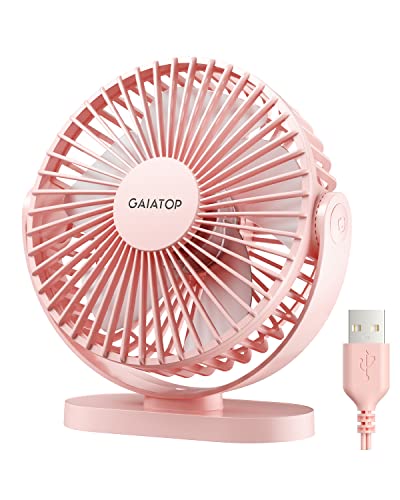
Gaiatop 5.5-Inch USB Desk Fan
A cramped desk gets uncomfortable fast once heat starts collecting around the keyboard, monitor, and chair. Large fans can solve part of the problem, but they also eat up floor space, scatter papers, and often make more noise than a close-range setup needs. The Gaiatop 5.5-Inch USB Desk Fan approaches the best USB powered desk fan category with a compact pink body, three airflow levels, a 90-degree rotating head, and USB power that fits naturally into everyday work and travel routines. Its strongest appeal is simple: focused cooling without dragging a full-size appliance into a small space.
Gaiatop Mini USB Fan Review
The fan measures 5.5 inches across its body and weighs about 0.6 pound, so it doesn’t demand much room beside a laptop, lamp, notebook, or coffee mug. That size also makes it easier to pack for a hotel stay, camping trip, baseball game, or warm car ride. Small fans can sometimes feel flimsy, though, so the stable base matters more than the measurements alone. Gaiatop adds silicone pads at four points underneath, helping the fan resist sliding and tipping during higher-speed operation.
The pink housing gives the fan a brighter personality than the usual black or white desktop models. Color won’t improve airflow, of course, but it can make the fan feel less industrial in a bedroom, dorm, vanity area, or casual workspace. The shape stays fairly straightforward, with no oversized control panel or decorative bulk competing for space. That compact footprint is especially useful where every inch of the desk already has a job.
Portability is one of the clearer strengths here. A fan weighing less than a pound can move between a home office, nightstand, car, and outdoor table without becoming a nuisance. The included 5-foot cable also gives more placement freedom than the short cords found on many mini fans. Still, it isn’t cordless, so a USB power source must remain nearby whenever the fan is running.
Three Speeds Keep Cooling Straightforward
Three speed settings cover the most common personal cooling needs without turning the controls into a guessing game. The low setting creates a gentler breeze for reading, sleeping, or working in a quiet room. Medium gives a stronger push without immediately jumping to maximum output. High is the setting for hot afternoons, stuffy rooms, or moments when quick relief matters more than keeping sound at its lowest level.
Gaiatop lists a maximum wind speed of 5.3 meters per second, which is a respectable figure for a compact 5.5-inch fan. That number doesn’t mean the fan will cool an entire bedroom or office, but it does suggest solid close-range airflow. Personal fans work best from a short distance, aimed directly at the face, neck, or upper body. Used that way, the high-speed airflow should feel much more useful than the weak puff produced by many novelty USB fans.
The low and medium modes may end up getting more daily use than the top setting. Strong airflow can dry the eyes, disturb loose documents, or feel harsh during long sessions at the desk. A softer breeze is often easier to live with for several hours, especially during calls or focused work. The three-speed layout gives enough adjustment to manage those tradeoffs without piling on modes that barely feel different.
Noise Levels Depend On The Speed
Gaiatop describes the fan as quiet, with a listed range of 30 to 50 dB. The lower end should line up with gentler operation, while the upper end is more likely at maximum speed. That spread is realistic because moving more air naturally creates additional motor and wind noise. The useful part is having control over the balance between sound level and cooling strength.
The upgraded motor is intended to increase airflow while keeping mechanical noise under control. A steady hum is usually easier to ignore than a sharp whine or repeating rattle, particularly in bedrooms and offices. The stable base helps here too, since vibration traveling through a hard desktop can make even a small fan sound louder. Four silicone pads provide anti-slip support while also helping isolate some of that vibration.
Maximum speed probably won’t disappear into the background during a quiet night, and expecting silence would be unrealistic. Lower speed makes more sense for sleep, voice calls, or concentrated work. High speed suits situations where heat is already the bigger distraction. That practical range keeps the fan useful across different routines instead of locking it into one narrow purpose.
The 90-Degree Head Helps Aim The Breeze
A fixed fan can be surprisingly awkward once it’s placed below eye level or beside a monitor stand. The Gaiatop head rotates through 90 degrees, letting the airflow tilt upward or downward without moving the whole base. That adjustment makes it easier to send air toward the face while the fan sits on a low desk, nightstand, shelf, or car console. It also reduces the temptation to prop the unit on books or balance it against another object.
The 90-degree range isn’t as broad as a full 360-degree rotating design, but it covers most ordinary desktop positions. The fan can point straight ahead, angle upward toward a seated position, or tilt down from a higher shelf. It doesn’t oscillate automatically, so the breeze stays fixed in one direction. For personal cooling, that steady targeted airflow can actually be preferable because it doesn’t keep drifting away every few seconds.
Manual adjustment also keeps the mechanism simple. Fewer moving parts mean less bulk and fewer chances for clicking or wobbling during use. The tradeoff is that the fan won’t share airflow between multiple seats or sweep across a room. It remains a close-range tool, and that’s exactly where its size and design make the most sense.
USB Power Adds Flexibility With A Catch
The fan can draw power from a power bank, laptop, desktop computer, USB socket, wall charger, or car charger. That broad compatibility makes it easy to move between indoor and outdoor setups without hunting for a dedicated plug. A power bank can handle a picnic table or campsite, while a computer port works naturally at a desk. The manufacturer recommends a 5 V and 2 A power supply for proper operation.
No wall charger is included, so the fan depends on a compatible adapter or another USB source already on hand. That omission isn’t unusual for this type of product, but it’s worth noticing before the box arrives. An older low-output port may not give the motor the same consistency as a proper 5 V and 2 A supply. Stable power helps the fan reach its intended speed without weak starts or uneven performance.
The 5-foot cord is a practical advantage around crowded desks and awkward outlets. It can reach behind a monitor, down to a computer tower, or across a nightstand without forcing the fan into an inconvenient spot. Corded operation also means there’s no internal battery to charge, age, or add weight. The clear limitation is no built-in battery, so fully cordless use isn’t part of the package.
Cleaning Access And Base Stability Matter
Dust buildup is one of the least glamorous parts of owning a desk fan, but it has a real effect on airflow and noise. The Gaiatop front cover can be detached, giving better access to the blades and interior. That feature makes routine cleaning less frustrating than trying to push a cloth through narrow grille openings. Keeping the blades clean helps preserve airflow efficiency and reduces uneven buildup that can contribute to vibration.
The silicone pads under the base solve another common annoyance: lightweight fans slowly creeping across smooth desks. At higher speed, a poorly balanced unit can shuffle, pivot, or buzz against the surface. Four contact points give the Gaiatop a more planted stance and reduce the chance of tipping. The stable anti-skid base matters most on glass, laminate, and polished wood where hard plastic feet tend to slide.
Cleaning should always happen with the fan unplugged, especially after the cover is removed. A soft cloth or small brush should be enough for ordinary dust, while moisture near the motor needs to be avoided. Easy access shortens the maintenance routine, which makes regular cleaning more likely. That’s a small design decision, but it supports better long-term airflow without asking for much effort.
Where This Fan Fits Best
The Gaiatop makes the most sense as a personal desktop cooler rather than a substitute for room ventilation. It can bring relief to a warm workspace, bedside table, car interior, or temporary travel setup. Its small frame, low weight, and USB compatibility all support that role. People expecting it to circulate air across a large bedroom will likely want something with a bigger blade and wider coverage.
Outdoor use is possible as long as a suitable USB source is available and the fan stays protected from moisture. A power bank can make it useful at a game, campsite, or covered patio, though the cord remains part of the setup. In a bedroom, the low setting and adjustable head are more relevant than maximum output. A related approach to airflow in tighter sleeping spaces appears in low-ceiling bedroom fans, while this Gaiatop model stays focused on immediate, close-range comfort.
The fan’s main strengths are its compact size, three clearly defined speeds, 90-degree tilt, stable silicone-padded base, and removable cover. Its main weaknesses are the lack of a battery, the missing wall adapter, and a noise level that rises as airflow increases. None of those limits are hidden once the design is understood. It’s a practical desk fan for direct cooling, not a cordless room circulator pretending to be something larger.
Daily Tradeoffs Worth Knowing
The high setting moves the most air, but it also brings the upper end of the listed noise range. That makes it useful in a busy room, car, or outdoor setting where background sound already exists. During sleep or calls, low speed will be the safer pick. The three-speed control gives enough room to shift between those situations without overcomplicating daily use.
The pink color may appeal strongly to some spaces and feel too specific for others. Functionally, it changes nothing, but appearance matters when a product sits in plain view every day. The body is compact enough to blend into a crowded surface, yet the color keeps it from disappearing completely. That’s a taste issue rather than a performance problem.
The lack of a battery can be annoying during frequent movement, though it also avoids charging downtime and battery wear. A nearby USB source keeps the fan running as long as needed, which suits fixed desks and bedside setups. Travelers may appreciate the low weight but still need to pack a power bank or adapter. Those realistic tradeoffs are easy to manage as long as cordless operation isn’t the main priority.
TriPole 4.5-Inch USB Desk Fan
A hot patch of air around a monitor can make an otherwise ordinary work session feel twice as tiring. Bigger fans may cool more space, but they also take up room, rattle loose papers, and often push air everywhere except where it’s needed. The TriPole 4.5-Inch USB Desk Fan takes a tighter, more practical route within the best USB powered desk fan category, pairing a compact frame with three speeds, a 360-degree tilting head, and a stable silicone-padded base. Its purpose is clear: deliver direct personal airflow without turning a small desk or nightstand into an equipment shelf.
TriPole Mini USB Fan Review
The 4.5-inch diameter gives this fan a noticeably small footprint. It can sit beside a keyboard, alarm clock, lamp, or laptop stand without swallowing the remaining surface. That space-saving size also makes it easier to pack for a hotel, dorm, office, or temporary work setup. Small doesn’t mean invisible, though, and the wide base is important because a narrow lightweight fan can become unstable once the blades speed up.
TriPole uses a broad base with four silicone pads underneath. Those pads help the fan grip smooth surfaces while reducing the vibration that can travel through glass, laminate, or polished wood. The result should be a steadier position and less of the annoying creeping motion that lightweight fans sometimes develop. That anti-slip design is a practical detail, not a decorative extra.
The black finish keeps the look simple and easy to place in most rooms. There are no bright lights, oversized displays, or bulky control panels competing for attention. A rear-mounted button handles operation, which keeps the front clean but may require reaching behind the fan to change speed. That’s a minor ergonomic tradeoff rather than a major flaw, especially for a fan this compact.
Three Speeds Cover Everyday Cooling Needs
The fan offers three airflow settings, giving a useful spread between a light breeze and stronger direct cooling. Low speed fits reading, focused work, or bedtime use where constant air movement matters more than force. Medium is likely to handle most daily situations because it adds cooling without immediately pushing the fan to its loudest setting. High speed is there for warmer afternoons or stuffy rooms where faster relief takes priority.
Control remains straightforward. Pressing the button on the back cycles through the available settings, so there’s no complicated menu or touch-sensitive panel to deal with. One-button controls are easy to understand, but they usually require moving through the full sequence before returning to a lower speed. Even so, the simple speed control suits a small fan better than an elaborate interface would.
Strong airflow from a compact blade has limits, and those limits are worth keeping realistic. This model is intended for close-range use rather than whole-room circulation. It should be positioned near the face, shoulders, or upper body rather than expected to cool a bedroom from across the room. Used within that range, the personalized cooling design makes sense and avoids wasting power on empty space.
The 360-Degree Tilt Improves Placement
A fan can move plenty of air and still feel useless if the angle is wrong. The TriPole head rotates 360 degrees up and down, allowing the breeze to be directed toward a seated position, a bed, or a higher shelf. That flexibility helps when the base needs to stay in one spot but the airflow target changes. It also reduces the temptation to prop the fan on books or wedge something underneath it.
The adjustable head is especially useful on crowded desks. A monitor stand, stacked notebooks, or a raised laptop can block air from a fixed fan, leaving most of the breeze aimed at furniture. Tilting the fan upward or downward solves that placement problem without shifting everything else. The full-angle adjustment is one of the strongest reasons to choose this design over a rigid mini fan.
The head rotates manually rather than oscillating automatically. That means the fan won’t sweep air across several seats or circulate a wide zone. On the flip side, the airflow stays exactly where it’s aimed instead of drifting away every few seconds. For a single desk, nightstand, or travel seat, fixed directional cooling may actually feel more useful than oscillation.
USB Power Keeps Travel Setup Simple
TriPole uses a 5V USB-A connection, making it compatible with USB chargers, computers, laptops, and power banks. That broad compatibility removes the need for a dedicated power brick and makes the fan easier to use in unfamiliar rooms. Overseas travel also becomes less awkward because the fan runs from USB rather than depending directly on local wall voltage. A compatible USB adapter is still required, but the fan itself doesn’t need a region-specific plug.
The included 4.9-foot cable gives more freedom than the short leads commonly attached to tiny desk fans. It can reach behind a monitor, down to a desktop tower, or across a nightstand without forcing the fan into an inconvenient corner. That extra length is particularly handy in hotel rooms where outlets seem to hide behind furniture. The cable still needs managing, though, since there’s no built-in battery for cordless operation.
Power requirements deserve attention because the fan needs about 0.8A while running. TriPole notes that if the third speed doesn’t work, a USB charger supporting 5V/1A output should be tested. That detail matters because weak ports or overloaded hubs may handle low speed but struggle once the motor asks for more current. A suitable power source gives the fan the best chance of reaching its intended high-speed output.
Base Stability Helps Reduce Noise
Compact fans can become surprisingly irritating when vibration transfers into the desk. A faint motor hum may be tolerable, but a plastic base buzzing against a hard surface is another story. TriPole’s four silicone pads help absorb some of that movement while keeping the unit from sliding. The stable base supports both comfort and sound control at the same time.
The wide stance also lowers the chance of tipping when the head is angled sharply. That matters because the rotating mechanism shifts the fan’s balance as the airflow direction changes. A narrow stand might feel unstable at steep angles, especially on a slick nightstand or car console. The broader footprint gives the fan a more planted feel without adding much overall bulk.
No specific decibel figure is provided in the supplied details, so quietness should be viewed in practical rather than absolute terms. Lower speeds will naturally produce less wind noise, while the highest setting will be more noticeable. The silicone pads can reduce surface vibration, but they can’t eliminate the sound created by moving air. The realistic benefit is controlled noise, not silence.
Detachable Cover Makes Cleaning Less Annoying
Dust slowly robs a small fan of its effectiveness. It collects on the protective grille and blade edges, restricting airflow and sometimes creating uneven movement. TriPole includes a detachable cover, making the front area easier to access for routine cleaning. That’s a welcome feature because sealed mini fans often trap dirt where a cloth or brush can barely reach.
Regular care can help preserve both airflow and smooth operation. A layer of dust may not look serious at first, but buildup adds weight unevenly across the blades and can contribute to extra vibration. Cleaning the grille and blades keeps the airflow path clearer and reduces the stale, dusty look that develops on fans used near open windows. The fan should always be disconnected from power before the cover is removed.
The cleaning process doesn’t need to be complicated. A dry microfiber cloth or soft brush should handle ordinary dust, while liquids should stay away from the motor and USB components. Easy access means the job is less likely to be postponed until the fan is visibly clogged. That maintenance-friendly design adds practical value over the long run.
Compact Design Comes With Clear Limits
The TriPole fan’s biggest strength is the way its features match the size. Three speeds, a full-rotation head, a stable base, and a long cable all solve common frustrations without making the body bulky. It can move between a desk, nightstand, car, or suitcase with little fuss. That balance is useful where personal comfort matters but available space is tight.
The main weakness is the lack of cordless operation. A power bank can make the setup portable, but the cable must stay connected the entire time. The rear control button may also be less convenient than a front-facing switch if speed changes happen often. Neither issue is unusual for this category, yet both are worth knowing before deciding whether the design fits the routine.
Room-wide cooling isn’t part of the package. A 4.5-inch fan is best used from close range, and expecting it to circulate air through a large bedroom will lead to disappointment. Larger spaces usually need a broader airflow pattern, as illustrated by the differences discussed in large ceiling fans with lights, while this TriPole model stays focused on a single desk, chair, or bedside area. That distinction keeps expectations grounded.
Where The TriPole Fan Makes The Most Sense
A crowded workstation is the most natural home for this fan. The small body leaves room for everyday essentials, while the adjustable head directs air around monitor stands and laptop screens. The three speeds also allow quick changes as room temperature shifts throughout the day. For office use, desk-friendly proportions may matter more than decorative features or excessive airflow claims.
Travel is another sensible use. The fan’s USB-A connection works with common chargers and power banks, and the long cord helps in rooms with badly placed outlets. Its compact diameter should fit into luggage without demanding much space. The lack of a battery means another power source must be packed, but it also removes the need to recharge the fan itself.
Bedside use depends on tolerance for airflow and sound. Low speed should suit gentle overnight circulation better than high speed, especially with the fan positioned a short distance away. The 360-degree tilt makes it easier to avoid blowing directly into the eyes while still moving air around the pillow area. The adjustable close-range breeze is a better fit here than raw power.
Practical Tradeoffs Before Buying
The power requirement deserves one final look because it affects real-world performance. A weak USB port may run the first two settings but fail to support the strongest mode properly. Using a 5V/1A or stronger compatible source reduces that risk. This isn’t a defect in the fan so much as a reminder that USB ports don’t all deliver the same current.
The fan’s simplicity will appeal to some setups and feel limited in others. There’s no remote control, timer, battery, display, or automatic oscillation mentioned in the supplied details. Those omissions keep the unit lighter and easier to operate, but they also narrow its role. The feature set favors direct cooling over convenience extras.
The TriPole earns its place among compact desk fans by staying focused. Its stable silicone-padded base, 360-degree head, three speeds, detachable cover, and long USB cable address the annoyances that show up during everyday use. The limits are equally plain: it needs continuous power, relies on a suitable USB source, and won’t cool a whole room. For personal airflow in a tight space, that honest, no-frills approach is exactly the point.
SWEETFULL 6.5-Inch USB Desk Fan
Heat around a desk rarely arrives with drama. It builds slowly, warming the keyboard area, drying out concentration, and making a quiet room feel oddly stuffy. The SWEETFULL 6.5-Inch USB Desk Fan enters the best USB powered desk fan discussion with a slim frame, three speeds, low-noise operation, and a full 360-degree vertical adjustment. Its design favors close-range comfort over room-wide circulation, which is exactly the right tradeoff for a crowded desk, nightstand, or travel setup.
SWEETFULL Wood Grain USB Fan Review
The fan measures 6.5 by 2.5 by 7.4 inches, so it occupies little depth even though the body is taller than many tiny desktop models. That slim profile helps it fit beside a monitor, laptop stand, lamp, or stack of notebooks without forcing a full desk rearrangement. At roughly 10 ounces, it’s light enough to carry from a home office to a bedroom, car, campsite, or temporary workspace. The size feels practical rather than toy-like, yet it remains clearly designed for personal airflow.
The black wood-grain plastic base gives the fan a warmer appearance than plain office equipment. It won’t fool anyone into thinking it’s real wood, but the finish softens the look and blends more naturally with darker desks, bedroom furniture, and casual interiors. That wood-grain detail is cosmetic, though it may matter when the fan stays visible every day. Function still comes first, and the base remains compact enough to avoid becoming another bulky object on the table.
Portability works well here because the fan doesn’t rely on a heavy internal battery. The body stays light, and the included USB cable handles power from several common sources. The catch is obvious: no battery is included, so the fan must remain connected during use. That tradeoff suits fixed desks and bedside tables better than situations where completely cordless movement is essential.
Three Speeds Keep The Controls Simple
The SWEETFULL fan offers low, medium, and high speed settings, covering the basic range most personal fans actually need. Low speed makes sense during reading, focused work, or rest because the breeze stays gentle and less distracting. Medium provides a stronger stream without immediately pushing the fan to its highest output. High is better reserved for hotter afternoons, parked-car breaks, or stuffy rooms where quick relief matters more than keeping everything whisper-soft.
Speed adjustment happens through repeated presses of the power button. That setup is easy to understand and keeps the control area uncluttered. One-button cycling does mean moving through each level before returning to a previous setting, which can feel mildly tedious if adjustments happen often. Still, the straightforward control scheme fits a small desktop fan better than a complicated panel packed with barely useful modes.
Three speeds also help manage the usual desk-fan compromise between airflow and disturbance. A strong breeze feels good for a few minutes, but it can dry the eyes, lift loose papers, or become tiring during a long session. Lower settings are easier to live with over several hours, especially when the fan sits close to the face. That usable speed range matters more than inflated mode counts with differences too subtle to notice.
Quiet Operation Suits Work And Rest
SWEETFULL lists the fan’s operating noise at under 25 dB. That figure suggests a low acoustic profile, particularly at the gentler speed setting, though maximum speed will naturally produce more wind noise. A small fan can still be irritating if the sound includes rattling, buzzing, or a sharp motor whine. The appeal here rests on quiet close-range cooling rather than raw airflow alone.
The anti-slip rubber base helps reduce vibration before it travels into the desk. That detail matters because a lightweight fan can sound much louder once its movement resonates through wood, glass, or laminate. Rubber contact points also help keep the unit from creeping across a smooth surface as the blades spin. The result should be a more settled feel and fewer distracting mechanical noises during calls, study sessions, or sleep.
Quiet doesn’t mean silent, and that distinction deserves honesty. Air movement creates sound, especially once the fan reaches its highest setting, so anyone expecting zero noise may be disappointed. The more realistic benefit is having enough control to choose a softer setting when sound matters most. For a bedroom or home office, that balance between breeze and noise is more useful than chasing maximum power at all times.
Full Rotation Makes Placement Much Easier
The fan rotates vertically from 0 to 360 degrees, giving far more aiming freedom than a fixed desktop model. It can blow straight ahead, angle upward from a low desk, or point downward from a shelf. That range helps when monitors, books, lamps, or bedside objects block a direct airflow path. Instead of moving the entire fan, the head can simply be tilted until the breeze lands where it should.
Flexible positioning also suits changing routines. Sitting upright at a computer, leaning back in a chair, or lying in bed all require different angles. A rigid fan often ends up cooling the hands or chest while missing the face and neck completely. The 360-degree adjustment solves that annoyance without adding automatic oscillation or a bulky motorized base.
Manual rotation does have a limit. The fan won’t sweep airflow across several seats, and it won’t circulate a wide room by itself. On the other hand, personal cooling often works better with a steady breeze that stays put. For a single workspace or nightstand, fixed directional airflow can feel more consistent and less distracting than an oscillating stream that keeps wandering away.
USB Power Adds Useful Flexibility
The included 4.7-foot USB cable connects the fan to desktops, laptops, power banks, AC adapters, and car chargers. That compatibility makes the fan easy to move between ordinary indoor spaces and temporary setups. A power bank can handle a covered outdoor table or campsite, while a laptop port works naturally at a desk. The cable length also provides enough reach for outlets hidden behind monitors or furniture.
USB power simplifies travel because the fan doesn’t depend on a region-specific wall plug. A compatible adapter can handle local voltage while the fan continues using its familiar USB connection. That said, no adapter is listed as included, so an existing charger or power source will be necessary. The corded design trades total freedom for lower weight and continuous operation without charging pauses.
The absence of a battery can actually be helpful in some routines. There’s no internal cell to age, swell, or lose capacity after repeated charging cycles. The fan can run as long as the connected source provides power, which suits workdays and overnight use. Still, anyone planning to move around frequently will need to account for the cable and nearby power source.
Cleaning Access Supports Long-Term Airflow
Dust buildup is easy to ignore until a small fan starts moving less air or sounding rougher than before. SWEETFULL uses a detachable front cover, making the blades and inner grille easier to reach. That feature turns cleaning into a short routine rather than a frustrating exercise with cotton swabs and narrow gaps. Regular care should help keep airflow steadier and prevent grime from collecting around the blade edges.
Uneven dust can also contribute to vibration. A blade with more buildup on one side may spin less smoothly, which can create extra noise through the lightweight frame. Wiping the grille and blades with a dry cloth or soft brush helps preserve the fan’s balance. The unit should always be unplugged before the front cover is removed or the interior is touched.
Easy maintenance adds value because desk fans often run close to open windows, bedding, paper, and everyday household dust. Those particles collect quickly, especially during dry weather or long work sessions. A removable cover makes it more likely that cleaning will happen before airflow drops noticeably. That maintenance-friendly design is a small feature with a very practical payoff.
Daily Strengths And Realistic Limits
The SWEETFULL fan’s main strengths are its low weight, slim footprint, three speeds, broad tilt range, and rubber-supported base. Those features address the everyday problems that matter most: limited desk space, awkward airflow angles, unwanted vibration, and the need for flexible power. The wood-grain base also gives the fan a more relaxed appearance than standard black plastic. Nothing feels overloaded or unnecessarily complicated.
The clearest weakness is the lack of cordless operation. A power bank can make the fan portable, but the USB cable must stay attached. The compact blade size also limits coverage, so it won’t replace a larger room fan or ceiling fan in a hot space. That distinction matters because disappointment usually comes from expecting a personal fan to cool far beyond its intended range.
Room dimensions and installation height create a different airflow problem than a desktop fan can solve. A related example appears in small bathroom ceiling fans, where wider circulation and permanent mounting matter more than portability. The SWEETFULL model stays focused on direct personal cooling, and that narrower job suits its compact construction. Used close by, it should feel practical; used across a large room, it will feel undersized.
Where The Fan Fits Best
A home office is an obvious fit because the fan can sit beside a keyboard without crowding the mouse area. The low setting should suit calls and focused work, while medium or high can handle warmer stretches of the day. Its full rotation helps direct air around monitor stands or stacked equipment. The desk-friendly profile is especially useful where larger fans would create more clutter than comfort.
Bedside use also makes sense. The fan can tilt upward from a low nightstand or angle away from the eyes while still moving air around the pillow area. Quiet operation and three speeds provide enough adjustment for changing nighttime temperatures. The corded setup works best where a charger or power bank already sits nearby.
Travel and camping are possible as long as a USB source remains available and the fan stays protected from moisture. Its 10-ounce weight won’t add much burden to a bag, and the slim body should pack more easily than a wider table fan. The lack of a battery means a power bank becomes part of the setup, but it also keeps the unit lighter. For close-range relief in a hotel, vehicle, tent entrance, or temporary desk, portable USB power is a sensible match.
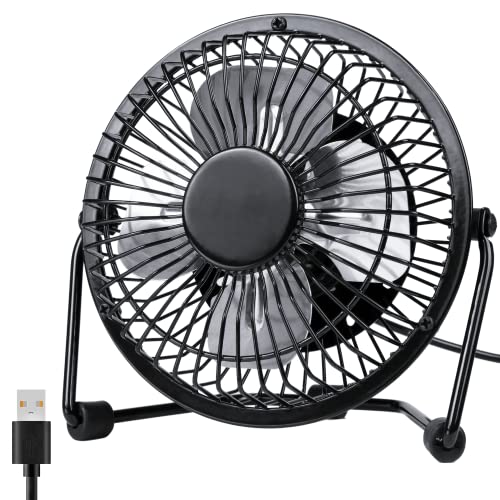
Gaiatop 5.5-Inch USB Desk Fan
Desk heat has a sneaky way of draining patience before the workday is even halfway done. A bulky floor fan can feel excessive in a tight office, while a tiny novelty fan often moves little more than warm air. The Gaiatop 5.5-Inch USB Desk Fan takes a more practical place among best USB powered desk fan options by combining three clearly defined speeds, a compact body, a 90-degree tilt range, and a stable rubber-padded base. It’s built for focused personal cooling, not for pushing air across an entire room.
Gaiatop Compact USB Fan Review
The fan measures 5.5 by 5.9 by 2.2 inches, giving it a narrow profile that fits naturally beside a monitor, laptop stand, alarm clock, or stack of books. At about 6.5 ounces, it’s light enough to slip into a work bag or suitcase without adding noticeable weight. That combination of low weight and shallow depth makes it useful in dorm rooms, libraries, bedrooms, and temporary workspaces where surface space is already spoken for. The body is small, but it doesn’t rely on a flimsy clip or awkward folding stand.
The black housing keeps the appearance simple and work-friendly. It won’t draw much attention in a home office or library, which may be a plus for anyone who prefers equipment that quietly blends into the background. More importantly, the fan’s wide base gives the lightweight body a firmer stance. The compact footprint saves space without forcing the fan to balance on a narrow point.
Portability comes with one important condition. This is a corded USB fan, so it doesn’t include an internal battery and must stay connected while running. A power bank can make it mobile, but the cable remains part of the setup. That arrangement works nicely for desks, cars, dorm rooms, and hotel stays, though it won’t suit someone who wants completely wireless cooling while walking around.
Three Speeds Feel Meaningfully Different
The first speed produces a listed airflow of 3.1 meters per second at 1,500 rpm. That softer setting fits long work sessions, reading, or resting because it moves air without creating an aggressive stream against the face. It’s also the setting least likely to shuffle papers or dry the eyes during extended use. For mild warmth, Speed 1 should offer enough circulation to take the edge off without becoming the center of attention.
Speed 2 increases output to 4.0 meters per second at 2,000 rpm. This middle level is likely to be the everyday sweet spot because it adds noticeable cooling while avoiding the full intensity of the highest mode. A stuffy cubicle, warm dorm desk, or sunny bedroom often needs more than a faint breeze but less than maximum force. The medium airflow gives the fan a useful middle ground instead of making users choose between barely there and full blast.
Speed 3 reaches 4.8 meters per second at 2,500 rpm. That stronger setting is better suited to hot afternoons, enclosed work areas, or quick cooling after walking in from outside. It won’t turn the fan into a room circulator, but it should create a firm stream when positioned within a few feet. The practical difference between the three modes makes the control system more useful than fans that offer several settings with barely noticeable changes.
Quiet Cooling Depends On Proper Placement
Gaiatop describes the upgraded motor as producing stronger airflow with less noise. No exact decibel figure is provided in the supplied details, so the safest expectation is that lower speeds will sound softer while high speed will be more noticeable. That’s normal for compact fans because faster blades create additional wind noise even when the motor itself runs smoothly. The real benefit is adjustable sound and airflow, allowing the fan to match the situation instead of staying stuck at one intensity.
Placement has a surprisingly large effect on perceived noise. A fan sitting directly against a wall, hollow shelf, or unstable tray may create more resonance than the motor alone would produce. The wide base and four rubber pads help reduce vibration before it travels through the desk. Those rubber contact points also lessen the buzzing that can appear when lightweight plastic rests on glass or polished wood.
For video calls, studying, or sleep, the first speed makes the most sense. High speed may be worth the extra sound during hot weather, especially where air conditioning is weak or unavailable. There’s no honest way to promise silence while the blades are moving at 2,500 rpm, yet the ability to step down to a softer mode keeps the fan adaptable. The design favors controlled background sound rather than pretending strong airflow is completely inaudible.
The 90-Degree Tilt Solves Awkward Angles
A desk fan can have decent airflow and still miss the person sitting in front of it. Monitor stands, raised laptops, shelves, and low nightstands often put the fan below or above the useful line of air. The Gaiatop head tilts through 90 degrees, helping direct the breeze toward the face, neck, or upper body without moving the entire base. That range is especially helpful when the fan sits close to other equipment and can’t be shifted freely.
The tilt mechanism also supports different daily routines. Sitting upright at a desk needs a different angle than reclining in bed or placing the fan on a higher shelf. A fixed model may send most of its airflow into the edge of a desk or across the floor. The adjustable fan head makes placement less fussy and reduces the need for makeshift props.
This model doesn’t provide automatic oscillation in the supplied description. That means the airflow remains aimed in one direction rather than sweeping across several people. For personal use, that can be an advantage because the breeze stays where it was placed. The limitation becomes more noticeable in shared spaces, where a broader circulation pattern would serve multiple seats more effectively.
USB Power Fits Everyday Devices
The fan connects to a PC, laptop, power bank, AC adapter, car charger, or another USB-enabled source. That broad compatibility makes it easy to use in places where a standard wall outlet isn’t conveniently located. A laptop can power it during desk work, while a power bank handles temporary outdoor or travel use. The USB design also keeps the fan independent from a region-specific plug, which simplifies packing for overseas trips.
The included 4.9-foot cable is long enough to reach behind monitors, down to a computer tower, or across a wide nightstand. Short cables can force a fan into an awkward corner where the airflow misses its mark, so the extra reach has genuine practical value. Cable management may still be needed on a tidy desk, but that’s easier to solve than a cord that simply doesn’t reach. The longer lead supports more flexible positioning without adding an extension cable.
USB power is often described as energy-conscious, though actual consumption depends on the motor and connected source. The supplied information doesn’t include wattage, so there’s no basis for inventing a savings figure. What can be said is that this compact fan runs from common low-voltage USB equipment rather than requiring a large standalone appliance. That simple power arrangement suits personal cooling tasks where whole-room airflow would be unnecessary.
Stable Base Keeps High Speed In Check
Lightweight fans sometimes shuffle across a desk once the highest setting kicks in. Gaiatop addresses that annoyance with a wide base and four rubber pads underneath. The pads increase grip on smooth surfaces and help keep the fan from sliding while operating at 2,500 rpm. That stability matters around laptops, drinks, paperwork, and other objects that shouldn’t be nudged by a wandering fan.
The rubber pads also reduce transmitted vibration. Even a modest motor can sound louder if the base resonates through a hard tabletop, especially in a quiet bedroom or library. Separating the plastic body from the surface helps soften that effect. The anti-vibration base supports quieter use without adding a larger housing or heavy metal stand.
A wide base does take up more horizontal room than a narrow pedestal, but the overall dimensions remain compact. That’s a sensible tradeoff because stability is more valuable than saving the final fraction of an inch. A fan that tips or pivots every time the angle changes quickly becomes irritating. Here, the footprint appears designed to keep the lightweight body planted during all three speed levels.
Cleaning Access Protects Airflow
Dust is the quiet enemy of every small fan. It gathers along blade edges and grille openings, gradually restricting airflow and making the motor work against extra resistance. The supplied description identifies the unit as easy to clean, which is useful for a fan likely to sit near paper, bedding, open windows, or computer equipment. Regular cleaning helps preserve the airflow differences between the three speed settings.
Keeping the fan clean may also reduce uneven vibration. Dust rarely collects in a perfectly balanced pattern, so one blade can become dirtier than another over time. That imbalance may contribute to rattling or extra surface noise, particularly at high speed. A soft brush or dry cloth can handle routine buildup, with the fan disconnected from its USB source before any cleaning begins.
The supplied details don’t specify exactly how the cover opens or detaches, so it would be misleading to describe a particular removal method. What matters is the stated emphasis on cleaning and stability as part of everyday maintenance. A fan used daily benefits from accessible blade care, especially in rooms with pets, fabric fibers, or open-window dust. Ignoring buildup eventually undermines both airflow and quietness.
Strengths And Weaknesses Stay Easy To See
The strongest feature is the clearly defined airflow range. Each speed includes a stated wind velocity and rpm figure, giving the three modes a practical identity rather than vague labels. The 3.1, 4.0, and 4.8 m/s settings allow the fan to shift from gentle background cooling to a firmer close-range breeze. That flexibility is useful in rooms where temperature changes throughout the day.
Portability is another clear strength. At 6.5 ounces, the fan won’t weigh down a bag, and the shallow 2.2-inch depth keeps packing relatively easy. The 4.9-foot cable, USB compatibility, adjustable angle, and rubber base all support mobile use without making the design complicated. It’s a sensible combination for a dorm, shared office, hotel desk, or car.
The main weaknesses follow directly from its compact design. It needs continuous USB power, lacks automatic oscillation in the supplied specifications, and isn’t intended for room-wide circulation. People dealing with larger spaces may need a different airflow category, and a related scale can be seen in 42-inch ceiling fan lighting, where permanent installation and broader coverage shape the design. The Gaiatop remains a personal fan first, and treating it that way keeps expectations realistic.
Best-Fit Uses And Practical Boundaries
A desktop workstation is the most natural setting for this fan. The small body can sit close enough to provide direct cooling without occupying the space needed for a mouse, notebook, or phone stand. Speed 1 suits quiet concentration, while Speed 2 or 3 can handle warmer parts of the day. The 90-degree tilt also helps route air around monitors and laptop screens.
Bedroom and dorm use make sense for similar reasons. The fan is light, easy to reposition, and powered by devices commonly found near a bed. Lower speed should be the calmer choice for resting, while the rubber base helps prevent vibration from becoming an unnecessary nighttime annoyance. The cord needs a nearby USB source, so bedside placement works best with an adapter, laptop, or power bank within reach.
Travel use is practical but not completely independent. The compact frame and low weight simplify packing, while the long cable helps in hotel rooms with inconvenient outlets. Outdoor use depends on keeping the fan dry and supplying USB power through a power bank or vehicle adapter. The Gaiatop 5.5-Inch USB Desk Fan works best where direct airflow, portability, and simple controls matter more than cordless freedom or broad room coverage.


Best Quiet Ceiling Fan For Bedroom 2026 Ultimate Comfort Picks

Best Ceiling Fan For Master Bedroom 2026 With Ultimate Comfort

Best White Ceiling Fan With Light For Bedroom 2026 Top Picks

Best Quorum Medallion Ceiling Fan 2026 With Style & Breeze

Best Outdoor Fan For Pergola 2026 Comfort Boost

Best Ceiling Fan For Great Room 2026 With Ultimate Comfort

Best Outdoor DC Ceiling Fans 2026 For Breezy Comfort

Best ceiling exhaust bath fan with light and heater 2026





