
Best USB Powered Fan 2026: Cool Air Without Fuss

A stuffy desk can turn an ordinary afternoon into a sweaty test of patience. Central air may cool most of the room, but one stubborn corner can still feel warm, especially beside a bright window, computer tower, or crowded workstation. The best USB powered fan tackles that smaller problem by directing air where it’s actually needed without taking over the room. Plug it into a laptop, power bank, wall adapter, or compatible hub, and a steady breeze is usually only a button press away.
Size matters more than flashy styling. A compact housing should fit beside a monitor, on a narrow nightstand, or inside a packed travel bag without creating another clutter problem. Still, tiny blades may struggle to move useful air beyond a couple of feet, so the smallest model isn’t automatically the smartest pick. A balanced desktop cooling fan gives up a little portability in exchange for broader airflow and a sturdier base that won’t skitter across the table.
Noise deserves just as much attention as airflow. A strong breeze loses its charm fast when the motor hums through video calls, interrupts sleep, or adds an irritating buzz to quiet reading. Several speed settings help because low speed can handle close-range cooling, while higher settings provide extra relief after exercise, during meal prep, or inside a safely ventilated vehicle. Oddly enough, a slightly larger fan may sound calmer than a tiny high-speed unit because its blades don’t need to spin quite as aggressively.
Adjustability separates practical designs from one-angle gadgets. A tilting head lets cool air reach the face, hands, or upper body without stacking the fan on books or wedging something beneath its base. Some models oscillate, but that feature adds bulk, moving parts, and sometimes extra noise. A simple adjustable airflow angle often handles everyday cooling with less fuss and fewer parts that can wear out.
Power setup can become a quiet source of frustration. Standard USB connections are convenient, yet cable length, port location, and available power can affect where the fan sits and how strongly it runs. A short cord may leave the unit awkwardly close to a desktop tower, while an underpowered hub can limit its highest speed. Models with removable cables are easier to pack and replace, though fixed cords eliminate one small piece that can disappear into a drawer.
Controls should feel obvious rather than fiddly. A single button may cycle through speeds neatly, but it can also require several presses to turn the fan off. Separate power and speed controls are easier to manage in the dark or during a call, though they take up more space on a compact frame. Physical buttons usually provide better feedback than touch controls, especially when fingers are damp or the fan is positioned just out of sight.
Realistic expectations prevent disappointment. A USB personal fan won’t cool an entire bedroom or replace an air conditioner during muggy summer weather. It works by improving air movement around the skin, reducing stagnant heat near a workstation, and making a warm spot feel less oppressive. That focused relief can be surprisingly effective, but only when the fan has stable footing, sensible controls, and enough blade area to move air without sounding like an angry little appliance.

- LFR Score10.0
LFR Score is a ranking system developed by lightfansreviews.com. LFR Score has no relationship or impact from any manufacturers or sales agent websites. Learn more
- BrandHandFan
![Warmco 10000mAh Portable Travel Fan 7-inch, [10-24H Runtime] Ultra-thin Digital Display Mini Desk Battery Operated Fan for Bedroom, Camping, Cruise Essentials 2025](https://m.media-amazon.com/images/I/41lT9WEGigL._SL160_.jpg "Warmco 10000mAh Portable Travel Fan 7-inch, [10-24H Runtime] Ultra-thin Digital Display Mini Desk Battery Operated Fan for Bedroom, Camping, Cruise Essentials 2025")
- LFR Score9.4
LFR Score is a ranking system developed by lightfansreviews.com. LFR Score has no relationship or impact from any manufacturers or sales agent websites. Learn more
- BrandWarmco

- LFR Score9.2
LFR Score is a ranking system developed by lightfansreviews.com. LFR Score has no relationship or impact from any manufacturers or sales agent websites. Learn more
- BrandTriPole

- LFR Score9.2
LFR Score is a ranking system developed by lightfansreviews.com. LFR Score has no relationship or impact from any manufacturers or sales agent websites. Learn more
- BrandGaiatop

- LFR Score9.0
LFR Score is a ranking system developed by lightfansreviews.com. LFR Score has no relationship or impact from any manufacturers or sales agent websites. Learn more
- BrandGaiatop

- LFR Score9.0
LFR Score is a ranking system developed by lightfansreviews.com. LFR Score has no relationship or impact from any manufacturers or sales agent websites. Learn more
- BrandKoonie
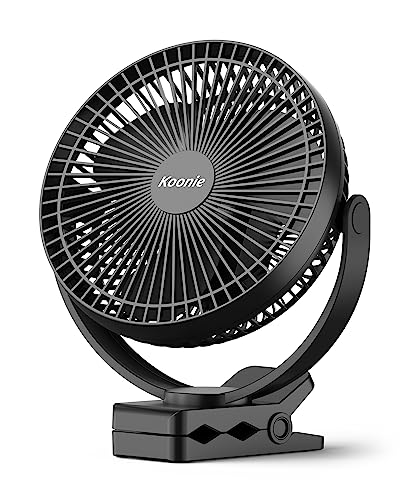
- LFR Score9.0
LFR Score is a ranking system developed by lightfansreviews.com. LFR Score has no relationship or impact from any manufacturers or sales agent websites. Learn more
- BrandKoonie

- LFR Score9.0
LFR Score is a ranking system developed by lightfansreviews.com. LFR Score has no relationship or impact from any manufacturers or sales agent websites. Learn more
- BrandKIMMOO

- LFR Score8.8
LFR Score is a ranking system developed by lightfansreviews.com. LFR Score has no relationship or impact from any manufacturers or sales agent websites. Learn more
- BrandFRIZCOL

- LFR Score8.8
LFR Score is a ranking system developed by lightfansreviews.com. LFR Score has no relationship or impact from any manufacturers or sales agent websites. Learn more
- BrandMomcozy

- LFR Score8.8
LFR Score is a ranking system developed by lightfansreviews.com. LFR Score has no relationship or impact from any manufacturers or sales agent websites. Learn more
- BrandEasy Cloud

- LFR Score8.6
LFR Score is a ranking system developed by lightfansreviews.com. LFR Score has no relationship or impact from any manufacturers or sales agent websites. Learn more
- BrandBESKAR
Last update on 2026-08-18 / Affiliate links / Images, Product Titles, and Product Highlights from Amazon Product Advertising API
HandFan Small USB Desk Fan Review
Long afternoons feel a lot longer once warm air settles around a keyboard and refuses to move. A full-size fan often eats valuable desk space, while air conditioning doesn't always reach the exact spot where comfort matters most. That's where the HandFan Small USB Desk Fan starts to make sense. Its compact footprint, quiet operation, and flexible USB power focus on personal cooling instead of trying to chill an entire room.
HandFan USB Desk Fan
Compact size is the first thing that stands out, yet it doesn't come across as flimsy. Weighing under four ounces, the fan slips into a backpack, laptop sleeve, or even a larger handbag without becoming noticeable. The glossy blue finish gives it a clean appearance that blends into a workspace instead of looking like a bulky gadget pulled from a storage shelf.
Desk organization also benefits from the smaller footprint. It occupies very little surface area beside a keyboard, notebook, or monitor stand, making it easier to keep a workspace tidy. That matters more than many people expect because clutter often becomes just as distracting as rising temperatures.
Portability extends beyond office use. The lightweight frame makes it practical for hotel rooms, road trips, camping tables, or temporary workstations where a larger fan would simply be inconvenient. Instead of becoming another item that stays at home, this one feels easy to carry almost anywhere.
Cooling Performance And Daily Comfort
Airflow feels focused rather than overly broad, which suits a personal cooling fan well. The breeze reaches the face and upper body effectively when positioned within arm's length, helping reduce that uncomfortable pocket of warm, stagnant air around a workstation. It isn't intended to cool an entire room, and expecting that would be unrealistic.
Three speed settings make everyday use more flexible. The lowest setting provides gentle circulation while reading or working, whereas the higher levels become useful during hotter afternoons or after stepping indoors from summer heat. Switching speeds requires only repeated presses of the power button, keeping operation simple.
Cooling consistency remains dependable through USB power sources. Whether connected to a laptop, wall adapter, car charger, or portable power bank, the fan maintains its intended purpose without forcing dependence on a dedicated electrical outlet.
Personal airflow often feels more effective than expected because concentrated air movement cools the skin directly. Even modest airflow can make long video calls or study sessions noticeably more comfortable without increasing room-wide energy use.
Noise Level And Work Environment
Quiet performance becomes one of the strongest reasons to consider this model. The listed operating noise stays below 40 dB, helping the fan blend into the background rather than becoming the loudest object on the desk. That makes a difference during conference calls, online classes, or late-night reading.
Motor noise stays restrained enough that conversations remain easy without constantly raising your voice. Instead of hearing an aggressive mechanical hum, the airflow itself tends to become more noticeable than the motor. That balance usually creates a more relaxing atmosphere.
Concentration benefits from reduced distractions. Some compact fans produce rattling sounds after several minutes of operation, but a quieter design generally keeps attention on work instead of reminding you it's running every few seconds.
Shared spaces also become easier to manage. A fan that stays relatively quiet is less likely to bother nearby coworkers, family members, or roommates while still providing welcome airflow where it's needed.
Flexible Placement And Everyday Convenience
The adjustable head tilts between 0 and 30 degrees, giving enough flexibility to direct airflow toward the face, hands, or upper body. Small adjustments often produce surprisingly noticeable improvements because airflow lands exactly where heat tends to build up.
USB compatibility removes much of the inconvenience associated with traditional desktop fans. Power can come from several everyday devices, making placement more flexible in offices, vehicles, dorm rooms, or temporary workspaces where electrical outlets aren't always nearby.
Travel convenience deserves attention as well. The compact dimensions allow the fan to fit into luggage without becoming a burden, making it useful during hotel stays or extended road trips where room ventilation may not be ideal. In some cases, a related reference can be found in best size ceiling fan for 12x12 room.
Strengths, Tradeoffs, And Practical Expectations
The biggest strengths include compact construction, quiet operation, multiple speed options, adjustable airflow direction, and broad USB compatibility. Those features combine to solve common comfort issues without requiring much desk space or complicated setup. Everyday convenience ends up being just as valuable as cooling performance.
Tradeoffs are worth mentioning because every compact fan has limitations. The focused airflow works best at close range, so anyone expecting whole-room circulation should look toward a much larger appliance. The 30-degree tilt improves positioning, although it doesn't provide the wider movement available from oscillating designs.
Build expectations should remain realistic. This model is designed for personal comfort instead of replacing household cooling equipment. Used within that role, it offers practical airflow, quiet operation, and flexible placement that fit naturally into workdays, travel, or everyday routines.
Overall usability feels thoughtfully balanced. Rather than relying on flashy extras, the design focuses on the features people actually use every day, making it easier to stay comfortable without introducing unnecessary complexity.
Warmco 10000mAh Portable Travel Fan
Warm nights, crowded desks, and poorly ventilated cabins can make a small comfort problem feel downright stubborn. A corded fan only helps when an outlet sits nearby, while many tiny battery models fade long before the day is over. The Warmco 10000mAh Portable Travel Fan aims at that exact gap with a large rechargeable battery, four airflow levels, a slim folding frame, and a digital display that removes some of the guesswork. For anyone searching for the best USB powered fan, its mix of runtime, portability, and quiet operation deserves a closer, more practical look.
Warmco 10000mAh Travel Fan
The 10000mAh battery is the feature that shapes nearly every part of this fan's appeal. Warmco lists a working range of roughly 10 to 24 hours per full charge, with actual runtime depending on the selected speed. That spread makes sense because a gentle breeze draws far less power than the highest setting. The key benefit is simple: all-day cooling becomes realistic without keeping the fan tethered to a wall outlet.
Four speed settings offer more control than a basic low-and-high setup. The gentlest level can keep air moving during desk work or nighttime use, while the stronger modes are better suited to warm tents, cruise cabins, or rooms where air feels stale. A five-blade design is intended to produce a fuller stream of air rather than a narrow puff. Still, this remains a personal fan, so its strength is close-range comfort rather than whole-room circulation.
The slim 7-inch format makes the fan easier to live with day after day. Its listed dimensions are about 1.6 inches deep, 7 inches wide, and 8.4 inches tall, so it can sit near a laptop, lamp, or bedside clock without swallowing the available surface. At 0.89 pounds, it has enough weight to feel more planted than a featherlight pocket fan, yet it won't become a nuisance in luggage. That balance matters because ultralight fans often trade stability for portability.
The foldable stand gives the design another practical edge. Folded flat, the fan stores more neatly in a suitcase, drawer, backpack, or cruise cabin shelf. Opened for use, the stand creates a stable viewing angle without needing a separate mount. It's a small detail, but one that reduces fiddling once the fan becomes part of a daily routine.
Battery Life That Changes Daily Use
Long runtime means the fan can follow the day instead of dictating it. A morning at the desk, an afternoon outside, and a few quiet hours before bed can all fit within the listed operating window when lower speeds are used. That flexibility is especially useful during travel, where outlets may be scarce or already occupied. Rather than guarding the battery percentage constantly, there is room to use the fan as needed.
The digital battery display solves a frustration that plagues many portable fans. Basic indicator lights can be vague, often leaving only a rough sense of whether the battery is full, half-drained, or nearly finished. A visible remaining-power reading makes it easier to decide whether charging is necessary before sleep, a road trip, or an outdoor outing. It also helps prevent the unpleasant surprise of the fan shutting down at the hottest part of the day.
Battery capacity does come with a tradeoff. A 10000mAh pack adds weight and thickness compared with a tiny USB desk fan that relies entirely on wired power. The Warmco model is still slim, but it isn't designed to disappear into a shirt pocket. That extra bulk buys independence from an outlet, which is usually the more valuable exchange for camping, cruises, travel, and backup cooling.
Charging habits become easier to manage because the fan doesn't need constant top-offs. A full recharge can cover several shorter sessions or one extended stretch, depending on speed. That means fewer moments spent hunting for a cable during work or rearranging devices around a crowded charger. For practical use, fewer interruptions may matter more than maximum airflow.
Quiet Airflow For Work And Sleep
The brushless motor is designed to keep operating noise below 40dB. That level is meant to preserve a calmer atmosphere during office work, reading, calls, or rest. No fan is completely silent, especially at higher speeds, but the goal here is to avoid the harsh mechanical buzz that makes some compact models irritating at close range. A smoother motor tone is easier to ignore than a rattling housing or pulsing whine.
Low-noise performance matters most at night. A fan placed on a bedside table sits close enough that even a faint motor sound can become distracting in a quiet room. Lower speed settings should be the better fit for sleep because they reduce both airflow intensity and audible motor effort. Related bedroom airflow considerations are covered in bedroom ceiling fans for sleeping, where room-wide circulation and nighttime comfort involve a different scale of fan.
Desk use also benefits from restrained noise. During video meetings, the fan can sit nearby without forcing the microphone to compete with a loud spinning sound. Students and remote workers may appreciate that the airflow remains present without dominating the room. The practical test is not whether the fan makes zero sound, but whether that sound fades into the background after a few minutes.
Airflow character is just as important as volume. Five blades can help create a steadier breeze that feels less choppy at close range. A smoother stream of air is often more comfortable on the face because it avoids the repeated buffeting produced by some small, fast-spinning fans. That said, the highest setting will naturally create more sound and stronger air movement, so comfort depends on balancing speed with distance.
Digital Controls And Charging Flexibility
The digital display shows both fan speed and remaining battery life. That makes operation clearer than a setup built around unlabeled buttons and blinking lights. A glance can confirm whether the fan is running at a low, medium, or stronger setting. It also reduces accidental battery drain caused by leaving the unit on a higher level than intended.
The USB-C port supports 5V/2.4A input and output, giving the fan a useful dual role. It can recharge through a common USB-C connection, and its battery can also supply power to another compatible USB device. That secondary function may help during travel or an outage when a phone needs a small emergency boost. Still, charging another device will reduce the fan's remaining runtime, so the convenience comes with an obvious energy tradeoff.
The included two-in-one cable adds flexibility without requiring two separate cords. It supports USB-A to USB-C and USB-C to USB-C connections, which covers older chargers as well as newer power adapters and laptops. That matters because travel setups are rarely consistent from one hotel, vehicle, or power bank to the next. Fewer cable restrictions make the fan easier to fit into whatever charging arrangement is available.
USB-powered operation also keeps the fan useful after the internal battery runs low. It can remain connected to a suitable charger or power bank while operating, depending on the available power source and charging conditions. This creates a practical bridge between portable and stationary use. The fan isn't locked into one role, which is a meaningful difference from models that work only while plugged in or only from a sealed battery.
Portability, Strengths, And Real Limits
The strongest advantage is the balance between battery capacity and a thin frame. Many long-running fans become bulky, while slimmer models often sacrifice runtime. Warmco tries to hold the middle ground with a foldable body, manageable weight, and a battery large enough for extended sessions. That combination fits travel better than a heavy floor fan and lasts longer than many pocket-size alternatives.
Versatile placement gives the fan value in several real situations. It can sit beside a laptop, rest on a nightstand, stand on a picnic table, or occupy a narrow shelf in a cruise cabin. The folding design helps during transport, but the seven-inch size still provides more blade area than a handheld fan. That extra surface area should produce a more satisfying breeze at short range.
The main weakness is scale. This isn't a substitute for a ceiling fan, window fan, or air conditioner, and it won't circulate air evenly through a large bedroom. Its job is to create a cooler personal zone, not change the temperature of an entire space. Anyone expecting room-wide cooling may feel underwhelmed, while someone seated within a few feet is more likely to appreciate what it does.
Another tradeoff appears in the power-bank feature. Using the fan to charge a phone is handy in a pinch, but it consumes the same stored energy needed for cooling. The digital display makes that compromise easier to track, which is better than guessing. Even so, the feature is best treated as backup power rather than a replacement for a dedicated high-capacity charger.
Practical expectations make this fan easier to judge fairly. It offers four speeds, a large rechargeable battery, low-noise operation, USB-C charging, output capability, and a folding stand in a travel-friendly form. Those features address common frustrations such as short runtimes, uncertain battery levels, loud motors, and awkward storage. Used as a close-range cooling tool, the Warmco fan brings a thoughtful mix of endurance and convenience without pretending to be something larger.
TriPole USB Powered Desk Fan
A warm desk can sap patience faster than expected, especially when the nearest outlet sits behind furniture or the room air barely moves. Large fans solve the airflow problem but often create a new one by taking over valuable surface space. The TriPole USB Powered Desk Fan approaches the issue with a 4.5-inch frame, three speeds, a long cable, and a head that rotates through a full 360 degrees. Those details give this best USB powered fan contender a practical edge in cramped offices, bedrooms, hotel rooms, and temporary work setups.
TriPole USB Desk Fan
The compact 4.5-inch diameter keeps the fan from crowding a keyboard, lamp, monitor stand, or bedside essentials. It occupies far less room than a traditional table fan, yet its fixed base gives it a more purposeful shape than a handheld model balanced on an improvised stand. That small footprint also makes packing easier for work trips or vacations. Tossed into a carry-on, it won't demand the kind of space reserved for shoes or bulky electronics.
Three airflow settings provide a useful range for changing temperatures and distances. The lowest level suits close-range use during calls, reading, or quiet desk work, while the stronger modes offer more noticeable cooling when the room feels stuffy. A rear-mounted button cycles through the settings, keeping the front clean and uncluttered. The control is simple, although reaching behind the fan may feel less convenient when it sits against a wall.
USB-A power makes the setup familiar and easy to understand. The fan can connect to a computer, USB charger, or power bank, so it isn't tied to a dedicated wall plug. That compatibility also helps during international travel because the fan itself relies on a standard 5V USB supply rather than a region-specific household voltage. A suitable charger is still necessary, but the power arrangement is far less awkward than carrying a separate voltage-dependent appliance.
The 4.9-foot cable addresses a common annoyance with small USB fans. Short cords often force the unit to sit beside a laptop port even when the airflow angle would be better from another part of the desk. Here, the added reach allows more freedom around shelves, nightstands, car interiors, and hotel furniture. Cable management may require a little tidying, but extra length is generally easier to handle than a cord that simply won't reach.
Focused Airflow And Flexible Angles
The 360-degree rotating head gives this fan more positioning freedom than models limited to a narrow tilt range. It can direct air upward toward the face, downward toward the hands, or anywhere between those points without moving the entire base. That flexibility matters on crowded desks where the fan may need to sit off-center. A quick adjustment can redirect the breeze without shifting notebooks, chargers, or a coffee mug.
Focused personal cooling is the real job here, not changing the temperature of an entire room. Positioned within a few feet, the fan can break up stagnant air around the face and upper body, which often makes a warm workspace feel less oppressive. The stronger setting should provide the most immediate relief, though it also depends on receiving enough current from the USB source. Expectations stay realistic when the fan is treated as a close-range tool rather than a miniature room circulator.
Airflow control becomes especially useful during changing conditions. A gentle breeze may be enough early in the day, while afternoon heat can call for the highest setting. The three-level design avoids an all-or-nothing experience, and that makes the fan easier to live with for several hours at a stretch. It also prevents the common problem of excessive airflow blowing papers around when only mild circulation is needed.
Direction matters just as much as raw speed. A fan aimed poorly can feel weak even when the motor is running at full power, whereas a properly angled stream reaches the skin more effectively. The rotating head helps compensate for low desks, tall monitor stands, or bedside tables positioned below pillow height. That practical adjustment range is one of the clearest differences between this model and compact fans with a fixed face.
Stable Base And Quieter Desk Use
The wide base is designed to keep the fan planted during operation. Small fans sometimes creep across smooth surfaces as vibration builds, especially at higher speeds. TriPole adds four silicone pads beneath the base to improve grip and reduce that movement. The result should be a steadier setup on wood, glass, laminate, or metal desks.
Vibration control also supports quieter operation. Silicone pads absorb some of the mechanical energy that would otherwise transfer into the tabletop and create a low buzzing sound. That won't make the motor silent, but it can reduce the irritating resonance caused by hard surfaces. In a quiet bedroom or during a video meeting, that difference may matter more than a slightly stronger breeze.
Desk stability becomes particularly valuable when the fan head is tilted sharply. A narrow or lightweight base can become unbalanced once the upper section points upward or downward. The broader platform helps offset that shift in weight, allowing more confident angle adjustments. Still, the unit should remain on a flat surface rather than the edge of a mattress, couch arm, or uneven camping table.
Noise expectations should remain grounded because fan speed always affects sound. Lower settings are more suitable for sleep, concentration, and shared rooms, while the highest setting will naturally produce a stronger motor and airflow presence. The silicone feet reduce surface noise, but they can't erase the sound of moving air. That tradeoff is normal, and the three-speed control allows a sensible compromise between cooling strength and quietness.
Cleaning, Power Needs, And Everyday Limits
The detachable front cover makes routine maintenance less of a chore. Dust collects on fan guards and blade edges over time, gradually reducing airflow and giving the breeze a stale feel. Removing the cover allows easier access for wiping those areas without trying to push a cloth through narrow openings. Regular cleaning also helps the fan maintain steadier airflow instead of fighting through a layer of lint.
Simple upkeep is a bigger benefit than it first appears. Compact fans often sit close to keyboards, bedding, or open windows, all places where fine dust builds quickly. A removable guard gives this model an advantage over sealed designs that are difficult to clean properly. Care is still needed around the blades and motor, and the fan should always be disconnected from power before the cover is removed.
The 0.8A operating requirement deserves attention because it affects top-speed performance. If the third setting doesn't work correctly, the supplied guidance recommends using a USB charger capable of 5V/1A output. Weak computer ports or low-output hubs may power the lower settings but struggle under the highest load. That isn't necessarily a fan defect, though it does mean the power source needs to match the product's stated demand.
Power-source compatibility can therefore be both a strength and a limitation. USB-A connections are widespread, yet not every port delivers the same current. A dependable wall adapter or capable power bank is the safer pairing when maximum airflow matters. Laptop use remains convenient, but older ports and unpowered hubs may not provide the full experience.
Strengths, Weaknesses, And Best-Fit Situations
The strongest feature set combines compact size, adjustable airflow, a stable base, and an unusually long cable. Each element tackles a specific annoyance rather than adding decorative extras. The small body saves space, the rotating head improves aim, the silicone pads reduce movement, and the cord expands placement options. Together, those details create a fan that feels better suited to daily use than many bare-bones mini models.
The main weakness is the lack of an internal battery. The fan must stay connected to a USB power source, so it can't run freely in the middle of a room or at a campsite without a power bank. That corded design keeps weight and complexity down, but it also limits true grab-and-go use. Anyone wanting hours of cordless operation will need a different type of portable fan.
Another tradeoff is the rear button placement. It keeps the fan's face tidy, yet repeated speed changes require reaching behind the housing. That may be perfectly fine on an open desk but slightly awkward if the unit is tucked against a wall or monitor. The control remains straightforward, though not quite as accessible as a front-mounted dial.
Realistic use cases include computer desks, bedside tables, dorm rooms, hotel spaces, car stops, and workbenches with nearby USB power. Room-wide airflow requires a much larger fan, and decorative overhead circulation belongs to another category entirely. A related design reference appears in leaf ceiling fan with light, where broader air movement and integrated lighting serve a different purpose. The TriPole model makes the most sense where space is tight, airflow needs to be precise, and a reliable USB connection is already within reach.
Gaiatop USB Desk Fan Review
Heat tends to gather in the smallest, most annoying places, right beside a monitor, near a bedside lamp, or inside a dorm room that never seems to breathe. A full-size fan can feel excessive in those spots, yet a weak pocket fan may barely stir the air. The Gaiatop USB Desk Fan lands between those extremes with a compact 5.5-inch frame, three defined speed levels, a 90-degree tilt, and a long USB cable. For anyone weighing options for the best USB powered fan, its appeal comes from focused airflow without the bulk, battery upkeep, or floor space of a larger unit.
Gaiatop 5.5-Inch USB Desk Fan
The compact body measures about 5.5 by 5.9 by 2.2 inches, which keeps it easy to place on a narrow desk, crowded nightstand, or library table. At roughly 6.5 ounces, it’s light enough to slip into a bag without feeling like another piece of heavy gear. That size gives it a real advantage in temporary spaces where every inch counts. Still, the frame is large enough to feel more substantial than a tiny handheld fan.
The black finish keeps the design understated rather than flashy. It won’t draw much attention beside a laptop, speaker, or office supplies, and that matters in shared work areas where visual clutter can become irritating. The housing looks purpose-built for daily use rather than decorative display. Put plainly, it blends in, does its job, and doesn’t hog the spotlight.
The 4.9-foot cord solves a problem that short-cabled USB fans often create. Instead of forcing the fan to sit directly beside a computer port, the extra reach allows more freedom around monitor stands, shelves, car consoles, and bedside furniture. That makes positioning easier, especially when the most useful airflow angle isn’t right next to the power source. A longer cable does need tidying, but a little cord management beats stretching a short lead to its limit.
USB-only power also keeps the fan lighter because there’s no internal battery adding weight or charging complexity. The tradeoff is obvious: it must stay connected while running. That setup works well where a laptop, adapter, power bank, or car charger is already nearby. It’s less suitable for anyone expecting cordless movement from room to room.
Three Speeds With Clearly Defined Airflow
Three speed settings give this fan more flexibility than a simple on-and-off design. Speed one is listed at 3.1 meters per second and 1500 rpm, which suits close-range cooling without producing an overly forceful breeze. Speed two increases airflow to 4.0 meters per second at 2000 rpm. Speed three reaches a listed 4.8 meters per second at 2500 rpm for hotter afternoons or greater distance.
The lowest setting makes sense during quiet desk work, reading, or nighttime use. A gentler stream of air can reduce stuffiness without constantly drying the eyes or blowing loose papers around. It also keeps the fan from feeling too aggressive when positioned only a foot or two away. That kind of restraint is useful because stronger isn’t always better at close range.
The middle speed will likely cover most everyday situations. It provides more noticeable airflow without immediately jumping to the highest motor speed. That balance suits warm offices, dorm rooms, and bedside use where comfort matters but noise still needs to stay under control. It’s the practical middle lane, neither timid nor excessive.
The highest setting is where the fan shows its stronger side. The listed 4.8-meter-per-second airflow is intended to deliver a more forceful breeze from a compact housing. That can help after exercise, during a hot commute, or in a room where the air feels stubbornly still. The higher rpm will naturally create more audible airflow, so the strongest setting is best judged as a cooling mode rather than a silent one.
Quiet Operation Without Weak Airflow
The upgraded motor is designed to produce stronger airflow while keeping operating noise restrained. That combination matters because many small fans fall into one of two camps: quiet but barely effective, or powerful but annoyingly buzzy. Gaiatop’s design aims for a more balanced result. The real benefit is a fan that can sit close to a keyboard or bed without demanding constant attention.
Workplace comfort depends on more than raw air speed. A loud motor can bleed into video calls, break concentration, or make a quiet room feel busier than it is. A smoother fan tone tends to fade into the background after a few minutes. That’s the sweet spot for office use, especially during long stretches of focused work.
Resting environments place even more pressure on noise control. At night, a small rattle can feel much louder than it does during the day, particularly when the fan sits on a hard bedside table. The rubber feet help reduce vibration before it transfers into the furniture. Combined with lower speed settings, that setup should create a calmer experience than a bare plastic base.
Quiet doesn’t mean silent, and that distinction is worth keeping straight. Air moving at 2500 rpm will produce some sound, especially in a still bedroom. The advantage lies in reducing harsh mechanical noise, not erasing the sound of airflow altogether. Anyone expecting zero noise may be disappointed, but those wanting a manageable background hum should view the design more fairly.
Flexible Tilt And Stable Desk Placement
The 90-degree tilt gives the fan enough range to direct air upward, forward, or at a lower angle. That flexibility helps when the unit sits below face level on a desk or beside a bed. Instead of stacking books underneath it, the head can be adjusted toward the exact area that needs cooling. Small changes in angle often make a bigger difference than switching to a higher speed.
The wide base supports that tilting range by keeping the fan planted. Lightweight fans can become unstable when their heads are angled sharply, especially at higher speeds. Gaiatop adds four rubber pads underneath to improve grip and absorb vibration. Those pads also help protect smooth surfaces from minor scuffs caused by movement.
Slip resistance matters most on glass, laminate, and polished wood. A fan that slowly creeps across the desk becomes irritating fast, and it can pull against the USB cable along the way. The rubber-footed base is meant to keep the unit in place even at its strongest setting. That’s a small engineering detail, but it directly affects daily usability.
The fixed base design has one limitation: it doesn’t oscillate from side to side. Airflow stays focused in one direction until the fan is manually repositioned. That’s fine for personal cooling, but it won’t share air evenly across a wide couch, meeting table, or large bed. The design favors precision over room coverage.
USB Compatibility And Everyday Convenience
USB power compatibility allows the fan to run from a desktop computer, laptop, power bank, AC adapter, car charger, or another suitable USB source. That flexibility removes dependence on a dedicated household plug. It also helps during travel because the same fan can work with several common power setups. The cable remains the constant, while the power source can change with the situation.
Energy use stays modest compared with larger household fans because the motor serves a much smaller cooling zone. That doesn’t mean it lowers the temperature of a room, but it can reduce the need to run stronger cooling equipment solely for one desk or bedside spot. Personal airflow often feels efficient because it targets the skin directly. In practice, that can be enough to make a warm area feel noticeably more tolerable.
Travel use benefits from the fan’s low weight and compact depth. It packs easily into luggage, yet the long cable gives it more placement flexibility once unpacked. Hotel rooms, cruise cabins, and temporary workstations often have awkward outlet locations, so that extra cord length is more useful than it sounds. The fan won’t replace room ventilation, but it can improve one personal zone quickly.
Room-wide airflow belongs to a different category of product, especially in garages or larger utility spaces. A neutral reference for that broader setup appears in garage ceiling fans with light, where circulation, mounting, and lighting solve a much bigger problem. The Gaiatop model stays focused on close-range cooling instead of pretending to handle an entire room.
Strengths, Weaknesses, And Practical Fit
The strongest qualities are easy to identify: compact dimensions, low weight, three measured speeds, a long cable, adjustable tilt, and a stable rubber-footed base. Each feature addresses a specific annoyance rather than adding novelty for its own sake. The fan saves space, aims precisely, and works with several USB power sources. That combination makes it practical for repeated daily use.
The main weakness is the lack of a rechargeable battery. A power bank can provide mobility, but the fan itself remains corded at all times. That may not bother someone using it beside a laptop, yet it limits spontaneous placement in rooms without convenient USB power. Cordless flexibility simply isn’t part of the package.
Another limitation is the absence of oscillation. The 90-degree tilt improves vertical direction, but the airflow doesn’t sweep across a wider area. One person sitting nearby will benefit more than several people spread across a room. That narrow focus is a feature in a personal fan, though it becomes a drawback if shared cooling is the goal.
Maintenance expectations should remain realistic as well. The provided details emphasize stability and adjustability, but they don’t specify a detachable front guard. Dust will still gather on the grille and blades over time, so surface cleaning may require a little patience. Keeping the fan unplugged during cleaning and using a soft brush or cloth around the guard is the sensible approach.
Best-fit use centers on desktops, dorm rooms, nightstands, libraries, home offices, and travel setups with easy USB access. The fan delivers its strongest value at close range, where its airflow can reach the face or upper body without wasting energy on empty space. It won’t cool a room, replace air conditioning, or operate untethered. Used within those limits, though, the Gaiatop fan offers a straightforward mix of portability, focused airflow, and everyday control.
Gaiatop Compact USB Desk Fan
A hot corner of a desk can turn a normal work session into a slow grind, especially when the room itself isn’t warm enough to justify running a large fan. Small spaces call for focused airflow, not another bulky appliance fighting for room beside a laptop or lamp. The Gaiatop Compact USB Desk Fan answers that problem with a lightweight frame, three speed settings, quiet operation, and simple USB power. Among products considered for the best USB powered fan, its strongest appeal lies in straightforward personal cooling without unnecessary extras.
Gaiatop Small USB Desk Fan
The compact design makes this fan easy to place where larger models become awkward. Weighing less than eight ounces, it can sit on a crowded desk, narrow shelf, bedside table, or vehicle console without feeling intrusive. That low weight also helps during travel because the fan won’t add much bulk to a backpack or suitcase. The tradeoff, naturally, is that it’s intended for one person rather than an entire room.
The blue housing gives the fan a slightly brighter personality than the usual black or white desk appliance. Even so, the shape remains simple and familiar, so it won’t turn a workspace into a gadget display. The classic frame also avoids complicated folding joints or oversized controls. Less fuss, fewer things to fiddle with.
Space efficiency is where the design earns its keep. A small fan can sit close to the user, which lets the airflow reach the face or upper body without needing excessive power. That placement matters because personal cooling works best at short range. Put it several feet away, and the compact size becomes more noticeable as a limitation.
Portability extends beyond office use. The fan can move between a home desk, car, hotel room, patio table, or temporary workstation without requiring a dedicated outlet setup. Since it’s USB powered, the same unit can work with several common power sources. That adaptability makes it easier to keep in regular rotation rather than storing it away after summer.
Three Speeds For Changing Comfort Needs
Low, medium, and high speeds give the fan a useful range for different situations. Low speed suits close-range use during reading, calls, or light work, where too much air can feel distracting. Medium speed offers a steadier breeze for warm afternoons. High speed is the setting to reach for when the air feels heavy and a stronger stream is needed quickly.
The single power button cycles through the three settings with repeated presses. That keeps the controls uncomplicated, which is welcome on a fan this small. There’s no separate dial, remote, or menu to figure out. The downside is that turning the fan off may require cycling through the remaining speeds, depending on the control sequence.
Airflow flexibility matters because comfort changes over the course of a day. A gentle breeze may be enough in the morning, while afternoon heat can make the highest setting feel more appropriate. The three-level system avoids forcing one fixed intensity on every situation. That makes the fan easier to use for long stretches without constantly repositioning it farther away.
Focused cooling should be understood for what it is. This fan won’t lower the temperature of a bedroom or replace a window unit. Its job is to keep air moving around one person, especially at a desk, table, or bedside spot. Used within that range, the different speeds give it more usefulness than a basic one-setting model.
Quiet Operation For Work And Rest
Noise below 50dB is one of the more practical details in the provided specifications. That level is intended to keep the fan manageable during work, study, or rest while still delivering a noticeable breeze. The highest speed will naturally sound more present than the lowest. Even so, avoiding a harsh mechanical buzz is more important than chasing complete silence.
A quieter motor makes a difference on video calls and in shared rooms. A loud desk fan can leak into a microphone, distract nearby coworkers, or become irritating after an hour. The Gaiatop model is designed to stay more restrained while operating. That helps the airflow fade into the background instead of becoming the main event.
Bedroom use benefits from the lower speed setting most. Close to a pillow, even modest fan noise can feel louder than expected, so a gentler mode is the sensible fit. The compact footprint also leaves room for a phone, book, or lamp on a small nightstand. Still, light sleepers may prefer placing it a little farther away rather than running the highest speed beside the bed.
Restful airflow depends on both sound and direction. A quiet fan aimed poorly can still feel useless, while a stronger stream pointed directly at the eyes may become uncomfortable. The adjustable head gives more control over that balance. A slight upward or downward tilt can soften the experience without reducing speed.
Adjustable Head And Better Air Direction
The 0-to-30-degree vertical adjustment helps direct air toward the face, neck, or upper body. That range is modest compared with a fully rotating design, but it covers the angles most people need on a desk or table. A small change in tilt can noticeably improve how the breeze lands. No books underneath, no awkward stand, no makeshift solution.
Air direction can matter more than raw motor strength in personal cooling. A concentrated breeze aimed correctly often feels stronger than faster airflow missing the user by several inches. The tilting head lets the fan sit lower than face level while still sending air upward. That’s especially useful on desks with monitor stands or deep shelving.
The limited tilt range is also a fair weakness to mention. Thirty degrees won’t provide the same positioning freedom as a 90-degree or 360-degree rotating fan. It works best when the base can already face the general direction of the user. Anyone needing steep upward airflow from the floor or downward airflow from a shelf may find the adjustment too narrow.
Manual positioning replaces oscillation here. The fan stays aimed at one spot rather than sweeping across a room or shared table. That makes sense for individual cooling, where a steady breeze is often preferable. It becomes less suitable when two people expect to share the airflow.
USB Power And Flexible Placement
USB compatibility allows the fan to run from a PC, laptop, power bank, AC adapter, car charger, or another supported USB source. That broad range makes it easier to use in places where a standard wall outlet isn’t convenient. It also helps during travel because the fan doesn’t rely on a dedicated household plug. A familiar USB setup keeps things simple.
Energy-conscious operation is another benefit of the small motor and USB power design. The fan focuses on a limited area rather than moving air across an entire room. That can be useful when only one workstation or bedside spot needs relief. It won’t replace larger cooling equipment, but it may reduce the urge to run something oversized for a very small problem.
Power-bank use gives the fan more mobility even though it doesn’t have a built-in battery. Connected to a portable charger, it can operate in a car, tent, patio area, or temporary workspace. The cable remains attached, so it isn’t fully cordless. Still, that setup offers more flexibility than depending only on a computer port.
Room-scale circulation belongs to a different category, particularly where overhead airflow and lighting are part of the same setup. A neutral reference for that broader application appears in 30 inch ceiling fan light, where mounting height and room coverage matter more than close-range portability. The Gaiatop fan stays in its lane as a compact personal cooler.
Strengths, Weaknesses, And Everyday Fit
The main strengths are compact size, light weight, three selectable speeds, low-noise operation, adjustable airflow, and wide USB compatibility. None of those features is flashy, yet each one addresses a real daily frustration. The fan is easy to place, easy to power, and simple to control. That practical combination is often more useful than a longer feature list filled with rarely used extras.
The clearest weakness is the lack of an internal rechargeable battery. The fan must remain connected to a USB source while running, which limits placement unless a power bank is included in the setup. That may be perfectly acceptable on a desk or nightstand. It’s less convenient for someone who wants to move freely around a room without a cable.
Another limitation is the modest 30-degree tilt. The adjustment helps, but it doesn’t match the freedom of fans with wider rotation. The fixed-direction airflow also means no oscillation for shared spaces. Those compromises keep the design compact, though they narrow the situations where it performs best.
Realistic expectations make this fan easier to appreciate. It’s built to provide a personal breeze at close range, not cool a whole bedroom, office, or outdoor area. On a desk, beside a bed, or in a car with USB power available, the design makes sense. Used that way, the Gaiatop offers uncomplicated cooling with enough control to handle mild warmth and hotter stretches alike.


Best Quiet Ceiling Fan For Bedroom 2026 Ultimate Comfort Picks

Best Ceiling Fan For Master Bedroom 2026 With Ultimate Comfort

Best White Ceiling Fan With Light For Bedroom 2026 Top Picks

Best Quorum Medallion Ceiling Fan 2026 With Style & Breeze

Best Outdoor Fan For Pergola 2026 Comfort Boost

Best Ceiling Fan For Great Room 2026 With Ultimate Comfort

Best Outdoor DC Ceiling Fans 2026 For Breezy Comfort

Best ceiling exhaust bath fan with light and heater 2026




