
How to Balance a Ceiling Fan and Stop the Wobble

Tightening every screw fixes most fan wobbles. A quick turn of a screwdriver often settles the shake immediately, but true balance comes down to matching blade heights and adding a small counterweight to the lighter blade. That steady rhythm stops the annoying rattle and lets you sleep without worrying about the fixture shaking loose.
The right fix depends on where the trouble begins. A metal arm bent during dusting creates uneven blade height, while a loose electrical box in the ceiling can make the whole hanging pipe sway. Once you confirm the mounting bracket is sturdy and the hardware is secure, leveling the blades is simple. Here is how to quiet the shake and get your fan spinning smoothly again.
Start with Quick Hardware Checks and Cleaning
Most wobbling ceiling fans do not actually have bad blades. In many homes, the shake comes from loose mounting hardware or uneven dirt buildup. Before you spend time working with clips or weights, run through a quick physical inspection of the fan to rule out simple mechanical causes.
Turn off the wall switch and grab a sturdy stepladder. Inspect each part of the fan in this order:
- Wipe down every blade: Dust accumulates heavily on the top surface of fan blades over time. If a sticky clump of dust gathers on one blade while another stays clean, that tiny weight difference will make the fan oscillate at medium and high speeds. Wipe both sides of every blade with a damp microfiber cloth.
- Tighten the blade screws: Look at where each fan blade attaches to its metal arm, which is also called a blade iron. Use a manual Phillips screwdriver to snug up all two or three screws on each blade. Do not use a power drill, because excessive torque can strip the screw threads or crack composite wood blades.
- Check the motor arm screws: Follow the metal arms inward to where they connect to the rotating motor housing. These screws frequently back out over years of daily spinning. Firmly tighten every screw holding the arms to the motor.
- Inspect the light kit and glass globes: A loose glass shade or rattling decorative light bowl can vibrate violently, making it look like the entire fan is shaking. Verify that all shade thumbscrews or retaining rings are snug and hand-tight.
- Check the hanging extension rod: If your fan hangs down on a pipe, known as a downrod, check the set pin and lock screws at both the top and bottom of that rod. If those connection screws work loose, the fan will swing loosely instead of rotating around a fixed center.
Once you finish tightening every screw and clearing off the dust, turn the fan back on at the wall switch. In many cases, securing this hardware eliminates the wobble immediately, saving you from needing any extra balancing work.
Measure Blade Tip Height to Spot Bent Arms
If the screws are tight and the fan still wobbles, the next likely culprit is uneven blade height. In the fan trade, this vertical alignment is called blade tracking. Every blade tip should travel along the exact same horizontal path as it spins. If one blade tip sags even an eighth of an inch lower than the others, it cuts through the air at an uneven angle, creating aerodynamic drag that shakes the entire fixture.
You can check blade tracking in less than five minutes using a standard yardstick or a stiff tape measure:
Turn off the fan and let it stop moving completely. Position your ladder underneath the outer edge of the blades, keeping your body slightly to the side so you do not bump the assembly. Place your yardstick vertically against the ceiling, directly beside the outer tip of one blade. Note the exact distance from the ceiling surface down to the bottom outer corner of that blade tip.
Holding the yardstick in the exact same spot on your ceiling, gently spin the fan by hand to bring the second blade to the ruler. Measure the distance to that tip. Repeat this process for every blade on the fan, writing down the numbers if needed.
All blade tips should match within one-sixteenth to one-eighth of an inch. If you find a blade that hangs noticeably lower or higher than the rest, the wooden or plastic blade itself is usually fine. Instead, the metal arm holding that blade has bent slightly out of position. You can fix this by gently supporting the metal arm with both hands near the motor and applying light upward or downward pressure to bend the metal back into line. Never push directly on the flat blade paddle, as thin wood blades can warp or snap under pressure. Once all blade tips measure the same distance from the ceiling, turn on the fan to see if the wobble is gone.
How to Balance the Fan Blades in Five Clear Steps
When your hardware is fully secured and all blade tips hang at identical heights, your fan is shaking because of a minor weight imbalance between the blades. Manufacturing tolerances in wood density, veneer thickness, or blade hardware can make one blade slightly lighter or heavier than the others. Using a simple plastic balancing clip and small stick-on counterweights solves this problem completely.
- Attach the plastic balancing clip to the middle of one blade.
Slide the small plastic U-clip over the back edge of any blade, positioning it halfway between the metal arm and the outer tip.
Why this step matters: Placing the clip at the midpoint provides enough leverage to show whether adding weight to that specific blade helps smooth out the rotation. - Turn the fan on to your problem speed and observe the wobble.
Set the fan to the speed where the shaking is most disruptive, which is usually medium or high speed, and step back a few feet to watch the center hub.
Why this step matters: Watching the fan at its worst operating speed gives you an immediate visual cue whether the added clip weight reduced the shake or made it worse. - Move the clip from blade to blade until you identify the problem blade.
Turn the fan off, let it stop, move the clip to the next blade, and switch the fan back on. Repeat this process on every single blade on the fan.
Why this step matters: You will notice that on some blades the clip makes the wobble far more violent, but on one specific blade, the motion will noticeably smooth out. That smooth blade is the light blade that needs counterweight. - Slide the clip along that chosen blade to find the sweet spot.
With the clip placed on your winning blade, turn the fan off and slide the clip a few inches toward the outer tip, then run the fan. Then try sliding it closer toward the motor arm.
Why this step matters: Sliding the weight farther out toward the tip increases its balancing leverage, while moving it toward the center softens the effect. You want to locate the exact point along the blade edge where the wobble stops completely. - Stick the permanent adhesive counterweight on top of the blade and remove the clip.
Turn off the fan once you find the ideal spot. Peel the protective backing off an adhesive metal balancing weight, press it firmly onto the top center line of the blade directly parallel to where the clip is resting, and slide the plastic clip off the edge.
Why this step matters: Placing the weight on the top surface keeps it hidden from view from below while permanently locking in the smooth, wobble-free spin.
If a single weight reduces the wobble by half but does not eliminate it entirely, you can stick a second small weight right next to the first one along the center line. When you upgrade to a larger unit like the best ceiling fan for master bedroom spaces, following this exact sequence keeps wide-span blades whisper-quiet all night long.
When Wobbling Signals a Loose Ceiling Mount or Unsafe Box
Most wobbles come from the blades, but sometimes a wobble indicates a serious mounting hazard. If your fan wobbles and makes a grinding or thumping noise at the ceiling, you need to verify that the hanging assembly is safely locked in place.
Start by inspecting the ceiling canopy, which is the decorative ceiling cover cup that conceals the wiring and mounting bracket. If you see the canopy itself shifting or flexing against the drywall while the fan runs, the issue is not blade balance. It means the mounting bracket or the electrical box behind it is loose.
Shut off power at your home's main circuit breaker panel before checking any ceiling mount parts. Never rely solely on a wall switch when inspecting the bracket. Loosen the canopy screws and slide the cup down the hanging extension rod to reveal the metal bracket attached to your ceiling.
Look closely at how the hanging rod connects to the bracket. The top of the rod features a round metal or nylon ball with a small groove cut into its side. This ball must rest securely inside the mounting bracket cup, with the bracket's metal ridge sitting directly inside the ball's groove. If an installer twisted the rod and failed to seat that groove, the ball will wobble haphazardly every time the motor starts up. Simply rotate the downrod by hand until the ball drops into the groove and locks against turning.
Next, check the electrical junction box inside your ceiling. Building codes require ceiling fans to hang exclusively from heavy-duty metal boxes stamped with the words "Acceptable for Fan Support." These fan-rated boxes are rated to hold between 35 and 70 pounds of dynamic motion and are bolted directly to a ceiling joist or an expandable steel brace. If you discover that your fan is attached to a lightweight plastic electrical box meant only for light fixtures, stop using the fan immediately. A standard lighting box will eventually crack under the vibration of a spinning fan. If the ceiling box wiggles in the drywall or lacks proper structural support, call a licensed electrician to install a fan-rated brace.
What to Look for in a Fan Balancing Kit
When tightening your screws and straightening the blade arms does not cure the shake, a simple fan balancing kit is the safest and most effective tool to finish the job. These kits are affordable, universal accessories that work on nearly every residential ceiling fan style, including modern flush-mount hugger units and traditional hanging fixtures.
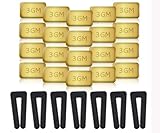
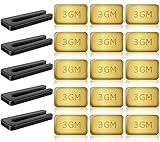
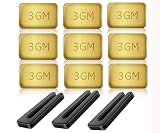
Before purchasing a kit, check the types of parts included in the package. A reliable kit should contain several flexible plastic balancing clips alongside self-adhesive metal counterweights. Look for kits that supply both 3-gram and 5-gram weights. Having both sizes gives you much finer control over the balancing process. A small 3-gram weight is often all you need to calm a slight flutter on an indoor bedroom fan, such as a best white ceiling fan with light for bedroom setup, while heavier 5-gram weights help balance large living room blades or outdoor patio models.
Make sure the plastic clips feature a slightly flared opening. Flared clips slide easily over composite, solid wood, or plastic blades without scratching the decorative finish or denting the blade edge. Avoid using improvised household fixes such as taping coins, steel washers, or refrigerator magnets to your blades. Household tape dries out quickly under constant airflow, and a flying metal coin can cause serious eye injuries or crack expensive furniture.

- LFR Score8.9
LFR Score is a ranking system developed by lightfansreviews.com. LFR Score has no relationship or impact from any manufacturers or sales agent websites. Learn more
- BrandFibraze

- LFR Score7.3
LFR Score is a ranking system developed by lightfansreviews.com. LFR Score has no relationship or impact from any manufacturers or sales agent websites. Learn more
- BrandNewday

- LFR Score8.0
LFR Score is a ranking system developed by lightfansreviews.com. LFR Score has no relationship or impact from any manufacturers or sales agent websites. Learn more
- BrandPHITUODA
- LFR Score8.8
LFR Score is a ranking system developed by lightfansreviews.com. LFR Score has no relationship or impact from any manufacturers or sales agent websites. Learn more
- BrandHFYHWT

- LFR Score9.2
LFR Score is a ranking system developed by lightfansreviews.com. LFR Score has no relationship or impact from any manufacturers or sales agent websites. Learn more
- BrandHFYHWT

- LFR Score7.3
LFR Score is a ranking system developed by lightfansreviews.com. LFR Score has no relationship or impact from any manufacturers or sales agent websites. Learn more
- BrandPATIKIL

- LFR Score7.2
LFR Score is a ranking system developed by lightfansreviews.com. LFR Score has no relationship or impact from any manufacturers or sales agent websites. Learn more
- BrandKALIONE

- LFR Score7.4
LFR Score is a ranking system developed by lightfansreviews.com. LFR Score has no relationship or impact from any manufacturers or sales agent websites. Learn more
- BrandZNBSIXP
- LFR Score8.5
LFR Score is a ranking system developed by lightfansreviews.com. LFR Score has no relationship or impact from any manufacturers or sales agent websites. Learn more
- BrandHFYHWT

- LFR Score8.1
LFR Score is a ranking system developed by lightfansreviews.com. LFR Score has no relationship or impact from any manufacturers or sales agent websites. Learn more
- BrandSUNIYORS

- LFR Score8.6
LFR Score is a ranking system developed by lightfansreviews.com. LFR Score has no relationship or impact from any manufacturers or sales agent websites. Learn more
- BrandAlpurple

- LFR Score8.5
LFR Score is a ranking system developed by lightfansreviews.com. LFR Score has no relationship or impact from any manufacturers or sales agent websites. Learn more
- BrandChedin

- LFR Score8.4
LFR Score is a ranking system developed by lightfansreviews.com. LFR Score has no relationship or impact from any manufacturers or sales agent websites. Learn more
- BrandWHMVPWT
- LFR Score7.3
LFR Score is a ranking system developed by lightfansreviews.com. LFR Score has no relationship or impact from any manufacturers or sales agent websites. Learn more
- BrandHFYHWT

- LFR Score8.0
LFR Score is a ranking system developed by lightfansreviews.com. LFR Score has no relationship or impact from any manufacturers or sales agent websites. Learn more
- BrandOhniyou

- LFR Score9.2
LFR Score is a ranking system developed by lightfansreviews.com. LFR Score has no relationship or impact from any manufacturers or sales agent websites. Learn more
- BrandHunter

- LFR Score9.5
LFR Score is a ranking system developed by lightfansreviews.com. LFR Score has no relationship or impact from any manufacturers or sales agent websites. Learn more
- BrandTweruna
Last update on 2026-10-04 / Affiliate links / Images, Product Titles, and Product Highlights from Amazon Product Advertising API
FAQs
Why did my ceiling fan suddenly start wobbling?
Sudden wobbling is almost always caused by a loose screw or an uneven layer of dust. Over months of rotation, motor vibrations can back out the screws holding the blade arms to the motor. Also, if one blade collects sticky dust or grease while the others do not, that small weight difference creates an immediate shake.
Can a wobbling ceiling fan fall from the ceiling?
A ceiling fan will not fall simply because the blades are out of balance. However, severe long-term wobbling puts repetitive stress on the mounting bracket and ceiling screws. If the fan is mounted to an unapproved plastic lighting box rather than a fan-rated metal junction box, that ongoing vibration can eventually cause the bracket to pull loose.
Should I stick the balance weight on top or on the bottom of the blade?
Always stick the permanent counterweight on the top surface of the blade, running along the center line. Placing it on top hides the metal square from view so your fan looks clean from the floor. Sticking it along the center line also ensures the weight does not pull the front or back edge of the blade out of pitch.
What if my fan still wobbles after using a balancing kit?
If balancing clips and weights fail to stop the shake, check whether the hanging ball at the top of your downrod is locked into the bracket groove. You should also verify that the ceiling junction box is bolted firmly to a joist. If the mount is solid and the blades still wobble, the fan motor shaft itself may be bent, requiring motor replacement.


Best Quiet Ceiling Fan For Bedroom 2026 Ultimate Comfort Picks

Best Ceiling Fan For Master Bedroom 2026 With Ultimate Comfort

Best White Ceiling Fan With Light For Bedroom 2026 Top Picks

Best Quorum Medallion Ceiling Fan 2026 With Style & Breeze

Best Outdoor Fan For Pergola 2026 Comfort Boost

Best Ceiling Fan For Great Room 2026 With Ultimate Comfort

Best Outdoor DC Ceiling Fans 2026 For Breezy Comfort

Best ceiling exhaust bath fan with light and heater 2026




