
How Long Can a Table Fan Run Continuously Safely?

How long can a table fan run continuously sits right at the center of comfort, electricity use, and long-term durability. Plenty of people leave a fan spinning through hot afternoons, sticky nights, or cramped office hours without thinking twice. Then the questions creep in. Will the motor burn out? Can the blades overheat? Is nonstop airflow quietly shortening the fan’s life behind the scenes? Those concerns aren’t random at all. Small design differences inside the motor, ventilation system, and build quality can completely change how a fan handles extended operation.
Cheap motors tend to struggle during nonstop use, especially in dusty rooms or humid conditions. Heat builds gradually, and before long the housing feels warmer than usual. That’s usually the first warning sign people ignore. A well-built unit, though, can keep running for long stretches with stable airflow and fewer mechanical hiccups. Motor efficiency, blade balance, and internal cooling all play a role in keeping things smooth instead of noisy or shaky.
Air circulation habits also matter more than most expect. Fans shoved into corners or pressed against walls trap heat around the motor housing. Poor airflow around the back grill reduces cooling efficiency, which quietly stresses internal components. A little breathing room changes everything. Positioning a fan properly often helps it last longer than constantly cranking it at the highest speed in a cramped spot.
Dust causes another headache people rarely notice until performance drops. Tiny particles settle around the motor vents and blades, making the unit work harder to maintain airflow. Then comes the rattling, slower spinning, or that burnt smell nobody wants floating around the room. Regular cleaning helps prevent unnecessary strain while maintaining stronger airflow consistency. Even a quick wipe-down every few weeks can reduce stress on moving parts.
Temperature conditions shape performance too. Running a fan during extreme summer heat naturally pushes the motor harder than mild indoor conditions. Some table fans include thermal protection systems that shut the unit off automatically if temperatures spike too high. Others don’t. That’s why older or bargain models sometimes fail faster during heat waves while sturdier units keep humming along without drama.
Noise changes can reveal a lot about fan health. Clicking sounds, vibration, or uneven spinning usually point toward worn bearings or loose blades. Ignoring those issues can shorten operational lifespan fast. Meanwhile, a stable fan with balanced movement and proper airflow often handles overnight or all-day use far better than expected. Continuous operation depends less on luck and more on maintenance habits, motor quality, and realistic speed settings.
Energy costs sneak into the conversation as well. Leaving a table fan running nonstop generally uses far less electricity than air conditioning, but inefficient models can still waste power over time. Fans with optimized airflow designs move more air without demanding extra energy from the motor. That balance between cooling comfort and operating efficiency matters, especially during long stretches of warm weather.

- LFR Score9.2
LFR Score is a ranking system developed by lightfansreviews.com. LFR Score has no relationship or impact from any manufacturers or sales agent websites. Learn more
- BrandHoneywell

- LFR Score9.2
LFR Score is a ranking system developed by lightfansreviews.com. LFR Score has no relationship or impact from any manufacturers or sales agent websites. Learn more
- BrandGaiatop

- LFR Score9.2
LFR Score is a ranking system developed by lightfansreviews.com. LFR Score has no relationship or impact from any manufacturers or sales agent websites. Learn more
- BrandDREO

- LFR Score9.0
LFR Score is a ranking system developed by lightfansreviews.com. LFR Score has no relationship or impact from any manufacturers or sales agent websites. Learn more
- BrandDR.PREPARE

- LFR Score9.0
LFR Score is a ranking system developed by lightfansreviews.com. LFR Score has no relationship or impact from any manufacturers or sales agent websites. Learn more
- BrandWSKEN

- LFR Score9.0
LFR Score is a ranking system developed by lightfansreviews.com. LFR Score has no relationship or impact from any manufacturers or sales agent websites. Learn more
- BrandAVV
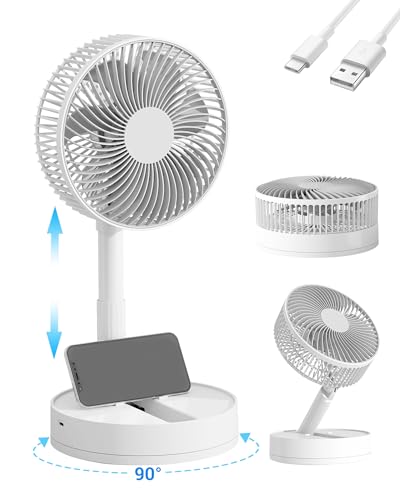
- LFR Score8.8
LFR Score is a ranking system developed by lightfansreviews.com. LFR Score has no relationship or impact from any manufacturers or sales agent websites. Learn more
- BrandKASYDoFF

- LFR Score8.8
LFR Score is a ranking system developed by lightfansreviews.com. LFR Score has no relationship or impact from any manufacturers or sales agent websites. Learn more
- BrandWESTTREE
Last update on 2026-06-01 / Affiliate links / Images, Product Titles, and Product Highlights from Amazon Product Advertising API
How Long Can A Table Fan Run Continuously At Home
Heat has a funny way of turning a calm room into a sticky little problem by lunchtime. A table fan feels like the easy fix, especially during long work sessions, overnight sleep, or crowded rooms where air just sits there doing nothing. The question of how long can a table fan run continuously usually pops up after the motor feels warm, the sound changes, or someone wonders if leaving it on all day is asking for trouble. A fan can often run for many hours, but motor quality, airflow clearance, cleaning habits, and room temperature decide whether that long run stays safe or slowly wears the fan down.
Safe Runtime Depends On The Motor
Motor design decides more than most people think. A sturdy table fan with decent internal ventilation can handle long stretches without acting dramatic. Cheaper fans may still run for hours, sure, but their smaller motors can build heat faster. That’s where continuous use starts turning from harmless comfort into slow wear.
Most table fans are built for regular household use, not industrial nonstop duty. That doesn’t mean they need constant breaks every few minutes. It means the fan should stay cool enough, stable enough, and clean enough while running. A fan that smells hot, buzzes oddly, or slows down needs attention because heat stress is already knocking at the door.
A practical answer is this: many table fans can run overnight or through a workday if they’re in good condition. The safer range depends on the fan’s build, speed setting, and surrounding airflow. Running at low or medium speed usually creates less heat than max speed all day. That simple choice can protect bearings, wiring, and the motor housing from extra strain.
Older fans deserve a little suspicion. Dusty vents, stiff blades, and loose guards make the motor work harder than it should. A newer fan with smoother rotation may tolerate longer sessions, while an aging unit may grumble after a few hours. That’s not bad luck; that’s mechanical wear showing up in plain sight.
Heat Buildup Is The Real Warning Sign
Heat buildup is the main reason nonstop fan use gets risky. A mildly warm motor housing is common during operation, especially on hot days. A housing that feels uncomfortably hot is a different story. That kind of warmth suggests the fan isn’t shedding heat properly, and the motor may be pushing past its comfort zone.
Room temperature makes a big difference. A fan running in a cool bedroom has an easier job than one running beside a sunny window in a stuffy kitchen. Hot air around the fan reduces the motor’s ability to cool itself. That’s why placement matters almost as much as the fan’s wattage or speed.
Blocked airflow can turn a normal fan into a stressed-out little machine. Curtains, papers, walls, and furniture placed too close to the rear grille can trap heat near the motor. Give the fan open space behind it and in front of it. That little gap helps air circulation and keeps the internal parts from baking quietly.
A burning smell should never be brushed off. Plastic, dust, and overheated wiring can all create unpleasant odors, and none of them are worth ignoring. Turn the fan off, unplug it, and let it cool before checking for dust or damage. For a separate household fix, keep appliance maintenance simple and learn safe cover handling through remove refrigerator light bulb cover before dealing with fragile plastic parts around older home devices.
Speed Settings Change Long Run Safety
Fan speed affects heat, noise, power use, and long-term wear. Max speed feels satisfying during a sweaty afternoon, but it also asks the motor to work harder. Medium speed often gives enough airflow without pushing the fan to its limit. That balance matters during continuous operation.
Low speed can be useful overnight because it reduces noise and mechanical stress. The airflow may feel gentler, but it keeps the room from feeling stale. For sleeping, that softer breeze is often more comfortable anyway. A fan doesn’t need to roar like a leaf blower to be useful.
High speed makes sense for short bursts. Use it to cool a room quickly, dry a damp corner, or move air after cooking. Then drop the setting once the room feels better. This habit protects motor durability without forcing anyone to give up comfort.
Speed changes also reveal problems. A fan that runs smoothly on low but rattles on high may have loose blades, an uneven base, or worn bearings. Those symptoms get worse with longer runtime. Fixing small issues early helps avoid unnecessary strain and annoying noise later.
Dust Makes A Fan Work Harder
Dust buildup is sneaky. It gathers on blades, grille openings, motor vents, and the rear housing little by little. At first, the fan still spins, so nothing feels urgent. Then airflow weakens, noise rises, and the motor starts working harder for the same result.
Dirty blades don’t move air as cleanly. Dust changes the blade surface and can throw off balance, especially on small lightweight fans. That imbalance may create vibration, which stresses the motor shaft and bearings. Keeping blades clean protects airflow performance and reduces that irritating wobble.
Motor vents need attention too. A soft brush, dry cloth, or careful vacuuming around the grille can remove loose debris without forcing dust deeper inside. Unplug the fan first, always. That one habit keeps cleaning safer and prevents accidental starts while fingers are near moving parts.
A fan used daily may need cleaning every few weeks, especially in rooms with pets, open windows, or cooking residue. Dusty environments shorten the comfort window for nonstop use because blocked vents trap heat faster. Outdoor events create the same issue in a different way, so compare airflow portability before busy outings with best portable fan concert if small fan stamina matters away from home.
Overnight Use Needs A Safer Setup
Overnight fan use is common, and it can be reasonable with the right setup. The fan should sit on a stable surface where it can’t tip, slide, or pull on the cord. A wobbly table near blankets, curtains, or loose papers is asking for chaos. Safe placement keeps airflow useful without creating a mess while everyone sleeps.
Distance matters during sleep. Direct airflow on the face all night can dry out eyes, throat, or skin for some people. Angling the fan slightly away gives the room circulation without blasting one spot nonstop. That small adjustment makes comfort and safety work together instead of fighting each other.
A timer is worth using if the fan has one. Letting it run for part of the night may be enough once the room cools down. Fans without timers can still be used, but a smart plug or outlet timer can help control runtime. Just make sure any plug device matches the fan’s electrical load and isn’t overloaded.
Noise during overnight use can reveal trouble fast. A smooth hum is normal, but grinding, clicking, or pulsing sounds suggest something is off. Don’t sleep through a fan that suddenly sounds different. Strange sound plus long runtime often points to bearing wear, loose parts, or a motor fighting friction.
Electricity Use Is Lower Than Cooling Appliances
Table fan power use is usually modest compared with larger cooling appliances. Many small household fans use far less electricity than an air conditioner, though exact use depends on wattage and speed. That’s why fans are often used for long sessions during warm seasons. Still, low power doesn’t mean zero cost or zero wear.
Running a fan continuously adds up over days and weeks. A fan using more power on high speed costs more than the same fan running on medium. The difference may not shock the bill overnight, but habits pile up quietly. Smart use means matching speed to the room instead of leaving max power on by default.
Air movement can also help air conditioning feel more effective. A table fan can push cooled air across a room, reducing hot spots and making a higher thermostat setting feel more comfortable. That can be useful in bedrooms, small offices, and tight apartments. For larger sleeping spaces, compare broader air movement through best ceiling fans bedroom before relying only on a small table fan.
Energy efficiency isn’t only about watts. A fan with poor blade design may use electricity while moving disappointing amounts of air. A cleaner, better-positioned fan often feels stronger without changing the motor at all. That’s the quiet win: better airflow from smarter use, not just more power.
Warning Signs You Should Not Ignore
Warning signs usually show up before a fan fails completely. A hot smell, louder motor, slower blade start, or visible sparking means the fan should be unplugged. Don’t keep testing it out of curiosity. Small electrical problems can become serious if the fan keeps running continuously.
Vibration is another clue. A little movement may happen on lightweight fans, but shaking across a desk is not normal. Loose blades, bent guards, and worn bushings can all cause imbalance. Left alone, that shaking increases mechanical stress and makes long runtime less safe.
Slow startup deserves attention too. A healthy fan should begin spinning without needing a push. If the blades hesitate, hum, or need help moving, the motor may be struggling. That symptom often points to friction, dust buildup, or failing internal parts.
Power cords should stay cool and flexible. Cracked insulation, warm plugs, or loose outlet connections are bigger issues than fan comfort. Replace damaged cords or stop using the unit if wiring looks unsafe. Continuous operation only makes sense when the entire setup, not just the fan head, is in good shape.
How Long Can A Table Fan Stay On Without Overheating
People usually trust a table fan until the airflow weakens right in the middle of a brutal night. That little shift in sound or performance can make anyone wonder if the fan has been running far too long. The bigger concern behind how long can a table fan stay on without overheating isn’t just comfort. It’s the balance between motor temperature, air circulation, electrical safety, and daily wear that quietly builds over time.
Room Conditions Affect Fan Runtime
Room temperature changes how hard a table fan has to work. A fan sitting in a shaded bedroom with decent airflow usually stays cooler than one trapped inside a humid kitchen or sunlit office. Hot rooms push warm air through the motor constantly, and that heat doesn’t disappear easily. The fan may still spin normally, but the internal components often carry more stress than people realize.
Humidity creates another layer of trouble. Damp air can settle around internal wiring and metal components over long periods, especially in older fans. That doesn’t mean every humid room destroys fans overnight, but nonstop use in sticky environments can shorten motor lifespan gradually. Dust mixed with moisture also sticks more aggressively to fan blades and vents.
Small spaces trap heat fast. A table fan squeezed between furniture or pushed into a crowded corner struggles to release warm air from the motor housing. Leaving several inches of open space around the rear grille helps maintain steady airflow and lowers the chance of overheating during long sessions.
Outdoor heat drifting indoors can make cooling feel impossible during summer evenings. Some people switch to larger airflow systems instead of forcing a small fan to work nonstop at max speed every day. For broader cooling coverage and easier remote control during warmer months, explore best pedestal fan remote setups that handle larger spaces with less strain.
Cheap Fans Usually Show Stress Faster
Budget table fans often rely on lighter motors, thinner wiring, and simpler cooling systems. They may run fine for casual use, but nonstop operation can expose weaknesses pretty quickly. A fan that feels stable during short evening use might start rattling after running all weekend. That difference usually comes from internal construction, not just bad luck.
Plastic housings on cheaper models sometimes trap heat more aggressively than sturdier builds with better ventilation slots. Once heat builds inside, the motor works harder to maintain the same blade speed. Then comes the louder humming sound that many people ignore until the fan suddenly shuts off. Noise changes are often early warnings instead of harmless quirks.
Blade balance matters too. Uneven blades create extra vibration, especially at high speed. Over time, that vibration stresses screws, bearings, and motor mounts. A shaky fan may still cool the room, but it’s quietly wearing itself down faster during continuous operation.
Electrical smell is another issue tied to low-cost units. A faint burnt odor around the plug or housing should never be dismissed. Heat combined with nonstop use can damage internal insulation if airflow and cooling aren’t sufficient. Turning the fan off early can prevent much larger problems later.
Cleaning Habits Change Fan Lifespan
Dust removal sounds boring until airflow drops by half and the motor starts sounding tired. Table fans pull air constantly, so they collect dust faster than many people expect. That buildup sticks to the grille, blades, and motor vents little by little. Then the fan has to push harder just to move the same amount of air.
Dirty blades reduce airflow efficiency. Even a thin layer of dust changes blade balance and increases drag during rotation. The motor compensates by working harder, which creates extra heat during long runtime. Keeping the blades clean helps maintain smoother airflow and quieter operation.
People often forget the rear grille entirely. That area matters because the motor pulls cooling air through it constantly. A clogged rear vent traps heat near the motor housing, especially during overnight use. Simple cleaning with a soft brush or vacuum attachment can improve cooling performance more than expected.
Fans placed near cooking areas need extra attention. Grease particles from kitchens stick to dust and create stubborn buildup that blocks ventilation faster. Regular cleaning helps the motor breathe properly instead of cooking itself slowly behind a layer of grime.
Extension Cords Can Create Hidden Risks
Power connections matter more than most people think. A table fan plugged directly into a solid wall outlet usually performs more safely than one attached to an overloaded extension cord. Thin or damaged cords can heat up during long operation, especially if several devices share the same strip.
Loose plugs are another overlooked problem. If the plug wiggles inside the outlet or feels warm after hours of use, something isn’t right. Heat near the plug often signals poor electrical contact, which increases resistance and creates extra warmth. That combination becomes riskier during overnight fan use.
Cheap multi-outlet adapters create problems too. Fans may not use massive power individually, but combining several devices on one overloaded strip increases strain on the outlet. Stable power flow helps maintain motor efficiency and reduces unnecessary electrical stress.
Cord placement also matters around beds, desks, and walkways. Tight bends or cords trapped under furniture can wear down insulation over time. A clean setup with open airflow and stable wiring supports safer long-duration operation without hidden pressure points.
Continuous Use Is Easier With Better Airflow Strategy
Air circulation strategy changes how effective a table fan feels during long use. A fan aimed directly at one person all day may create temporary comfort, but it doesn’t always improve overall room airflow. Angling the fan slightly upward or across the room often spreads cool air more evenly.
Cross-ventilation helps more than raw speed. Open windows on opposite sides of a room can help stale air escape while the fan pulls fresher air inward. That setup reduces pressure on the fan because the room itself moves air naturally. The motor doesn’t need to fight stagnant heat alone.
Ceiling fans can also reduce workload on smaller table fans. Instead of forcing one compact fan to handle everything, layered airflow spreads cooling more effectively. Outdoor spaces deal with similar airflow frustrations during warmer months, especially near patios and porches. For larger open-air cooling ideas with added pest control benefits, compare outdoor ceiling fans keep bugs away options that improve circulation beyond a small desk fan.
Fan direction matters during sleep too. Constant airflow directly against the body can feel uncomfortable after several hours. Slight adjustments often create better comfort while letting the fan operate more efficiently. Small positioning changes can improve cooling comfort without forcing the motor into nonstop high-speed operation.
Older Fans Need More Frequent Checks
Aging fans can still work surprisingly well, but they deserve more attention during extended use. Bearings dry out over time, screws loosen, and dust finds its way into tiny internal spaces. A fan that handled nonstop operation years ago may not tolerate the same workload today.
Listen closely to startup sounds. A healthy fan should begin spinning quickly without hesitation or grinding noises. Delayed startup often points toward motor friction or worn internal parts. That issue usually becomes worse during continuous runtime.
Oscillation mechanisms can wear down too. Fans that click loudly while turning side to side may have loose gears or worn pivot parts. Constant oscillation adds mechanical stress during long sessions, especially on older plastic-bodied models. Sometimes disabling oscillation temporarily can reduce strain.
Visual inspection matters more than people think. Cracked blades, bent grilles, and loose bases increase instability during long use. Small physical issues may seem harmless at first, but nonstop vibration gradually magnifies them into bigger mechanical problems.
Thermal Protection Helps But Has Limits
Thermal protection systems exist in many modern fans, but they aren’t magical shields against every problem. Some fans shut off automatically if the motor overheats, which helps prevent severe damage. Still, repeated overheating cycles can shorten the fan’s life over time. Automatic shutoff protects against disaster, not wear.
People sometimes assume a thermal cutoff means the fan can run forever without maintenance. Dust, blocked airflow, or damaged bearings still create long-term strain even if the safety system activates properly. A protected fan still needs cleaning and reasonable use habits to maintain motor reliability.
Fans without thermal protection deserve extra caution during overnight or all-day use. If the housing feels excessively hot or airflow weakens noticeably, giving the unit a cooldown break is smart. Short pauses can reduce heat buildup and extend overall lifespan.
Continuous operation becomes much safer when airflow, maintenance, electrical setup, and room conditions work together. Most table fans can handle long sessions reasonably well, but pushing a neglected fan nonstop through extreme heat eventually catches up with it. Cooler airflow, cleaner vents, and realistic speed settings usually matter more than raw runtime numbers alone.


Best Small Flush Mount Ceiling Fans 2026 Ultimate Picks

Best Smart Ceiling Fan India 2026 For Effortless Comfort

Best Smart Ceiling Fans with Lights for 2026: Top Picks

Best Smart Home Non Ceiling Fans 2026 For Ultimate Comfort

Best Outdoor Misting Ceiling Fan 2026 For Ultimate Comfort

Best Outdoor Ceiling Fans For Porch 2026 With Style And Breeze

Best Smart Bulb For Ceiling Fan 2026 That Brightens Life

Best Smart Ceiling Fan Control 2026 For Effortless Comfort






