
How Many Watts Does a Table Fan Use at Home?

How many watts does a table fan use sounds like a simple question, yet it pops up fast once the electric bill starts creeping higher during warmer months. Plenty of people leave a fan running all night, shift it from room to room, or keep it blasting through long workdays without realizing how much energy it quietly pulls. Small appliances often fly under the radar, but over time, even a modest wattage can shape monthly electricity costs more than expected. That’s where understanding actual fan power use starts paying off.
Most table fans land somewhere between 25 to 75 watts, though the final number depends on blade size, motor efficiency, speed settings, and airflow strength. Compact desk fans usually sip less electricity, while larger oscillating models with stronger motors naturally pull more power. Still, compared to air conditioners, table fans remain one of the cheaper ways to stay comfortable indoors. That tradeoff matters a lot during humid nights when cooling the whole house feels excessive.
Energy efficiency doesn’t always mean sacrificing airflow either. Some newer models use DC motors that consume noticeably less electricity while staying surprisingly quiet. Older fans, meanwhile, may keep spinning reliably but waste extra power due to worn motors or outdated components. Little details like dust buildup, loose bearings, or constantly running maximum speed can also nudge energy use upward without people noticing right away. Funny how a layer of dust can quietly chip away at efficiency, huh?
Table fan wattage also affects portable power stations, backup batteries, and camping setups more than many expect. A lower wattage fan can run far longer during outages or off-grid trips, which becomes a huge advantage during hot evenings. Lightweight cooling with reasonable energy draw often beats hauling bulky equipment around. That balance between airflow and power consumption tends to matter more than raw speed alone.
Daily comfort plays a role too. Some fans create sharp, concentrated airflow that cools quickly but may feel harsh after hours of use. Others spread softer circulation across a room while using similar wattage levels. Paying attention to blade design, oscillation patterns, and airflow coverage helps narrow down what actually works in real-life spaces instead of relying on flashy packaging claims.
Then there’s the noise factor. High-powered fans sometimes generate a constant hum that becomes irritating during sleep or focused work sessions. Lower wattage models often stay quieter, though airflow may feel gentler. Striking the right balance between cooling strength, noise, and energy use can save plenty of frustration later. Nobody wants a fan that sounds like a small engine rattling beside the bed at 2 a.m.
Electricity usage becomes easier to estimate once wattage is clear. Running a 50-watt fan for several hours daily generally costs far less than central cooling systems, making table fans appealing for bedrooms, offices, apartments, and small living spaces. A few simple adjustments, like lowering fan speed overnight or cleaning blades regularly, can stretch efficiency even further without sacrificing comfort. Small changes really do stack up over time.

- LFR Score9.2
LFR Score is a ranking system developed by lightfansreviews.com. LFR Score has no relationship or impact from any manufacturers or sales agent websites. Learn more
- BrandHoneywell

- LFR Score9.2
LFR Score is a ranking system developed by lightfansreviews.com. LFR Score has no relationship or impact from any manufacturers or sales agent websites. Learn more
- BrandGaiatop

- LFR Score9.2
LFR Score is a ranking system developed by lightfansreviews.com. LFR Score has no relationship or impact from any manufacturers or sales agent websites. Learn more
- BrandGaiatop

- LFR Score9.2
LFR Score is a ranking system developed by lightfansreviews.com. LFR Score has no relationship or impact from any manufacturers or sales agent websites. Learn more
- BrandGaiatop

- LFR Score9.0
LFR Score is a ranking system developed by lightfansreviews.com. LFR Score has no relationship or impact from any manufacturers or sales agent websites. Learn more
- BrandDR.PREPARE
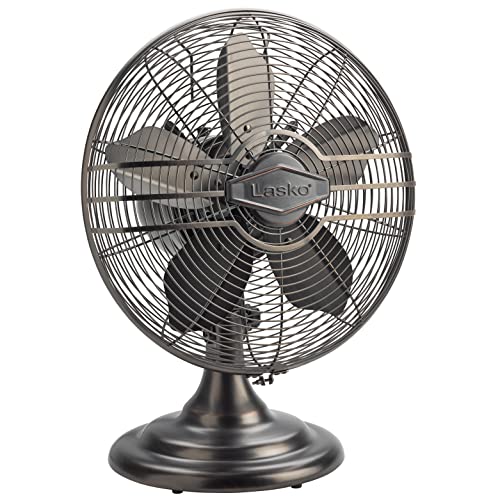
- LFR Score9.0
LFR Score is a ranking system developed by lightfansreviews.com. LFR Score has no relationship or impact from any manufacturers or sales agent websites. Learn more
- BrandLasko

- LFR Score8.6
LFR Score is a ranking system developed by lightfansreviews.com. LFR Score has no relationship or impact from any manufacturers or sales agent websites. Learn more
- BrandComfort Zone

- LFR Score8.6
LFR Score is a ranking system developed by lightfansreviews.com. LFR Score has no relationship or impact from any manufacturers or sales agent websites. Learn more
- BrandAmazon Basics
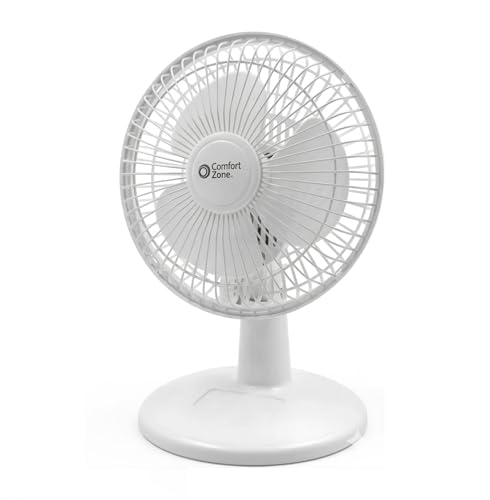
- LFR Score8.2
LFR Score is a ranking system developed by lightfansreviews.com. LFR Score has no relationship or impact from any manufacturers or sales agent websites. Learn more
- BrandComfort Zone
Last update on 2026-06-01 / Affiliate links / Images, Product Titles, and Product Highlights from Amazon Product Advertising API
How Many Watts Does a Table Fan Use
That little fan on the desk can feel harmless until it runs through every hot afternoon, every sticky night, and every work-from-home marathon. The real question, how many watts does a table fan use, matters because comfort should not sneak up on the power bill. A typical table fan often uses around 25 to 75 watts, depending on size, speed, motor type, and how hard it pushes air across the room. Bigger blades, louder motors, and high-speed settings usually mean higher electricity use, while compact fans and newer DC-motor designs tend to sip power more gently.
Table Fan Wattage Basics
A table fan usually pulls far less electricity than an air conditioner, but that does not make its usage invisible. A small desk fan may use about 20 to 35 watts, while a medium table fan can sit closer to 40 to 60 watts. Larger oscillating models may climb toward 75 watts or a bit more on the highest speed. That range is why checking the label on the fan body or plug matters more than guessing.
The watt rating tells you how much electrical power the fan draws while running. A 50-watt table fan uses 50 watt-hours if it runs for one hour, which equals 0.05 kilowatt-hours. Leave it on for ten hours, and it uses about 0.5 kilowatt-hours. That is still modest, but daily use turns small numbers into something worth noticing.
Speed settings change the story. Low speed often uses much less power than high speed because the motor does not have to work as hard. A fan that feels noisy and aggressive on full blast may also be pulling noticeably more electricity. Choosing medium speed can be the sweet spot for comfort, sound, and energy use.
Motor design plays a big role too. Basic AC motors are common, durable, and affordable, though they may waste more energy than newer designs. DC motors often use less wattage and give smoother speed control, but they can cost more upfront. That tradeoff is worth weighing if the fan runs every day for long stretches.
Why Your Fan Uses More Power
A dusty fan works harder than a clean one. Dust on the blades changes airflow, adds drag, and makes the motor push against extra resistance. That means reduced efficiency, more noise, and weaker cooling from the same wattage. A quick wipe can feel boring, sure, but it helps the fan move air without wasting effort.
Blade size also affects power draw. Bigger blades move more air, but they need a stronger motor to keep spinning at useful speeds. A compact desk fan might be fine beside a laptop, while a large table fan suits a bedroom or living room corner better. The trick is matching fan size to the space instead of buying more power than the room needs.
Oscillation can add a small amount of extra energy use, though the bigger benefit is better air distribution. A fixed fan cools one narrow zone, while an oscillating fan spreads airflow across a wider area. That wider movement can let you lower the speed and still feel comfortable. In practice, better air placement often matters more than raw wattage.
Old fans can become power-hungry in sneaky ways. Worn bearings, loose parts, weak capacitors, and tired motors may cause rough starts or uneven spinning. A fan that rattles, smells hot, or struggles to reach full speed deserves attention. Safety aside, an aging motor may turn electricity into heat and noise instead of useful airflow.
How To Estimate Daily Cost
Electricity cost is easier to estimate than it looks. Multiply the fan’s watts by the hours used, then divide by 1,000 to get kilowatt-hours. A 50-watt fan running for eight hours uses 0.4 kilowatt-hours. Multiply that by your local electricity rate, and you have a close daily cost.
A fan running all night can still be cheap compared with air conditioning. For example, a 50-watt fan used for eight hours consumes less than half a kilowatt-hour. An air conditioner may use hundreds or thousands of watts, depending on size and settings. That is why table fans remain a smart tool for spot cooling instead of cooling the whole house.
Lighting comparisons help make wattage feel less abstract. Older bulbs and decorative bulbs can vary widely in energy use, so it helps to compare household items side by side. For a quick lighting reference, compare bulb styles with filament light bulb basics before assuming every small device uses the same amount of power. A fan motor and a bulb do different jobs, but both affect the same monthly bill.
Daily habits matter more than one short session. A fan used for thirty minutes barely moves the needle, but a fan running every day for months deserves a closer look. Timers, lower speeds, and better placement can trim energy waste without making the room stuffy. Small tweaks are not glamorous, but they work.
Speed Settings And Real Comfort
High speed feels satisfying at first, especially after stepping into a hot room. The problem is that maximum speed can create sharp airflow, extra noise, and higher wattage. Medium speed often gives enough cooling once air starts circulating. That balance between comfort and power use is where many people save energy without feeling deprived.
Low speed works best during sleep, mild weather, or close-range use. A fan placed near the bed or desk does not need to blast across the entire room. Softer airflow can reduce dry eyes, paper clutter, and that annoying wind-in-your-face feeling. For long sessions, steady low-speed airflow is usually easier to live with.
Room layout can make a low-watt fan feel stronger. Aim the fan across the room instead of straight into a wall, and keep curtains or furniture from blocking airflow. Placing the fan near a doorway can also help move warmer air out and pull cooler air in. Good positioning can make a lower wattage fan feel more effective than a stronger fan placed badly.
Heat from lights, appliances, and direct sun can change how hard a fan needs to work. A vanity area with bright bulbs may feel warmer than expected, especially in a small room with poor airflow. To reduce heat around grooming spaces, compare light bulbs for applying makeup and pair cooler lighting with gentle fan circulation. Less heat in the room means the fan does not have to fight an uphill battle.
Table Fan Vs Bigger Cooling Options
A table fan cools people, not the room itself. It moves air across skin, which helps sweat evaporate and makes the body feel cooler. That is a different job from an air conditioner, which lowers room temperature. This difference explains why fan wattage stays low while still delivering useful comfort.
Ceiling fans move more air across larger spaces, but they are not always the right fit. A small bedroom, desk corner, rental room, or dorm setup may not need a ceiling fixture. Table fans win on portability, simple setup, and direct airflow. Bigger rooms may call for stronger circulation, so compare airflow needs with ceiling fan for great room ideas before relying on a small fan alone.
Air conditioners solve heavier heat problems, but they cost more to run. A table fan can make an air-conditioned room feel cooler at a higher thermostat setting. That means the AC does less work while the fan handles close-range comfort. Pairing both can reduce cooling strain without turning the room into an icebox.
Portable evaporative coolers, tower fans, and pedestal fans sit somewhere in the middle. Some move more air than table fans, though they may use more space and electricity. A table fan stays practical because it is easy to move, clean, store, and aim. For daily spot cooling, simple airflow control often beats bulky equipment.
Buying A Fan Without Wasting Energy
The watt label should be one of the first things you check before buying. A fan with huge airflow claims but no clear wattage information leaves too much guesswork. Look for power rating, speed range, blade size, and motor type before getting pulled in by shiny packaging. A realistic watt rating tells you more than vague cooling promises.
Noise matters as much as energy use. A low-watt fan that whines, buzzes, or rattles will not feel like a good deal after a few nights. Smooth motor sound, stable base design, and balanced blades make daily use easier. Quiet comfort is a real benefit, especially in bedrooms, offices, and study corners.
Adjustability adds value without necessarily adding much wattage. Tilt control, oscillation, multiple speeds, and a timer help tailor airflow to the moment. A timer is especially helpful for overnight use because the fan does not need to run after the room cools down. That one feature can cut unnecessary runtime with almost no effort.
Cheap fans can be fine for occasional use, but heavy daily use deserves a sturdier build. Thin plastic blades, weak grills, and shaky stands may become annoying fast. A fan that vibrates across the table wastes energy and patience at the same time. Better balance, safer grills, and easier cleaning all support long-term efficiency.
How Many Watts Does A Table Fan Use Overnight
Running a fan while sleeping feels harmless, especially after a hot room finally starts to feel breathable. Still, how many watts does a table fan use overnight depends on the fan’s size, speed, motor type, and how many hours it stays on. A 40-watt table fan running for eight hours uses about 0.32 kilowatt-hours, which is fairly low compared with heavier cooling equipment. The bigger issue is not one night of use, but the habit of leaving the fan on high speed even after the room cools down.
Nighttime Use Without Wasting Power
Sleep comfort has its own little rulebook. A fan that feels great at 9 p.m. can feel chilly or irritating at 3 a.m., especially if it points straight at your face. Lowering the speed before bed helps reduce electricity use, noise, and dry-air discomfort. A timer can handle the rest without forcing anyone to wake up and fiddle with buttons in the dark.
Fan placement matters more at night because the body stays still for hours. A side angle usually feels better than a direct blast, since it moves air around the room without turning sleep into a wind tunnel. That softer airflow can keep the space comfortable while allowing the motor to run on low or medium speed. Lower speed means less wattage and fewer annoying rattles from a tired fan base.
Room temperature changes after sunset, so the fan does not always need the same power all night. A stuffy bedroom may need stronger airflow at first, then gentler circulation later. That is where a timer setting or step-down speed control earns its keep. Small adjustments prevent wasted runtime without making the room feel stale.
Bedrooms with closed doors can trap heat from electronics, lamps, and body warmth. A fan works better if warm air has somewhere to go, even through a cracked door or nearby window. Better circulation lets a modest fan feel stronger without raising wattage. The goal is smarter airflow, not just louder airflow.
Energy Use In Small Rooms And Apartments
Small rooms can make a low-watt fan feel surprisingly effective. A compact table fan using 25 to 40 watts may be enough for a dorm room, rental bedroom, or home office corner. Oversized fans in tight spaces often create too much noise and turbulence without adding much comfort. Matching fan output to room size keeps cooling efficient and easier to live with.
Apartment living adds a few wrinkles. Thin walls, shared spaces, and limited outlets can make a loud fan feel like a bad roommate. A quieter, lower-watt model may be better than a powerful unit that shakes the desk and hums through the floor. The best fit usually balances airflow, sound level, and footprint.
Lighting can also raise the temperature in small spaces. Bright vanity setups, desk lamps, and decorative fixtures may add heat near the exact spot where comfort matters. For rooms where lighting affects heat and mood, compare high key lighting ideas and keep fan placement away from hot lamp clusters. Cooler room conditions help the fan work with less strain.
Small-space cooling can get tricky because clutter blocks airflow fast. Books, curtains, laundry baskets, and furniture corners can interrupt the fan’s path. Clear a simple air channel across the room, and the same wattage suddenly feels more useful. That tiny layout fix supports better circulation without spending a dime.
Outdoor And Semi-Outdoor Cooling Limits
Table fans can help on patios, balconies, and covered porches, but expectations need to stay realistic. Open air steals airflow quickly, so a small fan may feel weak beyond close range. A stronger fan may use more watts, yet wind direction can still overpower it. Outdoor comfort depends on placement, distance, and shade as much as fan power.
Humidity changes the feel of moving air too. In damp weather, a fan may not cool the body as quickly because sweat evaporates more slowly. Still, steady airflow can reduce that sticky, trapped-air feeling around seating areas. A table fan helps most when it supports personal cooling instead of trying to cool an entire open space.
Outdoor electrical safety should never be shrugged off. Indoor table fans are not built for rain, mist, or exposed wiring situations. Covered areas still need careful outlet placement and dry surfaces. For permanent patio airflow, compare an outdoor ceiling fan with led light instead of forcing an indoor fan into weather it was not designed to handle.
Extension cords can become a weak point outside. Long cords, loose plugs, and overloaded outlets create safety risks and possible voltage drop. A fan that struggles or runs hot outdoors should be unplugged and checked. Safe cooling starts with proper equipment, not wishful thinking.
Maintenance Habits That Cut Waste
A clean fan usually performs better with the same wattage. Dusty blades push less air, and the motor may sound rougher because airflow becomes uneven. Wiping the grill, blades, and base helps restore smooth airflow. It is not glamorous, but it is one of the cheapest energy-saving habits around.
Loose screws and worn parts can turn a normal fan into a noisy little troublemaker. Rattling often means vibration, and vibration wastes motion that should be moving air. Tightening the grill and checking the base can reduce noise and improve stability. A stable fan feels calmer, safer, and more efficient during long use.
Motor vents deserve attention too. Blocked vents trap heat, and heat is rough on small appliance motors. A fan that smells warm, slows down, or starts with a buzz may need repair or replacement. Ignoring those signs can hurt efficiency and create safety concerns.
Storage habits affect fan life more than people expect. Tossing a fan into a dusty closet or damp corner can lead to grime, rust, or stiff moving parts. Covering it lightly during off-season storage keeps debris out of the grill and motor area. Better storage protects performance before the next hot spell hits.
Smart Ways To Lower Fan Electricity Use
Start with the lowest speed that still feels comfortable. That sounds obvious, but many people tap high speed by habit and leave it there for hours. Lower speeds can reduce wattage, noise, and harsh airflow. Comfort does not always need full power.
Use the fan where people actually sit or sleep. Cooling an empty corner wastes electricity even if the fan itself uses little power. Aim airflow at the occupied zone, then let oscillation spread it gently. This kind of targeted cooling works better than blasting air randomly across the room.
Pairing a table fan with natural ventilation can stretch its usefulness. Open a window during cooler hours, place the fan to pull in fresher air, then close the room before outdoor heat climbs again. That rhythm reduces the need for constant high-speed operation. Simple timing can make low-watt cooling feel much more effective.
Timers and smart plugs can prevent accidental all-day runtime. A fan left on after leaving the house may not use much in one afternoon, but repeated mistakes add up. Setting a schedule keeps cooling tied to actual need. Less wasted runtime means lower energy cost without changing daily comfort much.
Common Mistakes That Raise Fan Costs
Using a fan in an empty room is the classic waste move. Fans cool people by moving air across skin, not by lowering room temperature. Leaving one on after everyone leaves does little besides consume electricity. Turning it off preserves energy and extends motor life.
Running a dirty fan on high speed creates another quiet problem. The motor spins harder, the airflow feels weaker, and the sound gets rougher. People often respond by increasing speed, which makes the cycle worse. Cleaning restores air movement before extra wattage becomes the default answer.
Buying the biggest fan for a tiny room can backfire. Strong airflow in a small bedroom may feel annoying, loud, and uneven. A smaller fan with better placement can feel more comfortable while using less power. The right size protects comfort, quiet, and energy use at the same time.
Ignoring heat sources also makes fans seem weaker than they are. Sun through windows, hot bulbs, laptops, and appliances can keep warming the room while the fan tries to compensate. Blocking direct sun and reducing unnecessary heat lets the fan do its job with less strain. Cooling starts with heat control before airflow takes over.
What A Practical Wattage Choice Looks Like
A practical table fan choice starts with the room, not the fanciest feature list. A desk corner may only need 25 to 35 watts, while a larger bedroom may benefit from something closer to 45 to 60 watts. Stronger models can make sense for bigger spaces, but extra power should bring useful airflow, not just more noise. The best match feels comfortable at medium speed instead of needing high speed all day.
Noise tolerance should guide the decision too. A fan near a bed, work desk, or reading chair needs to stay steady and calm. A louder fan might be acceptable in a garage or laundry area, but not beside a pillow. Everyday comfort depends on wattage, sound, and airflow texture working together.
Runtime changes the value equation. A fan used once in a while can be simple and inexpensive, but daily all-night use deserves more attention to motor efficiency and durability. Paying slightly more for lower wattage and better controls may make sense over time. Heavy use rewards reliable build quality more than flashy settings.
The label still gives the clearest answer. Check the watt rating, compare speed options, and think about where the fan will sit before buying or replacing one. A table fan does not need to be powerful to be useful, but it does need to fit the space and routine. That practical match keeps electricity use low while making hot rooms easier to handle.


Best Small Flush Mount Ceiling Fans 2026 Ultimate Picks

Best Smart Ceiling Fan India 2026 For Effortless Comfort

Best Smart Ceiling Fans with Lights for 2026: Top Picks

Best Smart Home Non Ceiling Fans 2026 For Ultimate Comfort

Best Outdoor Misting Ceiling Fan 2026 For Ultimate Comfort

Best Outdoor Ceiling Fans For Porch 2026 With Style And Breeze

Best Smart Bulb For Ceiling Fan 2026 That Brightens Life

Best Smart Ceiling Fan Control 2026 For Effortless Comfort






