
How To Connect Ceiling Fan To Google Home Easily

How To Connect Ceiling Fan To Google Home sounds simple at first glance, yet plenty of setups turn messy fast. One minute the fan responds perfectly, then suddenly the app loses connection, voice commands stop working, or the fan refuses to pair altogether. That kind of back-and-forth frustration can eat up an entire evening. Smart home gear should make life smoother, not leave people standing under a spinning fan muttering at their phones.
Most ceiling fan setups run into the same handful of problems. Older fans often lack native smart support, while newer models sometimes hide compatibility details deep inside tiny instruction booklets. Also, Wi-Fi instability creates headaches nobody sees coming until commands lag or fail completely. Google Home integration works best when the right smart controller, hub, or compatible app enters the picture from the start instead of halfway through troubleshooting.
Another thing catches people off guard. Voice control feels exciting for about five minutes, but convenience becomes the real hook afterward. Saying “Hey Google, turn off the fan” while carrying laundry, cooking dinner, or relaxing in bed quickly becomes part of the daily rhythm. Small comforts stack up over time, and honestly, going back to pull chains afterward feels oddly outdated.
Smart ceiling fan control also helps simplify rooms packed with multiple devices. Instead of juggling separate remotes, wall switches, and mobile apps, everything stays organized inside one ecosystem. Schedules, routines, and automation settings reduce constant manual adjustments, especially during hot afternoons or overnight temperature changes. That smooth coordination often matters more than flashy smart features.
Compatibility matters more than people expect. Some fans connect directly through Wi-Fi, while others need a smart bridge or dedicated controller to communicate with Google Home. Skipping that research step leads to endless pairing attempts and confusing error messages. A little preparation upfront saves hours of trial and error later.
Wi-Fi placement can quietly sabotage an otherwise solid setup. Ceiling fans usually sit farther from routers than lamps or speakers, which means weak signal strength becomes a hidden problem. Laggy response times, dropped connections, or partial commands often trace back to network coverage rather than the fan itself. Stronger signal placement or mesh networking can dramatically improve reliability without touching the fan hardware.
Some setups also stumble over outdated firmware. Smart controllers and fan apps frequently release updates that patch bugs, improve stability, and expand voice assistant compatibility. Ignoring those updates can leave features half-working or completely unavailable. Keeping software current prevents many issues people wrongly blame on the fan or Google Home.
How To Connect Ceiling Fan To Google Home becomes much less intimidating once the pieces line up correctly. The process usually boils down to confirming compatibility, connecting the fan app, syncing accounts, and assigning voice commands that actually make sense in daily life. After everything clicks into place, controlling airflow feels effortless instead of technical. Frankly, that seamless experience is what most people wanted from a smart home setup all along.

- LFR Score9.0
LFR Score is a ranking system developed by lightfansreviews.com. LFR Score has no relationship or impact from any manufacturers or sales agent websites. Learn more
- BrandKasa Smart

- LFR Score8.6
LFR Score is a ranking system developed by lightfansreviews.com. LFR Score has no relationship or impact from any manufacturers or sales agent websites. Learn more
- Brand53T

- LFR Score8.4
LFR Score is a ranking system developed by lightfansreviews.com. LFR Score has no relationship or impact from any manufacturers or sales agent websites. Learn more
- BrandAubric

- LFR Score8.2
LFR Score is a ranking system developed by lightfansreviews.com. LFR Score has no relationship or impact from any manufacturers or sales agent websites. Learn more
- BrandHumpptom

- LFR Score8.2
LFR Score is a ranking system developed by lightfansreviews.com. LFR Score has no relationship or impact from any manufacturers or sales agent websites. Learn more
- BrandQIACHIP

- LFR Score8.0
LFR Score is a ranking system developed by lightfansreviews.com. LFR Score has no relationship or impact from any manufacturers or sales agent websites. Learn more
- BrandPrichor
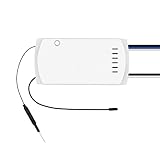
- LFR Score8.0
LFR Score is a ranking system developed by lightfansreviews.com. LFR Score has no relationship or impact from any manufacturers or sales agent websites. Learn more
- BrandSONOFF

- LFR Score7.8
LFR Score is a ranking system developed by lightfansreviews.com. LFR Score has no relationship or impact from any manufacturers or sales agent websites. Learn more
- BrandNexete

- LFR Score7.2
LFR Score is a ranking system developed by lightfansreviews.com. LFR Score has no relationship or impact from any manufacturers or sales agent websites. Learn more
- BrandOnisamt
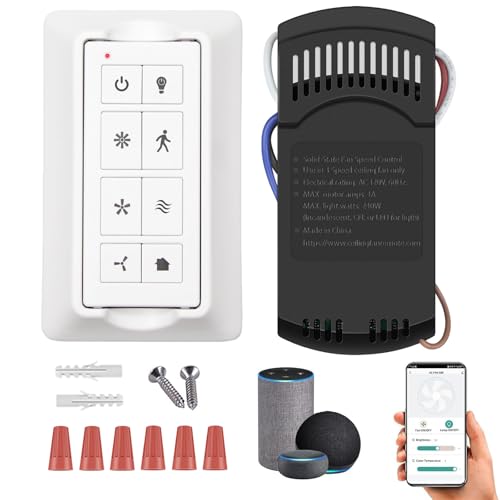
- LFR Score7.0
LFR Score is a ranking system developed by lightfansreviews.com. LFR Score has no relationship or impact from any manufacturers or sales agent websites. Learn more
- BrandCeilingBreeze

- LFR Score7.0
LFR Score is a ranking system developed by lightfansreviews.com. LFR Score has no relationship or impact from any manufacturers or sales agent websites. Learn more
- BrandUBORSY
Last update on 2026-05-19 / Affiliate links / Images, Product Titles, and Product Highlights from Amazon Product Advertising API
How To Connect Ceiling Fan To Google Home
A fan that only works from a pull chain feels painfully outdated once the rest of the room listens to voice commands. The real headache starts when the fan remote, wall switch, Wi-Fi app, and Google Home all seem to speak different languages. That’s exactly why how to connect ceiling fan to google home matters for anyone trying to turn a regular daily habit into something smoother. Done right, voice control, room routines, and hands-free comfort can make the fan feel like it finally belongs in the smart home setup.
Smart Fan Setup Basics
How to connect ceiling fan to google home usually starts with one plain question: does the fan already support smart control, or does it need help from another device? Some modern ceiling fans connect through their own brand app, then sync with Google Home through account linking. Older fans usually need a smart fan switch, smart receiver, or compatible wall controller before Google Assistant can control them. Skip this check, and the setup can turn into a frustrating loop of pairing screens and failed voice commands.
Compatibility matters more than the packaging makes it sound. A fan remote alone doesn’t mean the fan can talk to Google Home, and a basic wall switch may only cut power instead of controlling speed. The cleaner setup is one where the controller handles fan speed, power, and sometimes light control separately. That separation keeps voice commands practical instead of turning the whole fixture on and off like a blunt tool.
Wi-Fi strength also plays a sneaky role. Ceiling fans sit high, often far from the router, and weak signal can make commands lag or fail. A fan that responds once and ignores the next command may not be broken at all. The better fix may be moving the router, adding mesh coverage, or using a controller known for stable 2.4 GHz Wi-Fi support.
Safety deserves a hard pause before anyone opens a switch box or canopy. Turn off power at the breaker, not just the wall switch, because ceiling fan wiring can carry separate lines for the motor and light. A voltage tester is cheap insurance, and hiring an electrician makes sense if wire colors, neutral wires, or old junction boxes look questionable. For nearby lighting projects, compare the access style in open fluorescent light cover before forcing a fixture cover that may use clips, tabs, or hidden fasteners.
Choose The Right Smart Control Method
The easiest path depends on what kind of ceiling fan is already installed. A fan with built-in smart features usually connects through its brand app first, then links to Google Home under “Works with Google.” A regular fan often needs a smart wall control or in-canopy receiver to translate app commands into motor actions. That choice affects cost, installation effort, and how clean the final setup feels.
Smart wall switches are tidy because they replace the existing fan control on the wall. They’re handy for rooms where people still like pressing a physical button instead of talking to Google every time. The tradeoff is wiring. Many smart switches require a neutral wire, and older homes may not have one in the switch box.
In-canopy smart receivers hide above the fan and work well when the wall wiring is basic. They can be useful for rental-style setups where changing the wall switch isn’t ideal, though installation still requires safe access to the fan canopy. Some receivers support only on and off commands, while better ones handle multiple speeds and light dimming. Read the feature list closely, because “smart fan compatible” can mean less than people assume.
Built-in smart ceiling fans reduce extra hardware, but they lock you into the brand’s app quality. A smooth app makes setup feel easy, while a buggy one can make Google Home pairing feel random. The best practical setup gives you reliable app control, clear voice commands, and a manual fallback when Wi-Fi acts up. Smart homes are great, sure, but nobody wants a fan that becomes useless during a router hiccup.
Connect The Fan App To Google Home
Google Home connection usually happens after the fan works inside its own app. That order matters. Pairing the fan directly in Google Home without finishing the brand setup can leave the device missing, duplicated, or stuck offline. The practical move is to confirm the fan responds inside the manufacturer app before bringing Google Home into the picture.
Open the Google Home app, tap the add option, then choose the path for devices that already work with Google. From there, search for the fan brand or controller platform and sign in with the same account used in the fan app. Once linked, Google Home pulls in available devices and lets you assign the fan to a room. That room assignment keeps commands like “Turn on the bedroom fan” natural instead of clunky.
Device naming sounds minor until voice commands start misfiring. A fan named “Master Fan 1” or “Smart Device 03” can confuse everyone in the house. Use clear names like bedroom fan, living room fan, or office fan. Keep the word “fan” in the name so Google Assistant knows what device you mean.
Lighting can complicate the setup if the fan includes a built-in light kit. Some smart controllers create two devices: one for the fan and one for the light. That’s helpful because “turn off the fan” won’t kill the light by accident. For people recording content near a ceiling fixture, upgrade the room’s lighting separately with best light for iphone vlogging so fan shadows and overhead glare don’t ruin the shot.
Voice Commands That Actually Feel Natural
Voice control should feel easy, not like memorizing a script. Simple commands usually work best: “Hey Google, turn on the bedroom fan,” “Set the living room fan to medium,” or “Turn off the fan.” Some systems support speed control by percentage, while others only support preset levels. The difference comes from the smart controller, not Google Home itself.
Fan speed commands can be the first place where people notice limitations. A basic smart plug can only turn power on or off, which is risky for many ceiling fans and usually not the right control method. A proper fan-rated smart switch or receiver can manage speed safely because it’s designed for motor loads. That detail protects both convenience and equipment.
Routines make the setup feel less like a toy and more like a daily comfort tool. A bedtime routine can turn the fan to low, switch off bright lights, and adjust other smart devices in one command. A morning routine can shut the fan off after the room cools down. Google Home routines work best when every device has a clear name and a predictable role.
Shared homes need extra thought. A command that makes sense to one person may sound weird to everyone else. Keep names short, avoid duplicate room labels, and test commands out loud before calling the setup finished. The goal is less friction, not a smart home that only one person knows how to operate.
Fix Pairing Problems Without Losing Your Mind
Pairing issues often come from account mismatches. The fan may be linked to one email in the brand app while Google Home uses another account. That small mismatch can hide the device even though everything looks connected. Signing into the same account across both apps clears up more problems than people expect.
Wi-Fi band confusion is another classic snag. Many smart home devices prefer 2.4 GHz because it reaches farther through walls and ceilings. Phones often sit on 5 GHz, which can make setup feel inconsistent if the router separates the two bands. Temporarily connecting the phone to 2.4 GHz during setup can help the fan controller pair more smoothly.
Resetting the controller should not be the first move, but sometimes it’s the cleanest fix. Before resetting, remove duplicate devices from Google Home and confirm the fan still works in its original app. Then power-cycle the fan controller and router before trying again. A full reset wipes settings, so treat it like a last tool in the drawer, not the hammer for every problem.
Bathroom fans and ceiling fans sometimes get mixed up in smart-home planning, but they solve different comfort problems. A bathroom exhaust fan needs moisture handling, airflow planning, and ceiling fit more than voice speed control. For damp spaces, compare ventilation needs through best bathroom fan for bathment ceiling before treating every overhead fan like the same project.
Best Ways To Use Google Home With Ceiling Fans
Most people don’t get frustrated by the fan itself. The irritation usually starts after the setup supposedly finishes, yet the fan responds half the time, ignores routines, or suddenly drops offline in the middle of the night. That gap between expectation and reality is where smart ceiling fan control either feels genuinely useful or becomes another abandoned app sitting on the phone. A smoother setup depends on stable automation, realistic device limits, and better day-to-day habits around Google Home integration.
Daily Routines That Make Sense
Smart routines become far more useful once they match real household habits instead of random automation ideas copied from social media. A bedroom fan set to medium speed at bedtime feels practical because it solves a comfort problem without extra effort. Then a morning routine can automatically lower the speed or shut the fan off after sunrise. Small adjustments like that reduce the constant back-and-forth of manual controls.
Temperature swings during the night can make a room feel stuffy even with air conditioning running. Pairing the fan with Google Home routines creates more balanced airflow without forcing the AC to work harder than necessary. That matters in rooms with poor ventilation or upper-floor heat buildup. Energy efficiency, better airflow, and less manual adjustment often matter more than flashy smart-home tricks.
Voice shortcuts also help in busy moments. Carrying laundry, cooking dinner, or settling into bed feels less annoying when a quick command changes fan speed instantly. The setup sounds minor on paper, yet daily convenience stacks up quickly over time. A fan that responds consistently becomes part of the room instead of another gadget demanding attention.
Some people still prefer physical remotes nearby even after adding voice control. That’s completely reasonable. Smart control should add convenience, not force one control style onto every situation. For rooms packed with multiple smart gadgets, organizing remotes with best remote control windows ideas can help reduce clutter and keep daily controls from turning chaotic.
Why Ceiling Fan Speed Control Matters
Fan speed control changes the entire experience. A fan stuck at full speed every time it turns on gets annoying fast, especially during cooler evenings or early mornings. Better smart controllers support multiple speed settings, allowing Google Home to adjust airflow naturally instead of treating the fan like a simple light switch. That difference feels huge once routines start running automatically.
Air movement affects comfort more than many people realize. A gentle breeze can make a warm room feel manageable without immediately lowering the thermostat. Then during colder seasons, reversing fan direction can help circulate warm air trapped near the ceiling. Smart controls simplify those seasonal adjustments so they actually happen instead of getting ignored for months.
Cheap smart plugs create problems here because most ceiling fans are not designed for basic plug-style switching. Sudden power cuts may confuse remotes, interrupt speed memory, or create unreliable startup behavior. A dedicated fan-rated controller handles motor loads properly and keeps speed commands stable. That extra reliability matters more long term than shaving a few dollars off the setup.
Noisy operation can also signal underlying issues unrelated to Google Home. Clicking sounds, wobbling blades, or inconsistent speed changes often trace back to loose components or worn mounting hardware. Before blaming the smart setup, inspect the fan itself and compare symptoms through fix clicking ceiling fan troubleshooting steps to avoid chasing the wrong problem.
Better Wi Fi Habits For Stable Control
Wi-Fi reliability quietly decides whether a smart fan setup feels smooth or frustrating. Plenty of fans disconnect simply because the router sits too far away, especially in larger homes or upstairs bedrooms. Weak signal strength creates delayed responses, missing commands, and random offline errors that make the system feel unreliable. Sometimes the smartest upgrade isn’t the fan controller at all. It’s stronger network coverage.
Mesh Wi-Fi systems help eliminate dead zones where smart devices struggle to stay connected. Ceiling fans often sit near corners of the home where signals weaken through walls, ceilings, and appliances. A mesh node placed closer to the room can stabilize the connection dramatically. Stable coverage creates faster voice responses and fewer annoying reconnect cycles.
Router settings also matter more than expected. Many smart devices prefer 2.4 GHz networks because they travel farther than 5 GHz signals. Some routers combine both bands automatically, which can confuse older smart controllers during setup. Separating the bands temporarily can make initial pairing easier and prevent random dropouts afterward.
Firmware updates deserve attention too. Smart fan apps, Google Home integrations, and controllers all receive updates that improve stability or fix compatibility bugs. Ignoring those updates can leave routines partially broken or commands inconsistent. A few minutes spent updating software often saves hours of troubleshooting later.
Common Mistakes During Installation
Rushing installation causes more setup failures than complicated wiring ever does. People often skip reading compatibility details because the packaging sounds straightforward. Then halfway through installation, they realize the smart switch requires a neutral wire or the fan receiver doesn’t support dimming. That mismatch turns a simple upgrade into a long evening of rewiring and confusion.
Another common mistake involves leaving old fan remotes active while adding smart controls. Multiple receivers or overlapping signals can create inconsistent behavior where the fan responds differently depending on which device issued the command. Simplifying the control chain usually creates a much cleaner experience. One reliable control system beats three overlapping ones every time.
Wall switch habits can quietly sabotage smart features. Family members may still flip the physical switch off, cutting power completely to the smart receiver. Then Google Home suddenly reports the fan offline because the controller lost power. Labeling switches or using smart wall controls instead of basic toggles helps avoid this constant confusion.
Ceiling box condition matters too. Older mounting boxes sometimes loosen over time, especially with heavier fans or years of vibration. A shaky mount can create wobbling, clicking, or unstable operation that people mistakenly blame on the smart setup. Solid mounting hardware protects both the fan motor and overall room safety.
Creating A Smarter Bedroom Environment
Bedroom comfort changes noticeably once ceiling fan automation becomes part of a nightly routine. A fan running too fast can dry the air and feel uncomfortable overnight, while weak airflow leaves the room feeling stale. Smart scheduling allows more balanced adjustments without waking up to change settings manually. That subtle convenience becomes surprisingly valuable after a few weeks.
Google Home routines also pair well with sleep-focused lighting setups. Dimming lights while lowering fan speed creates a calmer room transition at night instead of harsh brightness and noisy airflow shifts. Smart homes feel more comfortable when devices cooperate naturally rather than acting independently. Small details shape the atmosphere more than flashy automation scenes.
Noise management matters in bedrooms too. Some fans sound quiet during the day yet become irritating in silent nighttime conditions. Smart speed adjustments can reduce unnecessary motor noise while still circulating enough air to stay comfortable. Lower overnight speeds often create a better balance between airflow and quiet operation.
Seasonal routines help keep the room comfortable without constant manual changes. Summer schedules may run the fan more aggressively during late afternoons, while winter routines can focus on air circulation without making the room feel cold. Flexible automation adapts better to real living patterns instead of forcing one rigid setup all year long.
Keeping Smart Ceiling Fans Reliable Long Term
Routine maintenance keeps smart ceiling fan setups stable far longer than people expect. Dust buildup around blades and motor housings can affect balance, increase noise, and reduce airflow efficiency over time. A quick monthly cleaning helps the fan operate more smoothly and reduces unnecessary strain on the motor. Smart features can’t compensate for neglected hardware.
Loose screws and mounting brackets should also be checked periodically. Ceiling fans vibrate constantly during operation, and tiny shifts can eventually create rattling or wobbling. Catching those issues early prevents more serious wear later. Reliable performance comes from both the smart controller and the physical fan working together properly.
App cleanup matters in larger smart homes. Old duplicate devices, outdated routines, or renamed rooms can clutter Google Home and create confusion during voice commands. Reviewing connected devices every few months helps keep automations organized and easier to manage. Simpler systems tend to stay reliable longer because there are fewer moving parts causing conflicts.
Smart ceiling fan control feels best when it fades into the background instead of demanding constant troubleshooting. Smooth automation, stable Wi-Fi, and practical routines create a setup that supports everyday comfort naturally. A fan that quietly responds at the right moment often feels more valuable than complicated smart gadgets that constantly demand attention.


Best Small Flush Mount Ceiling Fans 2026 Ultimate Picks

Best Smart Ceiling Fan India 2026 For Effortless Comfort

Best Smart Ceiling Fans with Lights for 2026: Top Picks

Best Smart Home Non Ceiling Fans 2026 For Ultimate Comfort

Best Outdoor Misting Ceiling Fan 2026 For Ultimate Comfort

Best Outdoor Ceiling Fans For Porch 2026 With Style And Breeze

Best Smart Bulb For Ceiling Fan 2026 That Brightens Life

Best Smart Ceiling Fan Control 2026 For Effortless Comfort






