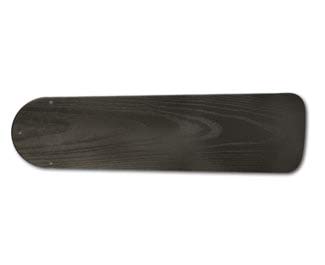
How To Fix A Knocking Ceiling Fan Fast
How To Fix A Knocking Ceiling Fan starts with figuring out what’s actually causing the racket. Loose blade screws, warped blades, wobbling mounts, or a worn-down motor housing can all create that maddening knocking sound that seems louder at night. Some fans click once every few rotations, while others sound like somebody’s tapping a spoon against the ceiling. Either way, the noise usually points to movement where there shouldn’t be any.
A shaky fan doesn’t just ruin the vibe of a quiet room. It can slowly wear down mounting hardware, stress the motor, and make the whole fixture feel unreliable. Tightening screws sounds obvious, sure, but many people overlook hidden fasteners near the canopy or blade brackets. Small alignment issues also build up over time, especially after seasonal humidity changes or long stretches of heavy use. Those tiny shifts often turn a once-silent fan into a constant headache.
Blade balancing plays a bigger role than most people expect. One uneven blade can throw the entire rotation off balance, creating a rhythmic knocking noise that travels through the ceiling box. Balance kits help, but so does checking for dust buildup, warped edges, or cracked blade arms. Funny enough, even a light layer of grime can affect rotation speed and stability. A fan spinning overhead doesn’t need much imbalance before things start sounding rough.
Ceiling height and mounting style matter too. Flush-mounted fans sometimes transfer vibration directly into the ceiling, especially in older homes where junction boxes loosen slightly over the years. Downrod fans may sway more if the rod connection isn’t snug. So, while the sound feels random, there’s usually a practical reason behind it. Pinpointing the location of the knock often cuts troubleshooting time in half.
Motor inspection becomes important once the basic fixes don’t solve the issue. Grinding, knocking, or uneven humming can signal internal wear that simple tightening won’t repair. Some older fans develop bearing problems after years of heat exposure and constant spinning. In those situations, replacing certain parts may cost less frustration than endlessly chasing the noise. Nobody wants to lie awake hearing a repetitive thump every few seconds.
Airflow settings also deserve attention. Reversing direction between seasons changes how the blades push air, and loose components may only knock at certain speeds or directions. Medium speed might sound perfectly fine while high speed suddenly turns noisy. That inconsistency confuses a lot of people because the fan seems “partially fixed.” Still, speed-related noise usually reveals balance or mounting problems hiding underneath.
Routine maintenance keeps ceiling fans quieter for much longer. Dusting blades regularly, checking screws every few months, and inspecting mounts before summer heat kicks in can prevent larger problems later. Fans work hard year-round, especially in warm climates where they barely get a break. A little upkeep now saves a ton of annoyance later, plain and simple.
How To Fix A Knocking Ceiling Fan
A quiet room can feel ruined by one stubborn knock from above. That repeated tap, clunk, or dull bump usually means something in the fan is loose, uneven, or rubbing where it shouldn’t. How to fix a knocking ceiling fan starts with slowing down, listening closely, and checking the parts that take the most movement every day. Small fixes often matter most, because a ceiling fan doesn’t need a dramatic failure to sound dramatic.
Trace The Knock Before Tightening Everything
A knocking fan rarely makes noise for no reason. The sound may come from loose blade brackets, a shifting canopy, a wobbly downrod, or a motor cover tapping against another part. Start by turning the fan off and letting the blades stop fully. That simple pause keeps fingers safe and gives the motor time to cool before inspection.
Sound location tells a useful story. A knock near the ceiling usually points toward the mounting bracket, canopy screws, or electrical box area. A knock around the blade path often means blade imbalance, loose blade arms, or one blade sitting slightly lower than the others. A deeper clunk from the center housing may suggest internal wear or a loose motor cover.
Speed changes can narrow the problem fast. Low speed may stay quiet while high speed creates a steady knock, which usually means movement increases with rotation force. Reverse direction may also expose a loose part that stayed quiet before. So, test each speed briefly after a visual check, but don’t keep running the fan if the sound gets rough or uneven.
Use your eyes before grabbing tools. Look for blade gaps, uneven blade tips, dust-heavy edges, cracked blade holders, and screws that sit proud instead of flush. A small flashlight helps around the canopy and motor housing. A fan that looks slightly off usually sounds slightly off too, and that little clue can save a lot of guesswork.
Tighten The Parts That Move First
Loose screws cause a surprising amount of fan noise. Start with the blade screws where each blade connects to its bracket, then check the screws where the bracket connects to the motor. Tighten them firmly, but don’t crank so hard that wood, plastic, or composite blades start to strip. A snug fit is the goal, not a wrestling match.
The canopy deserves attention because it hides several noisy trouble spots. A loose canopy can tap against the ceiling or downrod every time the fan shifts. Check the canopy screws, trim ring, and any decorative cover pieces that may have slipped over time. For switch wiring in the same room, compare safe wiring basics through install leviton light switch before mixing fan noise troubleshooting with wall switch work.
Blade brackets bend slightly after years of cleaning, moving furniture, or bumping a ladder nearby. Even a tiny angle change can create uneven blade tracking, which turns into a knock at certain speeds. Measure from the ceiling to the tip of each blade, using the same spot on every blade. Any blade sitting noticeably higher or lower deserves a closer look.
A downrod fan needs an extra check at the connection points. The hanger ball, set screw, and mounting bracket should feel secure without side-to-side looseness. If the fan rocks even with the blades still, the issue may sit above the motor rather than in the blades. That’s not a place to ignore, because ceiling movement can turn a small knock into a safety concern.

Balance The Blades Without Overcomplicating It
Blade balance sounds fussy, but the process is pretty straightforward. A fan knocks when the rotating parts don’t share weight and position evenly. Dust buildup, warped blades, and slightly loose brackets can all create rotation imbalance. Clean each blade first, because dirt along one edge can throw off balance more than people expect.
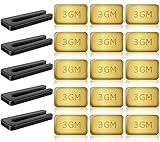
A balancing kit helps once the fan is clean and tightened. Clip the temporary weight to one blade at a time, run the fan briefly, and notice whether the knocking noise gets better or worse. Move the clip in small steps rather than jumping around randomly. Once the quietest position appears, stick the permanent weight on top of the blade where it won’t show much.
Some blades are too warped for a weight to fix neatly. Humidity, age, and heat can bend lightweight materials just enough to cause wobble. A warped blade often creates a visible up-and-down motion, plus a repeating knock that matches each rotation. In that case, replacing the blade set may work better than stacking weights like spare change.
Lighting can hide balance problems too. A heavy or loose light kit may swing slightly beneath the motor and create a dull knocking sound. If brighter airflow comfort matters in the same room, compare layout needs with ceiling fan with bright led light before replacing a noisy light kit with another bulky one. A lighter, properly fitted fixture can reduce strain on an older fan body.
Check Mounting Safety Before Running It Again
A ceiling fan should never hang from a basic light fixture box. Fans need a fan-rated electrical box because spinning blades create vibration, torque, and repeated movement. The U.S. Consumer Product Safety Commission has warned for years that falling fixtures can cause serious injury, which makes mounting checks more than a neat little maintenance step. If the box shifts, cracks, or feels loose, stop using the fan until it’s secured properly.
Older homes can hide weak mounting points above finished ceilings. A fan may look fine from below while the support brace has loosened in the attic or ceiling cavity. Watch for ceiling cracks, canopy gaps, or a fan body that rocks after a gentle push. Those signs suggest the knock may be structural rather than cosmetic.
Bathrooms and damp rooms bring their own headaches. Moisture can swell materials, loosen screws, and create corrosion around brackets or housings. For ventilation layout choices nearby, plan airflow separately with bathroom ceiling extractor fan so the ceiling fan isn’t expected to handle humidity problems it wasn’t built for. A dry, stable ceiling setup helps fans stay quieter and safer.
Electrical checks need caution. If the knocking comes with burning smells, flickering lights, buzzing from the switch, or heat around the motor, turn the fan off at the breaker. Mechanical noise and electrical trouble can overlap, and guessing isn’t worth it. A licensed electrician should handle wiring, box replacement, or anything that requires opening live electrical components.
Ways To Stop Ceiling Fan Knocking Noise
That annoying knock overhead tends to get worse once people start ignoring it. A fan that sounded mildly irritating last month can suddenly wobble harder, shake the light fixture, or make the entire room feel unsettled. Ways to stop ceiling fan knocking noise usually involve a mix of maintenance, balance correction, and realistic expectations about aging parts. Quiet airflow depends on stability, not luck.
Clean Dust Before Blaming The Motor
Dust buildup changes the balance of ceiling fan blades more than most people expect. Thick dust along one blade edge creates uneven weight distribution, especially on lightweight blade materials. A fan spinning all day with uneven blade weight slowly develops wobble, vibration, and rhythmic knocking sounds. Cleaning the blades properly often softens noise immediately.
Microfiber cloths work better than dry paper towels because they trap debris instead of pushing it around. Wipe both the top and bottom blade surfaces carefully. Sticky buildup near kitchen grease or bathroom humidity tends to collect faster, creating heavier spots along the blade edge. That grime doesn’t just look bad either. It affects rotation balance every single day.
Lighting around the fan changes how easy it is to spot hidden buildup. Soft yellow bulbs can hide warped edges and dusty corners that bright lighting exposes quickly. For brighter seasonal room lighting ideas nearby, compare setups with led house christmas lights before adding bulky hanging decorations close to spinning blades. Extra hanging weight around a fan can sometimes increase vibration too.
Fans near windows collect more airborne particles than people realize. Pollen, pet hair, and fine dust settle unevenly depending on airflow direction. Regular cleaning every few weeks helps maintain smoother airflow, quieter operation, and less strain on the motor housing. Small habits keep ceiling fan noise from snowballing into bigger repairs.
Watch For Blade Warping And Seasonal Changes
Ceiling fan blades react to temperature and humidity changes over time. Wood blades may swell slightly during humid months, while lightweight composite blades can sag after years of spinning. That subtle shape shift throws off blade alignment, creating a knock that appears only at certain speeds. Plenty of people assume the motor is failing when the blades are actually the problem.
Check blade shape by standing beneath the fan and comparing the height of each blade tip. A warped blade often dips lower or rises slightly compared to the others. Even a quarter-inch difference can create noticeable vibration. Consistent spacing matters because rotation stability depends on equal movement across the full spin cycle.
Low-profile ceilings create another challenge. Compact fans leave less clearance for wobble, blade movement, and airflow circulation. Rooms with tight ceiling space benefit from slimmer fan designs that reduce unnecessary movement. For compact room layouts, compare ideas through light fan combo style before replacing a noisy fan with another oversized model.
Blade replacement sometimes makes more sense than endless adjustment attempts. Matching replacement blades by size, pitch, and weight keeps the fan balanced correctly. Random replacement blades pulled from another fan model rarely solve the problem neatly. A mismatched blade usually creates fresh vibration instead of fixing the original knock.
Pay Attention To Strange Motor Sounds
A healthy ceiling fan motor usually creates a smooth hum rather than sharp knocking noises. Loud clicks, metallic taps, or uneven grinding often point toward internal motor wear. Bearings wear down gradually after years of constant use, especially in warmer climates where fans barely get a break. That worn movement creates noise deep inside the housing rather than around the blades.
Motor problems tend to change with speed. Medium speed may sound tolerable while high speed suddenly creates harsh knocking or rough vibration. Some fans even hesitate briefly during startup once bearings begin failing. Those little delays matter because they signal growing resistance inside the motor assembly.
Heat also changes how motors behave. A fan running quietly during cool mornings may start knocking later in the evening after hours of continuous operation. Warm motor components expand slightly, and loose internal parts become noisier once heat builds up. That pattern usually points toward aging internal components rather than surface-level blade problems.
Replacement sometimes becomes the more practical route. Older motors with severe bearing wear can cost more frustration than they’re worth repairing. A newer fan with balanced blades, quieter housing, and efficient airflow often solves several comfort problems at once. Constantly nursing a failing motor usually turns into an endless cycle of temporary fixes.
Reduce Vibration Through Better Room Setup
Room conditions affect ceiling fan noise more than people expect. Loose ceiling panels, rattling vents, lightweight fixtures, and nearby hanging decor can amplify vibration from an otherwise decent fan. A slight wobble overhead may sound twice as loud once it echoes through thin materials. That’s why isolating the true source matters before replacing expensive parts.
Furniture placement changes airflow patterns too. Tall cabinets, stacked storage bins, or oversized curtains close to the fan blades can create uneven resistance in the air. The fan compensates slightly with every rotation, which sometimes produces subtle knocking vibrations. Rearranging nearby obstacles occasionally softens noise without touching the fan itself.
Glass light shades deserve a careful check as well. Loose shades often create delicate tapping sounds mistaken for motor failure. Tighten retaining screws gently because overtightening glass fixtures risks cracking them. Soft rubber washers between the housing and shade can reduce minor vibration noise surprisingly well.
Ceiling texture affects sound travel too. Hard flat ceilings bounce knocking sounds farther across the room, while textured ceilings absorb some vibration naturally. A fan that sounds unbearable in one room may seem quieter after moving to another space with different acoustics. Noise perception changes a lot based on room shape, flooring, and ceiling material.
Build A Maintenance Routine That Prevents Noise
Most ceiling fan knocking issues build gradually rather than overnight. Screws loosen little by little, blades collect uneven dust, and mounting points shift from constant motion. A quick inspection every few months helps catch small mechanical changes before they turn into loud distractions. Preventive maintenance usually takes less than fifteen minutes.
Seasonal checks work especially well before summer and winter speed changes. Reversing blade direction for seasonal airflow puts different stress on screws and brackets. That transition often exposes loose parts that stayed quiet during the previous season. Tightening hardware during those swaps helps preserve smoother fan operation year-round.
Keep cleaning supplies nearby instead of waiting until the blades look filthy. Regular dust removal reduces wobble, improves airflow efficiency, and helps the motor run with less strain. A clean fan simply operates more evenly. Also, quieter airflow makes bedrooms and living spaces feel calmer without that constant background tapping.
Fans that continue knocking after balancing, tightening, and cleaning deserve a deeper inspection. Persistent vibration sometimes points toward worn mounting brackets, damaged blade arms, or internal motor issues hidden from view. Ignoring repeated noise rarely fixes itself. A ceiling fan should create comfort, not a soundtrack that keeps stealing attention every few seconds.


Best Small Flush Mount Ceiling Fans 2026 Ultimate Picks

Best Smart Ceiling Fan India 2026 For Effortless Comfort

Best Smart Ceiling Fans with Lights for 2026: Top Picks

Best Smart Home Non Ceiling Fans 2026 For Ultimate Comfort

Best Outdoor Misting Ceiling Fan 2026 For Ultimate Comfort
Best Ceiling Fans With Lights For Vaulted Ceilings 2026 Top Picks

Best Outdoor Ceiling Fans For Porch 2026 With Style And Breeze

Best WiFi Enabled Ceiling Fan 2026 For Effortless Comfort