
How to Safely Fix an LED Light Bulb

Check the small brass tab inside the lamp socket before taking the bulb apart. Many dark bulbs light up again once you gently pry up a flattened contact tab to restore power, while others come back to life by bridging a single burnt light chip with solder after popping off the plastic dome cover. This quick bypass reconnects the electrical path so the remaining chips can shine.
What works depends on whether the problem sits in the socket, a single diode (the tiny chip that lights up), or a dead internal power board. Connecting the pads around one burned-out chip takes only a basic soldering iron and a steady hand, but a scorched power board creates a real safety hazard and cannot be safely salvaged. Here is how to pinpoint the failure, handle the pieces safely, and decide whether a repair makes sense.
Shut Off the Power and Check the Lamp Socket First
Before you take any bulb apart, confirm that the bulb is actually the problem. In many cases, a completely dark LED bulb has nothing wrong with its internal electronics. The fault often lies inside the lamp socket itself. At the bottom of a standard medium screw base (the common E26 socket found in most household fixtures), there is a small brass contact tab. Every time you screw a bulb in tightly, that little metal tab gets pressed down flat. Over months or years of changing bulbs, the tab stays bent flat against the ceramic base. When that happens, the bottom contact of your bulb cannot touch the tab, meaning electrical current never reaches the bulb.
You can verify this in about two minutes without buying any parts. Always address the electrical danger before your fingers or tools go near a socket. Follow this quick checklist to inspect and reset the socket contact:
- Disconnect electrical power completely: Unplug the lamp cord from the wall outlet. If you are checking an overhead ceiling fixture, flip the wall switch off and switch off the circuit breaker at your main electrical panel. Never skip this safety step.
- Inspect the empty socket: Shine a small flashlight straight down into the socket. Look at the little brass or copper metal tongue right in the center of the bottom surface.
- Check the tab position: If the metal tongue is smashed completely flat against the socket bottom, it cannot make contact with the base of your bulb.
- Gently lift the contact tab: Take a small wooden craft stick or a narrow flathead screwdriver. Slide the tip carefully under the edge of the brass tab and pry it upward by about an eighth of an inch. You only need a very slight upward tilt so the metal springs back against the bulb.
- Confirm the bulb in another fixture: Screw the questionable bulb into a known working table lamp in another room. If the bulb lights up normally there, your bulb was fine all along, and resetting the flattened socket tab solves your issue.
When you screw the bulb back into the fixture, turn it until it is snug, but do not overtighten it. Cranking a bulb down with heavy force will crush the brass tab right back down and can crack the ceramic socket lining.
Pry Off the Plastic Dome Cover Without Cracking It
If you verified that the socket is supplying power and the bulb still refuses to turn on, you need to look inside the housing. Standard household teardrop bulbs (commonly labeled A19 or A21 on retail packaging) have two main sections: a lower plastic base that houses the electronics, and a rounded plastic dome cover (known in the lighting industry as a diffuser) that softens the light.
Before touching the bulb, confirm that it has cooled down to room temperature. While LEDs run much cooler than old incandescent options, their lower aluminum neck can hold substantial heat right after running. Keep in mind that this repair method applies only to bulbs with plastic domes. If you have decorative glass bulbs, such as the clear filament styles people choose as the best bulb for exposed light fixtures, do not attempt to pry them open. Glass shells are permanently sealed with industrial epoxy and will shatter under pressure, creating a severe cut hazard.
To safely remove the plastic dome cover from a standard household LED bulb, follow these simple steps:
- Grip the base firmly: Hold the lower plastic neck of the bulb in your non-dominant hand. Keep your fingers wrapped securely around the base without squeezing the delicate metal screw threads at the very bottom.
- Locate the factory seam: Look for the thin horizontal line where the frosted plastic dome meets the solid lower housing. Manufacturers glue these two pieces together using a bead of flexible silicone adhesive.
- Insert a thin, flat tool: Slide the tip of a stiff putty knife, an old butter knife, or a flat pry tool into the seam. Press inward with steady, moderate pressure to pierce the silicone bead.
- Work around the perimeter: Gently twist the blade to lever the dome away from the base. Slowly walk the tool all the way around the circular seam to break the adhesive bond. If the glue feels stubborn, warm the seam with a household hairdryer on low heat for thirty seconds to soften the rubbery sealant.
- Pop the dome off: Once the glue lets go, wiggle the plastic cover free with your fingers and lift it straight off. Place the dome to the side on your table.
Inspect the Circuit Board for a Burnt Light Chip
With the plastic cover removed, you will see a round, flat aluminum circuit board fastened inside the top of the neck. Mounted on this metal disc are several small, rectangular yellow components. Each yellow square is a diode, which is simply a small light-emitting chip that produces visible light when electrical current passes through it.
In standard screw-in household bulbs, these small light-emitting chips are connected in a series circuit. Think of this arrangement like an old string of decorative tree lights: electricity flows through the first chip, enters the second chip, passes through the third, and continues down the line. Because every chip sits along a single continuous electrical path, a failure in just one chip breaks the entire circuit. If one chip burns out, no electricity can flow, and every other healthy chip on the board goes dark instantly.
Now inspect the yellow chips closely under a bright desk lamp. A healthy chip displays a clean, smooth, uniform yellow or pale amber face. A burned-out chip looks very different. In almost every failed LED bulb, the bad chip displays a tiny black dot right in the center, looking like a pinhole burn or a tiny speck of black pepper. In worse cases, the yellow silicone surface of the chip will be charred brown, cracked, or blackened entirely.
Look across the entire disc to count how many chips show damage. If you see only one chip with a black dot, the bulb is an ideal candidate for a quick solder fix. But if you see three, four, or five charred chips, the circuit has suffered severe electrical stress. Furthermore, if all the yellow chips look clean and bright with zero black specks, the problem is not a broken chip at all. It points to a dead internal power board (the driver hidden inside the screw base), which cannot be repaired easily or safely at home.
Scrape Away the Damaged Chip and Bridge the Metal Pads
When a single chip burns out, you can get the bulb working again by creating a solder bridge. A bridge simply means joining two contact points with solder to close the gap where the dead chip used to be. By connecting those two contact pads, you complete the broken electrical circuit, allowing electricity to bypass the dead diode and reach all the remaining healthy chips on the disc.
You do not need professional electronics skills for this task, but you do need basic soldering tools: a standard hobby soldering iron (around 25 to 40 watts), a spool of thin rosin-core electrical solder, and eye protection. Set up your workspace on a heat-resistant surface away from pets and children. Complete the repair using these steps:
- Scrape off the burned chip: Place the tip of a small flathead screwdriver or utility knife against the side of the damaged chip with the black dot. Push firmly sideways to flick the yellow plastic square off the aluminum board. Scrape away any remaining yellow silicone and black soot until you see bare metal underneath.
- Identify the two metal pads: Looking closely at the bare spot, you will see two silver metal pads separated by a tiny hairline gap in the middle. One pad is the positive side and the other is the negative side. Electricity must flow across this gap to light the other chips.
- Heat up your soldering iron: Plug in your soldering iron and let it warm up fully for three to five minutes. Clean the hot tip by wiping it lightly on a damp sponge or brass wire pad.
- Apply the solder bridge: Place the hot iron tip so it touches both silver pads at the exact same moment. Hold it there for two seconds to heat the metal, then touch the end of your solder wire directly to the joint. The solder will melt, flow across the hairline gap, and form a small, rounded silver bead that connects both pads together. Remove the iron immediately. The whole soldering step should take less than three seconds.
- Let the metal cool: Allow the solder joint to cool undisturbed for at least one minute until the silver bead turns solid and dull. Do not blow on the joint or wiggle the bulb while it hardens.
- Reattach the plastic dome cover: Put a small dab of clear household silicone or craft glue along the plastic lip, then press the frosted dome cover firmly back onto the base until it snaps into place. Never operate the bulb without the plastic cover attached.
Know When to Stop and Replace the Bulb Instead
A solder bridge is a clever temporary fix when you need light right away, but it is not a permanent solution. Understanding the electrical limits of your bulb keeps your home safe and saves you from wasting hours on damaged parts that belong in a recycling bin.
When you bypass a burned chip with a blob of solder, you shorten the circuit. The internal power board (the driver tucked inside the base) continues delivering the exact same electrical power to the circuit board. But because there is now one fewer chip to share that energy, every remaining chip must absorb extra voltage. This extra electrical load generates higher heat. That heat accelerates the breakdown of the remaining chips. If you bridge one chip, the bulb may continue shining for several weeks or months. But if you bridge two or more chips, the extra voltage overwhelms the circuit, and another chip will usually burn out within days.
Certain bulb failures cannot and should not be repaired at home. If you notice any of the following signs, stop immediately and replace the bulb:
- A burned-out internal power board: If the yellow chips look clean but the bulb smells like burned plastic, buzzes loudly, or flickers wildly, the small capacitors or resistors inside the power board have blown. Fixing an internal power board requires tearing apart the glued plastic base, which presents an electrical fire risk.
- Loose or scorched base components: If the metal screw base feels loose, shows burn marks, or rattles when you tilt it, the internal wiring has degraded.
- Specialty multi-level bulbs: In lamps that require a three way light bulb to switch between low, medium, and high light levels, the internal circuitry uses dual contact circuits that do not work with simple single-bridge repairs.
- Enclosed and wet fixtures: Bulbs rated for enclosed fixtures or wet outdoor locations rely on airtight seals to prevent moisture ingress and heat buildup. Once you pop the factory dome off, that protective moisture seal is gone. Using a patched bulb in a shower trim or outdoor lamppost invites moisture shorts.
Standard household LED bulbs produce roughly 800 lumens (the brightness equivalent of an old 60-watt bulb) while drawing only 8 to 10 watts of power. Because fresh, factory-sealed replacement bulbs are widely available and very affordable, never compromise household safety for the sake of a patched repair. If you are accustomed to old lighting repairs, you might remember how to change a halogen light bulb where clean glass and mechanical pins solved most failures. With modern LEDs, internal heat breakdown is usually the end of the line. Use a repaired bulb only in an open, attended table lamp while you wait to buy a new bulb, and take old units to your local home center for proper electronic recycling.
FAQs
Can I fix an LED bulb with a pencil instead of soldering?
You should never use pencil graphite to bridge a broken LED chip. While graphite can conduct a weak electrical current, it creates high electrical resistance, which causes the pencil mark to heat up rapidly, smoke, and spark. This creates a genuine fire hazard inside your lamp socket. If you cannot join the contact pads safely with rosin-core electrical solder, recycle the bulb and install a replacement.
Why did my repaired LED bulb burn out again after a few days?
Bypassing a failed chip forces the remaining chips on the board to handle more electrical voltage and heat than they were engineered to take. The internal power board keeps pushing the same total power across fewer components. That extra thermal strain quickly pushes the next weakest chip in the chain past its limit, causing it to burn out shortly after your repair.
Is it safe to use an LED bulb without the plastic dome cover?
No, you should never operate a household LED bulb with the plastic dome removed. The circuit board carries live direct-current voltage across its exposed metal pads, which can deliver a painful electric shock if touched while energized. The plastic dome also acts as a necessary barrier against accidental contact, diffuses intense glare that can strain your eyes, and shields the bare electronics from dust and moisture.
How do I know if my dimmer switch is ruining my LED bulbs?
If your LED bulb buzzes constantly, flickers when you change settings, or burns out after only a few months, your switch is likely incompatible. Using non-dimmable LED bulbs on a dimmer circuit will quickly destroy the internal power board. Older dimmer switches made for traditional incandescent bulbs also send choppy electrical signals that overheat modern LED drivers. Make sure your retail bulb packaging specifically states dimmable, and match it with an LED-rated wall switch.

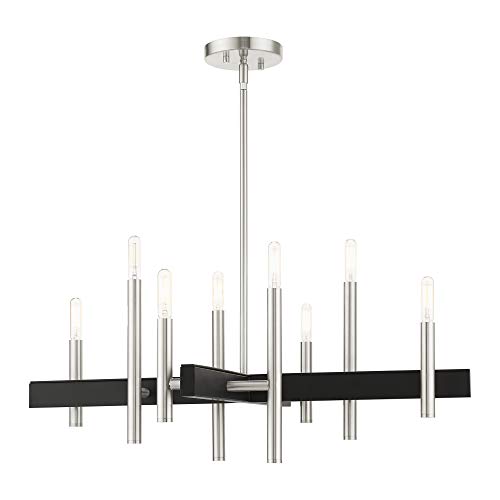
Best Bulb For Exposed Light 2026 That Shines Bright

Best Industrial Light Bulb Reviews: Top Picks for 2026
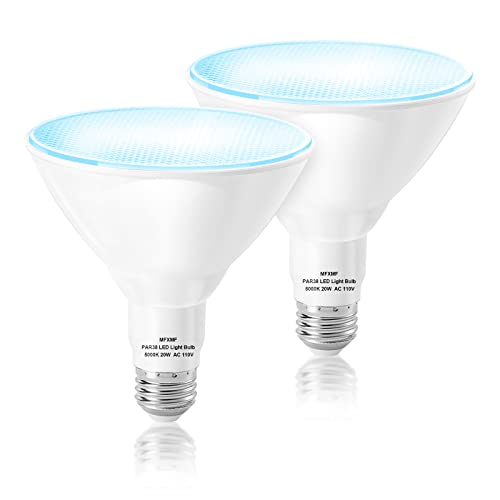
Best Outdoor Light Bulb Reviews: Top-Rated Picks for 2026
Best LED Reading Light Bulb Reviews - Top Picks for 2026

Best Vintage Light Bulb 2026 With Style And Glow
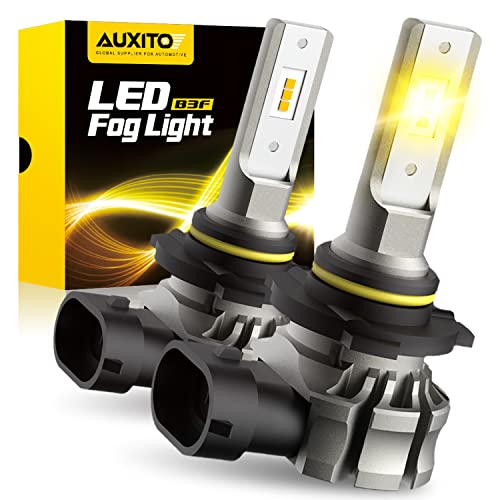
Best Yellow Fog Light Bulb 2026 For Clearer Night Drives

Best Z Wave Light Bulb 2026 Top Picks For Smart Control
Best Light Bulb For Vanity Mirror 2026 Brightness Boost






