
How To Fix Clicking Sound In Ceiling Fan Fast

How To Fix Clicking Sound In Ceiling Fan often becomes a frustrating late-night mission after that tiny ticking noise suddenly refuses to stop. One minute the room feels calm, then bam, every rotation starts sounding like a clock trapped in the ceiling. Loose blade screws, worn motor parts, bent blade arms, or even a small wiring issue can quietly build into that annoying click-click-click pattern. Ignoring it rarely helps because ceiling fans usually get louder once the imbalance spreads across the entire fixture.
Small problems tend to snowball with ceiling fans. A slightly loose blade bracket can throw off balance, causing vibration that rattles nearby hardware during every spin cycle. Dust buildup also sneaks into moving parts, creating uneven motion that many people mistake for motor failure. Tightening connections, cleaning buildup, and checking alignment often solve the noise without replacing the whole fan.
Ceiling fan clicking sounds can also point toward airflow problems instead of broken parts. Sometimes the blades flex slightly as they rotate, especially during higher speed settings, causing soft tapping noises near the housing or light kit. Older mounting boxes may shift over time too, adding subtle movement that becomes louder at night when the room is quiet. That’s why a quick visual inspection usually isn’t enough. A slower, step-by-step check tends to uncover the real culprit.
Balance issues create another headache people don’t always expect. Even one warped blade can pull the entire fan off rhythm, leading to repetitive clicking sounds that seem to come and go randomly. Humidity changes, temperature swings, and years of constant spinning gradually affect blade shape and screw tension. Fixing balance with blade clips or replacement blades often restores smooth operation without expensive repairs.
Electrical components deserve attention too because loose wiring can create both noise and safety concerns. A wire tapping lightly against the fan housing may sound harmless at first, but prolonged vibration can wear insulation over time. Capacitors and pull chain assemblies occasionally create clicking noises as well, especially in older fans with heavy daily use. Careful inspection helps narrow down whether the issue is mechanical or electrical before bigger damage develops.
How To Fix Clicking Sound In Ceiling Fan becomes far less overwhelming once the common causes are narrowed down one by one. Most noisy fans don’t need immediate replacement, despite what that irritating sound might suggest at two in the morning. Basic tools, patience, and a methodical approach usually uncover the issue faster than random guesswork. A quieter fan not only improves comfort but also helps prevent long-term wear that can shorten the lifespan of the entire fixture.

- LFR Score9.4
LFR Score is a ranking system developed by lightfansreviews.com. LFR Score has no relationship or impact from any manufacturers or sales agent websites. Learn more
- BrandSealproof

- LFR Score9.2
LFR Score is a ranking system developed by lightfansreviews.com. LFR Score has no relationship or impact from any manufacturers or sales agent websites. Learn more
- BrandUniSport
- LFR Score9.2
LFR Score is a ranking system developed by lightfansreviews.com. LFR Score has no relationship or impact from any manufacturers or sales agent websites. Learn more
- BrandDAYONE

- LFR Score9.0
LFR Score is a ranking system developed by lightfansreviews.com. LFR Score has no relationship or impact from any manufacturers or sales agent websites. Learn more
- BrandLiquid Bearings

- LFR Score8.8
LFR Score is a ranking system developed by lightfansreviews.com. LFR Score has no relationship or impact from any manufacturers or sales agent websites. Learn more
- BrandPATIKIL

- LFR Score8.8
LFR Score is a ranking system developed by lightfansreviews.com. LFR Score has no relationship or impact from any manufacturers or sales agent websites. Learn more
- BrandWHMVPWT

- LFR Score8.6
LFR Score is a ranking system developed by lightfansreviews.com. LFR Score has no relationship or impact from any manufacturers or sales agent websites. Learn more
- BrandKALIONE

- LFR Score8.6
LFR Score is a ranking system developed by lightfansreviews.com. LFR Score has no relationship or impact from any manufacturers or sales agent websites. Learn more
- BrandFoyods

- LFR Score7.6
LFR Score is a ranking system developed by lightfansreviews.com. LFR Score has no relationship or impact from any manufacturers or sales agent websites. Learn more
- BrandHitefu

- LFR Score7.2
LFR Score is a ranking system developed by lightfansreviews.com. LFR Score has no relationship or impact from any manufacturers or sales agent websites. Learn more
- Branduaelua
Last update on 2026-06-08 / Affiliate links / Images, Product Titles, and Product Highlights from Amazon Product Advertising API
How To Fix Clicking Sound In Ceiling Fan
A quiet room can turn that tiny tick into a full-blown headache, especially at night when every rotation sounds louder than it should. Many ceiling fan noises start with something small, like a loose screw, a slightly warped blade, or a light kit that shifts during rotation. That is why how to fix clicking sound in ceiling fan starts with calm, careful checks instead of guessing and yanking parts apart.
Clicking Noise Clues
A steady click usually points toward a repeating contact point. The blade may be brushing a wire, a loose decorative cap may be tapping the housing, or a bracket may be shifting every time the fan turns. Start by turning the fan off and letting the blades stop fully. Then check for visible wobble, loose screws, and anything hanging near the spinning path.
Speed matters more than most people think. A click that appears only on high speed often suggests blade imbalance or a loose part that moves under stronger airflow. A noise that happens at every speed may come from the mounting bracket, canopy, pull chain, or light kit. Slowing down the diagnosis keeps you from blaming the motor too soon.
The sound location gives another big hint. A click near the ceiling often means the canopy or mounting hardware needs attention. A click near the bottom usually comes from the light kit, bulb cover, pull chain, or switch housing. A soft tap around the blade area can mean one blade arm is slightly bent or one screw has backed out.
Loose bulbs can mimic mechanical problems, which feels ridiculous but happens all the time. Glass shades may also rattle if the thumb screws are uneven or too loose. Tighten them gently because overdoing it can crack the glass. For a separate home lighting concern, compare practical lighting behavior with blue light laser pen details before mixing up unrelated light-source issues.
Safety First Checks
Power should come off before any hands go near the fan. Use the wall switch first, then shut off the breaker if you plan to open the canopy or inspect wiring. That extra step protects against shock risk and keeps the fan from starting unexpectedly. A sturdy ladder matters too because shaky footing makes even a simple screw check feel like a circus act.
Blade edges can look harmless, but spinning hardware puts stress on every connection. Check each blade screw with a screwdriver that fits snugly, not one that slips and strips the head. Tighten each screw evenly instead of cranking one side hard. Balanced pressure helps prevent blade bracket strain and keeps the fan from wobbling later.
The canopy deserves a close look because it often hides the real troublemaker. If it sits too close to the ceiling or has shifted sideways, it may tap against the downrod or mounting plate. Loosen the canopy slightly, center it, then secure it again without forcing it tight against moving parts. That small adjustment can remove a repetitive clicking sound almost instantly.
Wiring should never be ignored if the noise seems to come from inside the housing. A wire nut or loose connector can tap against metal as the fan vibrates. If you see damaged insulation, heat marks, or messy connections, stop and call a qualified electrician. Mechanical clicking is annoying, but electrical safety is the line you do not want to cross.
Blade And Bracket Fixes
Fan blades take more abuse than they get credit for. Dust adds weight, humidity can slightly change blade shape, and years of spinning can loosen hardware bit by bit. Clean each blade with a damp cloth while supporting it from below. That prevents unnecessary pressure on the blade arms and helps restore smoother rotation.
A bent blade bracket can cause one blade to sit lower than the others. Measure the distance from each blade tip to the ceiling, then rotate the fan by hand and compare each blade at the same spot. A noticeable difference often explains the clicking, wobbling, or uneven airflow. Small alignment problems can create big noise once the fan reaches speed.
Balance kits help when the fan still clicks after screws and brackets check out. Clip the temporary weight to one blade, run the fan, then move it around until the noise or wobble improves. After finding the best spot, stick the permanent weight on the blade top where it stays hidden. This simple fix works best for minor imbalance, not cracked blades or damaged brackets.
Outdoor-style wear can happen indoors too, especially in humid rooms. Bathroom fans, laundry areas, and poorly ventilated spaces can loosen finishes and swell lower-grade blade materials. To reduce moisture-related fan problems in another room, upgrade comfort planning with a bathroom ceiling fan with heater that fits the space instead of pushing one fan to do too much.
Light Kit And Pull Chain Noise
The light kit often gets blamed last, yet it causes plenty of clicking. Bulbs, glass shades, finials, and decorative caps all loosen from normal vibration. Hold each part gently and move it by hand to feel for play. Any small rattle during this check can turn into a clear clicking sound once the blades spin.
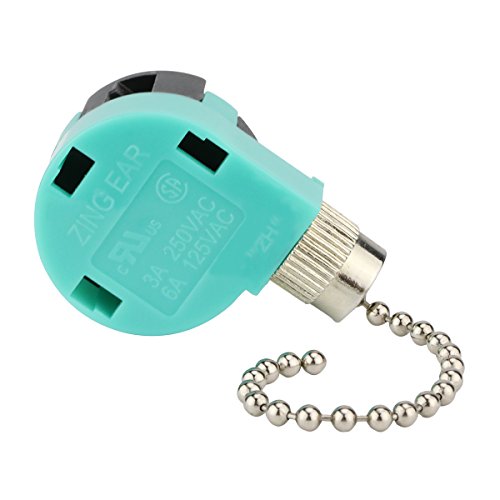
Pull chains are sneaky little noise makers. A chain that swings into the glass shade, switch housing, or decorative cap can click in rhythm with airflow. Shorten the chain slightly or move the extension away from the housing. That tiny change can quiet a fan without touching the motor at all.
Light kit screws should be snug but not forced. Over-tightening can warp thin metal plates and create new vibration points. Tighten in a balanced pattern, then run the fan at low speed first. If the sound disappears on low but returns on high, the issue may still involve fan balance rather than the light kit alone.
Rooms with layered lighting can make fan noise easier to notice because everything else feels calmer. Porch lights, plant lighting, and decorative outdoor fixtures all change how people use nearby indoor fans during evenings. For outdoor brightness that does not depend on a ceiling fixture, compare solar lights for palm trees as a separate lighting upgrade while keeping fan repairs focused on movement and vibration.
Mounting Problems Above The Fan
A fan that clicks near the ceiling may be telling you the mounting setup is loose. The electrical box must be fan-rated because regular light boxes are not built for spinning weight and vibration. Look for movement at the canopy, downrod, and ceiling plate while the fan is off. Any shifting around the mount is a serious repair clue.
Downrod fans can click if the set screw is loose. That screw keeps the downrod secure inside the motor coupling, and even a tiny gap can create movement during rotation. Tighten it carefully, then check the locking pin and cotter pin if your fan uses them. Those parts help prevent dangerous loosening over time.
Flush-mount fans have their own quirks. The housing may sit slightly uneven against the ceiling, especially if the ceiling surface is textured or the mounting screws are not tightened evenly. A small gap can produce a tap during vibration. Centering the housing and tightening the screws evenly often reduces both clicking and wobble.
Older homes may hide bigger issues above the fan. A ceiling box that shifts, creaks, or feels unstable should not be patched with random screws. The safer fix is a proper fan-rated brace or box installed correctly. That repair protects the fan, the ceiling, and everyone sitting below it.
Fix Clicking Ceiling Fan Without Replacing It
That constant clicking can push people straight toward replacing the whole fan, even though the real issue is often a tiny part hiding in plain sight. Plenty of noisy fans still have years of life left in them. A careful repair approach usually costs far less than a replacement and helps restore smooth airflow, quieter operation, and better room comfort. Small adjustments done in the right order tend to solve the problem faster than randomly tightening everything in sight.
Motor Sounds That Fool People
Motor noise can sound scary because it feels like the fan is slowly giving up. Still, a true motor failure usually creates humming, grinding, or overheating rather than a clean clicking pattern. Clicking often comes from a loose capacitor cover, shifting switch housing, or hardware vibrating against the motor shell. Listening carefully during speed changes helps narrow the problem down.
Fans with older pull-chain controls sometimes develop tiny internal shifts around the switch assembly. Every speed adjustment changes vibration levels, which can trigger a rhythmic tapping noise. That is why the fan may sound quiet on medium speed but noisy on high. A stable housing and properly tightened switch screws reduce internal movement before it gets worse.
Dust buildup around the motor housing can also create weird sound patterns. Thick dust changes airflow and traps heat, especially during summer months when the fan runs constantly. Use a vacuum brush attachment or dry microfiber cloth around the vents to reduce strain. Cleaner airflow helps maintain steady motor performance and lowers excess vibration.
Some people panic after hearing occasional ticking during seasonal weather changes. Temperature shifts make metal expand and contract slightly, especially around older fan housings. That light ticking usually fades after the fan runs for a while. Persistent clicking, though, deserves a deeper inspection before long-term wear spreads into other parts.
Blade Warping And Humidity Trouble
Humidity quietly ruins more fan blades than people realize. Wooden or wood-look blades absorb moisture over time, especially in bathrooms, kitchens, and poorly ventilated rooms. One blade may begin curving slightly downward while the others stay level. That uneven shape throws off rotation balance and creates clicking or wobbling during higher speeds.
Checking blade shape does not require fancy tools. Stand beneath the fan and compare blade height visually while slowly rotating the blades by hand. A warped blade often sits lower or catches light differently than the others. Small changes become surprisingly obvious once you know what to watch for.
Cleaning helps more than expected because heavy dust buildup acts like uneven weight distribution. One blade collecting extra grime can create a repetitive click as the fan struggles to rotate evenly. Wipe both the top and bottom of every blade because dust tends to hide above eye level. Balanced blades support smoother airflow and quieter operation.
Lighting choices nearby can also affect how people notice fan movement and sound. Harsh flickering light sometimes exaggerates the appearance of wobble even when the fan itself is mostly stable. To improve surrounding outdoor lighting separately from indoor airflow, compare programmable outdoor christmas lights that create steadier illumination around patios and entry areas.
Loose Hardware People Miss
Most clicking problems come down to tiny overlooked hardware pieces. Decorative trim rings, blade badges, bulb retainers, and switch caps all loosen gradually from vibration. Some fans even hide screws behind decorative covers that rarely get checked. Running through every visible connection slowly tends to reveal the source faster than jumping straight to electrical assumptions.
Screw tension matters more than brute force. Over-tightened screws can slightly bend mounting plates or crack plastic housings, which creates fresh vibration points. Tighten until secure, then stop once resistance feels firm. Balanced tightening protects fan alignment and avoids creating new noise issues.
Ceiling fan globes create another sneaky problem. Glass expands slightly with heat from bulbs, then contracts once the lights cool down. A loose globe may tick softly as temperatures shift during the evening. Repositioning the globe evenly and tightening the mounting screws carefully often removes that annoying tapping noise.
Low ceilings make loose hardware even more noticeable because sound bounces around tighter spaces. Compact rooms amplify vibration that larger rooms naturally absorb. For rooms with tighter overhead clearance, compare light fan combo for low profile ceiling setups that reduce crowding while improving airflow and lighting balance.
Balancing The Fan Properly
A wobbling fan almost always becomes a noisy fan eventually. Balance kits look simple, yet many people rush through the process and miss the real issue. Start with one blade and attach the temporary clip halfway along the edge. Run the fan briefly, then move the clip until the vibration improves.
Patience matters during balancing because tiny adjustments make a big difference. Moving the clip even an inch can completely change the vibration pattern. Once the smoothest spot appears, attach the adhesive weight to the top side of the blade. Hidden placement keeps the fan looking clean while improving rotational stability.
Balance problems sometimes come from installation rather than blade weight. A fan mounted on an uneven electrical box may wobble even with perfectly straight blades. Check the mounting bracket and downrod alignment before adding too many balancing weights. Fixing the base issue creates a more reliable repair.
Cheap universal replacement blades can also create mismatch problems. Slight differences in weight or angle change how the fan spins, even if the blades look identical at first glance. Matching blade size and shape carefully protects airflow consistency and reduces strain on the motor over time.
Noise During Speed Changes
Some ceiling fans stay quiet at low speed but suddenly click once they speed up. That pattern usually points toward airflow pressure exposing a weak connection or imbalance. High speed creates stronger centrifugal force, which magnifies tiny alignment problems. Listening closely during acceleration often reveals the rough location of the noise.
Capacitors sometimes contribute to clicking during speed changes too. Older capacitors may struggle to regulate power smoothly, especially after years of daily use. The fan may hesitate briefly before reaching speed or create faint clicking inside the housing. Replacing a worn capacitor often restores more stable speed control.
Blade irons deserve another inspection if the clicking appears only at maximum speed. Increased airflow pressure can flex slightly weakened brackets during rotation. That movement may seem invisible while standing still but becomes obvious once the fan reaches full power. Tightening or replacing damaged brackets usually fixes the issue.
Fans connected to dimmer switches can create electrical oddities as well. Standard dimmers are not always compatible with ceiling fan motors, which may cause buzzing, clicking, or unstable speed behavior. Dedicated fan speed controls help maintain consistent electrical flow and quieter operation.
Signs The Fan Needs Replacement
Not every clicking fan deserves endless repairs. Cracked motor housings, scorched wiring smells, or severe wobble after repeated balancing attempts usually signal deeper problems. Continuing to run a heavily damaged fan increases wear on the motor and mounting hardware. Safety should always outweigh squeezing out a few extra months of use.
Replacement becomes more practical if parts are no longer available. Older fan models sometimes use unique blade brackets, switch housings, or light kits that are difficult to match. Piecing together random parts can create more balance issues later. A newer fan with updated mounting and quieter operation may save frustration long term.
Energy use also deserves consideration. Older fans often move less air while using more electricity compared with modern designs. Weak airflow encourages people to run the fan longer at higher speeds, which accelerates wear and increases noise. Efficient fans with properly balanced blades support better circulation and lower ongoing strain.
Frequent clicking that returns shortly after repairs may point toward structural wear inside the motor assembly itself. Bearings, shaft alignment, or internal mounting points eventually wear down after years of constant spinning. At that stage, repairs become temporary patches rather than dependable fixes. A quieter replacement often restores the room’s comfort faster than chasing one more temporary adjustment.


Best Small Flush Mount Ceiling Fans 2026 Ultimate Picks

Best Smart Ceiling Fan India 2026 For Effortless Comfort

Best Smart Ceiling Fans with Lights for 2026: Top Picks

Best Smart Home Non Ceiling Fans 2026 For Ultimate Comfort

Best Outdoor Misting Ceiling Fan 2026 For Ultimate Comfort

Best Outdoor Ceiling Fans For Porch 2026 With Style And Breeze

Best Smart Bulb For Ceiling Fan 2026 That Brightens Life

Best Smart Ceiling Fan Control 2026 For Effortless Comfort






