
How to Make a Ceiling Fan Spin Faster Without Hassle

How to make a ceiling fan spin faster sounds simple at first, yet weak airflow can turn into a constant headache. A fan may look perfectly fine from below, but dusty blades, aging capacitors, loose wiring, or incorrect settings often slow things down more than people expect. Rooms start feeling stuffy, energy bills creep upward, and suddenly that relaxing breeze barely reaches the couch. Small performance drops usually happen gradually, so many people don't notice the issue until summer heat starts pushing patience to the edge.
Dirty blades create more drag than most folks realize. Dust buildup changes blade balance and forces the motor to work harder while delivering less airflow. Even worse, oily residue from kitchens or humid rooms can make the fan feel sluggish no matter how high the speed setting goes. Cleaning the blades carefully and tightening loose hardware can restore a surprising amount of lost performance without replacing the entire unit.
Capacitors also deserve attention because they're often the hidden culprit behind slow rotation. A ceiling fan capacitor controls the motor's starting and running power, so once it weakens, the fan may wobble between speeds or struggle to maintain momentum. Plenty of people assume the motor itself is failing, but replacing a worn capacitor is usually cheaper and far less frustrating. That little component can make the difference between weak airflow and a room that finally feels comfortable again.
Blade direction matters too, and yep, it's easy to overlook. Fans spinning the wrong direction during warmer months push air upward instead of creating the cooling breeze most people expect. Switching to the correct rotation instantly changes how the room feels, especially in bedrooms or living spaces with poor air circulation. Sometimes the solution isn't about raw speed at all. It's about making the airflow work smarter.
Older ceiling fans often struggle because of outdated motors and inefficient blade designs. Heavy blades combined with aging bearings create resistance that slows rotation over time. Some fans also lose efficiency from warped blades, uneven installation, or poor mounting support. Fixing these small mechanical issues can improve both speed and stability while reducing annoying humming sounds.
Electrical supply problems can quietly reduce fan performance as well. Loose connections, overloaded circuits, or worn wall controls may prevent the fan from receiving full power. Standard dimmer switches mistakenly connected to ceiling fans create another common issue because they restrict voltage differently than fan-rated controls. Swapping to a proper speed controller often improves consistency immediately.
Ceiling height and room layout influence perceived airflow more than people think. A fan spinning fast in a cluttered room with blocked circulation still won't feel effective. Downrod length, furniture placement, and airflow obstacles all affect how cooling air moves through the space. Adjusting these environmental details helps maximize the fan's output instead of forcing the motor to compensate.
How to make a ceiling fan spin faster usually comes down to identifying the exact bottleneck instead of rushing into replacement costs. Some fixes take only a few minutes, while others require a closer look at electrical components or motor wear. Either way, improving airflow often feels like a breath of fresh air after weeks of weak circulation and hot, uncomfortable rooms. A properly tuned fan doesn't just spin faster. It makes the entire room feel lighter, cooler, and far more livable.
- LFR Score8.8
LFR Score is a ranking system developed by lightfansreviews.com. LFR Score has no relationship or impact from any manufacturers or sales agent websites. Learn more
- BrandHFYHWT

- LFR Score8.8
LFR Score is a ranking system developed by lightfansreviews.com. LFR Score has no relationship or impact from any manufacturers or sales agent websites. Learn more
- BrandLPHUMEX

- LFR Score8.8
LFR Score is a ranking system developed by lightfansreviews.com. LFR Score has no relationship or impact from any manufacturers or sales agent websites. Learn more
- BrandAubric

- LFR Score8.2
LFR Score is a ranking system developed by lightfansreviews.com. LFR Score has no relationship or impact from any manufacturers or sales agent websites. Learn more
- BrandTaigeguang
- LFR Score7.8
LFR Score is a ranking system developed by lightfansreviews.com. LFR Score has no relationship or impact from any manufacturers or sales agent websites. Learn more
- BrandOXDFK

- LFR Score7.6
LFR Score is a ranking system developed by lightfansreviews.com. LFR Score has no relationship or impact from any manufacturers or sales agent websites. Learn more
- BrandHumpptom

- LFR Score7.2
LFR Score is a ranking system developed by lightfansreviews.com. LFR Score has no relationship or impact from any manufacturers or sales agent websites. Learn more
- Brand53T

- LFR Score7.2
LFR Score is a ranking system developed by lightfansreviews.com. LFR Score has no relationship or impact from any manufacturers or sales agent websites. Learn more
- Branduaelua
Last update on 2026-05-19 / Affiliate links / Images, Product Titles, and Product Highlights from Amazon Product Advertising API
How To Make A Ceiling Fan Spin Faster
A slow ceiling fan can make a room feel sticky, stale, and oddly frustrating, especially after you've already bumped the speed switch to high. The problem usually isn't one single dramatic failure. More often, how to make a ceiling fan spin faster comes down to cleaning drag, fixing weak electrical parts, checking blade balance, and removing small performance blockers that quietly stack up over time. A fan that spins faster should also spin safely, because speed without stability can turn a simple comfort fix into a wobbling mess.
Start With The Real Cause Of Slow Speed
A ceiling fan slows down for a reason, even if that reason hides in plain sight. Dust on the blade edges, a tired capacitor, dry bearings, or a mismatched wall control can all steal speed from the motor. The smartest first step is to look for simple mechanical resistance before blaming the whole fan. That approach saves money, cuts guesswork, and keeps you from replacing parts that still have life left in them.
Weak airflow often feels like a motor issue, but the blades may be fighting against buildup. A thick layer of dust changes the blade surface and adds drag, especially near the leading edge where air first hits. That extra resistance forces the motor to work harder while moving less air. Cleaning the blades is boring, sure, but reduced drag can make the fan feel noticeably more responsive.
Speed settings can also mislead people. A fan may click into high speed while still running below its normal pace because the capacitor no longer delivers the right electrical boost. That small part helps the motor start and maintain speed. Once it weakens, slow spinning, humming, or uneven speed changes often show up before total failure.
Room conditions matter more than they get credit for. A fan in a dusty garage, humid kitchen, or open patio area deals with more grime and moisture than a fan in a clean bedroom. Heat, humidity, and airborne grease can all shorten the smooth-running life of moving parts. So the best fix starts with the fan's actual environment, not a one-size-fits-all trick.
Clean The Blades And Motor Housing
Dusty blades don't just look bad. They reduce airflow efficiency, add uneven weight, and make the motor push through extra resistance every time the fan spins. Use a microfiber cloth or pillowcase to trap dust instead of flinging it around the room. A lightly damp cloth works well for stubborn grime, but soaking the blades is a bad idea because excess moisture can damage wood finishes or seep into hardware.
Blade edges need special attention because they cut through air first. Grease and dust tend to collect along those edges, especially in rooms near kitchens or open windows. Cleaning both the top and bottom surfaces helps restore the blade's original shape and balance. That small detail supports faster rotation without forcing the motor harder than needed.
The motor housing deserves a careful wipe too. Dust around vents can trap heat, and heat makes electrical parts age faster. A soft brush attachment on a vacuum can pull debris away from openings without pushing dirt deeper inside. Keeping the housing clear supports motor cooling, which helps the fan run smoother during long use.
Skip harsh cleaners unless the manufacturer clearly allows them. Strong chemicals can dull blade finishes, weaken coatings, or leave residue that attracts even more dust. Mild soap and water on a cloth is usually enough for most fans. For better room cooling after cleaning, compare airflow-focused models through this helpful guide to best airflow ceiling fan before replacing a fan that may only need maintenance.
Check The Capacitor Before Blaming The Motor
The capacitor is one of those small parts nobody thinks about until the fan starts acting lazy. It helps regulate motor speed, and a weak one can make the fan spin slower even on the highest setting. Symptoms often include low speed on all settings, humming, delayed startup, or a fan that needs a push to begin spinning. That doesn't automatically mean the motor is dead.
A bad capacitor is common in older ceiling fans because electrical components wear down with heat and time. The fan may still run, but it won't receive the boost needed to keep normal speed. Replacing the capacitor is usually more practical than replacing the entire fan, especially if the blades, housing, and motor bearings are still in decent shape. The key is matching the replacement part to the fan's required rating.
Power should always be turned off at the breaker before touching wiring. Wall switches alone aren't enough because they can still leave wiring exposed to risk. Capacitors can hold electrical charge, so this repair isn't the place for guesswork. A careful homeowner may handle it with the right instructions, but electrical safety matters more than saving a few bucks.
Use the label on the old capacitor as your guide. Match the microfarad rating and voltage rating rather than grabbing a random part that looks similar. A wrong capacitor can cause poor speed control, overheating, or motor stress. Proper matching restores the fan's intended performance instead of creating a new problem behind the canopy.
Tighten Hardware And Fix Blade Wobble
A fan that wobbles wastes energy. The motor spends part of its effort fighting vibration instead of maintaining clean rotation. Loose blade screws, worn blade arms, or a slightly crooked mounting bracket can all reduce stable spinning speed. Tightening the obvious hardware often makes the fan quieter and more efficient right away.
Start with the screws that connect each blade to its bracket. Then check the bracket screws that connect to the motor hub. Small looseness at either point can make the blade pitch uneven, and uneven pitch affects airflow. A fan may still spin fast visually, but poor blade alignment can make the breeze feel weak.
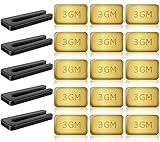
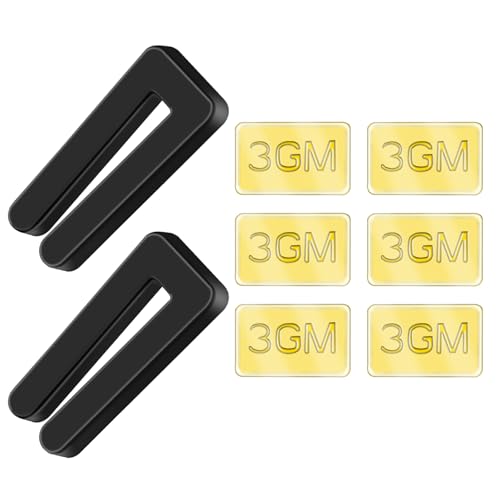
Blade balancing kits are cheap and useful, but they work best after tightening everything first. Balancing clips help locate the problem blade, while adhesive weights correct minor unevenness. Don't slap weights on randomly, because that can make wobble worse. A patient balance check gives the fan a smoother path and reduces strain on the motor.
The ceiling box should also be fan-rated and solid. A loose electrical box or weak mounting support can cause shaking that no blade kit will truly fix. Fast speed increases movement, so secure mounting becomes even more important after performance improves. A fan should feel planted, not nervous, when running on high.
Use The Right Wall Control And Speed Switch
Wall controls can quietly choke fan speed. A regular light dimmer should not be used as a ceiling fan speed control because it handles power differently. That mismatch can cause humming, weak rotation, overheating, or shortened motor life. A proper fan-rated control gives the motor cleaner speed regulation and fewer electrical headaches.
Pull-chain fans can also lose speed control as the internal switch wears down. A failing switch may skip settings, stick between speeds, or keep the fan from reaching full power. Replacing the switch can restore proper function if the motor and capacitor are still healthy. This is a small repair, but wire placement must match the old setup carefully.
Remote-controlled fans add another layer to check. A weak receiver, mismatched remote, or failing control module can limit the fan's speed even though the motor is capable of more. Resetting the remote pairing sometimes helps, but persistent low speed may point to the receiver. Control problems often feel mysterious because the fan still responds, just badly.
Lighting circuits can create confusion too. Ceiling fans with built-in lights often share space in the canopy with extra wiring and control modules. For better room planning around fixtures and visual comfort, explore what is three point lighting if lighting placement is also making the room feel uneven or harsh. Separate the lighting issue from the fan-speed issue so repairs stay focused.
Inspect Direction Settings And Blade Pitch
Blade direction won't always change the actual motor speed, but it absolutely changes how fast the airflow feels. During warm weather, most ceiling fans should spin counterclockwise to push air downward. That downward breeze creates the cooling effect people expect from a fan. A fan spinning the wrong way can feel slow even if the motor is turning normally.
The reverse switch may sit on the motor housing, remote, or wall control depending on the fan. Flip it only after the fan has fully stopped. Changing direction while the blades still move can stress the motor or damage the switch. That tiny habit protects motor longevity and keeps the speed control working properly.
Blade pitch also plays a huge role in airflow. If the blades are too flat, they spin easily but move less air. If the pitch is too steep for the motor, the fan may struggle and slow down. The best setup balances blade angle, motor strength, and room size instead of chasing speed alone.
Warped blades can ruin that balance. Moisture, heat, or age can bend blades slightly, and even small changes affect airflow. Look across the blade tips from the side and compare their height as they pass the same point. Uneven blade height points to bracket or blade issues that may need adjustment or replacement.
Lubricate Bearings Only If The Fan Allows It
Some older ceiling fans have oil ports, while many newer models use sealed bearings that don't need added lubricant. Adding oil to a sealed motor can attract dust or create a messy residue without fixing anything. Check the manual or model label before applying lubricant. Correct maintenance beats random spraying every single time.
Dry bearings often create squeaking, grinding, or slow startup. The fan may take longer to reach full speed because friction inside the motor has increased. A few drops of the recommended oil can help older serviceable fans run more smoothly. Using the wrong oil, though, can gum up the mechanism and make the problem worse.
A fan that grinds loudly after lubrication may have worn bearings rather than dry ones. At that point, more oil won't bring back proper speed for long. Bearing wear usually means the motor is aging, especially if the fan also runs hot or smells unusual. Mechanical wear deserves attention before the fan becomes unsafe.
Don't ignore heat around the motor housing. Warm is normal after long operation, but hot-to-the-touch housing suggests strain, dust blockage, electrical trouble, or failing parts. Faster spinning should never come with burning smells or harsh buzzing. A fan that shows those signs needs power shut off and a closer inspection.
Know When Faster Is Not Worth Forcing
Some ceiling fans simply aren't built for higher speed than their original design allows. Oversized blades, weak motors, or bargain-grade controls can limit performance from day one. Trying to force extra speed through mismatched parts may cause overheating or premature failure. Safe airflow improvement matters more than squeezing every last rotation out of a tired fan.
A larger fan doesn't always mean stronger comfort. Big blades need the right motor torque, correct mounting height, and enough room clearance to move air properly. In small rooms, an overly large fan may feel awkward or create uneven air movement. In larger rooms, a small fan may spin fast but still fail to circulate air where it matters.
Replacement starts making sense when repairs pile up. A fan with a bad capacitor, worn bearings, warped blades, and outdated controls may cost more in frustration than it's worth. Upgrading can also reduce noise and improve airflow consistency. Separately, if hobbies take you outdoors and visibility matters after dark, rely on best uv light for rockhounding for better mineral spotting instead of repurposing room lighting tools.
Look at the full comfort picture before buying anything. Ceiling height, blade span, motor type, and room layout all shape how fast and effective the fan feels. A clean, balanced, properly powered fan usually gives the best result without drama. A damaged or underpowered fan, though, may never deliver the airflow the room actually needs.
Best Ways To Increase Ceiling Fan Airflow At Home
Some rooms never seem to cool down evenly, even with the ceiling fan spinning all afternoon. One side of the bed feels comfortable while the other side still feels warm and stale. That uneven circulation usually points to a mix of poor airflow direction, blocked movement, aging components, or a fan that no longer matches the room itself. Fixing those weak spots can make a ceiling fan feel stronger without forcing the motor beyond its limits.
Match Fan Size To The Actual Room
A fan can spin quickly and still move air badly if the blade span doesn't fit the room. Small fans in large living spaces struggle to push air across the entire area, so the breeze disappears before reaching seating zones or corners. Bigger isn't always better either because oversized fans can overwhelm smaller rooms and create awkward airflow pockets. The sweet spot sits in the balance between blade span, ceiling height, and room width.
Bedrooms usually feel better with moderate airflow instead of aggressive turbulence. A huge fan over a small bed can create too much direct airflow, especially for light sleepers. On the other hand, large open living rooms often need wider blades to keep circulation moving evenly. Matching the fan correctly improves cooling consistency without relying on maximum speed all the time.
Ceiling height changes everything. Fans mounted too close to the ceiling can't pull enough air from above, while fans hanging too low may feel overpowering directly underneath. Downrod length matters because proper spacing helps the blades move air freely. A cramped setup limits air movement efficiency before the motor even has a chance to help.
Furniture placement quietly affects airflow too. Tall shelves, bulky cabinets, and crowded layouts can interrupt circulation patterns around the room. Rearranging obstacles sometimes improves comfort more than replacing the fan itself. For rooms controlled through smart setups, explore best remote control for android tablet to simplify fan adjustments from across the room instead of relying on awkward pull chains.
Reduce Resistance Around The Fan
Fans need open space to move air properly. Decorative hanging lights, nearby beams, tall curtains, or ceiling decorations can interrupt airflow and make the fan feel weaker than it actually is. That restriction creates turbulence instead of smooth circulation. Clearing the area around the blades helps maintain steady airflow through the entire room.
Air conditioning vents can also interfere with fan performance. A vent blowing directly into the blade path may disrupt the natural air pattern and reduce the cooling effect below. Small directional adjustments to the vent sometimes create a more comfortable balance between cooled air and fan circulation. Tiny changes often create noticeable comfort improvements without major expense.
Open windows create another tradeoff. Fresh air feels nice, but crosswinds can interfere with how the fan distributes air indoors. Some rooms benefit from partial window openings instead of throwing everything wide open. Testing airflow patterns during different weather conditions helps identify what actually works in that specific space.
Ceiling texture even plays a role. Vaulted ceilings, beams, or uneven architectural details can trap warm air in strange pockets. Fans in those spaces may need longer downrods or different blade angles to maintain proper circulation. A fan spinning fast in bad airflow conditions still won't deliver balanced room cooling.
Watch For Overheating And Motor Stress
A fan motor under strain often gives warning signs before failing completely. Humming noises, overheating, inconsistent speed, or delayed startup all suggest the motor is fighting against resistance or electrical trouble. Ignoring those signs can shorten the fan's life dramatically. Faster airflow should never come at the expense of motor safety.
Touch the motor housing carefully after the fan has been running for a while. Warm is normal, but excessive heat points toward stress inside the unit. Dust buildup, weak capacitors, dry bearings, or overloaded controls commonly create that extra heat. Reducing strain usually improves both speed stability and long-term reliability.
Some fans sound louder simply because screws vibrate loose over time. Others develop grinding sounds from worn bearings or bent blade brackets. Noise matters because a struggling fan often wastes energy while producing weaker airflow. Smooth operation usually signals a healthier fan overall.
Kids sometimes become fascinated by spinning fans because of the motion and airflow patterns overhead. That curiosity explains why many parents eventually search for why do babies love ceiling fans after noticing how long infants stare upward at moving blades and changing light reflections. Stable, quiet motion tends to feel calmer than noisy wobbling or inconsistent spinning.
Improve Airflow Without Overworking The Motor
Many people crank the fan to high speed all day hoping for stronger cooling, but nonstop high-speed use adds wear faster than necessary. Medium speed with cleaner airflow paths often feels better than max speed in a cluttered or poorly ventilated room. The goal should be efficient circulation, not just aggressive spinning.
Using ceiling fans together with air conditioning creates a more balanced environment. The fan helps distribute cooled air instead of forcing the AC system to handle everything alone. That partnership can make the room feel cooler even if the thermostat stays slightly higher. Better circulation supports energy efficiency without sacrificing comfort.
Humidity changes the entire experience of airflow. Damp air feels heavier and stickier, which makes weak circulation more noticeable. In humid climates, fans often perform better when paired with dehumidifiers or improved ventilation. Drying the air slightly can make the same fan feel much more effective.
Seasonal adjustments matter too. Winter airflow settings should circulate warm air gently without creating cold drafts, while summer settings should push air downward for direct cooling. A correctly adjusted fan adapts to the season instead of fighting against indoor comfort needs. Small changes in direction and speed create more usable airflow year-round.
Replace Weak Components Before The Whole Fan Fails
Ceiling fans rarely fail all at once. Problems build gradually through worn capacitors, loose wiring, tired switches, and aging bearings. Replacing a few inexpensive components early can restore smoother operation and stronger airflow before the motor suffers permanent damage. Preventive repairs usually cost less than emergency replacement.
Pull-chain switches wear out more often than people expect. Clicking sounds without speed changes or skipped settings usually point toward switch problems rather than blade issues. Replacing the switch restores proper communication between the control system and motor. That simple repair often improves speed response immediately.
Remote receivers can fail quietly too. The fan may still respond to commands but struggle to maintain consistent speed or ignore certain settings entirely. Testing the fan with direct wiring or replacement controls can isolate the issue. Reliable controls help maintain stable performance without random slowdowns.
Old wiring inside the canopy sometimes loosens from vibration over the years. Loose wire connections create intermittent power flow, which can reduce motor efficiency or cause flickering lights. Electrical repairs should always prioritize safety over speed gains. A properly wired fan runs cleaner, steadier, and far more predictably.
Know The Limits Of Older Ceiling Fans
Some older fans simply weren't designed for modern airflow expectations. Smaller motors, outdated blade shapes, and aging electrical systems can limit performance no matter how carefully the fan gets maintained. Chasing extreme speed from an underpowered fan often creates noise and vibration instead of real comfort. Honest expectations help avoid wasting time on impossible fixes.
Heavy decorative blades may look beautiful while moving surprisingly little air. Thick wood blades add weight, and older motors sometimes struggle to maintain speed under that load. Swapping blades isn't always practical because the motor must support the new blade weight and pitch correctly. Balance matters just as much as appearance.
Newer DC motor fans tend to run quieter and more efficiently than many traditional AC models. They often offer smoother speed control and reduced electrical consumption while maintaining steady airflow. Still, older fans with solid motors can remain useful if maintained properly. The smartest choice depends on repair cost, room size, and long-term comfort goals.
Weak airflow can make people assume the room itself is impossible to cool. In reality, many comfort issues trace back to overlooked maintenance, blocked circulation, or tired components that never received attention. A properly tuned fan should feel stable, balanced, and consistent instead of noisy, shaky, or sluggish.


Best Small Flush Mount Ceiling Fans 2026 Ultimate Picks

Best Smart Ceiling Fan India 2026 For Effortless Comfort

Best Smart Ceiling Fans with Lights for 2026: Top Picks

Best Smart Home Non Ceiling Fans 2026 For Ultimate Comfort

Best Outdoor Misting Ceiling Fan 2026 For Ultimate Comfort

Best Outdoor Ceiling Fans For Porch 2026 With Style And Breeze

Best Smart Bulb For Ceiling Fan 2026 That Brightens Life

Best Smart Ceiling Fan Control 2026 For Effortless Comfort






