
How to Make a Ceiling Fan Stop Clicking Fast

How to make a ceiling fan stop clicking becomes a frustrating question once that tiny noise starts echoing through the room every night. One little click can feel harmless at first, but after a while, it gets under your skin like a dripping faucet you can’t ignore. Sleep feels lighter, movie nights lose their calm vibe, and quiet mornings suddenly sound mechanical. Most people assume the fan is dying, yet small issues like loose screws, wobbling blades, or a misaligned light kit often sit at the center of the problem.
Ceiling fans collect dust in sneaky places, and oddly enough, buildup can throw the blade balance completely out of whack. That uneven movement may create repetitive clicking sounds each time the fan rotates. Tightening visible hardware helps in many cases, though hidden mounting brackets or loose pull chains sometimes cause the real headache. A little patience paired with a step-by-step inspection usually saves money and prevents replacing a fan that still has years left in it.
Noise reduction matters more than people realize because ceiling fans run for hours every single day. Bedrooms, home offices, and living rooms all feel less relaxing once constant clicking interrupts the atmosphere. Some fans develop sounds only at certain speeds, which can make troubleshooting confusing. Still, patterns tell a story, and paying attention to when the clicking happens often points directly toward the faulty part.
Blade alignment also plays a massive role in fan performance. A slightly bent blade holder can create tiny gaps during rotation, causing repetitive tapping noises against nearby components. Older homes sometimes make the issue worse because shifting ceilings loosen mounting hardware over time. Even so, most clicking problems don't require advanced electrical skills or fancy tools to fix safely.
How to make a ceiling fan stop clicking usually starts with slowing down and checking each component carefully instead of rushing into replacement mode. Fans with light kits often produce extra noise from loose glass shades or dangling decorative pieces. Pull chains can tap against the motor housing during operation, especially at higher speeds. Small adjustments may seem almost too simple, yet they frequently solve the issue faster than expected.
Humidity and seasonal temperature swings can also affect fan parts. Metal expands, screws loosen gradually, and blade materials shift slightly over time. Those subtle changes sometimes create clicking sounds that appear out of nowhere after months of quiet performance. Paying attention to maintenance before the noise gets worse helps avoid strain on the motor and keeps airflow smooth.
Some situations involve worn bearings or damaged internal motor parts, though those problems typically come with grinding or humming alongside the clicking. Distinguishing between harmless external noises and serious mechanical wear makes troubleshooting less overwhelming. A steady clicking tied directly to blade rotation usually points toward a physical contact issue rather than complete motor failure. That’s good news because external fixes tend to cost very little.
Practical ceiling fan fixes often work best when approached methodically. Checking blade screws first, cleaning accumulated dust, inspecting mounting brackets, and balancing blades one by one creates a logical path toward a quieter room. Randomly tightening every screw without identifying the source may waste time or accidentally create new vibrations. Careful observation beats guesswork almost every single time.
- LFR Score10.0
LFR Score is a ranking system developed by lightfansreviews.com. LFR Score has no relationship or impact from any manufacturers or sales agent websites. Learn more
- BrandECNHIVE

- LFR Score9.2
LFR Score is a ranking system developed by lightfansreviews.com. LFR Score has no relationship or impact from any manufacturers or sales agent websites. Learn more
- BrandUniSport

- LFR Score9.2
LFR Score is a ranking system developed by lightfansreviews.com. LFR Score has no relationship or impact from any manufacturers or sales agent websites. Learn more
- BrandLiquid Bearings
- LFR Score9.2
LFR Score is a ranking system developed by lightfansreviews.com. LFR Score has no relationship or impact from any manufacturers or sales agent websites. Learn more
- BrandDAYONE

- LFR Score9.0
LFR Score is a ranking system developed by lightfansreviews.com. LFR Score has no relationship or impact from any manufacturers or sales agent websites. Learn more
- BrandBsentster
- LFR Score8.8
LFR Score is a ranking system developed by lightfansreviews.com. LFR Score has no relationship or impact from any manufacturers or sales agent websites. Learn more
- BrandHFYHWT

- LFR Score8.8
LFR Score is a ranking system developed by lightfansreviews.com. LFR Score has no relationship or impact from any manufacturers or sales agent websites. Learn more
- BrandZNBSIXP

- LFR Score8.6
LFR Score is a ranking system developed by lightfansreviews.com. LFR Score has no relationship or impact from any manufacturers or sales agent websites. Learn more
- BrandKALIONE

- LFR Score8.4
LFR Score is a ranking system developed by lightfansreviews.com. LFR Score has no relationship or impact from any manufacturers or sales agent websites. Learn more
- BrandFoyods

- LFR Score8.0
LFR Score is a ranking system developed by lightfansreviews.com. LFR Score has no relationship or impact from any manufacturers or sales agent websites. Learn more
- BrandLiquid Rescue

- LFR Score-
LFR Score is a ranking system developed by lightfansreviews.com. LFR Score has no relationship or impact from any manufacturers or sales agent websites. Learn more
- BrandSUNIYORS

- LFR Score-
LFR Score is a ranking system developed by lightfansreviews.com. LFR Score has no relationship or impact from any manufacturers or sales agent websites. Learn more
- BrandLiquid Rescue
Last update on 2026-05-19 / Affiliate links / Images, Product Titles, and Product Highlights from Amazon Product Advertising API
How To Make A Ceiling Fan Stop Clicking
A quiet room can turn annoying fast once a ceiling fan starts ticking like a cheap clock overhead. The sound may seem tiny at first, but after a few nights, it can mess with sleep, focus, and plain old patience. The good news is that how to make a ceiling fan stop clicking usually comes down to a few practical checks rather than a full replacement. A loose screw, a tapping pull chain, a dusty blade arm, or a slightly uneven bracket can make a fan sound worse than it really is.
Start With The Sound Pattern
The first clue sits in the rhythm of the click. A steady click on every rotation usually points to something touching, rubbing, or shifting at the same spot each time the blades turn. A random click may come from a loose light shade, hanging chain, or canopy piece vibrating at certain speeds. Slow the fan down, listen from a safe spot, and let the pattern tell you where to begin.
Speed matters more than people think. A fan that clicks only on high may have blade imbalance, while one that clicks on low may have a loose part close to the motor housing. Switch through each speed and note what changes. That simple check keeps you from tightening parts blindly and chasing the wrong problem.
Room conditions can also affect the sound. A ceiling fan in a humid room may develop light swelling in wooden blades or slight movement in older screws. A fan near an open window may click only when air pushes the blades unevenly. Small changes around the fan can create noise that feels mechanical even when the motor is fine.
Stand back and watch the fan from different angles. A blade that dips lower than the others can create a repeated ticking sound near the housing or light kit. A small wobble often looks harmless, but it can tug on screws and brackets over time. That’s why visual inspection should happen before tools come out.
Check Loose Screws First
Loose screws cause a surprising amount of ceiling fan clicking. Blade screws, blade arm screws, light kit screws, and canopy screws can all loosen from daily vibration. Start with the fan turned off and fully stopped, then gently check each visible screw with the right screwdriver. A snug fit can bring back quiet airflow without replacing anything.
Blade arms deserve extra attention because they carry constant movement. A single loose blade arm can create a tiny shift with each spin, and that shift may sound like a click from below. Tighten the screws where each blade connects to the arm, then tighten the screws where the arm connects to the motor. Avoid forcing them too hard because over-tightening can strip the holes or crack older blade material.
The canopy near the ceiling can also be sneaky. If it sits slightly loose, it may tap against the downrod or ceiling plate while the fan runs. Slide it gently and listen for a light rattle. A stable canopy helps reduce vibration noise and keeps the fan from sounding like it has a bigger problem.
Light kits add another layer of possible noise. Glass shades, finials, decorative nuts, and bulbs can loosen over time. For a fan with a light, tighten shade screws evenly and check the bulb by hand after power is off and the bulb is cool. To handle the light safely during maintenance, follow a practical bulb guide like change bulb in fan light before twisting or removing anything fragile.
Stop Chain And Shade Tapping
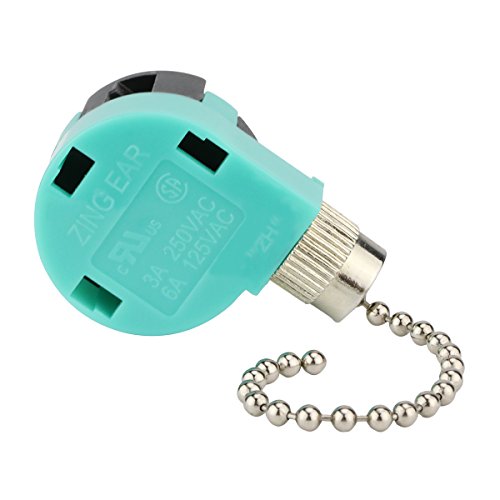
Pull chains can drive people nuts because the sound seems to come from inside the fan. In reality, the chain may be tapping the glass shade, motor housing, or light kit every time air moves it. Shorten the chain slightly or add a small chain weight to keep it steady. This little fix often solves repetitive clicking in minutes.
Glass shades can also click when they sit unevenly in their holders. A loose shade may not rattle constantly, but it can tap during certain fan speeds. Loosen the thumb screws, center the glass, then tighten each screw a little at a time. Even pressure matters because uneven pressure can crack glass or create a new rattle.
Decorative pieces around the light kit may look secure while still moving under vibration. Small caps, nuts, and trim rings can click against metal parts during rotation. Hold each piece gently and see whether the sound changes while the fan is off and you move the part by hand. A quiet light kit depends on firm contact without stress.
Bulbs can make noise too, especially older bulbs or bulbs that do not fit snugly. A loose bulb may click inside the socket as the fan vibrates. Turn off power, let the bulb cool, then check whether it sits properly. Since lighting choices affect comfort, color, and visibility, explore light longest wavelength if you’re also adjusting the room’s light feel while fixing the fan.
Clean Dust From Blades
Dust may look harmless, but it can throw a ceiling fan out of balance. Thick buildup collects along blade edges, especially on fans above beds, kitchens, and living rooms with open windows. Uneven dust weight makes one blade pull differently than the others. That imbalance can lead to wobble, vibration, and clicking.
Use a microfiber cloth or pillowcase to clean each blade from base to tip. Support the blade with one hand so you don’t bend the blade arm while wiping. Clean the top and bottom surfaces, not just the visible side. A balanced cleaning job helps the fan move air smoothly and reduces strain on the motor.
Blade brackets collect grime too. Dust around the screw heads can hide loose hardware or make inspection harder. Wipe around each bracket and check for cracks, bent metal, or gaps where the blade connects. A clean bracket makes small alignment problems much easier to spot.
Kitchen fans often need deeper cleaning because grease traps dust and creates sticky buildup. That extra weight can cling to one blade more than the others, especially near the leading edge. Mild dish soap on a damp cloth usually handles it, but soaking the blades is a bad idea. Too much water can damage wood, laminate, or pressed-board blades.
Balance The Blades Properly
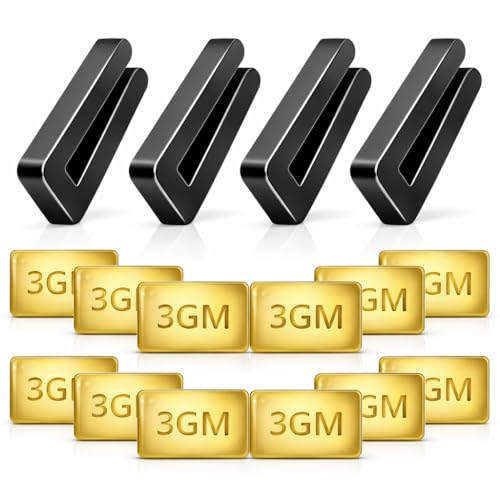
A ceiling fan that clicks and wobbles often needs balancing. Even one blade sitting slightly off can pull the whole fan unevenly. A balancing kit usually includes a plastic clip and small adhesive weights. Used patiently, it can reduce blade wobble and the clicking that comes with repeated movement.
Start by checking whether all blades sit at the same distance from the ceiling. Measure from the ceiling to the tip of each blade, then compare the numbers. A blade that sits lower or higher than the rest may have a bent bracket. Small differences can create uneven rotation, especially at medium and high speeds.
Use the balancing clip on one blade at a time. Run the fan briefly after each placement and listen for changes. Move the clip along the blade until the fan runs smoother, then replace the clip with a weight in that spot. Patience matters here because random weight placement can make the wobble worse.
Some fans are simply underpowered or poorly matched for the room. A fan that runs at high speed all day may loosen faster if it struggles to move enough air. For rooms that need stronger airflow, compare practical airflow setups through best high power ceiling fan before assuming a noisy old fan deserves another repair. A better match can reduce constant speed changes and the vibration that comes with them.
Inspect The Mount And Downrod
The mount carries the fan’s weight, so any looseness there can create clicking that feels serious. A loose mounting bracket may shift slightly as the fan spins. That movement can travel down through the fan body and sound like an internal motor problem. Secure mounting supports safe operation and quieter performance.
Turn off power before checking anything near wiring or the ceiling box. The fan-rated electrical box should feel firm, not shaky or loose. If the box moves in the ceiling, stop and get proper help because standard light boxes are not designed to hold fan movement. A stable fan needs a fan-rated support box, not guesswork.
Downrod fans can click where the rod connects to the motor or ceiling bracket. Check the set screws and locking pin if your fan uses them. A loose downrod connection may create a metal-on-metal tick during rotation. Tightening these parts can reduce overhead vibration and help the fan feel more solid.
Flush-mount fans have their own trouble spots. The housing may sit close to the ceiling, so even a slight shift can cause tapping near the canopy. Look for scuff marks or spots where metal touches painted ceiling texture. Those marks often reveal hidden contact points that explain the noise.
How To Fix A Clicking Ceiling Fan For Good
That constant ticking overhead can make a relaxing room feel strangely stressful after a while. Some people ignore the sound for weeks, hoping it’ll disappear on its own, but ceiling fan noises usually get worse once parts continue vibrating. A steady approach to how to fix a clicking ceiling fan for good helps prevent bigger repairs, annoying sleep interruptions, and unnecessary fan replacements. Most problems trace back to movement, imbalance, or pressure building somewhere inside the fixture.
Check Blade Alignment Carefully
Blade alignment gets overlooked all the time because the fan may still spin normally. A fan can move air while one blade sits slightly lower than the others, and that tiny difference may trigger a repeating click during rotation. Hold a measuring tape near each blade tip and compare the distance from the ceiling. Consistent spacing improves smooth airflow and reduces extra stress on the motor housing.
Metal blade brackets bend more easily than many people realize. Someone cleaning aggressively or bumping the blade during furniture moving can shift the bracket just enough to create uneven rotation. Bend brackets carefully with gentle pressure if one blade clearly sits lower. Rough handling creates bigger wobble problems and may damage mounting stability.
Warped wooden blades also create trouble in humid rooms. Moisture can slowly affect blade shape over time, especially near kitchens or poorly ventilated areas. A warped blade often causes clicking only at medium or high speed because airflow pressure increases. That uneven drag can create subtle rotational noise that sounds mechanical even though the motor itself remains fine.
Watch the fan from directly underneath while it spins slowly. A wobbling blade edge usually becomes easier to notice at lower speeds than high speeds. Some people immediately blame the motor, but blade alignment problems happen far more often. Correcting blade position early helps preserve long-term fan performance.
Look Inside The Motor Housing
External parts cause most clicking sounds, though internal housing pieces can also loosen over time. Turn off the power completely before removing any covers. Small screws inside the housing sometimes back out slowly from daily vibration, especially in older fans running for long hours every day. Tightening loose internal hardware restores stable operation and may stop noises instantly.
Capacitor mounts and wire clips occasionally create tapping sounds inside the housing. The noise may seem random because internal parts shift differently depending on fan speed. Listen closely while manually rotating the blades with power off. A light internal tick may point toward loose electrical components moving slightly during rotation.
Dust buildup inside the housing creates another hidden issue. Heavy dust can collect near moving parts and disturb airflow around the motor. While dust alone may not create clicking, it can amplify vibration and trap heat. Cleaner internals help maintain better airflow circulation and smoother motor movement.
Some fans produce clicking because decorative housing trim becomes loose near the seams. Thin metal pieces may flex slightly as the fan vibrates. Press gently around the housing edges and check whether the sound changes. Small movements often reveal hidden vibration points faster than guessing.
Reduce Ceiling Fan Vibration
Vibration sits at the center of many clicking problems. Even if the fan sounds fine at first, repeated movement gradually loosens screws, blades, and mounting parts. Reducing vibration helps stop new noises before they start. A stable fan creates quieter comfort and puts less strain on moving components.
Rubber or felt washers sometimes help dampen small vibrations between metal parts. These pieces absorb movement instead of letting metal tap against metal during rotation. Fans mounted on older ceilings especially benefit from extra cushioning because older ceiling surfaces may flex slightly. Dampening vibration protects sensitive connection points over time.
Fan speed settings matter too. Running a fan constantly at maximum speed can increase wear faster than moderate daily use. Larger rooms may require stronger airflow instead of simply pushing a smaller fan harder all day long. If airflow feels weak even after maintenance, compare room sizing with best high power ceiling fan setups to avoid overworking the fixture.
Seasonal use patterns also affect vibration. Fans used heavily during warm months often develop noise after long periods of nonstop operation. Then colder seasons arrive, and sitting unused allows screws to settle differently again. Some homeowners even adjust lighting schedules during cooler months using guides like light period discussions while updating room comfort and airflow together.
Pay Attention To Ceiling Support
A clicking fan sometimes points toward ceiling support issues instead of fan defects. Electrical boxes designed only for lights may loosen slowly under the constant movement of rotating blades. A shaky box creates noise that echoes through the ceiling and down the mounting hardware. Proper support keeps the fan feeling solid and secure.
Fan weight matters more than many people expect. Larger fans with heavy motors place extra strain on ceiling hardware over time. If the fan feels unstable during operation, review basic support requirements through ceiling fan weigh information before assuming tightening screws alone will solve everything. Strong mounting support reduces both wobble and repetitive clicking.
Ceiling joists can shift slightly in older homes. Seasonal humidity changes sometimes cause wood framing to expand or contract enough to affect mounting stability. That movement may create clicking sounds near the canopy even if the fan itself seems fine. Reinforcing loose mounting hardware improves overall structural stability.
Downrod fans especially rely on proper ceiling support because movement transfers directly through the rod. A slightly loose bracket may create a tapping sound every time the fan changes direction or speed. Tightening the bracket carefully while checking for worn rubber cushions can make a noticeable difference. Stable mounting helps preserve quiet daily operation.
Know When Parts Need Replacement
Some ceiling fan noises continue even after cleaning, tightening, and balancing. Persistent clicking paired with grinding, humming, or overheating may signal worn internal bearings or damaged motor parts. At that stage, replacing individual components sometimes costs more effort than installing a new fan. Recognizing those limits prevents wasted time and repeated frustration.
Blade arms occasionally crack near screw holes after years of vibration. The crack may stay hidden until the bracket flexes during movement and produces clicking sounds. Inspect brackets closely under bright light rather than relying only on touch. Replacing damaged arms restores safer blade support and smoother rotation.
Light kits also wear out gradually. Loose sockets, worn pull switches, and aging chain mechanisms may create ongoing tapping sounds that tightening alone cannot fix. Replacement kits remain relatively affordable compared to replacing the entire fixture. A stable light assembly improves both noise control and everyday convenience.
Motor wear creates a different type of sound compared to loose hardware. Clicking mixed with heat, slow startup, or inconsistent speeds often suggests internal failure beginning to develop. Fans that struggle to maintain speed may continue deteriorating despite repeated adjustments. Spotting those warning signs early helps avoid sudden breakdowns during heavy seasonal use.
Build Better Maintenance Habits
Ceiling fans stay quieter longer with simple maintenance done consistently instead of only after problems appear. Dusting blades every few weeks prevents imbalance from creeping in gradually. Quick screw checks during seasonal cleaning also help catch loose parts before they become noisy. Preventive care supports longer fan lifespan and steadier airflow.
Pay attention to changes in sound instead of waiting for loud clicking to develop. A faint tick often signals a minor issue that still has an easy fix. Small noises grow louder as vibration loosens surrounding components over time. Early adjustments protect motor efficiency and reduce wear on blade brackets.
Use proper bulbs and compatible light kits whenever replacements happen. Bulbs that vibrate loosely inside sockets may create misleading clicking noises that seem mechanical from below. Tight, correctly fitted components create a more stable fixture overall. Small details often separate a quiet ceiling fan from one that constantly needs attention.
Cleaning habits matter more in kitchens, humid climates, and homes with pets because airborne particles build up faster around moving blades. Sticky residue mixed with dust creates uneven blade weight and extra drag. Consistent cleaning keeps airflow balanced while reducing unnecessary strain on moving parts. Quiet operation usually comes from several small maintenance habits working together instead of one dramatic repair.


Best Small Flush Mount Ceiling Fans 2026 Ultimate Picks

Best Smart Ceiling Fan India 2026 For Effortless Comfort

Best Smart Ceiling Fans with Lights for 2026: Top Picks

Best Smart Home Non Ceiling Fans 2026 For Ultimate Comfort

Best Outdoor Misting Ceiling Fan 2026 For Ultimate Comfort

Best Outdoor Ceiling Fans For Porch 2026 With Style And Breeze

Best Smart Bulb For Ceiling Fan 2026 That Brightens Life

Best Smart Ceiling Fan Control 2026 For Effortless Comfort






