
How to Reset the Brake Light on a BMW

The garage door closes and fresh brake pads are on the car, but pressing the start button brings up an annoying warning chime on the dashboard. Clearing that alert takes only a minute by holding the cluster trip button with the ignition on until the service menu appears. Another steady press on the brake symbol will reset the service counter.
Success depends on a few vital details. The car will refuse the reset if you did not replace the small wear sensor wire, leaving you with a stubborn warning or negative mileage. Button steps also vary between older needle gauges and modern digital screens. A yellow light means routine pad wear, but a red warning points to low brake fluid or mechanical trouble that demands an immediate safety check. Here is how to verify your warning and clear the light without a trip to the shop.
What does your BMW brake light color mean?
Your dashboard uses color to tell you how urgent a brake issue is. A yellow light means you have time to plan, while a red light demands immediate attention before you drive anywhere. Knowing the difference keeps you safe and prevents costly damage to your braking parts.
A yellow brake icon indicates routine maintenance. The onboard service computer tracks your driving style and estimates how much pad material remains. When the pads wear down to about three millimeters, the yellow light turns on to let you know service is due soon. You can safely finish your trip and drive home, but you should schedule pad replacement quickly.
A red brake warning is far more serious. It can mean your handbrake is still pulled up, your brake fluid level has dropped dangerously low, or your pads have worn down to bare metal. Never attempt to clear a red light without checking your car first.
- Yellow circle with dashed brackets: Routine brake pad wear. Your onboard service computer estimates that your front or rear brake pads are near the end of their lifespan.
- Red circle with an exclamation point: The parking brake is engaged, the brake fluid in the reservoir under the hood is below the minimum fill mark, or a critical hydraulic fault exists.
- Red text displaying BRAKE: Low brake fluid or a severe mechanical fault in the braking system. If your handbrake is fully down and this stays lit, park the vehicle.
- Yellow light paired with an ABS symbol: An electronic wheel speed sensor or antilock system fault that requires a diagnostic scan rather than a simple dashboard reset.
Why does an old sensor wire block your reset?
The most common reason a brake reset fails is an old wear sensor wire. The brake wear sensor is a small wire that clips directly into the edge of the brake pad. When your brake pads wear down, the spinning metal disc rubs against the plastic sensor head and cuts the wire inside.
Cutting this wire breaks an electrical circuit connected to the onboard service computer. Once that circuit breaks, the computer registers that the pads are completely worn out. It locks the warning light on your dashboard display behind the steering wheel so you cannot miss it.
If you put on fresh brake pads but reuse the old sensor wire, the electrical loop remains broken. The computer still thinks your brakes are worn down to the backing plate. Trying to force a reset with a severed or damaged wire will cause the reset to fail immediately.
When this happens, the dashboard display behind the steering wheel often displays negative mileage, showing numbers like -15,000 miles or blank dashes. To fix this problem, you must install a brand-new sensor wire. BMW models typically use one sensor on the front driver side wheel and one sensor on the rear passenger side wheel. Once a new sensor is plugged in, the electrical loop closes and the computer will accept your reset command.
How do you reset the light with the trip button?
You can clear routine brake warnings directly from the driver seat without special equipment. The process uses the odometer trip button on your dashboard display behind the steering wheel. Follow these steps in order to perform the reset cleanly.
- Prepare the vehicle: Park your car on level ground. Turn off all accessories, close every door, and release the handbrake. On models with a manual handbrake or an electronic switch, releasing the brake allows the service menu to open smoothly.
- Turn on accessory power: Do not start the engine. If your car uses a physical key, turn it to the second position so all dash lights turn on. If your car has a push-button start, press the start button once or twice without touching the brake pedal.
- Clear initial alerts: Wait five to ten seconds for the initial seatbelt, door, and temperature chimes to clear. You want the main cluster screen showing your standard mileage display before moving forward.
- Press and hold the trip button: Locate the odometer reset button on the lower corner of the dashboard display behind the steering wheel. Press and hold it down firmly for about ten to twelve seconds without letting go.
- Find the brake service icon: Keep holding until a service icon appears on the screen. Release the button, then tap it repeatedly to scroll through the menu items. Look for the brake symbol, which looks like a circle with dashed lines on both sides, indicating front or rear brakes.
- Prompt the reset command: When the correct brake icon is on screen, press and hold the trip button again. Hold it for roughly three seconds until the screen asks "Reset?" with a question mark.
- Confirm the reset: Release the button for one second, then immediately press and hold it down one more time. A small clock graphic or progress bar will appear across the screen.
- Wait for completion: Keep holding until the screen shows "Reset Successful" or displays a new service interval, typically between 30,000 and 50,000 miles.
- Restart the car: Switch the ignition completely off. Step on the brake pedal, start the engine normally, and confirm that the brake warning light stays off.
How do you clear the light with a scan tool?
Sometimes the manual dashboard sequence will not open. This happens if the service counter is far past due, if the parking brake module blocks the cluster menu, or if your car uses a newer digital dashboard layout. In these cases, an OBD2 tool, which is a plug-in car code reader, clears the warning in minutes.
The diagnostic port sits under the dashboard near the pedals on the driver side. If you are working in a dim garage, having a well-lit work area with secure 12V mounting or a bright flashlight helps you spot the socket without bending pins.
Plug the code reader into the diagnostic port until it clicks firmly into place. Switch your car ignition to the on position without starting the engine. Power on the scan tool and select your vehicle make and model from the menu.
Navigate to the maintenance or service section of the tool. Look for options labeled "CBS Reset," which stands for onboard service computer reset, or "Brake Service." Select whether you worked on the front brakes or the rear brakes.
Choose the reset option and confirm your selection. The scan tool sends a direct electronic command to the brake control module, resetting the mileage counter back to one hundred percent. The tool will display a success message on its screen, and the light on your dash will disappear instantly. Switch the car off, disconnect the reader, and start the engine to confirm the system is clear.
When should you stop driving and inspect your brakes?
Never treat a brake warning light as a minor inconvenience if you notice changes in how your car stops. Brake systems rely on hydraulic pressure, clean fluid, and friction material working in harmony. If any mechanical part fails, resetting the warning light puts you and your passengers in danger.
Park the car and investigate immediately if you notice any items on this safety checklist:
- Spongy or sinking brake pedal: If the pedal feels soft or sinks slowly toward the floor when you hold it at a stoplight, you have a dangerous loss of hydraulic pressure or air in the lines. Stop driving right away.
- Grinding or metal screeching sounds: A harsh grinding noise means your friction pads are completely gone. The steel backing plate is rubbing directly against the rotor, destroying the disc and reducing your stopping power.
- Fluid puddles inside the wheels: Inspect the inner sidewall of your tires and the ground beneath each wheel. Wet, oily spots point to a leaking caliper seal, broken rubber brake line, or loose bleeder screw.
- Low fluid in the master cylinder reservoir: Pop the hood and look at the clear plastic fluid bottle near the driver side firewall. If the fluid level sits below the minimum line, do not drive the car until you find and fix the leak.
- Vehicle pulls hard to one side: If the car veers sharply toward the left or right when you step on the brake pedal, a caliper piston may be stuck or fluid flow to one side may be blocked.
If you experience any of these red flags, keep the car parked. Do not attempt to clear the light and continue driving. Contact a qualified mechanic or arrange for a flatbed tow truck to take your vehicle to a repair shop.
What should you look for in a BMW scan tool?
When the dashboard buttons will not clear your brake light, having your own plug-in car code reader saves you a trip to the repair shop. But basic scanners built for generic engine checks often fail when connected to European cars. Understanding what features matter ensures you get a tool that actually talks to your car computer.
Make sure the device explicitly supports the BMW onboard service computer, known as CBS. Standard code readers only look at the engine computer to check emissions codes. A BMW-capable tool communicates directly with the chassis, antilock braking, and body control modules, allowing you to reset individual brake service counters.
Check if the device includes electronic parking brake service modes. Many modern BMW models use electric motors on the rear calipers to lock the brakes. You cannot push the caliper pistons back during a pad change without putting the car into service mode through a scanner, making this feature essential for DIY maintenance.
Choose the style of tool that fits your routine. Handheld units feature built-in buttons and dedicated screens, meaning they work straight out of the box without needing a phone or tablet. Wireless adapters plug into your car and connect via Bluetooth to an app on your smartphone, making them compact enough to store inside your glove box. Either style works well as long as the software supports your specific model year.

- LFR Score9.2
LFR Score is a ranking system developed by lightfansreviews.com. LFR Score has no relationship or impact from any manufacturers or sales agent websites. Learn more
- BrandOBDLink

- LFR Score9.0
LFR Score is a ranking system developed by lightfansreviews.com. LFR Score has no relationship or impact from any manufacturers or sales agent websites. Learn more
- BrandANCEL

- LFR Score9.0
LFR Score is a ranking system developed by lightfansreviews.com. LFR Score has no relationship or impact from any manufacturers or sales agent websites. Learn more
- BrandAUTOOL

- LFR Score9.0
LFR Score is a ranking system developed by lightfansreviews.com. LFR Score has no relationship or impact from any manufacturers or sales agent websites. Learn more
- BrandANCEL

- LFR Score8.8
LFR Score is a ranking system developed by lightfansreviews.com. LFR Score has no relationship or impact from any manufacturers or sales agent websites. Learn more
- BrandANCEL
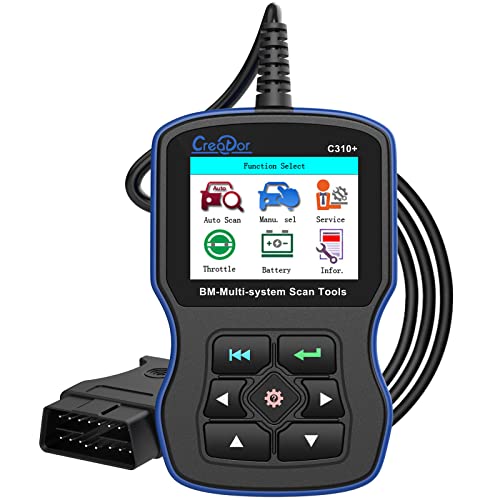
- LFR Score8.2
LFR Score is a ranking system developed by lightfansreviews.com. LFR Score has no relationship or impact from any manufacturers or sales agent websites. Learn more
- BrandCreator

SAZDOLN Z100 Fit for BMW-OBD2-Scanner, Car Code Readers, Full-System-Car-Diagnostic-Tools, with
View on Amazon- LFR Score7.8
LFR Score is a ranking system developed by lightfansreviews.com. LFR Score has no relationship or impact from any manufacturers or sales agent websites. Learn more
- BrandSAZDOLN

- LFR Score6.0
LFR Score is a ranking system developed by lightfansreviews.com. LFR Score has no relationship or impact from any manufacturers or sales agent websites. Learn more
- BrandSRXJWLI

- LFR Score5.8
LFR Score is a ranking system developed by lightfansreviews.com. LFR Score has no relationship or impact from any manufacturers or sales agent websites. Learn more
- Brandyorpyep

- LFR Score5.6
LFR Score is a ranking system developed by lightfansreviews.com. LFR Score has no relationship or impact from any manufacturers or sales agent websites. Learn more
- BrandPerformance Tool
Last update on 2026-09-29 / Affiliate links / Images, Product Titles, and Product Highlights from Amazon Product Advertising API
FAQs
Can I reset the brake light without buying any tools?
Yes, you can reset routine pad warnings using the odometer trip button on your dashboard. Turn the ignition on without starting the engine, hold the trip button until the service icons appear, scroll to the brake symbol, and hold the button again to confirm the reset. This manual sequence works as long as your brake wear sensor wire is brand new and undamaged.
Why does my dash show negative mileage after a reset?
Negative mileage or blank dashes appear when the onboard service computer detects an open electrical circuit. This happens if you tried to reset the light with an old wear sensor wire plugged in, if the new sensor wire was pinched during installation, or if the plug is loose. Install a new sensor wire and repeat the reset to restore normal mileage.
Do I have to change the wear sensor every time?
Yes, you should replace the wear sensor wire every time you install new brake pads. The sensor head is designed to wear down and break its internal wire against the brake disc to trigger the warning. Even if your old sensor looks intact, heat and road grime make the plastic brittle, and reusing it almost always leads to a failed reset.
What if the cluster button will not open the menu?
If holding the trip button fails to open the service menu, make sure your car doors are closed, the ignition is in accessory mode, and your handbrake is fully released. Stored system faults or past-due service intervals can also lock out the manual cluster menu. If the buttons still do not respond, you will need a BMW-compatible scan tool to clear the light through the diagnostic port.


Best Lighting For Makeup 2026 Bright Ideas For Flawless Looks

Best Wall Sconces For Staircase 2026 Brighten Your Home

Best Lighting For Computer Desk 2026 For Focused Work

Best Boat Black Lights 2026 For Nighttime Adventure

Best Black 30 Inch Light Bar Reviews – Top Picks of 2026

Best Black Light For Aquarium 2026 For Vibrant Glow

Best Black Light for Authenticating Glass 2026 Top Picks

Best Waterproof Spotlight 2026 That Outshines Expectations






