
How to Reset the Filter Light on a Levoit Air Purifier

Hold the button for three seconds. That red warning light will beep and shut off once you press and hold the reset icon on the running machine. Many people panic when the red glow stays on after putting in a fresh filter, worrying the purifier is broken. Air cleaners do not have air sensors that inspect paper pleats. They run on a simple internal timer that only resets when you tell it to.
The exact action changes slightly depending on your setup. Some purifiers share the reset action with the night light switch, while smart models let you clear the warning straight from a phone app. Vacuuming the outer mesh screen also buys time, but an old, spent core still needs a physical swap. Here is how to find the right control and clear that stubborn red light in seconds.
Hold the reset button for three seconds while powered on
The most common reason a red filter warning light refuses to turn off is simple: the air purifier was switched off when someone held the button. The electronic memory inside the purifier only accepts commands when the system is awake and running. If the unit sits in standby mode or is completely unplugged, pressing the panel does nothing.
To clear the light on the standard control panel:
- Plug your air purifier into a working wall outlet and press the power button to turn it on. Set the fan to any standard running speed.
- Locate the red filter warning light on the top touch panel. It looks like an icon of a filter canister or a circle with dashed lines.
- Press your index finger directly against the illuminated red symbol. Hold your finger firmly on the sensor without lifting it.
- Keep holding for three to five full seconds. Do not let go early.
- Listen for an audible confirmation beep from the unit.
- Watch the red light flash twice and turn off completely.
- Lift your finger from the panel.
Once the chime sounds, the internal memory resets. The machine will now run smoothly without that distracting red glow, and the timer will track your air cleaning hours from zero.
Button locations change depending on your specific Levoit model
Not every Levoit control panel looks identical. Some models have a standalone icon dedicated entirely to filter maintenance, while smaller or older units combine the reset switch with other controls. Knowing which spot on the console to touch saves you from pressing random buttons in frustration.
Here is where you can find the reset button on different body styles:
- Core 300, 300S, 400S, and 600S series: These cylindrical tower purifiers feature a flat circular touch console on the top lid. The red filter warning light is its own dedicated touch button. It sits near the fan speed arc and lights up bright red. Pressing and holding the red icon itself clears the timer.
- Core Mini and Mini-P models: This compact desktop design has a simplified top deck without a large digital screen. Instead, look for a small indicator dot near the main control dial or power button. Press and hold the power or fan control button for three seconds to clear the red warning dot.
- Vital 100 and Vital 100S models: These rectangular units have control panels located on the front-top edge. Look for the button marked with a filter symbol. On standard Vital units, you press and hold this dedicated button for three seconds until it chimes.
- Compact legacy models like the LV-H132: Older designs often combine functions onto a single physical switch. On these units, look for the night light button, which features a light bulb symbol. Pressing and holding that night light button for three seconds while the fan runs resets the filter memory circuit.
Levoit purifiers track run time rather than air dirtiness
Many homeowners install a fresh filter, turn the machine back on, and feel immediate dread when the red filter warning light remains lit. You might worry that the machine arrived broken, that the new filter is incompatible, or that the unit cannot detect proper airflow. None of those things are true.
Your air purifier does not have an electronic eye scanning the filter paper. It does not measure the weight of the dust trapped inside, and it does not use optical sensors to inspect the color of the pleats. The machine relies on an internal run-time counter built into the main circuit board.
This counter acts like an internal stopwatch. Every hour the fan spins, the processor subtracts time from an internal balance. Depending on the model and the fan speed you use, that timer is set for roughly 4,300 hours of continuous operation, which works out to about six to eight months in a typical home. When that electronic clock reaches zero, the circuit turns on the red filter warning light.
Because this is purely a mathematical clock, the machine has no idea that you opened the bottom lid, pulled out the old gray cartridge, and put in a fresh white one. The electrical circuit remains in its alert state until you physically force the timer to reset. Even if you vacuum the outer screen to remove pet hair, the internal clock keeps ticking until you hold the reset button.
A simple power cycle clears a stubborn warning light
If you held the button for five seconds while the fan was running and the red light stayed on, something interrupted the command. Before you assume the circuit board has failed, work through this quick troubleshooting sequence to clear the glitch.
- Check for an active display lock: Many Levoit models come with a display lock feature to prevent toddlers or pets from tampering with the settings. When the lock is active, a small padlock icon lights up on the panel, and the control board ignores every single tap. Press and hold the padlock icon for three full seconds until you hear a beep. Once the lock icon turns off, tap and hold the red filter warning light for three to five seconds.
- Perform a proper power cycle: Modern electronic boards can suffer minor software stalls after sudden electrical surges or brief brownouts. Turn off the unit using the power button. Unplug the power cord directly from the wall outlet. Leave the cord unplugged for a full sixty seconds. This power cycle lets residual electrical current drain completely from the small capacitors on the circuit board. Plug the machine back into the wall, switch the fan on, and attempt the three-second button hold again.
- Reseat the base cap or filter door: Every Levoit purifier has a built-in safety micro-switch near the filter bay. This switch prevents the motor from running if the filter compartment is open. If the bottom twist-cap or rear panel is slightly loose or misaligned, the switch might allow partial power while blocking maintenance resets. Turn the machine upside down, unlock the base cover, remove it, place it back on straight, and twist it clockwise until you feel a firm physical click.
Smart models let you reset the timer in the app
If your air purifier has smart connectivity (indicated by an "S" in the model name, like the Core 200S, Core 300S, or Vital 100S), it talks directly to the VeSync smartphone app. In some situations, you might turn off the red light on the physical console, but the app on your phone still shows a warning stating that you have zero percent filter life remaining.
You can clear this discrepancy directly from your phone in about twenty seconds:
- Open the VeSync smartphone app on your mobile device and make sure your phone connects to your local home network.
- Tap on your air purifier from the list of connected household devices.
- Tap the device settings button, which looks like a small mechanical gear in the upper right corner of your screen.
- Scroll down through the menu until you locate the section labeled "Filter Life" or "Filter Status."
- Tap the button labeled "Reset Filter Life."
- Confirm the pop-up notification asking if you replaced or cleaned the filter.
The app will immediately refresh, the filter health graphic will return to one hundred percent, and a digital signal will push to your air purifier to extinguish the physical console light if it was still glowing.
Managing smart home appliances from your phone makes day-to-day maintenance much easier. Many people who automate their indoor air quality also sync their purifiers alongside other ambient devices, such as automated climate controls or voice-controlled lighting setups, to keep their living spaces comfortable without constantly touching physical wall switches or appliance consoles. Keeping your device maintenance timers synchronized in the app ensures your automated schedules run without nuisance warnings interrupting your routine.
Inspect the pleats before clearing a neglected warning light
Turning off the red filter warning light takes only three seconds, but you should never turn it off blindly without inspecting the filter first. If the light came on because the timer ran out naturally over six to eight months, your machine is telling you that the filtration materials have reached their physical limits.
To decide whether you can simply reset the light or truly need a fresh cartridge, open the machine and check the three filtration stages:
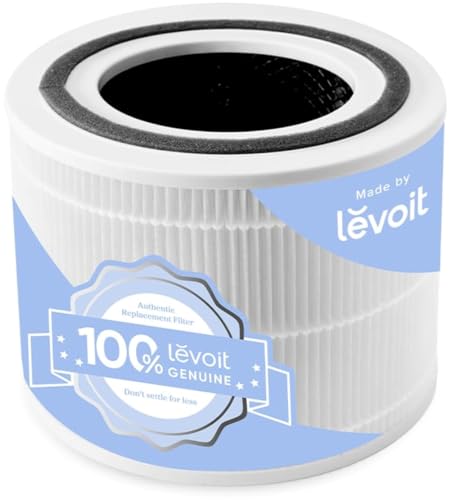
- The pre-filter: This is the outer mesh screen that traps hair and lint. It forms the first barrier around the outside of the cylinder. It often collects visible gray mats of pet fur, carpet fibers, and large dust bunnies. This layer can be safely cleaned using a soft brush attachment on your vacuum cleaner. If only this outer mesh is dusty, vacuuming it restores airflow immediately.
- The main pleated paper filter: Located just behind the outer mesh, this HEPA-grade paper core traps microscopic particles like pollen, mold spores, and pet dander. Look deep into the accordion folds under bright room light. If the paper has shifted from crisp white to a dark gray or muddy brown color, the microscopic channels are packed with dirt. You cannot wash or rinse this paper. Adding water destroys the paper fibers and permanently ruins the airflow.
- The activated carbon layer: This inner ring contains hundreds of tiny black carbon pellets designed to absorb cooking smoke, pet smells, and chemical fumes. Carbon works like a sponge for odors. Over time, those tiny pores become completely saturated. If you take the filter out and it smells sour, musty, or like a dirty vacuum bag, the carbon cannot hold any more odors.
If the outer screen was simply clogged with lint early in its life, vacuum it off, reinsert it, and reset your light. But if the inner paper is gray or the cartridge smells sour, simply turning off the light forces your purifier to circulate dirty air while straining the fan motor.
Matching your model number ensures clean air and tight seals
When an inspection reveals that your air cleaning cartridge is clogged with fine dust, buying a properly fitting replacement is the only way to restore fresh airflow. Air purifiers do not push air through magical force fields; they rely entirely on drawing air through dense, tightly woven media.
Before purchasing a new filter, look at the white manufacturing sticker on the bottom or back of your unit to confirm your exact model number. Purifiers in the same brand family often use very different filter shapes. Cylindrical tower models require circular drum filters, while slim rectangular models take flat panel cartridges.
Check that any cartridge you select includes all three essential layers: an outer mesh screen that traps hair and lint, a dense main pleated paper filter for microscopic allergens, and an interior ring of high-efficiency activated carbon pellets for smoke and household odors. Checking the outer dimensions ensures a snug, airtight seal against the internal housing so dirty room air cannot slip around the edges of the filter frame.
- LFR Score9.6
LFR Score is a ranking system developed by lightfansreviews.com. LFR Score has no relationship or impact from any manufacturers or sales agent websites. Learn more
- BrandLEVOIT

- LFR Score9.6
LFR Score is a ranking system developed by lightfansreviews.com. LFR Score has no relationship or impact from any manufacturers or sales agent websites. Learn more
- BrandNABEECA

- LFR Score9.6
LFR Score is a ranking system developed by lightfansreviews.com. LFR Score has no relationship or impact from any manufacturers or sales agent websites. Learn more
- BrandCabiclean

- LFR Score9.6
LFR Score is a ranking system developed by lightfansreviews.com. LFR Score has no relationship or impact from any manufacturers or sales agent websites. Learn more
- BrandPETOX

- LFR Score9.6
LFR Score is a ranking system developed by lightfansreviews.com. LFR Score has no relationship or impact from any manufacturers or sales agent websites. Learn more
- Brandisinlive

- LFR Score9.6
LFR Score is a ranking system developed by lightfansreviews.com. LFR Score has no relationship or impact from any manufacturers or sales agent websites. Learn more
- BrandLEVOIT

- LFR Score9.6
LFR Score is a ranking system developed by lightfansreviews.com. LFR Score has no relationship or impact from any manufacturers or sales agent websites. Learn more
- BrandCabiclean

- LFR Score9.4
LFR Score is a ranking system developed by lightfansreviews.com. LFR Score has no relationship or impact from any manufacturers or sales agent websites. Learn more
- BrandLevoit

- LFR Score9.4
LFR Score is a ranking system developed by lightfansreviews.com. LFR Score has no relationship or impact from any manufacturers or sales agent websites. Learn more
- BrandBeckacher

- LFR Score9.4
LFR Score is a ranking system developed by lightfansreviews.com. LFR Score has no relationship or impact from any manufacturers or sales agent websites. Learn more
- BrandLEVOIT
Last update on 2026-09-29 / Affiliate links / Images, Product Titles, and Product Highlights from Amazon Product Advertising API


Best Lighting For Makeup 2026 Bright Ideas For Flawless Looks

Best Wall Sconces For Staircase 2026 Brighten Your Home

Best Lighting For Computer Desk 2026 For Focused Work

Best Boat Black Lights 2026 For Nighttime Adventure

Best Black 30 Inch Light Bar Reviews – Top Picks of 2026

Best Black Light For Aquarium 2026 For Vibrant Glow

Best Black Light for Authenticating Glass 2026 Top Picks

Best Waterproof Spotlight 2026 That Outshines Expectations






