
How to Reset the Light on Your AeroGarden

There is no need to worry if the grow light suddenly turns on at midnight or stays dark all morning. To fix the schedule, simply press and hold the light button for three to five seconds at the exact time of day you want the panel to turn on every morning. The unit blinks once to lock in that timing, running its daily cycle from that moment forward.
A few details change the steps. Digital touchscreen models let you set the hours straight from a display menu without waiting for morning. Other times, a quick power outage simply knocked the clock out of sync, or a blinking reminder light means the herbs need food rather than a schedule change. The breakdown below shows you how to reset each model so your home stays dark at night.
Resetting the Light Timer on Push-Button and Touch Models
Push-button and touch-pad indoor gardens use a simple internal counting timer rather than a standard 12-hour clock. This timer acts like an automatic stopwatch. Once activated, it keeps the light panel (the overhead hood holding the light diodes) on for its set daily light hours, then turns the panel off for the rest of the night. Because the machine has no internal clock face, it relies on you to establish hour zero.
- Wait for your ideal morning wake-up hour. If you want your garden to turn on at 7:00 AM every morning, stand in front of your garden at exactly 7:00 AM.
- Locate the light button on the control surface. Look on the front of the water reservoir or near the top of the stem for a button marked with a light bulb or a leaf icon.
- Press and hold the light button down firmly for three to five seconds. Keep constant pressure on the surface until you see the lights react.
- Watch for the light panel to blink once or flash off and on. That brief blink confirms the system wiped its previous schedule and locked in that exact second as the start of its daily light cycle.
- Release the button. The panel will stay illuminated for its standard daylight period, which usually lasts around fifteen hours for common herbs, and switch off automatically at night.
If you need to switch back and forth between light and dark outside of the regular schedule, you do not need to reprogram the timer. A single quick tap on the light button switches the panel off without resetting your schedule. The internal timer keeps counting silently in the background, and the garden will wake up at 7:00 AM the next day as usual.
Programming Light Schedules on Digital Screen Models
Gardens equipped with full-color digital touch screens, such as Bounty models, handle daily schedules differently than basic button models. These units contain an active internal clock with standard morning and evening settings. You do not need to wake up early or wait for a specific hour to reset the lighting. You can customize the entire daily schedule at any time directly through the screen menu.
- Tap the display screen to wake the garden from its sleep mode. Check the master clock at the top of the screen to confirm whether the displayed time matches the actual time on your phone or wall clock.
- Adjust the master time if the clock drifted. If your garden displays 8:00 PM when it is actually 8:00 AM, tap the clock or settings icon and use the on-screen arrows to correct the hour, minute, and AM or PM marker.
- Open the light settings menu from the main dashboard. Tap the light panel icon on the screen to view your active lighting schedule and current daily light hours.
- Set your custom lights-on and lights-off times. Tap the start time box and select your preferred morning wake-up hour, then set your evening shut-off time to align with your household bedtime.
- Save your settings and exit to the home screen. Tap the checkmark or save button to store the new schedule in memory, ensuring the garden switches on and off reliably without disturbing your sleep.
Setting the correct daily light hours gives your plants the energy they need without wasting household electricity. Fast-growing greens and salad crops generally thrive on fifteen hours of light, while fruiting plants like dwarf tomatoes prefer sixteen hours. Giving plants at least eight hours of uninterrupted darkness each night allows them to metabolize stored energy properly.
Why Light Cycles Drift and How to Clear Stuck Alerts
Many indoor gardeners suddenly find their units blazing at 2:00 AM. This nocturnal schedule usually traces back to brief power flickers. A summer thunderstorm, a momentary utility brownout, or an accidental trip of a breaker can cut electricity for just a second. When power returns at 2:00 AM, a button-based garden treats that exact moment as morning, restarting its cycle in the dead of night.
Plugging the garden into an outlet wired to a kitchen wall switch causes the same problem. If someone flips the switch off when leaving the room and turns it back on the next morning, the internal timer resets to zero every time. Unplugging the base to carry the bowl to the sink for fresh water also wipes the memory on simple models. Always plug your garden into a continuous wall outlet that never loses power.
In tight living quarters or student housing where countertop greens share space with your bed, managing ambient glow is essential. If you want smart schedules throughout your home, pairing your indoor garden with reliable voice-controlled lights makes managing room brightness simple. For compact dorm arrangements where bright plant hoods can disturb roommates, finding ways to protect your deposit while managing night glare helps maintain peace in shared quarters.
Flashing reminder lights can also create confusion for indoor growers. The red or amber Add Food light operates on a separate fourteen-day counter. When this reminder blinks, add plant food and hold down the food button for three seconds to silence the alert.
Touching the light button by mistake will reset your lighting schedule instead of your feeding reminder. Water alerts clear automatically once you refill the bowl to the fill line, as the internal float rises back to its resting position.
Sometimes a garden panel acts stubbornly after a power surge. If your light panel stays completely unlit or refuses to turn off after a reset, follow this troubleshooting checklist to isolate the electrical hiccup:
- Disconnect the plug-in cord from the wall outlet for five full minutes so residual electricity drains completely from the internal circuit board.
- Detach the light panel from the vertical post and firmly slide it back into position to ensure the metal electrical contact pins touch cleanly.
- Inspect the power adapter cord along its entire length to verify there are no sharp bends, crimped sections, or loose socket fittings.
- Check the wall outlet by plugging in a small table lamp to confirm the electrical box provides steady, uninterrupted power.
If you smell hot plastic, hear an unusual buzzing from the power supply, or notice persistent electrical flickering, shut off the circuit breaker at the main electrical panel right away before handling the cord. Never attempt to pry open a sealed LED panel or modify the internal wiring yourself.
Choosing a Standalone Grow Light When Built-In Panels Fail
When an older garden hood stops illuminating after years of faithful service, you do not have to discard the water reservoir and pump. Placing a standalone plant light directly above your counter lets your hydroponic greens keep growing without missing a beat.
When shopping for a supplementary grow light, focus on usable light output rather than energy consumption. Check the brightness in lumens rather than wattage, because lumens measure actual brightness while watts only measure power draw. High lumen output with a built-in LED panel gives your herbs the rich illumination they need without hiking your utility bill or generating excess heat. Look for adjustable stem fixtures or hanging cords that allow you to raise the diodes as your plants grow tall.
Pay close attention to color tone or warmth (Kelvin) when selecting your fixture. Opt for a color profile around 5000K crisp daylight rather than 2700K warm soft white. Warm soft white works wonderfully for living room reading lamps, but crisp daylight delivers the cool blue-tinted spectrum that indoor greens crave for tight, bushy stem growth. Choosing a light with high color accuracy (CRI) of 90+ CRI also ensures your herbs, peppers, and floral blossoms appear true to life on your kitchen counter.
Choose a convenient plug-in cord design rather than a hardwired fixture wired directly into an electrical box. Unlike ceiling flush mount fixtures mounted flat against the ceiling or semi-flush fittings hanging down a few inches on a short stem, dedicated plant lights place intense illumination directly at canopy level. Look for models featuring built-in LED arrays rather than older fixtures that rely on a standard screw-in bulb base (E26 medium base), as built-in diodes stay cool to the touch and will not scorch tender leaves. Verify that the light is dry-rated for living rooms and bedrooms, and avoid plugging plant lights into older wall circuits that lack an LED-compatible dimmer switch, which can create a noticeable buzzing hum or irritating flicker.
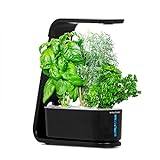
- LFR Score9.5
LFR Score is a ranking system developed by lightfansreviews.com. LFR Score has no relationship or impact from any manufacturers or sales agent websites. Learn more
- BrandAeroGarden

- LFR Score7.9
LFR Score is a ranking system developed by lightfansreviews.com. LFR Score has no relationship or impact from any manufacturers or sales agent websites. Learn more
- BrandAeroGarden

- LFR Score7.3
LFR Score is a ranking system developed by lightfansreviews.com. LFR Score has no relationship or impact from any manufacturers or sales agent websites. Learn more
- BrandAeroGarden

- LFR Score9.2
LFR Score is a ranking system developed by lightfansreviews.com. LFR Score has no relationship or impact from any manufacturers or sales agent websites. Learn more
- BrandAeroGarden

- LFR Score8.2
LFR Score is a ranking system developed by lightfansreviews.com. LFR Score has no relationship or impact from any manufacturers or sales agent websites. Learn more
- BrandAeroGarden

- LFR Score9.3
LFR Score is a ranking system developed by lightfansreviews.com. LFR Score has no relationship or impact from any manufacturers or sales agent websites. Learn more
- BrandAeroGarden

- LFR Score9.4
LFR Score is a ranking system developed by lightfansreviews.com. LFR Score has no relationship or impact from any manufacturers or sales agent websites. Learn more
- BrandAeroGarden
Last update on 2026-09-29 / Affiliate links / Images, Product Titles, and Product Highlights from Amazon Product Advertising API
FAQs
Will resetting the light schedule alter my plant food reminder?
No, the light timer and the liquid plant food counter operate on two completely separate circuits. Pressing and holding the light button only resets your daily light hours. Your fourteen-day feeding reminder will continue counting in the background until you reset the food button separately.
Can I turn off the grow light early without wiping my schedule?
Yes, you can turn off the light panel manually by giving the light button a single quick press. As long as you do not hold the button down for several seconds, the machine remembers its schedule. The light will turn back on automatically at your normal morning wake-up time.
Why does my light panel buzz or flicker after a reset?
Flickering and humming usually signal an unstable electrical connection rather than an internal timer glitch. Confirm that the light panel is seated securely onto the extendable post so the metal contact points make firm contact. Also verify that the unit is plugged into a standard wall socket rather than an incompatible wall dimmer.


Best Lighting For Makeup 2026 Bright Ideas For Flawless Looks

Best Wall Sconces For Staircase 2026 Brighten Your Home

Best Lighting For Computer Desk 2026 For Focused Work

Best Boat Black Lights 2026 For Nighttime Adventure

Best Black 30 Inch Light Bar Reviews – Top Picks of 2026

Best Black Light For Aquarium 2026 For Vibrant Glow

Best Black Light for Authenticating Glass 2026 Top Picks

Best Waterproof Spotlight 2026 That Outshines Expectations






