
How to Reverse Direction of Hunter Ceiling Fan Right

How to reverse direction of hunter ceiling fan sounds simple at first glance, yet plenty of people end up standing underneath a spinning fan wondering why the room still feels stuffy, uneven, or oddly warm. Airflow mistakes sneak up fast. One wrong setting can push cool air the wrong way, stir up dust, or leave certain corners of the room feeling dead and uncomfortable. That little direction switch tucked near the motor housing often gets ignored for months, sometimes years, and honestly, that tiny oversight can quietly chip away at comfort and energy efficiency.
Ceiling fans aren't just decorative fixtures spinning overhead for looks. Proper blade direction changes how air circulates through the entire room. During warmer weather, counterclockwise rotation creates a breeze that helps skin feel cooler without constantly lowering the thermostat. Cooler months flip the logic completely. Clockwise rotation at a low speed helps move trapped warm air downward without creating a harsh draft. That's where how to reverse direction of hunter ceiling fan becomes more than a quick adjustment. It becomes part of managing indoor comfort without battling sky-high utility bills.
People often assume every fan behaves the same way, but Hunter models come with different controls, remote systems, and switch placements. Some include wall controls, while others hide the reverse setting inside remote menus. A few older models still rely on a small manual toggle switch. That mix can make things confusing in a hurry. One minute the fan seems fine, then suddenly it's rattling, pushing warm air downward in July, or circulating air so weakly that the room feels stale. Small setup details matter more than most expect.
Seasonal airflow problems also tend to creep in gradually. A bedroom may feel hotter at night even with the air conditioner running. Living rooms sometimes develop cold spots near the floor while warm air sits uselessly near the ceiling. Kitchens can become muggy after cooking because air circulation isn't helping ventilation properly. Adjusting fan direction helps correct these annoyances without overcomplicating the setup. That's why many homeowners eventually start paying closer attention to blade rotation instead of simply increasing fan speed and hoping for the best.
Safety and timing matter too. Switching blade direction while the fan is still moving can damage components or strain the motor over time. Dust buildup near the motor housing may also hide the reverse switch completely. Some fans produce clicking noises after improper adjustments, especially if the blades become slightly unbalanced. Slowing down, turning off power completely, and checking the model instructions carefully can prevent a pile of frustration later. Little habits like these keep the fan operating smoothly instead of turning routine maintenance into a headache.
How to reverse direction of hunter ceiling fan also ties directly into airflow expectations. Plenty of people expect a dramatic wind tunnel effect during summer, then wonder why the room still feels sticky. Others switch directions during winter but accidentally leave the fan speed too high, creating chilly drafts instead of circulating warmth gently. Blade direction works together with speed settings, room size, and ceiling height. Those details influence whether the room feels balanced or uncomfortable.
Then there's the comfort factor nobody talks about enough. A properly adjusted ceiling fan creates a room that simply feels calmer. Air moves evenly. Temperatures stay more consistent. Sleeping becomes easier because stale heat isn't trapped near the ceiling. Sitting in the living room feels less stuffy after a long day. Subtle airflow improvements change how a room feels emotionally as much as physically, and honestly, that's why ceiling fan direction deserves more attention than it usually gets.

- LFR Score10.0
LFR Score is a ranking system developed by lightfansreviews.com. LFR Score has no relationship or impact from any manufacturers or sales agent websites. Learn more
- Brandlightingindoors

- LFR Score10.0
LFR Score is a ranking system developed by lightfansreviews.com. LFR Score has no relationship or impact from any manufacturers or sales agent websites. Learn more
- BrandSQXBK
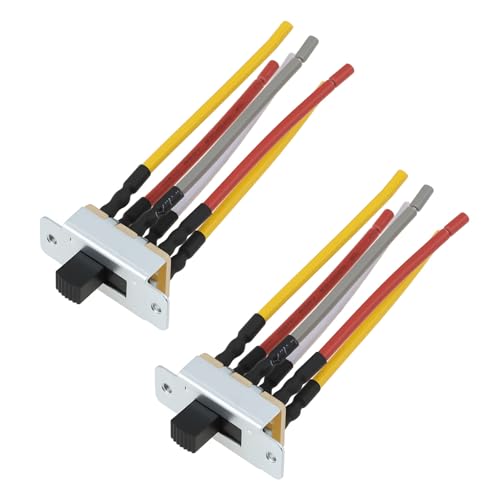
- LFR Score10.0
LFR Score is a ranking system developed by lightfansreviews.com. LFR Score has no relationship or impact from any manufacturers or sales agent websites. Learn more
- BrandECSiNG

- LFR Score9.6
LFR Score is a ranking system developed by lightfansreviews.com. LFR Score has no relationship or impact from any manufacturers or sales agent websites. Learn more
- BrandSwitchPrince

- LFR Score9.0
LFR Score is a ranking system developed by lightfansreviews.com. LFR Score has no relationship or impact from any manufacturers or sales agent websites. Learn more
- BrandHQRP

- LFR Score9.0
LFR Score is a ranking system developed by lightfansreviews.com. LFR Score has no relationship or impact from any manufacturers or sales agent websites. Learn more
- BrandReluen

- LFR Score9.0
LFR Score is a ranking system developed by lightfansreviews.com. LFR Score has no relationship or impact from any manufacturers or sales agent websites. Learn more
- BrandMEETOOT

- LFR Score9.0
LFR Score is a ranking system developed by lightfansreviews.com. LFR Score has no relationship or impact from any manufacturers or sales agent websites. Learn more
- BrandMOTOKU

- LFR Score8.8
LFR Score is a ranking system developed by lightfansreviews.com. LFR Score has no relationship or impact from any manufacturers or sales agent websites. Learn more
- BrandLPHUMEX

- LFR Score8.6
LFR Score is a ranking system developed by lightfansreviews.com. LFR Score has no relationship or impact from any manufacturers or sales agent websites. Learn more
- BrandAnderic

- LFR Score8.4
LFR Score is a ranking system developed by lightfansreviews.com. LFR Score has no relationship or impact from any manufacturers or sales agent websites. Learn more
- BrandZZLZX

- LFR Score8.0
LFR Score is a ranking system developed by lightfansreviews.com. LFR Score has no relationship or impact from any manufacturers or sales agent websites. Learn more
- BrandCeilingBreeze
Last update on 2026-05-19 / Affiliate links / Images, Product Titles, and Product Highlights from Amazon Product Advertising API
How To Reverse Direction Of Hunter Ceiling Fan
A room can feel oddly wrong even while the blades are spinning overhead. The air moves, sure, but the comfort never quite lands where it should. That’s usually the moment how to reverse direction of hunter ceiling fan stops sounding like a tiny setting and starts looking like the missing piece. A Hunter fan set in the wrong seasonal direction can make summer feel stuffier, winter feel draftier, and the thermostat work harder than it needs to.
Hunter Fan Direction Basics
Hunter ceiling fan direction controls whether air is pushed downward for a cooling breeze or circulated upward to move trapped warm air. Most Hunter fans follow the same seasonal idea: counterclockwise for summer and clockwise for winter. That doesn’t mean every model reverses the same way, though. Some use a physical switch on the motor housing, while others rely on a handheld remote, wall control, or app setting.
The easiest mistake is assuming the fan is helping just because it’s moving. A fan running the wrong way can still spin smoothly while doing very little for comfort. In summer, the goal is a noticeable downdraft that you can feel on your skin. In winter, the goal is gentler circulation that moves warm air down the walls without creating a chilly blast.
Blade rotation matters because ceiling fans cool people, not rooms, during warm weather. The breeze helps sweat evaporate faster, which makes the body feel cooler without actually lowering the room temperature. That’s why the U.S. Department of Energy says ceiling fans can let people raise the thermostat by about 4°F without reducing comfort. Small adjustment, real payoff.
Hunter fans also tend to live in busy rooms: bedrooms, family rooms, kitchens, patios, and vaulted spaces. Those rooms all behave differently. A low ceiling needs a softer speed, while a tall ceiling may need more air movement to make a difference. So, fan direction and fan speed should work together instead of being treated like separate chores.
Find The Reverse Control
The first job is simple but easy to botch: locate the reverse control. On many traditional Hunter ceiling fans, the switch sits on the motor housing just above or below the blades. It may be a tiny sliding switch, and yeah, it can blend into the finish so well that it almost disappears. Turn the fan off before touching anything because changing direction while the blades are still moving can strain the motor.
Remote-controlled Hunter fans may not have an obvious manual switch. Some models reverse through a dedicated remote button, while others use a button combination or a menu-style control. Wall-control versions may include a reverse icon or a press-and-hold function. If the fan has smart features, direction settings may sit inside the app rather than on the fan itself.
Older Hunter fans can be a little stubborn. Dust, paint overspray, or age can make the reverse switch stiff. Don’t force it like you’re opening a stuck pickle jar. A gentle push is enough if the switch is in good shape, and if it doesn’t move, check for grime around the switch before assuming the fan is broken.
Lighting kits can make the switch harder to see. Glass shades, decorative housings, and low ceiling clearance can block your view. Use a stable ladder, keep one hand free, and avoid pulling on chains, shades, or wires while searching. Safe access beats rushing, especially if the fan is mounted over furniture.
Set Summer Rotation Correctly
Summer direction should create a breeze that pushes air downward. Stand directly under the fan after it reaches steady speed. If you feel a steady cooling draft, the fan is likely moving counterclockwise. If the air feels weak or seems to pull upward instead, the blades probably need reversing.
How to reverse direction of hunter ceiling fan during warmer months starts with turning the fan off completely. Wait until the blades stop. Then move the reverse switch or use the remote control function, depending on the model. Turn the fan back on and check the airflow again at a medium speed.
Speed matters more than people think. High speed can feel nice in a hot room, but it can also blow papers around, dry eyes, or make sleeping uncomfortable. Medium speed often gives enough cooling airflow without turning the room into a wind tunnel. Bedrooms usually feel better with a lower setting once the room has settled.
Summer airflow also depends on blade height and room layout. A fan above a tall bed, kitchen island, or sectional sofa may feel different from one in an open room. Furniture can block or redirect air, so don’t judge the setting from one spot only. Walk around the room and check whether air circulation feels balanced near the places where people actually sit, cook, work, or sleep.
To cut heat buildup in bigger utility spaces, compare airflow needs with industrial garage ceiling fans before assuming a standard indoor fan can handle every large room. A regular Hunter ceiling fan can help comfort in living areas, but a garage, shop, or high-ceiling workspace may need a different blade span and motor style. That’s a practical tradeoff, not a flaw. The right fan size keeps air moving without running the motor hard all day.
Set Winter Rotation Correctly
Winter direction works the opposite way. Warm air rises and collects near the ceiling, especially in rooms with tall ceilings or poor circulation. A Hunter fan running clockwise at low speed helps pull cooler air upward and gently push warmer air back down along the walls. The trick is subtle movement, not a noticeable breeze.
Plenty of people reverse the fan for winter and then leave it on high. That usually feels awful. A strong draft in January defeats the whole point and makes the room feel colder instead of cozier. Low speed is the sweet spot because it mixes the air without making skin feel chilled.
Winter use works best in rooms where heat gets trapped overhead. Vaulted living rooms, stairwell-adjacent spaces, and rooms with fireplaces often benefit the most. A fan won’t replace insulation or fix a weak heating system, but proper circulation can reduce those annoying temperature layers. Feet feel less icy, and the room stops feeling like two climates stacked on top of each other.
Watch curtains, plants, and lightweight decor after switching direction. If they move too much, the speed is probably too high. A winter fan should feel almost invisible while still helping the room stay even. Think slow stir, not full breeze.
Use The Remote Without Guessing
Hunter remotes can make reversing direction feel either simple or weirdly mysterious. Some have a clear reverse button, usually marked with an airflow icon or circular arrows. Others require holding the fan button for a few seconds after the fan stops. The exact method depends on the model, so remote behavior deserves a closer look before random button pressing starts.
Start by turning the fan off with the remote and waiting for the blades to stop. Then press the reverse control or follow the model’s remote sequence. Turn the fan back on and check the direction from below. If it doesn’t reverse, check the batteries before blaming the receiver.
Remote receivers can also lag. Pressing buttons too quickly can confuse the command sequence, especially on older systems. Slow down and give the fan a moment to respond. A little patience saves a lot of button-mashing drama.
Wall switches can interrupt remote pairing, too. If the wall switch is off, the remote won’t send power to the fan. If the switch has dimmer-style controls not meant for ceiling fans, performance may get flaky. Consistent power helps the remote, receiver, light kit, and reverse function behave the way they should.
Fix Weak Airflow After Reversing
Weak airflow after reversing doesn’t always mean the direction is wrong. Dust on blade edges can reduce movement more than most people expect. Thick dust changes the blade surface just enough to make airflow feel lazy. Cleaning the blades is a dull job, sure, but clean blade edges make direction changes more effective.
Blade pitch also affects how much air the fan moves. If blades are warped, loose, or slightly misaligned, airflow can feel uneven even with the correct rotation. Tighten visible screws carefully and look for blades that sit lower than the others. A wobbling fan wastes energy and can make the room feel choppy instead of comfortable.
Room size can expose the limits of the fan. A small Hunter fan in a large room may spin correctly but still feel underpowered. A huge fan in a compact bedroom may feel too aggressive unless it runs low. Fan size, ceiling height, and speed setting all decide whether reversing direction actually improves comfort.
Air conditioning and heating vents matter as well. A ceiling fan can help distribute conditioned air, but it can also fight poor vent placement if the setup is awkward. Check whether airflow from vents is blocked by furniture, curtains, or rugs. The fan should support the room’s air pattern, not cover up every ventilation problem.
Avoid Common Direction Mistakes
The biggest mistake is switching direction while the fan is still spinning. That quick move may seem harmless, but it puts unnecessary stress on the motor and internal controls. Always let the blades come to a full stop first. Motor protection starts with that simple habit.
Another common slip is judging direction by sight only. From below, blade movement can be tricky to read, especially on darker blades or higher ceilings. Use airflow as the final test. Summer should feel like air coming down, while winter should feel calm with air circulating gently around the room.
People also forget to adjust speed after reversing. The summer setting may need medium or high speed, but winter usually needs low. Leaving the fan at the same speed all year is like wearing the same jacket in July and January. Seasonal comfort needs small tweaks, not one frozen setting.
Light kits can create another distraction. A fan may appear to malfunction because the light works but the blades don’t reverse. Those are separate circuits on many setups. The light responding doesn’t always mean the fan receiver, remote function, or reverse command is working properly.
Check Safety Before Touching The Fan
Safety sounds boring until a ladder wobbles under a spinning fan. Turn the fan off, let the blades stop, and use a stable step ladder that puts the motor housing at chest or eye level. Stretching from a chair is asking for trouble. Stable footing makes the whole task cleaner and safer.
Never grab the blades to stop the fan faster. That can bend blade arms, loosen screws, or throw the fan out of balance. Wait it out. A minute of patience is cheaper than replacing parts or listening to a new wobble every night.
If the fan sits high above a stairwell or vaulted ceiling, don’t improvise. Extension tools and tall ladders require care, and some setups are better handled by a qualified electrician or installer. Hard-to-reach fans bring different risks than a bedroom fan mounted on an eight-foot ceiling. Pride isn’t worth a fall.
Electrical oddities deserve caution, too. Buzzing, burning smells, flickering lights, or a fan that changes speed by itself can point to wiring or receiver issues. Reversing direction won’t fix electrical trouble. Stop using the fan and get the wiring checked before small symptoms become expensive problems.
Best Way To Reverse Hunter Ceiling Fan Direction
Comfort problems usually creep in quietly. One room feels sticky even with the AC running, while another somehow feels chilly near the floor and warm near the ceiling at the exact same time. That uneven feeling often points back to airflow, and best way to reverse hunter ceiling fan direction becomes a lot more important than most people expect. A small switch or remote setting can completely change how a room feels day to day.
Watch For Signs The Direction Is Wrong
A Hunter fan spinning the wrong direction tends to create subtle frustration instead of obvious failure. Summer air may feel heavy even though the fan is running nonstop. Winter airflow can turn uncomfortable fast because cool drafts push downward instead of circulating warmth gently. Those little comfort problems usually trace back to incorrect blade rotation.
Bedrooms reveal airflow mistakes quickly. Tossing blankets off at night, then pulling them back on an hour later, often points to uneven circulation. Ceiling fans should support comfort, not constantly shift the room between too warm and too cold. A properly reversed fan creates steady airflow balance instead of random hot and cold pockets.
Living rooms show another common clue. Warm air gathers near tall ceilings while seating areas still feel chilly. People crank up the heat thinking the furnace is struggling, even though trapped ceiling heat is the real issue. Switching the fan to clockwise winter rotation often smooths out that temperature difference without touching the thermostat.
Sound changes matter too. A fan suddenly humming louder after reversing direction can signal loose blades, dust buildup, or unbalanced hardware. Direction changes should not create grinding, wobbling, or clicking sounds. Those issues point toward maintenance needs rather than airflow settings alone.
Clean The Blades Before Reversing
Dusty blades sabotage airflow more than people realize. Thick buildup changes how air moves across the blade surface, especially on fans that haven’t been cleaned in months. Reversing direction without cleaning first often leads to disappointing results because the fan simply can’t move air efficiently. Clean blades help restore smoother circulation almost immediately.
A microfiber cloth or pillowcase method works well for indoor Hunter fans. Slide the fabric over each blade and pull slowly so dust stays contained instead of exploding onto furniture. Fans above beds, sofas, or dining tables tend to spread dust everywhere if cleaning gets rushed. Taking an extra minute prevents that gritty mess from floating through the room.
Blade edges deserve attention too. Dust usually clings near the outer edge where airflow pressure is strongest. Ignoring those areas leaves the fan partially restricted even if the blade surface looks clean at first glance. Balanced airflow depends on consistent blade condition across all sides.
Moisture matters during cleaning. Too much water can damage certain blade finishes or seep into motor areas near the housing. Slightly damp cloths are safer than soaking materials. Gentle cleaning protects both appearance and long-term fan performance.
Adjust Fan Speed For Better Comfort
People often assume reversing direction alone fixes everything. It doesn’t. Fan speed settings matter just as much because airflow intensity changes how the room feels. Summer usually benefits from medium or higher speeds, while winter circulation works best at lower settings.
Higher speed isn’t always more comfortable. Strong airflow can dry out eyes, scatter paperwork, or create an annoying breeze while sleeping. Bedrooms especially benefit from slower speeds once the room cools evenly. A softer breeze often feels calmer and more relaxing overnight.
Winter settings need even more restraint. A fan spinning too fast clockwise creates cold drafts instead of redistributing heat. The goal is subtle circulation that quietly pushes warm air downward along walls without making the room feel windy. Low-speed winter airflow keeps comfort stable without drawing attention to itself.
Ceiling height changes speed needs as well. Lower ceilings can feel overwhelming with aggressive airflow, while vaulted ceilings may require slightly higher settings to move trapped heat effectively. Adjusting speed gradually helps pinpoint the most comfortable setup without overshooting.
Handle Remote And Smart Controls Properly
Modern Hunter fans sometimes hide critical controls behind remotes or smart apps, which can frustrate people expecting a simple wall switch. A remote-controlled fan may refuse to reverse if the batteries are weak or if the receiver loses pairing. That doesn’t always mean the fan itself is malfunctioning. Remote communication issues are surprisingly common.
Some Hunter remotes need the fan completely stopped before reversing direction. Others require pressing and holding a reverse button for several seconds. Rapid button tapping usually causes more confusion than progress. Slower commands tend to work better because the receiver has time to process the signal properly.
Smart-enabled fans introduce another layer of complexity. Wi-Fi interruptions, outdated apps, or disconnected hubs can prevent settings from responding correctly. Restarting the app or reconnecting the fan often solves the issue faster than dismantling hardware. Consistent power connection matters for reliable smart controls.
Wall switches still matter even with advanced remotes. If the wall switch cuts power entirely, the remote cannot communicate with the receiver at all. Some homes accidentally use incompatible dimmer switches with ceiling fans, which may cause flickering lights or unreliable speed control. Stable electrical supply helps the reverse function behave consistently.
Improve Lighting And Airflow Together
Ceiling fans often double as the main room light source, especially in bedrooms and living areas. Poor lighting combined with weak airflow makes a room feel uncomfortable no matter how expensive the fan looks. That’s why many homeowners eventually compare ceiling fans with good lighting while improving airflow performance at the same time. Balanced light and circulation create a room that feels noticeably easier to live in.
Dim lighting can exaggerate comfort issues. A room that feels dark and stuffy tends to feel smaller and warmer emotionally, even before temperature becomes a problem. Better fan lighting improves visibility while the correct blade direction smooths out air movement. Those two changes together often reshape the entire atmosphere of a room.
Bulb type matters too. Older incandescent bulbs create more heat near the ceiling, which can fight against summer airflow. LED bulbs reduce excess warmth while using less energy overall. Pairing efficient lighting with proper fan direction supports steadier comfort through changing seasons.
Light kits also influence maintenance access. Fans with oversized glass housings may make reverse switches harder to reach. Remote-controlled lighting systems simplify operation, but they can complicate troubleshooting if multiple settings fail at once. Organized controls help prevent confusion later.
Reduce Energy Waste During Seasonal Changes
Running a Hunter fan the wrong direction all season quietly wastes energy. The HVAC system works harder because airflow never supports the room properly. Air conditioners cycle longer in summer while heating systems struggle against trapped ceiling heat during winter. Correct fan rotation helps conditioned air circulate more efficiently.
Small seasonal adjustments matter more in larger homes. Open-concept spaces, lofts, and vaulted ceilings naturally trap heat overhead. Fans help redistribute that air so rooms feel more balanced without constant thermostat adjustments. That smoother circulation can reduce the temptation to overheat or overcool the space.
Insulation still matters, of course. A ceiling fan cannot fix drafty windows or poorly sealed attic spaces. But airflow improvements often reveal where the real weaknesses exist because temperatures become more even throughout the room. Air movement efficiency supports heating and cooling rather than replacing them.
Seasonal habits make a difference too. Many people reverse fan direction once, then forget about it for years. Adding a reminder during daylight savings time or seasonal decorating helps keep airflow settings aligned with weather changes. Tiny maintenance habits often prevent months of discomfort.
Handle High Ceilings And Large Rooms
Tall ceilings create airflow challenges that smaller rooms rarely experience. Warm air naturally rises and lingers overhead, especially in living rooms with vaulted architecture. Standard fan settings sometimes struggle to push that trapped warmth downward effectively. Ceiling height changes how airflow behaves throughout the entire room.
Downrods become important in oversized spaces. A fan mounted too close to a high ceiling may circulate air near the ceiling itself rather than where people actually sit. Lowering the fan slightly improves airflow reach and helps the room feel more connected. Position matters just as much as blade direction.
Large rooms also benefit from wider blade spans. Smaller fans can reverse correctly and still feel weak because the blades simply cannot move enough air across the space. Comparing room dimensions with fan size prevents unrealistic expectations. Bigger spaces often need stronger airflow coverage to feel balanced.
Study areas and workspaces reveal these airflow differences quickly. Rooms with poor circulation can feel mentally draining after several hours indoors. To improve focused lighting while keeping airflow steady nearby, compare setups that include desk lamps for dorm rooms in compact study environments where ceiling airflow and task lighting both affect comfort.
Know When The Fan Needs Repairs
Direction issues sometimes hide bigger mechanical problems. A fan that refuses to reverse, changes speed unpredictably, or makes grinding sounds may have receiver or capacitor trouble. Reversing direction should feel smooth and consistent. Sudden jerking or delayed movement signals something deeper than seasonal adjustment.
Persistent wobbling deserves attention quickly. Loose blade brackets, warped blades, or mounting problems can worsen over time if ignored. A small wobble today can eventually strain the motor or loosen hardware around the ceiling box. Stable blade alignment protects both comfort and long-term reliability.
Burning smells or overheating should never be ignored. Turn the fan off immediately if the motor housing becomes unusually hot or electrical odors appear. Ceiling fans operate quietly under normal conditions. Sharp smells, buzzing, or inconsistent lighting often point toward wiring problems that need professional attention.
Older Hunter fans may simply reach the point where repairs cost more effort than replacement feels worth. Worn bearings, outdated receivers, or discontinued remote systems can become frustrating over time. Still, many Hunter models last for years with basic maintenance, seasonal direction changes, and occasional cleaning. Consistent care usually matters more than fancy features.


Best Small Flush Mount Ceiling Fans 2026 Ultimate Picks

Best Smart Ceiling Fan India 2026 For Effortless Comfort

Best Smart Ceiling Fans with Lights for 2026: Top Picks

Best Smart Home Non Ceiling Fans 2026 For Ultimate Comfort

Best Outdoor Misting Ceiling Fan 2026 For Ultimate Comfort

Best Outdoor Ceiling Fans For Porch 2026 With Style And Breeze

Best Smart Bulb For Ceiling Fan 2026 That Brightens Life

Best Smart Ceiling Fan Control 2026 For Effortless Comfort






