
How to Reverse Harbor Breeze Ceiling Fan With Remote

How to reverse harbor breeze ceiling fan with remote sounds simple at first glance, yet plenty of people end up standing under the fan pressing random buttons while nothing happens. One minute the fan spins smoothly, then suddenly the airflow feels completely wrong. Rooms stay stuffy during summer, heating drifts upward during winter, and that annoying feeling of “Why isn’t this working?” starts creeping in fast. Small remote differences between Harbor Breeze models often create the confusion, especially when hidden reverse buttons or delayed responses come into play.
Ceiling fan direction affects more than comfort. The wrong blade rotation can leave warm air trapped near the ceiling or push cool air in all the wrong places. That’s why understanding remote functions, reverse settings, and timing matters so much. Some Harbor Breeze remotes require the fan to stop completely before changing direction, while others use a dedicated reverse button hidden under a sliding panel or battery cover. Miss that tiny detail and the fan simply ignores the command.
Another headache pops up when the fan remote appears functional but the reverse feature still refuses to cooperate. Dead batteries, pairing issues, or outdated receiver settings can quietly interfere without obvious warning signs. Frustrating? Absolutely. Still, a few practical adjustments usually solve the issue faster than expected. Carefully checking remote compatibility, resetting the receiver, and understanding how airflow should feel after reversing the blades can save a ton of unnecessary trial and error.
Seasonal airflow also plays a huge role in why so many people search for better guidance. During warmer months, counterclockwise rotation creates a cooling breeze that makes rooms feel fresher without touching the thermostat. Cooler seasons flip the strategy entirely. Clockwise movement gently circulates trapped heat downward without creating a strong draft, helping rooms feel balanced instead of uneven and chilly. That subtle airflow shift often makes a noticeable difference in energy usage and everyday comfort.
Remote-controlled ceiling fans aren’t always intuitive either. Some Harbor Breeze models beep after successful direction changes, while others stay silent and take several seconds before the blades gradually reverse. That delay throws people off constantly. Instead of assuming the remote failed, it helps to pause, let the motor fully stop, and watch the blade direction carefully before pressing more buttons. Rushing the process usually creates more confusion than the fan itself.
How to reverse harbor breeze ceiling fan with remote becomes far less irritating once the process feels familiar. A few small habits, like keeping fresh batteries nearby and identifying the correct airflow direction each season, can prevent recurring problems later. Nobody wants to wrestle with ceiling fan controls every few months. Smooth airflow, quieter operation, and a more comfortable room all start with understanding how the remote and reverse settings actually work together.

- LFR Score9.6
LFR Score is a ranking system developed by lightfansreviews.com. LFR Score has no relationship or impact from any manufacturers or sales agent websites. Learn more
- BrandRETROSUN

- LFR Score9.2
LFR Score is a ranking system developed by lightfansreviews.com. LFR Score has no relationship or impact from any manufacturers or sales agent websites. Learn more
- BrandAnderic
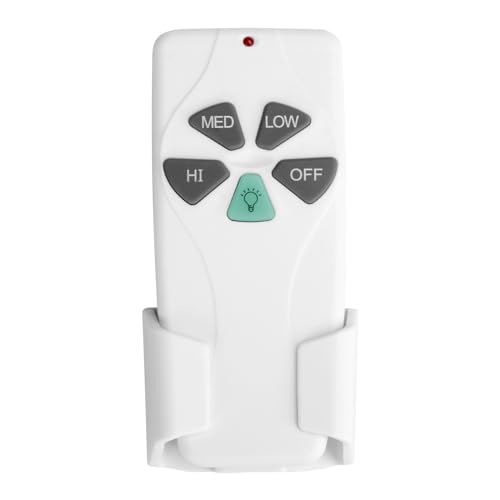
- LFR Score9.2
LFR Score is a ranking system developed by lightfansreviews.com. LFR Score has no relationship or impact from any manufacturers or sales agent websites. Learn more
- BrandSuperDi

- LFR Score8.8
LFR Score is a ranking system developed by lightfansreviews.com. LFR Score has no relationship or impact from any manufacturers or sales agent websites. Learn more
- BrandLPHUMEX

- LFR Score8.8
LFR Score is a ranking system developed by lightfansreviews.com. LFR Score has no relationship or impact from any manufacturers or sales agent websites. Learn more
- BrandPrichor

- LFR Score8.6
LFR Score is a ranking system developed by lightfansreviews.com. LFR Score has no relationship or impact from any manufacturers or sales agent websites. Learn more
- BrandWINFLIKE

- LFR Score8.2
LFR Score is a ranking system developed by lightfansreviews.com. LFR Score has no relationship or impact from any manufacturers or sales agent websites. Learn more
- BrandUBORSY

- LFR Score8.2
LFR Score is a ranking system developed by lightfansreviews.com. LFR Score has no relationship or impact from any manufacturers or sales agent websites. Learn more
- BrandCOREBAY
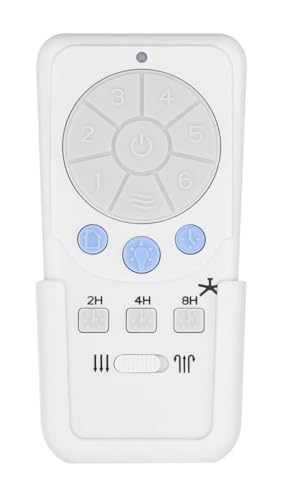
- LFR Score8.0
LFR Score is a ranking system developed by lightfansreviews.com. LFR Score has no relationship or impact from any manufacturers or sales agent websites. Learn more
- BrandMy Fan Parts
Last update on 2026-08-12 / Affiliate links / Images, Product Titles, and Product Highlights from Amazon Product Advertising API
How To Reverse Harbor Breeze Ceiling Fan With Remote
A room can feel oddly uncomfortable even while the fan is spinning like it’s doing its job. The breeze may feel weak, warm air may sit near the ceiling, or the remote may act like it missed the memo. That’s where how to reverse harbor breeze ceiling fan with remote becomes more than a button hunt, because the right direction changes how air moves through the whole room. A small setting can affect seasonal comfort, draft control, and the way the fan works with your thermostat.
Harbor Breeze Remote Basics
Most Harbor Breeze remotes look simple, but the reverse function can hide in plain sight. Some models use a dedicated reverse button, while others tuck the control behind a battery cover, inside a small panel, or into a mode sequence. That tiny design choice causes plenty of head scratching. A remote that controls speed and light perfectly may still leave the fan direction unchanged if the reverse command lives somewhere less obvious.
Start by slowing down the process, because ceiling fan motors don’t always respond instantly. Pressing buttons over and over can confuse the receiver or make it seem like the remote has failed. Many fans need the blades to stop before the motor accepts a direction change. That pause feels annoying, sure, but it protects the motor housing and keeps the fan from jerking between rotations.
The usual summer setting pushes air downward with a counterclockwise spin as viewed from below. The usual winter setting moves clockwise at low speed, which helps pull cooler air upward and ease warm air back down along the walls. The U.S. Department of Energy says a ceiling fan can let you raise the thermostat by about 4 degrees Fahrenheit without reducing comfort, which is a practical number to keep in mind. The fan still doesn’t cool the room itself, but air movement helps people feel cooler.
Remote problems often start with boring stuff, not dramatic failures. Weak batteries, poor contact inside the battery compartment, or a receiver that lost pairing can block the reverse signal. Fresh batteries are cheap insurance before assuming the fan is broken. A clean reset, a patient stop-and-start routine, and a quick check of the remote buttons usually solve more issues than people expect.
Check The Remote Before Pressing Reverse
A Harbor Breeze remote can control several functions from one small device, so it pays to inspect it closely. Look for labels like reverse, rev, directional arrows, or a small icon that looks like rotating blades. Some remotes use a button that only works after the fan is already turned on. Others require the fan to be off, which is why random button pressing feels like trying to crack a safe.
Battery compartments deserve a careful look because hidden switches sometimes sit behind the cover. A tiny dip switch or pairing switch may control communication between the remote and receiver. If those switches get bumped, the fan may still light up but ignore some commands. That mismatch can make remote pairing feel mysterious, even though the fix may be as simple as matching switch positions.
Check the wall switch too, because the remote depends on steady power. A fan controlled by both a wall switch and a remote can behave oddly if the wall switch cuts power at the wrong time. Keep the wall switch on while using the remote for speed control, light control, and reverse changes. This small habit prevents the receiver from constantly waking up and losing its rhythm.
Separately, tight rooms and outage-prone spaces sometimes need backup airflow beyond a ceiling fan. Compare portable comfort options with a rechargeable fan with light if you need airflow during power interruptions, garage projects, or patios without a reliable ceiling fixture. That doesn’t replace the Harbor Breeze reverse setting, but it gives you a practical safety net. The best setup is still the one that handles daily airflow without turning comfort into a chore.
Reverse Direction Without Guesswork
Turn the fan on first and watch the blades from directly below. If the blades move counterclockwise, the fan should create a noticeable downward breeze. If the blades move clockwise, the airflow should feel softer and less direct. This visual check matters because airflow direction tells you more than the remote display ever will.
Press the reverse button once, then give the fan time to respond. Some motors slow down, stop, and restart in the opposite direction without much noise. Others pause long enough to make you wonder if anything happened. Resist the urge to mash the button, because delayed response is common on remote-controlled ceiling fans.
If the fan refuses to reverse, turn it off and wait until the blades fully stop. Then press the reverse function again while standing close enough for a clean signal. Remote range can suffer from weak batteries, metal housings, or furniture blocking the receiver path. A clearer signal helps the fan receiver catch the command instead of ignoring it.
Some Harbor Breeze models use the remote only for speed and lighting, while direction changes happen on the fan body. In that case, look for a small switch near the motor housing after the blades stop completely. Never reach near moving blades, even if they look slow. Safe handling protects the blade arms, the motor switch, and your fingers.
Set Summer And Winter Airflow Correctly
Summer airflow should feel direct and refreshing, not faint and confused. Counterclockwise rotation pushes air downward, creating the breeze effect that helps skin feel cooler. That’s why a properly reversed fan can make a room feel more comfortable without forcing the air conditioner to carry the whole load. The key is downward airflow, not just fan speed.
Winter airflow needs a gentler touch. Clockwise rotation at low speed helps circulate warm air that naturally gathers near the ceiling. Run it too fast and the room may feel drafty instead of cozy. Low speed keeps warm air circulation useful without making anyone on the couch grab a blanket.
High ceilings change the feel of this setup quite a bit. Tall rooms often trap warm air overhead, so reverse direction can matter more than people realize. Explore sizing and placement ideas for high roof ceiling fans if your room has vaulted ceilings, open beams, or a lofted layout. Fan height, blade span, and air column movement all affect whether the reverse setting actually reaches the living area.
A simple tissue test can help confirm the direction without staring at spinning blades for too long. Hold a tissue below the fan at a safe distance and watch whether air pushes it downward. In winter mode, that direct push should feel much weaker. This quick check gives a real-world read on seasonal fan direction without needing tools or guesswork.
Fix Remote Problems That Block Reversing
Remote failure often feels sudden, but the cause is usually basic. Replace the batteries first, then clean the contacts if they look dusty or dull. A weak battery can still turn the light on while failing to send a strong reverse command. That half-working behavior tricks people into blaming the fan motor too soon.
Pairing issues can also block direction changes. Turn off power at the wall switch or breaker for a short reset, then restore power and follow the pairing steps for your remote model. Many Harbor Breeze remotes require pressing a learn button within a certain window after power returns. Missing that window means the receiver reset doesn’t take, even though everything looks normal.
Receiver age matters too. Older receivers may become inconsistent after years of heat exposure inside the canopy. A fan that responds slowly, skips speeds, or randomly ignores commands may have a tired receiver rather than a bad remote. Replacing the remote receiver can bring back reliable control, though wiring should be handled carefully and power should stay off during any service work.
Separate household devices can create mild interference, especially in homes packed with remotes, smart plugs, and wireless controls. Changing dip switch settings, if your model uses them, may help the fan respond more cleanly. Keep the remote away from moisture and avoid dropping it onto hard floors. Small habits protect the control board and keep seasonal reversing from becoming a repeat headache.
Avoid Common Direction Mistakes
The biggest mistake is changing direction while the blades are still moving fast. It feels harmless, but it can strain the motor and create rough starts. Wait until the fan stops fully before using a housing switch or retrying a remote reverse command. That patience supports motor life and prevents unnecessary wobble.
Another common mix-up is judging direction from above instead of below. Ceiling fan direction is normally described as viewed from the floor looking up. That detail flips the whole interpretation if you’re standing on a ladder near the motor housing. Always judge clockwise rotation and counterclockwise rotation from below unless the manual says otherwise.
People also expect the strongest airflow in every season, but winter mode is intentionally subtle. A low clockwise spin should move air gently, not blast downward like summer mode. If the fan creates a chilly draft in winter, lower the speed or recheck the direction. Comfort depends on soft circulation, not brute force.
Pets, plants, and room layouts can change how airflow feels too. A dog bed placed directly below a fan may catch a stronger draft than expected, while tall plant shelves can block air movement near walls. For separate pet wellness routines, consider options like red light therapy for dogs at home without tying it to ceiling fan performance. Keeping each comfort tool in its lane makes the whole room setup more practical.
how to fix harbor breeze fan reverse problems
Some ceiling fans behave perfectly for years, then suddenly act stubborn right when the weather changes. The light works, the speeds respond, yet the blades refuse to reverse direction no matter how many times the remote gets pressed. That frustration builds fast because how to reverse harbor breeze ceiling fan with remote sounds like it should take seconds, not half an evening. Tiny issues inside the receiver settings, remote timing, or motor controls often create the problem instead of a completely broken fan.
Spot Weak Airflow Before Adjusting
Weak airflow confuses a lot of people because the fan may still look completely normal from below. Blades spin smoothly, the light stays on, and the remote responds instantly, yet the room still feels stale. That usually points toward an incorrect blade direction rather than a dead motor. A fan running the wrong way can quietly sabotage comfort while appearing fully functional.
Stand directly beneath the fan and pay attention to how the air feels on your skin. Summer mode should create a clear downward breeze that moves across the room instead of drifting upward. Winter mode feels softer because the goal shifts toward warm air circulation rather than cooling. Many people mistake that softer movement for weak performance even though the fan is operating correctly.
Furniture placement changes airflow more than expected too. Tall shelves, oversized curtains, or bulky light fixtures can block circulation patterns and make a fan feel less effective. Open floor plans sometimes spread airflow so widely that people barely notice it near seating areas. A small shift in furniture position can improve air movement without touching the fan settings at all.
Lighting setups around the fan can also affect comfort during long evenings indoors. Explore practical workspace lighting through desk lamp for video conference ideas if overhead fan lighting creates glare during calls or screen time. A softer lighting setup paired with proper ceiling fan direction often makes rooms feel calmer and easier to use for hours.
Reset The Harbor Breeze Receiver
A stubborn receiver can block reverse commands even while other remote functions keep working normally. Fans sometimes lose communication after power flickers, breaker resets, or battery changes. That mismatch creates one of the most common remote control issues people run into with Harbor Breeze models. The fix usually starts with a clean reset rather than replacing expensive parts.
Turn the wall switch off or cut power at the breaker for a minute or two. That pause gives the receiver enough time to fully clear stored commands. Restore power, then follow the pairing instructions for the remote model you own. Many remotes need a specific button held within the first few seconds after power returns.
Listen closely after the pairing sequence finishes. Some Harbor Breeze receivers beep softly or flash the fan light to confirm successful syncing. Others stay completely silent, which makes the process feel uncertain. A calm restart with fresh batteries gives the remote receiver a better chance to reconnect properly.
Older receiver units may react slower than newer replacements, especially after years inside warm ceiling canopies. Heat buildup affects electronics over time, particularly in rooms with poor ventilation. That delay can cause skipped commands, random speed changes, or stubborn reverse behavior. Replacing a worn receiver module often restores smoother operation without replacing the entire fan.
Handle Reverse Delays The Right Way
One of the most misleading things about Harbor Breeze fans is the delay between pressing reverse and seeing movement change. Plenty of users assume the command failed because nothing happens immediately. Then they press the button several more times, which can confuse the receiver even more. Patience matters with direction switching.
The motor usually slows down first before changing direction safely. Some fans pause almost completely, while others stop fully before restarting. That process protects the internal motor components from abrupt changes. A smooth slowdown helps preserve motor durability and reduces unnecessary strain on the blades.
Watch the blade direction carefully after pressing reverse once. A clockwise rotation viewed from below behaves differently from a counterclockwise pattern, especially during low-speed winter settings. Looking only at airflow can feel confusing at first, so visual blade tracking helps confirm the change. The goal is reliable air circulation, not instant movement.
Ceiling height can make this delay feel even more noticeable because airflow takes longer to reach seating areas. Rooms with low ceilings may react quickly, while taller layouts spread airflow more gradually. Explore airflow ideas through stainless steel vent fans for low ceilings if moisture, compact spaces, or restricted ventilation create additional airflow problems. Different fan types solve different comfort issues, and blending them carefully keeps rooms feeling balanced.
Check The Fan Housing Switch
Not every Harbor Breeze fan handles reversing through the remote alone. Some models still rely on a physical switch attached to the motor housing. People often miss this tiny switch because it blends into the fan body near the blades. A hidden manual reverse switch creates confusion fast when the remote appears fully functional.
Always turn the fan off completely before touching the housing switch. Wait until the blades stop moving instead of slowing halfway down. Reaching near spinning blades is risky even at lower speeds. Safe handling protects both the fan motor and your hands.
Ladders create their own headaches during this process. Soft carpet, uneven flooring, or crowded furniture can make balancing awkward while reaching overhead. A sturdy ladder and clear floor space help prevent rushed movements. Taking a few extra seconds keeps the reverse adjustment simple instead of stressful.
Dust buildup around the motor housing can also affect switch movement over time. Sticky grime sometimes prevents the switch from locking fully into position. A careful cleaning with power disconnected may restore smoother operation. Small maintenance habits often improve fan reliability more than people expect.
Reduce Wobble After Reversing
A fan that suddenly wobbles after reversing direction usually points toward loose screws or uneven blade balance. Changing rotation can expose small alignment problems that were harder to notice before. The fan may have been slightly unstable all along, but the new direction changes how the vibration travels. Tightening the blade brackets often helps immediately.
Check each blade screw carefully because even one loose connection can create uneven movement. Vibrations become more obvious at higher speeds, especially in larger rooms where airflow resistance changes. Small shifts in balance can make the fan seem louder than usual too. Stable blades protect the motor assembly from extra stress.
Blade warping causes trouble in humid rooms as well. Wood-composite blades sometimes absorb moisture over time, creating slight differences in shape or weight. Those tiny changes become more noticeable after reversing direction. Consistent blade alignment keeps airflow smoother and noise levels lower.
Balancing kits help in stubborn cases, though many fans improve with basic tightening alone. Test the fan on low speed first before jumping straight to high. Gradual speed testing helps isolate whether the wobble comes from one blade or general imbalance. Slow adjustments protect the ceiling mount from unnecessary strain.
Use Seasonal Settings More Efficiently
People often overlook how much seasonal fan direction affects heating and cooling habits. A properly reversed fan can make warm rooms feel less stuffy during summer without forcing the thermostat lower. Cooler air movement across skin creates a stronger comfort effect than many expect. That subtle breeze supports better energy efficiency throughout hotter months.
Winter settings deserve more attention too because trapped ceiling heat quietly wastes energy. Clockwise rotation at low speed helps redistribute warmth without blasting cold drafts downward. Rooms feel more balanced instead of overheated near the ceiling and chilly near the floor. Small airflow changes improve temperature consistency across the whole space.
Ceiling height, room shape, and furniture placement all influence how effective the reverse setting feels. Open staircases and vaulted ceilings may require longer fan operation to circulate warm air properly. Compact rooms react faster because airflow stays concentrated near seating areas. Paying attention to room layout helps determine the best speed and direction settings.
Noise sensitivity matters as well. Some people prefer lower speeds year-round because high-speed airflow feels distracting while sleeping or working. Slower operation combined with the proper seasonal direction often creates a steadier comfort level without constant fan adjustments. Consistent air circulation habits usually outperform dramatic speed changes every few hours.
Keep The Remote Working Longer
Ceiling fan remotes take more abuse than people realize. They get dropped on hardwood floors, buried in couch cushions, and exposed to kitchen humidity or dusty shelves. That wear adds up slowly until buttons become inconsistent. Protecting the remote control helps preserve reliable reversing and speed adjustments.
Battery quality matters more than bargain-bin packaging suggests. Weak batteries can still power indicator lights while struggling to send stable signals to the receiver. Replacing batteries before they fully drain reduces communication issues and delayed responses. Fresh batteries support stronger signal transmission across larger rooms.
Keep the remote in a consistent spot instead of carrying it room to room. Frequent drops loosen battery contacts and wear down internal button pads. A simple wall holder or side-table tray prevents unnecessary damage. Reliable storage helps maintain button responsiveness over time.
Clean the remote gently with a dry cloth every few weeks, especially around the buttons and battery compartment. Dust, crumbs, and skin oils gradually interfere with button movement. Sticky buttons often respond inconsistently long before they fail completely. A little routine care keeps the fan controls feeling predictable instead of frustrating.


Best Small Flush Mount Ceiling Fans 2026 Ultimate Picks

Best Smart Ceiling Fan India 2026 For Effortless Comfort

Best Smart Ceiling Fans with Lights for 2026: Top Picks

Best Smart Home Non Ceiling Fans 2026 For Ultimate Comfort

Best Outdoor Misting Ceiling Fan 2026 For Ultimate Comfort

Best Outdoor Ceiling Fans For Porch 2026 With Style And Breeze

Best Smart Bulb For Ceiling Fan 2026 That Brightens Life

Best Smart Ceiling Fan Control 2026 For Effortless Comfort






