
How To Stop A Ceiling Fan From Wobbling Fast

How to stop a ceiling fan from wobbling becomes a frustrating question the second that annoying shake starts rattling the room. One minute the fan spins quietly overhead, then bam, the blades start swaying like they’re dancing to their own beat. That constant wobble doesn’t just create noise. It slowly loosens screws, strains the motor, and turns a peaceful room into an irritating distraction that’s impossible to ignore.
Loose blade screws usually sit at the center of the problem, though uneven blades and mounting issues sneak in more often than people expect. A tiny imbalance can throw the entire fan off rhythm, especially after months of daily use. Dust buildup also plays a sneaky role because uneven weight distribution changes how the blades rotate. Strange, right? Still, that little detail causes more headaches than most people realize.
Many homeowners assume replacing the entire fixture is the only answer, but that’s rarely true. A careful inspection often reveals a simple fix hiding in plain sight. Tightening hardware, checking blade alignment, and using a balancing kit can dramatically improve stability without turning the project into a full weekend ordeal. Also, ceiling fans installed years ago may loosen naturally as the ceiling settles and vibrations build over time.
Blade balancing tends to make the biggest difference once the basic hardware gets checked. Even a slight variation in blade angle can create a wobble that grows worse at higher speeds. Measuring blade height from the ceiling helps pinpoint which blade sits out of line. Then, small balancing clips or adhesive weights help stabilize the rotation and smooth things out almost immediately.
Electrical box stability matters too, and honestly, people skip this step all the time. A ceiling fan mounted to a standard light fixture box may wobble no matter how perfectly balanced the blades seem. Fans need a properly secured fan-rated electrical box capable of handling movement and weight. Otherwise, the entire fixture shifts slightly every time the motor spins up.
Noise reduction becomes another welcome bonus after fixing the wobble correctly. That clicking, humming, or rattling sound often disappears once the blades rotate evenly again. Rooms instantly feel calmer, especially during quiet evenings or overnight use. Nobody wants a fan that sounds like it’s about to detach from the ceiling in the middle of the night.
Regular maintenance prevents future wobbling from creeping back into the picture. Dusting blades, checking screws every few months, and watching for warped blade edges can keep the fan running smoothly for years. Small habits make a huge difference here. A few minutes of upkeep now saves a pile of frustration later.

- LFR Score10.0
LFR Score is a ranking system developed by lightfansreviews.com. LFR Score has no relationship or impact from any manufacturers or sales agent websites. Learn more
- BrandSUNIYORS

- LFR Score10.0
LFR Score is a ranking system developed by lightfansreviews.com. LFR Score has no relationship or impact from any manufacturers or sales agent websites. Learn more
- BrandChedin

- LFR Score9.2
LFR Score is a ranking system developed by lightfansreviews.com. LFR Score has no relationship or impact from any manufacturers or sales agent websites. Learn more
- BrandWestinghouse

- LFR Score9.0
LFR Score is a ranking system developed by lightfansreviews.com. LFR Score has no relationship or impact from any manufacturers or sales agent websites. Learn more
- BrandGeneric

- LFR Score8.8
LFR Score is a ranking system developed by lightfansreviews.com. LFR Score has no relationship or impact from any manufacturers or sales agent websites. Learn more
- BrandLPHUMEX

- LFR Score8.8
LFR Score is a ranking system developed by lightfansreviews.com. LFR Score has no relationship or impact from any manufacturers or sales agent websites. Learn more
- BrandPATIKIL
- LFR Score8.6
LFR Score is a ranking system developed by lightfansreviews.com. LFR Score has no relationship or impact from any manufacturers or sales agent websites. Learn more
- BrandHFYHWT

- LFR Score8.6
LFR Score is a ranking system developed by lightfansreviews.com. LFR Score has no relationship or impact from any manufacturers or sales agent websites. Learn more
- BrandKALIONE
- LFR Score8.4
LFR Score is a ranking system developed by lightfansreviews.com. LFR Score has no relationship or impact from any manufacturers or sales agent websites. Learn more
- BrandENERLITES

- LFR Score8.2
LFR Score is a ranking system developed by lightfansreviews.com. LFR Score has no relationship or impact from any manufacturers or sales agent websites. Learn more
- BrandHumpptom
Last update on 2026-05-19 / Affiliate links / Images, Product Titles, and Product Highlights from Amazon Product Advertising API
How To Stop A Ceiling Fan From Wobbling
A quiet room can turn annoying fast once the fan starts swaying like it has a mind of its own. That little shake above your head feels harmless at first, but ceiling fan wobble can point to loose screws, uneven blades, dust buildup, or a weak mounting point. The good news is that how to stop a ceiling fan from wobbling usually starts with simple checks before anyone needs to think about replacing the whole fixture.
Stop The Shake First
A wobbly fan rarely begins with one huge failure. Most of the time, small loose parts build into a bigger shake after months of spinning, vibrating, and collecting dust. That’s why the first move should be turning the fan off, letting the blades stop fully, and checking the fixture with calm eyes. Rushing the job can make you miss the obvious stuff, and yep, the obvious stuff causes plenty of trouble.
Start with the blade screws where each blade connects to the blade arm. These screws can loosen from normal vibration, especially if the fan runs all night or stays on during warm afternoons. Tighten them gently, not like you’re wrestling a lawn mower bolt. Over-tightening can strip the screw holes or stress the blade bracket.
Next, check the blade arms where they attach to the motor housing. A loose arm throws the blade angle off just enough to create a side-to-side wobble. Even one slightly loose bracket can make the whole fan look unstable at medium or high speed. A steady hand and a screwdriver can solve this part without much drama.
Dust deserves more blame than it usually gets. Thick dust collects unevenly across blade surfaces, and that uneven weight can create fan imbalance. Wipe the top and bottom of every blade with a damp cloth, then dry them so moisture doesn’t sit on wood or composite surfaces. Small chore, big payoff.
Check The Ceiling Mount
The fan blades get blamed first, but the ceiling mount can be the real troublemaker. A fan needs a secure fan-rated electrical box because it deals with motion, not just weight. A standard light fixture box may hold a lamp just fine, yet struggle with a spinning fan. That mismatch can create wobble that no balancing kit will fully fix.
Look at the canopy near the ceiling and see if it shifts while the fan runs on low. Any movement around the mounting bracket deserves attention right away. Turn off power before touching anything near wiring or the mounting hardware. Safety isn’t glamorous, but nobody wants a repair job turning into a bad afternoon.
A loose downrod can also make the fan sway more than it should. Check the set screws around the downrod connection and confirm the ball joint sits properly in the mounting bracket. Some fans allow slight movement by design, but a repeated uneven swing signals something isn’t seated right. That difference matters.
Rooms with older ceilings can add another wrinkle. Settling, drywall repairs, or past fixture swaps may leave the fan support less secure than expected. If the box moves in the ceiling or feels questionable, stop there and bring in a qualified electrician. A wobble fix shouldn’t gamble with overhead support.
Measure Blade Alignment
Blade alignment sounds fussy, but it’s one of the most useful checks for fan stability. A blade that sits slightly higher or lower than the others can pull the rotation out of balance. Use a tape measure and measure from the ceiling to the tip of each blade. Keep the measurement point consistent, or the results won’t tell you much.
If one blade sits noticeably different, inspect its blade bracket before bending or adjusting anything. Sometimes the bracket is loose, sometimes the blade is warped, and sometimes the blade arm got nudged during cleaning. Small differences can look minor while the fan is off. Once the motor spins, those tiny differences become obvious.
Warped blades are more common in rooms with humidity swings. Bathrooms, sunrooms, and poorly ventilated bedrooms can be rough on wood fan blades. A blade that twists or bows won’t move air evenly, even if every screw is tight. In that case, replacing the damaged blade set may be smarter than fighting the same wobble again and again.
Blade pitch matters too. If one blade angle doesn’t match the rest, airflow becomes uneven and the motor has to fight that uneven drag. Don’t force blade arms by hand unless the manufacturer’s guide allows it. Gentle inspection beats guesswork, especially on fans with decorative brackets or thinner arms.
Balance The Blades Properly
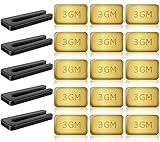
A balancing kit is cheap, simple, and often the turning point for wobbling ceiling fans. Most kits include a plastic clip and adhesive weights that help identify and correct the heavy or light spot. Place the clip near the middle of one blade, run the fan, then move blade by blade until the wobble improves. It feels a bit like trial and error because, well, it is.
Once the problem blade is found, move the clip along that blade in small steps. Try closer to the tip, then closer to the motor, and watch how the wobble pattern changes. The goal is not perfection on the first try. The goal is finding the spot where the fan runs noticeably smoother.
After the best clip position is found, stick an adhesive weight on top of the blade in that area. Keep the weight hidden on the upper surface so the fan still looks clean. Press it firmly so it doesn’t peel off during use. That little weight can make the difference between annoying shake and calm airflow.
Balancing works best after screws, cleaning, and mounting checks are already done. Skipping those steps can lead to chasing the wrong problem. A balancing kit won’t fix a loose box, a cracked blade arm, or a badly warped blade. It works beautifully for minor imbalance, not structural issues.
Fix Noise Along With Wobble
Wobble and noise often show up together, like two pests sharing the same hiding spot. A clicking sound may come from loose blade hardware, while a ticking noise can happen when a blade bracket shifts slightly with each rotation. Tightening screws and balancing blades often quiets the fan at the same time. That’s a nice bonus, especially in bedrooms.
Rattling around the light kit deserves a separate check. Glass shades, bulbs, pull chains, and decorative caps can vibrate when the fan has uneven movement. Tighten shade screws by hand, not with heavy pressure. Glass parts can crack if you treat them like metal hardware.
Motor hum is different from wobble noise. A mild hum may be normal on some models, but a new grinding or buzzing sound can signal motor strain. If the fan wobbled badly for a long time, the motor may have been working harder than it should. Fixing the wobble helps reduce stress, but strange motor sounds still deserve attention.
Lighting choices can also affect the room’s comfort once the fan is quiet again. To reduce heat and power use around overhead fixtures, compare practical options like most energy efficient lighting before swapping bulbs or updating the room. A cooler, calmer setup makes the whole space feel less fussy. Little upgrades stack up.
Match Fan Size To The Room
A fan that’s too large for a small room can wobble more noticeably, especially on high speed. Oversized blades move more air, but they also create more rotational force. In a low ceiling bedroom, that extra movement feels uncomfortable and looks worse because the fan sits closer to eye level. Bigger isn’t always better overhead.
Low ceilings need careful fan selection because clearance affects both safety and comfort. A flush mount or low-profile model can reduce visible sway and keep airflow closer to where it’s useful. For tighter rooms, compare designs like a ceiling fan for low ceiling bedroom before replacing a shaky fixture. The right fit can prevent repeat problems.
Blade span should match the room, not just the style of the furniture. A wide fan in a cramped room may look dramatic, but airflow balance can feel choppy. A smaller fan may run smoother because the motor and blade length suit the space better. That’s practical, not boring.
Ceiling height also changes how much wobble people notice. A fan on a long downrod may naturally show more movement than a hugger-style fan. Some movement is normal, but a strong side-to-side swing is not. Matching fan size, ceiling height, and mounting type keeps the setup more stable from day one.
Know What Not To Fix Yourself
Some wobble problems are safe for a basic home check, and some are not. Tightening visible screws, cleaning blades, and using a balancing kit are reasonable for many people. But wiring, ceiling box replacement, and unstable mounting points require more caution. Guessing around electrical support is a bad trade.
If the fan moves at the ceiling instead of just at the blades, stop using it until the mount is inspected. That type of movement can point to a weak electrical box or loose bracket above the canopy. The fan may still run, but running doesn’t mean safe. A fan-rated support box matters because ceiling fans create vibration every time they spin.
Cracked blade arms should be replaced rather than bent back into shape. Metal fatigue can hide behind a small visible crack, and blade arm failure is not something to play with. Replacement parts should match the fan model whenever possible. Mixing random brackets can create new balance issues.
DIY confidence is great until the problem moves beyond normal maintenance. Nail projects, light fixtures, and fan repairs all have their own limits, and a separate beauty project like gel nail stickers with UV light belongs far away from ladder work and electrical checks. Keep repairs focused, keep hands steady, and don’t multitask around a spinning fixture.
Best Ways To Fix A Wobbling Ceiling Fan
That annoying side-to-side movement tends to show up at the worst possible time. A fan starts shaking during a quiet movie night, rattles while you’re trying to sleep, or suddenly makes the light fixture flicker every few seconds. After covering blade balance, mounting checks, and loose hardware earlier, the next step is digging into the smaller details that often keep the wobble coming back. Tiny issues stacked together can turn a decent fan into a nonstop irritation.
Watch For Seasonal Changes
Humidity and temperature shifts can quietly mess with ceiling fan balance. Wood blades absorb moisture during humid months, then dry out later, which slightly changes their shape and weight. One blade reacting differently from the others creates uneven rotation that slowly turns into visible wobble. That’s especially common in bedrooms near bathrooms or older homes with inconsistent ventilation.
Summer heat can loosen hardware faster than people expect. Metal brackets expand slightly during warmer months, and screws may back out over time from repeated vibration. Checking mounting screws at the start of every season helps prevent those tiny movements from growing into a major shake. A quick five-minute inspection beats dragging out the ladder during an emergency repair later.
Dust buildup changes with the seasons too. Fans running nonstop during hot weather collect grime unevenly across blade surfaces, especially near kitchen spaces or open windows. Thick dust layers create uneven blade weight, and that imbalance becomes obvious once the fan reaches medium speed. Wiping blades regularly keeps airflow smoother and reduces stress on the motor.
Lighting around the fan can also affect how noticeable the wobble feels in the room. Harsh overhead glare tends to exaggerate blade movement visually, especially in compact bedrooms. For softer illumination and cleaner ceiling layouts, compare options like best led recessed light fixtures while updating the room setup. Small changes around the fan can make the whole ceiling feel calmer.
Pay Attention To Blade Material
Not every fan blade ages the same way. Lightweight plastic blades usually resist humidity better, while wood veneer blades may twist slightly after years of temperature swings. That twist changes airflow resistance, which makes the motor work unevenly during rotation. Even a tiny difference becomes obvious at higher speeds.
Cheaper blade materials sometimes flex during operation, especially on larger fans with long blade spans. A blade may look perfectly straight while standing still, then bend slightly once airflow increases. That extra flex creates a wobble pattern that seems random until the fan speed changes. Spotting this issue early prevents unnecessary balancing attempts.
Heavier blades create a different challenge. They move air effectively, but they also place more stress on blade brackets and mounting hardware over time. If the fan already has a weak mount or older screws, heavier blades can magnify movement quickly. Balance matters more as blade weight increases.
Replacement blades should always match the original size and weight range recommended by the manufacturer. Mixing mismatched blades can throw off the fan immediately, even if they look similar at a glance. Consistent blade design keeps the motor balanced and helps the fan maintain smoother airflow for longer periods.
Check Fan Speed Settings
Some fans wobble only at one speed, which tells you a lot about the problem. Low-speed wobble often points toward loose mounting hardware, while high-speed wobble usually signals blade imbalance or airflow issues. Paying attention to which setting causes the strongest movement helps narrow down the real cause faster.
Running a fan at maximum speed all the time increases vibration stress. Constant high-speed use wears hardware faster and can slowly loosen brackets or blade screws. Medium speed often provides more stable air circulation without pushing the motor unnecessarily hard. That balance matters during overnight use.
Remote-controlled fans sometimes develop odd speed fluctuations if the receiver starts failing. The fan may speed up and slow down slightly without obvious input, creating a strange wobble rhythm that feels inconsistent. That issue differs from regular blade imbalance because the movement changes unpredictably. Electrical issues deserve a closer look if balancing attempts don’t improve stability.
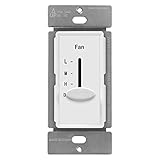
Older wall controls can also affect fan performance. A dimmer switch designed for lights instead of ceiling fans may cause uneven motor operation and noisy vibration. Proper fan-rated controls help maintain smoother motor function and reduce unnecessary strain on internal components.
Know The Limits Of Balancing Kits
Balancing kits help with minor inconsistencies, but they aren’t magic. A severely warped blade or cracked bracket won’t suddenly behave because of one adhesive weight. The kit works best for subtle weight differences between otherwise healthy blades. Expecting it to fix structural damage usually leads to frustration.
Some fans need multiple balancing attempts before the wobble settles down. Moving the clip only an inch can change the entire motion pattern, which feels tedious at first. Patience matters here because small adjustments often create the biggest improvements. Rushing through the process usually creates uneven results.
Adhesive weights occasionally fall off if the blade surface isn’t cleaned properly beforehand. Oils, dust, or leftover cleaning residue weaken the bond over time. Wiping the blade with a dry cloth before placement helps the balancing weight stay secure during long-term use. Tiny prep steps matter more than people think.
Some fans simply reach the point where replacement makes more sense than repeated repairs. A motor with years of strain, damaged blade arms, and unstable mounting hardware may continue wobbling despite multiple fixes. Repairing the basics works well in many cases, but realistic expectations save time and money too.
Look Closer At Fan Quality
Not all ceiling fans are built with the same long-term durability in mind. Lower-cost models may use thinner blade brackets, lighter motor housings, or weaker balancing tolerances straight from the factory. Those differences become noticeable after a few years of daily use. A fan that starts wobbling repeatedly may point toward overall construction quality, not just loose screws.
Motor housing design affects stability more than most people realize. Heavier, well-supported motors tend to rotate more evenly because the weight distribution stays consistent during operation. Lightweight housings may vibrate more aggressively once wear develops around the bearings or mounting points. That vibration gradually spreads through the entire fixture.
Brand reputation also plays a role in replacement parts availability. Some manufacturers offer matching blades, brackets, and mounting hardware years after the original purchase. Others make repairs harder because compatible parts disappear quickly. Before replacing an aging fan, compare details about who makes prominence home ceiling fans and similar brands that focus on practical residential designs.
Noise control often improves with better fan engineering too. Balanced blade spacing, smoother bearings, and stronger motor mounts reduce vibration naturally instead of relying only on balancing kits later. A quieter fan changes how the whole room feels, especially during late evenings or overnight use.
Prevent Future Wobbling Problems
Routine maintenance keeps small issues from turning into constant headaches. Dusting blades monthly, checking screws seasonally, and listening for unusual noises can stop fan wobble before it becomes obvious. Most ceiling fans give small warning signs long before the shaking gets severe. Paying attention early saves time later.
Ladder safety matters during maintenance too. Rushing through a quick repair while standing awkwardly often leads to stripped screws or missed hardware. Stable footing and decent lighting make the process easier and safer. Nobody repairs a ceiling fan well while stretching sideways with one hand.
Blade cleaning should stay gentle. Heavy scrubbing or soaking wood blades with water can weaken finishes and slowly change blade shape over time. A soft cloth and mild cleaner usually handle normal buildup without creating new problems. Consistent blade care helps maintain smoother balance year after year.
Fans installed in high-humidity areas deserve extra attention. Moisture slowly affects screws, brackets, blade finishes, and even motor performance. Watching for early corrosion or warped edges helps prevent surprise wobbling later on. Little maintenance habits keep the fan running smoother, quieter, and more comfortably over the long haul.


Best Small Flush Mount Ceiling Fans 2026 Ultimate Picks

Best Smart Ceiling Fan India 2026 For Effortless Comfort

Best Smart Ceiling Fans with Lights for 2026: Top Picks

Best Smart Home Non Ceiling Fans 2026 For Ultimate Comfort

Best Outdoor Misting Ceiling Fan 2026 For Ultimate Comfort

Best Outdoor Ceiling Fans For Porch 2026 With Style And Breeze

Best Smart Bulb For Ceiling Fan 2026 That Brightens Life

Best Smart Ceiling Fan Control 2026 For Effortless Comfort






