
What Is The Lifespan Of A Ceiling Fan?

What is the lifespan of a ceiling fan sounds like a simple question at first. Then the wobbling starts, the motor hum gets louder at night, or the airflow suddenly feels weaker than it did a few summers ago. Plenty of homeowners don’t notice the slow decline right away because ceiling fans usually fade little by little instead of quitting overnight. One day it’s spinning fine, and the next thing you know, that clicking noise drives everybody up the wall.
Motor quality plays a huge role in how long a ceiling fan keeps running smoothly. Cheap bearings, weak capacitor systems, and flimsy blade attachments tend to wear out faster, especially in rooms where the fan runs daily for hours at a time. Heat, moisture, and dust buildup also chip away at performance over the years. Kitchens and bathrooms often push fans harder because grease particles and humidity creep into moving parts whether people realize it or not.
Installation matters more than most folks expect. A poorly balanced fan can create constant vibration that slowly loosens screws, strains the motor housing, and shortens the fan’s usable life. Even a small wobble may snowball into bigger mechanical problems later. That’s why proper mounting and occasional tightening checks help preserve ceiling fan durability far longer than neglect ever will.
Blade material creates another hidden difference. Solid wood blades generally handle long-term use better than thinner composite materials that may warp in humid conditions. Outdoor ceiling fans need weather-resistant finishes and sealed motor systems because rain-heavy climates can absolutely chew through unprotected hardware. A fan designed for dry indoor use won’t hold up well on a covered patio no matter how nice it looked on day one.
Maintenance habits often separate fans that survive for decades from ones that struggle after only a few years. Dust buildup doesn’t just look messy. Thick debris layers can throw blade balance off and force the motor to work harder than necessary. Cleaning blades regularly, checking electrical connections, and replacing worn capacitors before failure can stretch the life of a fan significantly. Little fixes now save bigger headaches later.
Noise changes usually signal trouble brewing under the surface. Grinding, buzzing, or rattling sounds may point toward loose hardware, worn bearings, or electrical issues hiding inside the motor housing. Ignoring those warning signs tends to make repairs more expensive down the road. A ceiling fan rarely fixes itself, unfortunately.
Style trends also influence replacement timing. Some fans still work mechanically after fifteen or twenty years, yet outdated finishes, poor energy efficiency, or weak airflow leave rooms feeling stale and uncomfortable. Newer designs often deliver quieter operation and improved circulation while using less electricity. That tradeoff pushes many homeowners toward replacement before total motor failure ever happens.

- LFR Score9.8
LFR Score is a ranking system developed by lightfansreviews.com. LFR Score has no relationship or impact from any manufacturers or sales agent websites. Learn more
- BrandEonini

- LFR Score9.4
LFR Score is a ranking system developed by lightfansreviews.com. LFR Score has no relationship or impact from any manufacturers or sales agent websites. Learn more
- BrandZMISHIBO
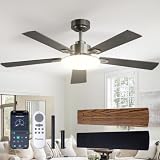
- LFR Score9.0
LFR Score is a ranking system developed by lightfansreviews.com. LFR Score has no relationship or impact from any manufacturers or sales agent websites. Learn more
- BrandPassky

- LFR Score9.0
LFR Score is a ranking system developed by lightfansreviews.com. LFR Score has no relationship or impact from any manufacturers or sales agent websites. Learn more
- BrandFszdorj
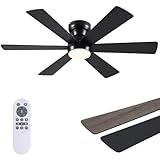
- LFR Score9.0
LFR Score is a ranking system developed by lightfansreviews.com. LFR Score has no relationship or impact from any manufacturers or sales agent websites. Learn more
- BrandAsyko

- LFR Score9.0
LFR Score is a ranking system developed by lightfansreviews.com. LFR Score has no relationship or impact from any manufacturers or sales agent websites. Learn more
- BrandLEDIARY

- LFR Score8.8
LFR Score is a ranking system developed by lightfansreviews.com. LFR Score has no relationship or impact from any manufacturers or sales agent websites. Learn more
- Brandaddlon

- LFR Score8.8
LFR Score is a ranking system developed by lightfansreviews.com. LFR Score has no relationship or impact from any manufacturers or sales agent websites. Learn more
- BrandZMISHIBO

- LFR Score8.8
LFR Score is a ranking system developed by lightfansreviews.com. LFR Score has no relationship or impact from any manufacturers or sales agent websites. Learn more
- BrandGJeg

- LFR Score8.6
LFR Score is a ranking system developed by lightfansreviews.com. LFR Score has no relationship or impact from any manufacturers or sales agent websites. Learn more
- BrandAmico
Last update on 2026-06-08 / Affiliate links / Images, Product Titles, and Product Highlights from Amazon Product Advertising API
What Is The Lifespan Of A Ceiling Fan
A quiet room can turn annoying fast once the fan starts clicking, wobbling, or pushing barely-there air across the ceiling. Most people only ask what is the lifespan of a ceiling fan after the comfort drops, the motor hum grows louder, or the blades look slightly out of line. A ceiling fan usually lasts about 10 to 15 years, though better-built models can keep going longer with steady cleaning, balanced blades, and a motor that isn’t fighting dust every day. The tricky part is knowing whether the fan is simply tired, poorly maintained, or close to giving up.
Typical Ceiling Fan Lifespan
A ceiling fan doesn’t usually quit in one dramatic moment. It tends to age like a workhorse appliance, with small performance changes showing up first. Airflow feels weaker, the pull chain gets stiff, or the motor starts making a soft buzz that wasn’t there before. Those little hints matter because they often show how much strain the fan has carried over the years.
Most indoor ceiling fans land in the 10 to 15 year range, assuming normal use and decent installation. A lightly used guest-room fan may last longer because it isn’t spinning through long summer afternoons. A bedroom fan running every night can wear faster, especially if dust keeps building on the blade edges. Usage hours are a big deal, even though they’re easy to ignore.
Motor type also shapes ceiling fan lifespan. Basic AC motor fans can last a long time, but they may get noisier as internal parts age. DC motor fans often run quieter and use less power, though repair parts can be harder to match on some models. That doesn’t make one automatically better for every home, but it does change the long-term ownership picture.
Energy Star notes that certified ceiling fans can be more efficient than standard models, which matters in rooms where the fan runs often. Lower energy use doesn’t magically make a fan immortal, but efficient operation usually means less wasted heat and smoother performance. That can help the motor avoid unnecessary stress. So, durability isn’t just about age on the calendar, it’s about how hard the fan works while it’s up there.
Motor Quality Changes Everything
The motor is the heart of the fan, plain and simple. A strong motor keeps the blades moving evenly without sounding like it’s begging for mercy. Weak motors may start fine but struggle after years of daily use, especially in rooms with poor ventilation or high heat. That’s where motor quality separates a long-lasting fan from one that becomes a ceiling ornament.
Bearings often tell the real story. Smooth bearings keep rotation steady, while worn bearings create grinding, ticking, or uneven movement. A fan with failing bearings may still spin, but the sound can get old fast. Once that noise begins, repair costs and replacement value deserve a careful look.
Capacitors also deserve more attention than they get. A bad capacitor can make a fan slow to start, lose speeds, or stop responding correctly. Replacing a capacitor is sometimes cheaper than buying a new fan, but only if the rest of the unit is still solid. The sweet spot is catching electrical wear before it strains the motor further.
Cheap fans can be fine for light use, but heavy daily use exposes shortcuts quickly. Thin housings, low-grade switches, and loose internal parts can create annoying problems before the blades themselves look worn. To stretch a budget without buying junk, compare motor type, mounting quality, and airflow needs before choosing. For a cost-conscious upgrade path, compare best ceiling fans under 100 for rooms where basic comfort matters more than fancy extras.
Daily Use Speeds Up Wear
A ceiling fan in a bedroom often lives a harder life than people admit. Running eight hours every night stacks up quickly, even if the fan feels effortless from below. Bearings, switches, and motor windings all absorb that constant motion. That’s why daily runtime can matter more than the fan’s purchase date.
Living room fans can age differently because they usually cycle on and off. That stop-and-start pattern still creates wear, but it’s not the same as nonstop overnight operation. Outdoor fans face a tougher road because moisture, temperature swings, and grit can sneak into places indoor fans never deal with. A damp-rated or wet-rated model is not a luxury outside, it’s basic protection.
Speed settings affect wear too. Running a fan on high all the time can stress older motors, especially if the blades are dusty or slightly unbalanced. Medium speed often gives enough air movement while reducing vibration and noise. That small habit can support long-term performance without changing anything complicated.
Seasonal use creates another wrinkle. A fan that sits unused for months may collect dust around the motor housing and blade brackets. Then it gets switched on during a hot week and has to push through buildup immediately. A quick cleaning before heavy use protects airflow efficiency and helps the fan feel smoother from the first spin.
Installation Mistakes Shorten Fan Life
A ceiling fan needs a solid foundation. If the electrical box isn’t fan-rated, the fan may wobble, vibrate, or pull against hardware that wasn’t built for movement. That’s not just annoying. It can become a safety issue and a fast track to early mechanical wear.
Balance problems usually start small. One blade sits a little off, one bracket loosens, or the downrod doesn’t sit perfectly straight. At first, the wobble might only show on high speed. Give it enough time, and that vibration can loosen screws, strain the motor, and shorten ceiling fan durability.
Height matters as well. A fan mounted too close to the ceiling may not move air efficiently, while one hanging too low can feel intrusive or unsafe. Most standard rooms need enough clearance for circulation and comfort. Poor placement forces people to run the fan faster than needed, which adds extra motor strain.
Wiring problems can be sneaky. Flickering lights, inconsistent speed control, or a fan that hums after installation may point to mismatched controls or weak connections. A wall dimmer made for lights can damage some fan motors if it’s used incorrectly. Proper controls protect electrical components and keep the fan from fighting itself every time it turns on.
Cleaning Habits Protect Performance
Dust looks harmless until it throws the blades off balance. A thick layer along one blade edge changes weight distribution and can create a wobble that wasn’t there before. It also makes the fan push air less cleanly through the room. Regular cleaning supports smoother rotation and reduces unnecessary noise.
Blade cleaning doesn’t need to be fancy. A microfiber cloth, a pillowcase trick, or a gentle duster can remove buildup without scattering grime everywhere. The key is staying ahead of heavy dust instead of waiting until the blades look fuzzy. That simple habit protects airflow quality better than most quick fixes.
Motor housing needs attention too, but gently. Dust can gather around vents and openings, especially in kitchens, laundry rooms, and homes with pets. Greasy buildup is worse because it sticks and traps more debris over time. Keeping that area clean helps the motor release heat and preserve steady operation.
Some household topics sit completely outside ceiling fan maintenance, and they should stay in their own lane. For a separate private-care guide, review how to use flesh light only when that unrelated topic is the actual goal. Mixing unrelated products into fan advice would muddy the water. A clean, practical article keeps home comfort decisions focused and useful.
Warning Signs A Fan Is Wearing Out
Noise is usually the first red flag. A soft hum can be normal for some fans, but grinding, scraping, or sharp clicking deserves attention. Those sounds often point to loose hardware, worn bearings, or blade imbalance. Ignoring unusual noise rarely makes the problem cheaper.
Weak airflow is another sign that something is off. The fan may still spin, yet the room doesn’t feel cooler or more comfortable. Dirty blades, incorrect direction, worn capacitors, or motor fatigue can all cause that drop. Before replacing the whole unit, check the simple causes tied to air movement.
Visible wobbling should never be brushed aside. A slight shimmy may come from dust or blade alignment, but a heavy wobble suggests deeper mounting or balance trouble. The longer it continues, the more stress travels through the fan body. That steady shaking can shorten the life of mounting hardware and internal parts.
Light kit issues can also complicate the decision. Flickering bulbs, buzzing fixtures, or failing integrated LEDs may make a fan feel older than it is. Sometimes the fan still works, but the light parts become inconvenient or expensive to repair. Outdoor spaces have their own lighting needs, so for separate exterior upgrades, compare best solar post cap lights instead of forcing one ceiling fan to solve every lighting problem.
How Long Should A Ceiling Fan Last At Home
Replacing a ceiling fan sounds simple until the noise starts at midnight, the room still feels warm after an hour, and the blades shake every time the speed goes up. Plenty of homeowners keep asking themselves whether the fan is actually dying or just begging for maintenance. A realistic answer to how long should a ceiling fan last at home depends on build quality, room conditions, installation accuracy, and how hard the motor works every single week. Small habits often decide whether a fan survives gracefully for years or turns frustrating far earlier than expected.
Humidity Slowly Breaks Down Components
Humidity can quietly ruin a ceiling fan long before the motor completely stops spinning. Moisture slips into metal hardware, electrical connections, and blade materials over time, especially in bathrooms, laundry spaces, and covered patios. Rust spots, warped blades, and sticky pull chains often start appearing gradually. Those tiny changes can slowly chip away at motor efficiency and overall fan stability.
Outdoor fans face even rougher conditions because temperature swings add stress alongside moisture. Hot afternoons followed by cool nights can expand and contract parts repeatedly, loosening screws and weakening seals. Standard indoor fans usually aren’t built for that punishment. A proper outdoor-rated model protects electrical components far better in damp environments.
Low ceilings create another challenge outdoors. A bulky hanging fan may block movement or feel awkward in compact patio spaces. To improve airflow without overcrowding the area, compare best outdoor fans low ceiling setups that fit tighter exterior spaces more naturally. A flush-mounted design can reduce wobble risk while still moving enough air during humid evenings.
Dust mixed with moisture creates a stubborn layer that sticks to blade edges and motor housings. That grime isn’t just ugly. It forces the fan to work harder and can throw the blades slightly off balance. Regular wiping and seasonal inspections help maintain smooth airflow and reduce stress on moving parts.
Blade Materials Affect Long-Term Durability
Blade material changes how a ceiling fan ages over time. Thin composite blades may start bending slightly in humid rooms, especially if the fan runs often at high speed. Solid wood blades usually resist that problem better, though they can still react to moisture if the finish wears down. Stronger blade construction helps maintain balanced rotation over the years.
Cheap blade brackets often create problems before the blades themselves fail. Weak brackets can loosen slowly, causing rattling noises or uneven movement during operation. At first, it may seem harmless. Then the fan starts wobbling enough to shake light fixtures or create annoying clicking sounds.
Heavy blades also put more strain on the motor. A fan designed poorly from the start may struggle to support oversized decorative blades after years of continuous use. That strain can shorten motor lifespan, particularly in rooms where the fan rarely gets switched off. Lightweight but stable materials usually age more gracefully in busy households.
Blade shape matters too. Wider blades move more air, but they can create drag if paired with an underpowered motor. Narrower blades may feel quieter yet struggle in larger rooms. The best setups balance air circulation, motor strength, and room size instead of focusing only on appearance.
Electrical Problems Often Start Small
A ceiling fan rarely wakes up one morning completely broken. Electrical issues usually creep in little by little through inconsistent speed control, flickering lights, or delayed startup. Those symptoms may seem minor at first, but they often point toward deeper wear inside the capacitor or wiring system. Paying attention early can protect long-term performance.
Capacitors deserve more respect than they get. A weak capacitor can make the fan struggle to reach full speed or respond oddly to speed changes. Some fans may hum loudly while barely rotating. Replacing a worn capacitor is sometimes enough to restore normal operation without replacing the whole fixture.
Wall controls can also create hidden trouble. Dimmer switches designed for lighting sometimes damage ceiling fan motors if they aren’t compatible. That mismatch creates overheating and unstable speeds over time. Proper fan-rated controls support electrical stability and reduce unnecessary motor stress.
Loose wiring connections become more common as fans age. Vibrations can gradually loosen wire nuts or mounting screws, especially in fans that already wobble slightly. A buzzing sound near the canopy area should never be ignored. Electrical problems tied to movement can become both a safety concern and a durability issue.
Energy Efficiency Changes Over Time
Older ceiling fans may still spin perfectly fine while quietly wasting electricity every day. Motors lose efficiency gradually, especially if internal parts collect dust or operate under constant strain. That aging process can increase power consumption while reducing airflow quality at the same time. A fan that once cooled a room comfortably may start feeling weak and noisy years later.
Modern DC motor fans usually consume less energy than older AC motor models. They also tend to run quieter and offer smoother speed control. Still, newer technology doesn’t guarantee infinite durability. Some advanced fans use specialized parts that may become harder to repair later, so repair accessibility matters alongside efficiency.
Large rooms often expose inefficient fans quickly. Weak airflow forces people to run the fan on high constantly, which increases wear and energy use together. A properly sized fan keeps air moving evenly without pushing the motor beyond its comfort zone. That balance helps preserve motor health over time.
High-end ceiling fans sometimes justify their price through quieter motors, stronger bearings, and more stable airflow systems. To compare premium designs built for long-term comfort, explore best high end ceiling fans that focus more heavily on durability and smoother operation. Better construction can reduce common frustrations tied to vibration and uneven airflow.
Poor Airflow Creates Daily Frustration
A fan doesn’t need to stop spinning completely to become annoying. Weak airflow can make a room feel stale even while the blades rotate overhead all day. Dust-coated blades, incorrect blade pitch, and aging motors all contribute to that problem. Once airflow drops noticeably, comfort levels usually follow right behind.
Ceiling height changes airflow performance more than many people realize. A fan mounted too high may struggle to push enough air downward into the living space. A fan mounted too low can feel overpowering or uncomfortable directly underneath. Proper placement supports consistent circulation without creating harsh drafts.
Blade direction gets overlooked constantly. Fans should rotate counterclockwise during warmer months to push air downward more effectively. Clockwise rotation works better during colder seasons because it redistributes warm air gently without creating a strong breeze. That simple switch improves seasonal comfort and reduces unnecessary strain from overusing higher speeds.
Furniture placement can affect airflow too. Large cabinets, tall shelving, or awkward room layouts sometimes block circulation patterns unexpectedly. A stronger fan won’t always fix poor room airflow if obstacles interrupt movement constantly. Small layout adjustments can improve air distribution more than people expect.
Repair Or Replace Depends On The Damage
Not every noisy ceiling fan needs replacement immediately. Loose screws, dirty blades, and worn capacitors are often repairable without huge expense. Minor fixes can add several useful years if the motor itself still runs smoothly. That’s why checking the source of the problem first makes financial sense.
Motor failure changes the conversation quickly. Replacing a motor can cost enough that buying a new fan becomes the smarter move, especially if the existing unit already struggles with outdated lighting or poor airflow. A fan nearing fifteen years old may not justify expensive repairs unless the design has sentimental or architectural value. Balancing repair cost against long-term comfort matters.
Replacement becomes more appealing once multiple issues stack together. A wobbling fan with dim lighting, weak airflow, and electrical inconsistencies may continue draining money and patience even after one repair. Newer fans often run quieter while improving efficiency and speed control. That upgrade can improve daily comfort more noticeably than expected.
Style also influences replacement timing. Older brass-heavy designs or dated finishes can make a room feel visually stuck in another decade, even if the fan technically still works. A newer fan can freshen the entire room while solving mechanical frustrations at the same time. Comfort, appearance, and noise reduction often intersect more than people realize.
Maintenance Habits That Extend Fan Life
Regular cleaning remains one of the easiest ways to stretch a ceiling fan’s lifespan. Dust buildup adds unnecessary weight to the blades and can throw balance slightly off over time. That imbalance forces the motor to work harder during every rotation. A simple cleaning schedule supports smoother performance and quieter operation.
Screw checks help more than most people think. Blade brackets, light kits, and mounting hardware naturally loosen after years of vibration. Tightening those components occasionally reduces rattling and protects internal parts from added stress. Small maintenance habits prevent long-term wear from snowballing into expensive problems.
Lubrication depends on fan design. Some older fans benefit from occasional oiling, while many modern sealed motors do not require it. Adding lubricant where it isn’t recommended can actually create new problems by trapping dust inside moving parts. Manufacturer instructions still matter for preserving motor reliability.
Seasonal inspections catch hidden issues early. Looking for warped blades, buzzing sounds, or inconsistent speeds before summer heat arrives can prevent sudden breakdowns during heavy-use months. A ceiling fan rarely rewards neglect for long. Consistent attention keeps airflow quality, comfort, and stability in much better shape year after year.


Best Small Flush Mount Ceiling Fans 2026 Ultimate Picks

Best Smart Ceiling Fan India 2026 For Effortless Comfort

Best Smart Ceiling Fans with Lights for 2026: Top Picks

Best Smart Home Non Ceiling Fans 2026 For Ultimate Comfort

Best Outdoor Misting Ceiling Fan 2026 For Ultimate Comfort

Best Outdoor Ceiling Fans For Porch 2026 With Style And Breeze

Best Smart Bulb For Ceiling Fan 2026 That Brightens Life

Best Smart Ceiling Fan Control 2026 For Effortless Comfort






