
Why Do LED Light Bulbs Flicker and How to Fix It?

Most people assume a strobing light means the bulb is burning out and ready for the trash. That is rarely the case with LEDs. In reality, LED bulbs flicker most often because of an incompatible dimmer switch or a sudden dip in household power. Unlike old incandescent bulbs, LEDs run on tiny amounts of electricity, so even a small mismatch in the flow makes the light dance.
Pinpointing the culprit depends on how the light behaves. A steady stutter usually points to an older wall dimmer or a loose connection in the socket. A quick flicker that happens only when the refrigerator or air conditioner kicks on means a shared wiring loop is briefly starved for juice. Here is how to track down the exact cause and stop the flicker using simple, safe checks.
The Main Culprit: Old Dimmer Switches and Low-Wattage LEDs
The single most common reason an LED bulb flickers in a living room, dining room, or bedroom is an older dimmer switch on the wall. If your home has switches installed before modern LEDs became standard, those switches were built for traditional incandescent lighting. Understanding how those older controls interact with modern solid-state technology explains why your light is acting like a strobe.
Older wall controls are known as TRIAC dimmers, which is the technical term for an older switch made for incandescent bulbs. Traditional glass bulbs relied on a thin tungsten wire that required 60, 75, or 100 watts of electrical power to glow. These older dimmers adjust brightness by rapidly cutting off tiny slices of the incoming alternating current wave, starving the filament of power so it cools down and dims.
Modern LEDs operate on an entirely different principle. A standard household teardrop bulb (an A19 shape) pulls only 9 to 12 watts to produce 800 lumens of brightness, which matches the light output of an old 60-watt incandescent. Because the LED uses so little power, an older dimmer switch cannot detect enough electrical current flowing through the line. The switch gets confused, the electrical flow wavers, and the light strobes or pulses.
Inside the base of every LED bulb is an internal power converter (commonly called a driver). This tiny electronic brain converts household alternating current into the smooth, low-voltage direct current that light-emitting diodes need to shine. When an older dimmer feeds a choppy, uneven signal to this converter, the electronics cannot smooth out the power. The result is rapid fluttering, buzzing, or sudden dropping out when you slide the dimmer down low.
Another common mistake is placing a non-dimmable LED onto a dimming circuit. If the packaging does not clearly state that the bulb is dimmable, its internal power converter cannot handle changing voltage levels at all. When connected to a dimmer, a non-dimmable bulb will flicker violently, emit a loud humming sound, and wear out its internal parts in a matter of weeks. If you have multi-level table lamps, understanding what is a three way light bulb and how it works can also help you choose the right base and switch pairing instead of forcing standard bulbs onto incompatible controls.
Household Power Dips When Major Appliances Kick On
If your lights only flicker for a split second at specific times of the day, your wall switch and light fixtures are likely fine. This brief stutter usually happens when a large home appliance turns on, causing a momentary dip in the electricity feeding your room.
Every home is divided into several electrical branches originating at the main panel. Each branch is a circuit, which is simply a shared household wiring loop that powers several outlets, ceiling boxes, and switches in a zone of your house. When a refrigerator compressor, central air conditioner, heat pump, or microwave oven starts up, its electric motor demands a huge burst of power to get moving from a dead stop.
That sudden burst creates a temporary dip in power flow, known in electrical terms as a voltage drop. During that fraction of a second, less electrical pressure reaches the other items sharing that wiring loop. If your kitchen ceiling fixture shares a circuit with the refrigerator, the light will react the instant the cooling cycle begins.
Older incandescent bulbs handled these dips gracefully. Their thick metal filaments held residual heat, so a brief voltage drop only caused a soft, barely noticeable dimming. LEDs do not rely on heat to produce light. They rely on microchips and constant voltage. When the power flow drops below the minimum threshold required by the bulb's internal power converter, the converter cuts out for a millisecond. To your eyes, the light blinks off and snaps back on instantly.
This type of flicker is easy to diagnose because it is predictable. If the light blinks every time your air conditioner kicks on or whenever someone runs a vacuum cleaner, the issue is electrical load distribution across your shared wiring loop rather than a defective bulb.
Five Simple Steps to Find and Fix the Flicker
Before spending money on replacement fixtures or calling in a professional, work through these practical troubleshooting checks. You can complete most of them in a few minutes using items you already have at home.
-
Turn off the switch and tighten the bulb in its socket.
Reason: A bulb that sits even slightly loose in a standard medium screw base (the common E26 socket found in lamps and ceiling cans) creates an inconsistent physical connection. Everyday vibrations from footsteps, closing doors, or passing street traffic can break that contact for a millisecond, causing the light to stutter. Turn off the wall switch, let the glass cool, and screw the bulb firmly into place until it sits snug without overtightening.
-
Inspect the small metal contact tab inside the socket.
Reason: At the bottom of every standard screw socket sits a small brass contact tab that delivers power to the tip of the bulb. Over years of use, repeated bulb changes can bend this tab downward until it barely touches the base of a new bulb. Switch off power at the main breaker box for safety, then use a small wooden stick or insulated screwdriver to gently pry the tab upward by a couple of millimeters so it makes firm contact with the bulb.
-
Move the bulb to a simple lamp on a different switch.
Reason: Testing the bulb in a basic plug-in lamp on a plain on-off switch isolates the bulb from the room's wall controls and fixture wiring. If the bulb shines steady and clear in the lamp, you know the bulb itself is in perfect working order. This immediately points the blame toward an incompatible wall dimmer or loose fixture wiring.
-
Verify the bulb packaging matches your fixture controls.
Reason: Packaging labels are easy to overlook, and installing a non-dimmable bulb in a fixture controlled by a dimmer slider is one of the most frequent causes of harsh strobing. Look closely at the small printed text stamped around the plastic neck of the bulb base. If it does not say "dimmable," swap it for a bulb rated for dimmer use.
-
Upgrade older wall switches to an LED-rated dimmer.
Reason: Modern LED-compatible dimmers contain specialized electronic microprocessors designed to handle the tiny wattage loads of modern bulbs without chopping the power wave unpredictably. If your current wall switch has been in place for more than ten years, replacing it with a switch clearly labeled for LED compatibility eliminates flicker and buzzing across the entire dimming range.
When the Bulb Itself Is Failing: Internal Parts and Heat
Sometimes the bulb itself is the root problem. Unlike an old-fashioned bulb that fails all at once with a bright flash and a broken filament, an LED bulb is a complex electronic assembly that degrades gradually over time.
The primary enemy of an LED bulb is trapped heat. While LEDs produce far less heat than incandescent bulbs, the heat they do produce is concentrated directly behind the diodes inside the bulb's base. This area houses the internal power converter, including small capacitors and resistors that keep electricity running smoothly. If you place a standard bulb inside an airtight glass globe or a sealed ceiling fixture, heat cannot escape into the room.
Unless the packaging explicitly states that the bulb is enclosed fixture rated, trapped heat will slowly cook the internal power converter. Choosing the best bulb for exposed light fixtures or open-air pendants allows air to circulate naturally, keeping delicate circuit boards cool. When those internal capacitors overheat and begin to break down, they lose their ability to deliver a steady stream of power to the diodes. The bulb begins to flutter randomly, often starting out normal and flickering only after it has been turned on for twenty or thirty minutes. Once internal electronics suffer thermal damage, the bulb cannot be repaired and should be replaced.
Warning Signs of Wiring Trouble and When to Call an Electrician
Most LED flickering is harmless annoyance caused by switch incompatibility or heavy appliances. However, flickering can occasionally serve as an early warning sign of dangerous electrical faults hiding behind your walls. Knowing when a flicker crosses the line from an annoying quirk to a safety risk keeps your home secure.
Loose electrical connections create resistance, and electrical resistance creates intense heat. If copper wiring connections inside a wall switch box, a ceiling junction box, or your main service panel come loose, electricity will spark or arc across the tiny gap. This intermittent arcing makes the light flicker erratically, but more importantly, the heat generated by arcing can ignite wooden wall studs, drywall paper, or insulation.
Inspect your fixture and room for these critical warning signs:
- Crackling, buzzing, or popping sounds: Any audible sizzling or snapping coming from behind the wall switch plate or inside the ceiling fixture indicates dangerous electrical arcing.
- Warm or discolored switch plates: If a wall switch, dimmer plate, or outlet cover feels hot to the touch or shows yellow, brown, or black scorch marks, shut off power immediately.
- Burning smells: A sharp odor resembling burning plastic, melting rubber, or fish near an electrical box means wire insulation is actively overheating.
- Whole-house flickering: If lights flicker across multiple rooms, or if lights dim in one room when you turn on a light in another room, you may have a loose main neutral wire coming into your home from the utility pole.
- Breakers that trip repeatedly: A circuit breaker that repeatedly shuts off when a light flickers is doing its job to prevent a fire and should never be forced back on.
When changing bulbs or checking fixtures, always follow basic safety rules. Much like learning how to change a halogen light bulb safely at home, shutting off power at the switch or breaker before touching metal contacts is essential. If you notice any of the warning signs listed above, stop troubleshooting on your own. Turn off the circuit breaker that controls that room and contact a licensed electrician right away to inspect your home wiring.
FAQs
Is a flickering LED bulb a fire hazard?
Most flickering LED bulbs are not fire hazards. They usually flicker because of an older dimmer switch, an incompatible bulb, or a temporary dip in power when a large appliance turns on. However, if the flickering is accompanied by buzzing sounds, burning plastic odors, or a switch plate that feels warm to the touch, it indicates loose wiring that could cause an electrical fire and requires immediate professional attention.
Why do my LED lights flicker even after I turn the switch off?
LED lights that glow faintly, pulse, or flash after the wall switch is turned off are reacting to stray electrical current running through the wiring. Modern smart switches, illuminated switches, and timers bleed a tiny amount of standby power through the circuit to stay active. While this minuscule current is not enough to illuminate an old 60-watt incandescent bulb, it can slowly charge the capacitor inside an LED's internal power converter until it discharges in a brief, ghostly flash.
Why do LED lights look like they are flickering on my phone camera?
Your LED lights appear to flicker on your phone screen because of the camera's shutter speed rather than a problem with the bulb. LEDs cycle on and off dozens or hundreds of times per second, which is far too fast for human eyes to notice. When your phone camera captures video at a frame rate that does not match this frequency, the camera records the dark intervals between light pulses, creating visible rolling dark bands across your screen.
Can a loose light bulb cause flickering?
Yes, a loose bulb is one of the easiest and most common causes of flickering light. If a bulb is not screwed completely into its standard medium screw base, the metal contact at the bottom cannot maintain firm pressure against the socket tab. Slight vibrations from footsteps walking across the floor above or wind shaking an outdoor fixture can break this contact intermittently, making the bulb blink.

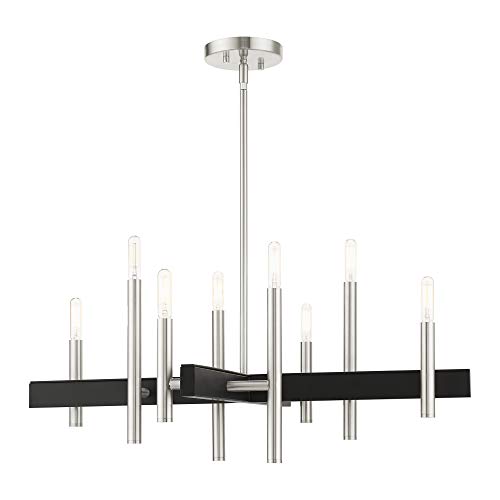
Best Bulb For Exposed Light 2026 That Shines Bright

Best Industrial Light Bulb Reviews: Top Picks for 2026
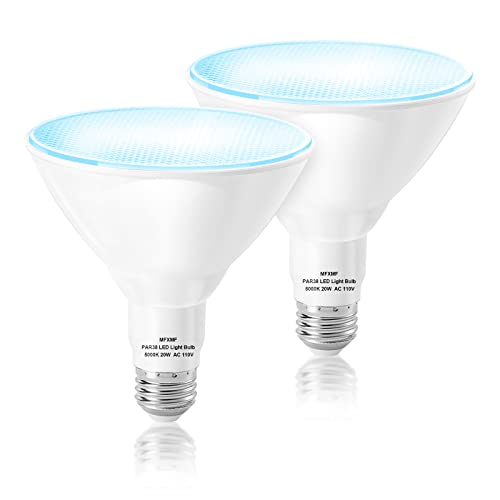
Best Outdoor Light Bulb Reviews: Top-Rated Picks for 2026
Best LED Reading Light Bulb Reviews - Top Picks for 2026

Best Vintage Light Bulb 2026 With Style And Glow
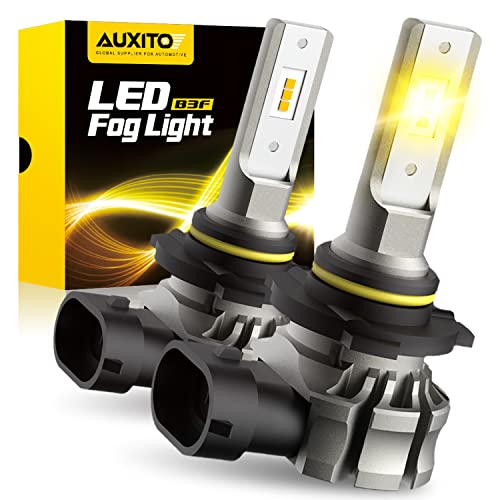
Best Yellow Fog Light Bulb 2026 For Clearer Night Drives

Best Z Wave Light Bulb 2026 Top Picks For Smart Control
Best Light Bulb For Vanity Mirror 2026 Brightness Boost






