
How to Use a Table Fan Without Wasting Airflow

How to Use a Table Fan sounds simple at first glance, yet plenty of people still end up sweating through warm afternoons because the airflow never reaches the right spots. A fan shoved into the corner of a room often pushes air against walls instead of circulating it properly. Then the noise starts getting annoying, the room still feels sticky, and frustration creeps in fast. Small adjustments in placement, direction, and speed can completely change how comfortable a space feels without touching the thermostat.
Air circulation matters more than raw fan power. A table fan pointed directly at your face all day can leave your eyes dry and your skin uncomfortable, especially during long work sessions or sleepless nights. Tilting the fan slightly upward usually spreads airflow more evenly across the room instead of blasting one spot nonstop. That little shift creates a steadier cooling effect and prevents the “hot corner, cold corner” problem many homes struggle with.
Energy savings also become a huge factor once electricity bills start climbing during warmer months. Running air conditioning all day isn't realistic for many households, so table fans step in as a practical backup. Pairing a fan with open windows during cooler evening hours can move trapped heat outside much faster. Rooms feel fresher, less stale, and easier to relax in without draining power every hour of the day.
Placement can make or break the entire setup. A fan sitting too low may only circulate warm air trapped near the floor, while one placed slightly higher often catches cooler moving air more effectively. Near windows, fans can either pull fresh air inward or push hot air outward depending on the weather outside. That flexibility turns a basic appliance into a surprisingly useful tool for indoor comfort.
Dust buildup creates another headache people often ignore until the airflow weakens noticeably. Dirty blades force the motor to work harder while reducing the cooling effect at the same time. Regular cleaning keeps the fan quieter, smoother, and more efficient during daily use. Even a quick wipe every couple of weeks can improve airflow in a noticeable way.
Noise control becomes especially important in bedrooms, home offices, and study spaces. High fan speeds may cool faster, but the constant hum can become distracting after hours of exposure. Lower settings paired with smarter positioning usually produce a calmer environment while still keeping air moving steadily. Plenty of people end up sleeping better simply by redirecting airflow instead of cranking the fan to maximum speed.
Humidity changes how cooling feels indoors too. During sticky weather, a table fan helps sweat evaporate faster, which naturally cools the body. That effect makes even slightly warm rooms feel more manageable. So rather than fighting the temperature itself, proper fan use works with the body’s natural cooling process to create a more comfortable environment.
How to Use a Table Fan properly isn't about complicated tricks or fancy gadgets. It comes down to airflow direction, room layout, maintenance habits, and realistic expectations. A well-positioned fan can make cramped apartments, stuffy bedrooms, and overheated workspaces feel dramatically more livable. Tiny changes often produce the biggest difference, and honestly, that's the part most people overlook.

- LFR Score9.2
LFR Score is a ranking system developed by lightfansreviews.com. LFR Score has no relationship or impact from any manufacturers or sales agent websites. Learn more
- BrandHoneywell

- LFR Score9.2
LFR Score is a ranking system developed by lightfansreviews.com. LFR Score has no relationship or impact from any manufacturers or sales agent websites. Learn more
- BrandGaiatop

- LFR Score9.2
LFR Score is a ranking system developed by lightfansreviews.com. LFR Score has no relationship or impact from any manufacturers or sales agent websites. Learn more
- BrandGaiatop
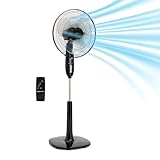
Amazon Basics 16-inch Pedestal Floor Fan Oscillating Remote, 3-Speed, Energy-Efficient,
View on Amazon- LFR Score8.8
LFR Score is a ranking system developed by lightfansreviews.com. LFR Score has no relationship or impact from any manufacturers or sales agent websites. Learn more
- BrandAmazon Basics

- LFR Score8.8
LFR Score is a ranking system developed by lightfansreviews.com. LFR Score has no relationship or impact from any manufacturers or sales agent websites. Learn more
- BrandLasko
- LFR Score8.8
LFR Score is a ranking system developed by lightfansreviews.com. LFR Score has no relationship or impact from any manufacturers or sales agent websites. Learn more
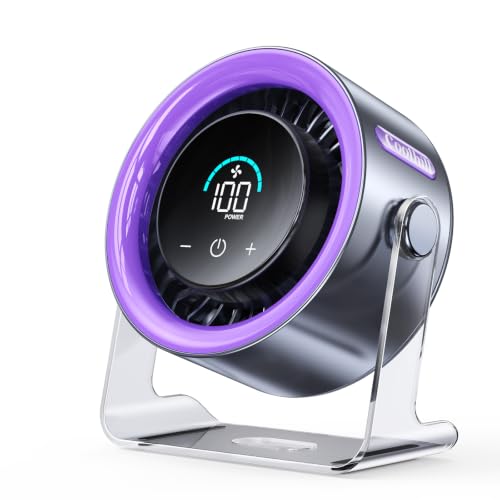
- BrandCoolhill

- LFR Score8.6
LFR Score is a ranking system developed by lightfansreviews.com. LFR Score has no relationship or impact from any manufacturers or sales agent websites. Learn more
- BrandAmazon Basics

- LFR Score8.6
LFR Score is a ranking system developed by lightfansreviews.com. LFR Score has no relationship or impact from any manufacturers or sales agent websites. Learn more
- BrandHoneywell

- LFR Score7.0
LFR Score is a ranking system developed by lightfansreviews.com. LFR Score has no relationship or impact from any manufacturers or sales agent websites. Learn more
- BrandAsoleo
Last update on 2026-06-01 / Affiliate links / Images, Product Titles, and Product Highlights from Amazon Product Advertising API
How To Use A Table Fan For Better Airflow
Sticky rooms have a way of making normal routines feel harder than they should. A desk gets uncomfortable, sleep turns choppy, and the air around the room feels like it’s barely moving. That’s where how to use a table fan becomes more than a tiny household trick. Used with the right angle, height, and speed, a basic fan can create steadier airflow without making the room noisy, dry, or irritating.
Set The Fan Where Air Can Actually Move
A table fan needs breathing room before it can cool anything properly. Pushing it against a wall or crowding it behind books, curtains, or plant pots blocks the airflow before it reaches the room. Keep at least a little open space behind and in front of the fan so the motor can pull air in and send it forward cleanly. This simple move helps create stronger circulation instead of that weak breeze that barely reaches your chair.
Height matters too. A fan sitting too low may only push air across the floor, especially in rooms packed with furniture. Placing it on a sturdy table, shelf, or nightstand lets the airflow travel across the body and through the room more evenly. The goal is comfortable air movement, not a blast aimed at one unlucky spot.
Room layout can make a small fan feel either useful or pointless. A narrow bedroom often needs the fan angled diagonally across the space, while a wider living room may need airflow aimed toward the center instead of the nearest wall. Furniture can break up air movement, so a fan facing the back of a sofa usually wastes power. Move it a few inches at a time, and the difference can be surprisingly obvious.
Window placement adds another layer. During cooler evenings, place the fan near an open window to pull fresh air inside or face it outward to push trapped hot air outside. That little swap depends on whether the outside air feels cooler than the room. Smart placement turns basic fan use into a practical cooling routine instead of a guessing game.
Point The Airflow With A Purpose
Direct airflow feels good for a few minutes, but it can get annoying fast. A fan aimed straight at the face can dry the eyes, stir dust, and make sleep restless. Tilting the fan slightly upward spreads air across the room instead of hammering one spot. That angle creates gentler cooling while still helping the body feel relief from heat.
Sideways airflow often works better than people expect. Instead of aiming the fan directly at your body, point it across the room so moving air brushes past you. This creates a softer breeze and helps prevent that chilly-on-one-side, sweaty-on-the-other feeling. For work desks and reading corners, this setup keeps air circulation steady without making papers fly everywhere.
Oscillation helps in shared spaces, but it isn’t always the answer. A sweeping fan spreads air around, yet it may feel less cooling if the room is very hot or crowded. Fixed airflow works better for focused cooling, especially during sleep or computer work. Use oscillation when the room needs overall air movement, then switch it off when one spot needs steady comfort.
Small rooms can overdo airflow quickly. A fan on high speed in a compact bedroom may stir dust, rattle papers, and create more noise than comfort. Low or medium speed usually feels better once the room air starts moving. Proper direction matters more than raw power, and that’s a lesson worth keeping.
Use Speed Settings Without Wasting Energy
High speed isn’t always the smartest setting. It cools the skin quickly, sure, but it also adds noise and can make the air feel harsh after a while. Start higher for a few minutes if the room feels stuffy, then drop to medium or low once air begins circulating. This keeps cooling comfort steady while reducing unnecessary strain on the motor.
Energy use matters during long hot stretches. A table fan uses much less electricity than an air conditioner, but running it in an empty room still wastes power. Fans cool people by moving air across the skin, not by lowering the actual room temperature dramatically. Turn it off when nobody’s there, and the savings add up without much effort.
Pairing a fan with air conditioning can help too. The U.S. Department of Energy has noted that using fans can allow many homes to raise the thermostat by about 4°F without losing comfort. That only works if the fan is actually moving air near people, not spinning in a corner for decoration. Better airflow supports lower energy use without making the room feel stuffy.
Separately, cool-weather comfort sometimes starts with better overhead circulation. Compare airflow setups for taller rooms with ceiling fans for high ceilings if table fan airflow struggles to reach across a large vertical space.
Speed also affects sleep. A loud fan may cover background noise nicely, but too much airflow can wake you up with dry skin or a scratchy throat. Medium-low speed, angled slightly away from the face, usually feels calmer through the night. That balance gives quiet airflow without turning bedtime into a wind tunnel.
Pair The Fan With Windows And Doors
Windows can help or hurt, depending on the time of day. During hot afternoons, open windows may bring in warmer air and make the fan feel less useful. At night or early morning, cooler outdoor air can refresh the room quickly. Use the fan to guide that air path, and ventilation starts doing some real work.
A cross-breeze is the sweet spot. Open one window on the cooler side of the home and another opening across the room or hallway. Place the fan near one opening to pull air through the space rather than just stirring the same stale air. This setup helps remove trapped heat, cooking smells, and that closed-room heaviness.
Doors change airflow more than most people notice. A closed bedroom door can trap warm air, especially after laptops, lights, and bodies have heated the room for hours. Cracking the door open gives air somewhere to travel. Without an exit path, even a strong fan can feel like it’s just pushing warmth in circles.
Humidity can make the room feel hotter than the thermometer says. A fan helps sweat evaporate faster, which makes the body feel cooler even when the room temperature stays similar. That’s helpful in sticky weather, but it won’t remove moisture like a dehumidifier. The realistic benefit is better body cooling, not magic air conditioning.
Separate household fixes can also reduce annoying indoor maintenance headaches. For lighting jobs that create heat or dust around fixtures, use a safe step-by-step approach like remove cfl light bulb before running fans nearby and spreading debris around the room.
Keep Dust From Ruining The Breeze
Dusty fan blades quietly wreck performance. A thin gray layer may not look dramatic, but it disrupts airflow and can make the fan wobble or hum. Wipe the blades, grille, and rear intake regularly so the motor doesn’t fight through buildup. Clean parts help maintain stronger airflow and a smoother sound.
Unplug the fan before cleaning. That sounds obvious, but rushed cleaning is where small accidents happen. Remove the front grille if the model allows it, then wipe the blades with a slightly damp cloth. Dry everything before restarting the fan to protect the motor and avoid spreading damp dust.
Dust also affects allergies and indoor comfort. A dirty fan can blow pollen, pet hair, and fine particles across a desk or bed. That’s rough for anyone already dealing with itchy eyes or a stuffy nose. Clean airflow feels better because it supports cooling comfort without turning the room into a dust carousel.
Blade balance matters after cleaning. If the fan shakes more than usual, check whether the grille is clipped evenly and the blades are seated properly. A wobbling fan can become noisy and wear parts faster over time. Stable assembly protects fan durability and keeps daily use less irritating.
Skin irritation can flare up during dry airflow or seasonal stress, especially around sensitive areas. For a separate care routine, explore red light therapy for cold sores rather than relying on room airflow to solve a skin issue it can’t really fix.
Use A Table Fan Safely Around Daily Life
Safety starts with the surface under the fan. A shaky stool, crowded nightstand, or uneven shelf can turn a normal fan into a fall risk. Set it on a flat, stable spot where the cord doesn’t stretch across a walkway. That one habit protects both the fan and the people moving around it.
Water and fans should stay far apart. Bathrooms, wet patios, and kitchen counters near sinks create extra risk if the fan isn’t designed for that environment. Keep cords dry, avoid damp hands on switches, and don’t place the fan where splashes can reach it. Electrical safety matters more than squeezing airflow into every corner.
Kids and pets change the setup. Curious fingers, wagging tails, and climbing cats can knock over a fan faster than expected. Choose a stable base, keep the grille secured, and avoid low placements where the fan becomes a toy. A safer setup keeps cooling relief from turning into a household hassle.
Cords deserve more attention than they usually get. A cord pinched under furniture or pulled tight behind a desk can wear down over time. Keep it loose, visible, and away from wheels, chair legs, and door gaps. Small cord habits help prevent avoidable damage during everyday use.
Best Ways To Use A Table Fan At Home
Rooms that trap heat all day can feel draining long after the sun goes down. Blankets feel sticky, workspaces become distracting, and the air starts feeling heavy even with a fan already running nearby. That’s usually a sign the setup isn’t helping airflow the way it should. A smarter approach to how to use a table fan can improve air circulation, reduce stale heat, and make indoor spaces feel easier to live in without depending on constant air conditioning.
Reduce Heat Build Up During The Afternoon
Afternoon heat has a habit of settling into walls, floors, and furniture. Even after outdoor temperatures drop, rooms can still feel warm because surfaces continue releasing stored heat. A table fan can help move that trapped warmth out of the room instead of letting it hover around your body. Positioning the fan toward an open doorway or shaded window creates better airflow direction and helps stale air leave faster.
Sunlight hitting windows directly can make fan use feel disappointing. The fan keeps spinning, but the room still feels muggy because hot air continues pouring inside. Closing blinds or curtains during peak sunlight hours gives the fan a better chance to cool the space effectively. That simple adjustment supports cooler indoor comfort without increasing electricity use.
Kitchen heat spreads farther than people realize. Cooking with ovens, stovetops, or even small appliances can raise indoor temperatures quickly, especially in apartments or compact homes. A table fan near the kitchen entrance can help push warm air outward before it drifts through the entire space. That setup keeps air movement more balanced across nearby rooms.
Large rooms sometimes need more than one airflow source. A single table fan may cool one corner nicely while the rest of the room stays warm and stagnant. Pairing the fan with overhead airflow can improve circulation across wider spaces. For patios or oversized living rooms, explore best 72 inch outdoor ceiling fans to move air across broader areas where a smaller fan struggles.
Sleep Better Without Harsh Airflow
Sleeping beside a fan can feel refreshing at first, but strong direct airflow often creates new problems overnight. Dry eyes, sore throats, or cold shoulders tend to show up after hours of nonstop exposure. Angling the fan away from the bed while keeping air circulating through the room usually feels more comfortable. Gentle airflow creates steady cooling instead of harsh blasts of air.
Noise can affect sleep quality more than expected. Some people enjoy soft white noise from a fan, while others wake up constantly from rattling or high-speed humming. Lower fan settings often sound smoother and less distracting through the night. A clean fan also helps maintain quieter operation without buzzing or vibration.
Bedding choices change the experience too. Thick blankets combined with strong airflow may leave parts of the body sweaty while others feel cold. Lightweight bedding paired with moderate circulation usually creates a more balanced sleeping environment. The fan should support comfortable temperature control, not force constant adjustments at 2 a.m.
Airflow direction matters for allergies as well. Fans pointed directly across dusty shelves, laundry piles, or pet beds can stir particles into the air while you sleep. Cleaning nearby surfaces and keeping the fan slightly elevated helps reduce that issue. Cleaner circulation supports better nighttime comfort without turning the room stuffy.
Handle Humid Rooms More Comfortably
Humidity changes how heat feels on the skin. A room at a moderate temperature can still feel uncomfortable if moisture hangs heavily in the air. Table fans help by speeding up sweat evaporation, which naturally cools the body faster. That creates more noticeable relief during sticky afternoons and damp evenings.
Bathrooms and laundry spaces often trap moisture longer than expected. Running a fan outside the doorway after showers or laundry cycles can help move damp air outward before it settles into nearby rooms. This doesn’t replace ventilation systems, but it does help reduce that heavy indoor feeling. Less lingering moisture supports fresher airflow around the home.
Ceiling stains, peeling paint, or musty smells may point to bigger humidity problems. A table fan can improve circulation, but it won’t solve moisture buildup hidden behind walls or inside insulation. Realistic expectations matter here. Fans improve air movement, but they aren’t replacements for dehumidifiers or proper repairs.
Small apartments often struggle with cooking steam, shower moisture, and limited ventilation all happening in the same space. Running a fan near a hallway or window helps prevent damp air from sitting in one area too long. Even basic circulation can make rooms feel lighter and less sticky during humid weather.
Keep The Fan Stable And Safe Daily
A table fan that shakes across the desk isn’t just annoying. It can slowly wear down the motor, loosen screws, and create more noise over time. Stable placement keeps airflow consistent while reducing stress on the internal parts. A solid surface helps maintain longer fan durability during daily use.
Power cords deserve more attention than most people give them. Cords stretched tightly across walkways or pinched behind furniture can wear down faster than expected. That damage increases electrical risk and creates unnecessary hazards around the house. Keeping cords visible and relaxed supports safer operation over the long run.
Old fans sometimes develop rattling noises that make people nervous. A loose grille, bent blade, or worn base can create vibrations that sound worse at higher speeds. Tightening screws and cleaning the fan regularly often fixes the problem before it gets worse. Safety checks help maintain steady airflow without unnecessary worry.
Some people feel uneasy leaving fans running overnight or while away from home. Concerns about stability and electrical wear become more common with older equipment. For broader airflow safety discussions around larger cooling systems, read about how often do ceiling fans fall to understand why installation quality and maintenance matter so much.
Use Airflow To Improve Work And Study Spaces
Warm rooms can wreck concentration surprisingly fast. Hands feel sticky on keyboards, chairs become uncomfortable, and mental focus fades long before the task is finished. A table fan aimed slightly above desk level helps circulate air across the room without blasting paperwork or drying the eyes. That setup creates better workspace comfort during long hours indoors.
Screen glare and heat from electronics often build up together. Computers, monitors, lamps, and chargers all release warmth into compact work areas throughout the day. A fan placed near the side of the desk helps move rising heat away from the body and electronics. Better circulation supports more comfortable productivity without making the room noisy.
Shared spaces need balanced airflow instead of one aggressive breeze. A fan pointed directly at another person can quickly become irritating during meetings, gaming sessions, or study time. Angled circulation keeps the room cooler without making one person uncomfortable. Small adjustments improve shared indoor comfort far more effectively than constantly changing speed settings.
Dust buildup around desks can quietly reduce air quality too. Fans tend to circulate whatever sits nearby, including paper dust, fabric fibers, and pet hair. Wiping nearby surfaces regularly helps the fan move cleaner air instead of spreading irritants around the room. Cleaner surroundings help maintain smoother airflow during everyday use.
Avoid Common Mistakes That Limit Cooling
One of the biggest mistakes is assuming stronger airflow always means better cooling. A fan running on maximum speed in a cramped room may create noise and discomfort without improving circulation much at all. Medium airflow paired with smarter positioning often feels cooler over time. Balance matters more than brute force.
Fans placed behind furniture lose effectiveness quickly. Airflow gets blocked before it can spread through the room properly, leaving warm pockets untouched. Moving the fan into a more open position usually creates a noticeable difference within minutes. Open airflow paths support better room circulation and more consistent comfort.
Ignoring maintenance creates slow performance problems that sneak up gradually. Dusty blades reduce airflow while forcing the motor to work harder every day. Cleaning the grille and blades regularly helps maintain stronger cooling performance without increasing energy use. A cleaner fan simply feels better to use.
Some rooms stay hot because the fan keeps recycling the same trapped air. Without open doors, cracked windows, or ventilation paths, airflow can become stagnant no matter how powerful the fan seems. Creating a clear direction for air movement changes the entire feel of the room. That’s where thoughtful placement beats random positioning every single time.


Best Small Flush Mount Ceiling Fans 2026 Ultimate Picks

Best Smart Ceiling Fan India 2026 For Effortless Comfort

Best Smart Ceiling Fans with Lights for 2026: Top Picks

Best Smart Home Non Ceiling Fans 2026 For Ultimate Comfort

Best Outdoor Misting Ceiling Fan 2026 For Ultimate Comfort

Best Outdoor Ceiling Fans For Porch 2026 With Style And Breeze

Best Smart Bulb For Ceiling Fan 2026 That Brightens Life

Best Smart Ceiling Fan Control 2026 For Effortless Comfort






