
What Is a Triple Capacitor Ceiling Fan Explained

What Is a Triple Capacitor Ceiling Fan often becomes a surprisingly confusing question once a ceiling fan starts acting up. One minute the fan spins smoothly, then suddenly it hums, struggles at low speed, or refuses to change settings properly. Plenty of homeowners pop open the fan housing expecting one simple capacitor, only to find a strange multi-wire component sitting there like a puzzle nobody asked for. Yep, that little part causes a lot more headaches than people expect.
A triple capacitor ceiling fan uses three capacitor values combined into one compact unit to manage multiple fan speeds and stabilize motor performance. Instead of relying on separate capacitors scattered inside the housing, manufacturers bundle them together to simplify wiring and improve consistency across speed settings. That setup helps the motor transition more smoothly between low, medium, and high operation without the annoying jerks or buzzing sounds older systems sometimes create. Also, the compact design saves space inside modern ceiling fan assemblies where every inch counts.
Electrical issues tied to ceiling fans rarely show up all at once. A fan might still spin while losing one speed setting, or the light works perfectly while the blades barely crawl along. Those symptoms often trace back to a failing triple capacitor. Capacitors store and release electrical energy in controlled bursts, helping the motor maintain rotational force. Once one section weakens, performance starts slipping in weird ways that leave people scratching their heads.
Speed consistency matters more than many realize. Nobody wants a fan that sounds like it’s preparing for takeoff at high speed yet barely pushes air during humid nights. A properly functioning triple capacitor ceiling fan balances torque and airflow efficiently across different settings. That balance becomes especially noticeable in larger rooms where uneven airflow turns comfort into a guessing game. Smooth transitions between speeds also reduce strain on the motor over time.
Modern ceiling fans rely heavily on capacitor-driven control systems because shaded pole motors alone can’t maintain reliable speed variation. That’s where this component quietly does the heavy lifting behind the scenes. While the fan blades get all the attention, the capacitor handles the electrical rhythm that keeps everything stable. Funny enough, people usually don’t think about it until the fan starts wobbling through speed settings like it drank too much coffee.
Repair discussions around triple capacitor ceiling fan systems often revolve around compatibility. Matching voltage ratings and microfarad values incorrectly can create overheating problems or inconsistent motor behavior. So, blindly grabbing “something close enough” from a hardware bin usually backfires. Reading wiring diagrams carefully matters because manufacturers don’t always color-code wires consistently across brands.
Noise reduction becomes another overlooked advantage. Fans equipped with stable capacitor systems generally produce smoother startup behavior and less motor chatter during operation. That subtle difference changes the entire feel of a room, especially during nighttime use when every little sound suddenly feels ten times louder. Reliable capacitor performance keeps the fan from struggling under changing electrical loads.
Energy efficiency also plays a role here. Stable speed regulation prevents unnecessary electrical waste caused by inconsistent motor cycling. A healthy triple capacitor helps the fan maintain intended operating performance without forcing the motor to compensate constantly. Over time, smoother operation can reduce wear on internal components and help extend the overall lifespan of the ceiling fan itself.

- LFR Score10.0
LFR Score is a ranking system developed by lightfansreviews.com. LFR Score has no relationship or impact from any manufacturers or sales agent websites. Learn more
- BrandBabaohong

- LFR Score9.4
LFR Score is a ranking system developed by lightfansreviews.com. LFR Score has no relationship or impact from any manufacturers or sales agent websites. Learn more
- BrandYukiHalu

- LFR Score9.2
LFR Score is a ranking system developed by lightfansreviews.com. LFR Score has no relationship or impact from any manufacturers or sales agent websites. Learn more
- BrandYJZR

- LFR Score9.2
LFR Score is a ranking system developed by lightfansreviews.com. LFR Score has no relationship or impact from any manufacturers or sales agent websites. Learn more
- BrandYukiHalu

- LFR Score9.0
LFR Score is a ranking system developed by lightfansreviews.com. LFR Score has no relationship or impact from any manufacturers or sales agent websites. Learn more
- BrandPodoy

- LFR Score9.0
LFR Score is a ranking system developed by lightfansreviews.com. LFR Score has no relationship or impact from any manufacturers or sales agent websites. Learn more
- BrandBlueStars
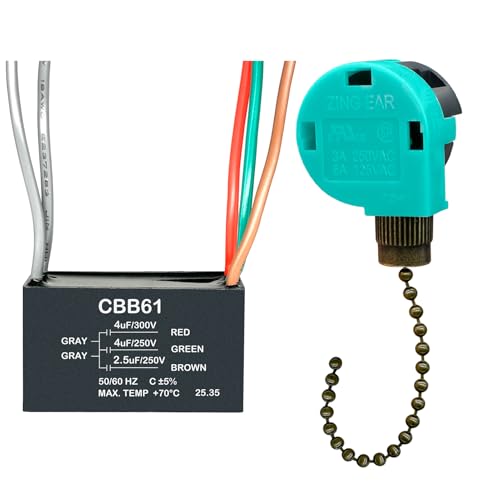
- LFR Score9.0
LFR Score is a ranking system developed by lightfansreviews.com. LFR Score has no relationship or impact from any manufacturers or sales agent websites. Learn more
- BrandYukiHalu
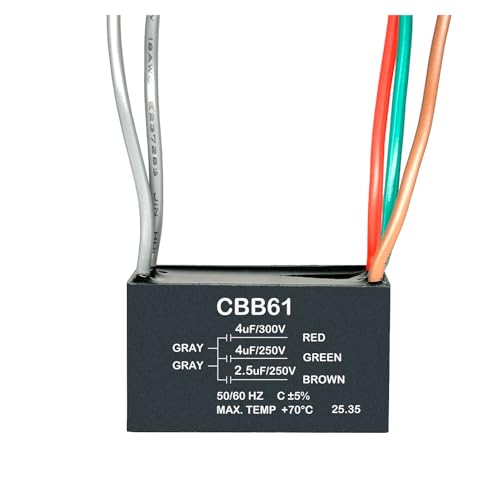
- LFR Score9.0
LFR Score is a ranking system developed by lightfansreviews.com. LFR Score has no relationship or impact from any manufacturers or sales agent websites. Learn more
- BrandYukiHalu

- LFR Score8.8
LFR Score is a ranking system developed by lightfansreviews.com. LFR Score has no relationship or impact from any manufacturers or sales agent websites. Learn more
- BrandYukiHalu

- LFR Score8.8
LFR Score is a ranking system developed by lightfansreviews.com. LFR Score has no relationship or impact from any manufacturers or sales agent websites. Learn more
- BrandWadoy
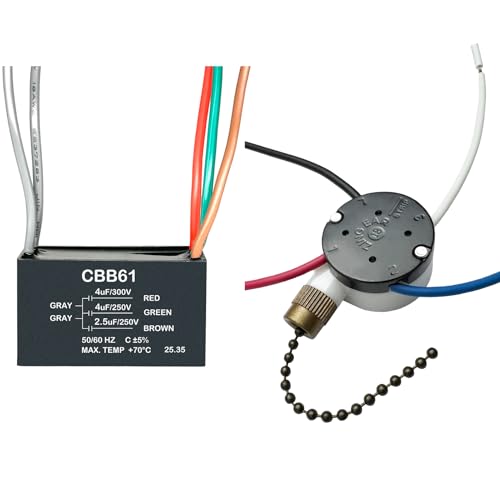
- LFR Score8.8
LFR Score is a ranking system developed by lightfansreviews.com. LFR Score has no relationship or impact from any manufacturers or sales agent websites. Learn more
- BrandYukiHalu
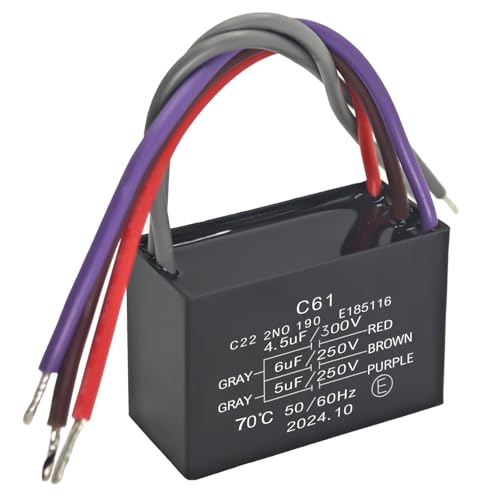
- LFR Score8.4
LFR Score is a ranking system developed by lightfansreviews.com. LFR Score has no relationship or impact from any manufacturers or sales agent websites. Learn more
- BrandFormiden
Last update on 2026-08-06 / Affiliate links / Images, Product Titles, and Product Highlights from Amazon Product Advertising API
What Is A Triple Capacitor Ceiling Fan
A fan that hums, crawls, or loses one speed can turn a normal room into a tiny troubleshooting circus. The switch still clicks, the blades still move a little, and the whole thing looks like it should behave, yet the airflow feels weak and uneven. That’s where what is a triple capacitor ceiling fan becomes more than a technical phrase. It points to the small electrical part that helps manage speed control, motor torque, and smooth startup behind the canopy.
Triple Capacitor Basics
A triple capacitor ceiling fan uses one capacitor block with three separate capacitance values inside it. Those values help the fan motor respond differently at low, medium, and high speeds. Instead of stuffing three separate capacitors into the housing, the fan uses one combined unit to keep the wiring neater. That compact setup matters because ceiling fan canopies don’t leave much room for messy connections.
The capacitor doesn’t “power” the fan by itself. It stores and releases electrical energy in a controlled way so the motor can create the needed phase shift. That phase shift helps the motor produce starting force and steady rotation instead of sitting there buzzing like an angry bee. Without a healthy capacitor, the fan may look fine from the outside but act stubborn once you pull the chain or tap the wall control.
Many people notice the problem first through speed imbalance. Low speed may stop working, medium speed may feel almost the same as high, or the fan may need a little push by hand to begin spinning. Those symptoms don’t always mean the motor is dead. Often, a weak section inside the triple capacitor has lost its ability to help the fan maintain proper torque.
A regular single capacitor usually supports one main motor function, while a triple capacitor supports multiple speed paths. That difference makes it especially common in fans with pull-chain speed controls or multi-speed wall switches. The fan depends on different capacitance values to change how much torque reaches the motor windings. So, yes, that little plastic box with several wires can decide whether the room feels breezy or annoyingly still.
Why Fan Speeds Start Acting Weird
Speed problems can feel random, but they usually follow a pattern. A ceiling fan capacitor ages from heat, dust, vibration, and everyday use. Once one value inside the capacitor weakens, the matching speed setting may fade before the others. That’s why a fan can still run on high but refuse to behave on low or medium.
The frustrating part is that the fan often gives mixed signals. The lights may work, the remote may beep, and the switch may click exactly as expected. Still, the blades may drag along because the motor windings aren’t getting the electrical support they need. That mismatch tricks people into blaming the wall switch, remote receiver, or even the entire motor too soon.
Noise tells its own story. A failing triple capacitor ceiling fan may hum loudly because the motor is struggling to start or hold speed. The sound can get worse at certain settings because each speed path uses a different capacitor value. That uneven behavior is a handy clue, especially if the fan ran quietly for years before acting up.
Heat also plays a role. A capacitor trapped inside a tight canopy deals with warm air, electrical load, and limited ventilation. Over time, the internal material can dry out or weaken, which reduces capacitance stability. To keep comfort steady in a bedroom setup, compare airflow and safety-focused options through best ceiling fan for child room before replacing an old fan that keeps giving the same warning signs.
How The Triple Capacitor Controls Airflow
Airflow feels simple from below, but the motor is doing a careful electrical dance above your head. A triple capacitor adjusts how the motor receives phase-shifted current across different speed settings. That adjustment changes the amount of torque available to spin the blades. Better torque control means smoother speed changes, less motor strain, and fewer awkward jumps between settings.
Ceiling fans don’t actually lower the room’s air temperature. They make people feel cooler by moving air across the skin, which helps with evaporation and comfort. The U.S. Department of Energy notes that using a ceiling fan can let people raise the thermostat by about 4°F without reducing comfort. That benefit only feels real, though, if the fan’s speed control works properly.
A weak capacitor can ruin that comfort trick fast. Low speed may not move enough air for sleeping, while high speed may feel too aggressive for a small room. Medium speed should be the easy middle ground, but a failing triple capacitor ceiling fan can make it feel choppy or underpowered. That’s why capacitor health matters for everyday comfort, not just electrical repair talk.
Blade size, pitch, and motor quality still matter, of course. A capacitor can’t magically fix poor blade design or a fan that’s too small for the room. Still, the capacitor system helps the motor deliver whatever performance the fan was built to provide. To avoid extra ceiling repair headaches during fixture swaps, use a practical guide like how to remove flush mount ceiling light before working around tight mounting hardware.
Signs The Capacitor May Be Failing
A fan that needs a manual push is waving a pretty clear flag. The motor wants to start, but the starting torque isn’t strong enough to get the blades moving on its own. That often points to a weak capacitor, especially if the fan spins normally after a little help. It’s a classic “almost there” problem, and it shouldn’t be ignored for long.
Missing speeds are another common clue. A triple capacitor contains different values, so one speed can fail while the others keep working. Low speed may disappear first because it relies on a specific capacitance path. Medium speed can also become unreliable, leaving high speed as the only usable setting, which gets old fast in a quiet room.
Bulging, leaking, or burnt-looking capacitor cases deserve extra caution. Those visual signs suggest the component has been stressed beyond normal wear. A damaged fan capacitor should be replaced with the correct rating instead of reused or taped back into place. Electricity doesn’t reward guesswork, and ceiling fans sit too close to people for sloppy repairs.
Smell can also give the game away. A faint burnt odor near the fan canopy may come from overheated wiring, a failing receiver, or a stressed capacitor. Shut the fan off if the smell appears with humming, heat, or strange speed behavior. Separately, tired eyes from late-night repair searches need their own fix, and best red light therapy for eye bags fits that separate comfort concern without pretending it repairs ceiling fans.
Matching The Right Replacement
Replacement starts with the printed label on the old capacitor. The key details are microfarad values, usually marked as µF, and the voltage rating. A triple capacitor may show three values, such as separate ratings for different wire pairs. Matching those values closely matters because the motor was designed around that electrical behavior.
Wire colors can help, but they shouldn’t be trusted blindly. Different brands may use different color patterns, and older fans may have been repaired before. A clear photo before disconnecting anything can save a lot of grumbling later. The safest move is to follow the fan’s wiring diagram and match the capacitor specifications instead of guessing by color alone.
A higher voltage rating is usually acceptable if the microfarad values match, but lower voltage is a bad idea. The capacitor must handle the electrical stress inside the fan without overheating. Wrong capacitance can cause poor torque, motor noise, or speed settings that feel completely off. That tiny mismatch can make a brand-new replacement behave like a bad part.
Cheap parts can be tempting, especially for an older fan that already feels halfway retired. Still, a replacement capacitor should come from a reliable source and match the fan’s electrical needs. A poorly made triple capacitor may fail early or run hot inside the canopy. Saving a few bucks isn’t worth creating a repeat repair on a fan mounted above a bed, desk, or dining table.
How Triple Capacitor Ceiling Fans Affect Comfort
Late-night heat feels ten times worse when a ceiling fan keeps wobbling between weak airflow and noisy spinning. Some fans sound busy without actually moving much air, while others blast too hard on high speed and barely function on low. That uneven behavior often traces back to capacitor performance, especially in fans built with multi-speed motors. A healthy triple capacitor ceiling fan keeps airflow more balanced so rooms feel comfortable without constant speed adjustments.
Why Stable Airflow Matters
Comfort depends on consistency more than raw speed. A fan that constantly changes rhythm or struggles to maintain rotation creates an annoying stop-and-go feeling in the room. That’s why steady motor torque matters so much in daily use. The capacitor helps the motor hold a stable pattern instead of drifting between weak and aggressive airflow.
Bedrooms especially reveal airflow problems fast. Weak low-speed settings can leave the air feeling stale overnight, while unstable medium speed creates distracting noise during sleep. A properly functioning triple capacitor helps smooth out those transitions so the fan doesn’t sound like it’s fighting itself every few minutes. That smoother operation becomes surprisingly noticeable once people replace a failing capacitor.
Large rooms create another challenge because airflow has farther to travel. A fan with inconsistent torque may spin quickly yet fail to circulate air evenly across the space. That imbalance creates warm corners and uncomfortable dead zones. To compare stronger airflow setups for larger spaces, explore best ceiling fans for hot rooms for ideas that focus on cooling performance instead of flashy design alone.
Humidity also changes how airflow feels. Sticky summer air can make weak circulation feel even more frustrating because the fan never reaches a comfortable rhythm. A healthy capacitor system helps maintain smoother blade movement during long operating hours. That consistency reduces the constant urge to keep adjusting the controls every twenty minutes.
Remote Controls And Capacitor Issues
Remote-controlled fans add convenience, but they also introduce extra layers that can confuse troubleshooting. Many people assume the remote receiver failed first because the fan stops responding properly. Sometimes that’s true, but a weak triple capacitor ceiling fan can create symptoms that mimic remote problems. Speed commands may register while the motor still struggles to react correctly.
Receivers and capacitors work together more closely than most people realize. The receiver sends commands, while the capacitor helps shape how the motor handles those changes. If the capacitor weakens, the remote may seem unreliable even though the receiver itself still works. That overlap causes a lot of unnecessary part replacements.
Fans that suddenly skip speeds after pressing the remote often point toward capacitor trouble. High speed may function normally while medium becomes unpredictable or low speed vanishes entirely. That pattern usually reflects how different capacitance values control separate speed paths. The issue feels electronic because it is electronic, but the actual fix can be surprisingly small.
Remote compatibility matters too. Universal remotes sometimes work well with older fans, while others create delayed speed changes or partial functionality. To simplify replacement headaches, compare reliable setups through best universal remote control for tv before buying random remotes that may not communicate cleanly with existing receivers.
Heat Buildup Inside Fan Housings
Ceiling fan canopies trap more heat than people expect. The motor generates warmth, the wiring carries electrical load, and the ceiling itself can hold rising heat near the housing. Over time, that environment slowly stresses internal electrical parts. A triple capacitor constantly exposed to heat tends to age faster than components in cooler spaces.
Warm climates create extra pressure on ceiling fans because they often run for long stretches without much downtime. Extended operation increases internal temperature and pushes capacitors harder during peak summer months. That stress can shorten the lifespan of weaker capacitor materials. A fan that runs almost nonstop may show speed inconsistency earlier than one used occasionally.
Dust buildup makes the situation worse. Dust traps heat around the motor housing and can interfere with airflow inside the canopy. That doesn’t mean the capacitor instantly fails, but it does increase strain over time. Cleaning the housing occasionally helps reduce unnecessary stress on both the motor and the capacitor assembly.
Attic heat also sneaks into the equation. Rooms below poorly insulated ceilings often transfer additional warmth into ceiling-mounted fixtures. A fan installed beneath a hot attic may operate in much harsher conditions than expected. That extra temperature load quietly chips away at electrical stability over the years.
Why Cheap Capacitors Fail Faster
Not every replacement capacitor is built the same way. Some lower-cost parts use thinner materials or weaker internal insulation that degrades faster under daily electrical load. At first, the fan may seem perfectly normal after installation. Then a few months later, the same old humming and weak airflow begin creeping back again.
Capacitors deal with constant electrical cycling every time the fan changes speed or starts spinning. Poorly made components struggle to maintain stable capacitance under repeated heat exposure. That instability can create motor chatter, inconsistent startup behavior, and uneven airflow. A slightly cheaper part sometimes becomes more expensive once repeat repairs enter the picture.
Voltage spikes can also expose weak capacitor construction. Small electrical fluctuations happen more often than many homeowners realize, especially during storms or heavy appliance use. Better-made capacitors usually tolerate those fluctuations more gracefully. Cheap versions may weaken sooner because their internal materials break down faster under stress.
Physical construction matters too. A flimsy casing may allow more vibration inside the housing, especially on older fans with mild balance issues. Constant vibration slowly affects wire connections and internal stability. A durable triple capacitor ceiling fan replacement should feel properly sealed and securely built instead of lightweight and fragile.
Simple Maintenance That Helps Fan Performance
Ceiling fans rarely need complicated maintenance, but small habits can keep them operating more smoothly for years. Dusting the blades helps reduce wobble and improves airflow consistency. Tightening loose screws also prevents vibration from stressing internal wiring. Those little fixes help the entire fan system stay calmer during daily operation.
Blade balance deserves more attention than it usually gets. Uneven blades force the motor to compensate constantly while spinning. That extra strain affects bearings, mounts, and electrical components over time. A balanced fan creates less vibration, which indirectly helps protect the capacitor system from unnecessary stress.
Speed controls should feel smooth and predictable. If pull chains skip settings or feel loose, inspect them before assuming the motor failed. Mechanical switches sometimes create inconsistent electrical contact that mimics capacitor problems. Sorting out the actual cause prevents wasting money on parts that weren’t broken in the first place.
Seasonal adjustments can help too. Reversing blade direction during colder months improves air circulation without forcing the fan to run at aggressive speeds all year long. Lower stress during cooler seasons gives the motor and triple capacitor a bit of breathing room. That slower wear pattern can extend the useful life of older fans significantly.
Common Mistakes During Repairs
Guessing capacitor values creates trouble fast. Some people replace the old capacitor with “something close” because the wiring looks similar. Unfortunately, even small differences in microfarad ratings can affect torque, startup strength, and speed balance. Ceiling fan motors depend on pretty specific electrical behavior to stay stable.
Mixing up wires is another common headache. A fan may still run after incorrect wiring, but the speeds can behave strangely or the motor may overheat during operation. Taking photos before disconnecting anything saves a lot of frustration later. Labeling wires with tape also helps prevent that “wait, where did this one go?” moment halfway through the repair.
Some repairs ignore the real issue entirely. A fan with worn bearings or damaged windings may still show symptoms similar to capacitor failure. Replacing the capacitor alone won’t magically cure mechanical damage. Paying attention to grinding noises, burning smells, or severe wobbling helps separate electrical issues from physical wear.
Working with power still deserves caution no matter how simple the repair looks online. Shut off the breaker before opening the housing, and use proper testing tools instead of blind trial-and-error. Ceiling fans combine moving parts and electrical systems directly above living spaces. A careful repair approach protects both the fan and everyone standing underneath it.


Best Small Flush Mount Ceiling Fans 2026 Ultimate Picks

Best Smart Ceiling Fan India 2026 For Effortless Comfort

Best Smart Ceiling Fans with Lights for 2026: Top Picks

Best Smart Home Non Ceiling Fans 2026 For Ultimate Comfort

Best Outdoor Misting Ceiling Fan 2026 For Ultimate Comfort

Best Outdoor Ceiling Fans For Porch 2026 With Style And Breeze

Best Smart Bulb For Ceiling Fan 2026 That Brightens Life

Best Smart Ceiling Fan Control 2026 For Effortless Comfort






